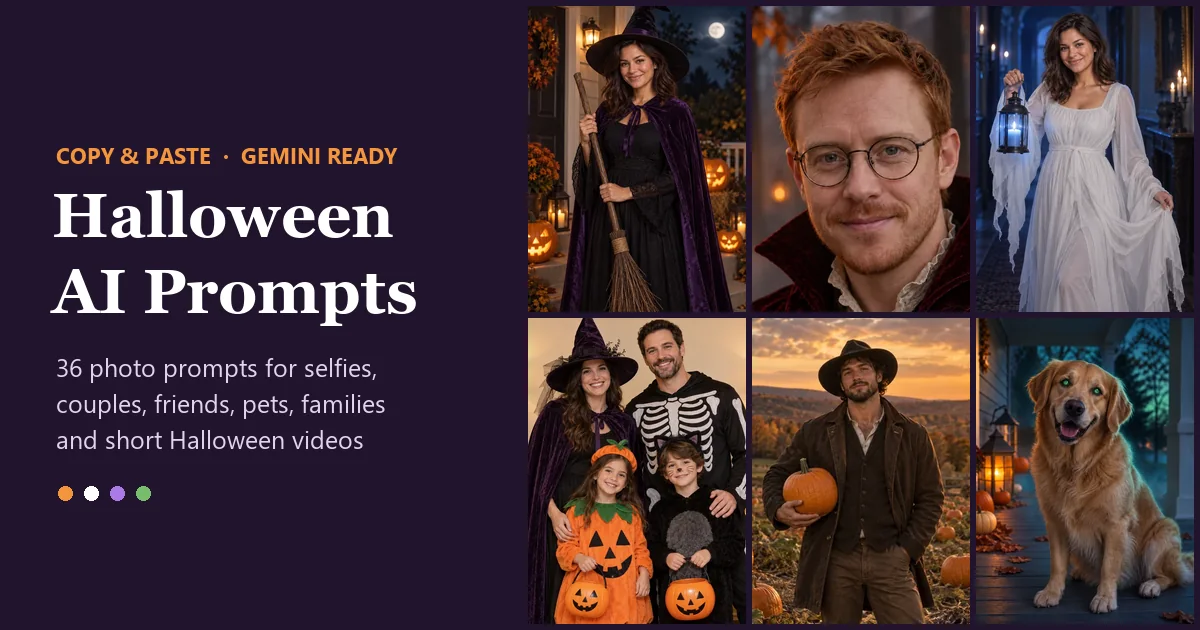
Short answer: a good Halloween AI prompt describes the scene, the costume, the light and the camera style, then ends with one line that keeps your face the same. Copy any of the 36 prompts below, upload a clear photo to Nano Banana (the Gemini image model), paste the prompt and generate. Each Try this prompt button opens the editor with that prompt already filled in.
The Halloween AI prompts trend started when people found that Gemini could put their own face into a cinematic spooky scene from a single sentence. Since then the AI Halloween trend has grown into its own little genre: moonlit witches, candlelit vampires, ghost brides, skeleton squads and glowing pumpkin pets. Every AI Halloween trend prompt in this guide is original, written to keep your face recognizable, and grouped by who is in the photo: women, men, couples, friends, pets and families, plus cinematic trend looks and short video prompts.
How to Write a Halloween AI Prompt That Keeps Your Face
Most AI prompts for Halloween fail in one of two ways: the face changes, or the scene is too vague to look like anything. A Gemini AI Halloween photo prompt that works names six parts in the same order, every time. Each prompt below follows this structure, so you can swap one part, such as a red cape instead of a purple one, without breaking the rest.
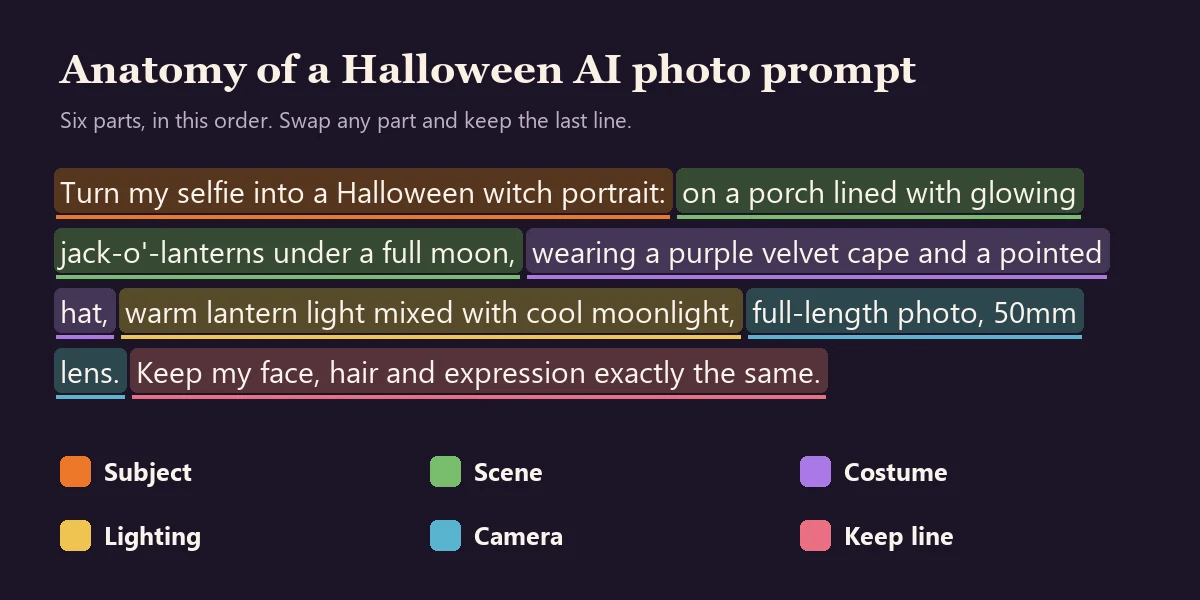
- Subject: say what to do with your photo. "Turn my selfie into a Halloween witch portrait" works better than "a witch."
- Scene: one clear place. A porch lined with jack-o'-lanterns, a candlelit ballroom, a foggy forest.
- Costume: colors and materials. "Deep purple velvet cape" beats "witch costume."
- Lighting: the part most people skip. "Warm lantern light mixed with cool moonlight" does more for realism than any adjective.
- Camera: framing and lens. Close-up, waist-up or full-length; 35mm for scenes, 85mm for portraits.
- Keep line: always last. "Keep my face, hair and expression exactly the same."
How to Use These Prompts on EzImgMaker
You do not need the Gemini app to use Google Gemini Halloween prompts. Nano Banana is the Gemini 2.5 Flash Image model from Google, and on EzImgMaker it works as a Halloween AI photo editor: you upload a photo, describe the change and it edits only what you ask.
- Open the editor in photo mode. Click Try this prompt on any card below, or open Nano Banana in photo mode yourself, and upload a sharp photo with your face clearly visible.
- Paste or tweak the prompt. The Try button fills the prompt in for you. Change colors, costumes or pets so the prompt fits you, and keep the last sentence as it is.
- Pick a shape and generate. Choose 4:5 or 3:4 for posts, 9:16 for stories. Nano Banana starts at 4 credits per image and shows the cost before you start. Free to try with sign-up credits.
- Make two or three versions. Keep the most natural one, then turn it into a short clip with image to video or animate photo.
| What you want | Best place to start | Why |
|---|---|---|
| A custom Halloween edit of your own photo | Nano Banana | Follows long prompts and keeps faces recognizable |
| A ready-made trend look, no writing | AI Halloween filter | One-tap witch, vampire, sugar skull and spooky scene looks |
| A costume on your photo | AI Halloween costume generator | Pick a costume and keep your face and pose |
| Undead makeup without gore | Zombie filter | Pale skin, cloudy eyes and cracked makeup looks |
| Two people who are in separate photos | AI couple photo maker | Puts both of you in one frame first |
| A ghost in your picture, or the sheet ghost photoshoot | Add ghost to photo | Adds a ghost behind you or turns everyone into a sheet ghost |
| A werewolf version of you | AI werewolf generator | Full or half transformation, realistic or anime |
| Catrina makeup for Día de Muertos | Day of the Dead filter | Catrina face paint, marigold portraits and ofrenda frames |
| A moving Halloween clip | Image to video or animate photo | Turns the finished picture into a short video |
Halloween AI Prompts for Women (Selfie Prompts)
These Halloween AI prompts for selfies start from an everyday photo and give you a styled portrait for a profile picture, a story or a Halloween post. They cover the looks people search for most: witches, ghosts, sugar skulls and masquerade glam, so you get spooky AI prompts that still look elegant enough to share.
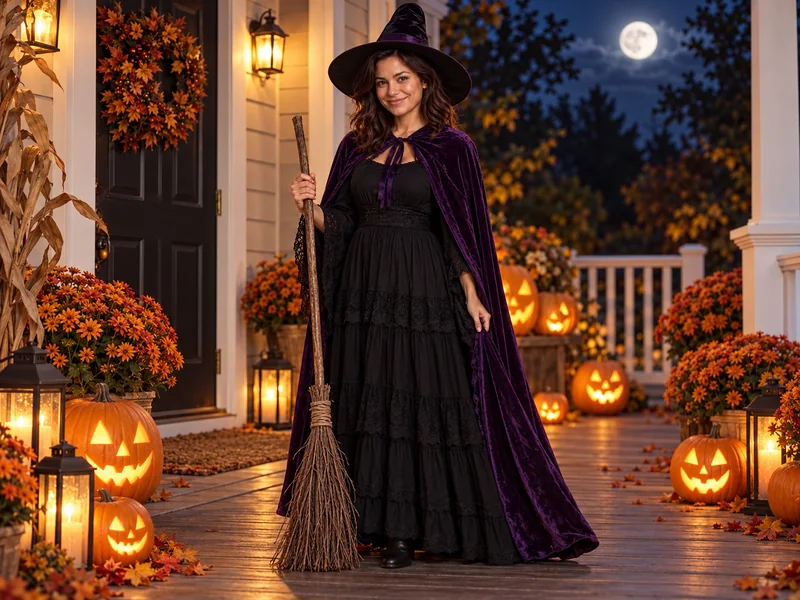
Moonlit Porch Witch
Turn my selfie into a Halloween witch portrait: I'm standing on a wooden front porch lined with glowing jack-o'-lanterns and orange mums, a full moon behind the trees, wearing a black dress, a deep purple velvet cape and a wide-brim pointed hat, holding a twig broom, warm lantern light mixed with cool moonlight, full-length photo, 50mm lens. Keep my face, hair and expression exactly the same.
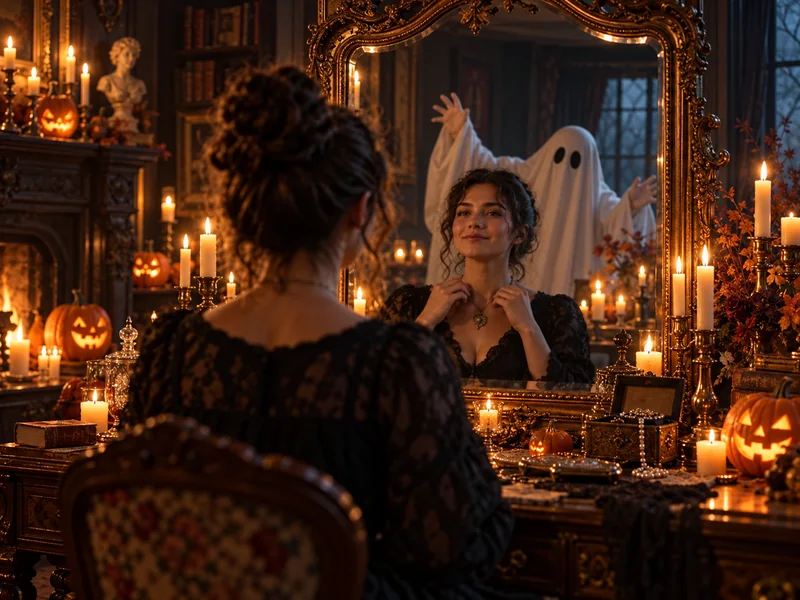
Haunted Mirror Portrait
Place me in a candlelit Victorian sitting room, seated at an antique vanity with a tall gilded mirror, a friendly sheet ghost peeking over my shoulder in the reflection, wearing a black lace gown with my hair pinned up, dozens of flickering candles and small carved pumpkins around me, warm low light with deep shadows, cinematic still, 35mm lens. Keep my face exactly as in my photo.
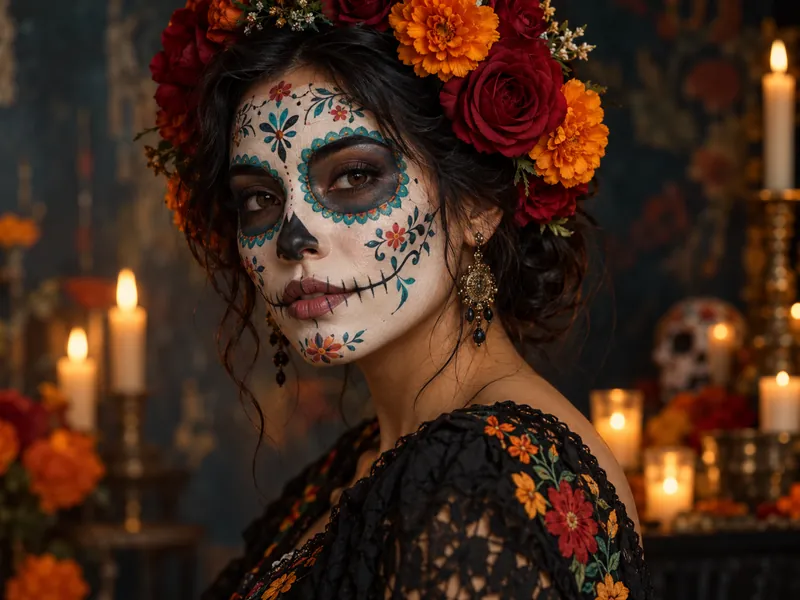
Marigold Sugar Skull Portrait
Give me a Day of the Dead-inspired portrait: delicate sugar skull face paint in white, black and teal with tiny flower details, a crown of red roses and orange marigolds in my hair, a black embroidered dress, a dark painted backdrop with a soft candle glow, close-up head-and-shoulders, 85mm lens, rich color. Keep my face shape, eyes and expression exactly the same under the face paint.
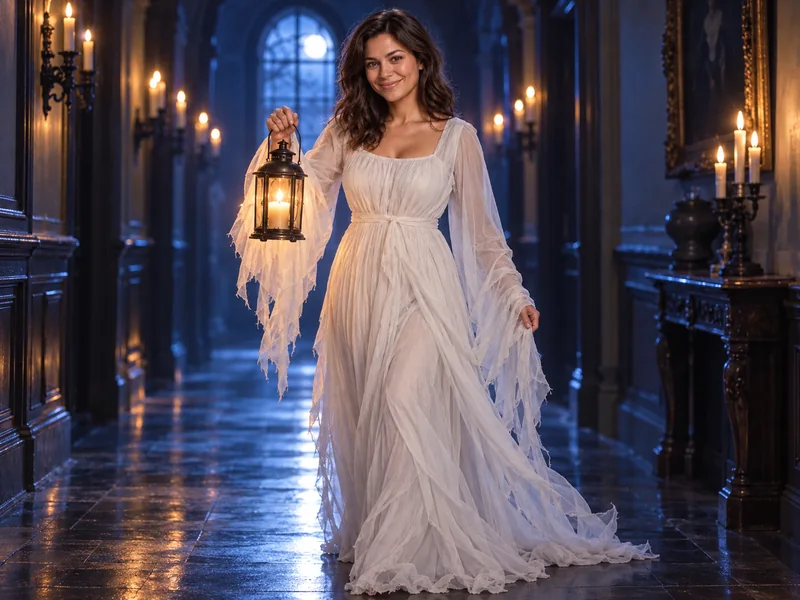
Lantern Ghost in a White Gown
Make me a graceful Halloween ghost: I'm walking down a dark blue hallway lit by candles in iron sconces, wearing a flowing white gown with long tattered chiffon sleeves, holding an old iron lantern with a warm flame, a soft glow around my silhouette, cool moonlight from a tall window, full-length photo, gentle film grain. Keep my face, hair and smile exactly the same.
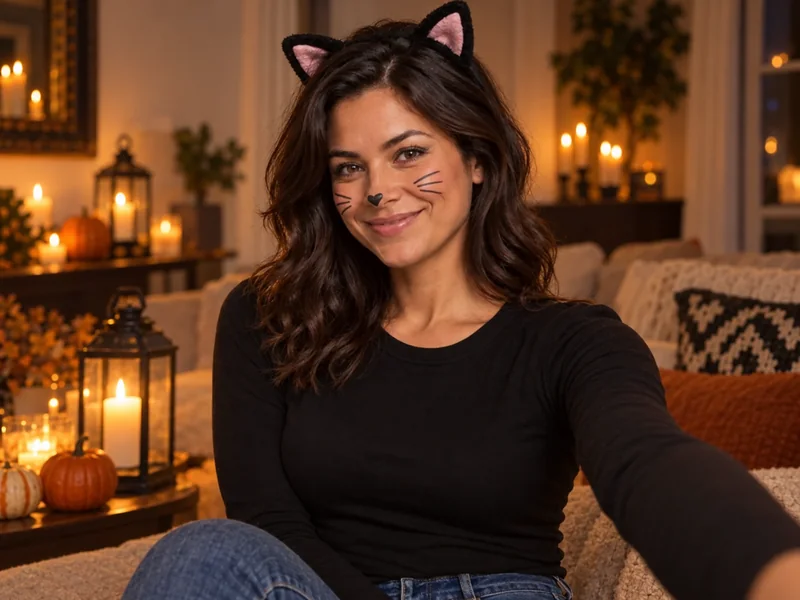
Easy Black Cat Selfie
Turn my photo into an easy black cat Halloween selfie: add a black cat-ear headband, small winged eyeliner and three thin painted whiskers on each cheek, a black fitted top and jeans, a cozy living room with candles, lanterns and a few small pumpkins behind me, warm evening light, smartphone portrait look. Keep my face, skin and hairstyle exactly the same.
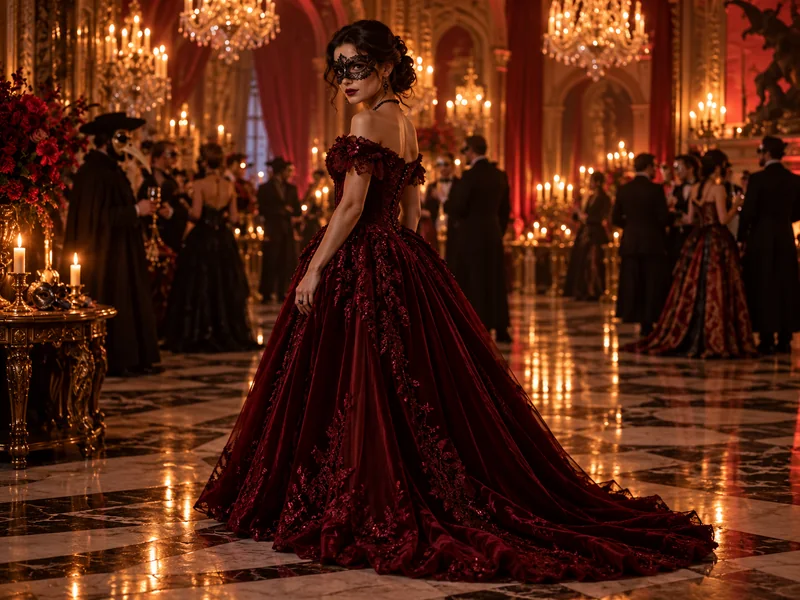
Velvet Masquerade
Place me in a grand candlelit ballroom at a Halloween masquerade, wearing a deep crimson velvet ball gown with an off-shoulder neckline and a black lace eye mask, other masked guests and chandeliers softly blurred behind me, warm golden light reflecting on a polished floor, cinematic full-length shot, 50mm lens. Keep my face shape, lips and hairstyle exactly the same.
Halloween AI Prompts for Men
These Gemini Halloween prompts for men lean on texture and light: velvet, leather, lanterns and fog. They suit a beard, glasses or short hair, and the keep line protects all three.
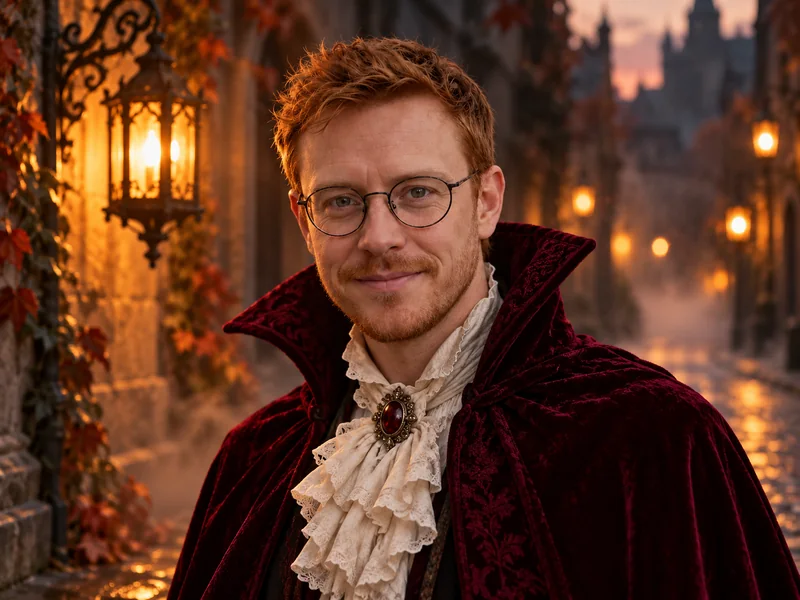
Velvet Vampire Count
Turn my photo into an elegant vampire portrait: a deep burgundy velvet cape with a high collar, an ivory ruffled shirt and an antique brooch, standing on an old cobblestone street at dusk with glowing iron lanterns and soft fog, warm lantern light from one side, shallow depth of field, 85mm portrait lens. Keep my face, hair and any glasses or beard exactly as in my photo.
Pumpkin Patch at Golden Hour
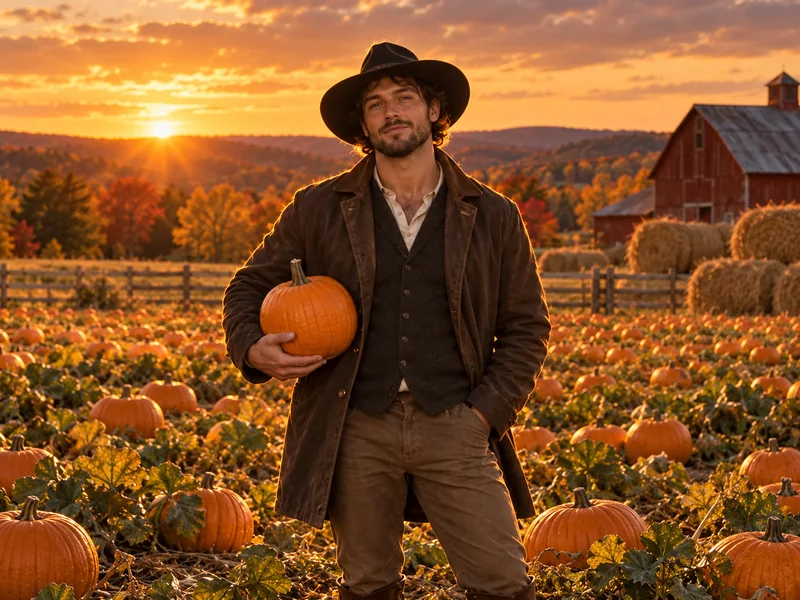
Place me in a wide pumpkin field at sunset, holding a pumpkin at my side, wearing a wide-brim black hat, a waxed brown jacket over a dark vest and boots, a red barn and hay bales in the distance, low golden backlight with a warm rim on my shoulders, cinematic autumn portrait, 50mm lens. Keep my face and expression exactly the same.
Gothic Library Gentleman
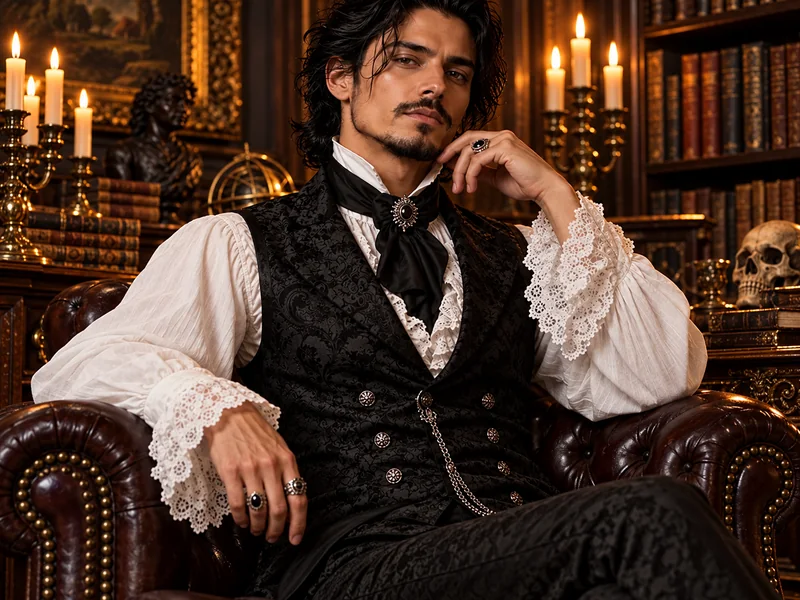
Restyle me as a Victorian gothic gentleman: seated in a leather armchair in a dark wood library with candelabras, wearing a black brocade vest, a white shirt with ruffled cuffs and a black silk cravat, a silver ring on one hand, warm candlelight with deep shadows, moody editorial portrait, 50mm lens. Keep my face, hairstyle and facial hair exactly the same.
Lantern-Lit Graveyard Poet
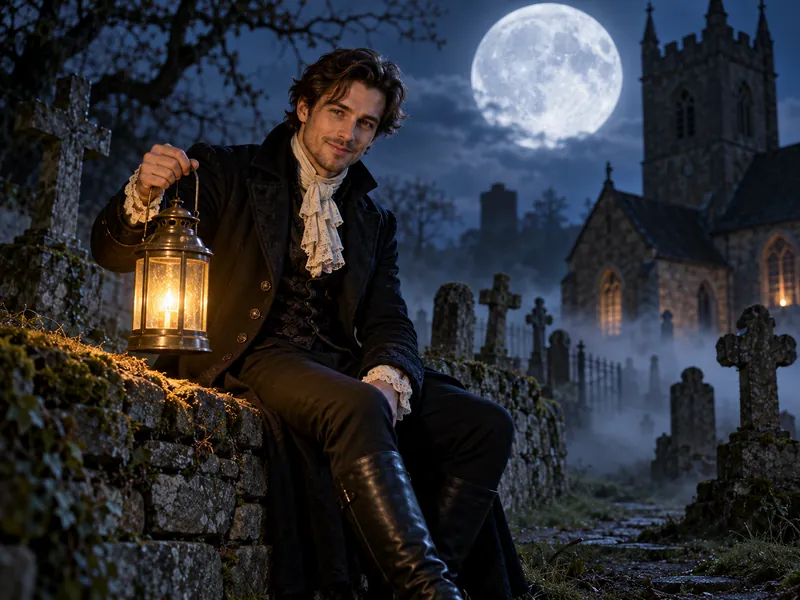
Place me in an old moonlit churchyard with crooked stone crosses and drifting fog, sitting on a low stone wall holding a brass lantern, wearing a long black frock coat and a cream lace cravat, a huge full moon behind me, cool blue moonlight with the warm lantern glow on my face, cinematic night portrait, 35mm lens. Keep my face, hair and smile exactly as in my photo.
Halloween AI Prompts for Couples
Upload one photo of the two of you with both faces visible. Only have separate pictures? Put them together first with the AI couple photo maker, then use one of these couple prompts on the result. Writing "both of us" or "one of us … the other" tells the AI to keep two people.
Day of the Dead Couple
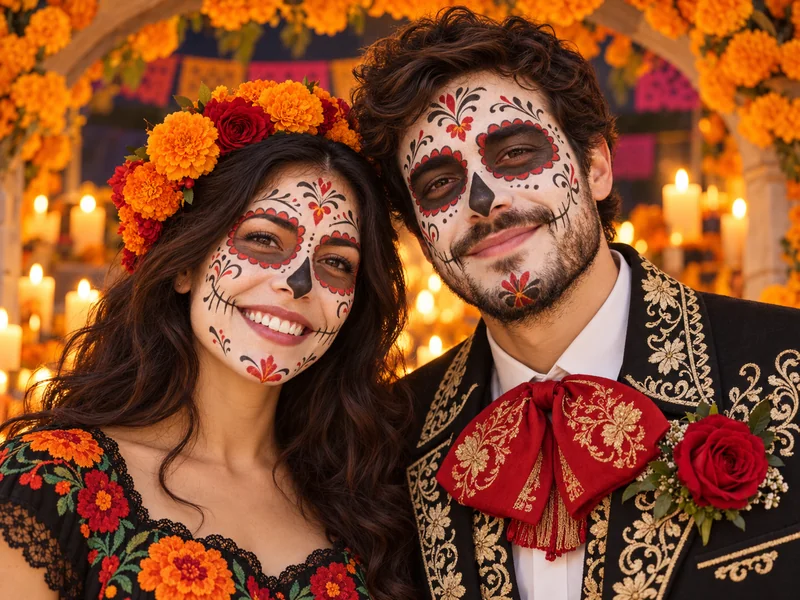
Turn our couple photo into a Day of the Dead-inspired portrait: both of us with elegant sugar skull face paint, one in a black embroidered charro-style jacket with a red rose, the other in a black floral dress with a crown of marigolds, standing under an arch of orange marigolds and candles, warm candlelight, close two-person portrait, 50mm lens. Keep both of our faces and smiles recognizable.
Ghost Bride and Groom
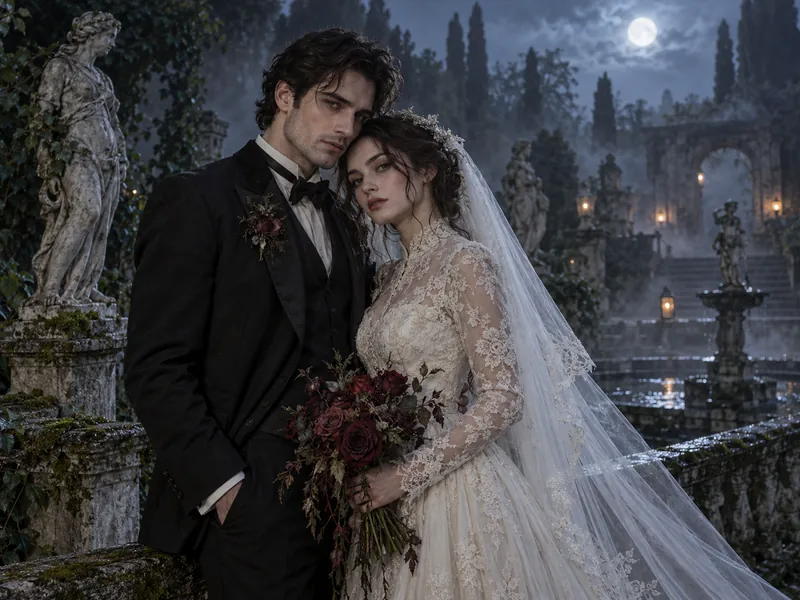
Make us a ghostly bride and groom: one in a faded black tuxedo with a wilted boutonniere, the other in a vintage lace wedding gown and long veil holding dark red roses, standing close in a misty garden at night with old stone statues, a pale soft glow on our skin, cool moonlight and gentle fog, romantic cinematic portrait. Keep both of our faces exactly as they are.
Pumpkin Patch Date at Dusk
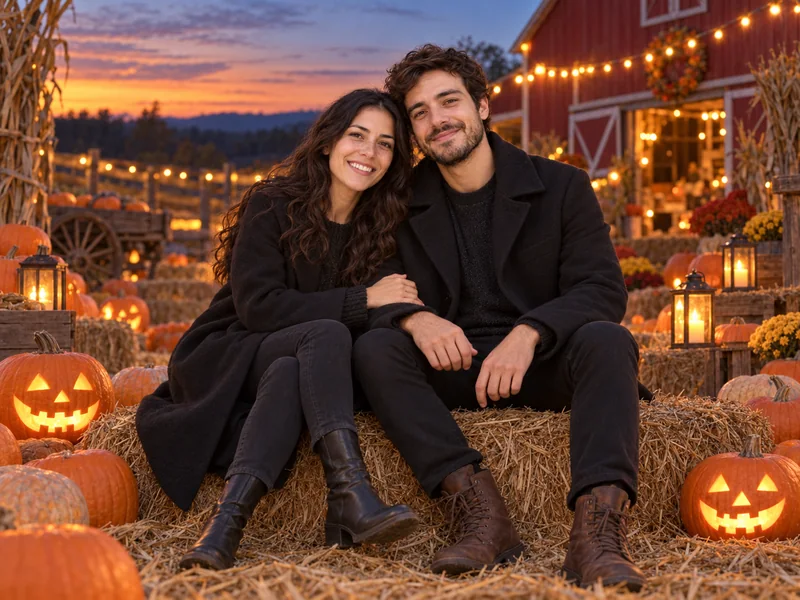
Place the two of us sitting close on a hay bale in a pumpkin patch at dusk, both in black wool coats and boots, carved jack-o'-lanterns glowing around us, string lights and a red barn behind, warm sunset light fading into blue hour, candid couple photo, 50mm lens. Keep both faces and our heights true to the photo.
Cowboy and Angel
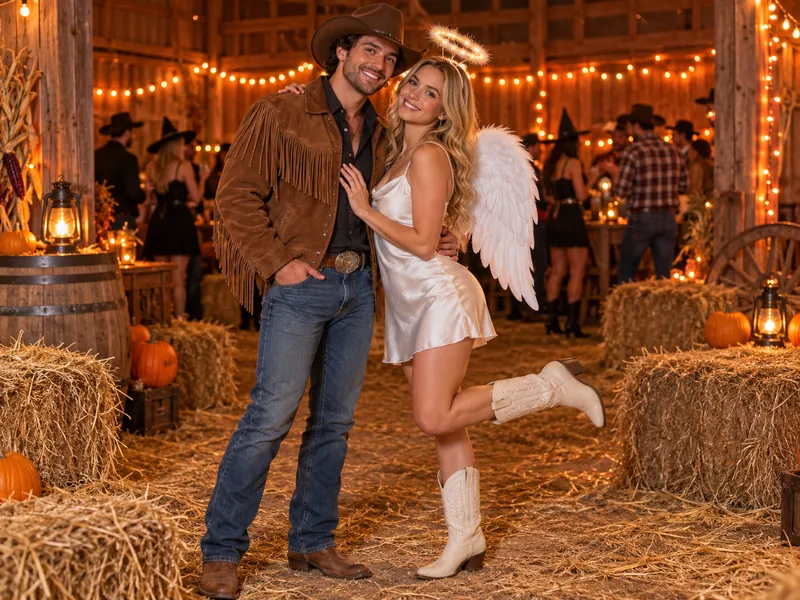
Turn our couple photo into a cowboy and angel Halloween look: one of us in a brown cowboy hat, a suede fringe jacket and boots, the other in a white satin dress with feathered angel wings and a soft glowing halo, standing in front of hay bales and orange string lights at a barn party, warm golden light, playful full-length photo. Keep both of our faces exactly the same.
Halloween Photoshoot Ideas for Friends: Group Prompts
Fun Halloween photoshoots with friends work best when the group shares one theme. Use a photo where every face is visible and not too small, write "every face" in the prompt, and name the Halloween poses you want, such as a lineup, a huddle or a selfie, so nobody disappears.
Candlelit Witch Coven
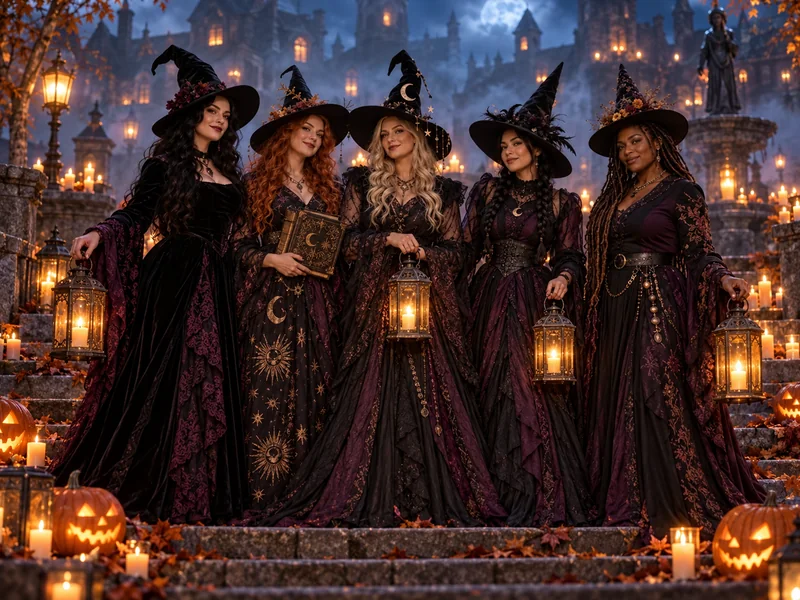
Turn our group photo into a witch coven: all of us in long black and plum gowns with pointed hats, holding lanterns and an old spell book, standing on stone steps in a misty village square at night, jack-o'-lanterns and candles on the ground, warm candlelight with cool blue fog, wide cinematic group shot. Keep every face and skin tone exactly as in the photo.
Skeleton Squad Lineup
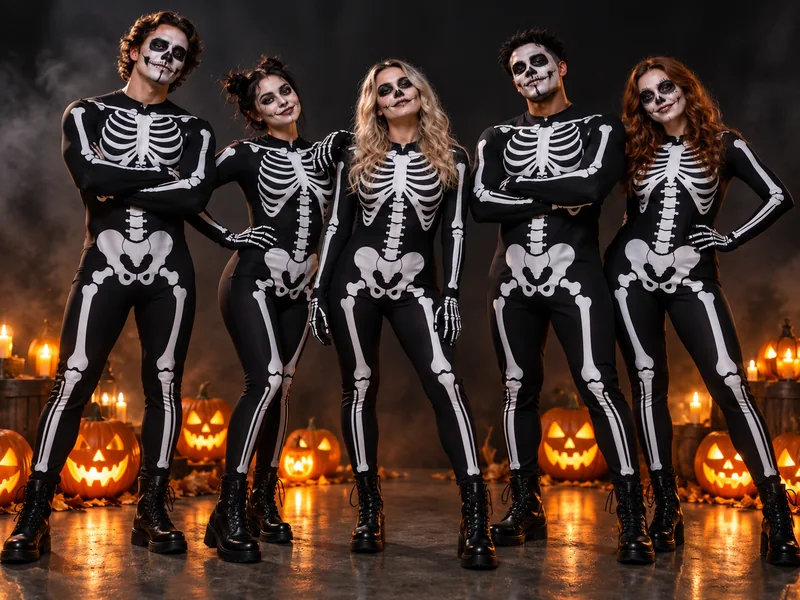
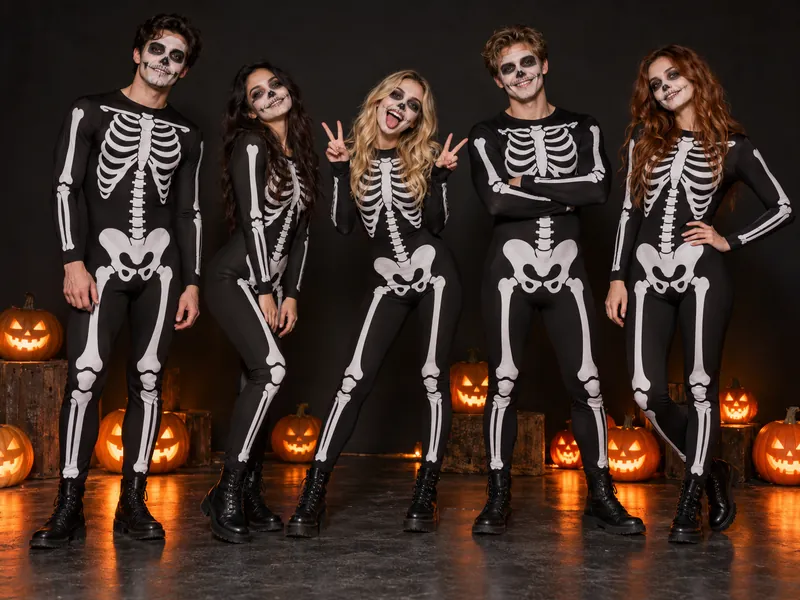
Dress our whole group in matching black skeleton bodysuits with white bone prints and simple skull face paint, everyone striking a fun pose side by side in a dark studio with a few glowing jack-o'-lanterns at our feet, crisp flash lighting, full-length group photo. Keep each person's face, height and hairstyle recognizable.
Friendly Zombie Party Selfie
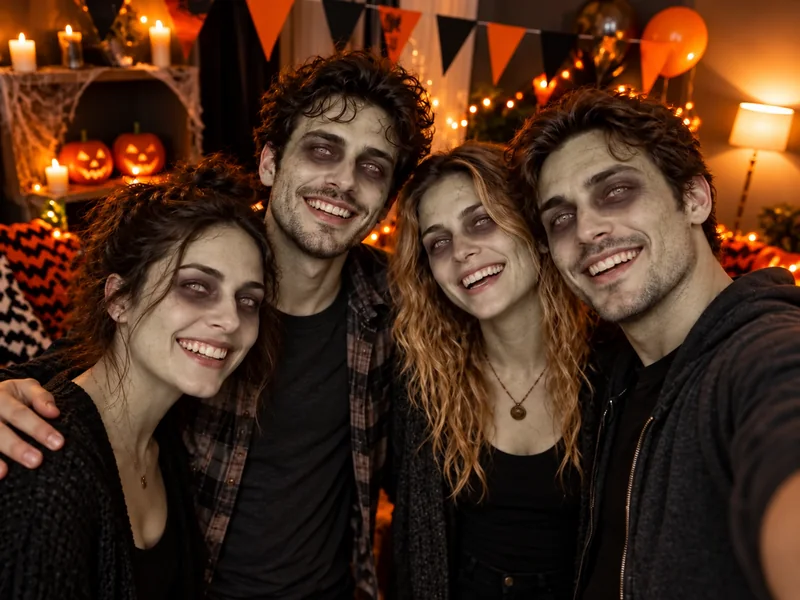
Turn our party selfie into a friendly zombie look: pale gray-green skin, tired dark circles and slightly messy hair for everyone, no blood or wounds, the same big smiles, a Halloween party backdrop with paper bunting, carved pumpkins and orange string lights, warm flash snapshot. Keep every face and expression recognizable.
Fantasy Quest Crew
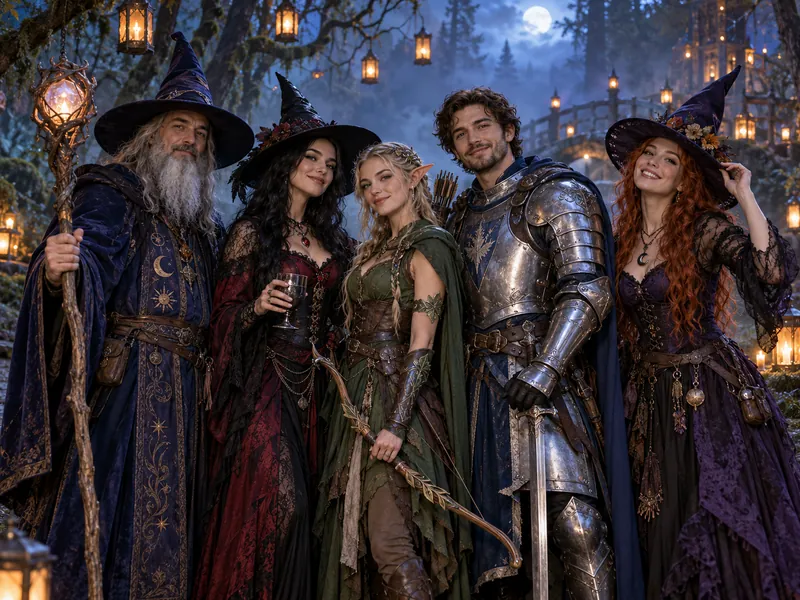
Turn our group into a fantasy Halloween party: a wizard with a tall wooden staff, two witches in pointed hats, an elf archer and a knight in silver armor, standing together on a misty forest path at night with hanging lanterns, cool blue fog and warm lantern glow, wide cinematic group portrait. Keep every face exactly as in our photo.
Want the undead look on a single selfie or a whole party photo without writing anything? The zombie filter has ready-made zombie looks, from a gentle pale ghoul to cracked undead makeup, all without gore.
Halloween AI Prompts for Pets
Pets are the easiest subjects for AI generated Halloween images: no awkward smiles, just a costume and a scene. Use a photo where your pet's face is sharp and looking toward the camera, and always keep the breed, fur color and markings in the keep line. Prefer one tap? The AI Halloween costume generator has pet costumes too. Curious what your pet would look like as a person instead? Try pet to human.
Pumpkin-Hat Kitty
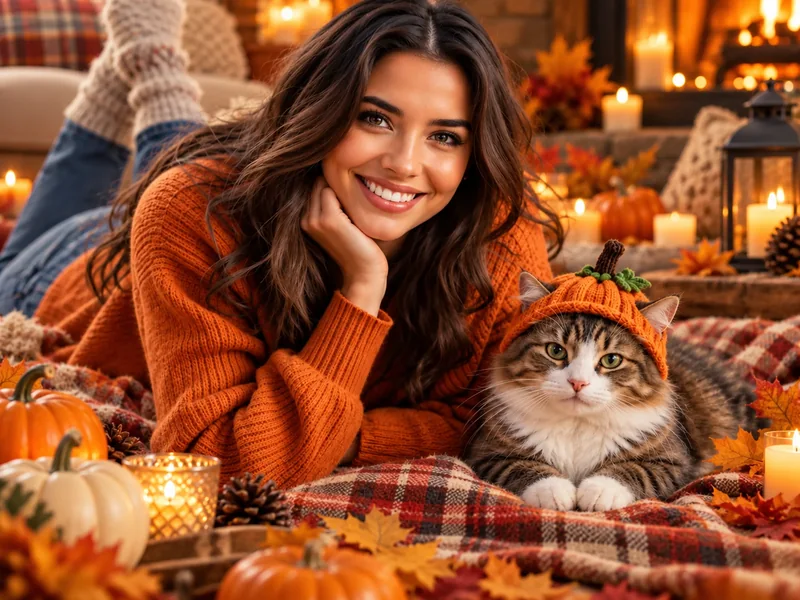
Place me lying on a plaid blanket on the floor with my cat beside me, my cat wearing a tiny knitted pumpkin hat with a green stem, me in a rust-orange knit sweater, candles, small pumpkins and autumn leaves around us, warm cozy evening light, close lifestyle portrait. Keep my face and my cat's fur color and markings exactly the same.
Glowing-Eyed Porch Guardian
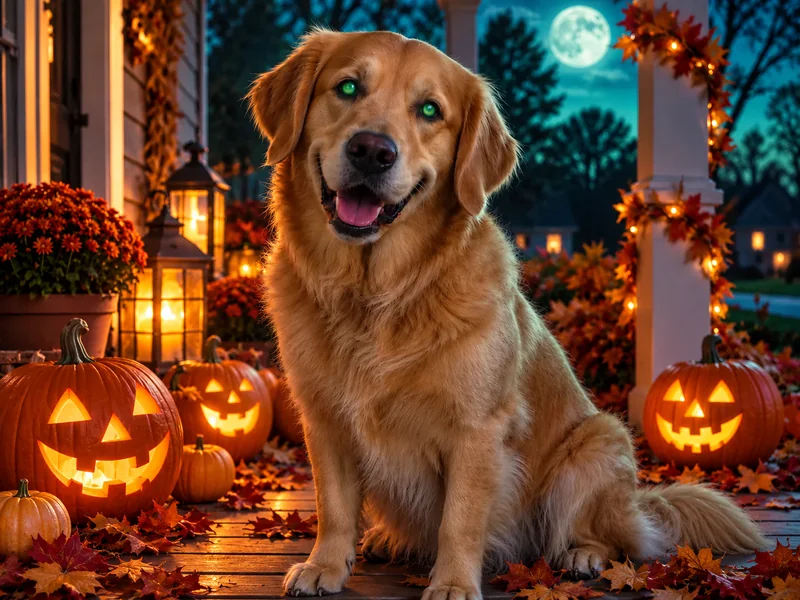
Make my dog a spooky Halloween porch guardian: sitting on the front porch at dusk among carved jack-o'-lanterns and fallen leaves, with softly glowing green eyes, a teal moonlit sky and porch lanterns behind, playful rather than scary, sharp pet portrait. Keep my dog's breed, face, fur color and markings exactly the same.
Pumpkin Pup Costume
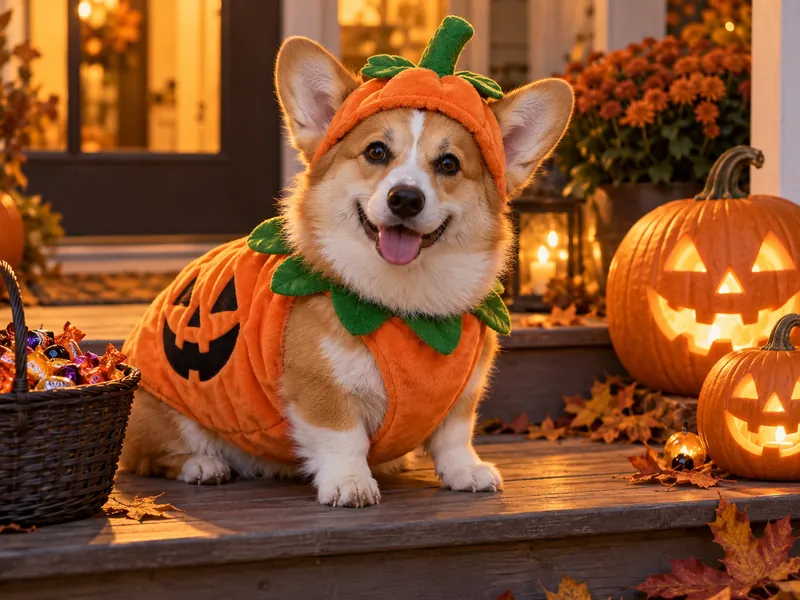
Dress my dog in a soft orange pumpkin costume with a little green stem hat, sitting on a wooden porch step next to carved jack-o'-lanterns and a basket of candy, warm golden evening light, eye-level pet portrait, shallow depth of field. Keep my dog's face, fur color and markings exactly the same.
Tiny Wizard Cat
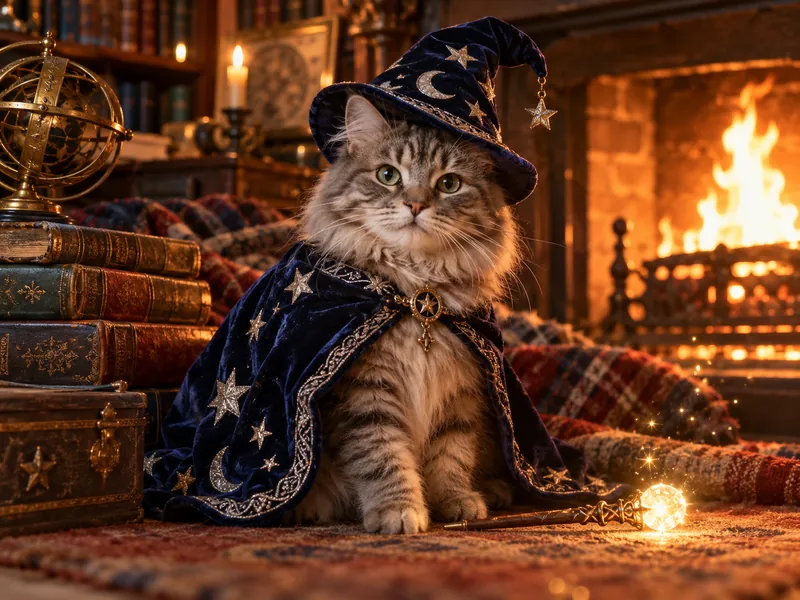
Give my cat a tiny midnight-blue wizard hat and robe with silver stars, sitting by a crackling fireplace in a cozy library, a small glowing wand beside its paw, warm firelight and floating sparkles, storybook-style pet photo. Keep my cat's face, eye color and markings exactly the same.
Halloween Family Photoshoot Ideas: Prompts for Parents and Kids
Most searches for Halloween AI prompts for kids are really about family pictures, and that is where they work best. Name the positions ("parents behind, kids in front") or write "every face" so nobody is changed or dropped, and keep the kids' costumes friendly: pumpkins, black cats, friendly ghosts and little dragons.
Family Costume Night
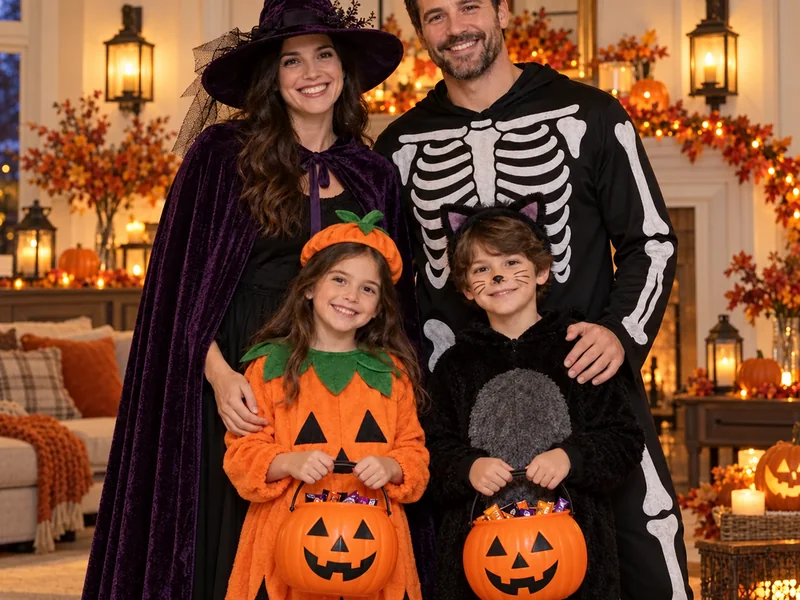
Turn our family photo into a Halloween costume portrait: one parent as a witch in a purple cape, the other in a skeleton suit, the kids as a little pumpkin and a black cat, holding jack-o'-lantern candy buckets, standing in a warm living room with wall lanterns and autumn garland, soft evening light. Keep every face, age and expression exactly as in the photo.
Pumpkin Carving Night
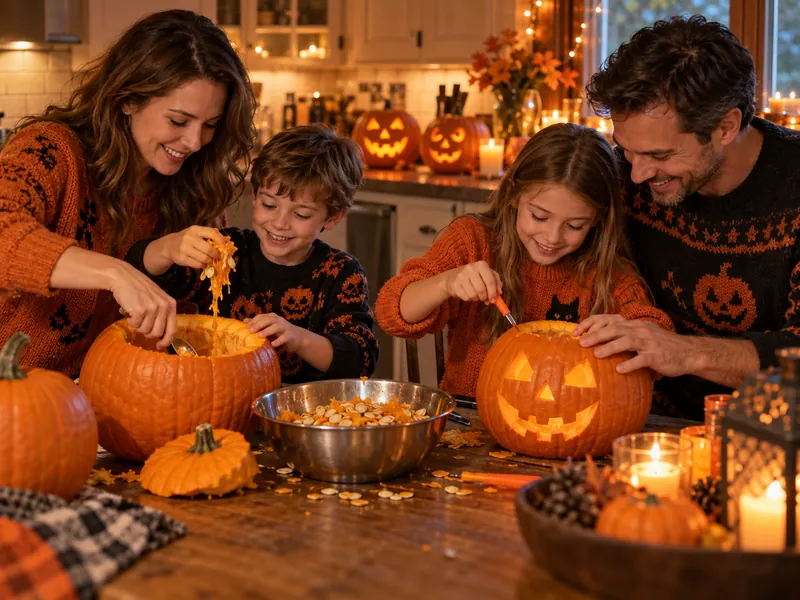
Show our family carving pumpkins together at a wooden kitchen table, parents helping the kids scoop and carve, finished jack-o'-lanterns glowing on the counter, everyone in cozy orange and black sweaters, warm candlelight and string lights, candid lifestyle photo. Keep every face exactly as in our photo.
Trick-or-Treat Lantern Walk
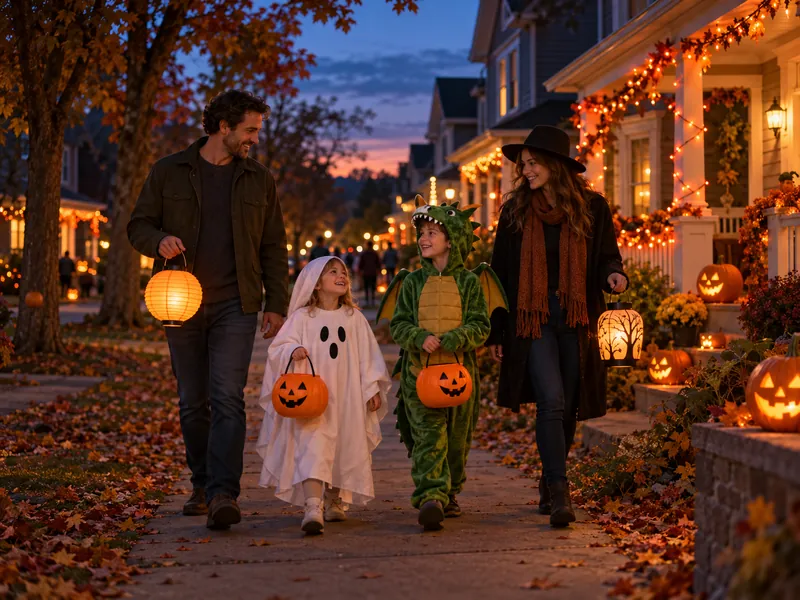
Place our family on a cozy neighborhood street at dusk going trick-or-treating, the kids in a friendly ghost costume and a little green dragon costume carrying candy buckets, the parents holding paper lanterns, porches glowing with jack-o'-lanterns and orange lights, soft blue-hour light, candid wide shot. Keep every face and height true to the photo.
Family Pumpkin Patch With the Dog
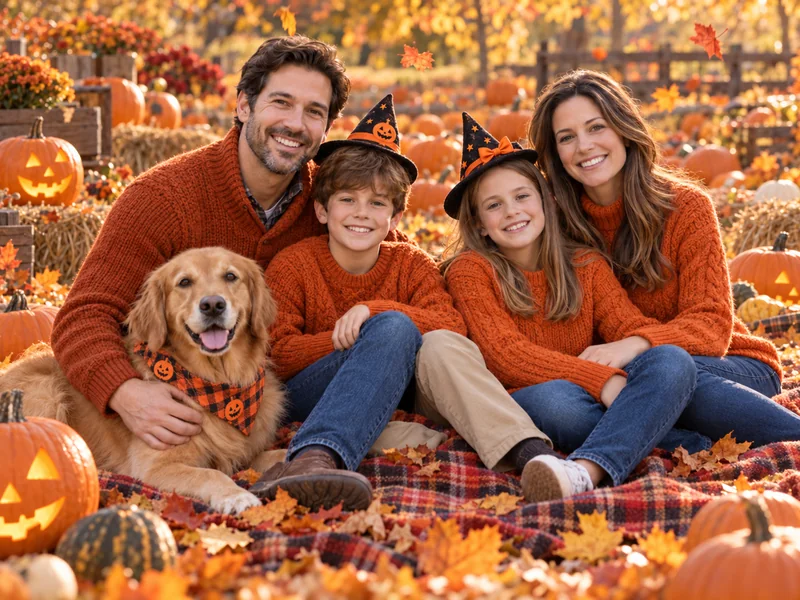
Turn our family photo into an autumn Halloween portrait in a pumpkin patch: parents and kids sitting on a plaid blanket with our dog, small witch hats for the kids and orange sweaters for everyone, carved pumpkins and falling leaves around us, warm golden afternoon light, natural family photo. Keep every face and our dog's look exactly the same.
For one-tap holiday scenes without a prompt, the AI holiday photo generator has a Halloween set alongside Christmas, Thanksgiving and New Year.
Cinematic AI Halloween Trend Looks
These are the looks behind the spooky season AI trend: one bold idea, dramatic light and a styled outfit, like a model Halloween photoshoot without the studio. Each Halloween AI trend prompt in this set has an original name and scene, so you get the AI Halloween photo trend feel without copying a movie poster. Into the platinum-blonde academy rival look that is all over social media this autumn? The female Malfoy AI generator is built for it.
Midnight Braid Enchantress
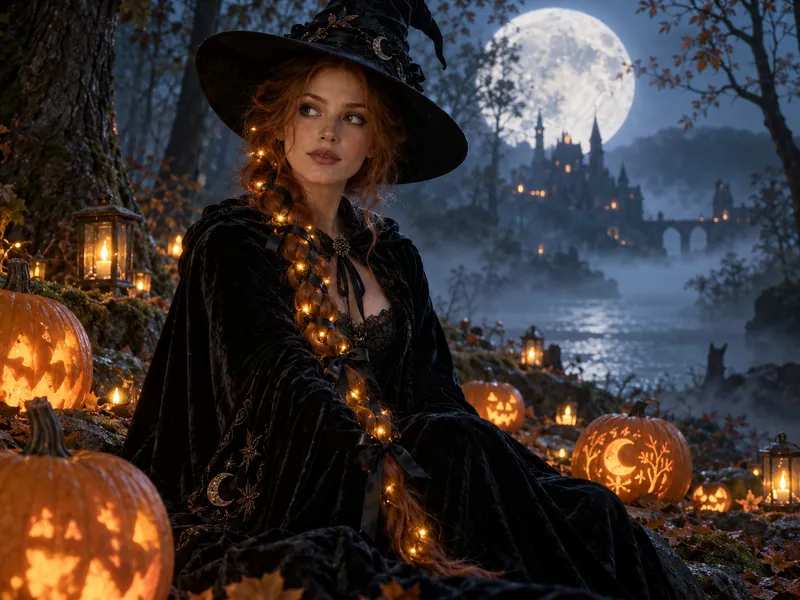
Turn my photo into a cinematic midnight enchantress: one long braid threaded with tiny warm fairy lights and black ribbon, a dark velvet cloak and a pointed hat, sitting among glowing pumpkins in a misty forest at night, a huge pale moon behind the trees, cool blue haze with warm pumpkin glow, film still look. Keep my face and hair color exactly the same.
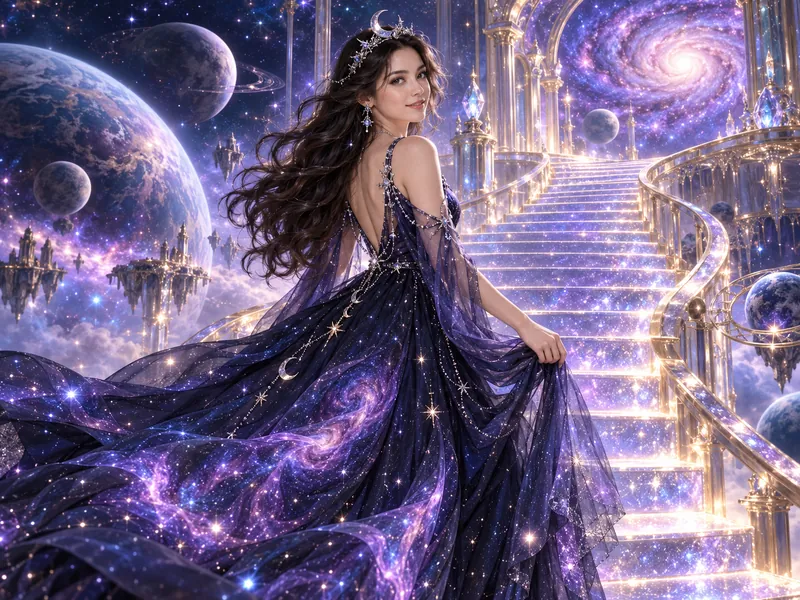
Starlight Galaxy Princess
Restyle me as a cosmic princess: a flowing gown that looks like the night sky with tiny stars and violet nebula swirls, a delicate silver crescent moon tiara, standing on a glowing staircase floating among planets and stardust, soft purple and blue light with sparkles, dreamy fantasy portrait. Keep my face, skin tone and smile exactly the same.
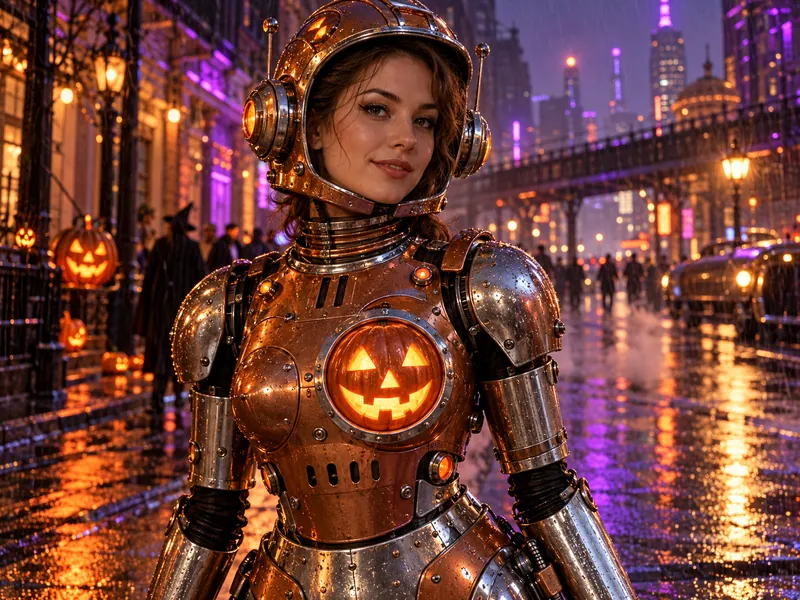
Jack-o'-Lantern Robot
Turn me into a friendly retro Halloween robot: polished copper and chrome armor with rivets, an open helmet that shows my face, a glowing jack-o'-lantern panel on the chest, standing on a rainy neon street with orange and purple reflections, cinematic sci-fi lighting, 35mm lens. Keep my face exactly as in my photo.
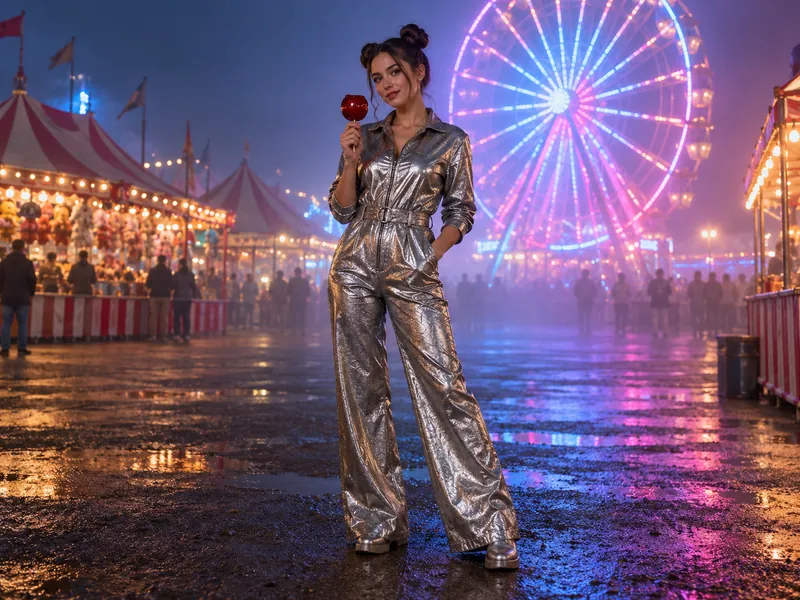
Neon Carnival Night
Place me at a foggy carnival at night in a metallic silver jumpsuit with my hair in two space buns, holding a red candy apple, a glowing Ferris wheel and striped tents behind me, blue and pink neon light with soft haze, editorial fashion shot, full-length, 35mm lens. Keep my face and hairstyle exactly the same.
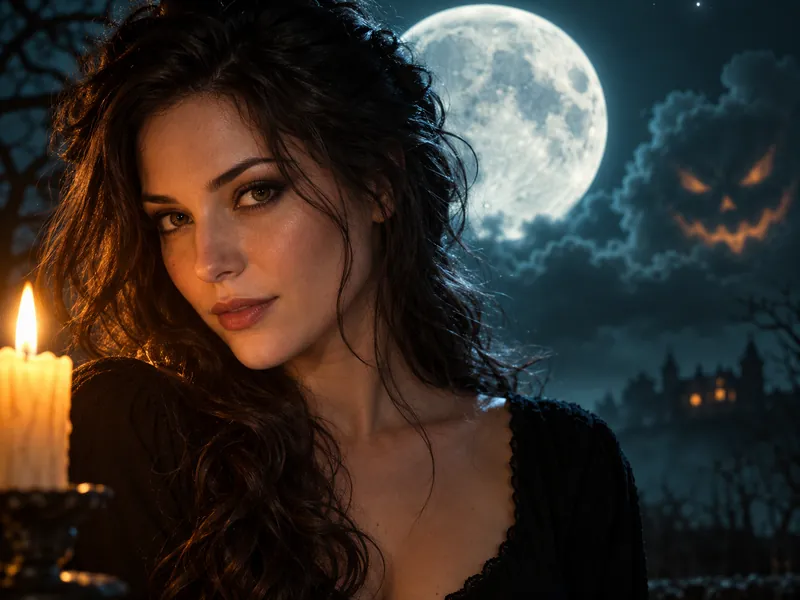
Harvest Moon Candle Portrait
Moody Halloween close-up of me: a dark teal night sky with a big glowing full moon, a faint jack-o'-lantern face drifting in the clouds, a lit candle in the foreground, wearing a simple black top, warm candlelight on one side of my face and cool moonlight on the other, cinematic portrait, 85mm lens. Keep my face, hair and eye color exactly the same.
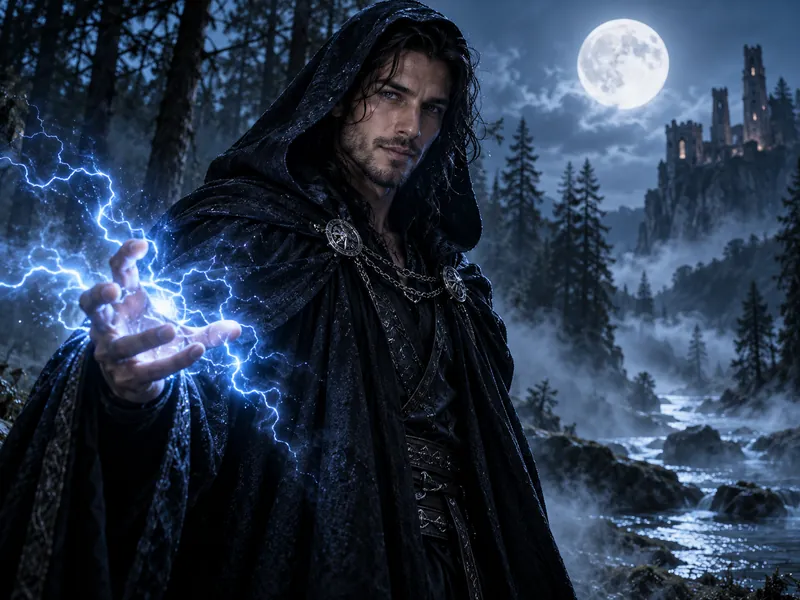
Storm Sorcerer
Turn my photo into a storm sorcerer: a long black hooded cloak with silver clasps, crackling blue lightning between my fingers, standing in a dark forest under a full moon with swirling mist, cold blue rim light and a faint glow on my face, epic fantasy movie still, 35mm lens. Keep my face, hairstyle and smile exactly the same.
Like the trend but want it with one tap? The AI Halloween filter has ready-made trend scenes such as the haunted mirror, the witch coven, the masked ball and the pumpkin patch, so you can join the Halloween AI trend from a single upload.
AI Halloween Video Prompts: Make Your Photo Move
Turn a finished Halloween picture into a few seconds of motion. Upload it to image to video for camera moves and scene action, or to animate photo for natural movement in a portrait, then paste one of these prompts. Good video prompts describe the camera move, the action and how the clip ends.
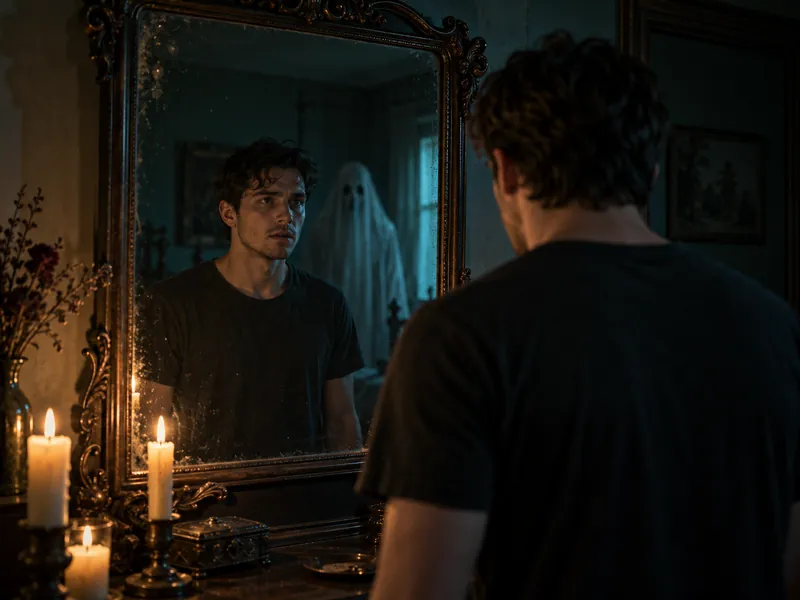
Mirror Ghost Reveal
Slow push-in on the mirror: the room is still and quiet, then a pale sheet ghost slowly drifts into the reflection behind me, the candles flicker, I turn my head toward the camera with a small surprised smile, and the ghost fades away. Keep my face and outfit consistent in every frame.
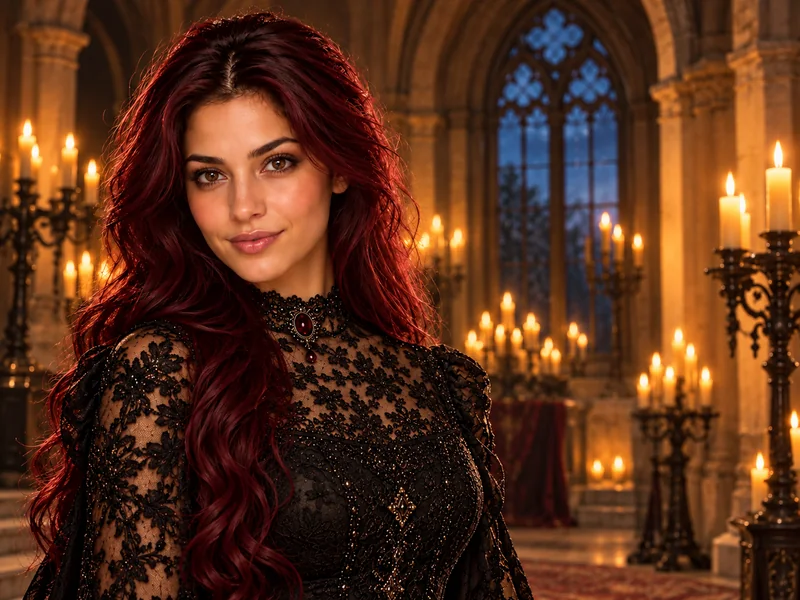
Candlelit Gothic Turn
Gentle handheld feel: candle flames flicker all around me, a light breeze moves my hair and the lace on my sleeves, I slowly turn from the side to face the camera and smile, and a few bats flutter past the arched window behind me. Keep my face the same throughout.
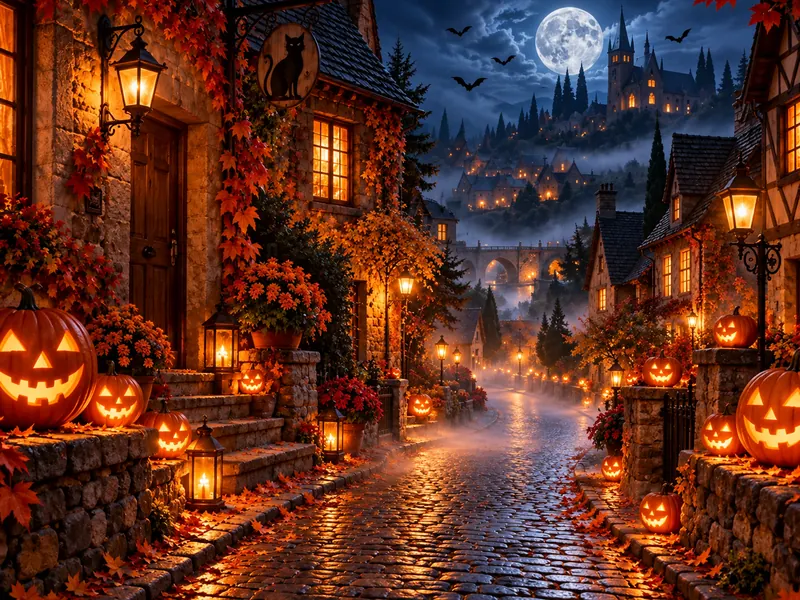
Pumpkin Street Comes Alive
Slow dolly down the cobblestone street at night: jack-o'-lanterns flicker on one by one along the steps, low fog rolls across the ground, a few bats cross in front of the full moon, and the warm windows glow brighter as the camera reaches the end of the street. Keep the street and houses the same as in the image.
Skeleton Squad Dance
Static wide shot: the skeleton crew stands still for a beat, then everyone breaks into a synchronized dance, arms swinging and knees bouncing in time, the jack-o'-lanterns glow brighter on the beat, and the group freezes in one final pose. Keep every face and costume consistent.
Halloween Photoshoot Ideas You Can Make With AI
Not sure what to shoot? These Halloween photoshoot ideas are the classic setups photographers come back to every October, and each one works as an AI prompt or as the plan for a real Halloween photo shoot. Use them as Halloween photo ideas for your feed, Halloween picture ideas for cards and party invites, or Halloween portrait ideas for a new profile photo. All six are spooky photoshoot ideas that skip the gore, which makes them easy Halloween photoshoot ideas for adults to recreate at home.
Haunted House Hallway
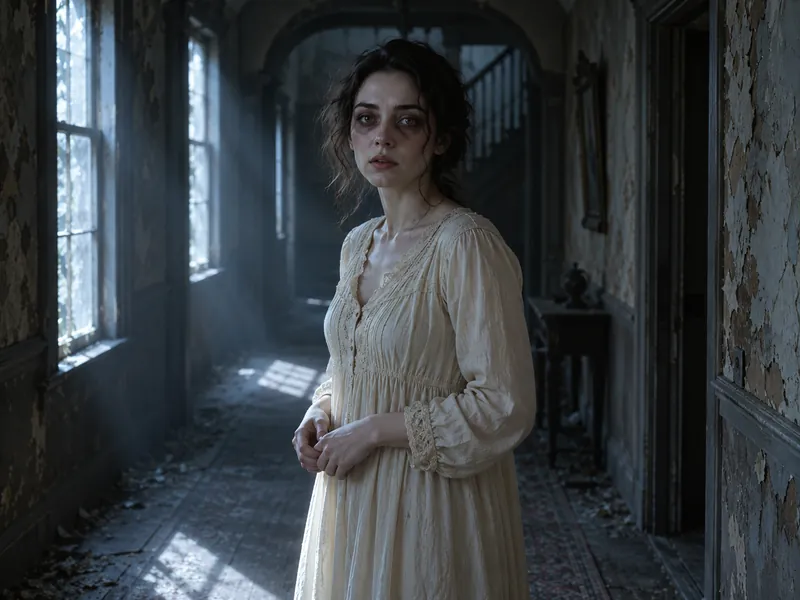
A dim, peeling hallway, one cold window and pale makeup: the classic spooky photo shoot, made in one AI photoshoot.
Plan an AI photoshoot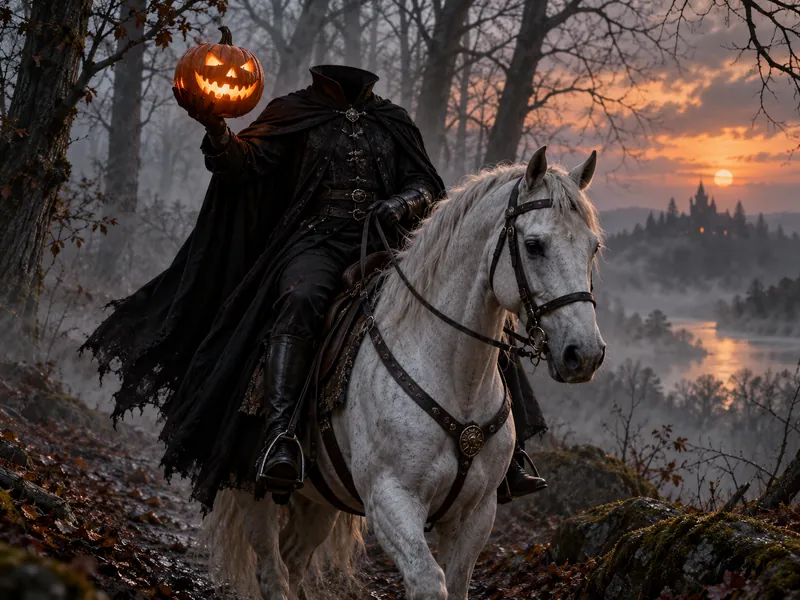
Headless Rider in the Fog
A cloaked rider, a white horse and a glowing pumpkin in the mist. A dramatic Halloween portrait idea with a ready-made filter look.
Try the Halloween filter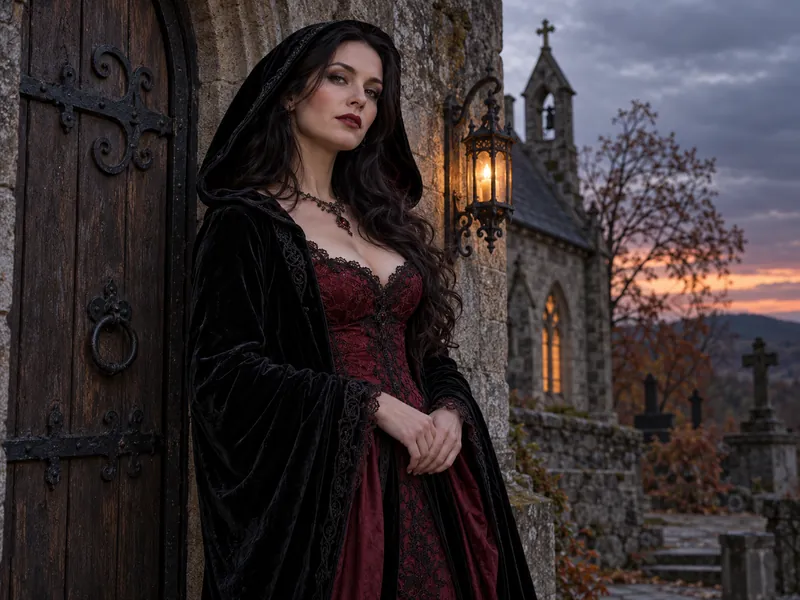
Gothic Chapel Portrait
Black velvet, lace and an old stone doorway. Moody, elegant and easy to pull off as a Halloween themed photoshoot.
Try the gothic filter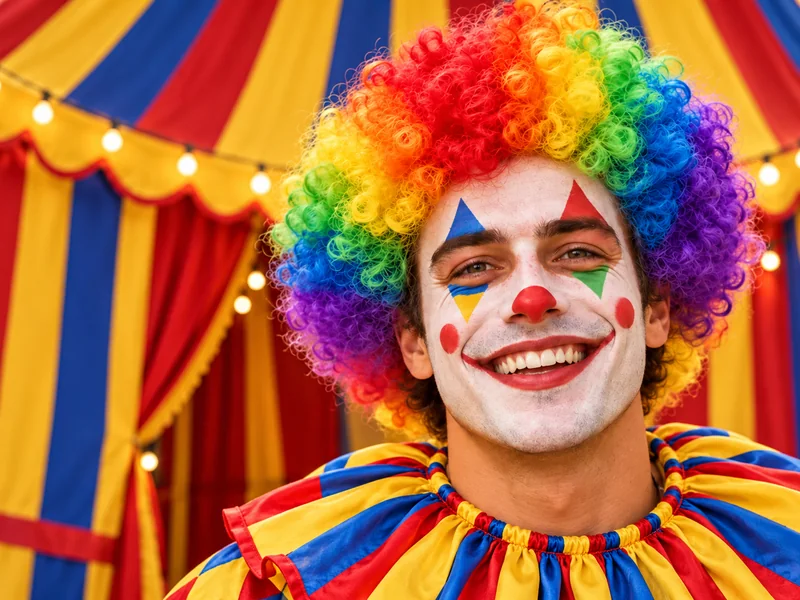
Rainbow Clown Portrait
Bright face paint, a curly wig and a striped tent: one of the most fun Halloween pic ideas, cheerful or creepy as you like.
Try the clown filter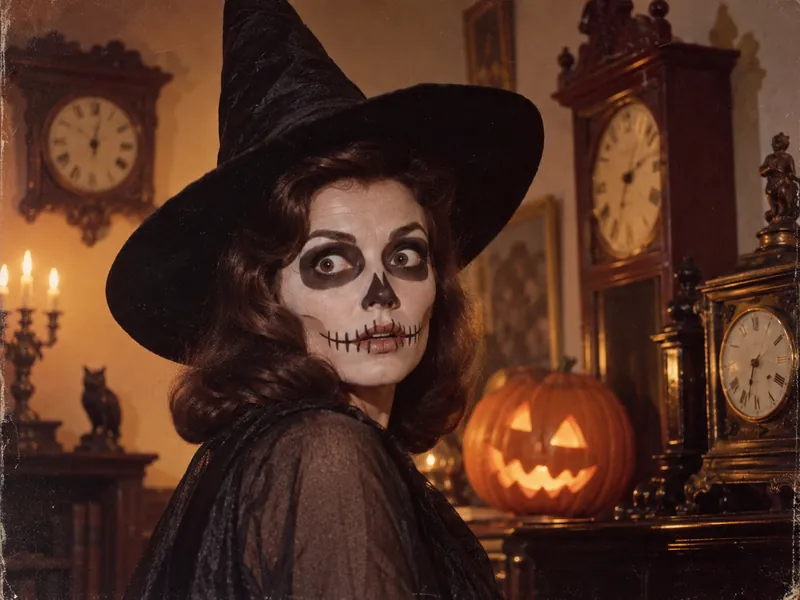
Retro Horror Movie Still
Old clocks, warm tungsten light and film grain turn a costume into a still from a vintage horror film.
Try the Halloween filter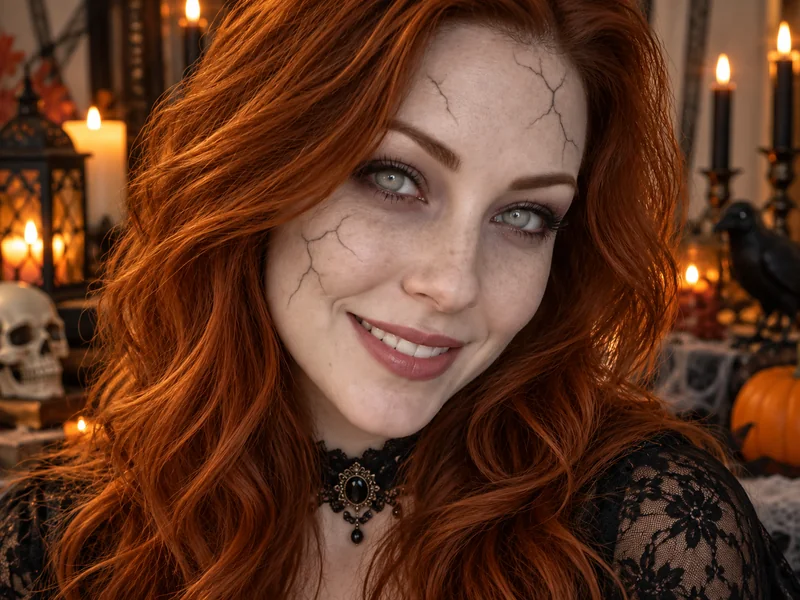
Cracked Undead Glam
Pale skin, cracked porcelain makeup and cloudy eyes, without a drop of blood. A close-up that reads as Halloween at a glance.
Try the zombie filterPlanning a Real Photoshoot: Halloween Lighting, Props and Poses
If you are planning a real photography Halloween photoshoot, these Halloween photography ideas save most of the guesswork:
- Light from one side. One lantern, candle or window gives the deep shadows that make any spooky photoshoot idea work. Most Halloween photo shoots look flat because the light is too even.
- Add fog or haze. A fog machine, a little hairspray in a backlight, or the word "fog" in your AI prompt adds depth to spooky Halloween photoshoot ideas.
- Keep props simple. Pumpkins, a lantern, an old mirror or a candelabra are enough for a Halloween shoot. Fewer props means more attention on the face.
- Plan your Halloween poses. A slow turn toward the camera, a hand on a lantern, a lineup for groups, or a tight huddle for a party selfie.
- Shoot at dusk. Blue hour plus warm jack-o'-lantern light gives the classic Halloween portrait look without extra gear.
Short on time? Run the whole Halloween photo session on your phone: take one clear photo, try these Halloween photo shoot ideas with the prompts above, and you have a full set of picture ideas for Halloween ready in an evening. For more seasonal setups, see our Thanksgiving photoshoot ideas.
Halloween AI Prompt Generator: Build Your Own
Think of this section as a Halloween AI prompt generator you run by hand. Pick one line from each tab, in order, and join them into one prompt: subject, scene, costume, lighting, camera, keep line. Every combination follows the formula above, so you can make hundreds of new Halloween picture prompts that still keep your face.
Subject
Turn my selfie into a Halloween portrait of me
Turn our couple photo into a Halloween portrait of both of us
Turn our group photo into a Halloween group portrait of every person
Turn our family photo into a Halloween costume portrait of everyone
Turn my pet's photo into a cute Halloween portrait
Scene
on a front porch lined with glowing jack-o'-lanterns under a full moon
in a candlelit Victorian room with an antique gilded mirror
in a pumpkin patch at sunset with hay bales and a red barn
on a misty forest path with hanging lanterns
in a grand candlelit ballroom at a masquerade
in an old moonlit churchyard with drifting fog
at a foggy neon carnival with a glowing Ferris wheel
Costume
wearing a purple velvet witch cape and a wide-brim pointed hat
in a burgundy velvet vampire cape with a ruffled shirt
in a flowing white ghost gown with tattered chiffon sleeves
with Day of the Dead-inspired face paint and a marigold crown
in a black skeleton bodysuit with simple skull face paint
in a starry night-sky gown with a crescent moon tiara
Lighting
warm lantern light mixed with cool moonlight
flickering candlelight with deep shadows
low golden sunset backlight
cool blue fog with a warm pumpkin glow
blue and pink neon light with soft haze
Camera and style
photorealistic, 85mm portrait lens, shallow depth of field
cinematic movie still, 35mm lens, rich color grade
full-length fashion photo, 50mm lens
candid smartphone snapshot, warm flash
vintage horror film still with gentle grain
Keep line
Keep my face, hair and expression exactly the same.
Keep both of our faces exactly as they are.
Keep every face, age and expression exactly as in the photo.
Keep my pet's face, fur color and markings exactly the same.
Using These Prompts in the Gemini App or ChatGPT
All 36 prompts are plain text, so they also work as Gemini AI Halloween prompts in the Gemini app and in ChatGPT. Copy a prompt, upload your photo in the chat, paste and send. A few differences to expect:
- Chat apps may change more than you asked. If the face drifts, repeat the keep line in a follow-up message ("Keep my face exactly as in the original photo").
- Daily limits differ. Free tiers of chat apps limit how many images you can make; on EzImgMaker each generation uses credits and shows the cost first.
- Pick your model. On EzImgMaker you can run the same prompt in Nano Banana or in other models in the AI photo editor and compare.
Gemini is a trademark of Google LLC and ChatGPT is a trademark of OpenAI. EzImgMaker is not affiliated with Google or OpenAI.
Tips for Better AI Halloween Photos
- Change one big thing at a time. A new costume and a new scene is fine; adding an art style on top is where faces start to drift.
- Describe the light. "Candlelight from one side" does more for a spooky mood than words like "scary" or "creepy."
- Spooky, not gory. The best Halloween AI images rely on fog, shadows and costumes. Leave out blood and wounds; many tools block them anyway.
- Name positions in groups. "Parents behind, kids in front" or "the man on the left" helps the AI keep everyone.
- Leave text out of photo prompts. Lettering inside a scene can come out misspelled. Add "Happy Halloween" later in a card or caption.
- Describe original costumes. A good AI Halloween prompt spells out colors, fabrics and props instead of naming a movie character. Original looks come out more reliably, and you avoid copyrighted characters and real celebrities.
- Use photos you are allowed to edit. Your own, or people who agreed, and keep costumes age-appropriate in family photos.
Planning ahead for December? Our AI Christmas photo prompts follow the same formula, with 43 cozy, glam and family prompts to copy.
Frequently Asked Questions
What are the best prompts for Gemini AI Halloween photos?
The best prompts for Gemini AI Halloween photos name five things in order: the subject (your selfie, couple or family photo), the scene, the costume, the lighting and the camera style, then end with a keep line such as “Keep my face, hair and expression exactly the same.” The Moonlit Porch Witch and Velvet Vampire Count prompts in this guide are reliable places to start.
How do I do the AI Halloween trend with my own photo?
Upload a clear selfie to an AI photo editor that understands plain-language instructions, such as Nano Banana on EzImgMaker, paste one of the Halloween AI prompts from this page, and generate. If you would rather not write anything, the AI Halloween filter has one-tap trend looks: upload a photo, pick a look and get your Halloween portrait.
How do I keep my face the same in an AI Halloween photo?
Use a sharp, well-lit photo where your face is clearly visible, and keep the last sentence of every prompt: “Keep my face, hair and expression exactly the same.” Change one big thing at a time (the costume or the scene, not both plus an art style), skip heavy beauty filters on the original, and generate two or three versions to pick the most faithful one.
Do these Halloween AI prompts work in the Gemini app and ChatGPT?
Yes. They are written in plain language, so they work as Google Gemini Halloween prompts in the Gemini app and in ChatGPT or any other AI image tool that accepts a photo plus instructions. Results vary between models and apps, so you may need to repeat the keep line or simplify the scene. Gemini is a trademark of Google LLC and ChatGPT is a trademark of OpenAI; EzImgMaker is not affiliated with either company.
Are these Halloween AI photo prompts free?
Yes, every prompt here is free to copy and use. Running a prompt costs whatever the tool you paste it into charges. On EzImgMaker, Nano Banana starts at 4 credits per image, the cost is shown before you generate, and you can try the prompts with the free credits you get when you sign up.
Can I use Halloween AI prompts for kids?
Yes, in family photos. Use a photo of your own family, keep costumes friendly and age-appropriate (pumpkins, friendly ghosts, little witches, dragons), and use the family prompts, which say “every face” so nobody is changed or left out. Avoid scary or grown-up looks for children, and only upload photos of kids you are responsible for.
Can I turn my AI Halloween photo into a video?
Yes. Upload the finished picture to image to video or animate photo on EzImgMaker and paste one of the AI Halloween video prompts from this guide. Good video prompts describe the camera move, the action and how the clip ends, and they finish with a line that keeps your face consistent in every frame.
Why does my AI Halloween photo look different from the example?
Every photo is different: lighting, angle, hairstyle and how much of your body is visible all change the result, and the model picks new details each time you generate. Example images show the kind of result each prompt is written for. If the face drifts, shorten the scene, keep the keep line, and try again with a sharper photo.
What Halloween photoshoot ideas work best with AI?
Ideas with one strong setting and clear light work best: a haunted hallway, a moonlit porch, a candlelit ballroom, a pumpkin patch at sunset or a foggy forest. Group ideas such as a witch coven or a skeleton squad also work well when everyone faces the camera. The photoshoot ideas section of this guide links each idea to a tool that makes it.
Can I use someone else's photo with these prompts?
Only upload photos you have the right to edit: your own, or photos of people who agreed. Do not use these prompts to make fake photos of real public figures or to put real people in situations they did not agree to. The prompts here describe original costumes rather than copyrighted movie characters, which also keeps results more reliable.
Gemini is a trademark of Google LLC and ChatGPT is a trademark of OpenAI. EzImgMaker is not affiliated with Google or OpenAI. Example images show the kind of result each prompt is written for; your result will depend on your photo and the model you choose.