Grid
Balanced rows that fit every photo the same size: the classic Christmas picture collage.
Turn 2 to 9 holiday photos into one festive Christmas collage. Pick a layout, a red, green, or snowy theme, and a greeting, then download a print-ready card or post. Everything happens in your browser.
Layout
Christmas theme
Greeting
Size
Runs in your browser. Your photo is never uploaded. 3000 px output, ready to print.

Reference example. It is not a result generated from your upload.
A Christmas collage puts several holiday photos into one festive design: the family by the tree, the kids opening presents, the dog in a Santa hat, and the decorated living room. It is the easiest way to share the whole season in one picture, whether as a Christmas card, a social post, or a print for the fridge.
This Christmas collage maker arranges 2 to 9 photos for you in six layouts, from a classic grid to a Christmas tree and hanging ornaments. Choose a background, spacing, and rounded corners, add a greeting, and download a 3000-pixel JPG or PNG. Your photos are never uploaded.
Six layouts that adapt to any number of photos from 2 to 9. Every picture collage for Christmas below came from the same tool.
Balanced rows that fit every photo the same size: the classic Christmas picture collage.

One large hero photo with the rest beside it, great for a family portrait plus highlights.

Rows that follow each photo’s shape, so wide and tall shots are cropped as little as possible.

White-bordered prints scattered at playful angles, like snapshots on the table.

Each photo becomes a round Christmas ornament with a gold cap.

Photos stacked into a Christmas tree with a gold star on top and a trunk below.
Three steps from a camera roll full of holiday photos to one finished collage.
Select several JPG, PNG, or WebP files at once or drag them in. Reorder them with the arrow buttons or hit Shuffle.
Pick Grid, Feature, Mosaic, Instant Prints, Ornaments, or Christmas Tree, then set the background color, snow, stars, or holly, spacing, and corner rounding.
Type Merry Christmas or your own message, choose a 5×7 card, square, or story shape, and download the collage as a 3000-pixel JPG or PNG.
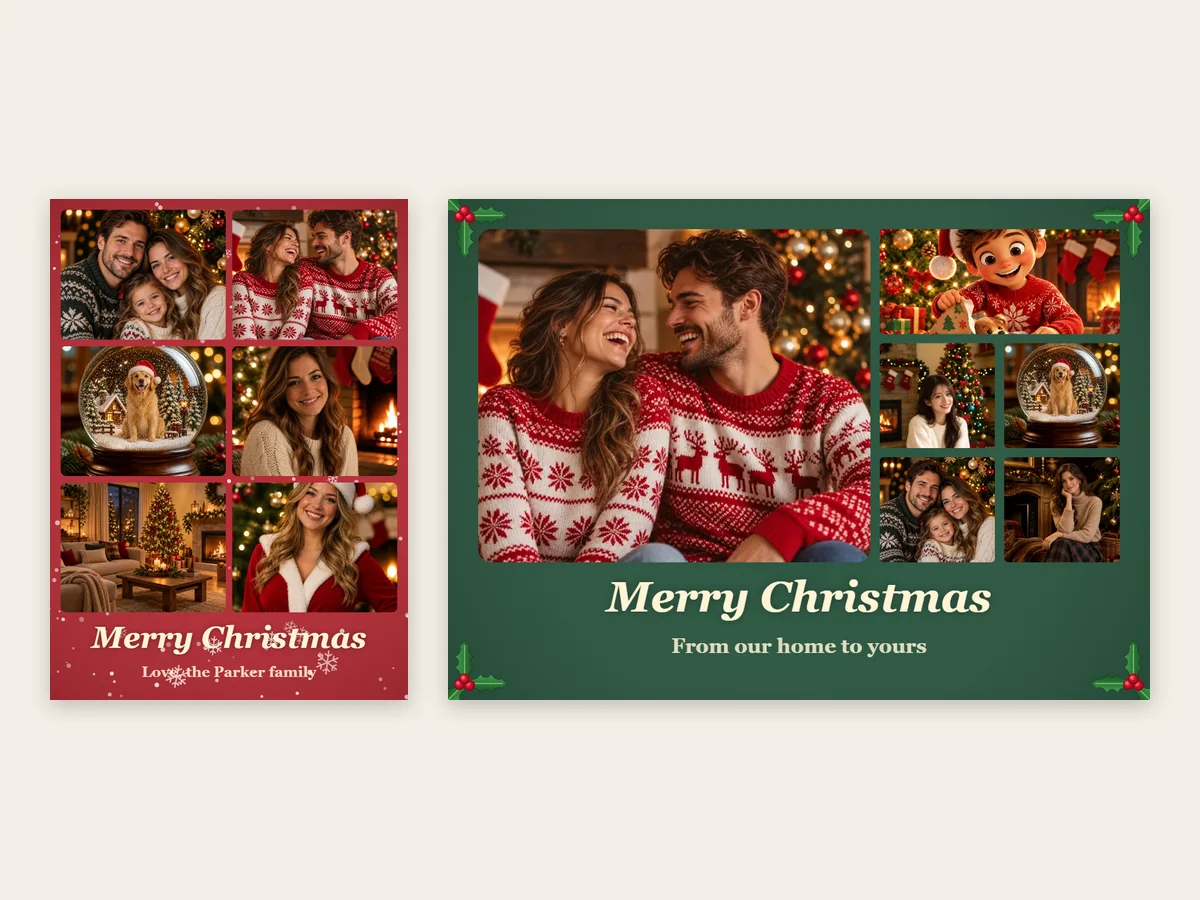
Choose the 5×7 card shape, portrait or landscape, add your family name on the second line, and download a 3000-pixel file. That is about 300 DPI at 5×7 inches, enough for a sharp collage Christmas card from any photo lab or home printer.
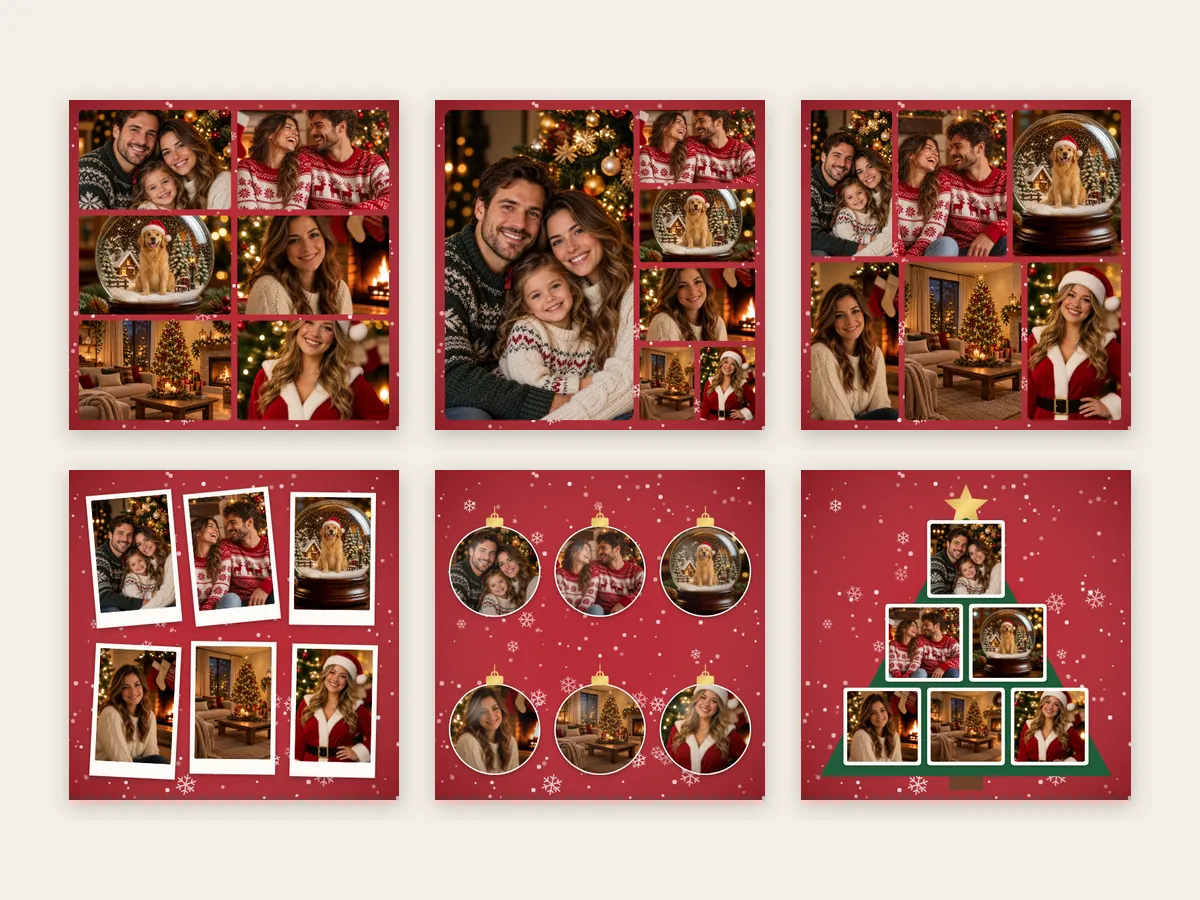
Every layout rearranges itself when you add or remove a photo, so you never hunt for a template with the right number of slots. Use the Christmas tree or ornaments layout for a fun xmas collage, or the grid and mosaic for a clean Christmas card photo montage.
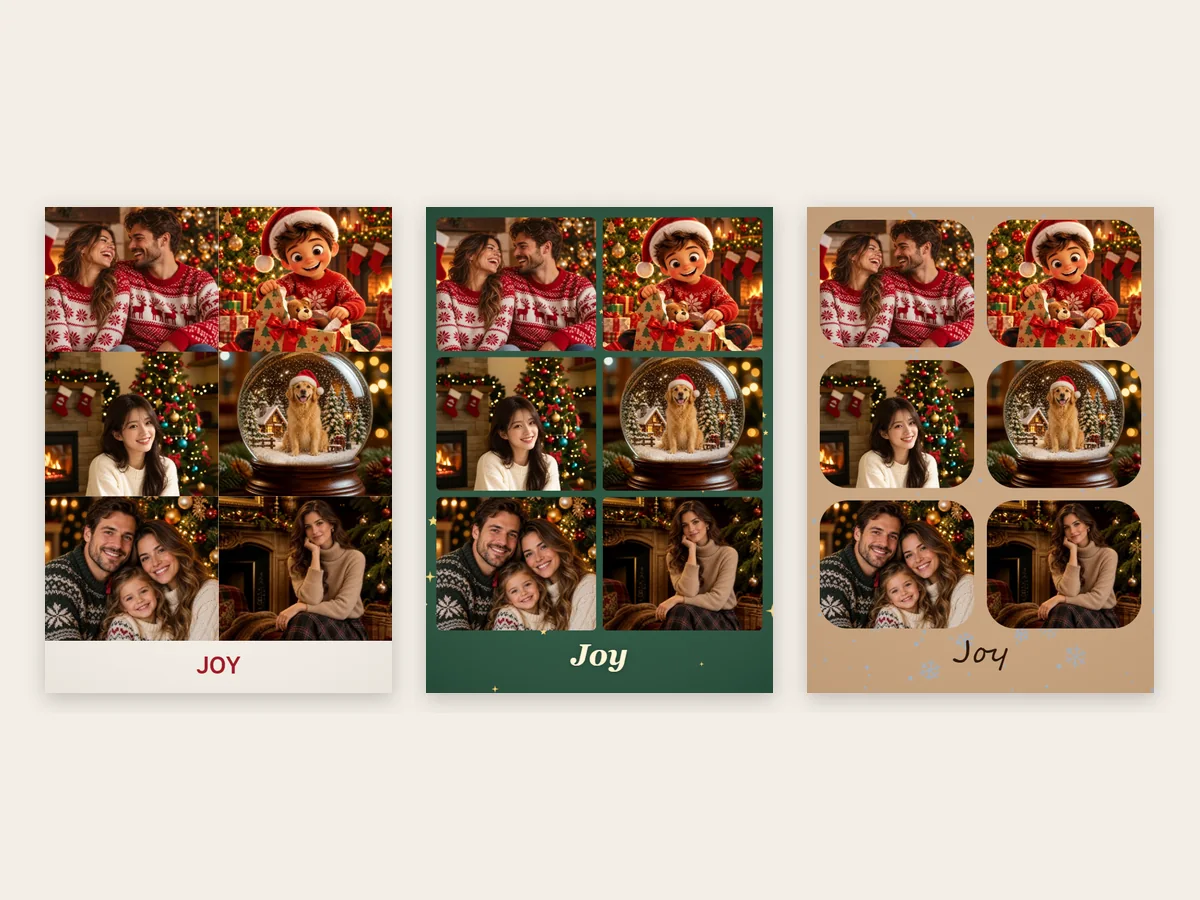
Pick Christmas red, evergreen, midnight blue, snow white, gold, or kraft paper (or any custom color), sprinkle snow, gold stars, or holly, and fine-tune the gaps and corner radius until the collage feels right.

Switch to the square shape for feed posts or the 9:16 story shape for phones. It is free, needs no sign-up, and works entirely in your browser, so the photos in your collage for Christmas stay on your device.
Popular ways to use a Christmas collage throughout the season.

Combine the best photos of the year into a Christmas card picture collage with your names underneath, then print or send it digitally.
Share holidays, trips, and milestones in one square or story collage instead of a long string of posts.
Collect photos from the Christmas party, ugly sweater contest, or secret Santa into one fun Xmas collage for the group chat.
Print a collage for grandparents, a framed gift, a calendar page, or a photo ornament for the tree.
Small choices that make a collage look designed rather than thrown together.
Put your favorite shot first: it becomes the large hero in the Feature layout and the top of the Christmas tree.
Warm, cozy photos shine on red or kraft; snowy outdoor shots look best on midnight blue or snow white.
Alternate faces with scenes such as the tree, the table, or the snow so the collage tells the whole story.
One or two words such as Merry Christmas or Joy read clearly even on a small phone screen or a 4×6 print.
Collages made for cards, classrooms, and group chats.
Illustrative examples adapted from reference material, not verified reviews of EzImgMaker.
I had nine favorite photos from the year and could never pick one for the card. The grid layout in the 5×7 shape held all of them, and the prints came out sharp.
The Christmas tree layout was a hit in our class newsletter. Each student photo became part of the tree, and it took one try to get it right.
After our office party I dropped the best photos into the instant prints layout and posted it in the team chat. Everyone asked how I made it.
Ornaments on midnight blue made our pets look like actual tree decorations. My parents printed it and put it on the fridge.
Questions about making Christmas photo collages and cards.
A Christmas collage is one image that combines several holiday photos in a festive layout, usually with a seasonal background and a greeting. People use it for Christmas cards, social posts, and printed keepsakes.
Add 2 to 9 photos, choose a layout, pick a background and decoration, type a greeting, and click Download Image. The Christmas collage maker builds the design in your browser and saves a 3000-pixel JPG or PNG.
Between 2 and 9. Every layout rearranges itself for the number of photos you add, so a 3-photo collage and a 9-photo collage both look balanced.
Yes. Choose the 5×7 card shape in portrait or landscape and download a PNG or high-quality JPG. At 3000 pixels on the long side it prints at about 300 DPI on a 5×7 card. Add your family name on the second line to finish the collage Christmas card.
Yes. The Christmas Tree layout stacks your photos into a tree shape with a gold star on top and a trunk below. There are also Ornaments, Instant Prints, Grid, Feature, and Mosaic templates.
It is another name for a card that shows several photos at once. The Grid and Mosaic layouts work well for a Christmas card photo montage, while Feature gives one picture the spotlight.
Use the arrow buttons on each thumbnail to change the order, or Shuffle to try a new arrangement. Photos are cropped automatically to fill each space, keeping faces near the top of the frame. The Mosaic layout follows each photo’s shape to keep cropping to a minimum.
It is free with no sign-up and no watermark, and your photos are never uploaded: they are arranged by your own browser. Please only use photos you have the right to share.
Yes. It works in mobile browsers on iPhone and Android. Select several photos from your camera roll at once, pick the square or story shape, and save the collage straight to your phone.
Bring the season’s best photos together in one festive design: add your photos, pick a layout, and download your Christmas card picture collage.