Upload a Smiling Photo
Pick a clear, front-facing selfie with your mouth open and teeth showing. JPG, PNG, and WebP files up to 10 MB are supported.
How would I look with braces? Upload a smiling photo and the braces filter places a bracket on each visible tooth, runs a wire across them, and leaves the rest of your face exactly as it is.
Braces Type: Metal · Band Colors: Pink
Your photo stays in this browser during this UI preview.
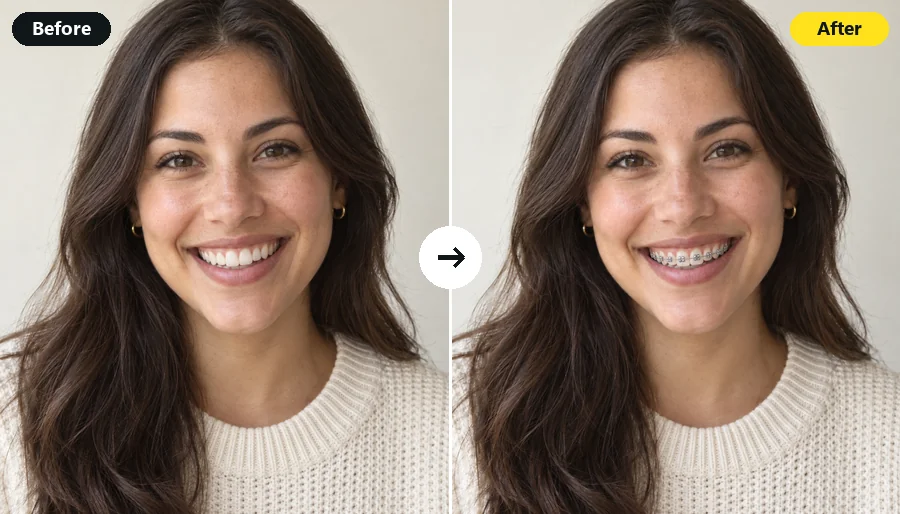
Reference example. It is not a result generated from your upload.
An AI braces filter is a photo effect that adds realistic orthodontic braces to the teeth in your picture. It finds each visible tooth, anchors a bracket to it, and runs an archwire across the smile with soft shadows, so the metal looks fitted to your teeth instead of pasted on top like flat photo braces stickers.
It is the quickest way to answer "what will I look like in braces?" before an orthodontist visit, to test band colors for your next adjustment, or simply to make a convincing braces photo for fun. Treat the result as a visual preview, not a treatment plan.
How will you look with braces? Find out in three steps, with no app and no manual editing.
Pick a clear, front-facing selfie with your mouth open and teeth showing. JPG, PNG, and WebP files up to 10 MB are supported.
Select Metal, Ceramic, Gold, or Clear Aligners, then open Band Colors to pair it with pink, blue, purple, rainbow, and more. Want something specific? Add a note in Custom.
Generate up to four versions, compare your braces photo with the original, and download the look you like.
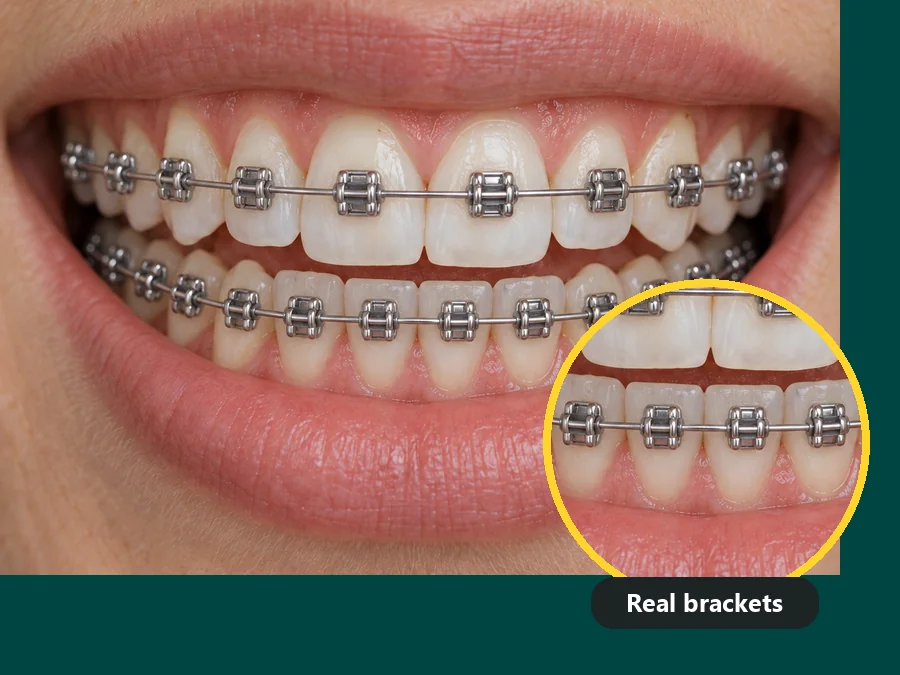
The braces AI anchors a bracket to each visible tooth and runs a wire across them, with soft contact shadows and shine matched to your photo, so the braces look set on your teeth rather than drawn over them.
Your face, lips, expression, and background stay exactly as shot. This photo filter with braces touches only the teeth, so the picture still looks like you, just mid-treatment.

Hard to picture braces in pink, teal, or rainbow? Switch between metal, ceramic, and gold brackets and eight band colors on the same photo to plan your next orthodontic adjustment or just find your favorite combo.
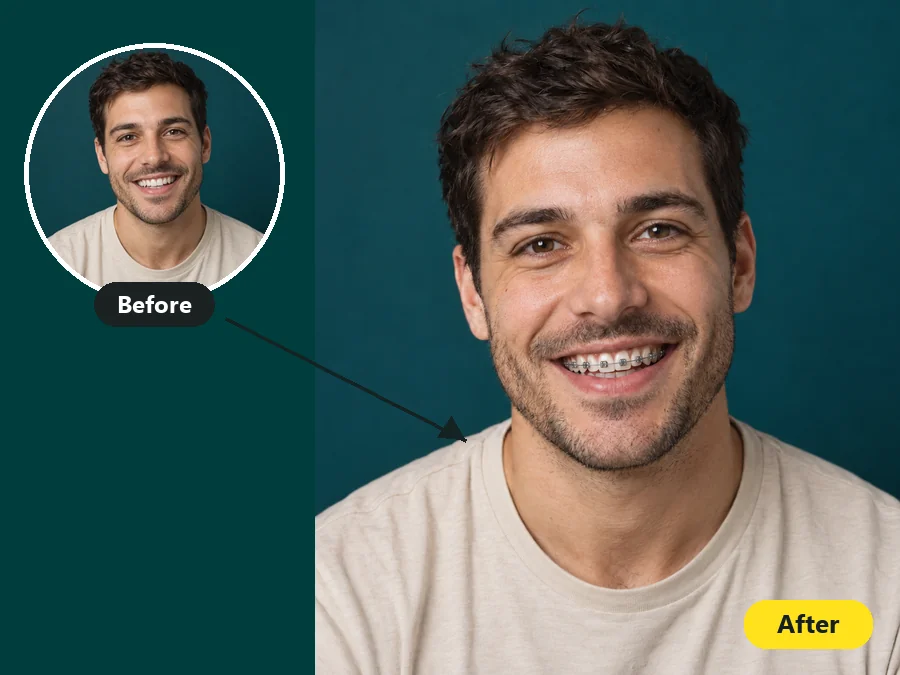
On the fence about braces? Run your own photo through the braces simulator and see the result on your real smile, whether it is crooked, gapped, or crowded, so you walk into the appointment knowing roughly what to expect.
A virtual braces try on is handy for more than curiosity.
Bring a preview to the consultation and talk through metal versus ceramic with a picture of your own smile.
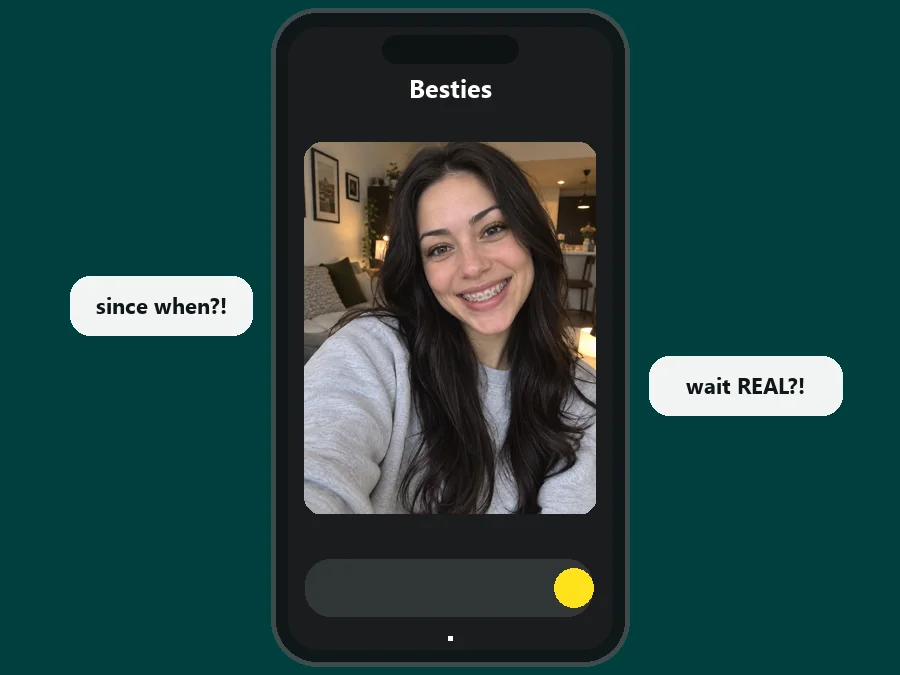
Share a few versions in your group chat or stories and let friends vote on the bracket type and band color.
Drop a selfie with a mouth full of fresh braces into the chat and watch the double-takes roll in. Just let everyone in on the joke afterwards.
Creators and dental pages can build quick before-and-after thumbnails without staging a real fitting. Label edited images clearly.
How would you look with braces? The photo you upload matters most.
A wide, open smile with the front teeth visible gives the filter something to attach brackets to.
Even, bright light keeps the teeth sharp and helps the metal shine look natural.
Front-facing or slightly angled photos work better than side profiles.
Blurry, grainy, or heavily filtered photos hide tooth edges and make brackets harder to place.
Selfies in, braces on: common ways people use the preview.
Illustrative examples adapted from reference material, not verified reviews of EzImgMaker.
I had been on the fence about braces for a year. Seeing the braces on me, on my actual crooked bottom teeth, finally got me to book the consultation.
I tested teal and purple bands before my adjustment appointment and walked in knowing exactly which color I wanted.
I needed before-and-after examples for our clinic page without using patient photos. Each upload gave me a matched pair to work with.
Most filters I tried put a gray bar over my teeth. This one followed my gap and overbite, so the preview looked like a real fitting.
What people ask before uploading their first photo.
A braces filter is a photo effect that adds realistic orthodontic braces to the teeth in an uploaded picture, so you can see how braces would look on you. This AI braces filter places a bracket on each visible tooth, adds a wire, and matches the shine to your photo’s lighting.
Upload a front-facing photo with your teeth showing, choose a braces type such as Metal or Ceramic, and generate a preview. Try a couple of band colors too, because colored bands change the overall look more than most people expect.
The filter identifies each tooth on its own and anchors a bracket to it, even on crowded or overlapping teeth. Across a gap it places brackets on both sides and stretches the wire between them, the way a real archwire would sit.
Yes. Open Band Colors to try pink, purple, blue, teal, green, red, black, or rainbow bands, or describe any color combination in Custom. It works like a braces color simulator for planning your next adjustment.
Generate the same photo with Metal, Ceramic, and Clear Aligners and compare them side by side. Metal is the most visible, ceramic blends in with your teeth, and aligners show only as a light gloss.
The goal is a realistic braces photo: individual brackets, a connecting wire, and soft shadows where the metal meets each tooth. Results depend on the photo you upload, so a sharp, well-lit smile gives the cleanest result.
No. This braces filter online works in your browser on phone or desktop. Unlike a braces filter camera effect that tracks your face live, it edits a photo you upload, so you can compare versions and save the one you like. There is no braces app to install.
No. The filter is a visual preview for fun and curiosity, not medical advice or a treatment plan. Only an orthodontist can assess your teeth and recommend actual treatment.
Only upload photos you own or have permission to edit, and ask a parent or guardian before editing a minor’s photo. Do not use an edited braces photo to mislead anyone, and let friends in on the joke after a prank.
Upload a smiling selfie and try metal, ceramic, or gold braces in any band color.