Upload a Photo or the Meme
Use a clear, front-facing selfie or portrait, or a troll face drawing you want to make realistic. JPG, PNG, and WebP files up to 10 MB are supported.
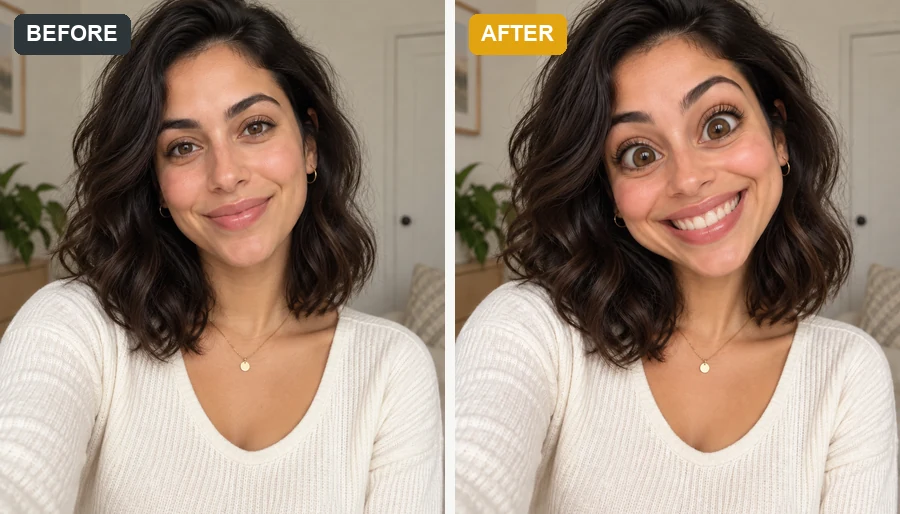
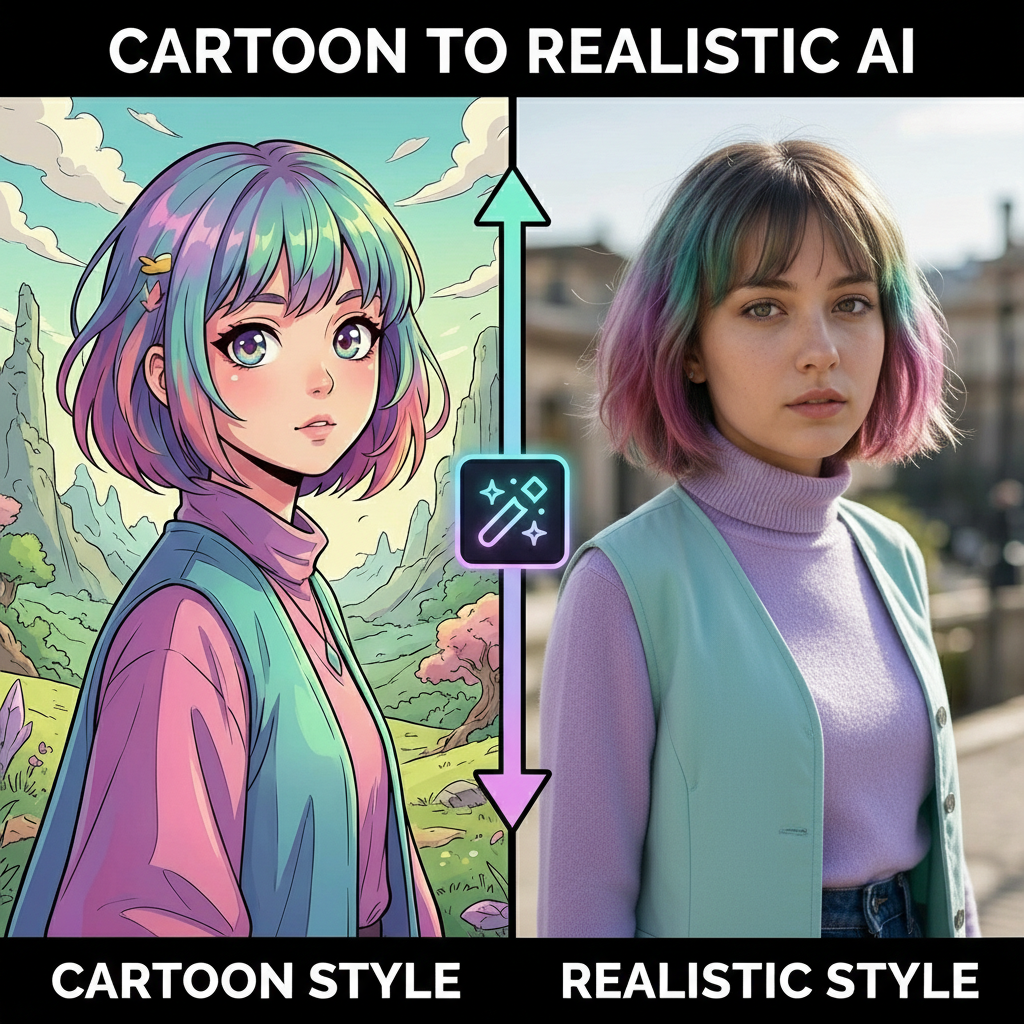
Upload a selfie, a friend who is in on the joke, or a troll face drawing. The AI rebuilds it as a realistic troll face with the famous sly grin, squinted eyes, and real skin, light, and shadow.
Troll Level: Sly Grin · Look: Hyper Realistic
Your photo stays in this browser during this UI preview.
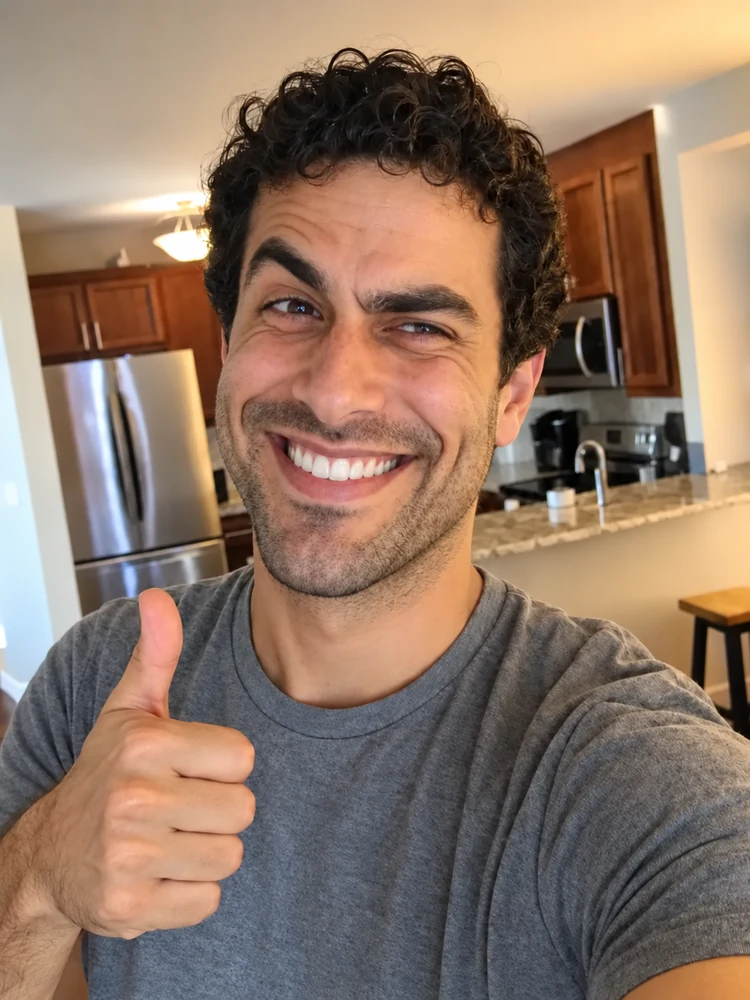
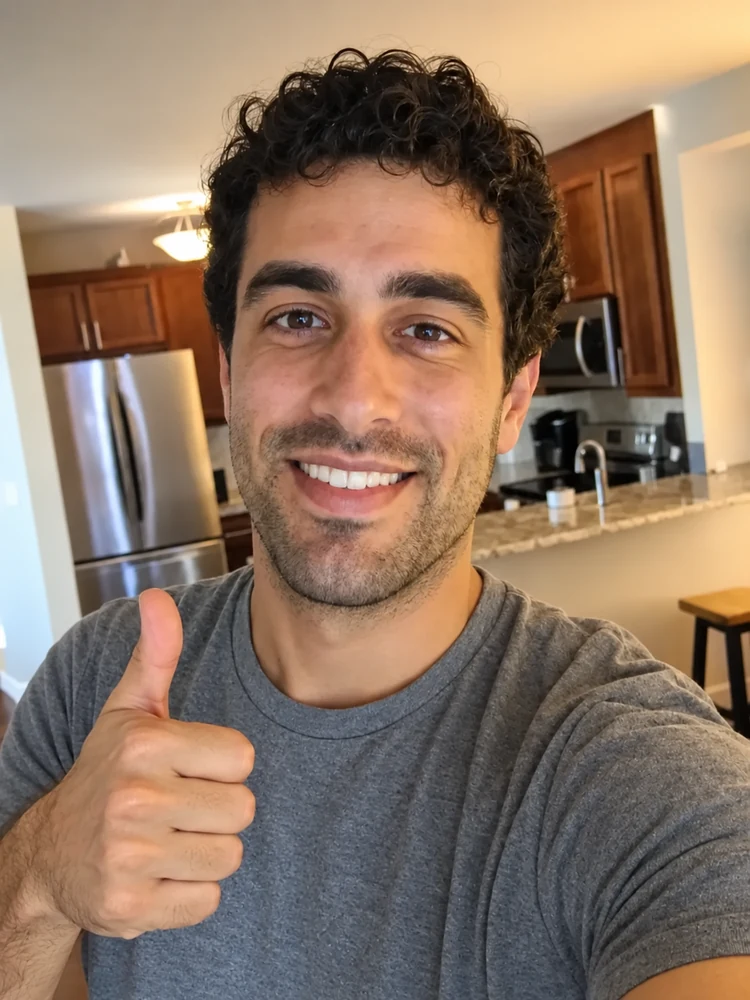
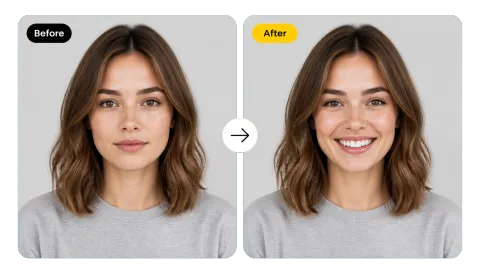
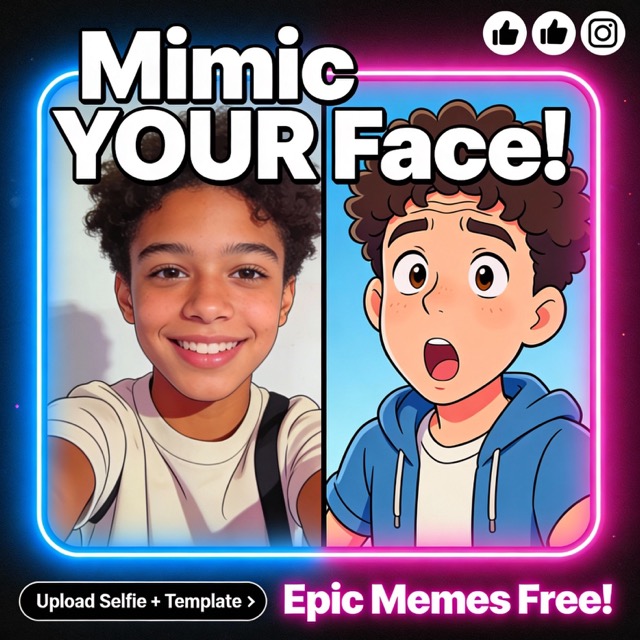
Reference example. It is not a result generated from your upload.
A realistic troll face is the classic Trollface meme reimagined as a real-looking person: the same huge mischievous grin, narrowed eyes, and stretched cheeks, but with skin pores, wrinkles, lighting, and depth instead of black-and-white lines. The realistic trollface trend took off in short videos and reaction edits, where the face pops up on screens, in chats, and in prank reveals.
This AI troll face generator lets you make your own. Upload a selfie to give yourself the grin, or upload a troll face drawing to make the trollface realistic. Pick how far to push it, from a sly grin to full troll, choose a look, and download a realistic troll face meme ready for posts, thumbnails, and group chats.
Three steps from photo to meme. No face-warping brushes or photo-editing skills needed.
Use a clear, front-facing selfie or portrait, or a troll face drawing you want to make realistic. JPG, PNG, and WebP files up to 10 MB are supported.
Choose Sly Grin, Classic Troll, or Full Troll, then a look such as Hyper Realistic, Black & White, Creepy, or Cinematic. Add a scene, like a laptop screen, in the details box.
Generate up to four versions, keep the funniest, and download it for your meme, reaction, or before-and-after reveal.
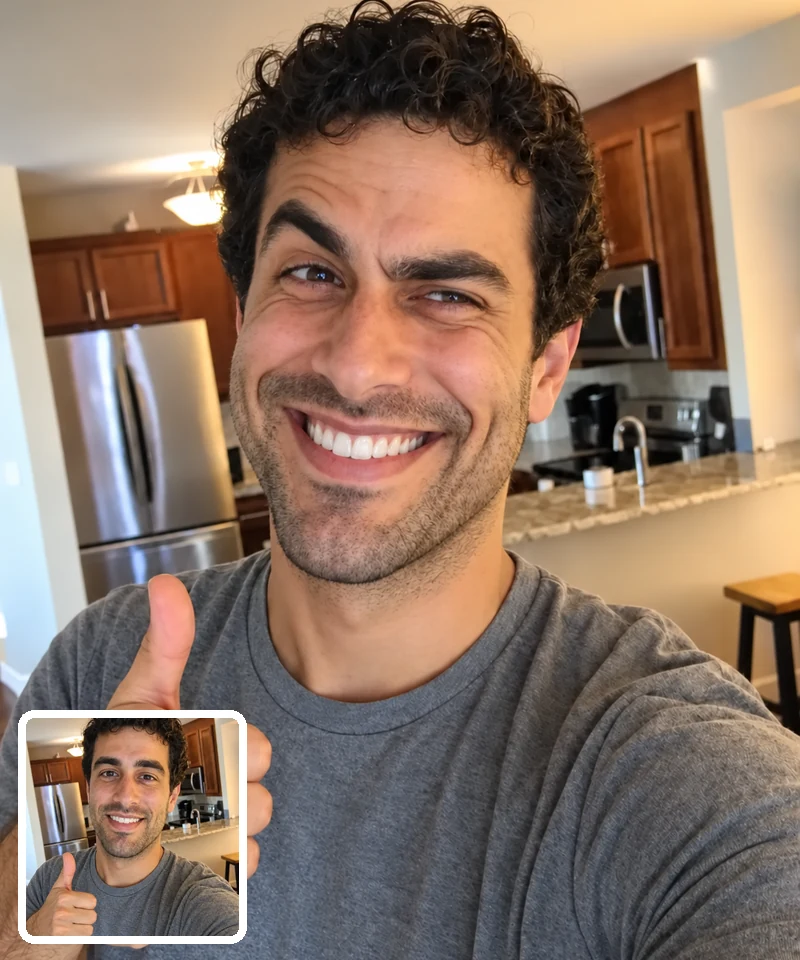
The AI pushes your expression into the classic troll shape (wide toothy grin, raised cheeks, squinted eyes, smug brows) while keeping your hair, clothes, and background. It reads as a real photo of you mid-troll, which is what makes it land in the group chat.
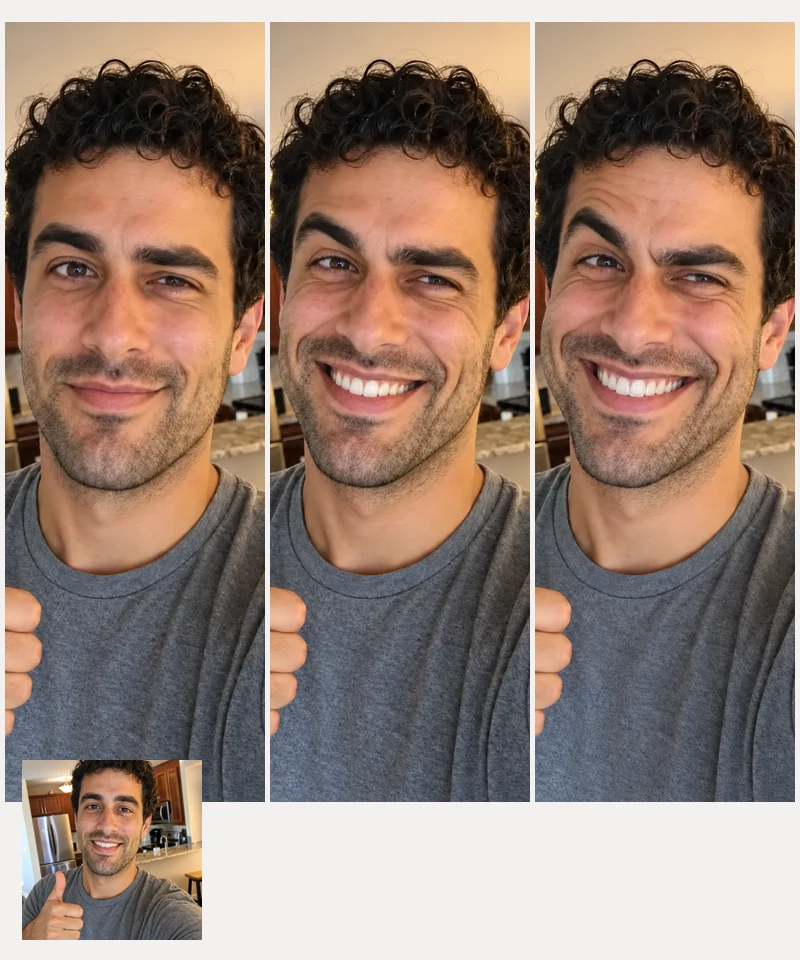
Sly Grin keeps it subtle enough for a double take, Classic Troll nails the meme expression, and Full Troll goes all the way. Not cursed enough? Step up one level and generate again.
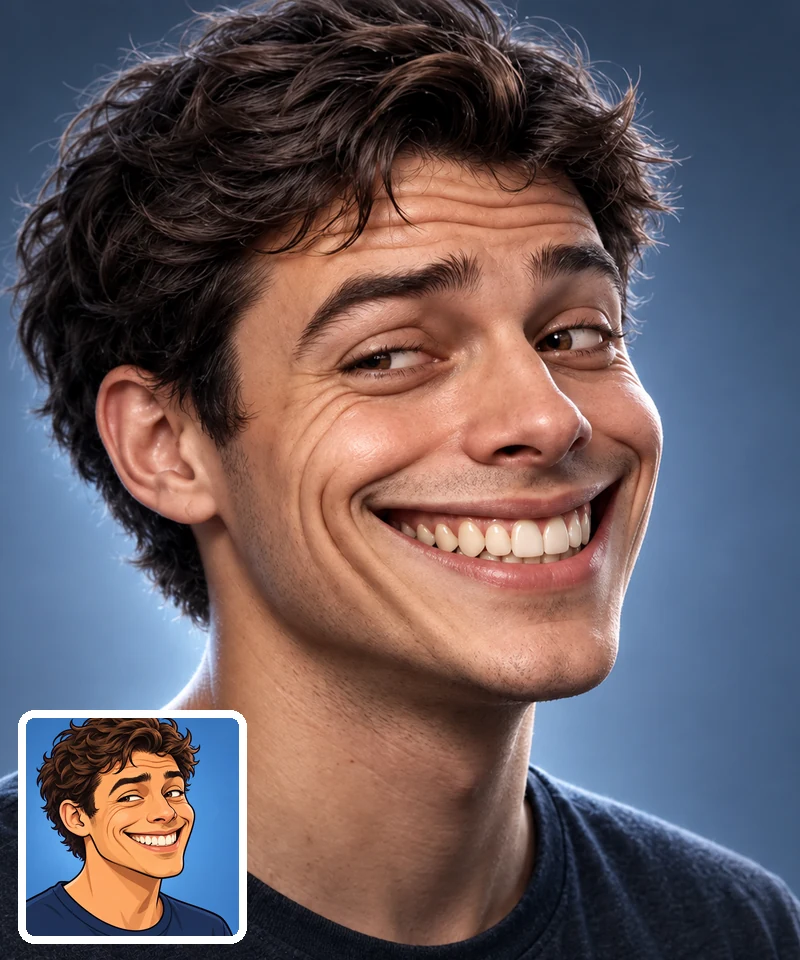
Drawings are easy to ignore. A hyper realistic troll face keeps photographic skin texture, natural light, and real shadows, so the result feels uncanny and funny at the same time. Want the troll face hyper realistic and close up? Pick Hyper Realistic and add "extreme close-up" in the details.
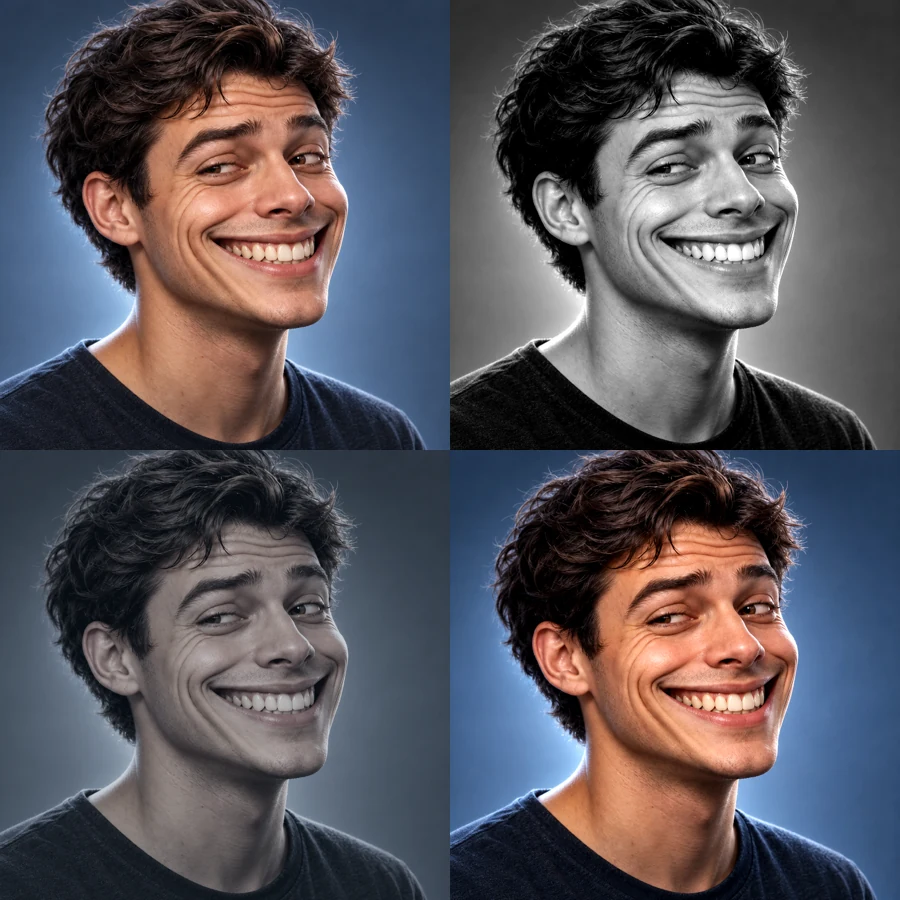
Make any troll face meme realistic in the mood you need: Black & White echoes the original drawing, Creepy adds cold light and deep shadows for horror edits, and Cinematic gives reaction thumbnails a movie-poster glow.

Reply in the group chat with a realistic troll face of yourself instead of another sticker.
Film your normal selfie, then cut to the troll version for short videos and Reels.
Use the Cinematic or Creepy look as a reaction face for video thumbnails and meme edits.
A subtle Sly Grin version of your real face makes a profile picture friends look at twice.
A good source photo makes the grin look real instead of pasted on.
Front-facing photos with the whole face visible give the AI room to stretch the grin naturally.
Even light keeps skin texture and wrinkles believable, which sells the realism.
Try Sly Grin first. If it is not cursed enough, move up to Classic or Full Troll.
Use your own face or friends who are in on the joke, and never use it to mock or embarrass someone.
Common ways meme makers and creators use realistic troll face edits.
Illustrative examples adapted from reference material, not verified reviews of EzImgMaker.
I sent my Full Troll version to the group chat with zero context. It derailed the conversation for an hour.
The before-and-after reveal did better than anything I posted all month. The realistic skin is what makes it creepy-funny.
I needed a reaction face for a thumbnail. The Cinematic look gave me a sharp, dramatic grin in one go.
We each made a troll face at game night and voted on the most cursed one. Everyone was in on it.
Answers to common questions about making a realistic troll face.
It is the classic Trollface meme turned into a lifelike image: the same exaggerated grin and mischievous eyes, but with real skin texture, lighting, and depth. People search for it as realistic trollface, troll face realistic, or even the typo realisitc troll face; they all mean the same viral style.
Upload a clear selfie, choose a troll level (Sly Grin, Classic Troll, or Full Troll) and a look, then generate. The AI keeps your identity while reshaping your expression into the troll grin.
Yes. Upload a troll face drawing instead of a selfie and choose Hyper Realistic or Black & White. The AI rebuilds it as a human-looking face with photographic detail.
Seeing a familiar flat meme rendered as a real person is funny and slightly unsettling, which makes it perfect for short videos, prank reveals, and reaction edits. AI troll face tools made the format easy for anyone to try.
Yes, that is the point. The troll face AI changes your expression and exaggerates features, but keeps your face shape, hair, clothes, and background so friends know it is you.
A sharp, front-facing photo with one person, even lighting, and no sunglasses or hands covering the face. Group shots and heavy beauty filters make the grin harder to shape.
It can be as creepy or as goofy as you like. The Creepy look adds cold light and shadows, while Selfie Photo and Sly Grin keep things light. Results stay meme-style and never include gore.
Only with their permission. Use photos you own or that friends agreed to, never use a troll face to harass, impersonate, or embarrass someone, and do not use photos of children without a parent or guardian saying yes.
No. EzImgMaker is an independent tool. Results are parody edits inspired by the meme, and we do not use or distribute the original Trollface drawing.
Upload a photo, pick your troll level, and turn it into a realistic troll face meme.
Trollface-inspired results are parody edits made for fun. The original Trollface drawing was created by Carlos Ramirez; EzImgMaker is not affiliated with or endorsed by its creator or rights holder.