Sci-Fi City Arrival
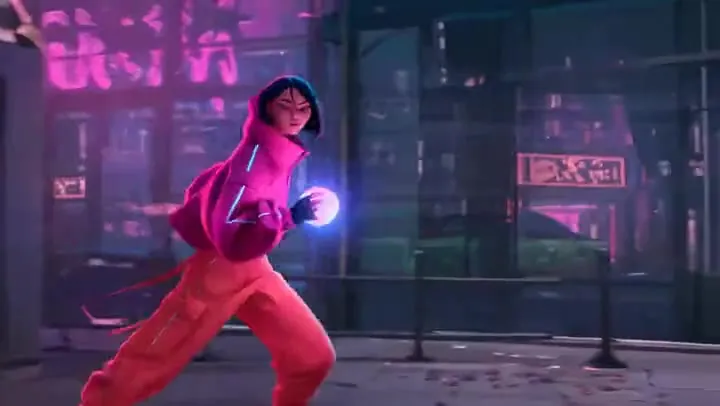
Text to video with a heavy subject, volumetric steam, and a camera tilt that follows the action.
Alibaba’s open-source Wan 2.2, running as the fast A14B Turbo model. Describe a scene, animate a photo, or pair a portrait with a voice clip, and get a smooth 5-second clip in 480p or 720p with cinematic light and camera moves.
A kind-faced old man, wearing a straw hat and overalls, stands in a sunny vegetable garden. He is holding a ripe tomato and is very happy, his eyes shining with pure happiness.
Reference example. It is not a result generated from your upload.
Wan 2.2 is the open-source video generation model from Alibaba’s Wan team, released in July 2025 under the Apache 2.0 license. Alibaba Wan 2.2 brought a Mixture-of-Experts design to video diffusion: one expert lays out the scene in the early, noisy steps and a second expert refines the details, so the model holds 27B parameters but uses only 14B per step. It was also trained on far more data than Wan 2.1, with 65.6% more images and 83.2% more videos, plus aesthetic labels for lighting, composition, contrast, and color tone.
On EzImgMaker you use Wan 2.2 A14B Turbo, a fast hosted version of the 14B models, in three modes: text to video, image to video, and speech to video (Wan 2.2 S2V). Each Wan 2.2 clip is about 5 seconds long, has no soundtrack, and renders in 480p or 720p, with an extra 580p option for speech. Need longer clips, 1080p, sound, or reference inputs? Alibaba’s newer Wan 3.0 adds all of those and has its own page on EzImgMaker.
What each Wan 2.2 mode takes and returns here.
| Text to video | Image to video | Speech to video (S2V) | |
|---|---|---|---|
| You provide | A prompt | A photo + a prompt | A portrait photo + voice audio + a prompt |
| Wan 2.2 resolution | 480p or 720p | 480p or 720p | 480p, 580p, or 720p |
| Aspect ratio | 16:9 or 9:16 | Follows your photo (resized and center-cropped if needed) | Follows your photo |
| Clip length | About 5 s | About 5 s | About 5 s (80 frames at 16 fps) |
| Audio | No | No | Lip movement follows your audio |
| Prompt expansion | Optional | Optional | No |
| Uploads | None | JPG, PNG, or WebP up to 10 MB | JPG, PNG, or WebP + MP3, WAV, M4A, AAC, OGG, or FLAC, each up to 10 MB |
All three modes run Wan 2.2 A14B Turbo. Longer videos, 1080p, generated sound, end frames, and reference images or videos are not part of Wan 2.2 here; Wan 3.0 covers those.
Both models are available on EzImgMaker. Wan 2.2 is the quick, low-cost option; Wan 3.0 is the newer, more capable one.
| Wan 2.2 (this page) | Wan 3.0 | |
|---|---|---|
| Best for | Fast 5-second drafts, animated photos, and talking portraits | Longer finished clips with sound and references |
| Inputs | Text, one photo, or a portrait + voice audio | Text, start + end frame, or up to 10 reference images, 5 videos, and 5 audio clips |
| Clip length | About 5 s | 2–30 s |
| Resolution | 480p or 720p (580p for speech) | 480p, 720p, or 1080p |
| Aspect ratio | 16:9 or 9:16 (text to video) | Auto, 16:9, 4:3, 1:1, 3:4, 9:16 |
| Generated sound | No | Yes (on or off) |
Wan 2.2 is also open source (Apache 2.0), so its weights can be downloaded and run locally.
Placeholder clips with the prompts behind them. Copy one, change the subject, and make your own Wan 2.2 video.
Text to video with a heavy subject, volumetric steam, and a camera tilt that follows the action.
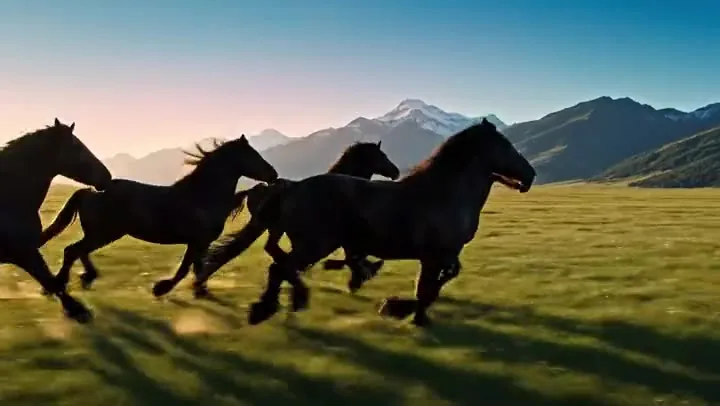
Fast vehicles, dust, and lens flare in one tracking shot, the kind of B-roll that is costly to film.
Image to video: the farmer lifts the tomato toward the lens while his face and the garden stay true to the photo.
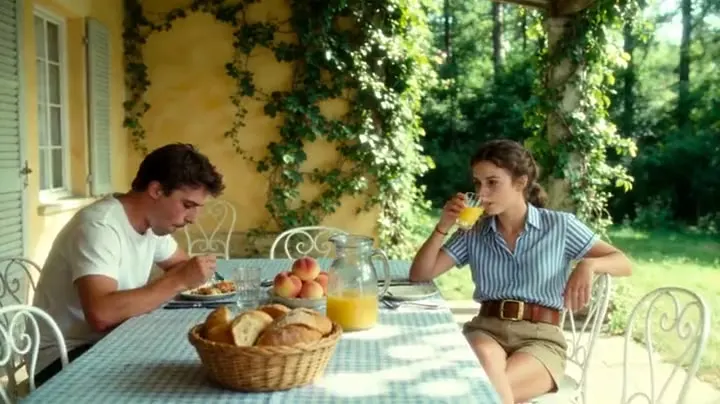
A prompt written in shot and lighting terms: overcast light, low angle, medium close-up, cool colors.
A creator-style scene for social ads, with natural gestures and a believable home setting.
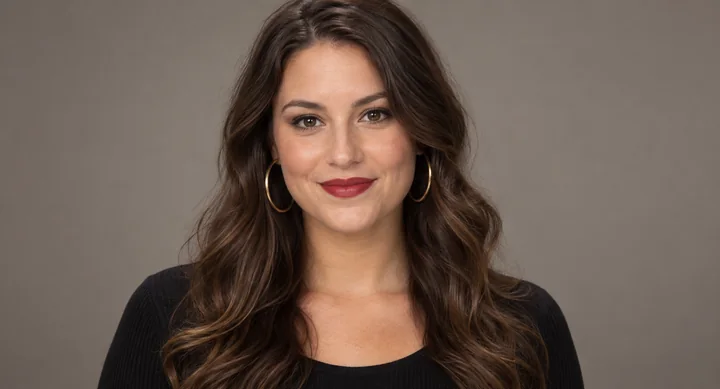
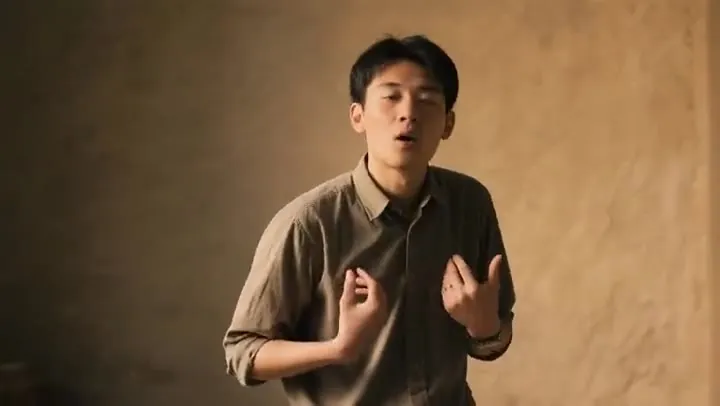
The input photo for Wan 2.2 S2V. Add a voice clip and the result is a 5-second video of her speaking in sync.
Nothing to install: three steps in your browser and you are using Wan 2.2.
Choose Text to video and write a prompt, Image to video and upload a start image, or Speech to video and upload a portrait plus a voice recording.
Choose 480p for quick drafts or 720p for the final cut, pick 16:9 or 9:16 for text to video, and keep prompt expansion on for richer detail.
Generate the Wan 2.2 video, check the motion and framing, then download it or adjust one detail of the prompt and run it again.
Wan 2.2 splits the denoising process between a high-noise expert that sets up layout and motion and a low-noise expert that sharpens textures and faces. With 27B parameters in total but 14B active per step, it adds capacity without slowing every step down, which shows in busy scenes like crowds, steam, and engine glow.
The Wan 2.2 model was trained with labels for lighting, composition, contrast, and color tone, so it responds to the words a cinematographer would use: golden hour, rim light, low angle, medium close-up, push-in, desaturated, warm colors.
Upload a still and describe what should move. Wan 2.2 image to video keeps the person, product, or place from your photo and adds believable motion, from a smile and a raised hand to drifting light and a slow camera move.
Speech to video turns one portrait and a voice recording into a short clip where the mouth, face, and head move with the audio. Use it for a quick avatar intro, a spoken product line, or a singing test, in 480p, 580p, or 720p.
Short establishing shots, landscapes, and cutaways to drop between real footage.
Orbiting hero shots and lifestyle moments from a single product photo.
Cel-shaded anime, 3D cartoon, or painterly looks with the same smooth motion.
A portrait plus a voice recording becomes a quick spokesperson or character line.
Test camera moves, lighting, and blocking before a real shoot or a longer Wan 3.0 render.
A simple formula works best: shot and lighting terms, then subject, scene, and one clear motion.
Start with tags like "golden hour, low angle, medium close-up, cool colors" before you describe the scene.
About 5 seconds fits one clear movement and one camera move, such as a turn, a pour, or a slow push-in.
For Wan2.2 anime, 3D cartoon, or watercolor results, put the style at the start of the prompt.
In image or speech mode the photo already shows the subject; spend the prompt on what moves and how.
Common questions about Alibaba’s Wan 2.2 video model.
Wan 2.2 is an open-source AI video model from Alibaba’s Wan team, released in July 2025. It generates short videos from text, from an image, or from a portrait plus audio, and uses a Mixture-of-Experts design with 27B total and 14B active parameters for more detailed, cinematic results than Wan 2.1.
The model weights are free to download under Apache 2.0, but running Wan 2.2 takes serious GPU power. On EzImgMaker, new users get free credits to try it; after that, each video uses credits based on the mode and resolution, and the cost is shown on the Generate button before you start.
Not in this generator, which starts from text, a photo, or a portrait plus audio. Wan 2.2 input video workflows belong to Wan 2.2 Animate, a sibling model that takes a video and a character photo. Its Replace mode, the Wan 2.2 replace model used for Wan 2.2 character swap and Wan 2.2 face swap, powers the AI Face Swap Video tool on EzImgMaker.
S2V stands for speech to video. You upload a portrait photo and a voice or singing clip, add a short prompt, and Wan 2.2 generates a video of that person speaking with lip, face, and head movement that follows the audio. Here it renders about 5 seconds in 480p, 580p, or 720p.
Text and image to video render in 480p or 720p, and speech to video adds 580p. Every clip is about 5 seconds. Text to video offers 16:9 or 9:16; in image and speech modes the video follows your photo, which is resized and center-cropped if needed.
Compared with the Wan 2.1 AI video generator, Wan 2.2 adds the Mixture-of-Experts design, much more training data, and finer control over lighting and camera, so motion and detail improve at the same length. Wan 3.0 is the newer generation: 2 to 30 second clips, up to 1080p, generated sound, start and end frames, and reference images, videos, and audio.
No. Wan 2.2 online on EzImgMaker runs in your browser. Because the model is open source, the official Wan2.2 model download (T2V-A14B, I2V-A14B, TI2V-5B, and S2V-14B) is on Hugging Face and ModelScope, and the new Wan 2.2 VAE download comes with the TI2V-5B model. A local Wan2.2 download of the A14B models needs a GPU with about 80 GB of memory for the standard single-GPU setup.
It is Wan 2.2 Turbo: the A14B Turbo text, image, and speech to video models from our API provider. Wan 2.2 Plus models are Alibaba Cloud’s own hosted commercial versions, and Wan 2.2 Remix and similar checkpoints are community fine-tunes or merges shared by third parties; neither is offered here.
All of these mean the same model. The official spelling is Wan2.2, usually written Wan 2.2, and you will also see Wan 2 2, Wan.2.2, Wan 22, Wan2-2, or Wan2.2 AI. Because it comes from Alibaba, people also say Ali Wan 2.2 or Ali’s Wan 2.2, and "Juan 2.2" is a common mishearing of the name.
No. EzImgMaker is an independent service that provides access to Wan 2.2 through a third-party API provider. It is not affiliated with, endorsed by, or sponsored by Alibaba or the Wan team.
Only photos and recordings you own or have permission to use. Do not upload other people’s face or voice without consent, and do not create misleading, harmful, or sexual videos of real people.
Write a prompt, add a photo, or pair a portrait with a voice clip, and let Wan 2.2 handle the motion.
Wan is a trademark of Alibaba Group or its affiliates. EzImgMaker is an independent service and is not affiliated with, endorsed by, or sponsored by Alibaba or the Wan team. Model names are used only to describe compatibility.