Upload Your Image
Drop in a JPG, PNG, or WebP up to 20 MB: a video still, a photo, or a thumbnail design exported at the wrong size. It opens locally and is never sent to a server.
The standard YouTube thumbnail size is 1280 × 720 pixels at a 16:9 aspect ratio. Upload any image, crop or fit it to a video or Shorts thumbnail, check the live preview, and download a JPG or PNG.
One-click thumbnail sizes
Fine-tune
Runs in your browser. Your photo is never uploaded.

Reference example. It is not a result generated from your upload.
The YouTube thumbnail size most channels use is 1280 × 720 pixels, a 16:9 aspect ratio that matches the video player. YouTube Help asks for a minimum width of 640 pixels and now recommends uploading as large as 3840 × 2160 for sharp 4K screens, in JPG or PNG. Thumbnails uploaded from the mobile app must stay under 2 MB (10 MB for podcasts), while YouTube Studio on a computer accepts up to 50 MB. Shorts use a vertical 9:16 thumbnail, and podcast playlists use 1:1.
This YouTube thumbnail resizer turns any photo, screenshot, or design into a full-size thumbnail. Pick a preset, choose whether to crop or fit the whole picture, and download. It works as a YouTube thumbnail sizer for small images and a YouTube thumbnail downsizer for oversized exports, and because everything runs in your browser it is free, needs no sign-up, and never uploads your image.
From any picture to the right YT thumbnail size, all in the browser.
Drop in a JPG, PNG, or WebP up to 20 MB: a video still, a photo, or a thumbnail design exported at the wrong size. It opens locally and is never sent to a server.
Choose 1280×720, 1920×1080, 4K, or Shorts 1080×1920. Crop to fill the frame or fit the whole image with blurred edges, and move the crop anchor if a face is cut off. You can also drag the photo in the preview to reposition it and zoom in up to 400%.
Save a JPG to keep the file small or a PNG for crisp text, then add it under Thumbnail in YouTube Studio.
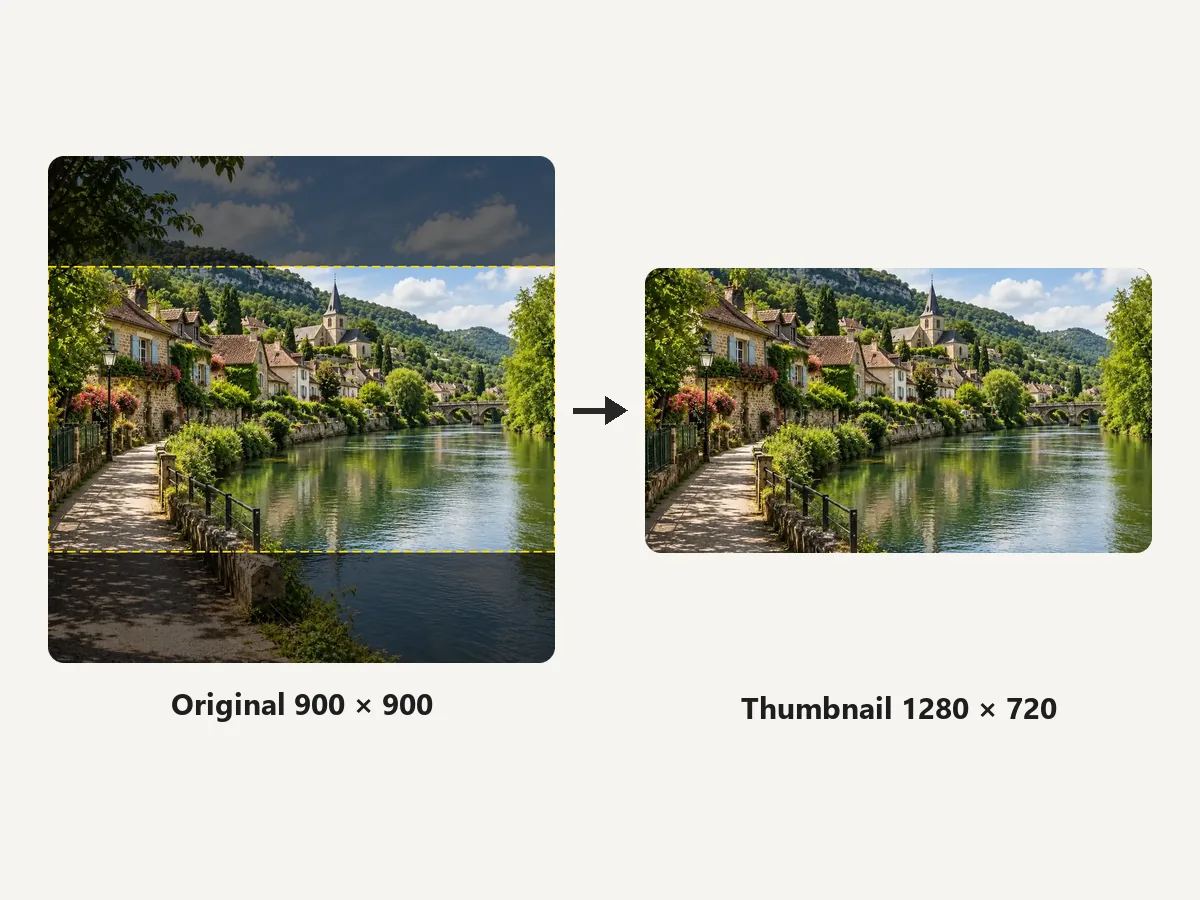
Square photos, vertical phone shots, and wide screenshots all land on an exact 1280 × 720 canvas. The resizer scales the image to fill 16:9 and trims only the overflow, so you can convert any image to thumbnail dimensions without opening an editor.
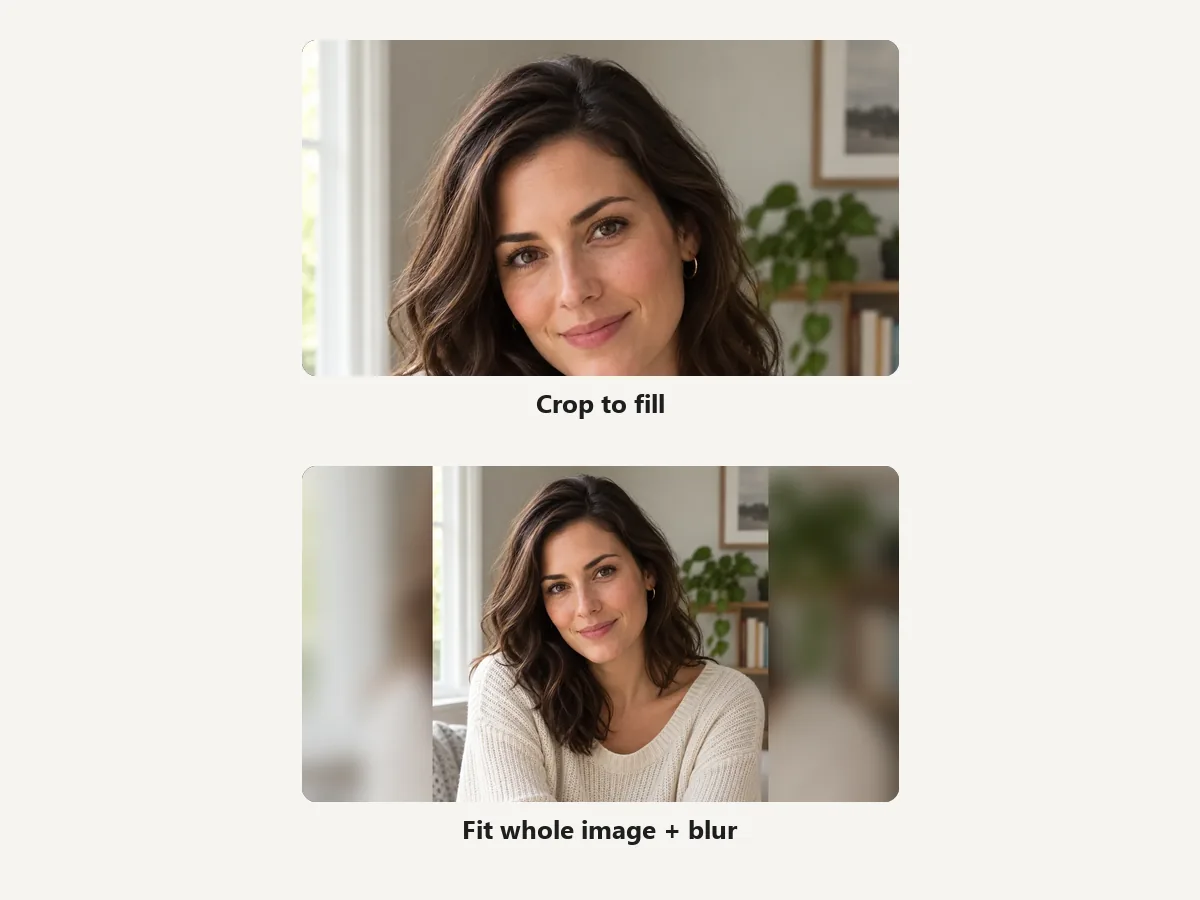
Fit whole image places the entire photo inside the 16:9 frame and fills the sides with a soft, blurred copy of it (or plain black or white). Nothing gets cut off, which is ideal for portraits, posters, and slides.
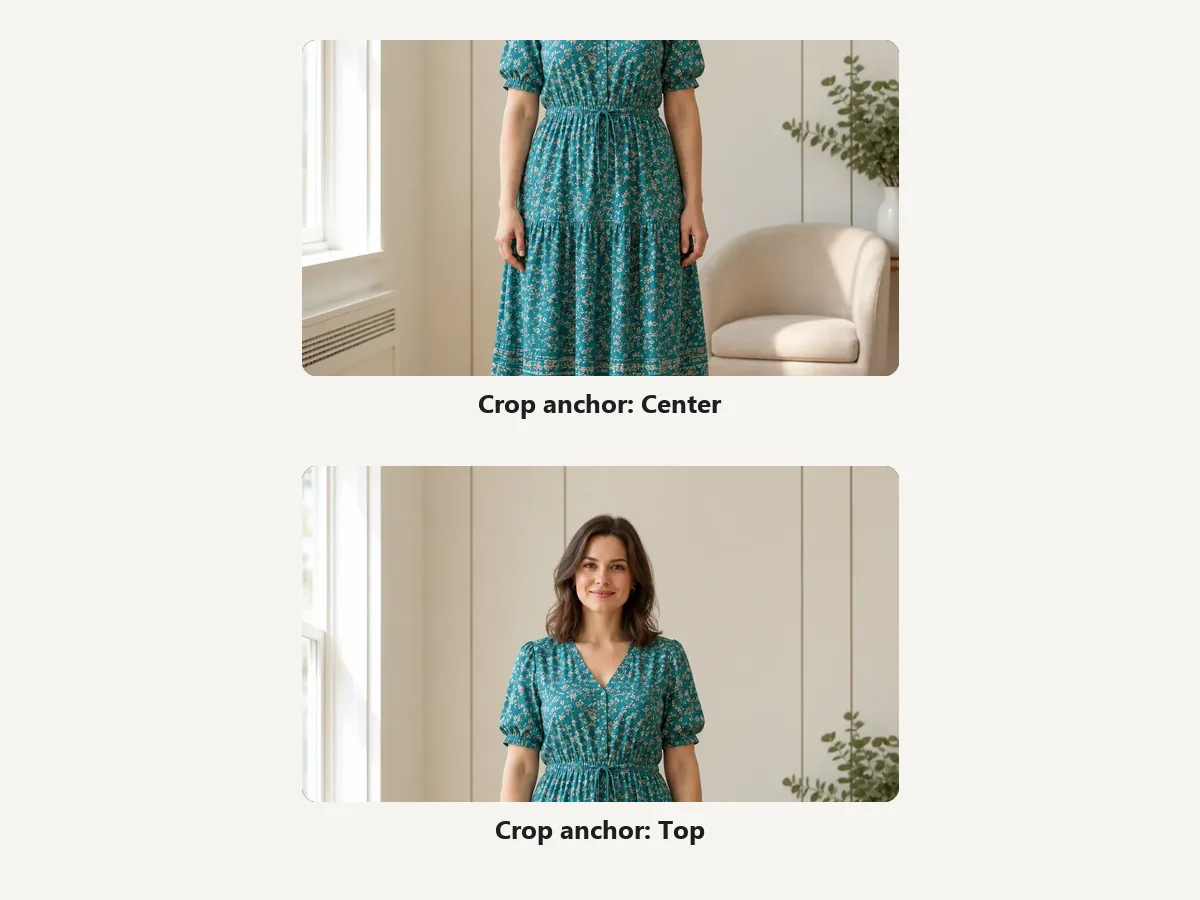
Cropping a tall photo to 16:9 from the center can slice off heads. Switch the crop anchor to Top to keep faces and titles in view, or Bottom for subjects low in the frame, and watch the live preview update.
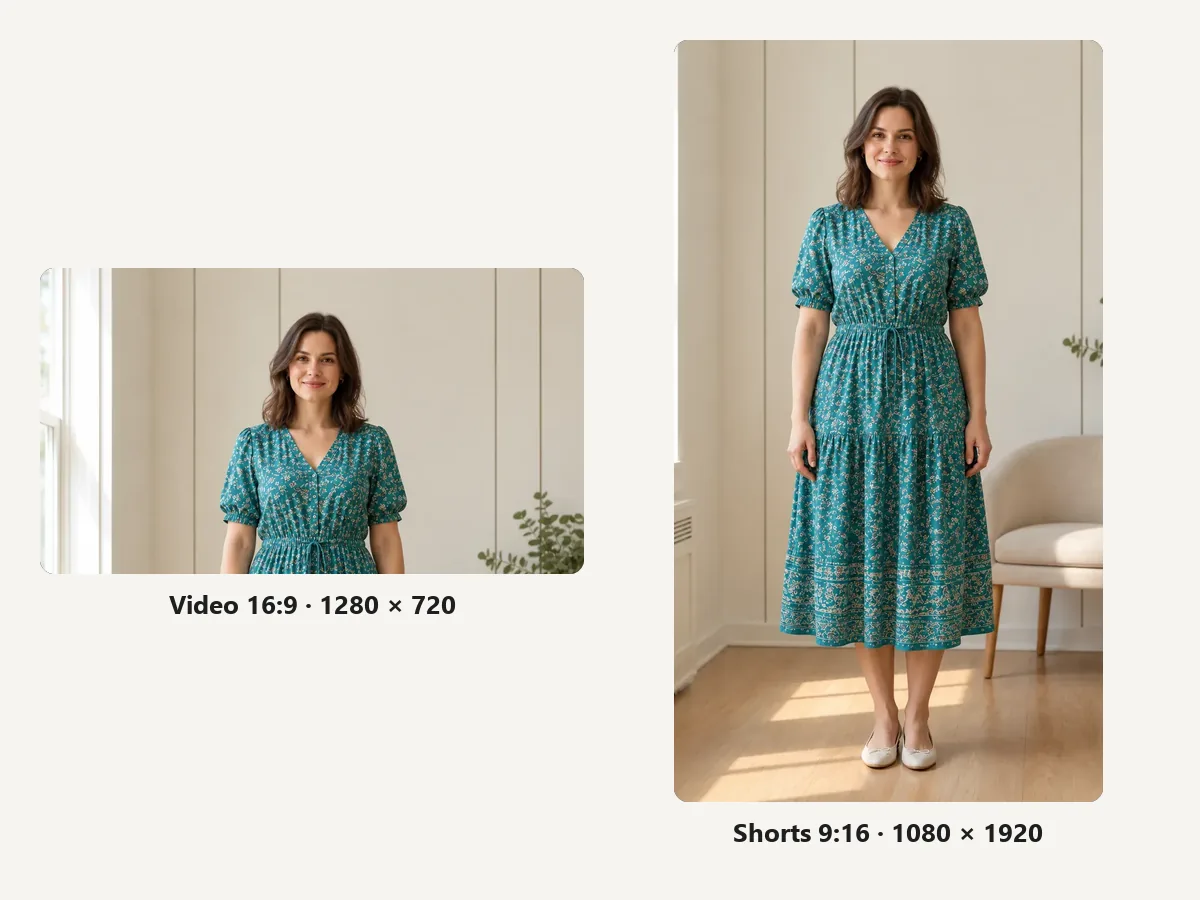
Switch between the 16:9 video size and the 9:16 Shorts size from the same upload. It also works as a YouTube thumbnail converter for 4K exports, game captures, and screenshots that are too large or the wrong shape.
The official thumbnail YouTube size rules in one place, based on YouTube Help.
The standard YouTube thumbnail size in pixels. The minimum width is 640 px, and YouTube now recommends uploading as large as 3840 × 2160 for 4K screens.
The dimensions of a YouTube thumbnail match the player: 16:9 for videos, 9:16 for Shorts, and 1:1 for podcast playlists.
Uploads from the mobile app must stay under 2 MB (10 MB for podcasts). YouTube Studio on a computer accepts up to 50 MB. Use JPG or PNG.
Shorts thumbnails are vertical 9:16. YouTube recommends up to 2160 × 3840 with a minimum height of 640 px; custom Shorts thumbnails are added in YouTube Studio on a computer.
Habits that keep a correctly sized thumbnail readable on every screen.
High contrast wins: white or yellow letters with a dark outline or shadow stay readable over most photos. Keep YouTube thumbnail text to a few big words.
Most people browse on phones, where thumbnails are small. Crop tight around the face or object so it still reads at a glance.
YouTube shows the video length in the bottom-right corner, so avoid placing text or logos there.
Use a source at least 1280 px wide. You can make a small picture bigger, but upscaling cannot add detail that was not captured.
How people use a YouTube thumbnail resizer in their upload routine.
Illustrative examples adapted from reference material, not verified reviews of EzImgMaker.
My designs come out of the editor at odd sizes. Now I drop them in, pick 1280×720, and the YT thumbnail resizer gives me a file that never gets rejected.
Vertical phone photos used to lose half of my face. The Top crop anchor fixed that, and the blurred-edge option is perfect for recipe shots.
I upload from my phone, so the 2 MB limit kept biting me. Exporting a 1280×720 JPG here keeps every thumbnail well under it.
I make Shorts and long videos from the same shoot. Switching between the 16:9 and 9:16 presets takes one click.
Dimensions, aspect ratio, file size, and how to resize thumbnails.
The standard YouTube thumbnail size is 1280 × 720 pixels with a 16:9 aspect ratio. The minimum width is 640 pixels, and YouTube Help now recommends uploading as large as 3840 × 2160 so the image stays sharp on big screens. 1280 × 720 remains the safest choice for small, fast-loading files.
Use 16:9 for regular videos, 9:16 for Shorts, and 1:1 for podcast playlists. If your image has a different shape, crop it to fill the frame or use Fit whole image to keep everything with blurred or solid edges.
The YouTube Short thumbnail size is 9:16, such as 1080 × 1920 pixels. YouTube recommends up to 2160 × 3840 with a minimum height of 640 pixels. Custom Shorts thumbnails are currently added in YouTube Studio on a computer, and your account must be verified.
Thumbnails uploaded from a phone must be under 2 MB (10 MB for podcasts). From YouTube Studio on a desktop, video, Shorts, and podcast thumbnails can be up to 50 MB. Accepted formats include JPG and PNG.
Resize the image to 1280 × 720 and download it as a JPG. A 1280 × 720 JPG is usually a few hundred KB, so this works as a simple YouTube thumbnail compressor and 2MB thumbnail converter for 4K or PNG files that are too big.
Yes. Pick 1280×720, 1920×1080, or 4K and a small image is scaled up to that size. Upscaling cannot invent detail, so very small sources may look soft; run them through an AI upscaler first if you need more sharpness.
Crop to fill trims whatever falls outside 16:9, and the crop anchor (Center, Top, Bottom) decides which part stays. Fit whole image never crops: it shrinks the picture to fit and fills the empty space with a blurred copy or a solid color.
JPG keeps photos small and safely under upload limits. PNG keeps sharp edges on text and graphics but produces larger files, so check the size if you upload from your phone.
It is free with no sign-up, and the image is processed by your own browser, so it never leaves your device. Only use images you have the right to edit and publish.
YouTube places a duration badge in the bottom-right corner, and vertical videos with 16:9 custom thumbnails are shown with an auto-generated 4:5 thumbnail on the home, explore, and subscription pages. Keep key details centered and away from the corners.
Upload an image, pick 1280×720 or a Shorts size, and download a thumbnail ready for YouTube Studio.
YouTube is a trademark of Google LLC. EzImgMaker is an independent tool and is not affiliated with or endorsed by YouTube. Sizes follow YouTube Help at the time of writing and may change.