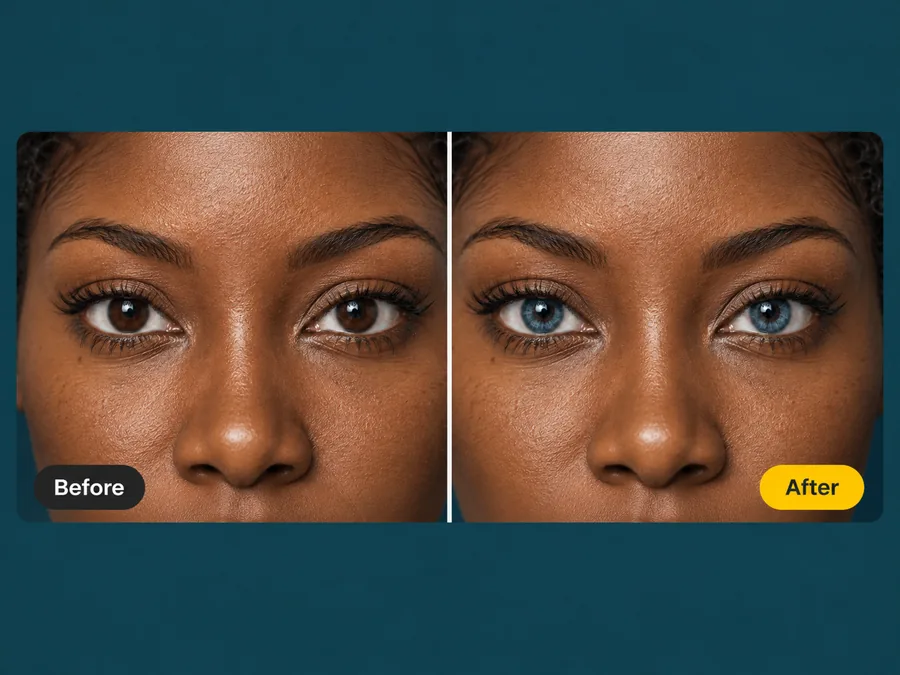
Dark Brown to Blue
The hardest starting point. The AI rebuilds the fiber pattern so a near-black iris becomes a believable blue one instead of a flat disc.
Upload a portrait and the AI blue eyes filter recolors only the iris. Pupils, catchlights, lashes, and skin tone stay exactly as you shot them.
Your photo stays in this browser during this UI preview.
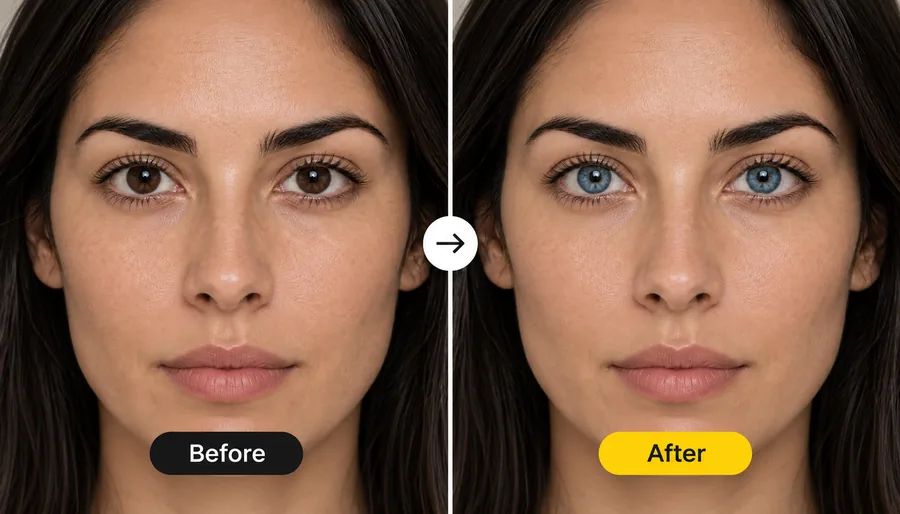
Reference example. It is not a result generated from your upload.
A blue eye filter is a photo effect that changes your eye color to blue while leaving the rest of the picture alone. Instead of dropping a flat colored circle over the eye, the AI rebuilds the iris fibers, the darker outer ring, and the reflections in blue, so the result reads as a realistic blue eye.
Use it to answer "what will I look like with blue eyes?", to preview colored contact lenses, or to finish a cosplay or character portrait. It edits a photo you upload rather than running as a live camera effect, so you can compare shades side by side and keep the one you like.
Brown, hazel, or already-blue eyes: only the iris color changes.
The hardest starting point. The AI rebuilds the fiber pattern so a near-black iris becomes a believable blue one instead of a flat disc.
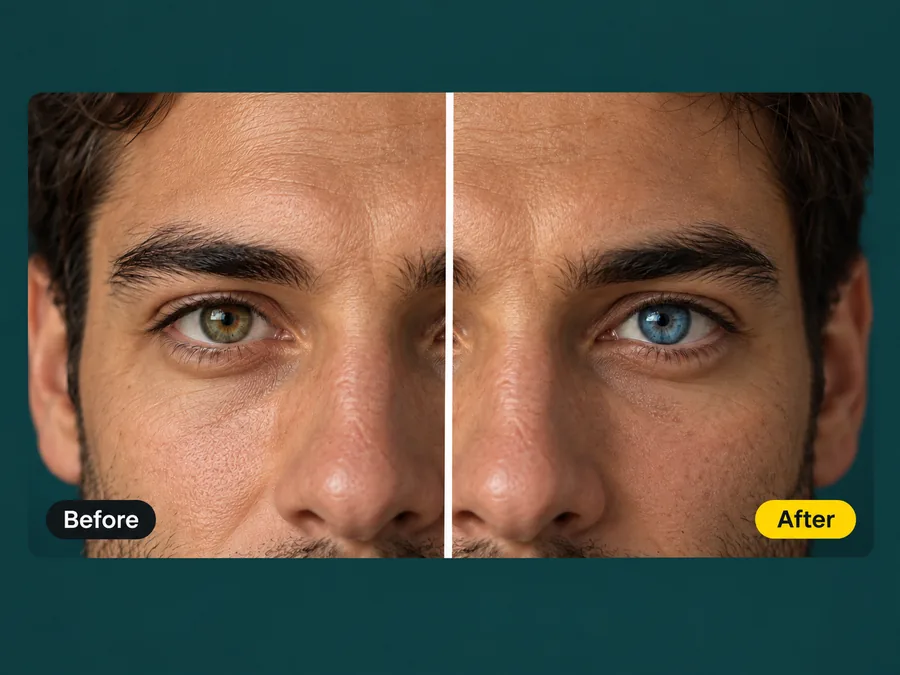
Mixed irises keep their depth. Warm flecks shift to blue and the outer ring comes back in a darker blue, so the eye keeps a defined edge.
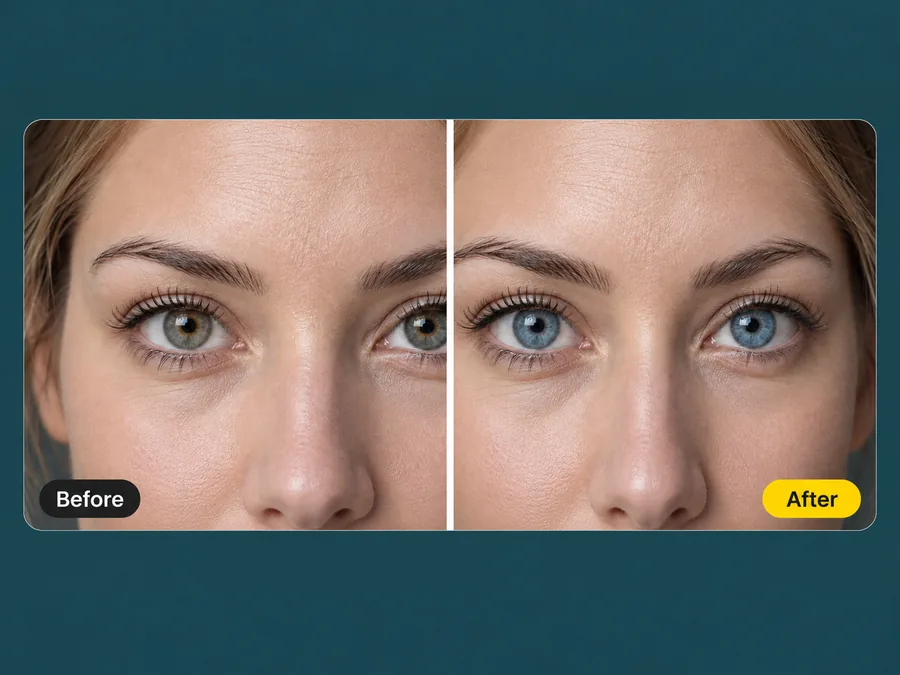
If daylight or office lighting washed your blue eyes out to gray, the filter brings back a clearer, more saturated blue.
Three steps, with no masks, brushes, or editing experience needed.
Choose a portrait or selfie where the eyes are open and easy to see. JPG, PNG, and WebP files up to 10 MB are supported.
Pick Natural Blue, Sky Blue, Ice Blue, Gray-Blue, Sapphire, or Deep Ocean, or describe your own shade in Custom.
Generate up to four versions, compare them with your original photo, and download the one that looks most natural.
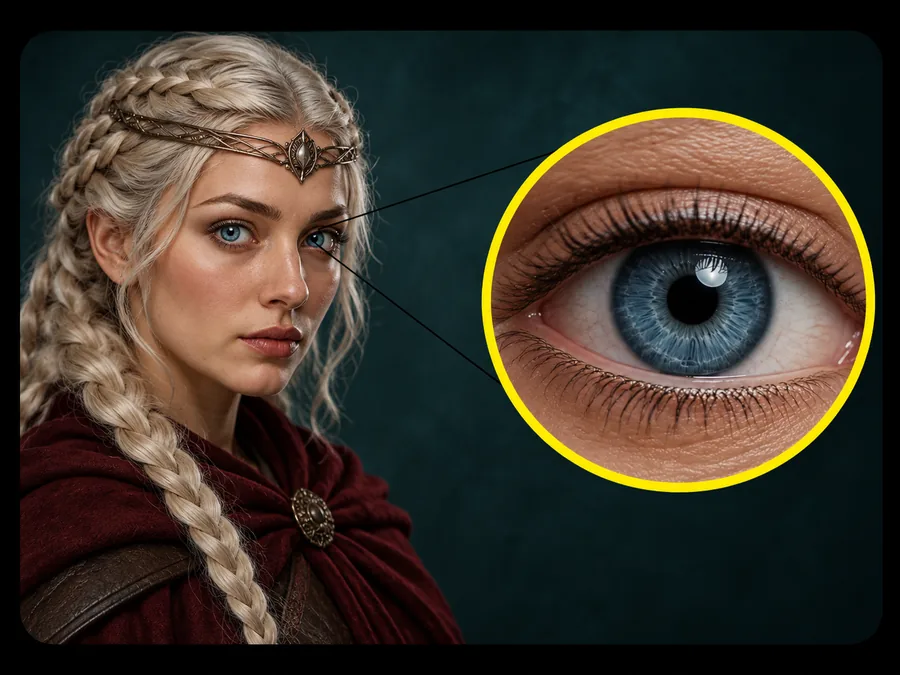
The filter recolors the iris and stops there. Pupils stay black, catchlights stay where the camera put them, and eyelashes, makeup, skin tone, and background come back exactly as you uploaded them.
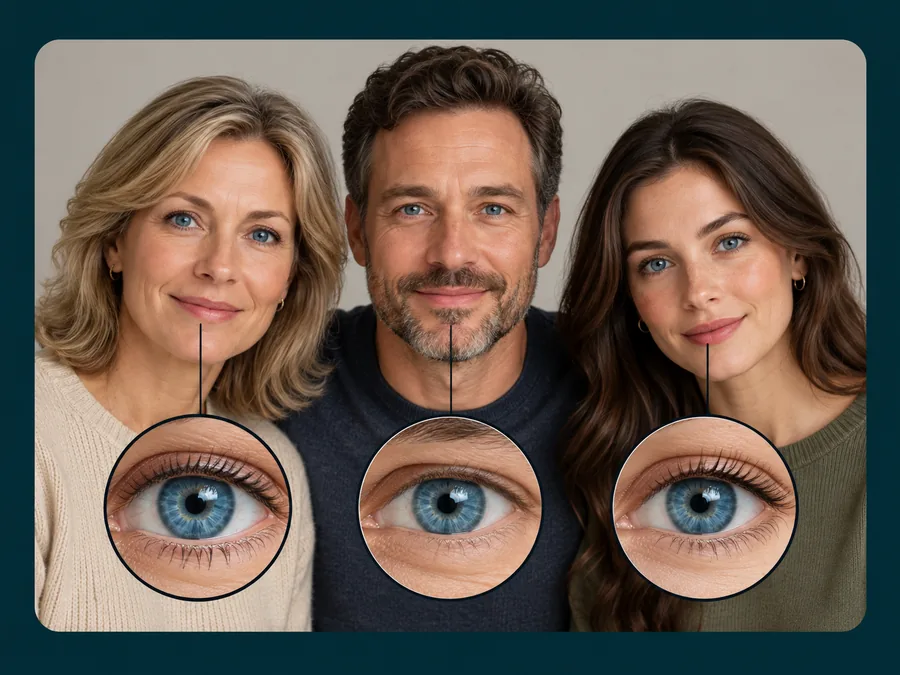
Every visible face in the photo gets the same blue shade in one pass, so a family portrait comes back consistent instead of one edited face among untouched ones.
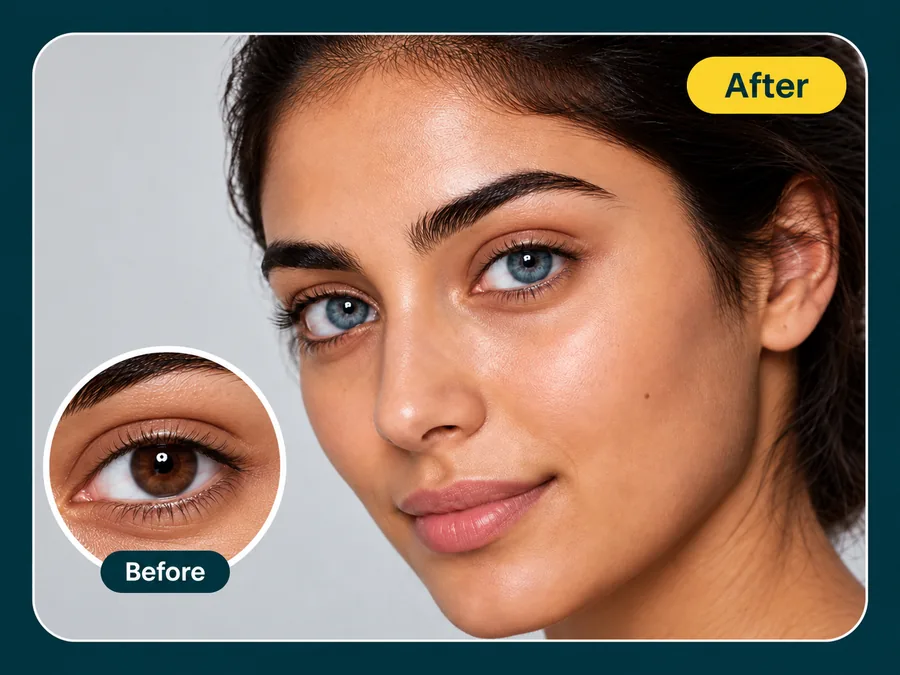
Not sure which colored contacts to order? See how ice blue, sky blue, or sapphire looks against your own face and skin tone before you buy a pair.
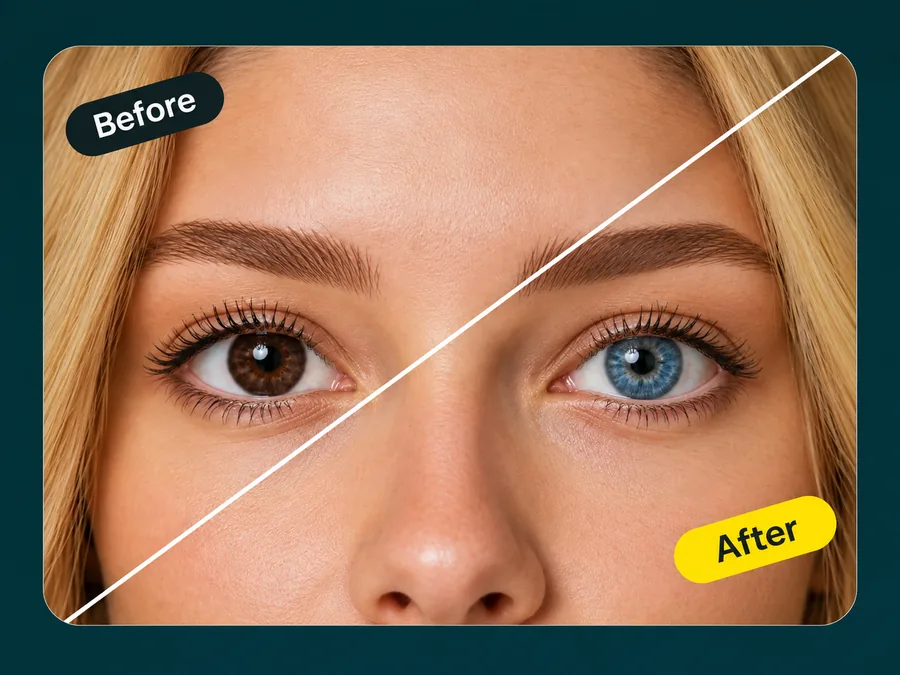
Blonde hair with blue eyes is a classic pairing people love to test. Recolor your eyes here, then try new hair shades on the same photo with a hair color try-on.
Portrait shooters, cosplayers, and everyday selfie takers.
Illustrative examples adapted from reference material, not verified reviews of EzImgMaker.
My eyes are almost black, and most apps just put a blue circle on top. This kept the texture and the little highlight, so it still looked like me.
I compared ice blue and sapphire on my own selfie before ordering colored contacts. It made choosing the shade much easier.
I left my lenses at home for a cosplay shoot and fixed the eye color on the photos I posted afterwards.
My blue eyes turn gray under office lights. One pass and my profile photo shows the color I actually have.
Answers to common questions before your first upload.
A blue eye filter, or blue eyes filter, is a photo effect that changes the color of your irises to blue. This one uses AI to rebuild iris texture, the outer ring, and reflections in the new color, so the edit blends with the original lighting.
Upload a clear photo with your eyes open, pick a shade such as Natural Blue or Sky Blue, and generate a preview. Try two or three shades, because a pale ice blue and a deep sapphire can change your look in very different ways.
Yes. Dark brown and near-black irises are the hardest case, so the filter rebuilds the fiber pattern in blue instead of covering it with a flat color. The pupil stays black and the reflection stays in place.
The goal is a realistic blue eye that matches your photo’s lighting and keeps natural iris detail. Results depend on the photo: sharp, well-lit eyes give the cleanest result, while tiny, blurry, or half-closed eyes are harder to recolor.
"Blue eye fliter" is a common misspelling of blue eye filter. If you searched for a blue eye fliter camera, you were probably looking for a live lens effect. This tool works on photos you upload instead, so you can compare shades and save the version you like.
No. This blue eye filter recolors the irises inside a photo. It is not a blue light or eye-strain setting; those live in your device’s display options.
No. The blue eye filter runs online in your browser on phone or desktop, so there is nothing to download or install.
Only upload photos you own or have permission to edit. Do not use an edited eye color to mislead anyone about a real person’s appearance or identity, for example in ID or dating profile photos.
Upload a photo and try natural, sky, ice, or sapphire blue eyes.