Kling 3.0: Fireflies at Twilight
Pro 1080p text to video with shallow depth of field and soft, drifting light.
Pick a Kling model, describe the shot, and add a start frame if you want the video to begin from your own photo. Kling 3.0 renders 3 to 15 seconds up to 4K with optional sound, Kling 2.6 adds speech and sound effects, and Kling 2.5 Turbo and 2.1 keep short clips affordable.
Close-up of glowing fireflies dancing in a dark forest at twilight. Soft bioluminescent particles float through the air. Shallow depth of field, bokeh lights in background. Magical atmosphere, gentle movement.
Reference example. It is not a result generated from your upload.
Kling AI (often written KlingAI) is the AI video platform from Kuaishou Technology, the Beijing-based company behind one of China’s largest short-video apps. The first Kling model arrived in 2024. Kling AI has since moved through versions 1.5, 1.6, 2.0, 2.1, 2.5 Turbo, and 2.6 to Kling 3.0, with each release improving motion, prompt following, and image quality. Every model turns a text prompt or a still image into a short clip, which is what most people mean by Kling AI video generation.
This Kling AI video generator puts the four Kling video models you can run today in one workspace: Kling 3.0 for 3 to 15 second clips up to 4K, Kling 2.6 for native audio with speech, singing, and sound effects, Kling 2.5 Turbo for fluid motion at a lower cost, and Kling 2.1 with its Standard, Pro, and Master tiers. Choose a model and the settings change to match what it supports, so you never have to learn a separate tool for each version of Kling AI.
What each Kling video model can do on EzImgMaker, so you can pick the right one for the clip.
| Kling 3.0 | Kling 2.6 | Kling 2.5 Turbo | Kling 2.1 | |
|---|---|---|---|---|
| Best for | Final-quality clips with sound, up to 4K | Talking, singing, and ASMR clips with native audio | Fluid action and camera moves at a lower cost | Low-cost photo animation (Standard) or premium Master shots |
| Text to video | Yes | Yes | Yes | Master tier |
| Image to video | Start frame, optional end frame | Start frame | Start frame, optional end frame | Standard, Pro, or Master; end frame on Pro |
| Video length | Any whole second from 3 to 15 s | 5 or 10 s | 5 or 10 s | 5 or 10 s |
| Resolution | Standard 720p, Pro 1080p, or 4K | HD | 1080p | Standard 720p; Pro and Master 1080p |
| Aspect ratio (text to video) | 16:9, 9:16, 1:1 | 16:9, 9:16, 1:1 | 16:9, 9:16, 1:1 | 16:9, 9:16, 1:1 |
| Native audio | Yes (on or off) | Yes (on or off): speech, singing, sound effects | No | No |
| Start / end frame files | JPG or PNG, up to 10 MB | JPG or PNG, up to 10 MB | JPG or PNG, up to 10 MB | JPG or PNG, up to 10 MB |
With a start frame, the aspect ratio follows your image. Text prompts on Kling 2.1 always use the Master tier. Multi-shot storyboards, element references, Kling 3.0 Omni, and V3 Turbo are on the dedicated Kling 3.0 page.
Placeholder clips from each Kling version with the prompts behind them (previews play muted). Copy a prompt, pick the model, and make it your own.
Pro 1080p text to video with shallow depth of field and soft, drifting light.
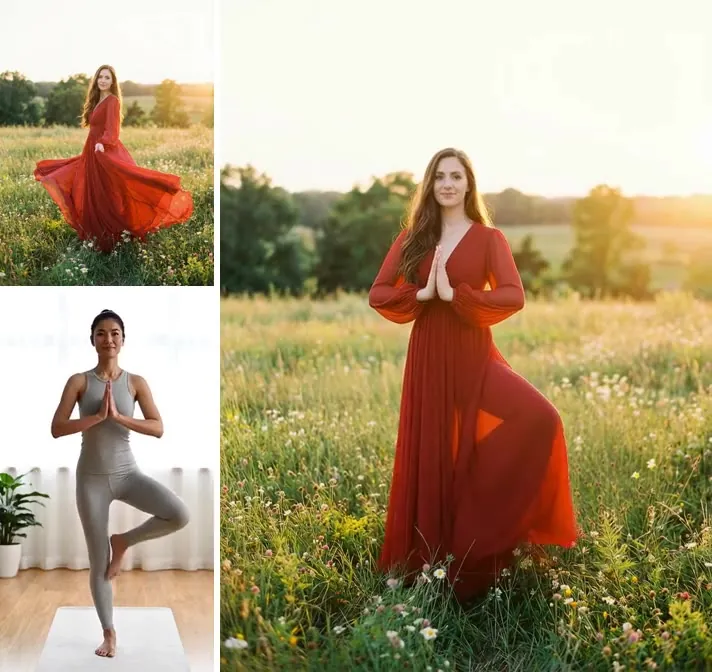
Image to video from a single product photo: a slow orbit that keeps the vase and backdrop intact.
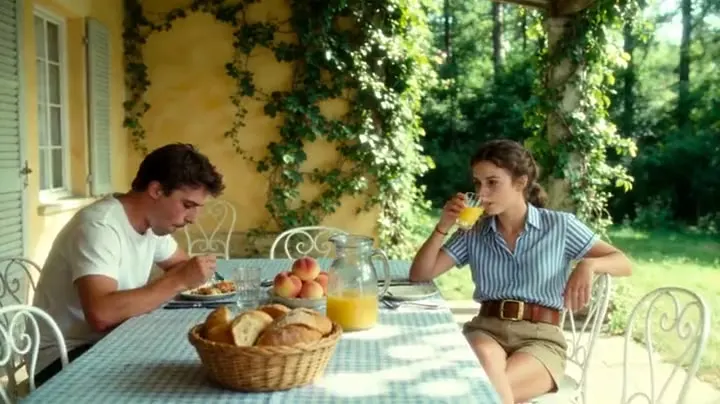
Generated with native audio: the soft brush strokes on glass and wood are part of the output.
A tracking shot across the ice with spray, wind, and a camera that swings in front of the rider.
A five-beat prompt turned into one clip: aerial, POV, chase, slow motion, and a wide finale.
A low rear tracking shot through a crowded market at dusk, with the cat leaping onto the baskets.
Three steps with this Kling video generator, right in your browser. Nothing to install.
Choose Kling 3.0, 2.6, 2.5 Turbo, or 2.1. The settings under the prompt box change to show only what that model supports.
Describe the subject, action, setting, and camera move. Switch to Image to video to start from your own photo, and add an end frame on Kling 3.0, 2.5 Turbo, or 2.1 Pro.
Pick the duration, quality or tier, aspect ratio, and native audio where the model offers it. The credit cost appears on the button before you start; download the clip when it is ready.
Kling’s newest model accepts any length from 3 to 15 seconds, renders in Standard 720p, Pro 1080p, or 4K, and can add native audio with dialogue and effects. For multi-shot storyboards and character elements, open the dedicated Kling 3.0 page linked below.
Kling 2.6 generates the video and its soundtrack together: speech and multi-character dialogue, singing, ambient sound, and object sounds like the brush strokes in the ASMR clip. Put lines in quotes and tag each speaker, for example [Host, cheerful voice], to control who says what.
Kling 2.5 Turbo Pro follows multi-step prompts, keeps fast action and camera moves stable, and holds one style across every frame. It renders 1080p clips of 5 or 10 seconds and takes an optional end frame in image-to-video mode.
Kling 2.1 gives you three price points. Standard animates a photo in 720p for the lowest cost on this page, Pro renders 1080p and accepts an end frame, and Master handles both text and image to video in 1080p with stronger physics and camera control.
Match the Kling version to the job and spend credits where they matter.
Turn one product photo into an orbit shot or a reveal with Kling 3.0 or Kling 2.1 image to video.
ASMR, talking clips, and short sung moments in vertical 9:16 with Kling 2.6 or Kling 3.0 audio.
Ski runs, chases, and drone-style moves with the fluid motion of Kling 2.5 Turbo.
Draft a scene on Kling 2.1 Standard or 2.5 Turbo, then render the keeper on Kling 3.0.
The same habits work on every Kling video model.
Say who is on screen, what they do, where it happens, and how the camera moves: tracking, orbit, push-in, or crane.
With audio on (Kling 3.0 and 2.6), put dialogue in quotes, name the speaker and tone, and list the background sounds.
A clear photo locks the look of a character or product better than words, and the video takes its aspect ratio.
Test an idea as a 5-second clip on Kling 2.1 Standard or 2.5 Turbo, then render the final take on Kling 3.0 Pro or 4K.
Common questions about Kling AI and the Kling video models.
Kling AI is a family of AI video models made by Kuaishou Technology. It creates short videos from a text prompt or a still image with realistic motion and camera work, and Kling 2.6 and Kling 3.0 can also generate sound with the picture. On EzImgMaker you can use Kling 3.0, 2.6, 2.5 Turbo, and 2.1 from one workspace.
Use Kling 3.0 for the best quality, any length from 3 to 15 seconds, and 4K. Use Kling 2.6 when the clip needs speech, singing, or sound effects. Use Kling 2.5 Turbo for lively motion at a lower cost, with an optional end frame. Use Kling 2.1 Standard for the lowest-cost photo animation, Pro when you need an end frame in 1080p, and Master for premium text or image to video.
Kling models run on paid cloud GPUs, so every video has a real cost. On EzImgMaker, new users get free credits to try it. After that, each clip uses credits based on the model, length, quality, and sound, and the button shows the cost before you generate. Kling 2.1 Standard and Kling 2.5 Turbo are the lowest-cost options for experimenting.
Kling 3.0 makes any whole-second length from 3 to 15 seconds in one generation. Kling 2.6, 2.5 Turbo, and 2.1 make 5 or 10 second clips. For a longer story, generate several clips and use a frame from the end of one as the start frame of the next.
Yes, on two models. With Native audio on, Kling 3.0 and Kling 2.6 generate speech, ambient sound, and sound effects together with the video, and Kling 2.6 can also sing. Kling 2.5 Turbo and Kling 2.1 make silent clips. Leaving audio off lowers the cost.
No. You do not need the KlingAI app or a Kling AI desktop program. EzImgMaker runs in the browser on desktop and mobile: write a prompt, upload a photo from your phone if you like, and download the finished video.
No. EzImgMaker is an independent service that gives you access to Kling models through a third-party API provider. It is not the official Kling AI website and is not affiliated with, endorsed by, or sponsored by Kuaishou or Kling AI.
They all mean the same thing. The name is Kling AI, also written KlingAI or Kling-AI, and Spanish and Portuguese speakers often write Kling IA or kling.ia. Quick typing turns it into kiling ai, kingai, klngai, kklingai, klingaia, killing ai, kloing, kliong ai, keling ai, kilng ai, klig ai, klinh ai, lkling ai, kingling ai, klling ai, klining ai, or kling al, and all of them lead to the same Kuaishou video models. Kling O1, sometimes typed kling01, is a separate editing model that is not part of this workspace yet.
They have their own pages, both linked in the tools above. Multi-shot storyboards, element references, Kling 3.0 Omni, and V3 Turbo are on the Kling 3.0 page, and copying the movement from a reference video onto your character is on Kling Motion Control. This page focuses on single-shot text to video and image to video across four Kling versions.
Only photos you own or have permission to use. Do not upload other people’s likeness without consent or images of minors, and do not create videos meant to impersonate, mislead, or harass anyone.
Pick a Kling model, describe the shot or add a photo, and generate your clip.
Kling and Kling AI are trademarks of Kuaishou Technology or its affiliates. EzImgMaker is an independent service and is not affiliated with, endorsed by, or sponsored by Kuaishou or Kling AI. Model names are used only to describe compatibility.