
Moire on a Computer Screen
Photograph a monitor and the display pixels clash with your camera sensor, leaving rainbow ripples over code, charts, and UI. The fix clears them so the screen reads like a direct capture.
Upload a photo with wavy lines or rainbow bands, pick the moire source, and AI removes the moire pattern from screen photos, striped shirts, and fabric while keeping text and texture sharp.
Moire type
Fine-tune
Your photo stays in this browser during this UI preview.
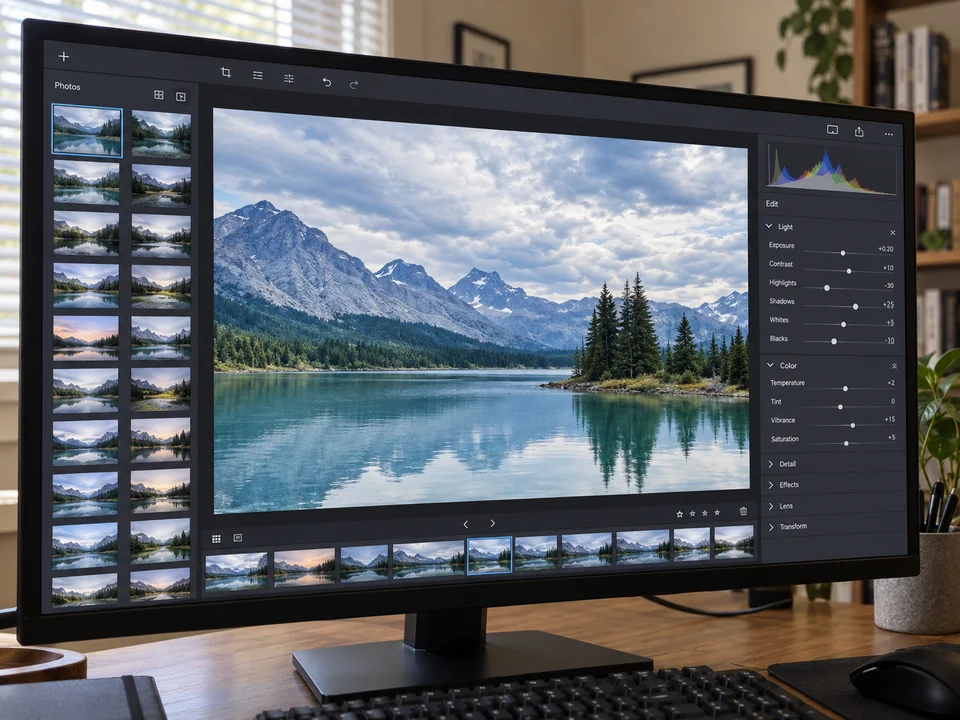
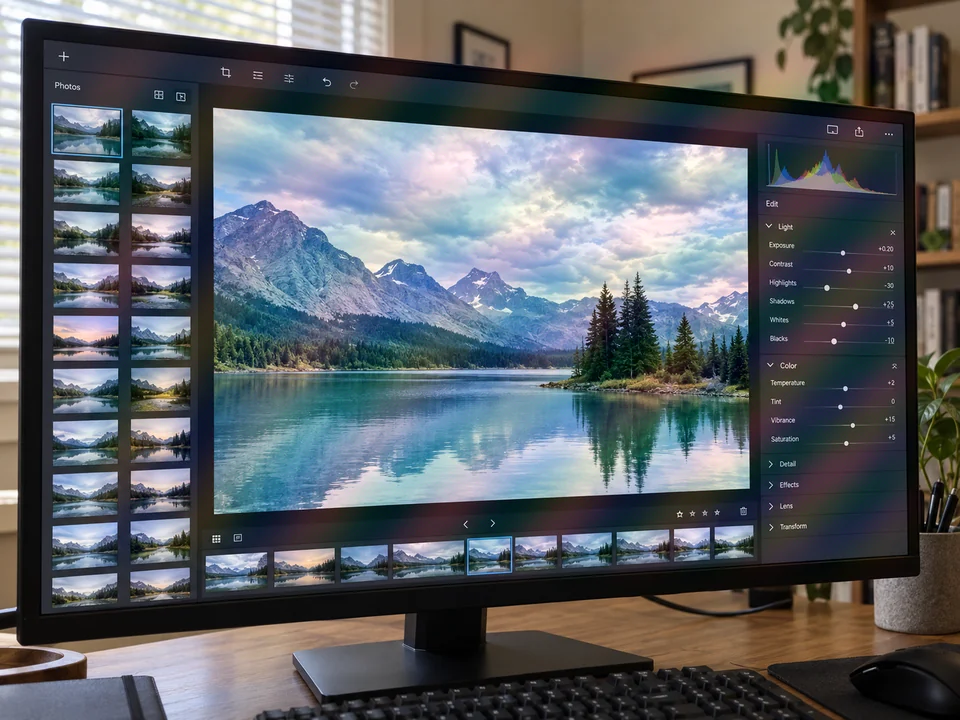
Reference example. It is not a result generated from your upload.
Moire in photos is the wavy, rippled, or rainbow-colored interference that appears when two fine grids overlap: the pixel grid of a screen and the sensor of your camera, the weave of a shirt, or the halftone dots of a printed page. A moire fix removes that interference so the photo looks the way the scene looked to your eyes.
This AI moire remover does not simply blur the frame. It separates the moire pattern from the real content, then rebuilds the clean image underneath, so on-screen text stays readable and fabric keeps its stripes and weave. You may also see the word spelled moiré; it is the same effect, and moire photography guides use both spellings.
Each moire pattern screen photo and fabric close-up below was cleaned with the same workflow. Drag the slider to compare.
Photograph a monitor and the display pixels clash with your camera sensor, leaving rainbow ripples over code, charts, and UI. The fix clears them so the screen reads like a direct capture.
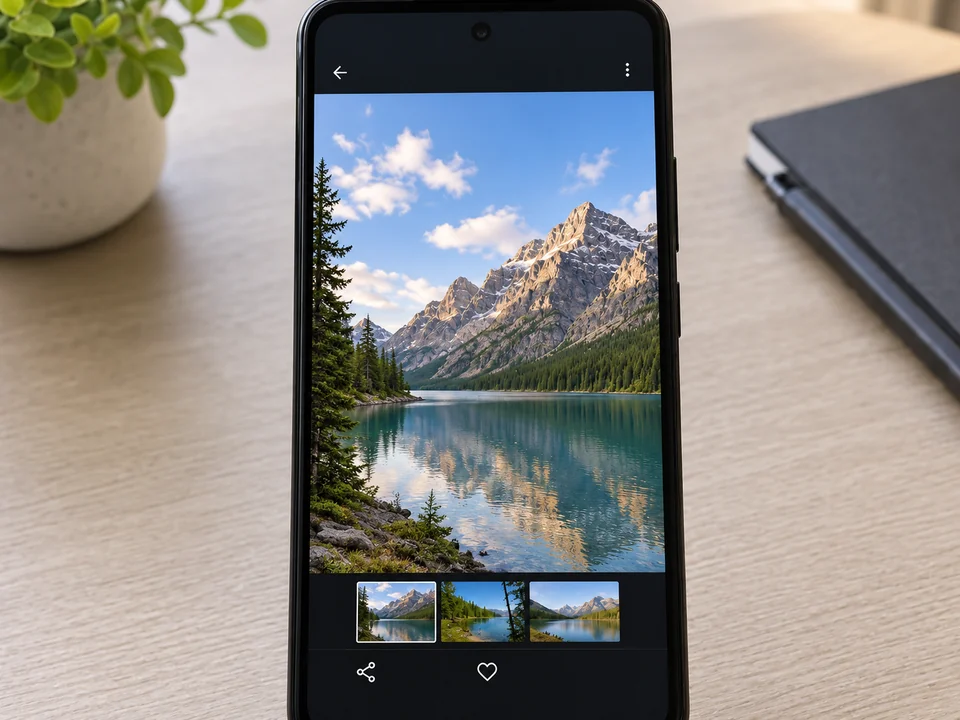
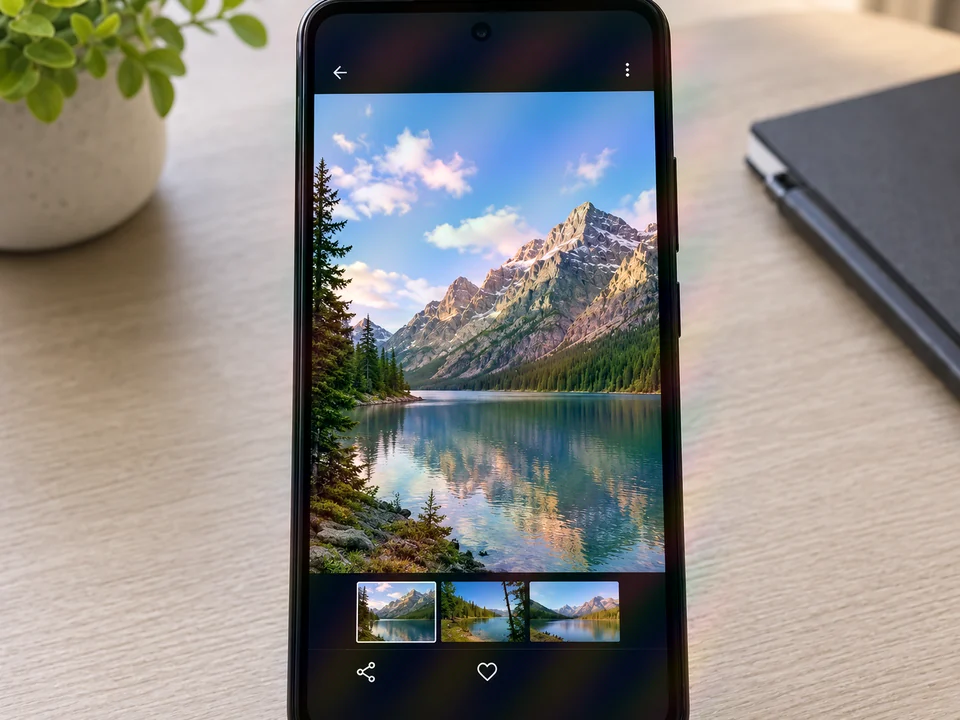
Shooting one phone with another produces pixel-grid shimmer across the whole display. Remove it and the photo, icons, and thumbnails look sharp again.
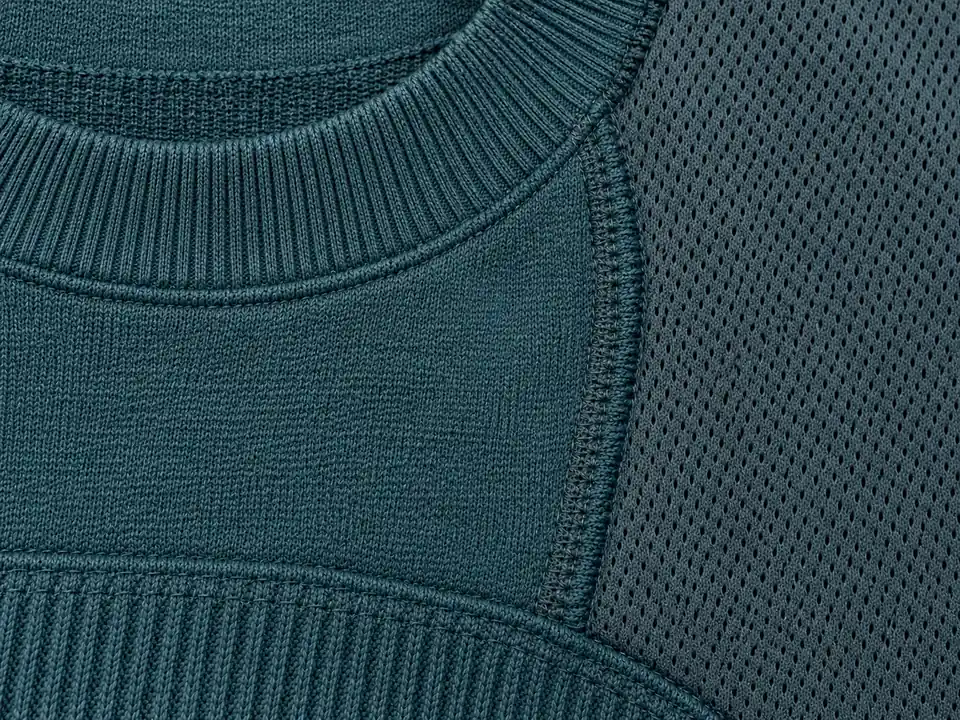
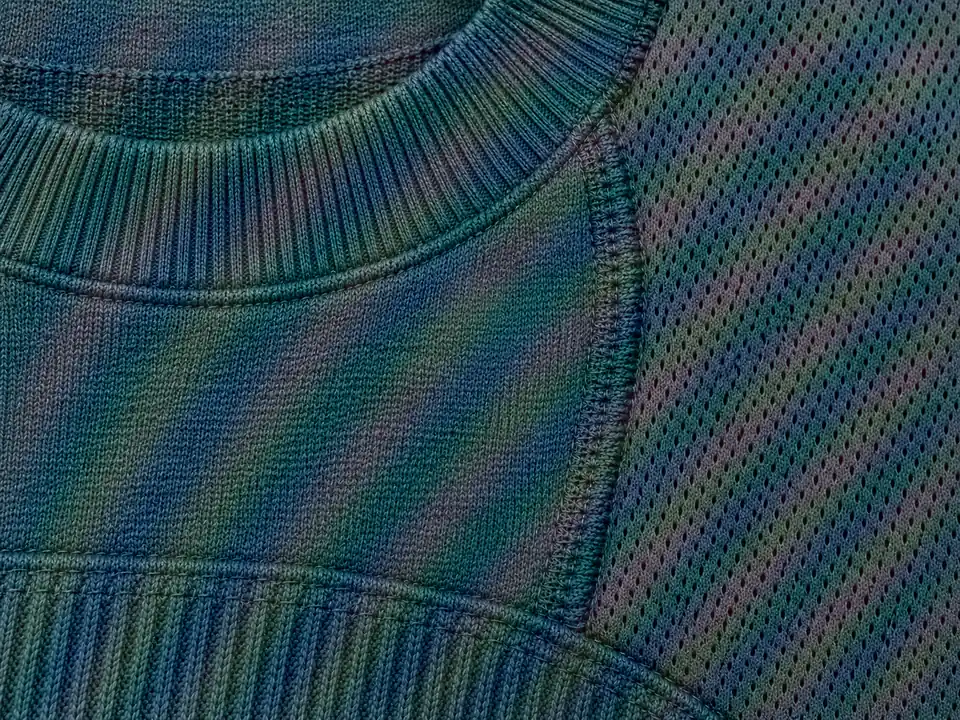
Fine knits and mesh turn into colored waves on camera. The AI keeps the real stitch texture and removes only the moire bands on top of it.
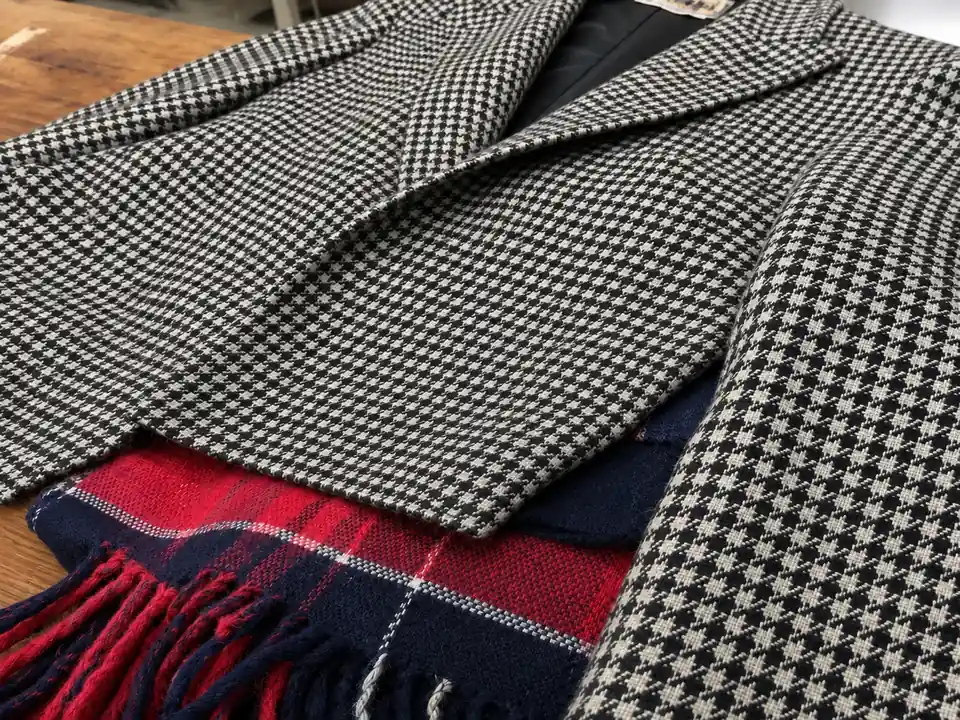
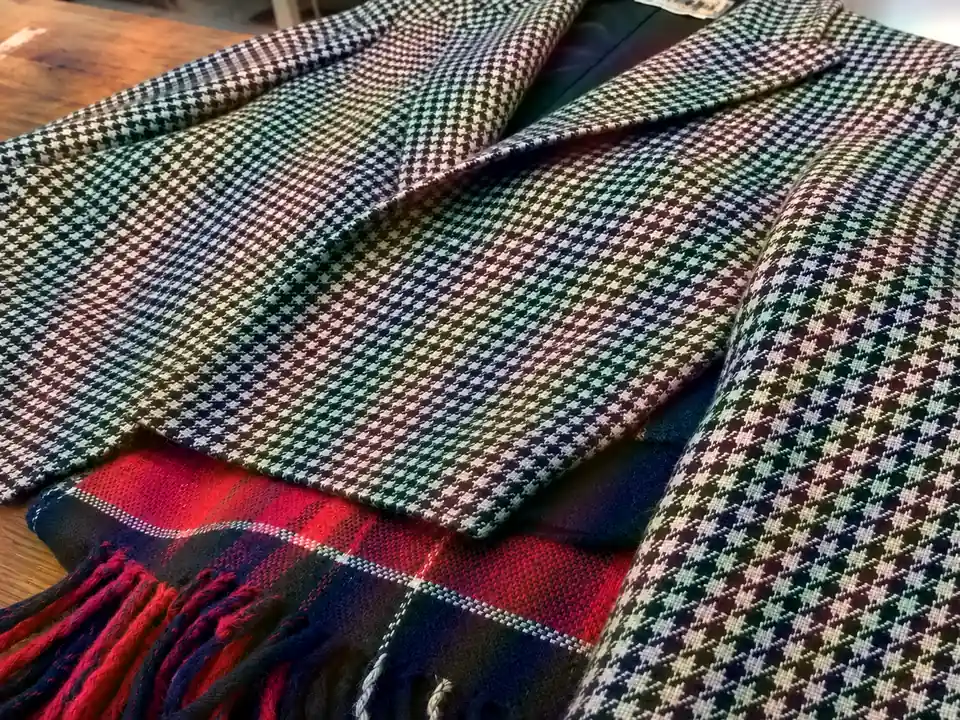
Small checks such as houndstooth and tweed are classic moire triggers in product shots. The result keeps the check crisp and the colors true.
No masking, no frequency separation, and no plugins to install.
Add a JPG, PNG, or WebP up to 10 MB: a photo of a monitor or TV, a striped shirt, a fabric close-up, or a scanned page.
Pick Screen, Fabric, or Print / scan, or leave Auto detect on. Set the removal strength and choose 1K, 2K, or 4K output.
Run the moire fix, drag the slider to compare before and after, and download the clean image. Try a stronger setting if faint bands remain.


On screen photos the moire sits right on top of the words. Instead of blurring everything, the AI rebuilds the clean image underneath, so headlines, captions, and interface labels stay readable after moire pattern removal.
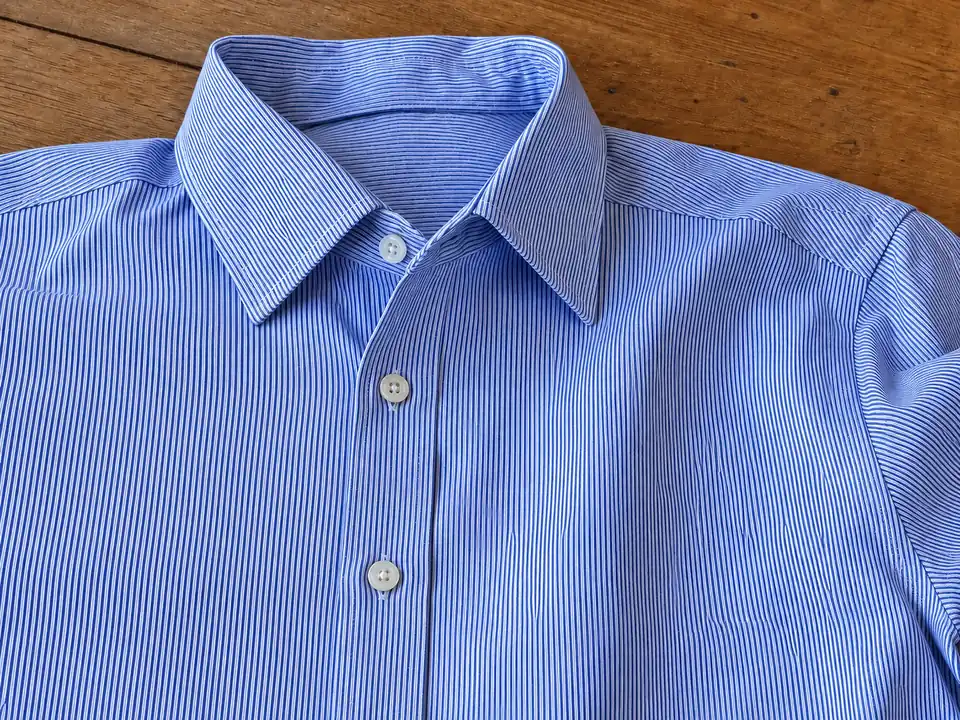
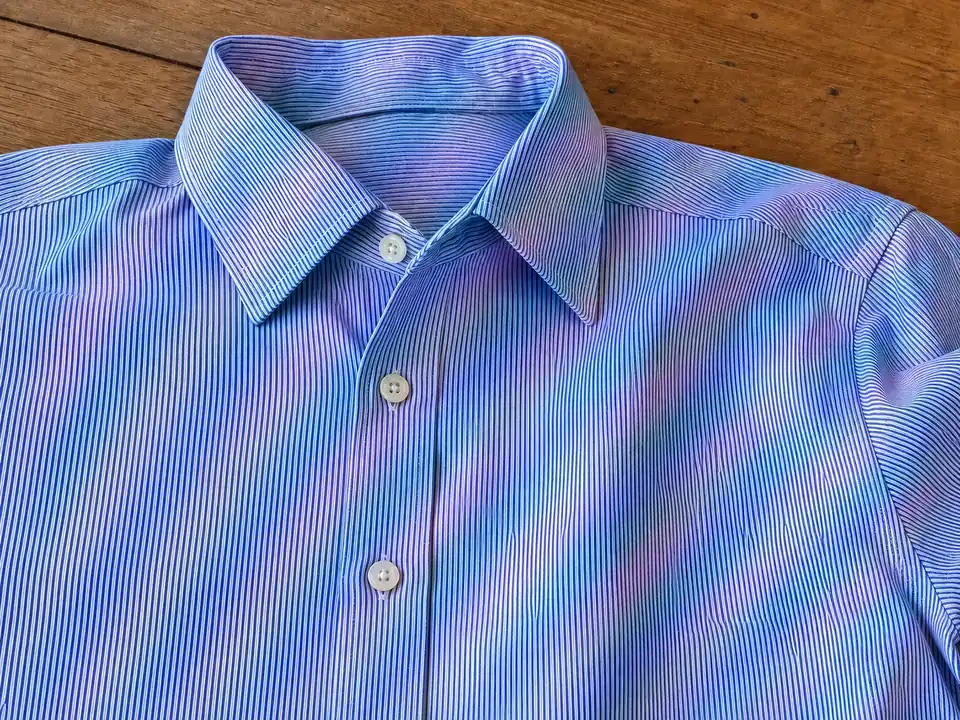
Fine pinstripes and poplin are behind most moire effect shirt photos. Choose Fabric and the rainbow ripples calm down while every stripe, seam, and button stays in place.

Many modern cameras skip the optical anti-aliasing filter for extra sharpness, which makes moire more likely. This works like an anti moire filter after the fact: rescue a photo of an error message someone already closed, a live broadcast, or a slide from a talk.

Demoire is the technical name for removing interference patterns. For sellers and fashion photographers it means a striped shirt or tweed jacket looks like it does in real life, not covered in waves that make shoppers think the fabric is flawed.
The photos that most often come back covered in waves.


Bug reports, a chat shot with a second phone, a score on the TV, or a projector slide. Remove moire effect bands so the content is easy to read and share.
Moire pattern fabric problems make garments look damaged or cheap. Clean the photo so shirts, suits, and knits show their true texture.
Headshots, interviews, and team photos often feature fine stripes that shimmer on camera. Fix the shirt without touching the face.
Scanned magazines, books, and halftone prints carry their own dot pattern. Choose Print / scan to descreen them along with any moire.
Moire effect photography problems are easier to prevent than to repair. Next time you shoot a screen or a fine pattern:
Tilting the camera 5 to 10 degrees changes how the two grids overlap and can make the moire disappear.
A different distance or focal length shifts the pattern frequency, often out of the visible range.
Razor-sharp focus on a screen resolves single pixels and maximizes interference. Stop down or defocus a touch.
A bright backlight makes color moire stronger. Dim the display and avoid shooting it head-on in the dark.
Typical photos people clean up before sharing.
Illustrative examples adapted from reference material, not verified reviews of EzImgMaker.
Our QA team sends phone photos of test monitors all day. Running them through the moire fix makes the error text readable in the ticket.
Pinstripe shirts used to cost me a reshoot. Now I fix the rainbow ripples on the listing photo and the stripes still look like stripes.
I photograph slides at conferences from the audience. The wavy bands are gone and the charts are clear enough to quote in my notes.
A client wore a fine houndstooth jacket to his headshot session. The fix cleaned the jacket and left his face untouched.
Answers about moire patterns on screens, fabric, and prints.
Moire is an interference pattern that appears when a fine, regular pattern in the scene, such as screen pixels, a fabric weave, or printed dots, is finer than your camera sensor can record. The two grids beat against each other and create ripples, waves, or rainbow bands that are not really there. It is the most common moire pattern photography problem and has nothing to do with a broken camera.
A display is a grid of pixels and a camera sensor is a grid of photosites. When they overlap at slightly different scales or angles, the moire effect screen photos are known for appears as wavy color bands. That is why a moire pattern computer screen shot is so common, and why it changes as you move the phone.
You upload the photo and choose the moire source, or leave it on Auto detect. The AI looks for the repeating interference, separates it from the real image content, and reconstructs the affected areas instead of blurring them. You can choose Gentle, Balanced, or Strong removal and 1K, 2K, or 4K output.
Yes. Choose Fabric, or the Shirt & Fabric preset. Moire effect fabric problems usually come from tight weaves such as pinstripes, herringbone, houndstooth, and fine knits. The AI keeps the real weave and removes the shimmering waves, which is important for clothing listings.
Demoire (or demoireing) is the technical term for removing moire interference from an image. Research papers call it image demoireing; this tool does the same job: upload, choose the source, and remove the pattern.
A camera anti moire filter has to be in place when you shoot, and blur-based fixes in desktop editors soften the details you want to keep. The AI approach works on photos that already have moire and is designed to remove only the interference, which matters most for screen text and fabric texture.
The goal is to remove the pattern, not detail. Start with Balanced; if fine detail looks too smooth, switch to Gentle. Extremely strong moire that has already destroyed the underlying detail may leave faint traces, so the original, uncompressed photo always gives the best result.
Moire removal usually refers to interference in screen and fabric photos. Descreening means removing the halftone dot pattern from scanned magazines, newspapers, and books. Choose Print / scan for printed material; the dedicated descreen tool goes further for scans.
JPG, PNG, and WebP images up to 10 MB. For the cleanest moire pattern removal, upload the original photo rather than a screenshot of it or a copy that a messaging app has compressed.
Only upload photos you took yourself or have the right to edit. Removing moire from someone else’s copyrighted work does not give you permission to reuse it.
Upload a screen photo, striped shirt, or scan and remove the moire pattern while keeping detail.