
What Is a Moiré Pattern? Meaning, Causes, Examples & Fixes
What is a moire pattern? Learn the moiré effect meaning, why screen photos, scans, fabric and X-rays get moire fringes, and how to avoid and remove them.
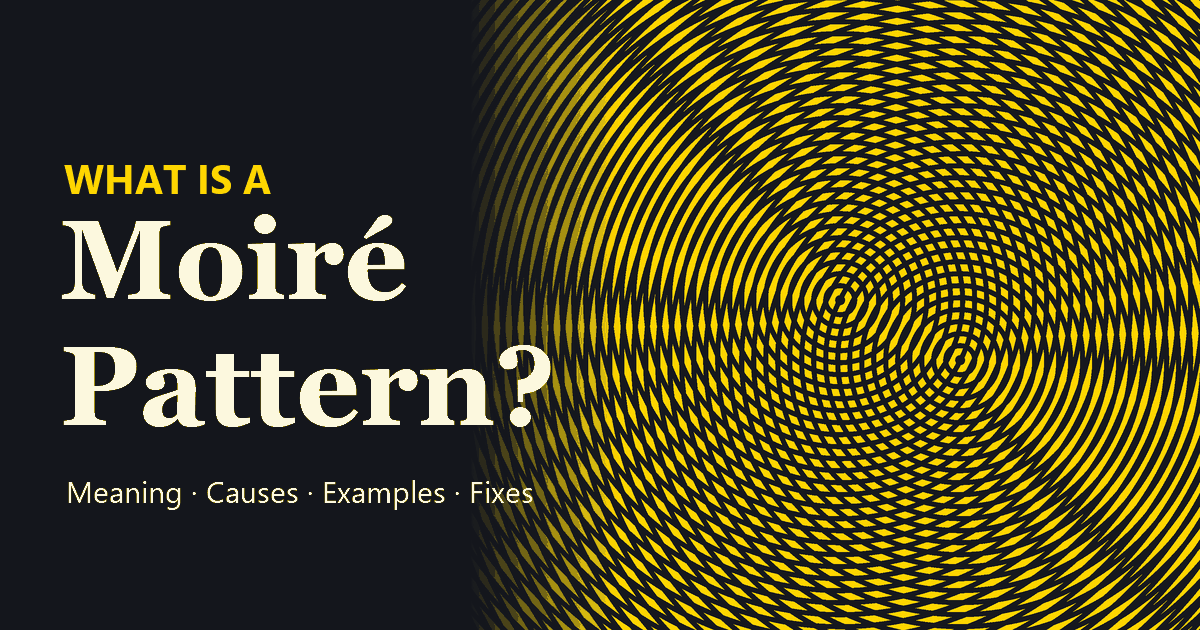
Short answer: a moiré pattern is the wavy, rippled pattern you see when two fine repeating patterns, such as lines, grids or dots, overlap with a slight difference in angle or spacing. Neither pattern has the ripples on its own; they appear only where the two combine. It is why photos of a computer screen get rainbow waves, why a striped shirt shimmers on camera, and why a scanned magazine page looks covered in mesh.
Below you will find the moire meaning and pronunciation, what causes the moire effect (with an interactive demo), real moire pattern examples from screens, fabric, scans and X-rays, how artists use moire to hide secret messages, and how to avoid or remove moire in your own photos.
What Is a Moiré Pattern?
What is moire? In physics, photography and printing, a moiré (also written moire) is a large-scale interference pattern that forms when one fine, regular pattern is laid over another similar one that is slightly rotated, stretched or shifted. Where the lines of the two patterns sit on top of each other, light gets through; where they interleave, the gaps fill in and the area turns dark. Those alternating light and dark zones are the moiré pattern.
Drag the slider below. On the left is a single set of straight lines: perfectly even, no waves. On the right, a second identical set has been laid on top, turned by just 4.5 degrees. Broad dark bands appear across the whole image, even though no band was ever drawn.
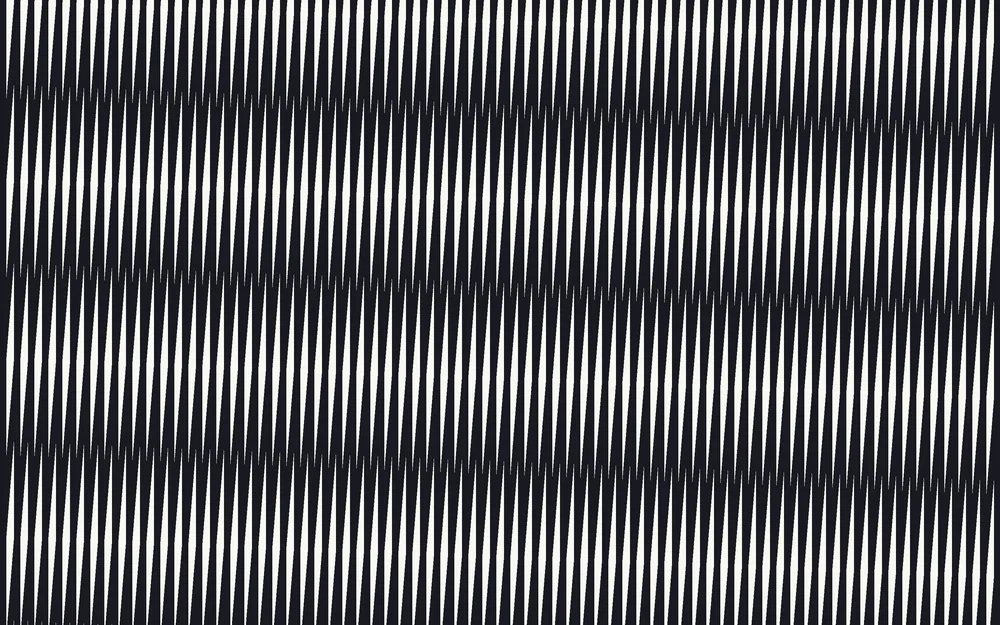
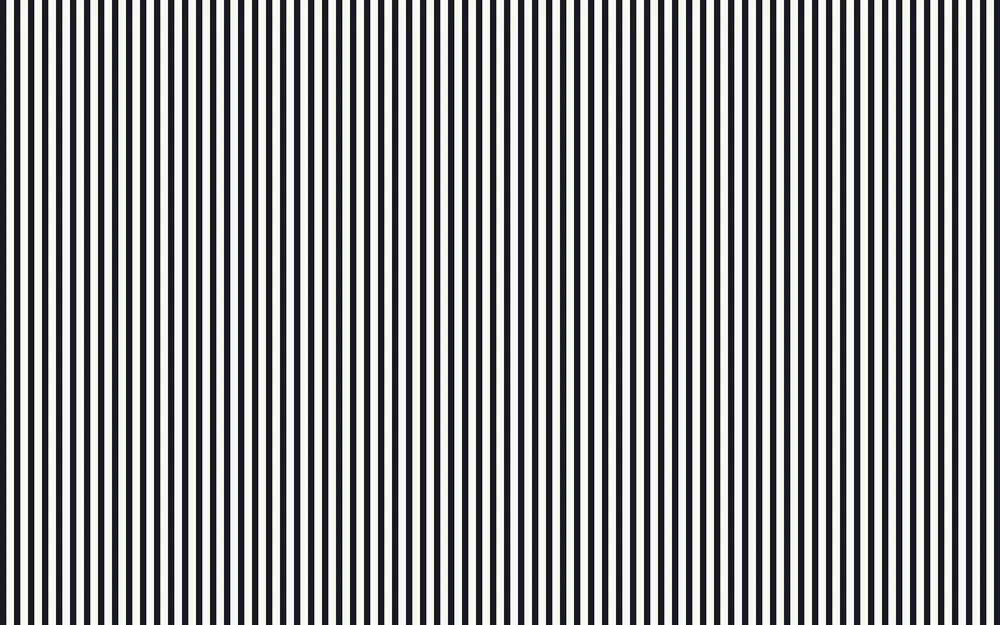
That is the whole moire pattern effect, and the idea behind every moiré pattern, from a lab demo to a phone photo of a TV. One of the “grids” is often invisible: it is the pixel grid of your camera sensor or the sampling grid of a scanner, which is why moire seems to come from nowhere.
Moire meaning and definition
The meaning of moire depends on where you meet the word. To define moire properly, dictionaries give it two senses:
- A fabric: moire (or moiré) is a silk or other fabric with a rippled, “watered” finish, made by pressing two layers of ribbed cloth together so their weaves imprint on each other.
- An interference pattern: a moiré is the wavy pattern produced when two sets of regular lines, dots or grids are superimposed at a slight angle or with slightly different spacing.
The word is French: moiré means “watered” (as in watered silk) and comes from moire, the French name for the fabric, which was itself borrowed from the English word mohair. The plural is moirés or moires. So the moiré definition used in imaging is borrowed from textiles: weavers made the pattern on purpose centuries before cameras ran into it by accident.
Moire effect vs. moiré pattern
Strictly speaking, the moire effect is the interference itself, and the moiré pattern is what you see: the ripples, waves, swirls or rainbow bands. In practice everyone uses them interchangeably, with or without the accent: moire pattern, moiré effect, moire effects, moiré patterns. All of them describe the same thing.
Moire Effect Pronunciation: How to Say Moiré
The usual American pronunciation is mwah-RAY (some speakers say mor-AY), with the stress on the second syllable. British English often puts the stress first: MWAH-ray. The final é always sounds like “ay,” not “ee.”
Because people hear the word before they see it written, the spelling drifts. These are all searches for the same thing:
| What people type | What they mean |
|---|---|
| moray effect, moray pattern, morray effect, moraying | moiré effect (spelled the way it sounds) |
| morie pattern, morie effect | moiré pattern (letters swapped) |
| more pattern | moiré pattern (accent and letter dropped) |
| moireing, moiré patterning | printers’ terms for a job that is showing moiré |
| moirés, moires | plural of moiré |
What Causes the Moiré Effect?
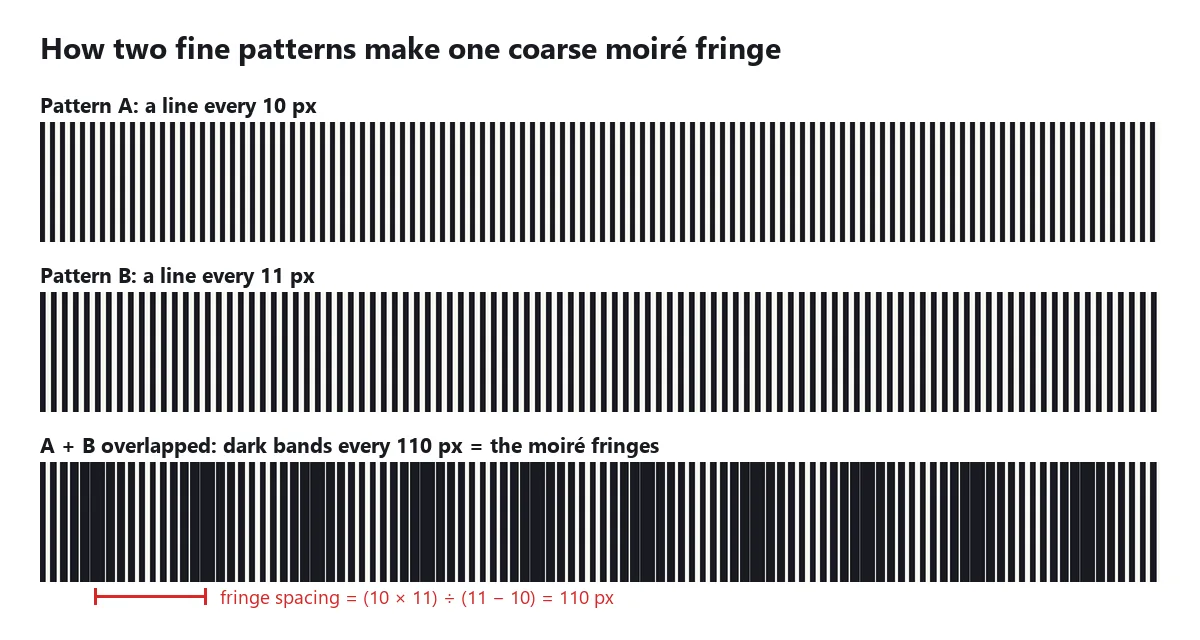
Two fine patterns that almost, but not quite, match will drift in and out of step across a surface. Where they are in step, their gaps line up and the area looks light. Where they are half a step apart, the lines of one pattern fill the gaps of the other and the area looks dark. The distance from one light zone to the next is the size of the moire, and it is far larger than either original pattern.
What is a moire fringe?
Each light or dark band is called a moire fringe. The term comes from optics and metrology, where moiré fringes are measured on purpose: optical encoders count them to track tiny movements, and moiré interferometry uses them to map strain in materials. Two simple rules predict fringe spacing:
- Same spacing, small rotation: fringe spacing = line spacing ÷ (2 × sin(angle ÷ 2)). The smaller the angle, the bigger the fringes.
- Parallel lines, different spacing: fringe spacing = (spacing A × spacing B) ÷ (spacing B − spacing A). The closer the two spacings, the bigger the fringes.
For two grids with a line every 10 pixels, here is how the moiré changes with the angle between them:
| Angle between the grids | Moiré fringe spacing | What you see |
|---|---|---|
| 1° | about 573 px | One or two huge, soft waves |
| 2° | about 287 px | Large sweeping bands |
| 5° | about 115 px | Clear bands, the classic look |
| 10° | about 57 px | Tighter ripples |
| 30° | about 19 px | Fine texture, barely reads as moiré |
That is why moire is so sensitive to angle and distance: turning a camera a few degrees, or stepping back half a meter, changes the fringe spacing so much that the pattern can grow, shrink, or move out of view.
Why cameras and scanners create moire: aliasing
A digital camera or scanner does not see the world continuously; it samples it on a fixed grid of pixels. Detail finer than half the pixel pitch (the Nyquist limit) cannot be recorded correctly. Instead it “folds back” into the image as a false, coarser pattern, an effect called aliasing. When that fine detail is itself a regular grid, such as a screen’s pixels, the weave of a shirt or a printed halftone screen, the false pattern is a moiré.
Many cameras put an optical low-pass (anti-aliasing) filter over the sensor to blur away detail that fine. High-resolution cameras often leave it out for extra sharpness, which is why a new mirrorless camera can show more photography moire on fabric than an older DSLR. Phones rely on software instead, which helps with fabric but rarely with screens.
Types of Moiré Patterns
What are moire patterns made of? Always two regular patterns, but they look different depending on what overlaps. These six are drawn from real pattern pairs, not edited photos:
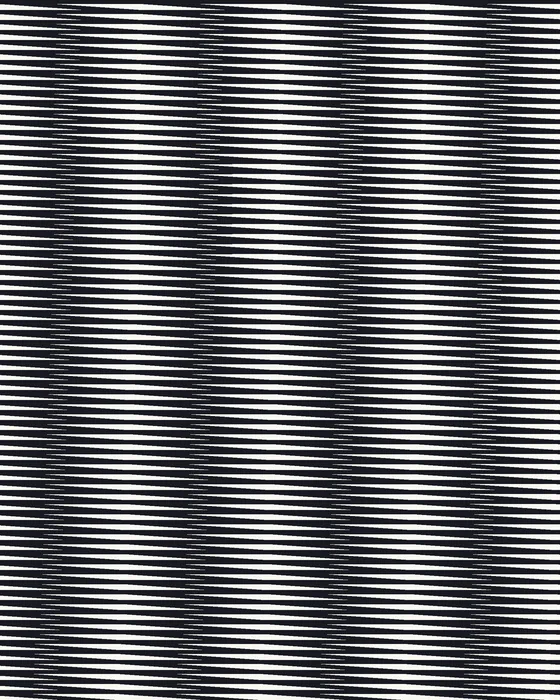
Line moiré
Two sets of parallel lines at a small angle. The textbook moiré: broad bands that swing as the angle changes.
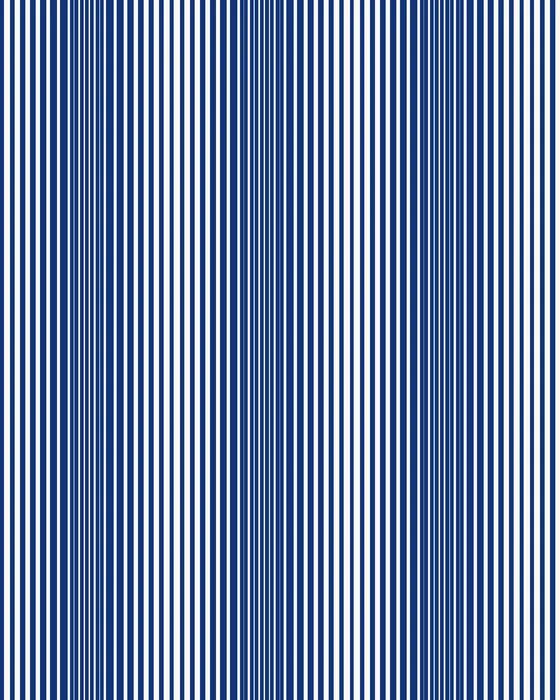
Moire fringe from two spacings
Parallel lines with slightly different spacing. The beat between them makes evenly spaced moire fringes.
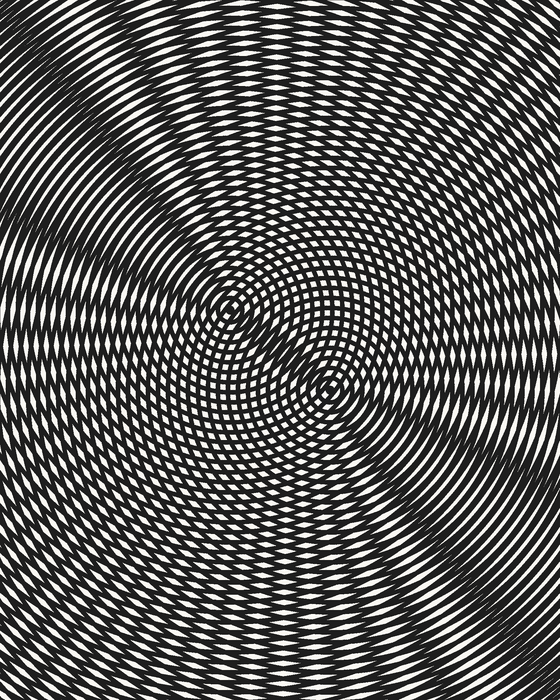
Circle moiré
Two sets of rings with offset centers. Moving one ring set makes the fringes sweep like ripples on water.
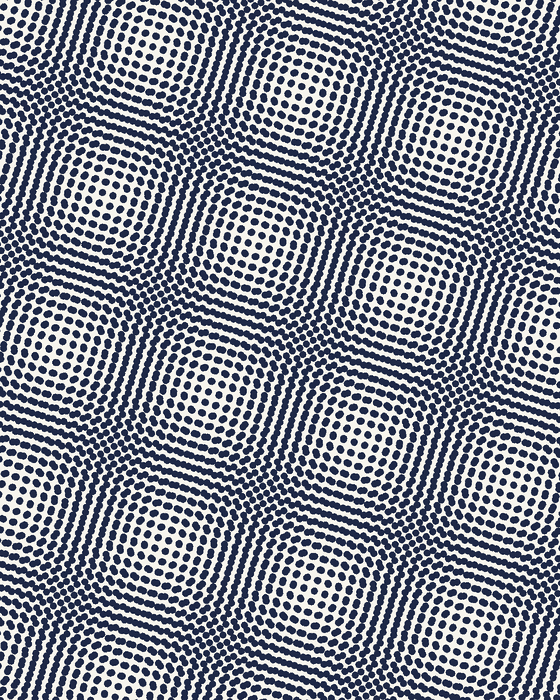
Halftone moiré in scans
Two dot screens at nearly the same angle, the same thing that happens when a scanner samples a printed page.
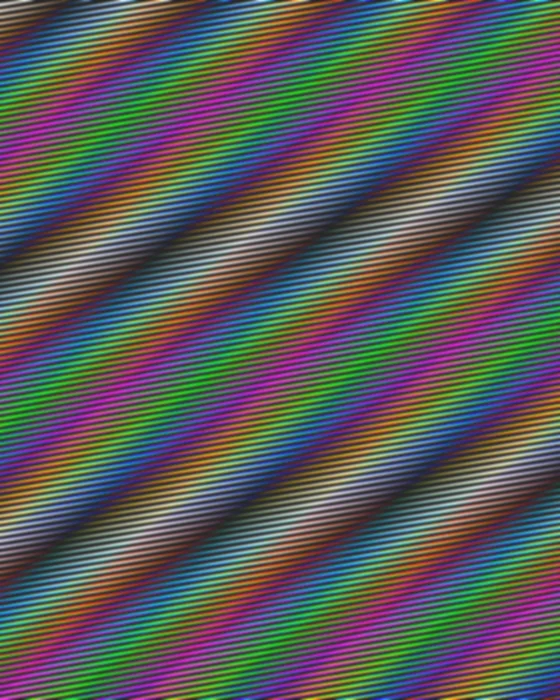
Color moire
When red, green and blue each beat at a different spacing, the bands turn into rainbows. Typical of screen photos.
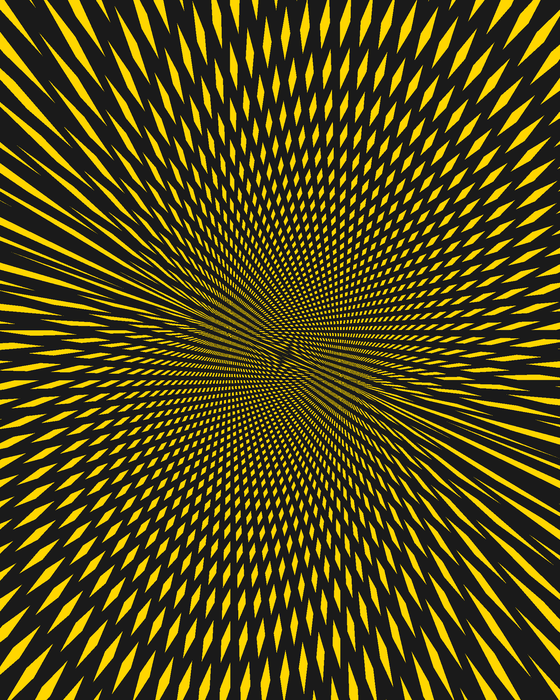
Moire art
Two sunbursts with offset centers. Op artists and designers build whole works out of deliberate moiré.
Moiré Pattern Examples in Real Life
Screen moire: photos of monitors, TVs and phones
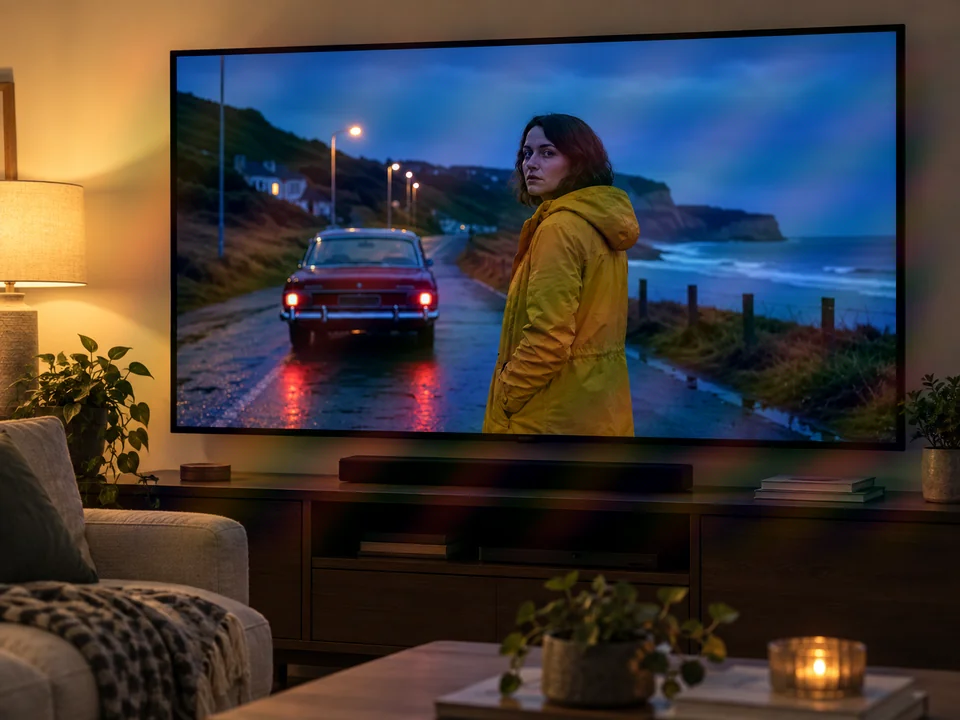
The most common moire most people meet is screen moire. A display is a dense grid of red, green and blue subpixels, and your phone camera is another grid. Point one at the other and the screen moire effect appears as curved, rainbow-colored bands that move as you move. The screen moire pattern changes with every small shift in angle, distance or zoom, which is why two photos taken seconds apart can look completely different.
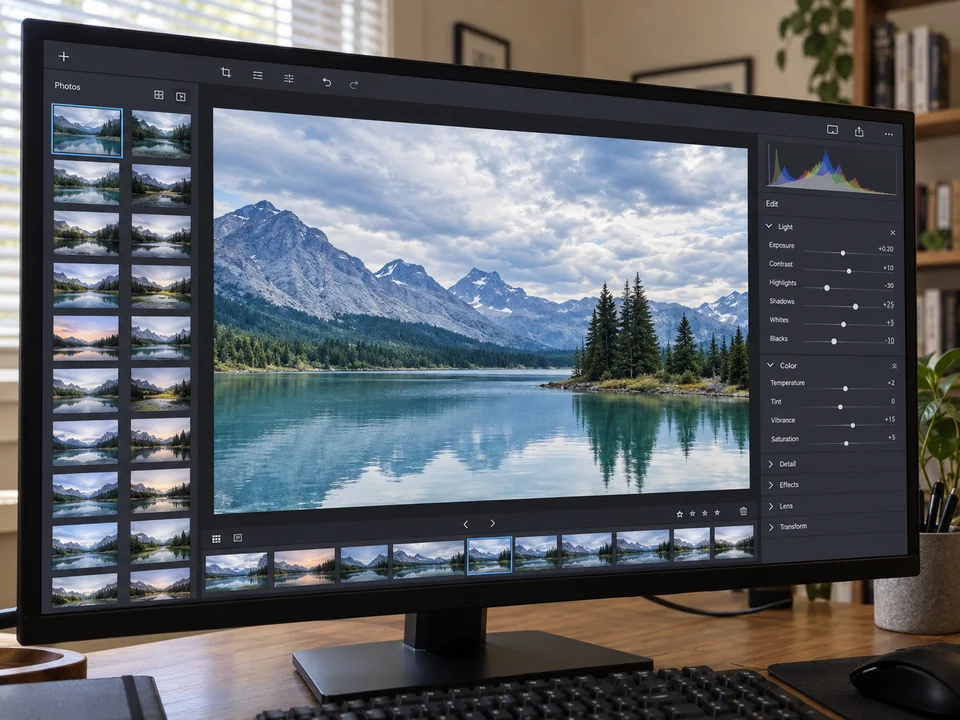
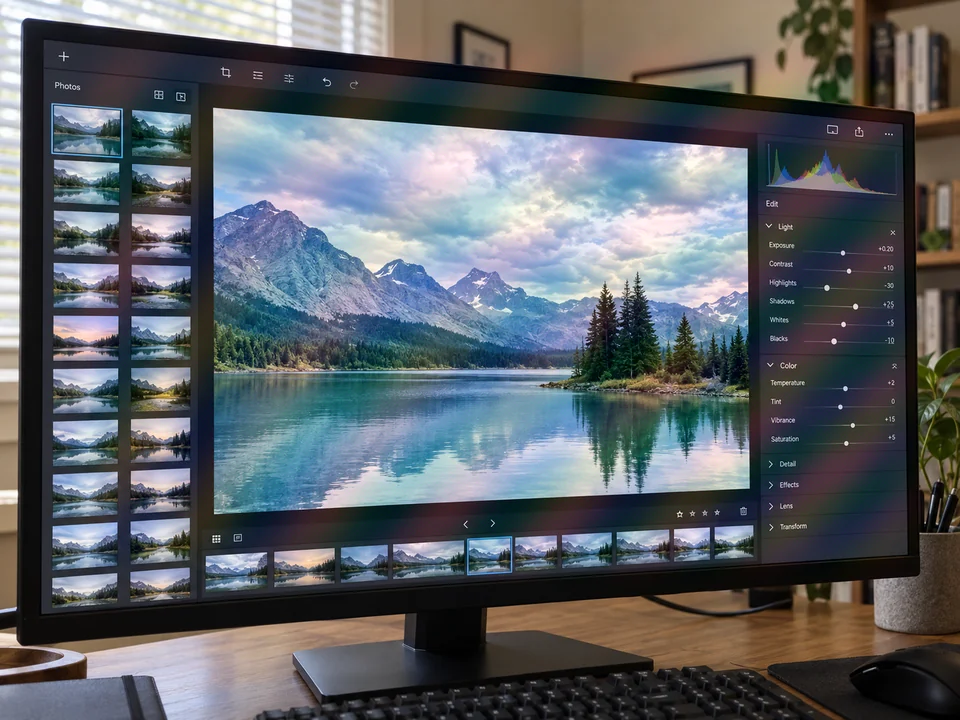
Color moire and photography moire
Color moire is the rainbow version. Most camera sensors record color through a Bayer filter, a checkerboard of red, green and blue filters. When a fine pattern interferes with that filter grid, each color channel picks up a slightly different moiré, and the result is false color: purple, green and orange bands that were never in the scene.
Photography moire is not limited to screens. Fine stripes, herringbone and houndstooth fabric, tightly woven suits, window screens, distant brick or roof tiles, and bird feathers can all produce it. It is a familiar headache for product photographers and for TV presenters, whose fine-striped shirts famously shimmer on camera.


Moire artifacts in scans and prints
Magazines, books, newspapers and printed photos are made of tiny halftone dots. Scan one, and the dot grid interferes with the scanner’s sampling grid, covering the image in a fine mesh or wavy cross-hatching. These moire artifacts are the reason scanners have a “descreen” setting.
Printers fight the same problem on press. Each ink color is printed as its own dot screen, and if two screens sit at similar angles they create an ugly moiré. That is why the traditional screen angles are spread out: cyan at 15°, magenta at 75°, yellow at 0° and black at 45°. The small rosette pattern you can see in a printed photo through a magnifier is the deliberately harmless moire left over. When a press run does go wrong, printers say the job is moireing.


Moire effect in X-ray and radiography
Moiré is a known image artifact in medical imaging, too. An X-ray system places an anti-scatter grid, a set of thin lead strips, in front of the detector to block scattered radiation. If the grid lines run parallel to the scan lines of a computed radiography reader, or their spacing is close to the detector’s pixel pitch, the two interfere and a moire pattern appears across the radiograph.
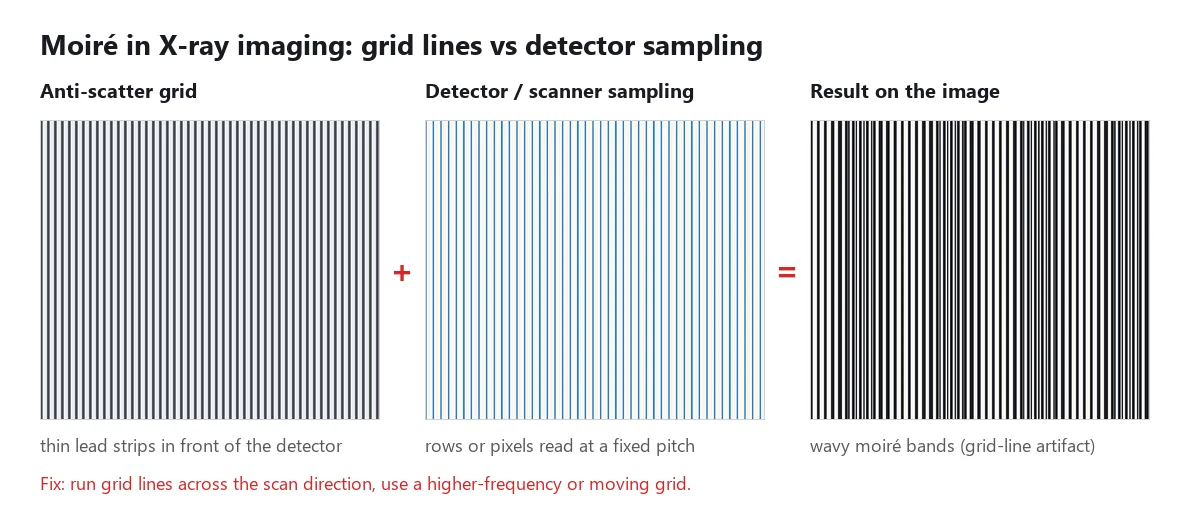
Radiographers reduce the moire effect in radiography by orienting the grid lines perpendicular to the reader’s scan direction, using a higher-frequency grid, or using a moving (oscillating) grid that blurs its own lines during the exposure. In short, the moire effect radiography teams deal with is the same beat between two grids described above. MRI has a related moire fringe artifact caused by wrap-around and field inhomogeneity. If you are searching for “moire effect x ray” or “moire pattern x ray” because of a medical image, ask the imaging department; this guide covers the physics, not diagnosis.
Video, LED walls and everyday life
Video moire is photo moire that moves. When you film a screen, an LED wall or a fine-striped jacket, the pattern re-forms on every frame and seems to crawl or flicker, and compression makes it worse. You can also see moiré with no camera at all: two layers of window screen, a fence seen through another fence, overlapping mesh chairs, or the folds of a sheer curtain.
Moire Art and Hidden Messages
Moiré is a problem for photographers but a tool for artists. Op art painters of the 1960s used precisely spaced lines so their canvases seem to pulse and vibrate. Architects wrap buildings in layered perforated metal so the facade shimmers as people walk past. Watered silk has been prized since the 17th century for its shifting moire finish. And banknotes and ID documents hide fine line patterns that burst into visible moiré if someone tries to copy or scan them.
How to hide secret messages in moire patterns
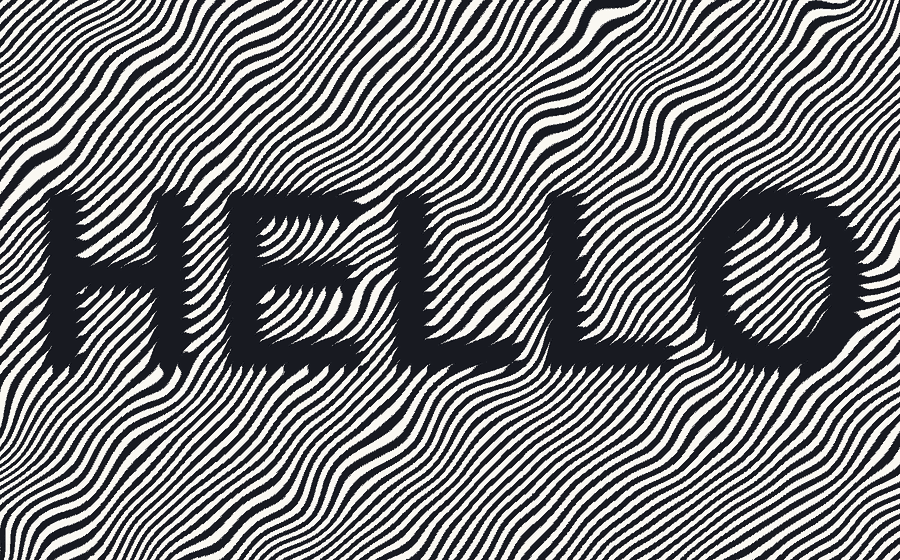
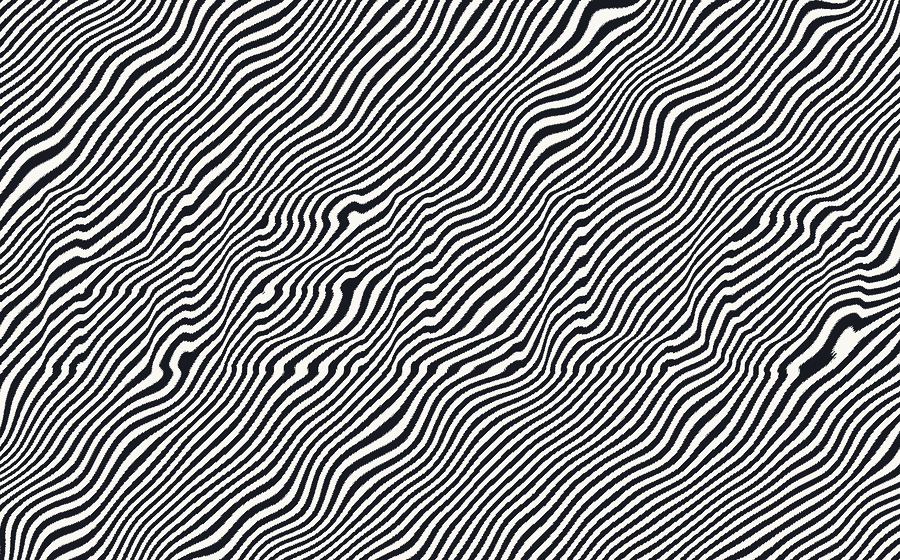
The same trick that ruins screen photos can carry a message. You make two sheets: a key of fine lines and a message sheet with the same lines, except inside your letters, where every line is shifted by half the line spacing. Alone, the message sheet looks like an ordinary pattern. Lay the key on top and, inside the letters, the key’s lines fill the message sheet’s gaps: the words turn solid dark.
Drag the slider to lay the key sheet over the message sheet:
To make your own:
- Draw the key. In any design app (Illustrator, Inkscape, Figma or similar), fill a rectangle with straight parallel lines, for example 2 px lines with 2 px gaps. A gentle wave in the lines hides the message better, as long as the key and the message sheet use exactly the same wave.
- Type your message in a bold font and use it as a mask over a copy of the line layer.
- Shift the lines inside the letters by half the line spacing (2 px in this example), so inside the letters each line sits where the key has a gap.
- Print the message sheet on paper and the key on clear film, at 100% scale so the spacing matches exactly.
- Slide the film over the paper until the lines line up. The message appears; nudge the film and it disappears again.
Keep the spacing fine (a line spacing of 1 mm or less on paper) and the letters bold, and look at the sheet from arm’s length: up close, sharp eyes can sometimes spot the kinks where the letters begin.
How to Avoid Moiré When You Shoot or Scan
Prevention is mostly about changing how the two grids meet: the angle, the scale, or how sharp the fine pattern is.
When photographing a screen
- Take a screenshot instead whenever you can. No camera, no moire.
- Tilt the phone a few degrees against the screen. Even a small rotation can push the fringes out of view.
- Step back and zoom in a little, or move closer. Changing the distance changes the fringe size.
- Turn the screen brightness down and avoid shooting at minimum focus distance. If reflections are the problem rather than moire, remove the glare afterwards with the glare remover.
- Shoot a short burst and keep the cleanest frame; the pattern changes with every tiny movement.
When photographing fabric and fine patterns
- Change the shooting angle or distance slightly, and recheck at 100% zoom.
- Stop down the aperture a little (for example from f/4 to f/8); the slight softening acts like a low-pass filter.
- Shoot at the highest resolution and downsize afterwards, rather than relying on in-camera downscaling.
- Watch striped clothing on video shoots: a solid shirt is the easiest fix.
When scanning magazines, books and printed photos
- Turn on the scanner’s descreen option and pick the closest match (magazine, newspaper, art print).
- Or scan at 600 to 1200 DPI and reduce the image size afterwards, which averages away the halftone dots.
- Rotate the page slightly on the glass if the moire stays.
How to Remove a Moiré Pattern From a Photo
With an AI moire remover
- Open the Moire Fix tool and upload the photo with wavy lines or rainbow bands (JPG, PNG or WebP).
- Choose the moire source: screen photo, shirt and fabric, or printed scan. Pick a stronger setting for heavy rainbow bands.
- Start and compare. The AI separates the interference pattern from real detail and rebuilds the image underneath it.
- Download the cleaned photo. Results can vary with very strong moire that has wiped out the detail underneath, so start from the sharpest original you have.
For scans of printed pages, use Descreen instead: it targets halftone dots and the moire mesh they create, while keeping text readable.
In Photoshop, Lightroom or GIMP
Traditional editors can reduce moire, but it takes more work. Lightroom and Camera Raw have a Moiré slider in the local adjustment brush that mainly reduces color moire. In Photoshop, a common approach is to blur only the color information (for example, a slight blur on the color channels in Lab mode) so the luminance detail stays sharp. GIMP users often rely on a frequency (FFT) filter plugin to paint out the moire’s frequency spikes. All of these trade some sharpness for a cleaner image, so zoom in before you save.
Similar problems with different fixes
Not every pattern in a photo is moire. Blocky squares around edges are JPEG compression artifacts: try Remove JPEG Artifacts. Random speckles in a night shot are noise, which Denoise Image and our guide on how to fix grainy photos handle. Soft, smeared detail is blur, which Unblur Image targets, and a small, low-resolution picture needs the image enhancer.
Moiré vs. Aliasing, Halftone, Noise and Banding
| Artifact | What it looks like | Cause | Best fix |
|---|---|---|---|
| Moiré | Wavy or rainbow bands larger than any real detail | Two fine regular patterns interfering | Change angle or distance; Moire Fix |
| Halftone dots | Fine dot mesh on scanned prints | Printing screen sampled by a scanner | Descreen setting; Descreen |
| Aliasing (jaggies) | Stair-stepped diagonal edges | Sampling detail finer than the pixel grid | Higher resolution, anti-aliasing |
| Noise and grain | Random speckles, worse in shadows | Low light, high ISO | Denoise Image |
| Banding | Visible steps in smooth gradients like skies | Too few color levels (8-bit, heavy compression) | Edit in 16-bit, add slight grain |
| JPEG artifacts | Blocks and halos around edges | Heavy compression | Remove JPEG Artifacts |
Frequently Asked Questions
What is a moire pattern?
A moire pattern is a large wavy or rippled pattern that appears when two fine repeating patterns, such as lines, grids or dots, overlap with a small difference in angle, spacing or position. The new pattern exists in neither original. In photos it shows up as rainbow ripples on screens, wavy bands on striped shirts and a mesh-like texture on scanned magazines.
What is the moire effect?
The moire effect is the interference itself: the way two regular patterns combine into a third, much coarser one. A moire pattern is the visible result of that effect. In everyday use the two terms, and the accented spellings moiré effect and moiré pattern, mean the same thing.
How do you pronounce moiré?
In American English, moiré is usually pronounced "mwah-RAY" or "mor-AY," with the stress on the second syllable; British speakers often say "MWAH-ray." The word comes from French, so the final é sounds like "ay." Spellings such as moray effect, morie effect or morray effect are just phonetic misspellings of the same word.
Why do photos of screens have moiré?
A screen is a fine grid of pixels, and your camera sensor is a grid of pixels too. When the camera records the screen, the two grids rarely line up, so they interfere and create screen moire: wavy, often rainbow-colored bands. Tilting the phone a few degrees, stepping back and zooming in, or taking a screenshot instead usually avoids it.
What causes color moire?
Most cameras capture color through a Bayer filter, a checkerboard of red, green and blue filters over the sensor. When a fine pattern interferes with that filter grid, each color channel gets a slightly different moire, so the bands come out as rainbow false color instead of gray. That is why color moire appears on screens, fine fabric and tight stripes.
What is the moire effect in X-ray radiography?
In radiography, a moire pattern appears when the lines of the anti-scatter grid interfere with the sampling pitch of the digital detector or the scan lines of a computed radiography reader. The result is a wavy grid-line artifact across the image. It is reduced by running the grid lines across the scan direction, using a higher-frequency grid or a moving grid.
How do I remove a moire pattern from a photo?
Upload the photo to an AI moire remover such as the Moire Fix tool, choose the source (screen, fabric or printed scan) and download the cleaned image. For scans of magazines and books, a descreen tool removes the halftone dots that cause the moire. Manual fixes in photo editors work too, but they usually soften detail.
How do you hide secret messages in moire patterns?
Make a key sheet of fine parallel lines and a message sheet with the same lines, but shift the lines inside your letters by half the line spacing. On its own the message sheet looks like plain lines. Print the key on clear film and lay it on top: the shifted letters fill in and turn solid dark, so the hidden message appears.
Is moire the same as aliasing?
In digital images, moire is a kind of aliasing. A camera or scanner samples the scene at a fixed pixel pitch; detail finer than half that pitch cannot be recorded faithfully and folds back as a false, coarser pattern. When the fine detail is a regular grid, that false pattern is a moire. Jagged edges on diagonal lines are another form of aliasing.
How do I avoid moire when scanning magazines or printed photos?
Turn on the scanner’s descreen option if it has one, or scan at a high resolution (600 to 1200 DPI) and reduce the size afterwards, which averages away the halftone dots. Rotating the page slightly on the glass can also break the interference. If the moire is already in the scan, a descreen tool can clean it up.
More Photo Fix Guides
- Moire Fix: remove moire from screen photos, fabric and printed scans.
- Descreen: clean halftone dots and moire mesh from scanned magazines, books and newspapers.
- How to fix grainy photos: why noise appears and how to reduce it.
- How to fix overexposed photos: recover blown-out skies and faces.