Upload the Preview or Your Photo
Add a JPG, PNG or WebP up to 20 MB: a preview for an internal draft, or an image you own or have licensed. Use the largest copy you have.
Clean an Alamy-style preview for an internal comp, or tidy a photo you own or have licensed. The AI clears the faint logo marks across the frame and rebuilds the picture hidden under the dark ID strip. Removing a watermark does not give you a license: buy one before you publish or use the image commercially.
Common jobs
Fine-tune
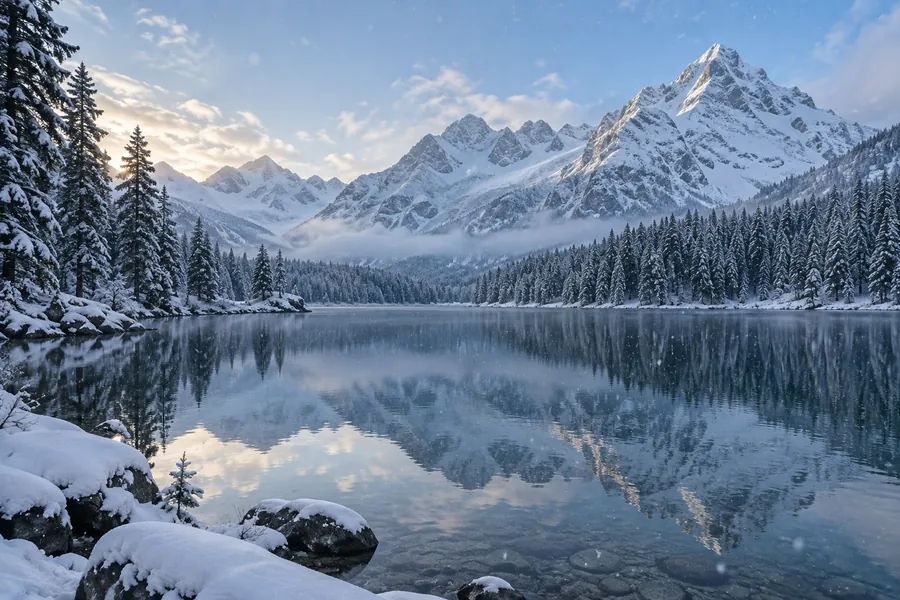
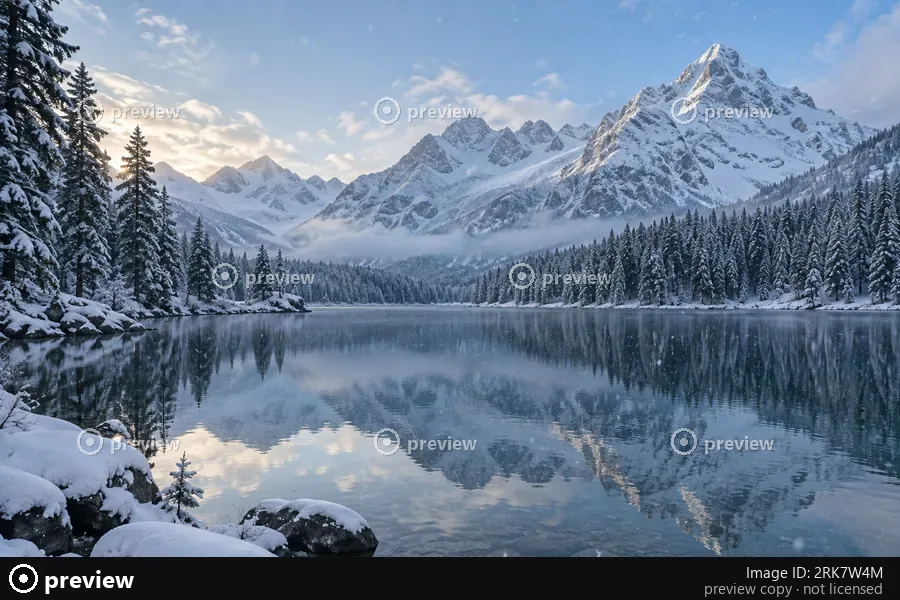
Reference example. It is not a result generated from your upload.
An Alamy watermark remover is a tool that clears the preview marks a stock agency puts on its images before they are licensed. It is not an official Alamy product, and EzImgMaker is not connected to Alamy. Alamy-style previews carry two layers: small, faint logo marks repeated across the frame, and a solid dark strip along the bottom edge with a logo, an image ID and a web address. That strip covers real pixels, so cropping it off changes the framing; the AI rebuilds the part of the scene it hides instead.
This page is for three honest jobs: cleaning a preview so an internal draft, comp or pitch mockup is easier to judge; tidying a photo you have already licensed; and getting a clean copy of your own contributor photo when the original file is lost. Removing the watermark never replaces the license. Before an image goes on a website, in an ad, on social media, in print or into a final delivery, buy the license; the licensed download has no watermark and is far larger than any preview.
What you may do with a cleaned image depends on your license, not on whether the watermark is still there. Preview terms differ between agencies, so read the terms of the site you got the image from, and use this as a guide.
| Your situation | Clean it here? | What to do |
|---|---|---|
| Your own photo that came back with preview marks | Yes | Clean it, or download the original from your contributor account if it is still there. |
| An image you have already licensed | Yes | For the final file, download the licensed version: it is full size and has no watermark. |
| A preview for an internal draft, comp or pitch mockup | Internal use only | Keep it inside the team, label it as a comp, note the image ID, and license it before launch. |
| A preview for a website, ad, social post, print or product | No | Buy a license first. A cleaned preview is still an unlicensed image. |
| Someone else’s photo you found online | No | Ask the owner for permission or license the image. |
General information, not legal advice. Using a stock photo without a license can infringe copyright, and in many countries removing copyright information such as a watermark can itself be unlawful.
Three steps from a marked preview to a clean comp for your draft.
Add a JPG, PNG or WebP up to 20 MB: a preview for an internal draft, or an image you own or have licensed. Use the largest copy you have.
Keep Marks + ID strip for a full preview, or choose only the strip, the faint marks, a center logo or a credit line. Brush over an area if only that part should change.
Write down the image ID from the strip, tick the license checkbox and click Remove Watermark. Drag the slider to compare, then download the cleaned comp at its full size.


The dark strip at the bottom of a preview hides part of the photo. Cropping it off turns a 4:3 frame into something narrower and can cut into the subject. Choose Bottom ID strip and the AI extends the desk, the floor or the sky down to the edge, so the comp keeps its original shape in your layout.

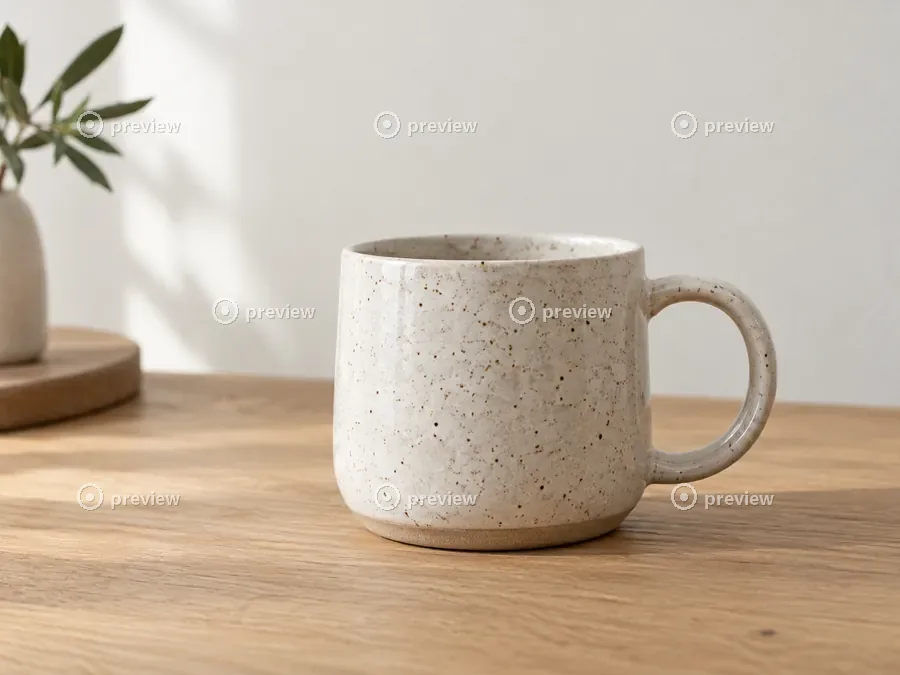
Small, semi-transparent marks stand out most on smooth surfaces such as a studio wall, a clear sky or a tabletop, and a blur brush leaves a soft ghost there. The AI restores the wall tone, the wood grain and the speckled glaze under every mark.
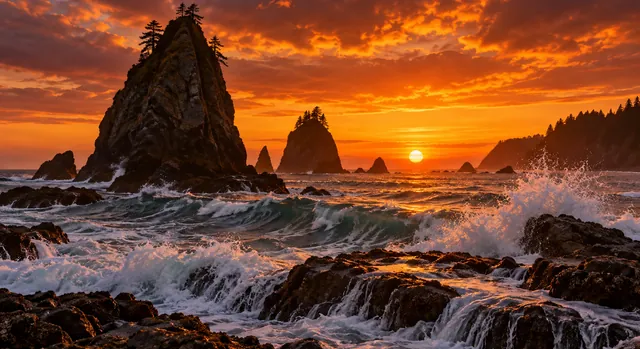
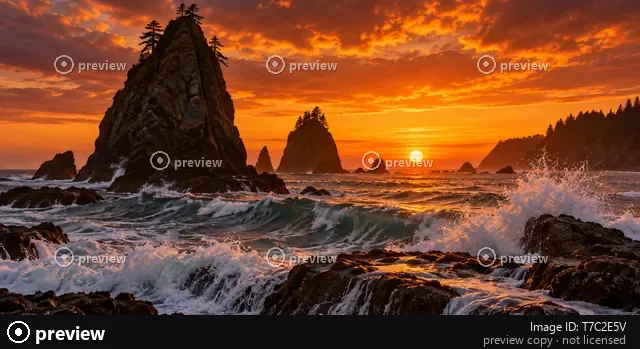
Sold your own sunset shot through a stock site and lost the original? If the watermarked preview is the only copy left, upload it, keep Marks + ID strip selected, and get a clean file for your portfolio. If the original is still in your contributor account, download that instead: it holds more detail than any cleaned preview.
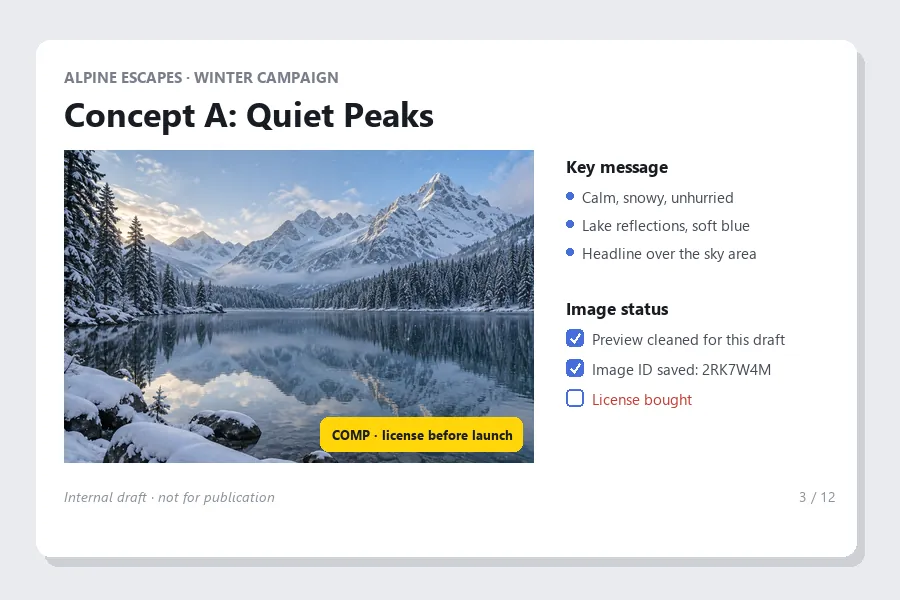
A clean comp makes it easier to judge the crop, the colors and the space for a headline. Keep the image ID next to every comp, tag the slide as a comp, and license the photo that wins before the campaign launches. The cleaned preview stays a draft: it is small, and it is still unlicensed.
Draft work, and images you already have the rights to.


Drop a cleaned preview into a layout to check the crop and the headline space before anyone pays for it.
Show clean mood frames inside the pitch deck, then license the frames the client picks.
Rough out a page, a book cover or a report with comps while the picture desk confirms the license.
Mock up a listing or a tour page with comps, then license the shots that make the final cut.
Get a clean copy of a photo you shot yourself when the preview on the stock site is the only copy left.
Clean up an image you have licensed when the clean download is out of reach for a quick internal review.
Small habits that keep the result clean and the licensing straight.
The ID in the strip is how you find and license the image later. Put it in the file name or the slide notes before you remove the strip.
Previews are much smaller than the licensed file. The AI rebuilds hidden areas, but it cannot add the resolution of the real file.
A box over the strip and a light brush over the marks keeps the edit away from the rest of the photo.
A cleaned preview is still unlicensed. Buy the license before the image appears anywhere public or earns money.
Other watermark jobs on EzImgMaker, from your own photos to AI images and video clips.
Text, logos, date stamps and signatures on photos you own.
Open the toolFor full-frame comps covered in diagonal logos, small square icons and contributor credits.
Open the toolClear the visible mark from images you generated yourself with Gemini or Nano Banana.
Open the toolRemove a logo or a caption from your own animated GIFs.
Open the toolErase logos and captions from video clips you own.
Open the toolLicensing first, then what the tool removes and how to get a clean, licensed file.
Removing the watermark does not give you any right to use the photo. Using a stock image without a license can infringe the photographer’s copyright whether or not the watermark is still on it, and in many countries removing copyright information such as a watermark can itself be unlawful. It is fine on your own photos and on images you have licensed; for previews, check the agency’s terms and keep any cleaned copy inside internal drafts. This is general information, not legal advice.
No. It is a general watermark remover on EzImgMaker, which is not affiliated with, endorsed by or connected to Alamy and does not sell stock images. The demo images on this page use invented watermarks that only imitate the layout of a stock preview.
License it. The licensed download comes without the preview marks or the ID strip, and at a much larger size than the preview. If you only need the image for a draft first, clean the preview here, keep the image ID, and license it before the draft becomes a real ad, page or product.
Not unless you have a license that covers that use. Public pages, ads, social posts, print and anything you sell all need one. A cleaned preview may look finished, but it is still unlicensed, and it is also much smaller than the licensed file.
No. The bottom ID strip covers real pixels, so the AI replaces it with a continuation of the scene and the image keeps its original size and shape. If you would rather crop, choose Faint logo marks and trim the strip off yourself afterwards.
Upload the preview, keep Marks + ID strip selected and click Remove Watermark. Check your contributor account first, though: if the original upload is still there, it is the better file, with full resolution and no rebuilt areas.
No. Previews are small, and rebuilding the hidden areas does not add the detail of the full file. That is enough to judge a layout, and one more reason to license the image for anything final.
You can try it free: new accounts get free credits when they sign up. After that, each removal uses credits from your balance.
JPG, PNG or WebP up to 20 MB. The cleaned result keeps the pixel size of the image you upload.
Full-frame comps covered in diagonal logos, small icons and contributor credits have their own page, the Shutterstock watermark remover. For text, logos or date stamps on your own photos, use the general watermark remover.
Upload the preview or your own photo, pick the watermark style, and keep the license on your list before anything goes public.
Alamy is a trademark of its owner. EzImgMaker is not affiliated with, endorsed by or connected to Alamy, and does not sell or license stock images. Removing a watermark does not grant a license: use this tool only on images you own or have licensed, or on previews kept in internal drafts where the agency’s terms allow it, and buy a license before you publish or use an image commercially. The demo images on this page use invented watermarks.