Save the Image ID, Then Upload
Copy the image ID from the bar so you can license the image later, then upload the comp or your own image (JPG, PNG or WebP, up to 20 MB).
Building a mood board, a wireframe or a pitch deck with comps? Clear the diagonal logos, the grid of small icons, the contributor credits and the ID bar from a comp, or from an image you own or have licensed. Removing a watermark does not give you a license: license the image before you publish or use it commercially.
Common jobs
Fine-tune


Reference example. It is not a result generated from your upload.
A Shutterstock watermark remover clears the comp watermark from a stock preview so the picture underneath is easier to judge. It is not a Shutterstock product, and EzImgMaker has no connection to Shutterstock. Current comps are covered edge to edge: diagonal rows of semi-transparent logos, a grid of small square icons, small "by" credits with the contributor’s name, and a solid ID bar along the bottom; older comps used a web of thin lines and arcs instead. Because the pattern crosses every face, product edge and texture, a blur or clone brush leaves visible streaks. The AI rebuilds the whole frame instead.
People who search "Shutterstock remove watermark" usually want one of two things. If you want the image for a website, an ad, a product or a client delivery, the answer is to license it: the licensed download has no watermark and is full size. If you need a cleaner comp for an internal mood board, wireframe or pitch, or you are tidying an image you own or have already licensed, this tool can remove stock photo watermark patterns for that draft. Either way, a cleaned comp is not a licensed file.
Removing the watermark changes how a comp looks, not what you are allowed to do with it. Preview terms differ between agencies, so read the terms of the site you got the comp from.
| What you get | Watermarked comp | Comp cleaned here | Licensed download |
|---|---|---|---|
| Watermark | Diagonal logos, icons, credits, ID bar | Removed by AI | None |
| Size | Preview size | Same preview size, no added detail | Full resolution |
| Internal drafts and mockups | As the agency’s comp terms allow | Internal only, labeled as a comp | Yes |
| Website, ads, social posts, print, products | No | No | Yes, within the license terms |
| Who you pay | Nobody | Credits on EzImgMaker for the cleanup | The license fee to the agency |
General information, not legal advice. Using a stock image without a license can infringe copyright, and in many countries removing copyright information such as a watermark can itself be unlawful.
Keep the image ID, clean the comp for your draft, and license it when the draft is approved.
Copy the image ID from the bar so you can license the image later, then upload the comp or your own image (JPG, PNG or WebP, up to 20 MB).
Keep Full comp watermark, or pick just the diagonal logos, an older line grid, the bottom ID bar, a contributor credit or your own logo. Brush an area to limit the edit.
Tick the license checkbox, click Remove Watermark, compare with the slider, and download the cleaned comp for your draft.


A comp pattern runs over everything: skin, glass, printed packaging and soft shadows. The AI rebuilds each area on its own terms, keeping the real label art on the bottle and the expression on a face, so the comp reads like the photo it previews.


Older comps use thin diagonal lines, wide arcs and logo words. On a sofa, a rug and window light that lattice is hard to remove by hand. Choose Older line grid and the AI follows the fabric weave, the wood grain and the shadows under every line.

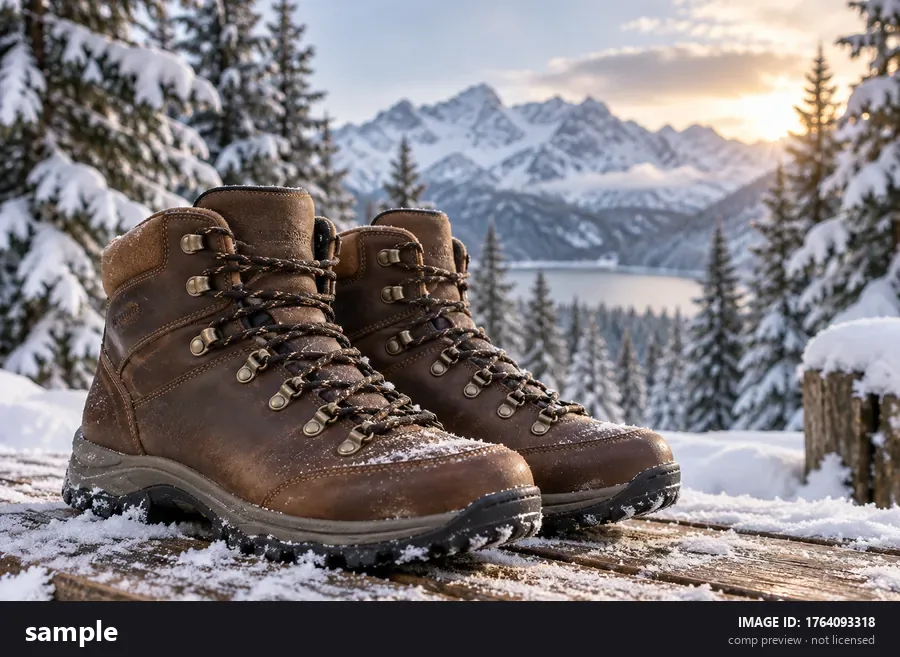
The solid bar at the bottom of a comp hides the base of a product or the foreground of a scene. Choose Bottom ID bar and the AI extends the snowy boards down to the edge, so a product comp keeps its proportions in a wireframe or a mood board.


Newer comp watermarks work the contributor’s display name into the design. If the photo is yours and the comp is the only copy at hand, choose Contributor credit or Full comp watermark to clear every repetition. If you still have the original file, use it: it holds more detail than any cleaned comp.
How a cleaned comp should travel through a project: reviewed internally, tagged with its image ID, then replaced by the licensed file.

Cleaned comps make a board easier to judge. Each tag keeps the image ID and the word comp.


Stakeholders review the layout, not the watermark. License the photo before the page goes live.
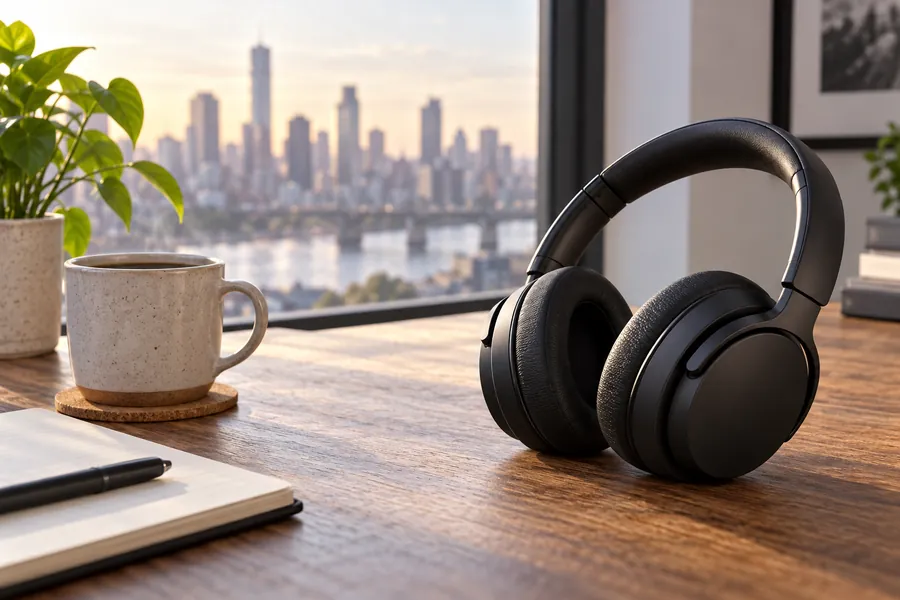

Show a cleaner frame in the pitch, then license the shot the client picks and swap it in.
Internal drafts, and images you have the rights to. Never the final published file.
Build mood boards and style frames from cleaned comps, then license the winners.
Drop comps into wireframes and prototypes so the review is about the layout.
Keep pitch decks readable while the client chooses, with budget set aside for the licenses.
Plan a content calendar with cleaned comps for internal approval, then license before posting.
Check how a photo sits on a label, a box or a poster mockup before you license it for print.
Clean a comp of your own upload when the original file is not at hand.
Better results from a pattern that covers the whole picture.
On a bigger comp the pattern is thinner relative to the photo, which leaves the AI more real detail to work with.
For dense textures, clear the diagonal logos first, then upload the result and remove the bottom ID bar.
Put the ID in the file name or on the board tag; it is the quickest way to license the right image later.
When a comp is approved, license it and replace the cleaned comp with the licensed download before anything ships.
Every watermark job on EzImgMaker: stock previews, your own photos, AI images and video.
For previews with faint marks spread across the frame and a dark ID strip along the bottom.
Open the toolText, logos, date stamps and signatures on photos you took yourself.
Open the toolRemove the visible mark from AI images you generated yourself.
Open the toolTake a logo or a caption off your own animated GIFs.
Open the toolClean logos and text from video clips you own.
Open the toolLicensing, the watermark styles it handles, and how to end up with a properly licensed file.
You can remove watermark from stock photo comps with AI, but doing so gives you no right to use the image. Using a stock photo without a license can infringe the photographer’s copyright whether or not the watermark is still on it, and in many countries removing copyright information such as a watermark can itself be unlawful. It is fine on your own uploads and on images you have licensed; for comps, check the agency’s terms and keep the cleaned copy in internal drafts. This is general information, not legal advice.
No. It is a general watermark remover on EzImgMaker, which is not affiliated with, endorsed by or connected to Shutterstock and does not sell stock images. The demo images on this page use an invented wordmark and invented names that only imitate the layout of a stock comp.
License it. The licensed download has no watermark pattern and no ID bar, and it is far larger than the comp. Clean a comp here only to keep a draft readable until the image is chosen and licensed.
No. Anything public or paid, such as a website, an ad, a social post, printed material or a product, needs a license. A cleaned comp is also only preview size, so it would look soft in a final design anyway.
Yes. Newer comp watermarks change from image to image and include the contributor’s name, and the AI treats the whole frame either way. Smooth areas come out cleanest; faces, small printed text and dense textures right under the pattern are the hardest to rebuild, so compare the result with the comp before you use it in a draft.
No. The bar covers real pixels, so the AI replaces it with a continuation of the scene and the image keeps its size and shape. To crop instead, choose Diagonal logos & icons and trim the bar off yourself afterwards.
Yes, it is your photo. Upload the comp and choose Full comp watermark or Contributor credit. If you still have the original file, use that instead: it is full size and has no rebuilt areas.
Most stock previews use one of two layouts: a pattern over the whole frame, which this page is tuned for, or faint marks spread across the frame with a dark ID strip, which the Alamy watermark remover handles. The licensing rule is the same everywhere: clean comps only for internal drafts, and license before you publish.
You can try it free: new accounts get free credits when they sign up. After that, each removal uses credits from your balance.
Yes. It runs in mobile browsers, and you can mark an area with your finger. JPG, PNG and WebP files up to 20 MB are supported.
Upload the comp or your own image, clear the pattern and the ID bar, and license the image before it goes public.
Shutterstock is a trademark of its owner. EzImgMaker is not affiliated with, endorsed by or connected to Shutterstock, and does not sell or license stock images. Removing a watermark does not grant a license: use this tool only on images you own or have licensed, or on comps kept in internal drafts where the agency’s terms allow it, and license an image before you publish or use it commercially. The demo images on this page use invented watermarks and names.