Upload Your GIF
Add an animated GIF up to 20 MB. The first frame appears on the right so you can see where the watermark sits.
Upload an animated GIF you made or have the rights to edit, brush over the logo or text (or let the AI find it), and get the same loop back on every frame without the mark.
Fine-tune
Your GIF stays in this browser during this UI preview.
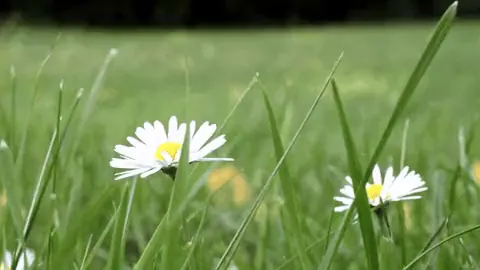
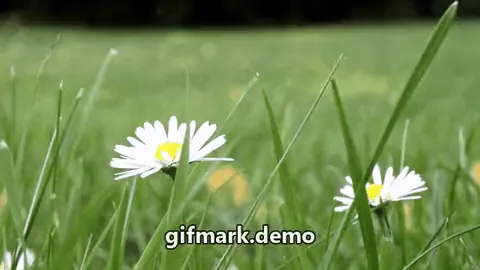
Reference example. It is not a result generated from your upload.
An animated GIF is a stack of frames, so a watermark on a GIF is really the same logo or line of text repeated on every one of them. To remove watermark GIF frames by hand, you would split the animation, paint out the mark on each frame in an image editor, and stitch the frames back together with the original timing. A GIF watermark remover does that in one pass: it finds the mark, rebuilds the pixels behind it frame by frame, and rebuilds the animation with the same frame order, delays, and loop.
EzImgMaker is meant for GIFs you made or have permission to edit: reaction loops you recorded, animations you designed that still show an old URL, product GIFs from your own store, or old GIFs that still carry your previous logo. Brush over the mark if you know where it is, or let the AI detect it, then download a GIF, an animated WebP, or an MP4.
Three steps, no frame-by-frame editing.
Add an animated GIF up to 20 MB. The first frame appears on the right so you can see where the watermark sits.
Brush or box over the logo, text, or @username, and pick what kind of mark it is. Skip the marking and the AI looks for it across all frames.
Click Remove GIF Watermark, play the loop to check every frame, and download it as a GIF, animated WebP, or MP4.
Built for the way GIFs are made: many small frames, a limited palette, and a loop that has to stay smooth.
The mark is removed on each frame and the original delays and loop are kept, so the animation plays exactly as before. Text that sits over a moving subject is rebuilt from the frames around it rather than smeared.
Corner logos and studio badges are the most common GIF watermark. Mark the corner once and the same area is cleaned on every frame, even on dark or busy backgrounds.
Use the brush or box when the watermark is faint, tiny, or sits next to text you want to keep. Leave it unmarked for clear logos and captions and the GIF watermark remover detects them automatically.
Keep it a GIF for chats and forums, choose animated WebP for a smaller file with smoother colors, or MP4 for video editors and social posts.
Typical jobs on GIFs the uploader owns or is licensed to edit.
Moved to a new username or domain? Remove the old handle or URL you stamped on your own GIFs, then add the new one.
Swap an outdated logo on your product or brand GIFs: remove the old mark here, then add the new one.
Turn your own recorded clips into clean reaction GIFs and stickers without a stray username in the corner.
Drop a clean loop into slides, emails, or landing pages where a watermark would look unfinished.
GIFs are small and use few colors, so a little care goes a long way.
GIF compression leaves a soft halo around text. Brush a little beyond the letters so the halo goes too.
Re-saved or screen-captured GIFs lose colors. The first export keeps the cleanest edges.
If the cleaned area shows color banding, download an animated WebP, which keeps more colors than GIF.
Do not remove signatures or watermarks from other people’s GIFs and art.
Typical ways people clean their own animations.
Illustrative examples adapted from reference material, not verified reviews of EzImgMaker.
My old product GIFs still had last year’s logo. Marking the corner once cleaned all forty frames, and the loop timing did not change.
I record my own reaction clips and turn them into GIFs. The username from the recording app came off without a blurry box.
The animated WebP export kept the gradient sky smooth where the GIF version showed a little banding.
I used to paint out text on every frame in an editor. Now I brush over it once and download the clean GIF.
Answers about removing watermarks, logos, and text from animated GIFs.
Upload the GIF, brush or box over the watermark (or leave it unmarked for auto-detection), choose the mark type, and click Remove GIF Watermark. The AI cleans every frame and rebuilds the animation with the original timing.
Yes. Everything happens in the browser: upload, mark, remove, and download. There is nothing to install on desktop or mobile.
Yes. Frame order, frame delays, and looping are kept. Only the watermark area changes.
Leave the mask empty so the AI tracks the mark across frames, or describe when it appears in the instructions box, for example "only in the last second".
GIFs can only use up to 256 colors per frame, so rebuilt areas sometimes show a little banding or dithering. Downloading an animated WebP or MP4 keeps smoother colors.
Only if you have the right to edit them. Do not remove watermarks, signatures, or credits from artists’ GIFs, stock animations, or other people’s content. Use the tool on your own GIFs or ones you are licensed to change.
Yes. Choose "Text or URL", "Logo", or "@username", mark the area if it is small, and the sticker is cleaned frame by frame.
Animated GIFs up to 20 MB. Very long GIFs with hundreds of frames take longer to process; trimming them first keeps the result manageable.
New users get free credits to try it. After that, GIF cleanup uses credits from a credit pack.
Upload an animated GIF you own, mark the logo or text, and download the same loop without the watermark.
Remove watermarks only from GIFs you created or have permission to edit. EzImgMaker does not support removing artists’ signatures or credits from their work.