Several Emojis at Once
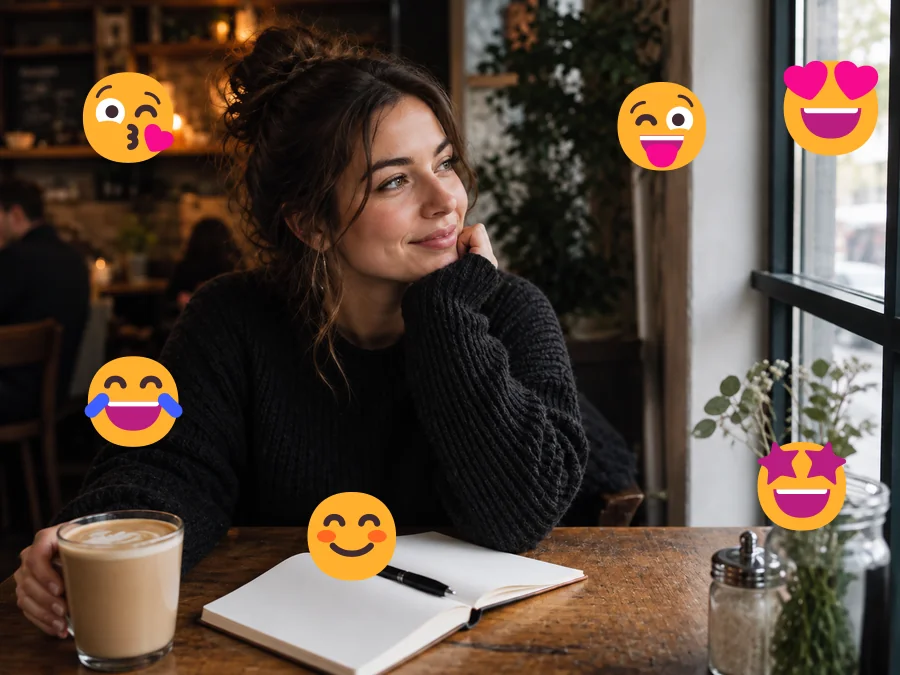
A café shot scattered with six reaction emojis comes back clean in one pass, including the window frame and the table they covered.
Upload a picture covered in hearts, smileys, or sticker packs and brush over the ones you want gone. The AI emoji remover clears them away and rebuilds the background, hair, and skin that sat underneath.
Fine-tune
Your photo stays in this browser during this UI preview.
Reference example. It is not a result generated from your upload.
An emoji remover is an AI photo tool that deletes emoji stickers, hearts, stars, and other overlays from a picture, then fills the area they covered with matching detail. Think of it as an emoji cleaner for photos you saved from a chat, a story, or a repost: instead of cropping or smudging, it continues the sky, wall, hair, or clothing so the image looks like it was never decorated.
Use it to remove emoji from photo files you own, such as your own selfies, family pictures, or images you made for a project. Keep in mind that the AI cannot see what was really under a sticker. It paints in a believable reconstruction, which is ideal for backgrounds and small overlays but is never a record of the original moment.
Drag each slider to see the photo with its emojis and stickers, then the cleaned result.
A café shot scattered with six reaction emojis comes back clean in one pass, including the window frame and the table they covered.
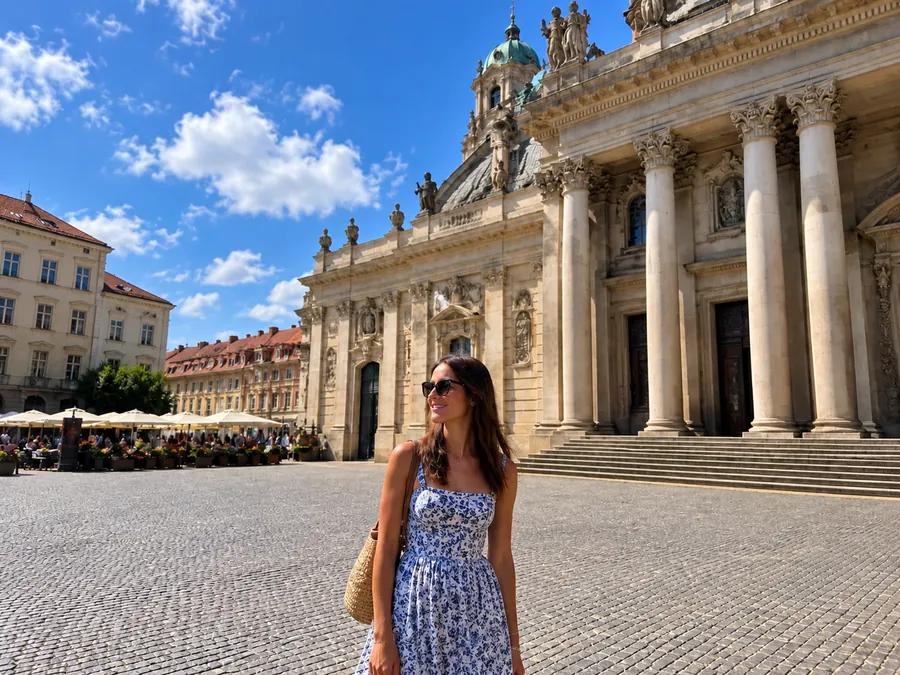
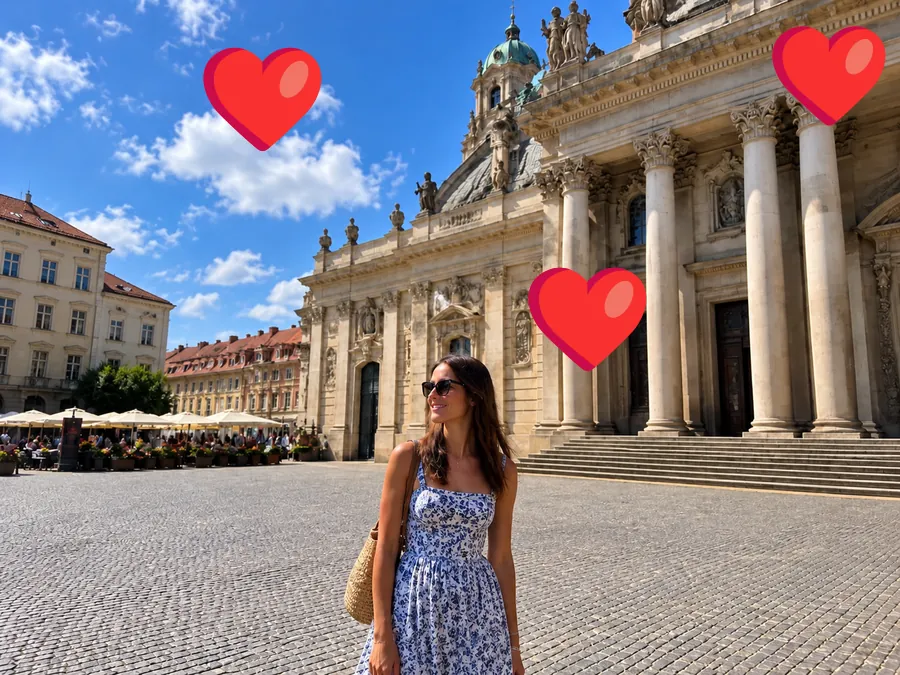
Big heart emojis over architecture are tricky because columns and clouds have to line up again. The AI continues the lines and the blue sky.
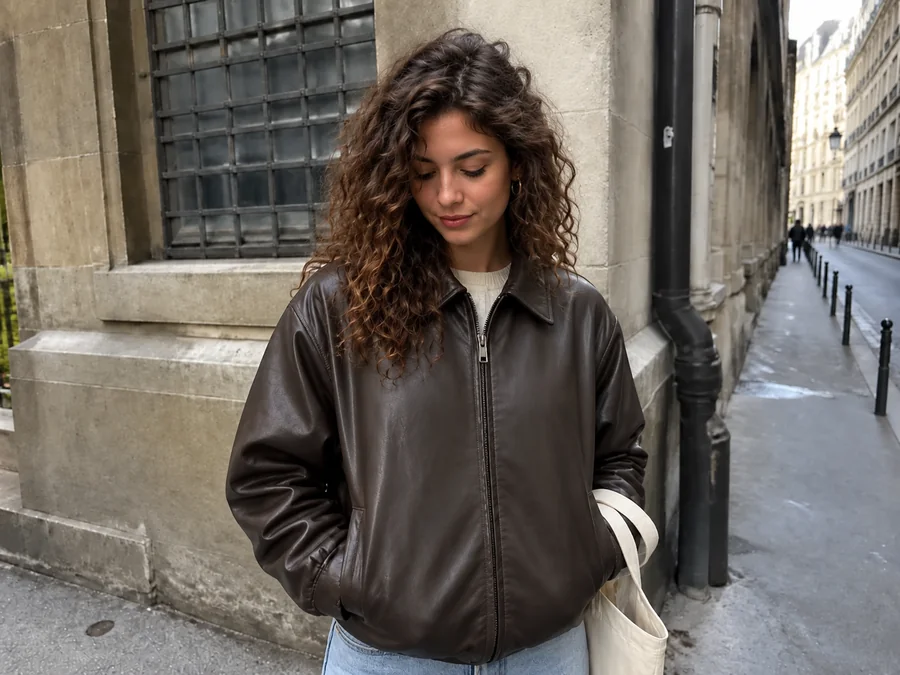
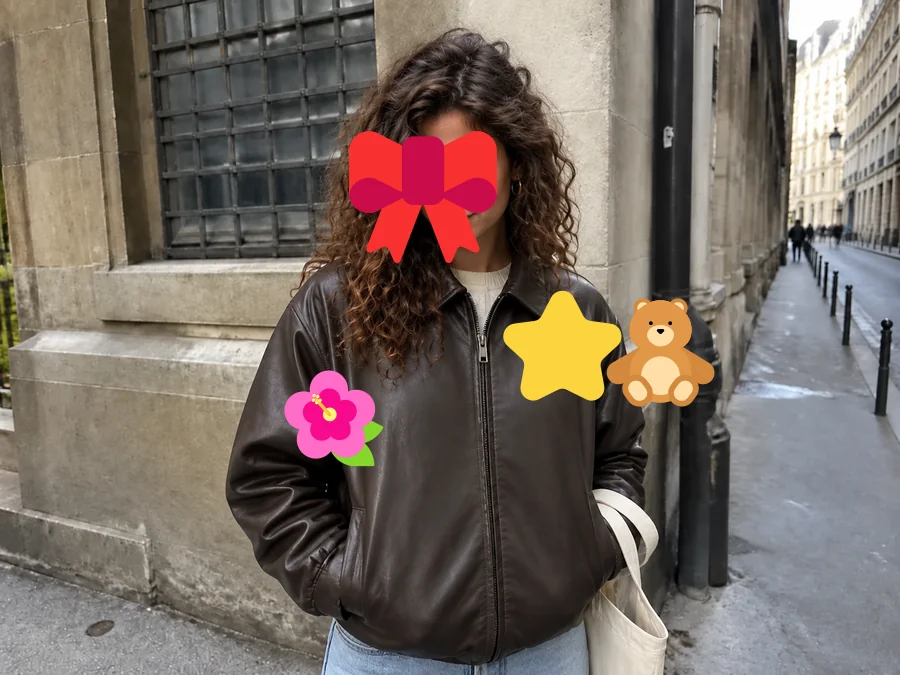
Bows, stars, flowers, and teddy-bear stickers come off together. With the stickers removed, the jacket, hair, and wall behind them are rebuilt.
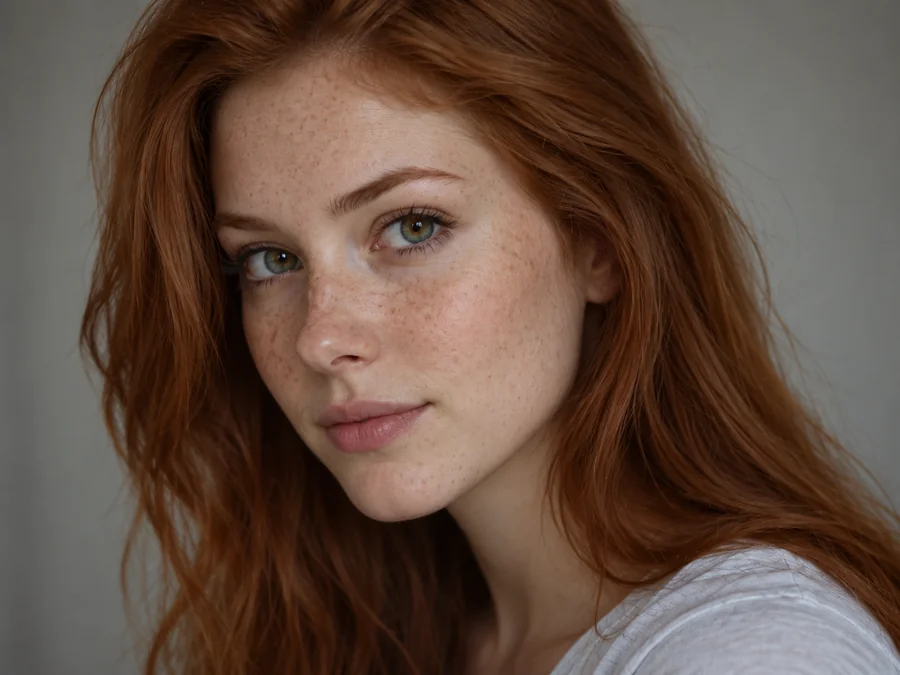
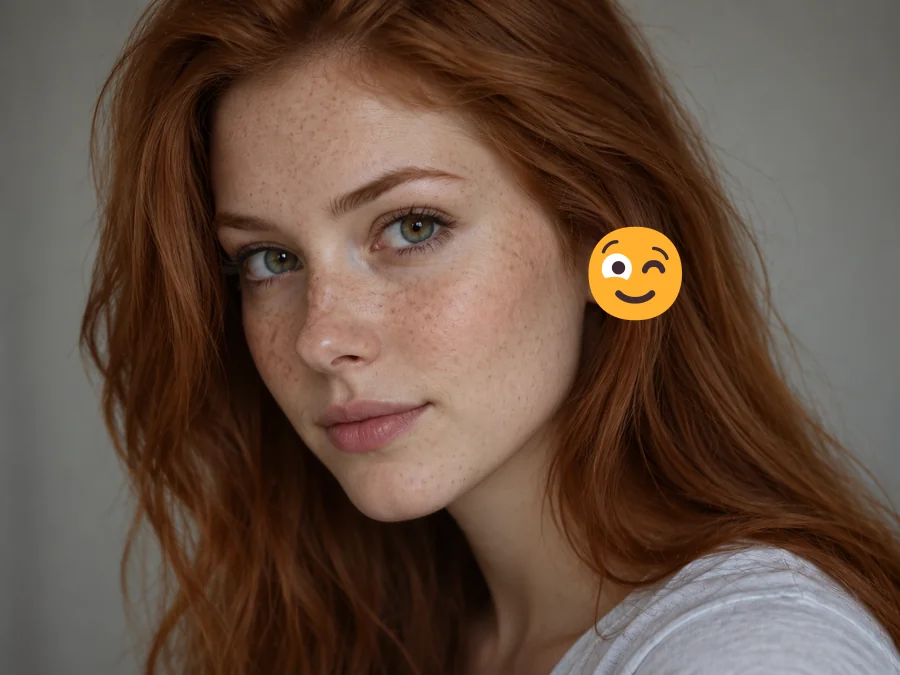
Small emojis on skin are the easiest to fix. Freckles, skin tone, and hair are continued so the portrait looks untouched.
No layers or clone stamp. Upload, brush over the emoji, and compare.
Add a JPG, PNG, or WebP up to 10 MB. The highest-quality copy you have works better than a screenshot of a screenshot.
Use the brush on each emoji or sticker, or drag a box around a cluster. Keep "Everything I marked", pick "Emoji over a face" for portraits, or name the ones inside your mark that should go.
Start the cleanup, compare the result with your original, and download the clean picture.
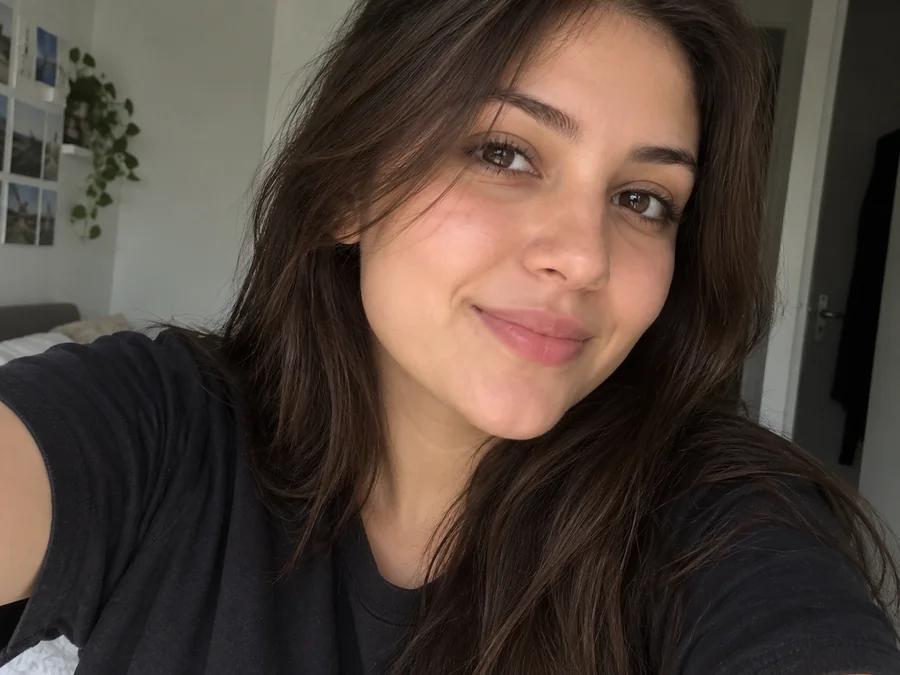
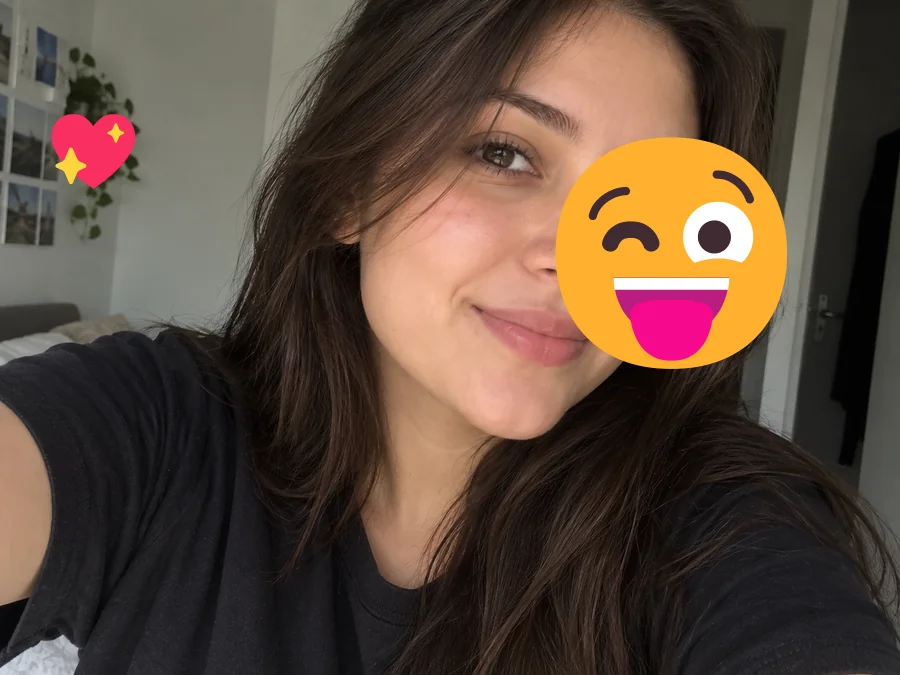
When a large emoji covers half a selfie, the AI emoji remover redraws the hidden cheek, eye area, and hair to match the visible side, with the same lighting and skin texture. The result is a natural reconstruction, so check that it looks right before sharing it.
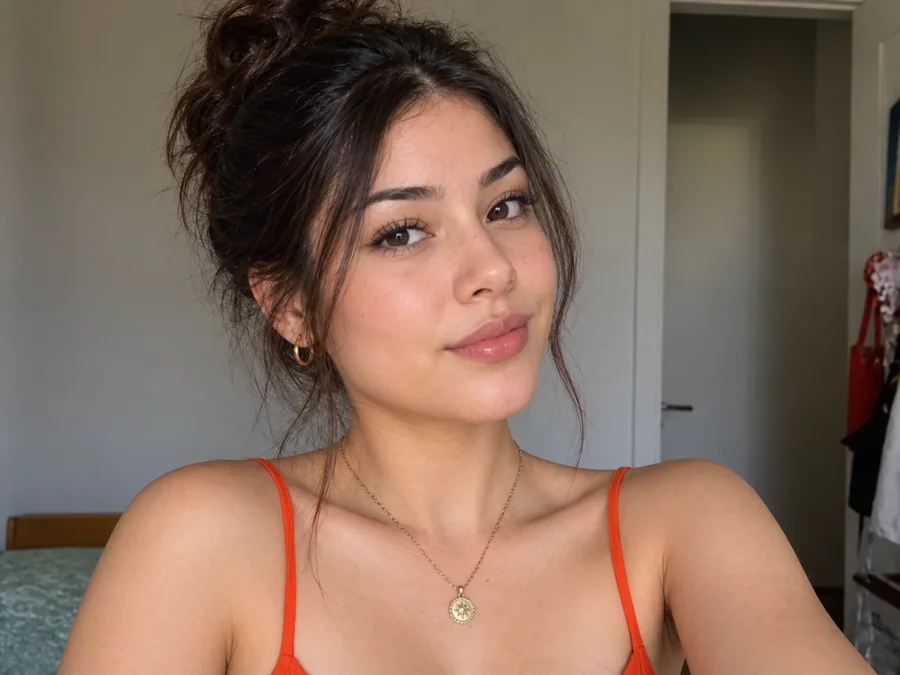
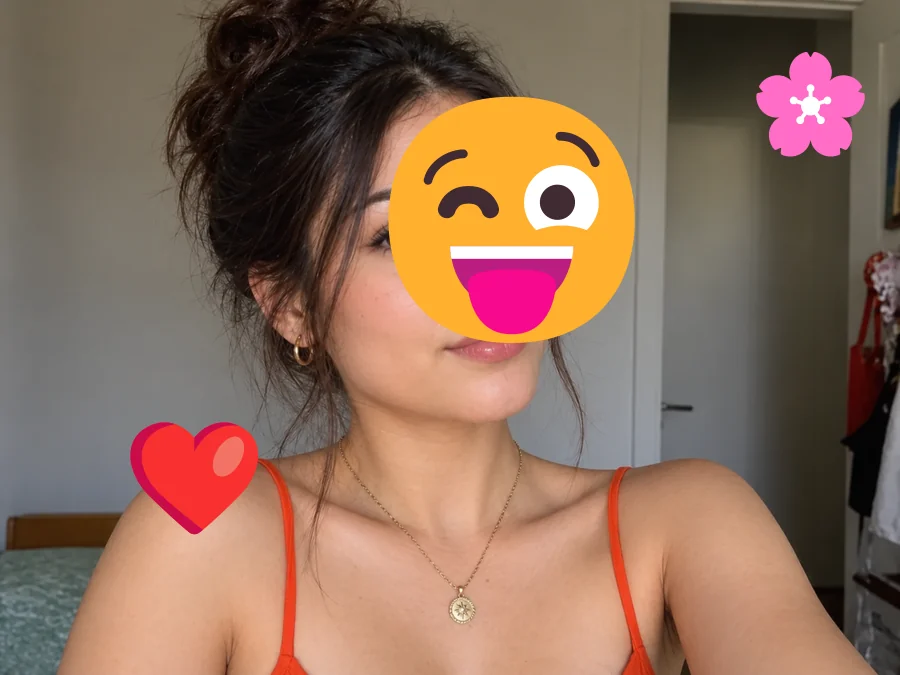
Flowers, hearts, and smileys stacked on one portrait are removed together, while the necklace, straps, and doorway behind them stay sharp. It works as a photo sticker remover for anything pasted on top of a picture.
Blur and clone tools leave a smudge where the emoji was. Here the covered area is filled with matching texture, edges, and color, so brick walls, windows, and pavement continue the way they should.
Want to keep one sticker and delete emoji stickers everywhere else? Brush over only the ones that should go: the brush follows small or oddly shaped stickers, and the box covers a whole cluster in one drag. Anything you leave unmarked stays as it was. If your box catches a sticker you want to keep, choose "Only what I describe" and name the ones to remove.
Common reasons people reach for an emoji removal tool.
Only kept the decorated version of a selfie or story? Remove emojis from photos you posted and get a clean copy for your album or profile.
Strip reaction emojis and old Twitter stickers from images you created so you can reuse them in a new post.
Clear distracting smileys from screenshots and reference photos before they go into a report, slide deck, or worksheet.
Remove stickers from lifestyle and product shots so the item, not the decoration, is what people notice.
A few habits that make the reconstructed area look natural.
Start from the largest, least compressed version of the picture so there is more surrounding detail to work from.
If a sticker hides an entire face, the AI has to invent it. Partial coverage gives far more faithful results.
Cover each sticker’s white outline and drop shadow too, so no colored fringe is left behind. For overlapping stickers or ones near text, also describe them in the instructions box.
If someone covered a face on purpose, such as a child or a friend who asked, leave it covered.
Everyday ways people clean emojis and stickers off their pictures.
Illustrative examples adapted from reference material, not verified reviews of EzImgMaker.
I only had the story version of my birthday selfie, with a giant winking emoji on it. The cleaned copy finally went into our photo book.
Our old campaign images were covered in reaction stickers. Describing which ones to drop saved me from cloning the background by hand.
I needed clean pictures for a class presentation and the hearts over the cathedral photo disappeared without a blurry patch.
The before-and-after check is what I like most. I could see the repaired wall before downloading.
Answers about removing emojis and stickers from pictures.
An emoji remover, sometimes called an emoji cleaner, is an AI tool that erases emoji stickers and small overlays from a photo and fills the covered area with matching background, skin, or hair. It saves you from cropping the picture or retouching it by hand.
Yes. Upload the picture, brush over the emojis you want removed, and the AI clears them and rebuilds the area underneath. Small emojis over backgrounds look the most natural; large ones over faces are reconstructed, not uncovered.
No. Once an emoji is flattened into a picture, the pixels underneath are gone. The AI paints a plausible version based on the visible parts of the photo, so treat the result as a reconstruction rather than proof of what was hidden.
Upload the photo, brush over the stickers or drag a box around them, and start the cleanup. That is how to remove sticker from photo files without layers or a clone stamp. If your mark covers a sticker you want to keep, choose "Only what I describe" and list the ones to remove.
If the original photo is yours, upload the stickered copy and remove the stickers the same way. The AI rebuilds the covered parts, so compare the result with your memory of the scene before you share it.
Brush over the emoji, then choose "Emoji over a face" so the AI focuses on facial detail. It matches skin tone, lighting, and the visible eye or cheek. The more of the face that is visible, the closer the result looks to the real person.
Yes. Old Twitter stickers and other platform decorations that were saved into the image file behave like any other overlay. Use it as a Twitter sticker remover for images you posted, then download the clean copy.
Yes. Brush over each emoji or sticker, or drag a box around a group, before you start: the mark tells the AI exactly what to erase. Only the marked areas are repaired, and the rest of the picture is meant to stay as it was. A mark slightly larger than the sticker works better than a tight one, and if a sticker sat on text or a logo, describe it so the AI knows what to rebuild.
Only upload photos you own or have permission to edit. Do not use emoji removal to reveal someone who was deliberately hidden for privacy, especially children, or to present a reconstructed face as a real photo.
You can remove emoji from picture files in JPG, PNG, or WebP format up to 10 MB. Animated stickers and videos are not supported; use a still frame instead.
Upload a decorated picture and get a clean version with the background rebuilt.