Couple Photo to Hug
Two people on a sofa turn into a warm hug. Kling 3.0 and Hailuo 2.3 keep faces and body movement natural.
Upload a photo as the start frame, describe the motion, and the AI turns the image into video with smooth, natural movement. Add an end frame to control where it lands, choose Seedance, Veo 3.1, Kling 3.0, Grok Imagine, Hailuo, or Wan, and export in 720p or 1080p.
The couple on the sofa smile warmly at each other and gently move into a happy hug, natural body movement, soft expressions, warm cozy lighting.
Reference example. It is not a result generated from your upload.
AI image to video takes a single still — a photo, a product shot, an illustration, or an AI-generated image — and turns it into a moving clip. The picture becomes the first frame; your prompt describes what should happen next: a smile, a head turn, a dog running, a camera drifting through the scene. Artificial intelligence image to video models predict the motion, depth, and lighting so the result looks like it was filmed, not animated by hand.
This AI video generator from image works with the best image-to-video models in one place: Seedance 2.0 and 2.5, Veo 3.1, Kling 3.0, Grok Imagine, Hailuo 2.3, and Wan 3.0. Make an AI video from image files of any kind — use it for AI photo to video edits, AI pic to video posts, product clips, and art that moves — and add an end frame when you want the clip to finish on a specific image.
Each clip starts from one still image plus a short motion prompt. Tap “Try” to load the prompt, then upload your own photo.
Two people on a sofa turn into a warm hug. Kling 3.0 and Hailuo 2.3 keep faces and body movement natural.
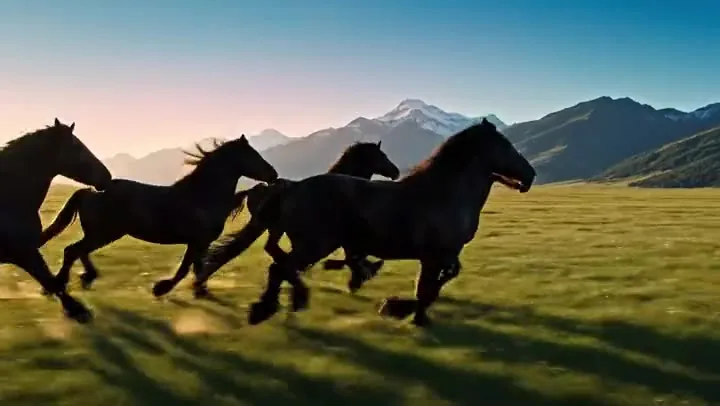
A still of your dog becomes a run through the field — ears, fur, and grass all move. Seedance 2.0 handles fast motion well.
Add a Santa hat and scarf while the kitten keeps moving naturally — the background stays exactly as in your photo.
One clean product photo becomes a 360° spin for ads and store pages. Pick a static camera so the product stays centered.
Bring drawings and anime art to life without losing the line work. Grok Imagine and Kling 3.0 keep stylized art on model.
Only the clouds and water move while the mountains stay still — perfect for wallpapers, hero banners, and travel posts.
Every model can animate a start frame; they differ in end-frame support, extra references, length, and sound. These are the options on EzImgMaker.
| Model | Start frame | End frame | Extra references | Length | Resolution | Sound |
|---|---|---|---|---|---|---|
| Seedance 2.0 | Yes | Yes | Or up to 9 images, 3 videos, 3 audio clips | 4–15 s | 480p–1080p, 4K | Native audio, on or off |
| Seedance 2.5 | Yes | Yes | Or up to 30 images, 10 videos, 10 audio clips | 4–30 s | 480p–1080p | Native audio, on or off |
| Veo 3.1 | Yes | Yes | 1–3 reference images (Fast and Lite) | 4, 6, or 8 s | 720p, 1080p, 4K | Always on |
| Kling 3.0 | Yes | Yes (single-shot mode) | Up to 3 elements (image, video, audio) | 3–15 s | 720p, 1080p, 4K | Sound effects, on or off |
| Grok Imagine | Yes | No | Up to 7 images in one clip | 6–30 s | 480p, 720p, 1080p | Native audio |
| Hailuo 2.3 | Yes | No | — | 6 or 10 s (6 s at 1080p) | 768p, 1080p | Silent |
| Wan 3.0 | Yes | Yes | Or up to 10 images, 5 videos, 5 audio clips | 2–30 s | 480p, 720p, 1080p | Audio on by default |
“Match photo” keeps your image’s shape on every model; Hailuo 2.3 and single-image Grok Imagine always follow the photo. Reference inputs replace the start / end frame on Seedance and Wan rather than combining with them.
The fastest way to make photo into video clips and turn any image to AI video — three steps, no editing software.
Add a JPG, PNG, or WebP as the start frame. Clear subjects, good lighting, and a sharp image give the best results. Optional: add an end frame so the clip finishes on a second image.
Write what should move and how — “she laughs and looks away”, “the camera slowly orbits the product”. Choose a camera motion, then pick the photo to video AI generator model you want: Kling 3.0, Veo 3.1, Seedance, Grok Imagine, Hailuo, or Wan.
Set the length, aspect ratio, resolution, and sound, then press Animate Photo. Preview the clip and download it, or try another model to convert the image to video in a different style.
Use it as a Kling AI image to video generator with Kling 3.0, try Grok image to video with Grok Imagine for long playful takes, or pick Veo 3.1 for photoreal motion with sound. One upload, seven image to video AI generator options — compare them and keep the best take. Each model has its own page with prompts and specs.
Upload a first and a last image and Seedance, Veo 3.1, Kling 3.0, or Wan fills in the movement between them — a before-and-after reveal, a day-to-night shift, or a product transforming. For transition-focused clips, the First & Last Frame tool goes deeper.
Make a portrait smile, a couple hug, or a pet run toward the camera. Hailuo 2.3 and Kling 3.0 are especially good at faces and natural body motion. For old family photos, the Animate Photo tool is tuned for gentle, respectful movement.
Turn a single product shot into a turntable spin, a lifestyle scene, or a close-up with moving light. Seedance and Wan also accept several reference images, so you can feed images to video AI models and keep the product consistent across clips.
This photo into video maker turns the pictures you already have into content that moves — an AI video from photo libraries you already own.
Turn photos into Reels, Shorts, and story clips that stop the scroll.
Animate product photos into spins and lifestyle scenes for listings and ad tests.
Convert image to video for a living room or bedroom with a slow camera glide through the space.
Animate paintings, anime art, and concept art while keeping the original style.
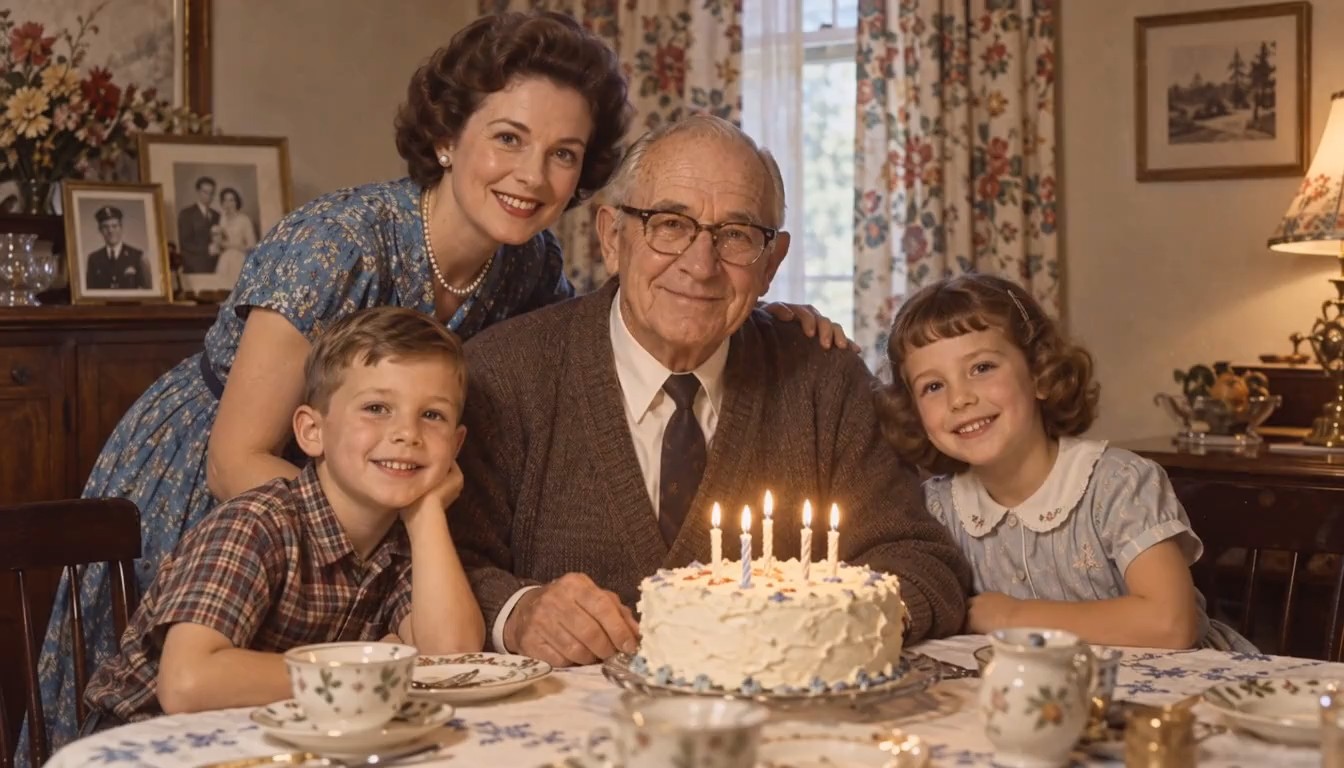
Bring family photos, pets, and travel shots to life for birthdays and anniversaries.
Make subtle cinemagraph loops for hero sections and live wallpapers.
High resolution, good light, and a clear subject give the model more detail to animate.
The model already sees the image. Spend your words on what moves, how fast, and where the camera goes.
A smile and a head turn is plenty for a 5-second clip. Chain more actions with an end frame or a second clip.
Use “Match photo” to keep your framing. Crop the photo to 9:16 first if you need a vertical video.
Front-facing, unobstructed faces animate most naturally. Sunglasses, heavy blur, or tiny faces reduce quality.
Upload your own photos or images you have permission to animate, and get consent before animating someone else.
Illustrative examples adapted from reference material, not verified reviews of EzImgMaker.
I upload one product photo and get a turntable clip for the listing. Kling 3.0 keeps the shape and colors exactly right.
Our dog photos turned into little running clips for the family chat. Everyone wanted one of their own pet.
I animate my illustrations for portfolio posts. Setting a start and end frame lets me plan the movement like a tiny animation.
It is a way to turn a still image into a video clip with artificial intelligence. You upload a photo as the start frame and describe the motion; the model generates the frames that follow, including camera movement and, on some models, sound.
New users get free credits to try image to video, so you can animate photos and compare models without paying. After that, generations use credits from credit packs; longer clips and 1080p use more.
Upload the photo as the start frame, write a short motion prompt, pick a model, and press Animate Photo. Add an end frame if you want the clip to finish on a specific image.
Kling AI image-to-video with Kling 3.0 is a great default for natural motion; Hailuo 2.3 for expressive faces and bodies; Veo 3.1 for photoreal scenes with sound; Seedance 2.0 for fast motion and reference-driven clips; Grok Image to video with Grok Imagine for long, playful takes up to 30 seconds; and Wan 3.0 or Seedance 2.5 for longer clips.
Yes, on Seedance 2.0, Seedance 2.5, Veo 3.1, Kling 3.0, and Wan 3.0. Upload an end frame and the model animates the transition between your two images. Grok Imagine and Hailuo 2.3 use a start frame only.
Sharp, well-lit images with a clear subject: portraits facing the camera, pets, products on a clean background, landscapes, and illustrations. Very small faces, heavy blur, or cluttered scenes give less stable motion.
The first frame matches your photo, and the clip is rendered at the resolution you choose — 720p or 1080p, with 4K available on Seedance 2.0, Veo 3.1, and Kling 3.0. For more detail afterward, run the clip through the Video Upscaler.
Only upload photos you own or have permission to use, and get consent from the people in them. Do not animate photos of minors in any unsafe or sexual context, impersonate real people, or create clips meant to mislead or harass.
The generator uses Wan 3.0, the newest Wan release, which builds on Wan2.2 image to video with start and end frames, clips up to 30 seconds, and native audio.
No. EzImgMaker is an independent AI image to video platform that provides access to Kling, Grok Imagine, Veo, Seedance, Hailuo, and Wan in one place. Model names belong to their respective owners.
Upload a picture, describe the motion, and let AI image to video do the rest.
EzImgMaker is an independent service and is not affiliated with, endorsed by, or sponsored by ByteDance, Google, Kuaishou, xAI, MiniMax, or Alibaba. Seedance, Veo, Kling, Grok Imagine, Hailuo, Wan, and other model names are trademarks of their respective owners.