Cartoon Chase
A full gag in one clip: a sigh, a slow turn, and a sprint from the tornado.
Vidu Q3 is ShengShu’s audio-and-video model with 16-second clips. On EzImgMaker you create with its successor, Vidu Q4: animate a photo, or combine up to three reference images, and get 5 to 16 seconds of 720p or 1080p video with native sound.
Stylized 3D animated film: a scruffy, wide-eyed monkey in a worn leather vest stands on a cracked desert highway, sighing at the camera. He slowly turns around, spots a giant tornado swallowing the road behind him, freezes, then sprints toward the camera as dust and debris fill the frame. Howling wind, flapping road signs, his panicked yelp. Wide shot, bright afternoon light.
Reference example. It is not a result generated from your upload.
Vidu Q3 (often typed ViduQ3) is an AI video model from ShengShu Technology, the Beijing company behind the Vidu platform. Launched on January 30, 2026, it was billed as the first long-form AI video model to generate picture and sound in a single output: up to 16 seconds of 1080p video with dialogue, sound effects, and music, multi-shot "smart cuts", and speech in English, Japanese, or Chinese. It works from text, from an image, or from a start and end frame, and a Reference-to-Video mode followed in April 2026.
Vidu Q3 is offered in two versions. Vidu Q3 Pro is the full-quality model most platforms call simply Vidu Q3; Vidu Q3 Turbo is a faster, lower-cost version with the same 16-second, 1080p limits. Prices differ by platform and resolution, so check Vidu’s official site for current rates.
In October 2026 ShengShu released Vidu Q4 Preview, the next version, and that is what runs here: every video on this page is generated with Vidu Q4. It keeps native audio and 16-second clips and improves facial acting and multi-reference control, but it always starts from an image. Upload a start frame, or up to three reference images, and describe the scene. For text-only videos, use Text to Video.
Vidu Q3 and Q3 Pro specs as published by ShengShu and its API partners (October 2026), next to what Vidu Q4 offers on EzImgMaker.
| Vidu Q3 / Q3 Pro | Vidu Q3 Turbo | Vidu Q4 on EzImgMaker | |
|---|---|---|---|
| Released | January 2026 | Early 2026 | October 2026 (Preview) |
| Text to video | Yes | Yes | No, every video starts from an image |
| Image to video | Yes | Yes | Yes, one start frame |
| Start and end frame | Yes | Yes | No |
| Reference to video | Yes (added April 2026) | Not listed | Yes, 1 to 3 reference images |
| Video length | 1–16 s | 1–16 s | 5, 8, 10, or 16 s |
| Resolution | 540p, 720p, 1080p | 540p, 720p, 1080p | 720p or 1080p |
| Aspect ratio | 16:9, 9:16, 4:3, 3:4, 1:1 | 16:9, 9:16, 4:3, 3:4, 1:1 | Follows the photo; references: 16:9, 9:16, 1:1, 4:3, 3:4 |
| Native audio | Dialogue, sound effects, music | Dialogue, sound effects, music | Dialogue and sound effects, on or off |
| Focus | Quality and storytelling | Speed and lower cost | Facial acting and reference control |
Vidu Q3 itself is not offered on EzImgMaker; the generator above uses Vidu Q4. With a start frame, the video keeps your photo’s shape. 1080p and longer clips cost more credits, and the cost shows before you generate.
Clips made with Vidu Q4, the model this page runs, with the prompts behind them (previews play muted).
A full gag in one clip: a sigh, a slow turn, and a sprint from the tornado.
Small, believable acting beats: stamping, reading, and a slow look of disbelief.
An extreme close-up where eyelids, lashes, and skin move naturally.
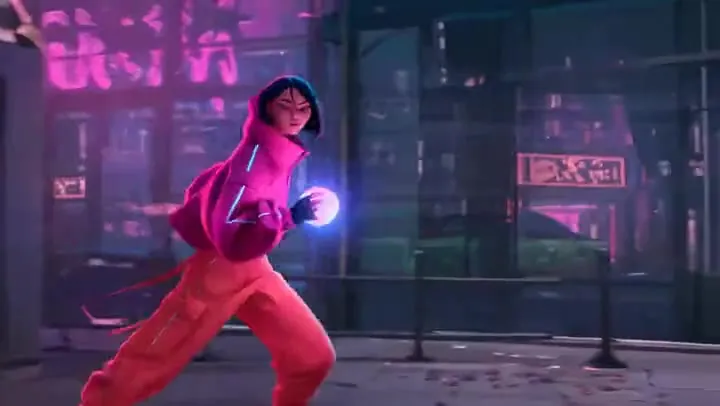
Clean cel-shaded animation with wind, motion, and a whispered line.
Three steps in your browser, from a photo or a few references.
Image to video animates one start frame. Reference to video builds a new scene from up to three images, such as a character, an outfit, and a location.
Write the action, camera move, and any dialogue in quotes. In reference mode, say what each image is, for example "the woman in reference image 2". Reference mode always needs a prompt.
Pick 5, 8, 10, or 16 seconds, 720p or 1080p, the aspect ratio for references, and native audio on or off, then press Generate With Vidu Q4.
Vidu Q3 made picture and sound together, and Q4 keeps it: dialogue with lip sync, footsteps, wind, and crowd noise are generated with the video. Turn audio off if you plan to add your own music.
Q4’s headline upgrade is performance: eyes, brows, and mouths move with the emotion of the scene, so close-ups and reaction shots hold up. Describe the feeling, not just the action, and let the model act it out.
Upload a character, a second person or product, and a place, then direct them in one prompt. The model keeps faces, outfits, and objects recognizable while it invents new angles and motion.
Like Vidu Q3, a single generation can run to 16 seconds, long enough for a complete gag, a short exchange of lines, or a product reveal without stitching clips together.
Character scenes and dialogue for episodic stories and motion comics.
Reference shots of a product placed into new scenes with sound.
Stylized 3D and anime clips from a character design or illustration.
Turn a portrait or travel photo into a 9:16 clip with ambient sound.
Habits that worked on Vidu Q3 and carry over to Vidu Q4.
Refer to uploads by number, such as "the man in reference image 1" and "the cafe in reference image 3".
Say how a character feels and how it shows: a slow look up, a held breath, tears, a half smile.
Put dialogue in quotes and list the sounds you expect, such as rain, traffic, or a door slam.
Use 5 seconds for one beat, 8 to 10 for a short exchange, and 16 for a full gag or reveal.
Need a video from words only? Generate with Seedance, Veo 3.1, Kling 3.0, and more.
Read the guideAnimate one photo and compare several image-to-video models.
Read the guideReference-heavy videos up to 30 seconds with images, video, and audio inputs.
Read the guideMulti-shot scenes with native audio, start and end frames, and up to 4K.
Read the guideCommon questions about Vidu Q3, Vidu Q3 Pro, and the Vidu Q4 generator on this page.
Vidu Q3 is ShengShu Technology’s AI video model, launched on January 30, 2026. It generates up to 16 seconds of 1080p video with native audio (dialogue, sound effects, and music) from text, an image, start and end frames, or reference images.
Vidu Q4. Vidu Q3 is not available here, so the generator uses Vidu Q4 Preview, the newer version released in October 2026. It keeps Q3’s native audio and 16-second length and adds stronger facial performance and reference control.
Vidu Q3 Pro is the full-quality version of Vidu Q3, the one most platforms list as Vidu Q3. Vidu Q3 Turbo is the faster, lower-cost version. Both make 1 to 16 second clips in 540p, 720p, or 1080p with native audio.
Same model. ViduQ3 and viduq3 are common spellings of Vidu Q3, and API platforms use model IDs like viduq3-pro and viduq3-turbo.
Not on this page. Vidu Q4 always starts from at least one image: a start frame or a reference image. For a video from words alone, use Text to Video, which offers Seedance, Veo 3.1, Kling 3.0, and other models.
Vidu models run on paid GPUs, so each clip has a real cost. On EzImgMaker, new users get free credits to try the Vidu Q4 generator; after that each video uses credits based on its length and resolution, shown before you generate. For Vidu’s own plans, check the official Vidu website.
You can choose 5, 8, 10, or 16 seconds in 720p or 1080p. Image to video keeps the aspect ratio of your start frame; reference mode lets you pick 16:9, 9:16, 1:1, 4:3, or 3:4.
Reference mode needs a prompt. Describe the scene and refer to each upload by its number, for example "the woman in reference image 1 hands the bag from reference image 2 to the man in reference image 3".
No. EzImgMaker is an independent service that provides access to Vidu Q4 through a third-party API provider. It is not affiliated with, endorsed by, or sponsored by ShengShu Technology or Vidu.
JPG, PNG, or WebP images up to 20 MB that you own or have permission to use. Do not upload other people’s likeness without consent or images of minors, and do not create videos that impersonate, mislead, or harass anyone.
Upload a start frame or up to three references and let Vidu Q4 add motion and sound.
Vidu is a trademark of ShengShu Technology or its affiliates. EzImgMaker is an independent service and is not affiliated with, endorsed by, or sponsored by ShengShu Technology or Vidu. Model names are used only to describe compatibility.