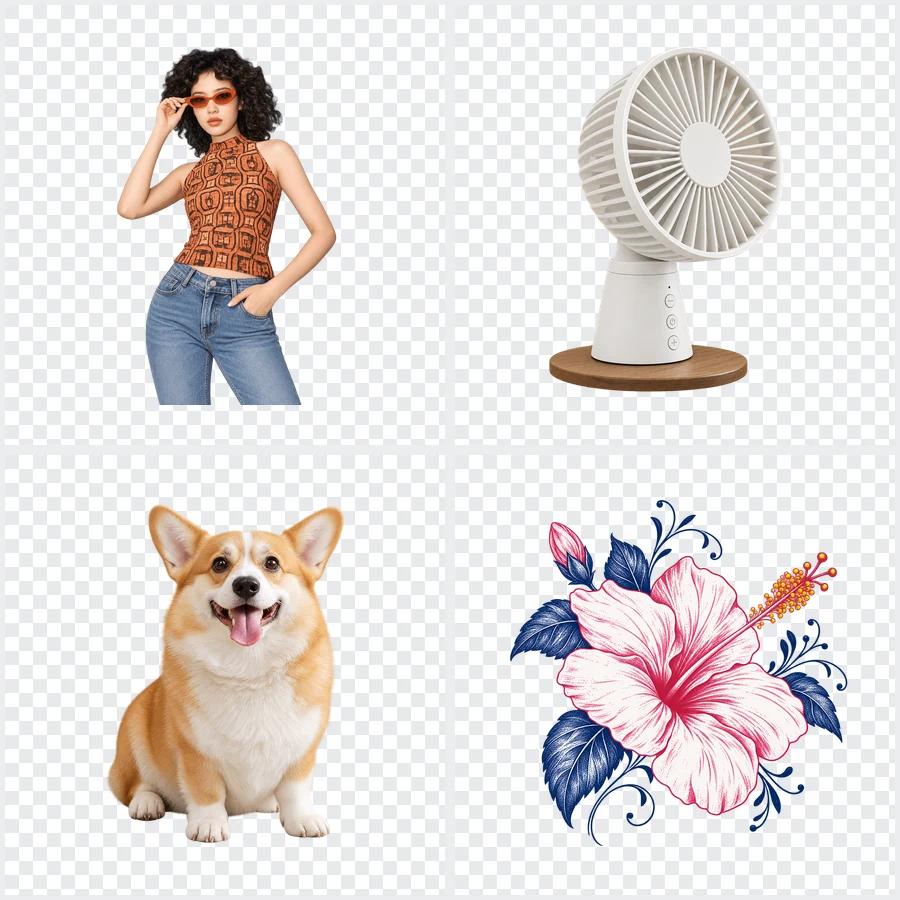
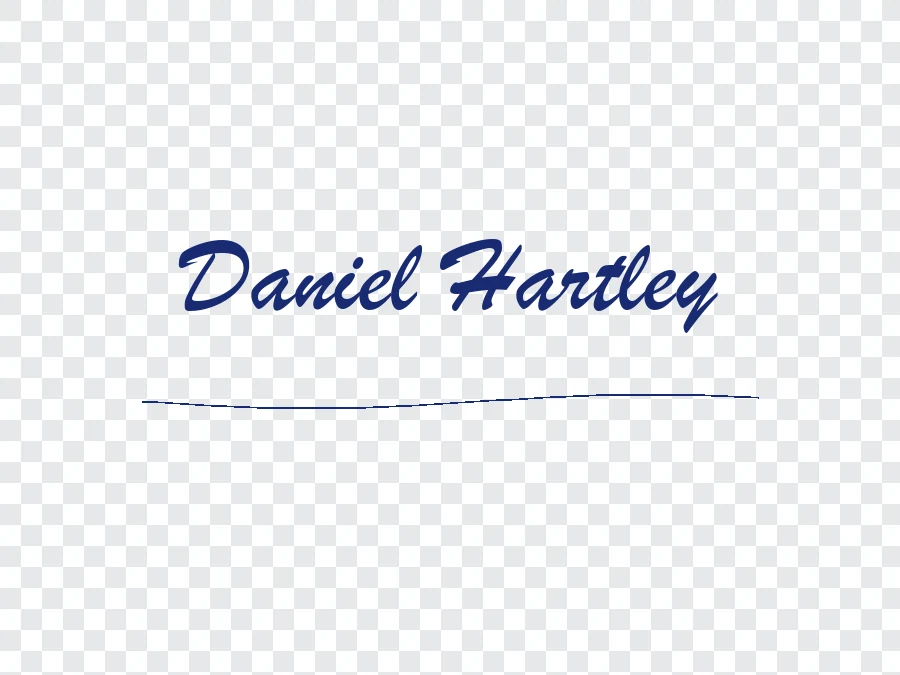
Upload a Photo, Logo or Product Shot
Add a JPG, PNG or WebP up to 5 MB and 4096 px per side. A subject that stands out from its background gives the cleanest edges.
Upload a photo, logo or product shot and the AI finds the subject, erases everything behind it and gives you a PNG with a real transparent background: no white box and no checkerboard drawn into the pixels. Drop the cut-out onto slides, websites, stickers or any design.


Reference example. It is not a result generated from your upload.
To make an image transparent usually means making its background transparent: the subject stays fully visible and every background pixel becomes see-through, so the picture sits on any color, photo or slide without a white box around it. This online tool to make background transparent works as a transparent background generator and image transparent maker: it detects the person, product, pet or logo, traces the edge, hair and fine details included, and deletes the rest. The result is a transparent picture saved as a PNG, the format that stores transparency in an alpha channel.
That is different from lowering an image’s opacity, which makes the whole picture faint, subject included. This page covers both: how to make background transparent with this transparent PNG maker, and how to make an image see through in PowerPoint, Canva or Photoshop when a faded look is what you want. Think of it as an image transparent converter that turns any JPG, PNG or WebP into a clean cut-out.
Make a photo transparent in three steps. There are no settings to get wrong and nothing to brush or mask, so it is the quickest way to make picture transparent for a slide or a shop listing.
Add a JPG, PNG or WebP up to 5 MB and 4096 px per side. A subject that stands out from its background gives the cleanest edges.
Click Make Transparent to make photo transparent around the subject: the transparent image generator finds the main subject and turns everything else into transparent pixels.
Drag the slider to compare with your original, then download a PNG with a transparent background, ready for slides, websites, stickers and print layouts.
The gray-and-white transparent checker in a preview is only how editors display transparency. Many AI image generators paint that checkerboard, or a plain white backdrop, into the pixels when you ask for “no background”. This transparent generator writes a true alpha channel, so the background really disappears when the PNG lands on a colored page.
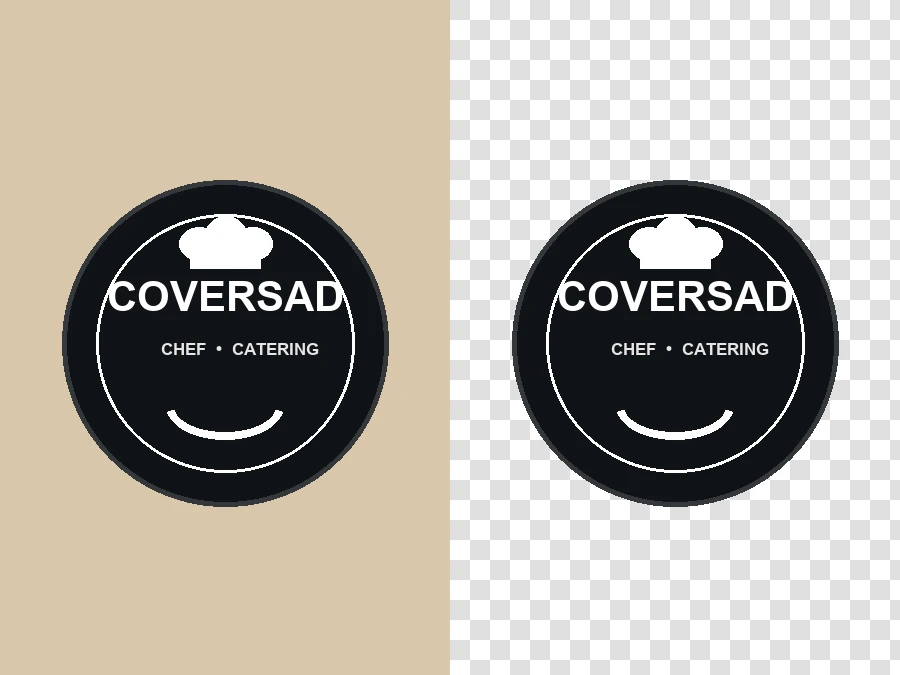
Logos, badges, signatures and illustrations need a clear background to sit on letterheads, merch mockups and websites. Upload the logo on its paper, wall or colored backdrop and get it back with the backdrop gone and the edges crisp. For a flat logo on one solid color, Remove Color from Image can also key it out in your browser.
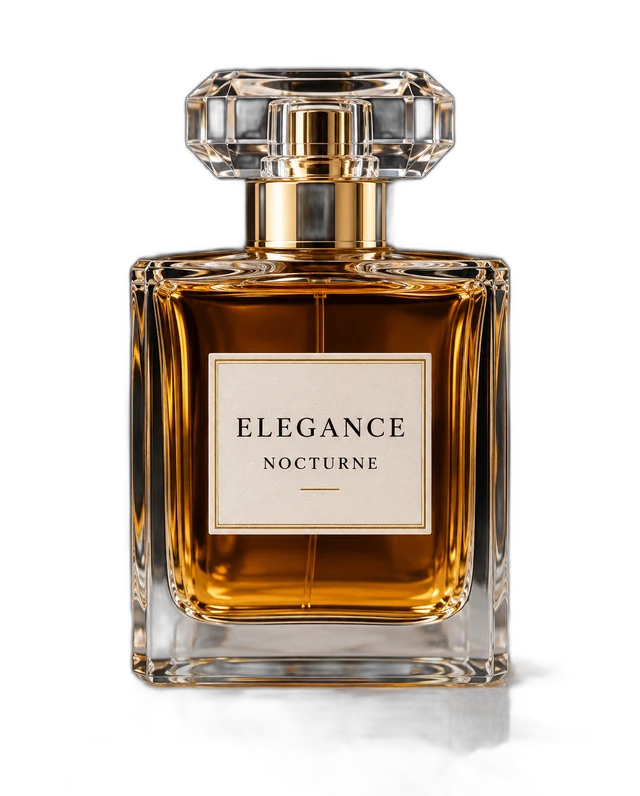
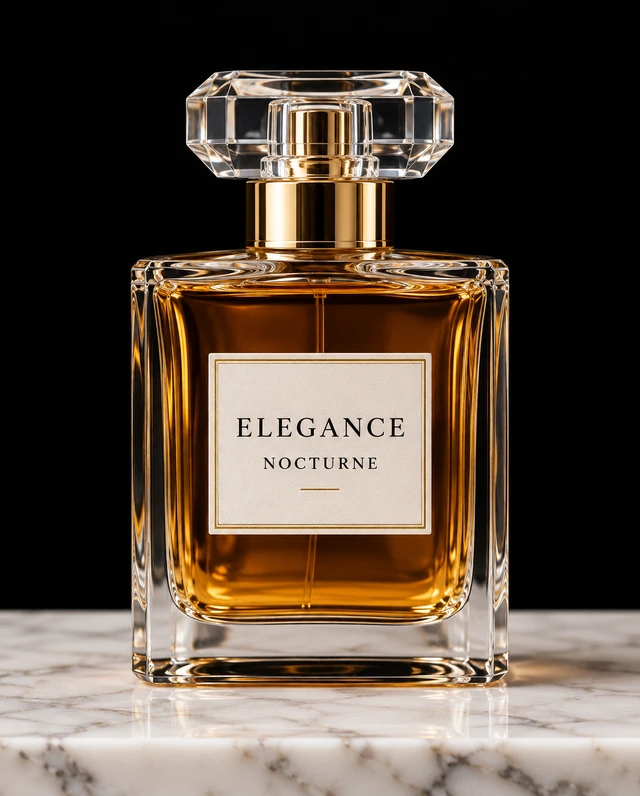
Make photo background transparent once and place the product anywhere: white for marketplaces, brand colors for ads, a seasonal scene for social posts. Glass, metal caps and soft reflections are the hard part, and the AI keeps the bottle’s outline and highlights instead of chopping them off.
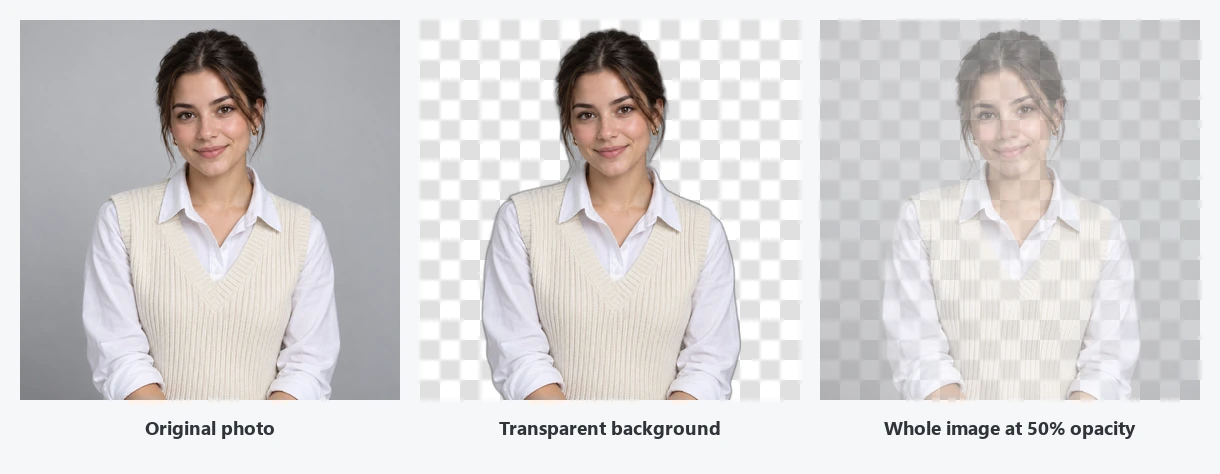
Two different edits are both called “transparent”. A transparent background keeps the subject solid and removes what is behind it (middle). Lowering opacity fades the entire photo, subject and background together (right): that is what an opacity editor or a 50% transparency slider does, and it is not a transparent filter you can undo later in the file. This tool does the first; the how-to section below shows the second.
Pick the right edit before you start, so you don’t fade a logo you meant to cut out.
| Transparent background | Lower opacity (see-through image) | |
|---|---|---|
| What changes | Only the background becomes transparent; the subject stays 100% solid | The whole picture becomes partly see-through, subject included |
| Typical use | Logos, product cut-outs, stickers, profile pictures, design layouts | Faded backgrounds behind text, overlays, watermarks, ghost effects |
| How to do it | This page: upload and click Make Transparent | A picture opacity editor: the transparency slider in PowerPoint or Canva, layer opacity in Photoshop, CSS opacity on a website |
| File format | PNG or WebP, which keep the alpha channel; JPG cannot store transparency | PNG if you export the faded picture; otherwise the setting lives in the slide or design file |
| Also called | Clear background, no background, cut-out, transparent bg | Translucent, see-through, faded, semi-transparent |
Want both? Make the background transparent here first, then lower the opacity of the cut-out in your slide or design app.
Prefer the app you already use? Here is how to make a photo transparent with built-in tools. They work well on simple backgrounds; for hair, fur and busy scenes the AI cut-out above is usually cleaner.
Open the image and choose Select > Subject, or click Remove Background under Quick Actions in the Properties panel. Photoshop adds a layer mask that hides the background; refine the edge with Select and Mask if needed. Export with File > Export > Export As, format PNG, Transparency on. Saving as JPG fills the background with white again.
Upload the photo, select it, click Edit and choose BG Remover (a Canva Pro feature). To keep a clear background, choose Share > Download, set the file type to PNG and tick Transparent background, also a Pro option.
Insert the picture, select it, and on the Picture Format tab click Remove Background. Mark areas to keep or remove, then click Keep Changes. For one flat color, Color > Set Transparent Color is quicker. Right-click the picture and choose Save as Picture > PNG to keep the transparency.
On an iPhone with iOS 16 or later, open the photo, touch and hold the subject until it lifts, then tap Copy or Share; apps that accept PNG paste it with a transparent background. Recent Samsung phones offer a similar long-press cut-out in Gallery. On any other phone, upload the picture here in your browser.
For a vector logo, delete the background rectangle and export as PNG; for a transparent background Inkscape needs nothing else, because its canvas exports transparent by default. For photos, a clip path or Trace Bitmap works, but uploading here is faster for anything with hair or soft edges.
To make a picture translucent instead of cut out, use an opacity slider: Picture Format > Transparency in PowerPoint, the checkerboard Transparency button in Canva, layer Opacity in Photoshop, or opacity: 0.5 in CSS. An opacity photo editor app, or a site where you edit image opacity online or change picture opacity online, does the same; export as PNG to keep the effect.
A transparent picture maker for anywhere a rectangle would get in the way.

Put a logo on letterheads, merch mockups and websites without a white box around it.
Transparent product photos drop onto white, brand-color or seasonal backgrounds in any listing template.
Make picture background transparent, then place people, products and icons on slides of any theme color and layer text around them.
Turn people and pets into stickers, profile picture cut-outs and thumbnails that pop off the background.
Transparent pictures layer cleanly in posters, flyers, T-shirt designs and photo collages.
Use the PNG as an overlay, lower third or webcam frame decoration in your editing or streaming software.
Want a white, black, colored, blurred or AI-made background instead of an empty one? Choose it there.
Open toolUpscale the original photo first, then make it transparent, for a larger and sharper cut-out.
Open toolRecolor a logo, an icon or one object in your PNG while the background stays transparent.
Open toolMake a whole batch of product photos or headshots transparent in one go.
Open toolTurn a cut-out into a die-cut sticker with a white border.
Open toolNeed more background rather than less? Extend the scene to 16:9, 9:16 or 1:1.
Open toolAnswers about transparent backgrounds, PNG files and opacity.
Upload the picture, click Make Transparent, and download the PNG. The AI keeps the main subject and turns the background into transparent pixels. If you mean a faded, see-through image, lower its opacity in your slide or design app instead (see the table above).
Remove the background and save the result in a format that keeps transparency, PNG or WebP. That is how to make a background of an image transparent anywhere: here it takes one click, in Photoshop it is Select > Subject plus Export As PNG, in PowerPoint it is Remove Background plus Save as Picture. It is also how to make a clear background behind a logo or signature.
Usually the file was saved or converted as JPG, which has no transparency and fills it with white, or the app you opened it in shows transparency as white. A gray-and-white transparent checker drawn into the image itself means the background was never transparent. Download the PNG from here and place it on a colored page to check.
No. A transparent background removes what is behind the subject and keeps the subject solid. Lowering opacity makes the whole image more see through, like tracing paper. To make image see through, use the transparency slider in PowerPoint or Canva, or any photo opacity editor; to cut out a subject, use this page.
To make pic transparent on the go, open this page in your phone’s browser, upload the photo and download the PNG; nothing to install. On iPhone you can also touch and hold the subject in Photos to lift it out, and recent Samsung phones offer a similar cut-out in Gallery.
AI image generators such as Google Gemini return ordinary flat images, so a “no background” request usually comes back with a white backdrop or a fake checkerboard painted into the pixels. Upload that image here and the AI removes the backdrop for real, giving you a transparent PNG.
To resize PNG without losing transparency, resize it in an editor that keeps the alpha channel and export as PNG or WebP again, never JPG. To upscale transparent image files, the cleanest order is to upscale the original photo first with the image upscaler, then make it transparent here.
Knowing how to make an image have a transparent background is half the job; the file format is the other half. PNG and WebP store full transparency, which is why downloads from here are PNG. GIF keeps only on-or-off transparency with rough edges, and JPG keeps none. If a site rejects PNG, ask whether it accepts WebP before converting to JPG.
You can make image background transparent free to try: new accounts get free credits when they sign up, enough to test this photo transparent maker on several images. After that, each cut-out uses credits from your balance.
Only upload images you own or have permission to edit, such as your own photos, products and logos. Removing the background from someone else’s artwork or photo does not give you the right to reuse it.
Upload a photo, logo or product shot and download a transparent PNG. Free to try with sign-up credits.