Product spin from 8 photos
Eight turntable shots of a ceramic teapot became a spinning product GIF: 0.2 s per frame, square photos on a 16:9 frame with a cream solid-colour fill, looping forever.
A free online GIF maker: add 2–60 pictures or one video of up to 30 seconds, set the order or trim the clip, choose size, crop, playback and an optional caption, then download an animated GIF. No sign-up, and your files stay on your device.
1Images
Reference example. It is not a result generated from your upload.
Example GIF · Add images or a video to make your own.
This GIF maker has two tabs. Images to GIF works as a photo to GIF converter. It takes 2 to 60 pictures (JPG, PNG or WebP, up to 20 MB each) and plays them as frames; drag the thumbnails, or tap their arrow buttons, until the order is right, then set how long each frame stays on screen, from 0.1 to 3 seconds. Video to GIF is the GIF creator from video: it takes one MP4, WebM or MOV clip of up to 30 seconds, and you trim the moment you want on a scrubber with a thumbnail strip and pick 5, 10, 15 or 20 frames per second.
Both tabs share the same finishing controls. Choose a width of 320, 480 or 640 px or keep the original size (capped at 1080 px), crop to 1:1, 16:9 or 9:16, and decide what fills the gaps when a picture doesn’t match the frame: a blurred copy, a solid colour or a crop. Play the animation forward, in reverse or as a boomerang, let it loop forever, once or three times, and add an optional caption in bold meme-style lettering.
Everything runs in your browser on EzImgMaker’s own GIF89a encoder, so your photos and clips are never uploaded. This animated GIF maker online is free and needs no sign-up: the live preview replays the loop as you change settings, an estimate shows the file size before you encode, and Download saves a standard .gif file.
Each loop is a real GIF from this tool; the caption lists the settings that made it.
Eight turntable shots of a ceramic teapot became a spinning product GIF: 0.2 s per frame, square photos on a 16:9 frame with a cream solid-colour fill, looping forever.
The video to GIF tool trimmed a sleepy wake-up to about two seconds at 10 fps, with MONDAY MORNING as a top caption in white letters and a black outline: the classic reaction GIF.
Two glasses clink, rewind and clink again. Boomerang plays the trimmed clip forward and then backward, so a one-second moment loops without a jump.
Reverse turns an ordinary milk pour into one that rises back out of the cup. Trim, frame rate and speed work exactly as they do for forward playback.
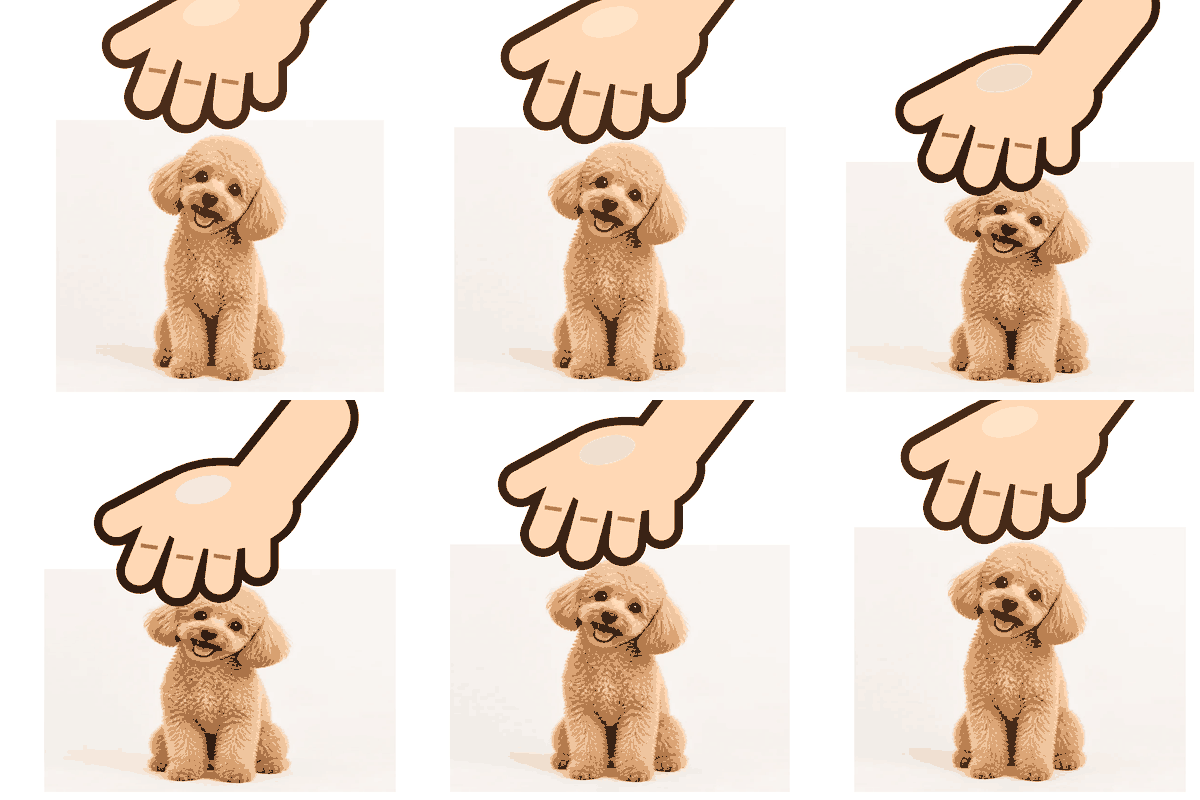
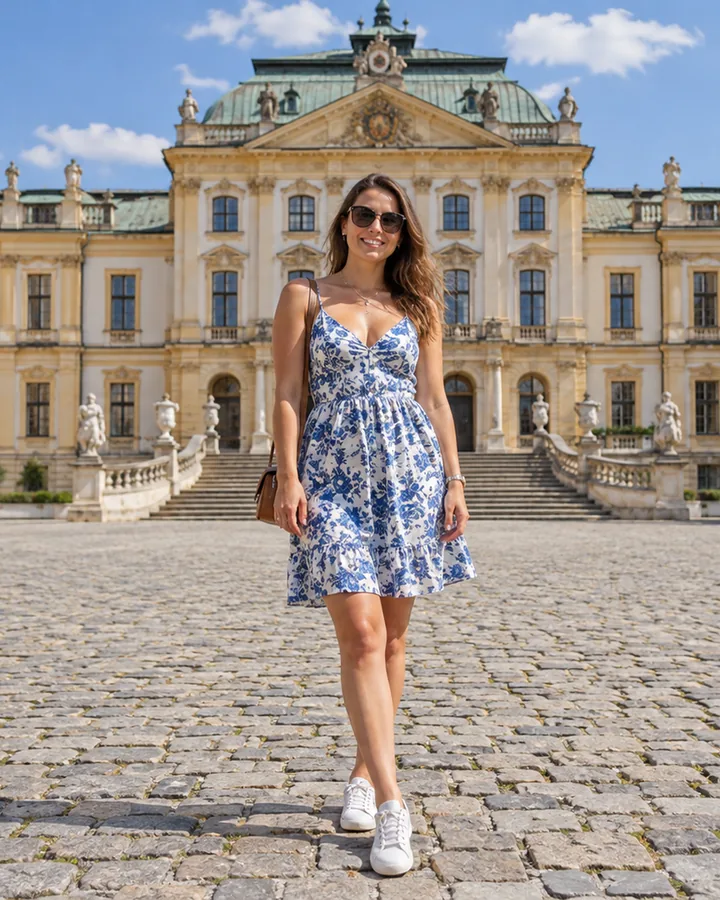
Four portrait snaps of two friends with party props, half a second each. In this photo to GIF maker, Blur fill puts a soft copy of every photo behind it, so nobody gets cut off in the wide frame.
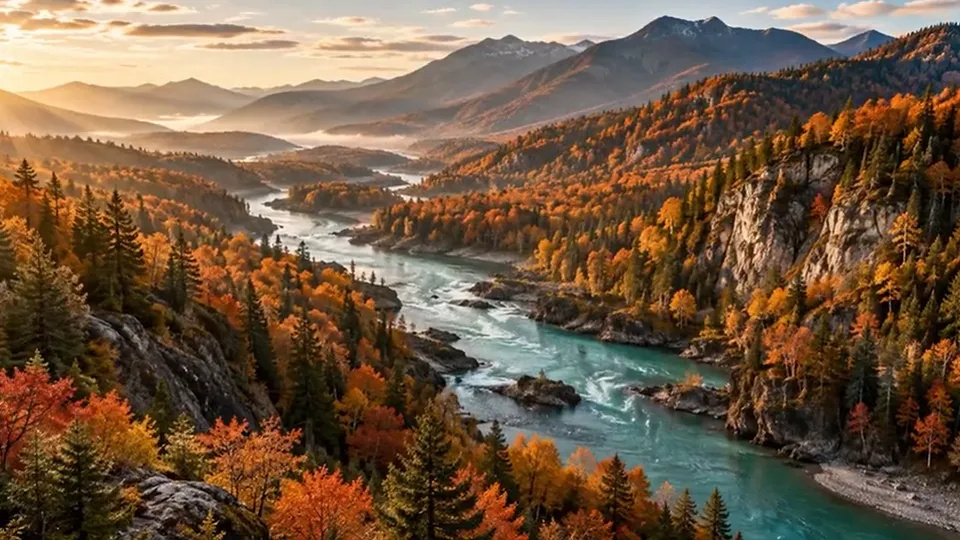
Ten photos from sunset to night at 0.3 s per frame. 256 colours with dithering keep the sky gradient smooth, at the high quality end of the size scale.
Four steps to make a GIF online, the same on a phone, tablet or computer.
Images to GIF: drop in 2–60 JPG, PNG or WebP pictures of up to 20 MB each, and add more whenever you like. To make a GIF from video, choose one MP4, WebM or MOV file your browser can play, no longer than 30 seconds.
Drag a thumbnail with the mouse or a finger, or use its arrows, and remove any shot you don’t need; the delay slider sets 0.1–3 s per frame. For a clip, set the start and end on the scrubber, then pick 5, 10, 15 or 20 fps and 0.5×, 1× or 2× speed.
Pick 320, 480 or 640 px or Original, an aspect of Original, 1:1, 16:9 or 9:16, and Blur, Solid colour or Crop for pictures that don’t fit. Then choose Forward, Reverse or Boomerang, how many times it loops, and type a caption if you want one.
Select 256, 128, 64 or 32 colours, a per-frame or shared palette, and dithering on or off while you watch the estimated file size. Press Create GIF, follow the progress bar, then download the .gif; its real size is shown once encoding finishes.
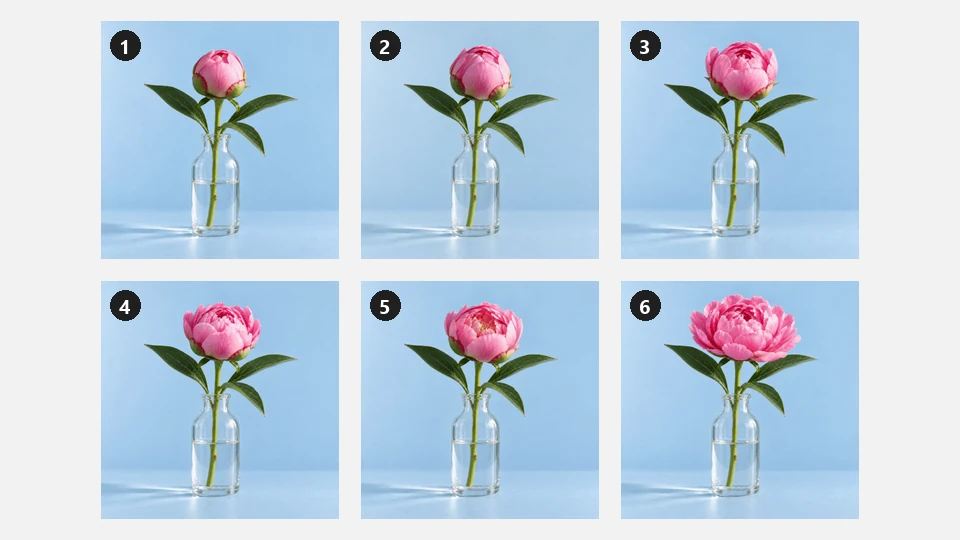
As a GIF creator from images, it turns photo bursts, product shots, drawings or screenshots into frames, up to 60 in one GIF. Reorder them by dragging or with the arrow buttons, take out a shot that breaks the rhythm, and set the frame delay anywhere from 0.1 s for a flicker to 3 s for a slow, slideshow-like pace.
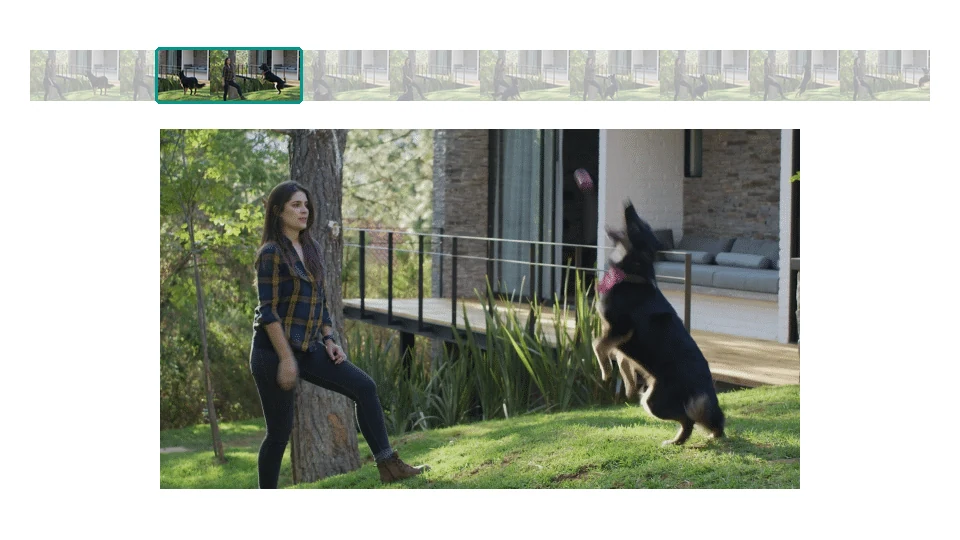
Video to GIF online, with nothing uploaded: this GIF maker from video loads a clip of up to 30 seconds, and you set start and end on the thumbnail strip so only the moment that matters stays. 10 fps suits most reactions, 15–20 fps looks smoother for sport and pets, and 0.5× or 2× gives slow motion or a sped-up loop. One GIF holds up to 300 frames.
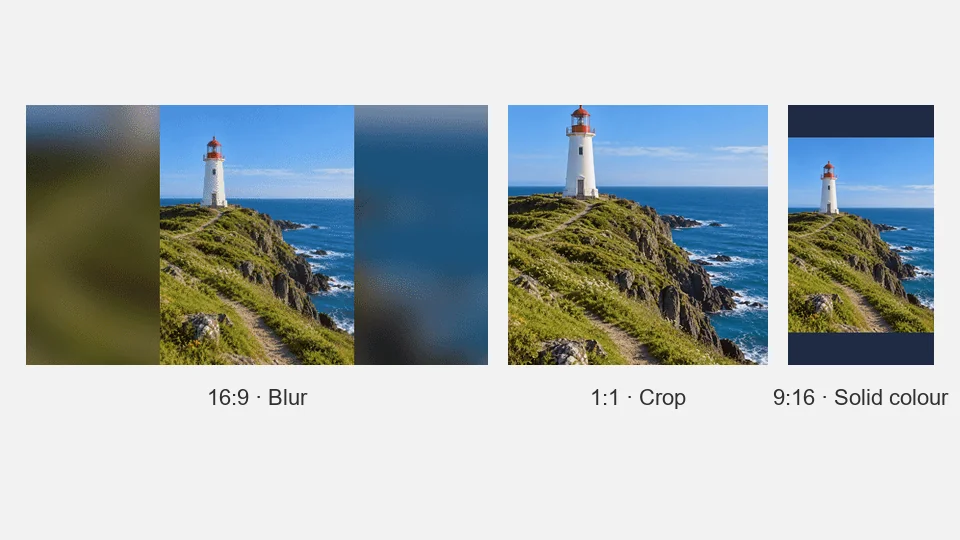
Pick 320, 480 or 640 px wide, or Original up to 1080 px, then an aspect of Original, 1:1, 16:9 or 9:16. When a picture’s shape doesn’t match, Blur puts a soft copy of it behind, Solid colour fills the space with a colour you choose, and Crop fills the frame by trimming the edges.
Captions make this a GIF maker with text on top, in the middle or at the bottom: choose the size, the colour and a black, white or no outline for bold meme lettering. Under Playback, Reverse runs the frames backwards and Boomerang (the bounce effect) goes forward then back, while the loop setting plays the GIF forever, once or three times.
Approximate sizes for photo and video content. Flat graphics and calm scenes come out smaller; busy scenes, film grain and dithering push the size up.
| Width × height | Frames (example) | Colours | Typical file size | Good for |
|---|---|---|---|---|
| 320 × 180 | 20 (2 s at 10 fps) | 64, dithering off | About 0.3–0.8 MB | Chat reactions and forum replies |
| 480 × 270 | 30 (3 s at 10 fps) | 128 | About 1–3 MB | Discord messages, team chat, email |
| 480 × 480 | 8 photos at 0.25 s | 128 | About 0.5–1.5 MB | Product spins on shop pages and newsletters |
| 640 × 360 | 45 (3 s at 15 fps) | 256, dithering on | About 4–9 MB | Discord under 10 MB, blogs, slides |
| 1080 wide (16:9) | 60 (4 s at 15 fps) | 256, dithering on | Often 15 MB or more | Presentations and files you keep; too big for most uploads |
Rough guide, not a promise: the tool shows its own estimate before encoding and the real size afterwards. Many chat apps cap uploads at about 10 MB, and GIFs in email are happiest under 1–2 MB.
Going from 640 to 480 px cuts the pixels in every frame by almost half, the biggest single saving on file size.
Each extra second adds frames. Cut the clip to its best moment, or use 10 fps instead of 20, before you reduce colours.
Screenshots, cartoons and text slides look fine at 64 or 32 colours. Skin tones, skies and food photos need 128–256.
Turn dithering on for sunsets and soft light to avoid colour banding; switch it off for a smaller file when the scene has flat areas.
A shared palette keeps colours consistent from frame to frame when the camera stays still; per-frame palettes suit clips whose colours keep changing.
Raise the frame rate rather than the width: 15 fps at 480 px often looks smoother than 10 fps at 640 px and usually weighs less.
Short, silent and playable almost anywhere: the places a GIF still beats a video file.
Use it as a GIF maker for Discord: a reaction from your own clip, 320 or 480 px wide, a short top caption and under 10 MB so it uploads.
Turntable photos become a product spin that shows every side of an item on a shop page or in a newsletter.
One photo per step, half a second apart, explains a knot, a fold or a recipe better than a single still picture.
Photo booth shots or a boomerang toast turn into a birthday GIF to send to everyone who was there.
GIFs play in many email apps and presentation tools without a video player. Some show only the first frame, so put the key moment first.
A short loop shows a bug, a trick shot or a before-and-after in a forum reply or a blog post where video embeds are awkward.
A GIF has no sound. Turn the same photos into an MP4 or WebM slideshow with an MP3 track instead.
Open the toolAlready have an animated GIF? Take the background out of every frame, or swap it for a plain colour.
Open the tooliPhone photos saved as HEIC? Convert them to JPG first, then add them here as frames.
Open the toolNeed a still emote instead of a loop? Turn a photo into a 128 × 128 custom emoji for your server.
Open the toolOpen Images to GIF, add your photos, put them in order and set the frame delay. Choose size, crop and playback, press Create GIF and download it. An animation needs at least two frames, so add a second shot even if it differs only a little from the first.
Yes. Here is how to make a video into a GIF: open Video to GIF, choose an MP4, WebM or MOV clip of up to 30 seconds, trim the start and end, and pick a frame rate and speed. A GIF holds up to 300 frames: that is 30 seconds at 10 fps, or 15 seconds at 20 fps.
Yes. You can make a GIF free of charge, you don’t need an account, and there is no app to install, because the frames are encoded by your own browser instead of a server.
Yes, it doubles as a GIF generator with text. Type a caption, place it at the top, middle or bottom, and set its size and colour. A black or white outline gives the bold lettering used on memes and reaction GIFs; pick None for a cleaner look. The text sits on every frame and does not animate.
To make a GIF for Discord, watch the estimated size as you adjust: lower the width to 480 or 320 px, trim the clip or choose fewer fps, drop to 128 or 64 colours and turn dithering off. 10 MB is a common upload cap in chat apps, including Discord on a free account, so aim a little below it.
A GIF stores at most 256 colours per frame, so photos and videos always lose some colour detail. To make a GIF higher quality, keep 256 colours, turn dithering on, use a per-frame palette for clips whose colours change, and choose 640 px or Original (up to 1080 px). Expect a bigger file in return.
No. The GIF format has no audio track, so the sound in your video is dropped. If you need audio, share the original clip, or turn your photos into an MP4 slideshow with music using the Photos to Video tool.
No. Decoding, cropping, captioning and encoding all happen on your device, and the encoder works in a background thread so the page keeps responding. Nothing is sent to EzImgMaker’s servers.
Images: JPG, PNG and WebP up to 20 MB each, 2–60 per GIF. Video: one MP4, WebM or MOV your browser can play, up to 30 seconds. Links can’t be used as input, and transparent parts of a PNG won’t stay transparent. If a phone clip won’t load, save it as an MP4 (H.264) and try again.
Only use photos and clips you took yourself or have the right to use, and ask the people in them before you share the GIF. Don’t make GIFs that mock, harass or impersonate anyone, and leave out film or TV footage you have no permission to use.
Create a GIF free in your browser: add pictures or a video, set the order, size and caption, check the estimated file size and download your animated GIF.