Cliffside Hover-Bike Chase
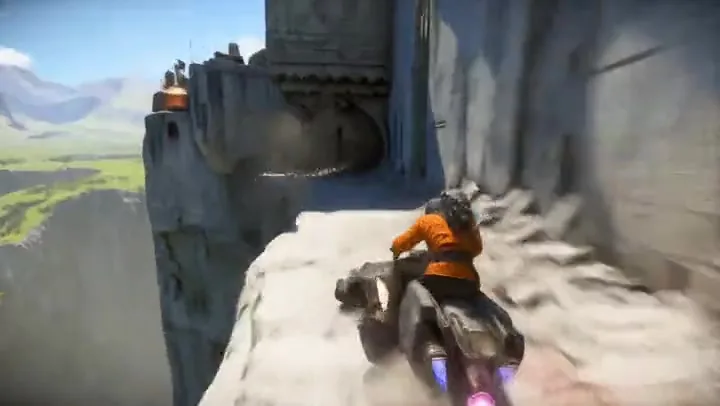
Text to video in one continuous take: the chase camera stays on the rider through the tunnel while engine whine and echoing wind fill the track.
MiniMax H3, the newest Hailuo video model, makes 4 to 15 second clips with dialogue, music and sound effects generated in stereo alongside the picture. Write a scene, start from a first and last frame, or steer it with reference images, a reference video and an MP3, then render in 768P or 2K.
Aerial drone shot gliding forward low over a glacier fjord at sunrise. A small red research ship cuts a bright white wake through dark blue water between towering blue ice cliffs, and a slab of ice breaks from the cliff on the left and crashes into the sea. Low golden sun, long shadows, crisp detail on the ice, cinematic teal and amber grade. Sound: steady wind, the distant hum of the ship engine, a deep booming splash as the ice hits the water.
Reference example. It is not a result generated from your upload.
MiniMax H3 is the latest AI video model from MiniMax, the company behind Hailuo AI, which is why many people look for it as the Hailuo H3 model. It generates the picture and a stereo soundtrack in the same pass: spoken dialogue, music, ambience and sound effects all come from your prompt, so every MiniMax H3 video arrives with its sound already in place. There is no switch to turn the audio off, so you direct it with words instead.
The MiniMax H3 model works three ways. MiniMax H3 text to video builds a scene from words alone. MiniMax H3 image to video (I2V) opens on a first frame you upload and can land on a last frame. MiniMax H3 reference to video takes up to three images, a reference video for a camera move or a clip to restyle, and an MP3 for a voice or song. Clips run 4 to 15 seconds in 768P or 2K, and you can run MiniMax H3 online here with no install or GPU.
MiniMax H3 examples for all three modes. Unmute a clip to hear its stereo sound, then load one of these MiniMax H3 prompts into the workspace and make it your own.
Text to video in one continuous take: the chase camera stays on the rider through the tunnel while engine whine and echoing wind fill the track.
A 9:16 food close-up where the slow, heavy pour and the drip you hear match the motion on screen.
Image to video: the woman, her basket and the evening light stay true to the uploaded frame as a gust travels along the sheets.
Reference to video: the singer comes from a reference image, the camera move from a reference video and the vocals from an MP3.
A reference clip rebuilt as a toy-brick world: the wave and the room layout stay, everything else turns into plastic bricks.
A 2K macro product shot: a drop bursts into spray on smoky glass, then a spelled-out title card fades in beneath the bottle.
A short MiniMax H3 tutorial: MiniMax H3 video generation in four steps, from choosing a mode to playing the result with sound.
Text to video needs only a prompt. Image to video asks for a first frame and takes an optional last frame. Reference to video accepts up to three reference images, one reference video and one MP3; add at least one image or video.
Describe the subject, the action and the camera move, then finish with a "Sound:" line for ambience, effects and music. Put any spoken line in quotes so MiniMax H3 voices it.
Drag the Duration slider anywhere from 4 to 15 seconds and pick 768P or 2K. Text and reference clips can be 16:9, 9:16 or 1:1; image to video takes its shape from your frame.
The credit cost shows on the Generate button before you start. When the clip is ready, unmute it to check the voice and effects, then download it.
Every MiniMax H3 video comes with a stereo soundtrack generated alongside the picture. Write a line of dialogue in quotes, name the ambience and add a music cue, and the voice, room tone and score arrive with the shot. Text and image modes need no audio upload, and for a MiniMax H3 music video you can add your own track in reference mode.
Pick any whole number of seconds from 4 to 15, then draft in 768P or render in 2K. 2K is available at every length, so MiniMax H3 quality holds up even in a 15-second aerial like this fjord clip, with crisp ice and water detail.
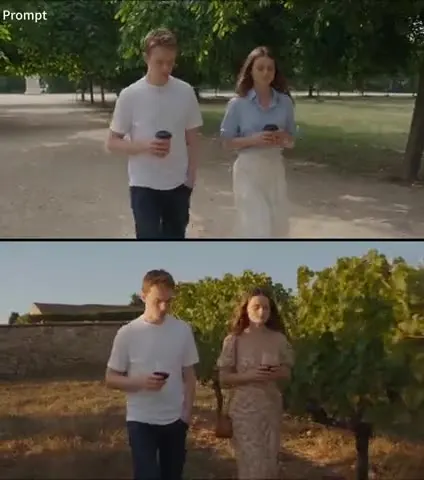
MiniMax H3 keyframes are a first frame and an optional last frame. In image to video (MiniMax H3 I2V), the clip opens on the exact frame you upload and keeps the face, coat and setting from it; add a last frame to pin the ending, then describe what happens in between: the doors close, the train pulls away, the camera tracks along.
Combine up to three reference images with a reference video and an MP3 in one request. Give each file a job, such as the character from the image, the camera move from the video and the vocals from the audio. A reference video is the most direct form of MiniMax H3 camera control, and H3 folds all three into one performance.
This is MiniMax H3 video to video: upload your own footage as the reference video and describe a new look. MiniMax H3 video editing keeps the motion and layout of the source, as in this brick-built version of a man waving at his desk, while the style changes completely.
What you can set when you generate with MiniMax H3 here.
| Spec | MiniMax H3 |
|---|---|
| Modes | Text to video, image to video, reference to video |
| Video length | 4 to 15 seconds, any whole second |
| Resolution | 768P or 2K |
| Aspect ratio | 16:9, 9:16, or 1:1 for text and reference clips; image to video follows your frame |
| Image to video | First frame required, last frame optional (JPG, PNG, or WebP, up to 20 MB) |
| Reference files | Up to 3 images, 1 video (MP4 or MOV, 2–15 s, up to 50 MB), and 1 MP3 (2–15 s, up to 10 MB) |
| Sound | Stereo dialogue, music, and effects in every clip; it cannot be switched off |
| Prompt | Up to 5,000 characters |
Reference audio needs a reference image or video in the same request. The length of a reference video is added to the clip’s cost, which always appears on the Generate button before you start.
How MiniMax H3 compares with two other video models with sound on EzImgMaker.
| MiniMax H3 | Seedance 2.5 | Kling 3.0 | |
|---|---|---|---|
| Made by | MiniMax (Hailuo AI) | ByteDance | Kuaishou (Kling AI) |
| Best for | Sound-led clips and reference-driven performances | Long takes guided by many reference files | Multi-shot story clips |
| Clip length | 4–15 s | 4–30 s | 3–15 s |
| Highest resolution | 2K | 1080p | 4K |
| Start + end frame | Yes | Yes | Yes |
| References | Up to 3 images, a video, and an MP3 here | Up to 30 images, 10 videos, and 10 audio clips | Up to 3 elements, plus an optional voice clip |
| Native sound | Stereo, always on | Yes, can be switched off | Yes, on or off |
MiniMax H3 vs Wan 2.2: Wan 2.2 is the low-cost choice for quick 5-second drafts in 480p or 720p, without reference files.
2K macro product shots with spray, backlight, a title card and a sound sting for a launch post.
Vertical close-ups of pours, sizzles and drips where the sound sells the texture.
Test a line reading in a locked-off close-up before casting or shooting the scene for real.
Sketch a performance from a reference photo, a camera-move clip and the track itself.
2K aerials and landscape B-roll with wind, water and engine sound already on the track.
Turn a key drawing or photo into a moving shot to check timing and camera before a shoot.
The MiniMax H3 prompting guide in one line: picture first, then camera, then a Sound: line, with any dialogue in quotes. The MiniMax H3 prompt examples above all follow it.
MiniMax H3 dialogue follows the quotes: she says softly, "I kept the ticket." Keep each line short enough to fit the seconds you chose.
List what you want to hear, from near to far: a crisp water drip, a low cello note, quiet room tone. Want ambience only? Add "no music".
For a talking close-up, write "locked-off camera, no zoom and no pan" and time the beats: "0 to 2 seconds… 2 to 5 seconds…".
"The woman from the reference image, the camera move from the reference video, the vocals from the reference audio" leaves nothing to guess.
Give the exact words in capitals, the lettering style and the moment they appear: "At 3 seconds the words NOCTURNE 09 fade in."
Check timing, motion and sound at 768P, then render the version you like in 2K for the sharpest detail.
Earlier Hailuo models, close rivals, and a way to keep a clip going.
MiniMax’s earlier Hailuo 2.3 and Hailuo 02 models side by side with H3, for silent 6 or 10 second clips.
Read the guideMiniMax H3 vs Kling AI: choose Kling 3.0 for multi-shot scenes and 4K output.
Read the guideRough out motion with low-cost 5-second drafts before you spend credits on H3.
Read the guideH3 has no extend option: upload a finished clip here and describe what happens next.
Read the guideCommon questions about the MiniMax H3 video model.
MiniMax H3 (also called Hailuo H3) is an AI video model from MiniMax, the company behind Hailuo AI. It makes 4 to 15 second videos in 768P or 2K from text, from a first and last frame, or from reference images, video and audio, and it generates a stereo soundtrack with every clip.
Both: MiniMax H3 is free to try on EzImgMaker, since new accounts get free credits when they sign up. After that, MiniMax H3 pricing is per clip. The MiniMax H3 price depends on length and resolution, plus the length of any reference video, and the exact MiniMax H3 cost appears on the Generate button before you start.
Any whole number of seconds from 4 to 15. The MiniMax H3 duration range is the same in every mode and at both resolutions, so a 15-second clip can still be rendered in 2K.
Choose 768P for drafts or 2K for final output; 2K uses more credits. Text and reference clips can be 16:9, 9:16 or 1:1, and in image to video the shape comes from your first frame.
No. Sound is generated with every clip and cannot be disabled. To keep it quiet, describe only soft ambience or room tone and write "no music" or "no dialogue" in the prompt; you can also mute or replace the track after you download the video.
Choose Reference to video and upload a reference video (MP4 or MOV, 2 to 15 seconds), an MP3 of 2 to 15 seconds, and up to three images. Audio needs an image or a video alongside it. Then say in the prompt what each file controls, such as the camera move or the vocals. Only upload media you own or have permission to use.
It can restyle one: upload the clip as a reference video, describe the new look and ask it to keep the motion, as in the brick-built example above. There is no extend button. For a MiniMax H3 video continuation, use the final frame of your clip as the first frame of a new image-to-video clip, or use the AI Video Extender.
Use MiniMax H3 for 2K clips of up to 15 seconds where the sound matters, or when a reference image, a video and an MP3 should drive one performance. Use Seedance 2.5 for takes of up to 30 seconds guided by many reference files, or when you want to switch the sound off.
Judging by the clips on this page, MiniMax H3 is strongest when sound matters: voices, pours, splashes and engine noise land with the action, and 2K keeps its detail at full length. The trade-offs are audio you cannot switch off, a 15-second ceiling and no extend button.
MiniMax H3 is developed by MiniMax. EzImgMaker is an independent site that provides access to MiniMax H3 through a third-party provider and is not affiliated with, endorsed by, or sponsored by MiniMax.
Write a scene with its sound, start from your own frame, or bring a reference image, clip and track, then render it in 2K.
EzImgMaker is an independent site and is not affiliated with, endorsed by, or sponsored by MiniMax or Hailuo AI. Model names are used only to describe compatibility.