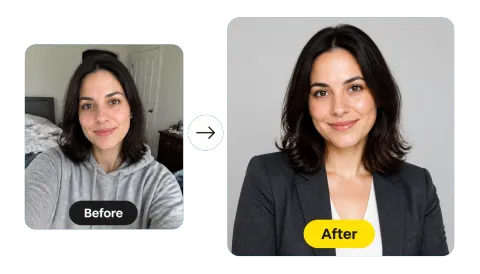
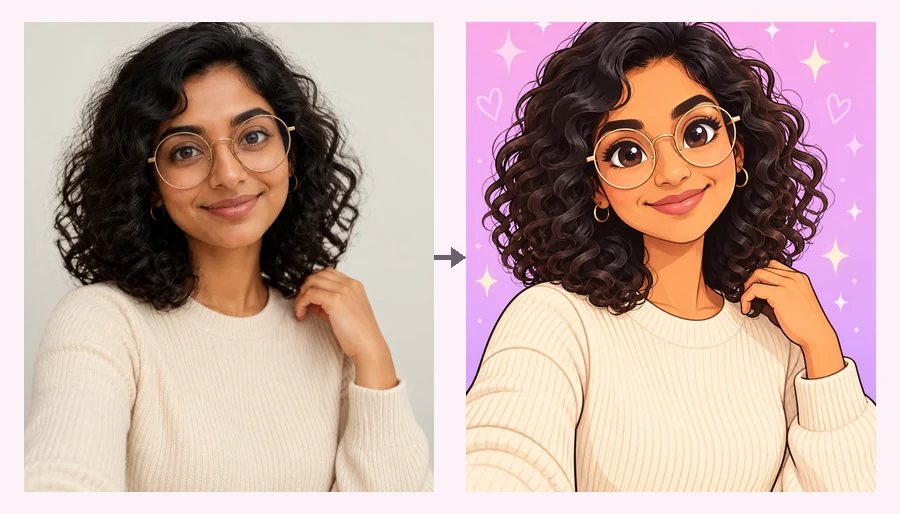
Upload a Photo
Add a JPG, PNG, or WebP up to 20 MB: a selfie, a pet, a character, or a logo. It opens locally and stays on your device.
Crop any photo into a round avatar, or fit the entire picture inside the circle with no cropping. Preview it live, pick a size for Discord, X, YouTube, Twitch, or WhatsApp, and download a PNG with transparent corners.
One-click avatar crops
Fine-tune
Runs in your browser. Your photo is never uploaded.

Reference example. It is not a result generated from your upload.
An avatar cropper turns any photo into a profile picture: a square image that apps such as Discord, X, YouTube, Twitch, and WhatsApp display as a circle. This one shows the round crop live, lets you move the crop up or down so faces stay in frame, and exports a PNG with transparent corners or a plain square.
Its other trick is the one people search for most: fit the entire picture into a Discord PFP. Instead of losing the edges of a full-body shot or a group photo, Fit entire picture shrinks the whole image into the circle and fills the gap with transparency, a blurred copy, white, or black. It runs in your browser, so it is free, needs no sign-up, and your photo is never uploaded.
Get your avatar cropped to a clean circle without an editor.
Add a JPG, PNG, or WebP up to 20 MB: a selfie, a pet, a character, or a logo. It opens locally and stays on your device.
Crop to fill fills the circle with your subject; drag the photo in the preview and zoom in to frame a face exactly, or move the crop anchor to Top. Fit entire picture keeps everything inside the circle instead.
Choose 512×512, 128×128 for Discord, 400×400 for X, 640×640 for WhatsApp, or 800×800 for YouTube and Twitch, then save a PNG with transparent corners.
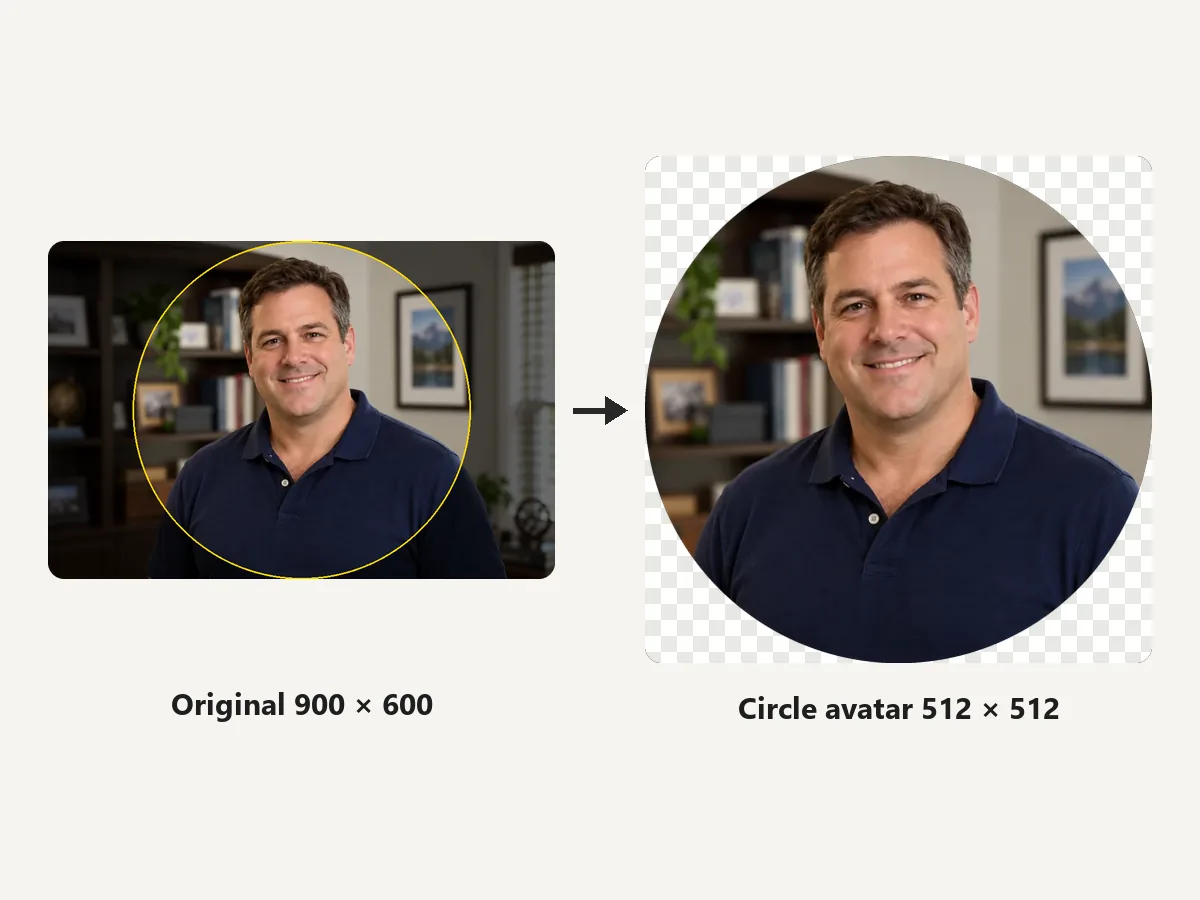
See the round avatar exactly as apps will show it. The circle is cut with smooth edges and transparent corners in PNG or WebP, so it sits cleanly on light and dark themes.
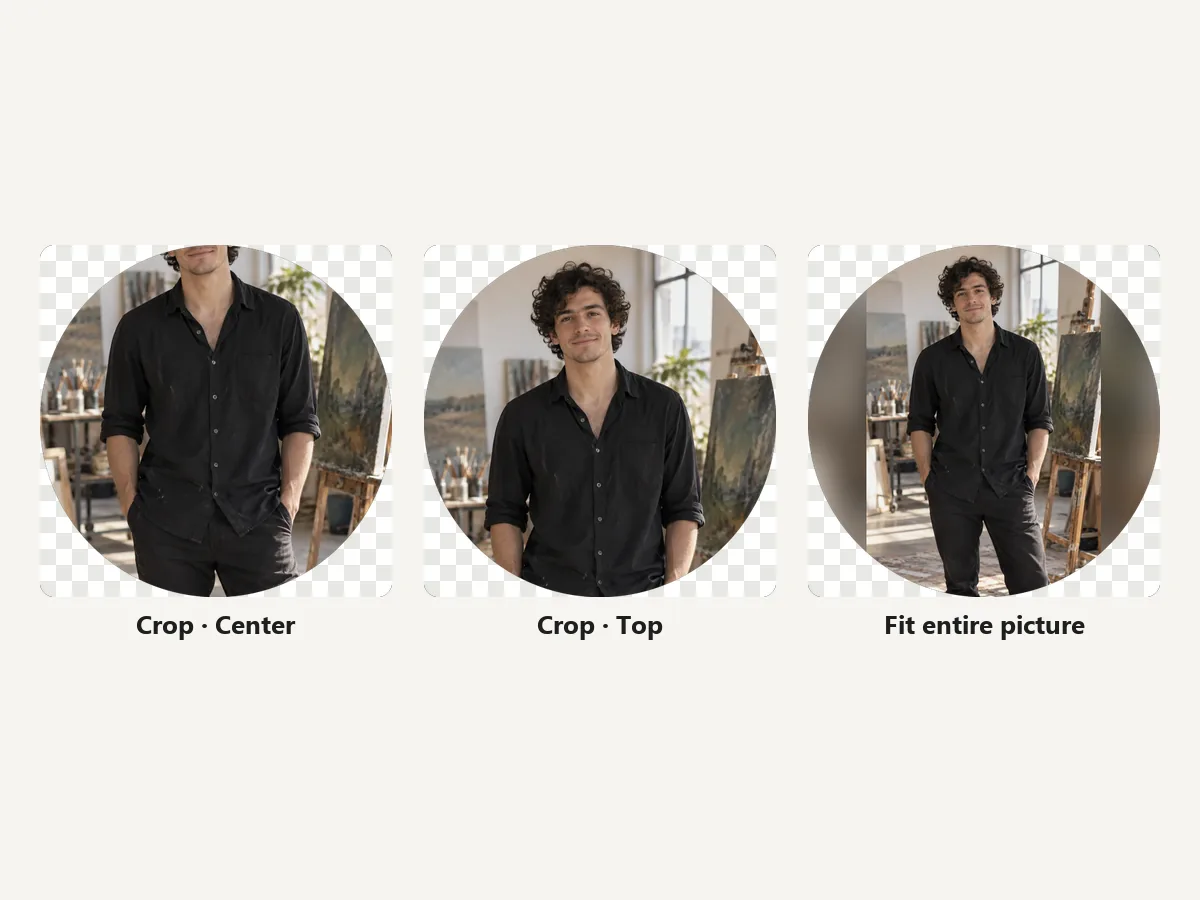
A square crop of a full-length photo cuts off the head or the feet. Fit entire picture keeps the whole person inside the circle, and the Top anchor is there when you would rather crop to the face.
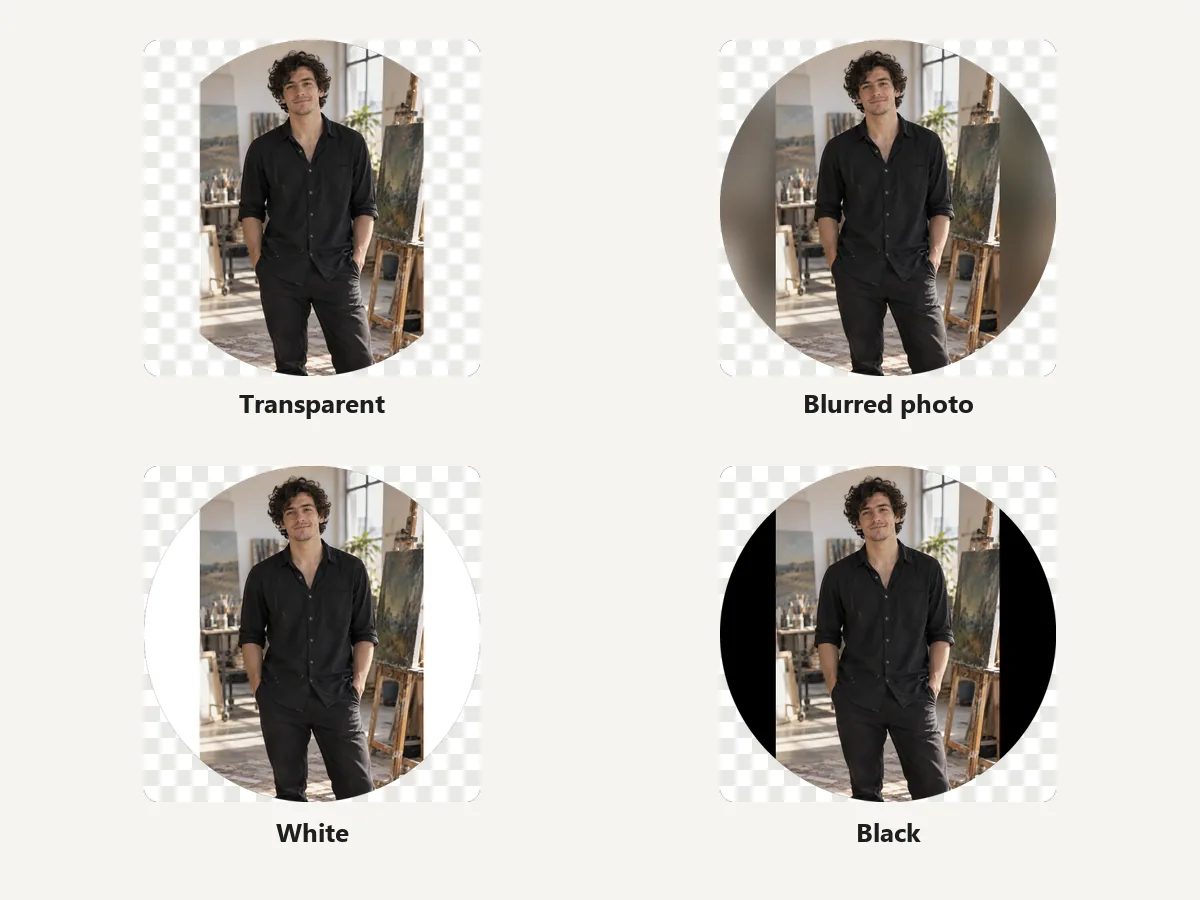
When the whole picture is fitted, choose transparent edges for a cut-out look, a blurred copy of the photo for a seamless circle, or solid white or black for a framed badge.
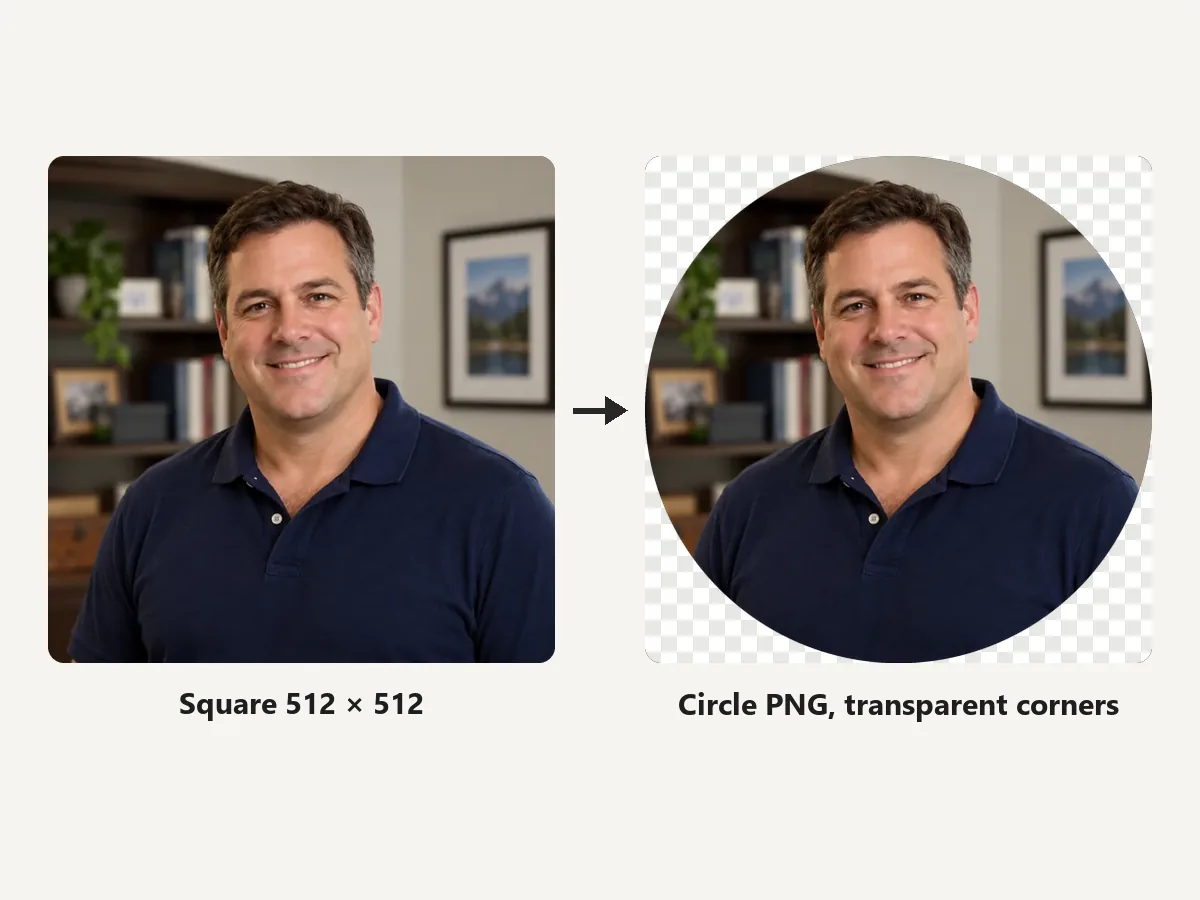
Some sites want a square they crop themselves; others look best with a ready-made circle PNG. Switch the shape and pick a preset size for Discord, X, YouTube, Twitch, or WhatsApp.
Upload a square; each app turns it into a circle.
Square, shown as a circle; 512 × 512 stays crisper. PNG or GIF (animated avatars need Nitro).
Recommended profile photo size, JPG, PNG, or GIF up to 2 MB.
YouTube renders it at 98 × 98; Twitch needs at least 256 × 256.
Square JPG works best; transparent PNG areas show up black.
Avatars appear tiny in chats and comments.
Crop tight so the face takes up most of the circle; small details vanish at 40 px.
Anything in the corners of the square disappears in the circle. Center logos and text.
A plain or blurred background makes the subject pop on light and dark themes.
Upload the original photo and let the cropper scale it down; enlarging tiny images looks soft.
How people use an avatar cropper.
Illustrative examples adapted from reference material, not verified reviews of EzImgMaker.
My character art is full-body and Discord kept chopping the legs. Fit entire picture with a blurred fill keeps the whole outfit in the circle.
I needed the same headshot round for Slack-style tools and square for a portfolio site. Two clicks, two files.
The transparent corners matter on dark mode. No white box around my avatar any more.
Cropped avatars for our whole team page in one sitting, and none of the photos left my computer.
Circle crops, Discord PFPs, sizes, and privacy.
It crops a photo to a square profile picture and, if you like, cuts it into a circle with transparent corners, at the size a platform expects. This avatar cropper also previews the circle live and can fit the entire picture inside it.
Upload the image, choose Fit entire picture in circle (or set Fit to Fit entire picture), and pick a fill. The whole image is scaled to sit inside the circle, so Discord has nothing left to cut off.
Use a square of at least 128 × 128 pixels; 512 × 512 looks sharper on high-resolution screens. As a Discord PFP cropper, this tool exports either size as a circle or square PNG.
Most platforms crop a square into a circle themselves, so a square works everywhere. A circle PNG with transparent corners is useful for sites, slides, and signatures that show the image as-is.
JPG cannot store transparency, so the corners outside the circle become white. Choose PNG or WebP to keep them transparent.
Yes. Any image can be cut into a circle at sizes from 128 to 1024 px, which works for logos, team pages, and sticker-style graphics.
It is free with no sign-up. The photo is processed in your own browser and never leaves your device. Only crop photos you have the right to use.
Use the crop anchor: Top keeps heads in tall photos, Bottom favors subjects low in the frame. For wide photos the circle stays centered horizontally.
Upload a photo, crop or fit the circle, and download a profile picture for any platform.