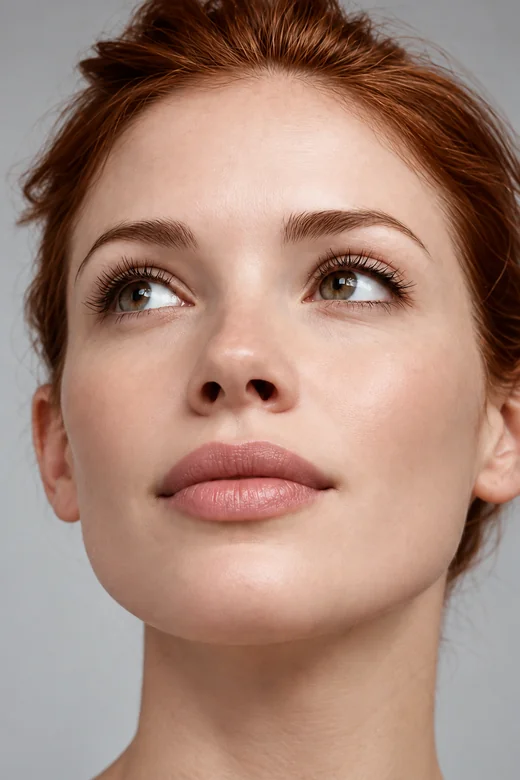
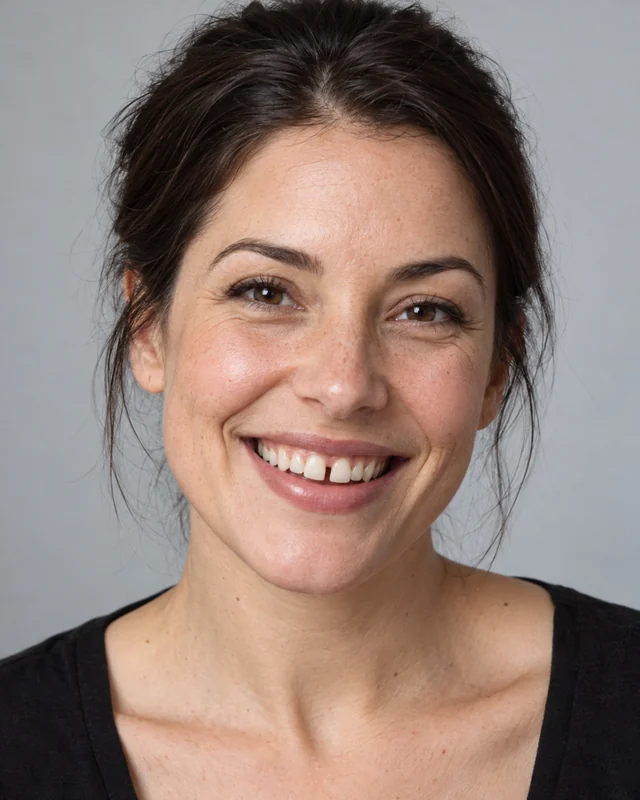
Front Gap Closed
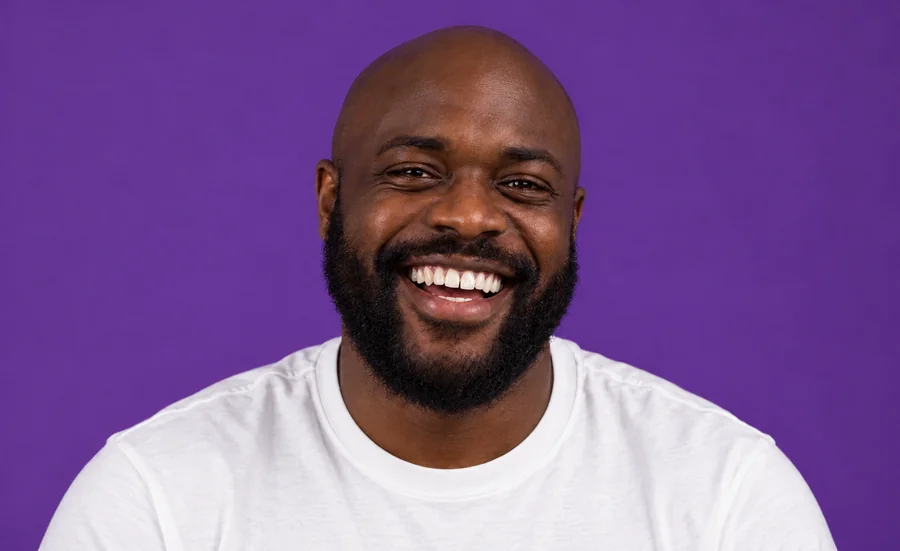
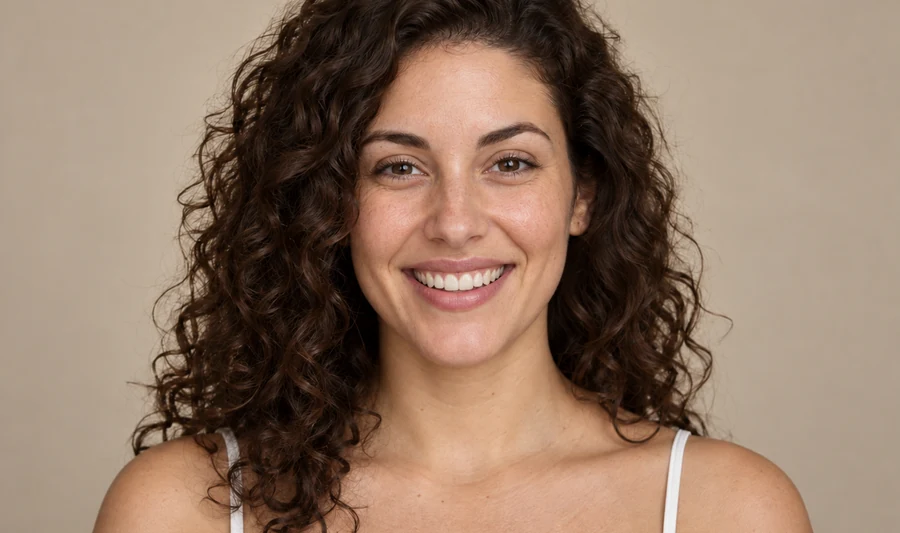
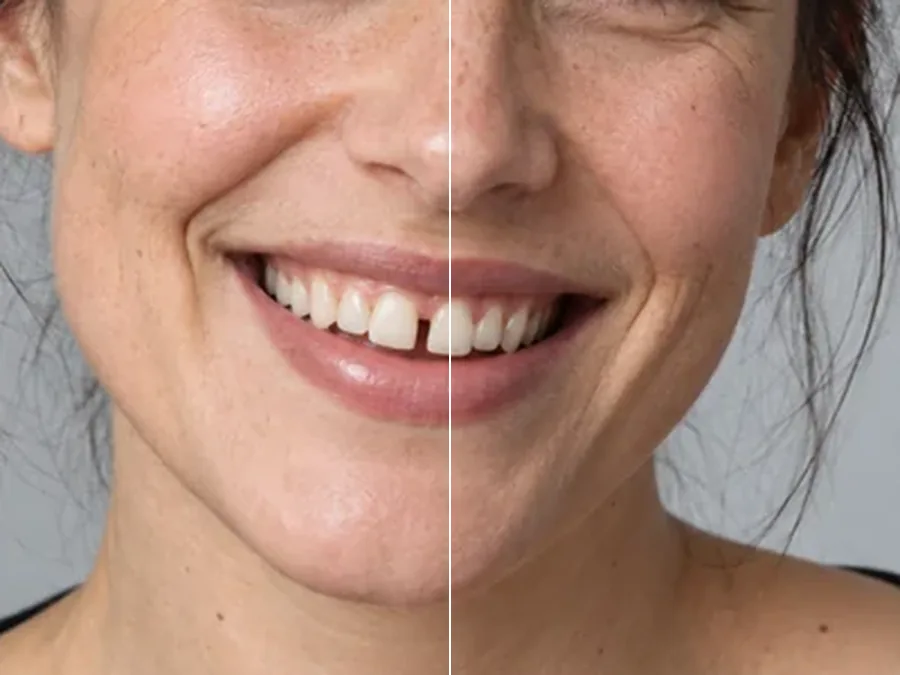
A gap between the front teeth is closed by moving the teeth together, keeping their own shape and color.
Love the photo but not the smile? Upload it, choose what to fix (crooked teeth, a gap, crowding, uneven edges or a gummy smile) and how strong the change should be. The AI straightens your own teeth and keeps their color, your lips and your face exactly as they are.
Smile fixes
Fine-tune
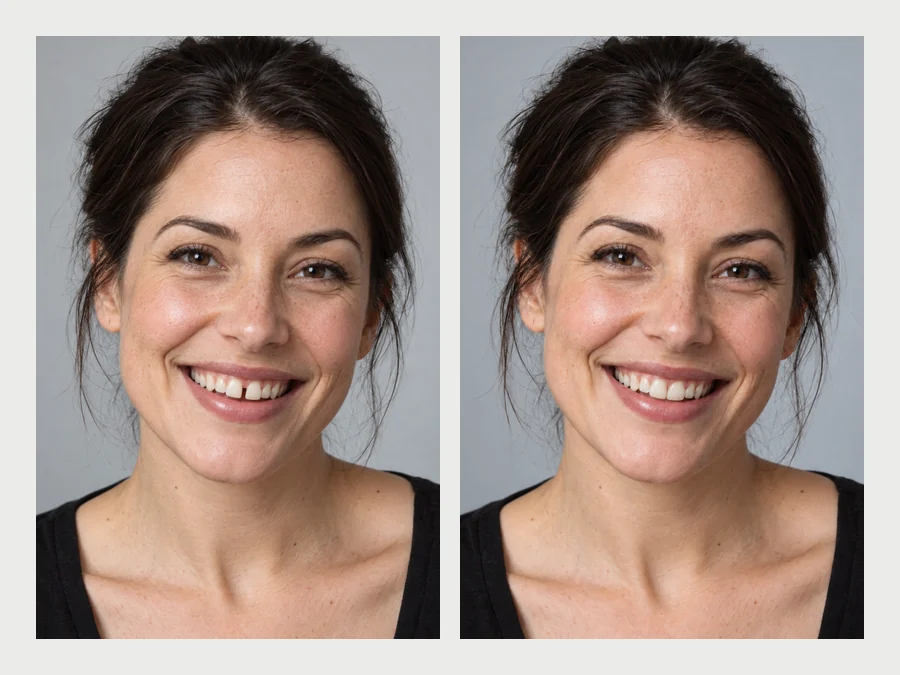
Reference example. It is not a result generated from your upload.
A straight teeth filter is an AI photo editor that lines up the teeth in a smile. It straightens crooked or rotated teeth, closes small gaps, untangles crowding and evens out the biting edges, then rebuilds the enamel with natural texture and shading so the smile still looks like real teeth. Your lips, face and the rest of the photo stay as they were.
Most smiles are a little uneven, and that is normal. This tool is for the photos where you would rather show an even smile, or for curiosity before talking to a dentist about aligners. You decide how far it goes (Subtle, Natural or Noticeable) and whether your own tooth color stays or gets a natural white.
Drag each slider. The face, lips and light are the originals; only the teeth (or the gum line) change.
A gap between the front teeth is closed by moving the teeth together, keeping their own shape and color.


The upper lip sits a little lower so less gum shows, while the big laugh and the teeth themselves stay the same.
Three steps in the browser, nothing to install.
Add a JPG, PNG or WebP up to 10 MB with the teeth visible and in focus: a selfie, a headshot or a group photo.
Tap a smile fix such as Straighten Crooked Teeth or Close a Front Gap, or set what to fix, the strength and the tooth color yourself. Brush over one person in a group photo.
Click Straighten My Teeth, drag the slider to compare, and download. If it looks too perfect, switch to Subtle and run it again.
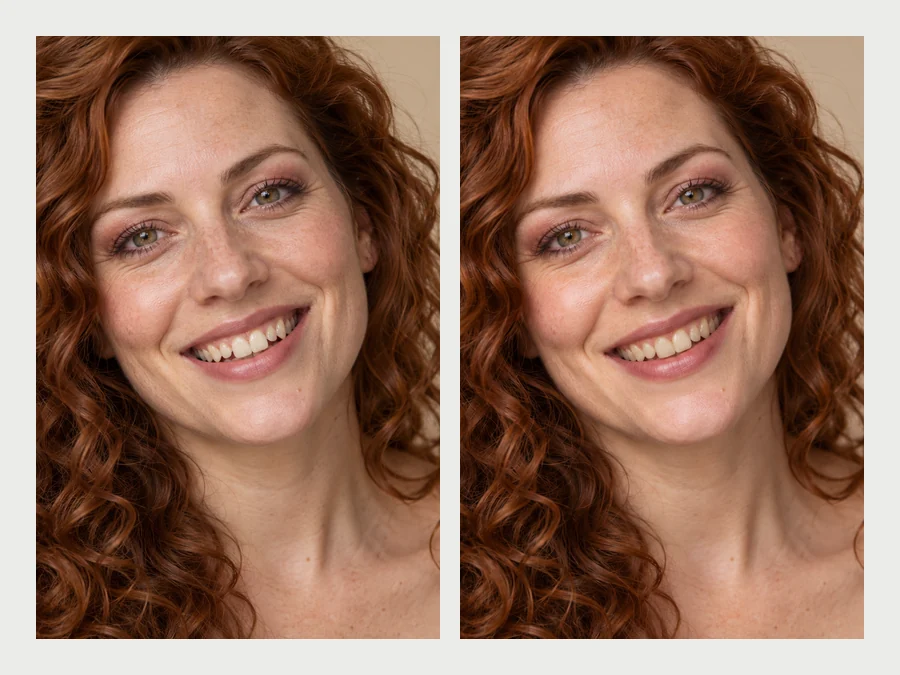
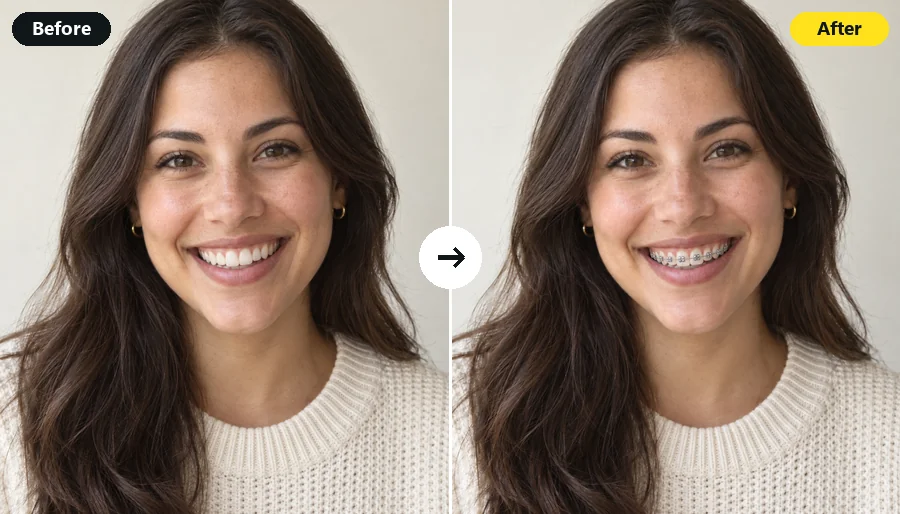
Only the teeth move. Lips, gums, skin, expression and lighting are kept, and each tooth keeps its own shape, so the smile reads as yours, just better aligned. No veneer-white strip, no extra teeth, no warped mouth.
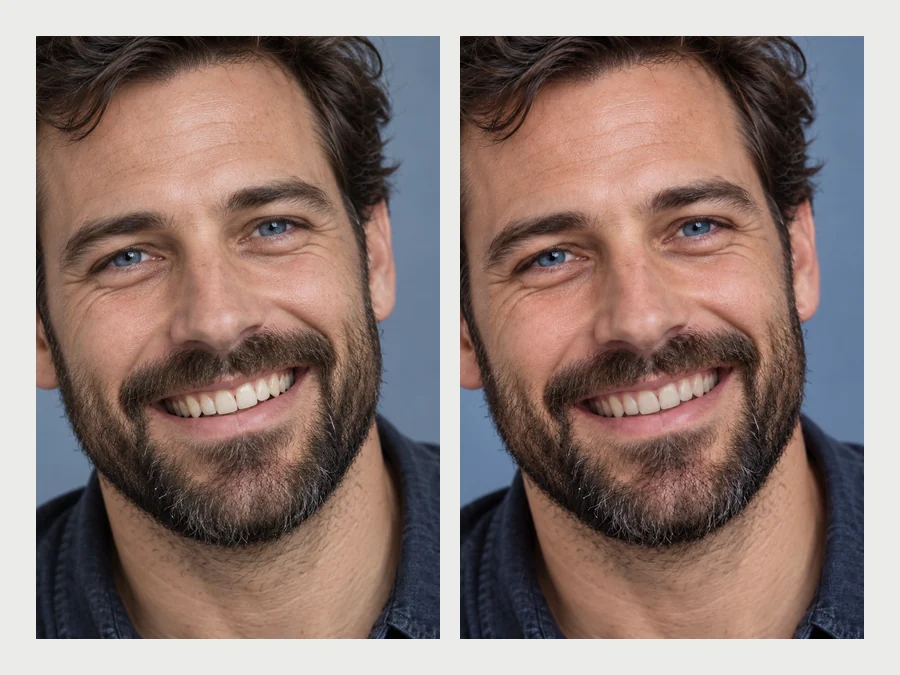
Pick exactly what bothers you: crooked teeth, a gap, crowding, uneven lengths and small chips, or a gummy smile. Fixing one thing at a time keeps the edit believable; Full smile combines them for an aligner-style preview.
Keep my color changes the alignment only, which looks the most real. Natural white or Bright white also lifts stains, so one edit gives a straighter, brighter smile. For whitening alone, the teeth whitening tool offers finer shade control.
Wondering what your face would look like with straight teeth before booking a consultation? Aligner Preview shows the idea on your own photo. It is a visual reference for that conversation, not a diagnosis or a guaranteed result.
Three smile tools, three different jobs. Pick the one that matches your photo.
| Straight Teeth Filter | Remove Braces From Photo | Teeth Whitening | |
|---|---|---|---|
| What changes | Alignment, gaps, crowding, edges, gum line | Removes brackets, wires, bands or aligners | Tooth color only |
| What stays | Tooth color (unless you choose white), lips, face | Tooth shape, alignment and color | Tooth shape and alignment |
| Best for | Crooked teeth or a gap in a photo you love | Photos taken during orthodontic treatment | Yellow or stained teeth |
They combine well: remove the braces first, then straighten, then whiten if you like.
Small choices keep the edit believable.
A smile with visible, in-focus teeth gives the AI clean edges to work with.
Close the gap or straighten the crooked tooth before trying Full smile.
Natural teeth are slightly ivory. Keep my color usually looks more real than bright white.
Real teeth have soft, slightly translucent edges. If they look flat or blocky, drop to Subtle.
The photos where a smile matters most.
Smile with your teeth in the photo you post, instead of the closed-mouth version.
An even, confident smile on LinkedIn or a team page, with Subtle strength.
The candid laugh from the big day, with the gap or crooked tooth tidied.
A private preview of a straighter smile to bring to the conversation.
Fix teeth in pictures you never shared because of one tooth.
Whiten, remove braces, or try braces on.
Lift yellow stains with a natural, bright or Hollywood white shade.
Whiten TeethTake brackets, wires and aligners off and keep your own teeth.
Remove BracesTry metal, ceramic or gold braces with the band color you pick.
Try On BracesSmile, jawline, nose, makeup, teeth and skin edits in one place.
Open Face EditorWhat the filter changes, what it keeps, and what it costs.
Upload a smiling photo, choose what to fix and a strength, and the AI moves the teeth into a neater line, then rebuilds the enamel with natural texture and shading. Lips, face and background stay as they were.
This is one that runs in the browser, so there is nothing to install: upload a photo on iPhone, Android or a computer, pick a smile fix and download the result.
Yes. New accounts get free credits when they sign up, enough to straighten a few photos. After that, each edit uses credits, shown on the button before you start.
Not at Subtle or Natural strength with Keep my color, which keep real enamel texture and small natural differences between teeth. A fake look usually comes from very bright white plus Noticeable strength; step either down.
Yes. Pick Close a Front Gap and add a note such as "only close the gap, leave the rest". Brushing over that area of the smile helps too.
Yes. Write "keep my braces on" in Extra details and the AI evens out the teeth around the hardware. To take the braces off instead, use the remove braces tool.
Only if you choose Natural white or Bright white. With Keep my color, your tooth color stays exactly as it is.
No. It shows a straighter smile on your photo, not a treatment prediction. Real results depend on your teeth and bite, so ask a dentist or orthodontist before choosing a treatment.
Only edit photos of yourself or photos you have permission to edit, and ask before sharing an edited picture of someone else. Do not use edited smiles to mislead people, for example in dental or aligner advertising.
Upload a picture and let the straight teeth filter tidy your smile, naturally.
Straightened smiles are AI photo edits, not predictions of dental or orthodontic results. Only edit photos of yourself or photos you have permission to edit.