
AI Christmas Photo Prompts: 43 Ideas to Copy & Paste
Copy-and-paste AI Christmas photo prompts for selfies, couples, families, pets, glam shoots, snow, backdrops, cards, video and drawings, plus a prompt formula.
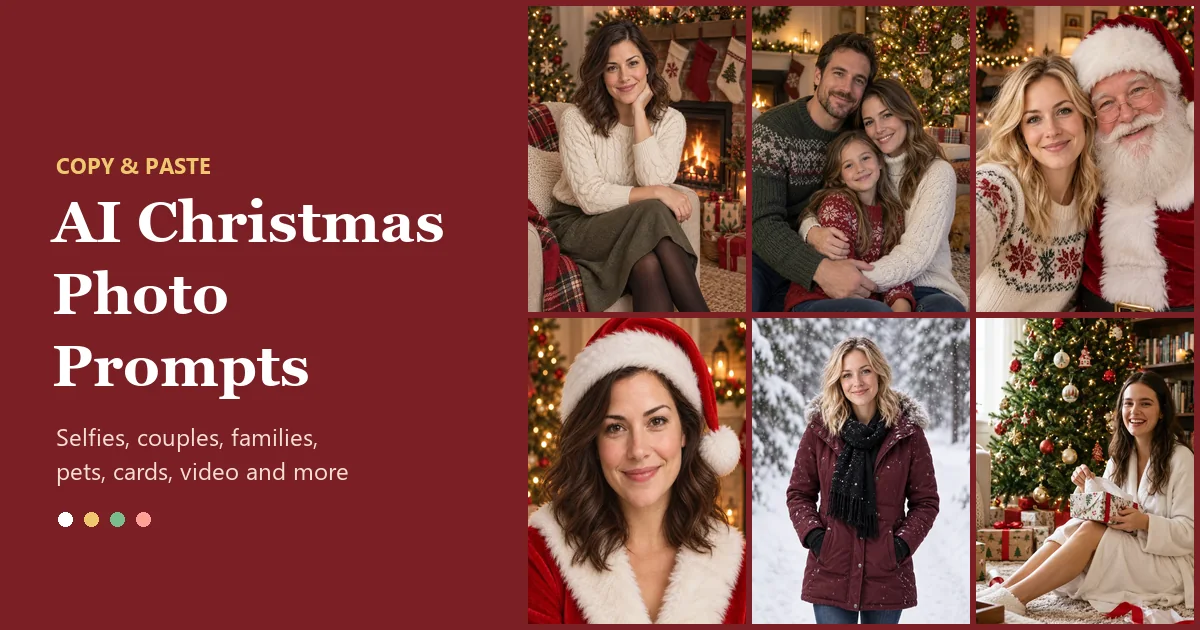
Short answer: a good AI Christmas photo prompt describes the scene, the outfit, the light and the camera style, then ends with a line that keeps your face the same. Copy any of the 43 prompts below, upload a clear photo to the AI Christmas photo generator, pick the Custom option, paste the prompt, and generate.
These Christmas AI prompts are grouped by what you want to make: cozy selfies, couples, families, pets, Santa and elf looks, glamorous editorial shoots, snow scenes, backdrops, cards, short videos and drawings. Every card has a Copy button and a link to the tool that fits it best.
How to Use an AI Prompt for Christmas Photo Edits
Most Christmas photo prompts for AI tools fail for the same two reasons: the face changes, or the scene is too vague. The structure below fixes both. Every Christmas prompt in this guide follows it, so you can swap any part, such as a green sweater instead of a cream one, without breaking the rest.
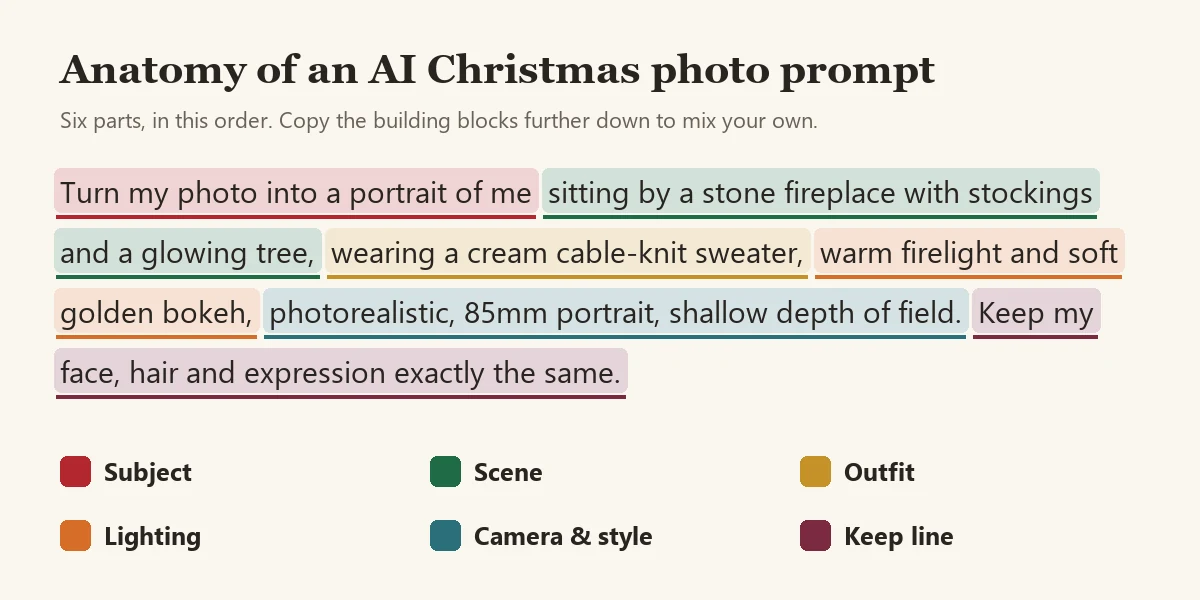
- Pick a clear photo. Face visible, even light, no heavy beauty filter. For groups, every face should be visible and not too small.
- Copy a prompt and tweak it. Change colors, outfits or pets so it fits you. Keep the last sentence, the keep line, as it is.
- Paste it into the right box. The AI Christmas photo generator takes custom prompts up to 500 characters, and the AI photo editor accepts longer instructions. The Santa hat, Christmas filter and add snow tools take shorter custom text, so the prompts linked to them are kept under 300 characters.
- Generate two or three versions and keep the most natural one. Small wording changes give noticeably different results.
Cozy Christmas Photo Prompts for Selfies
Start here if you want a warm, at-home holiday portrait from an everyday selfie. These are the AI Christmas prompts people use most for profile pictures and holiday posts.
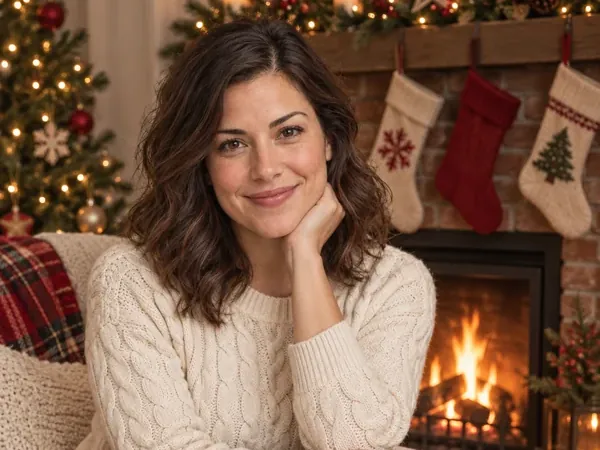
Fireside Knit Portrait
Turn my photo into a cozy Christmas portrait: I'm sitting in an armchair beside a stone fireplace with red-and-white stockings on the mantel and a lit Christmas tree behind me, wearing a cream cable-knit sweater and an olive skirt, warm firelight and soft golden bokeh, photorealistic. Keep my face, hair and expression exactly the same.
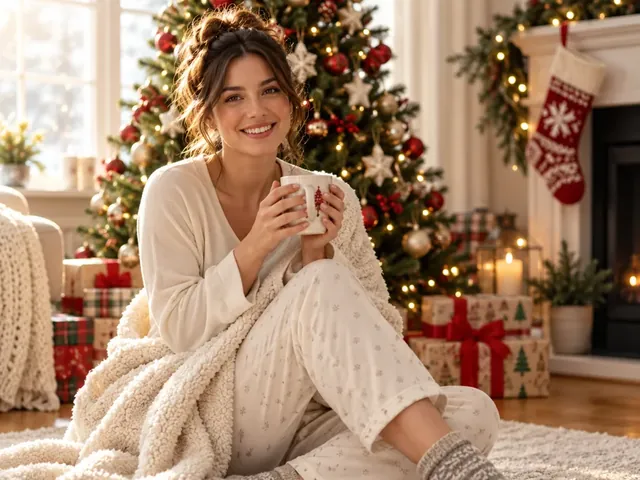
Christmas Morning on the Rug
Show me on Christmas morning sitting on a soft rug next to a decorated tree, wrapped in a cream knit cardigan and holding a mug of coffee, wrapped presents and garlands around me, bright natural window light, candid lifestyle photo. Keep my face and hairstyle exactly as in my photo.
Unwrapping Gifts in a Robe
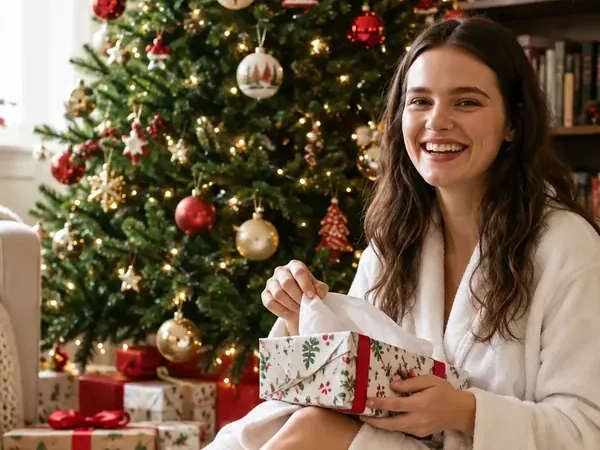
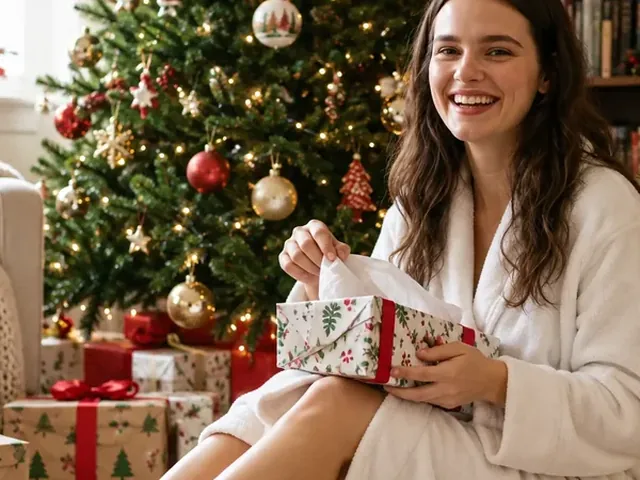
Place me on the floor beside a tall Christmas tree in a white fluffy robe, unwrapping a present with a red bow, bookshelves and fairy lights in the background, warm morning light, candid and joyful, photorealistic. Keep my face and expression natural and unchanged.
Old Money Holiday Library
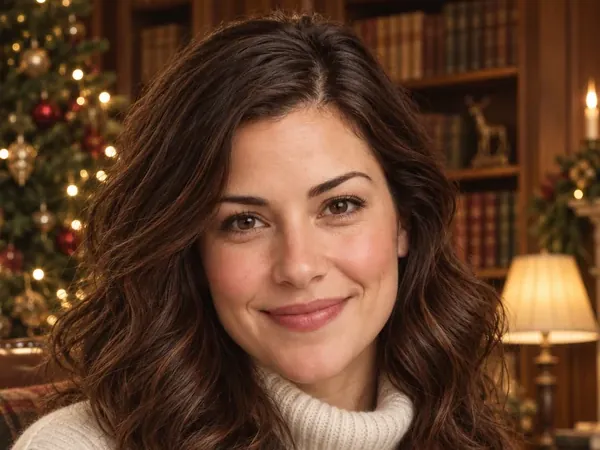
Restyle my photo as an old-money Christmas portrait: cream turtleneck with a tartan wool scarf, in a wood-paneled library with leather books, brass lamps and a classic decorated tree, rich muted tones, soft window light. Keep my face, hair and features exactly the same.
Cocoa in a Fair Isle Sweater
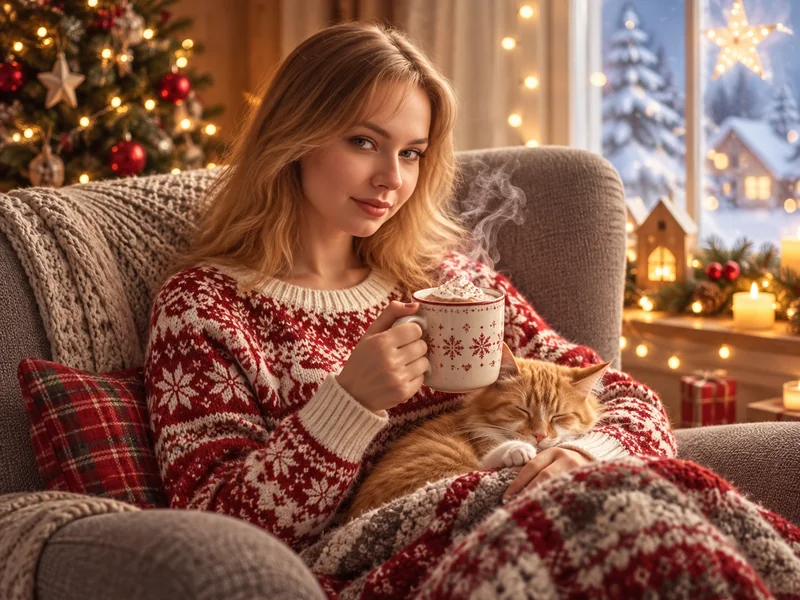
Make a cozy Christmas photo of me curled up in a gray armchair, wearing a red-and-white Fair Isle sweater, holding a steaming mug of cocoa with a sleepy cat on my lap, fairy lights and a small tree behind me, soft warm light. Keep my face exactly as in my photo.
Christmas Couple Photo Prompts
Upload one photo of the two of you with both faces visible. Only have separate pictures? Bring them together first with the AI couple photo maker, then use one of these Christmas AI photo prompts on the result.
Matching Reindeer Sweaters
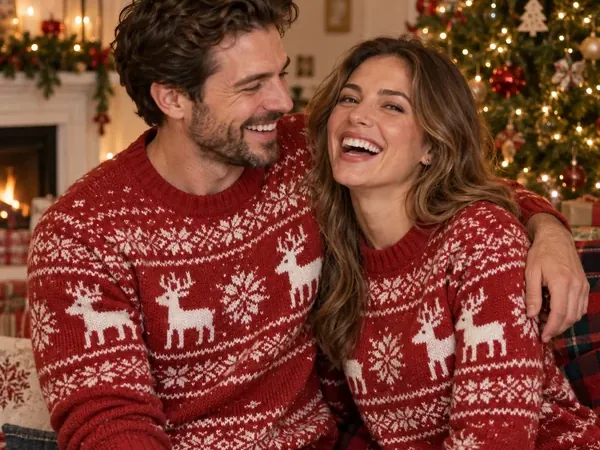
Turn our couple photo into a Christmas portrait: both of us laughing in matching red-and-white reindeer knit sweaters, sitting close on a sofa in front of a glowing Christmas tree, warm cozy light, candid and natural. Keep both of our faces exactly as they are.
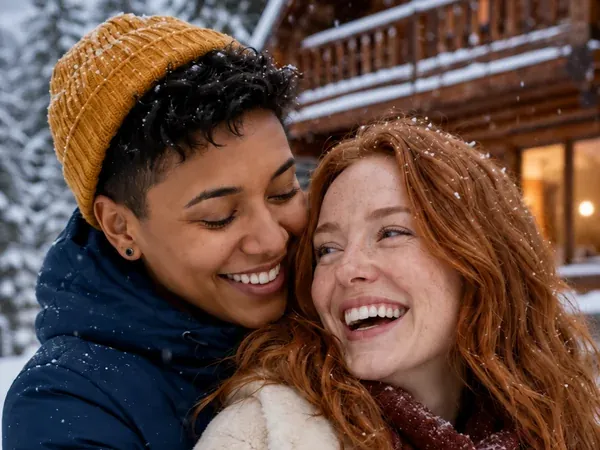
Snowy Cabin Hug
Place the two of us outside a wooden cabin in falling snow, hugging and laughing in winter coats, knit hats and scarves, snow on the roof and warm light in the windows behind us, photorealistic winter photo. Keep both faces and skin tones exactly as in the photo.
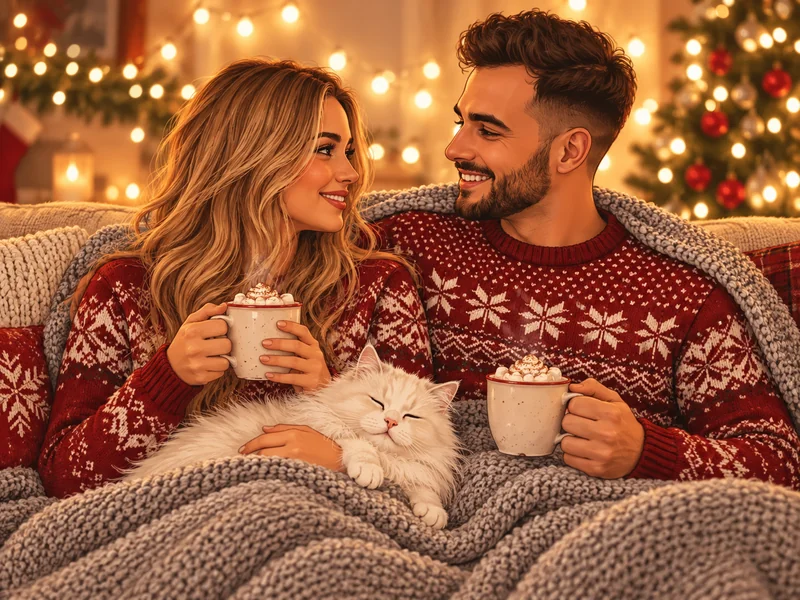
Cocoa and a White Cat
Show us side by side on a couch under a gray knit blanket, both in red Fair Isle Christmas sweaters, holding mugs of hot cocoa, a fluffy white cat on our laps, warm string lights glowing behind us, cozy candid photo. Keep both of our faces unchanged.
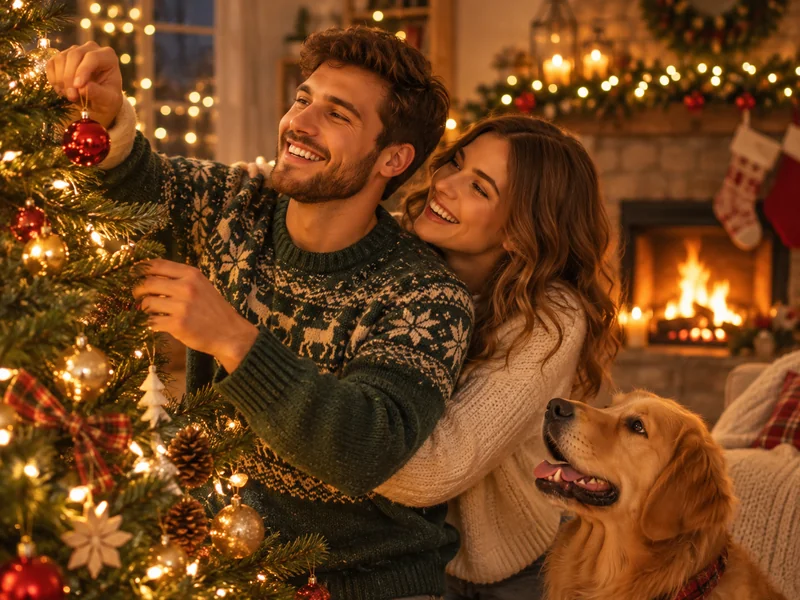
Decorating the Tree Together
Create a candid photo of us decorating a Christmas tree together, one of us hanging an ornament while the other hugs from behind, a golden retriever watching, fireplace glowing in the background, warm bokeh, natural snapshot feel. Keep our faces exactly the same.
Family Christmas Photo Prompts
For a family card, write "every face" or name the positions ("parents behind, kids in front") so nobody disappears. These ai prompts for Christmas photos keep the setting classic, which ages well on a card.
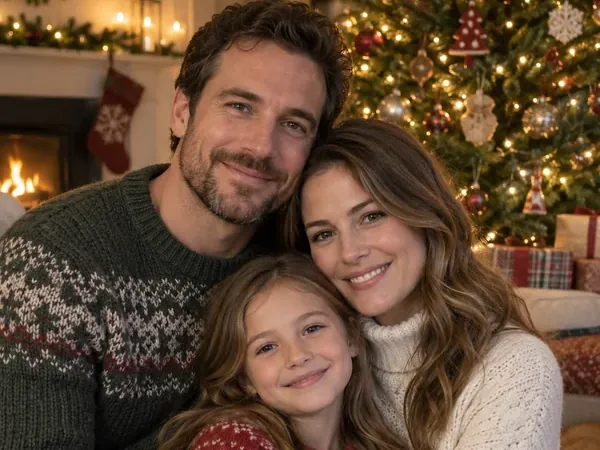
Family Hug by the Glowing Tree
Turn our family photo into a Christmas portrait: parents and child hugging in front of a tall glowing Christmas tree, cozy knit sweaters in green, cream and red, garlands and soft golden bokeh, warm studio-quality light. Keep every face, age and expression exactly as in the photo.
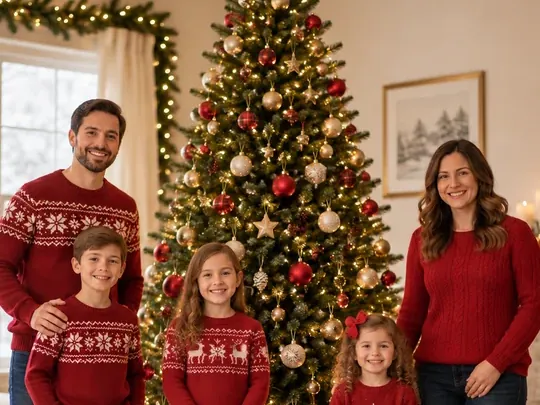
Matching Red Sweaters by the Tree
Make a classic Christmas card photo of our family standing on both sides of a big decorated tree, everyone in matching red sweaters and dark jeans, wrapped gifts at our feet, bright and cheerful living room, full-length shot. Keep each person's face and height true to the photo.
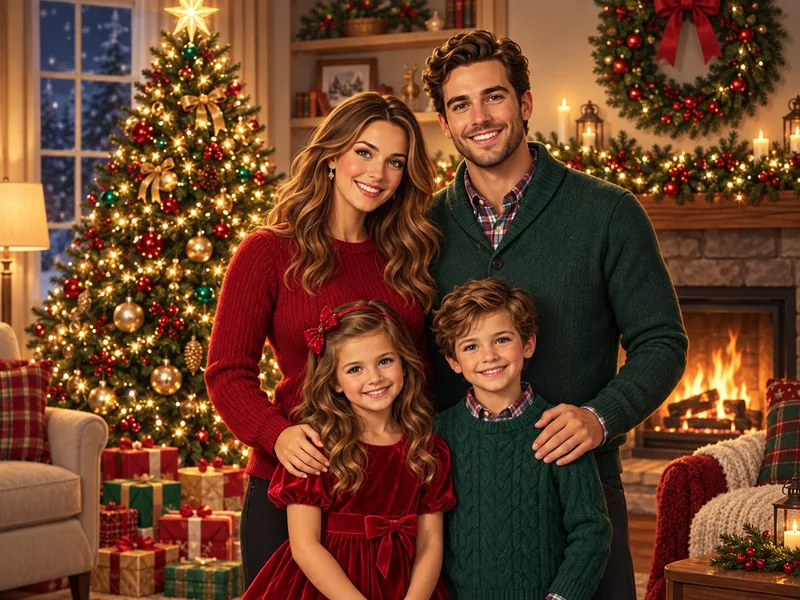
Family of Four in Red and Green
Place our family of four in front of a decorated Christmas tree beside a fireplace and wreath, parents behind and kids in front, dressed in coordinated red and green, warm evening light, polished portrait. Keep all faces exactly as they are.
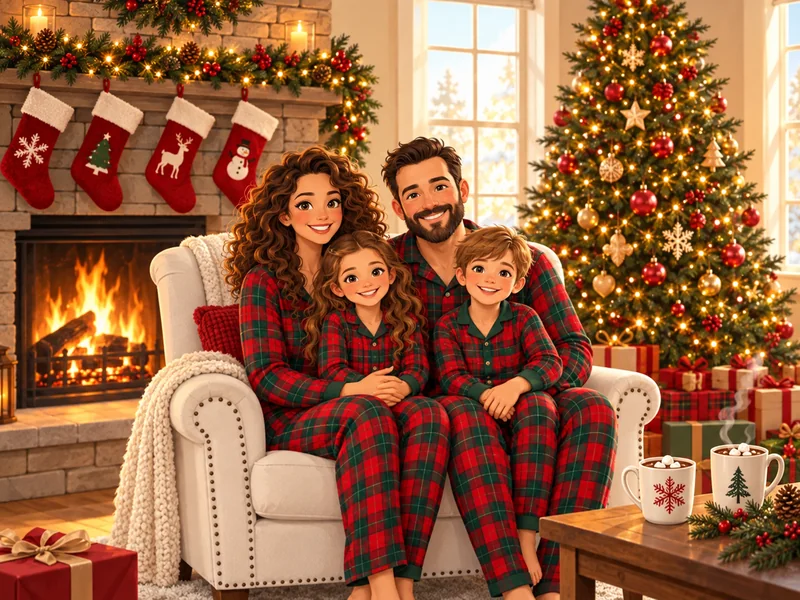
Matching Plaid Pajamas
Dress our family in matching red-and-green plaid Christmas pajamas, sitting together in a white armchair by a crackling fireplace with stockings and a lit tree, mugs of cocoa on the table, cozy morning light. Keep every face recognizable and unchanged.
Pet Christmas Photo Prompts
Pets are the easiest subjects for AI Christmas photos: no awkward smiles, just a hat and a scene. Use a photo where your pet's face is sharp and looking toward the camera. Only want the hat? The Santa hat tool has pet-sized hats and keeps the rest of the photo as it is.
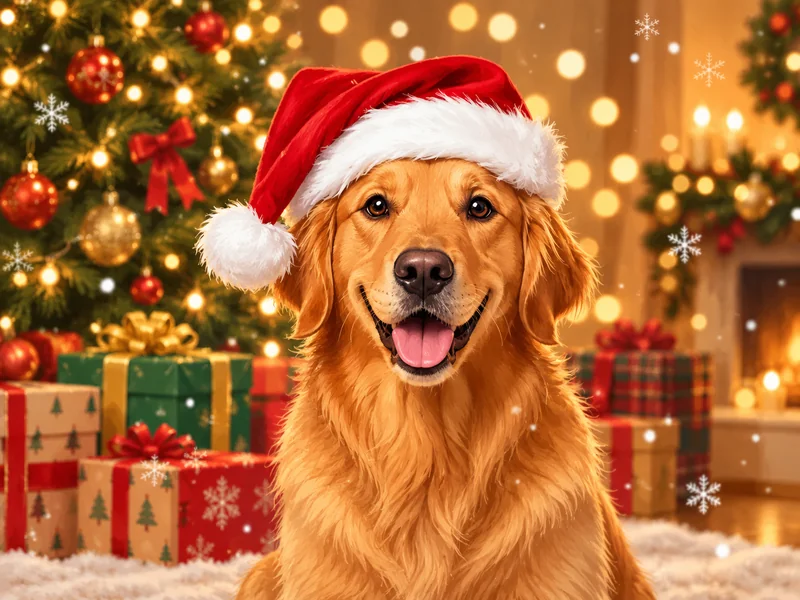
Dog in a Santa Hat
Put a fluffy red Santa hat on my dog in front of a Christmas tree with wrapped gifts, golden bokeh lights and a few falling snowflakes. Keep my dog's face, fur color and expression exactly the same.
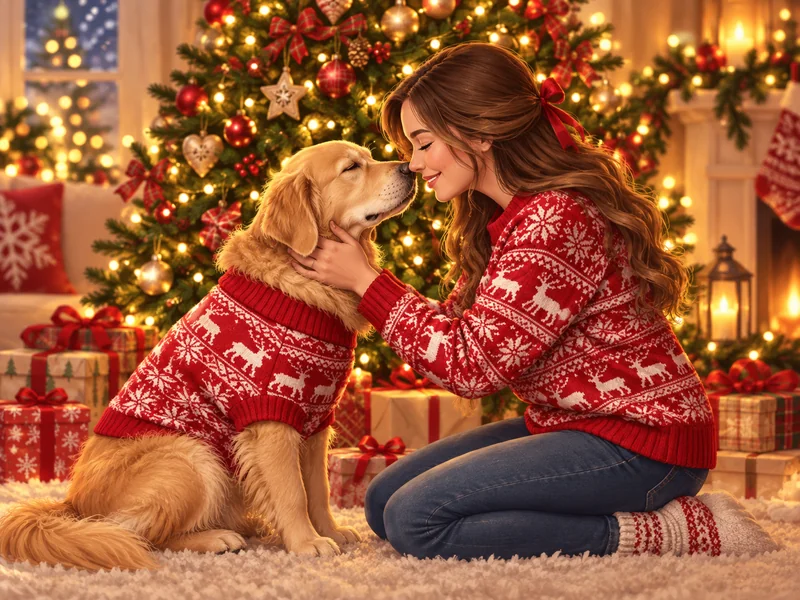
Matching Sweaters With Your Dog
Show me kneeling beside my dog by a glowing Christmas tree, both of us in matching red-and-white reindeer knit sweaters, my nose touching my dog's nose, warm fairy lights and gifts around us. Keep my face and my dog's face exactly as in the photo.
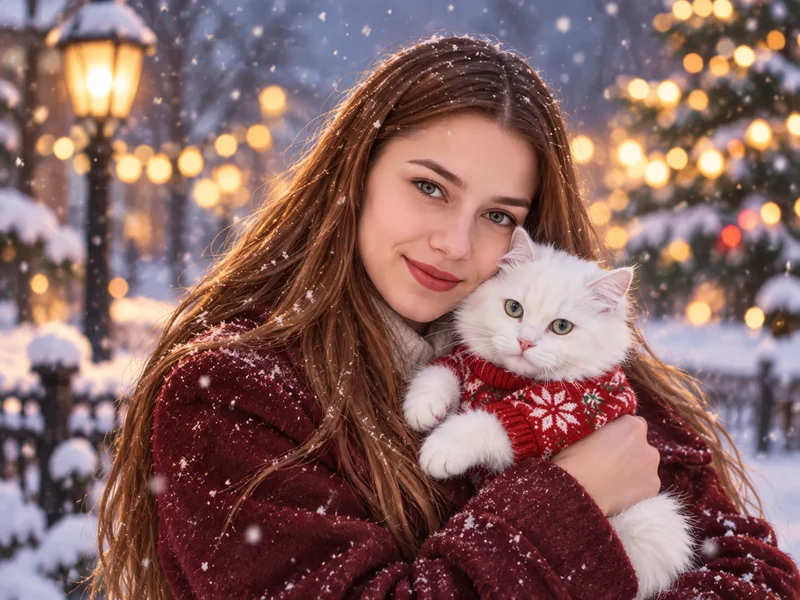
Cat Cuddle in the Snow
Place me outdoors in gently falling snow, holding my white cat in a tiny red knit sweater close to my face, wearing a burgundy wool coat, soft bokeh lights behind us. Keep my face and my cat's markings exactly the same.
Santa Hat, Santa Suit and Elf Prompts
The quickest festive edit is a costume. The hat-only prompt fits the note box of the Santa hat tool, which leaves the rest of your photo untouched. The selfie and elf prompts work as a custom description in the Christmas filter, and the Santa suit prompt works best in the AI Christmas photo generator.
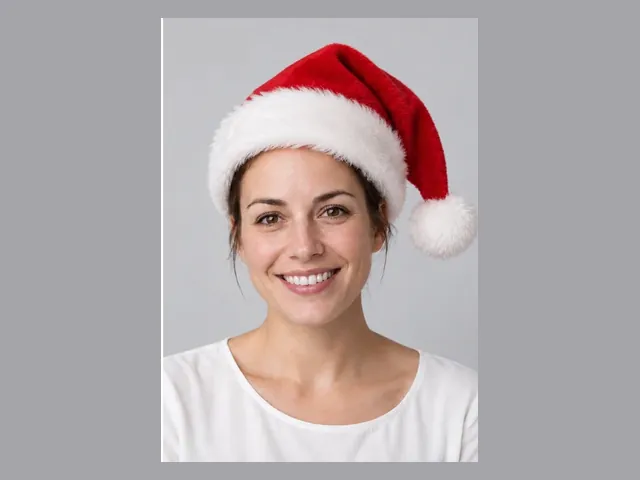
Santa Hat Only, Nothing Else
Add a classic red Santa hat with white fur trim and a fluffy pom-pom, sized to my head and tilted slightly to one side, with soft shadows that match the light in my photo. Change nothing else: same face, hair, clothes and background.
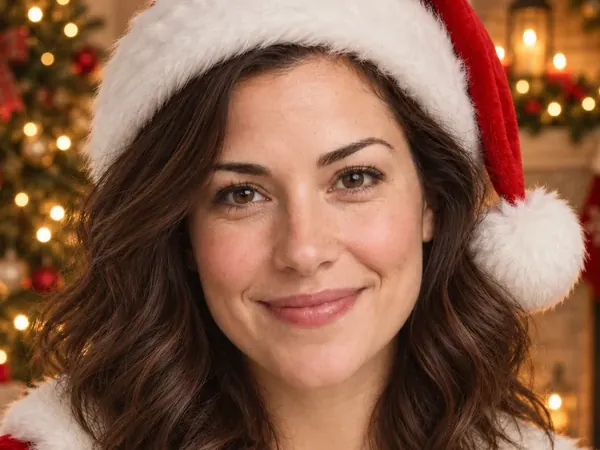
Classic Santa Suit
Dress me in a red velvet Santa suit with a white fur collar and a matching Santa hat, head-and-shoulders portrait in a living room glowing with Christmas tree lights, festive and photorealistic. Keep my face and hairstyle exactly as in my photo.
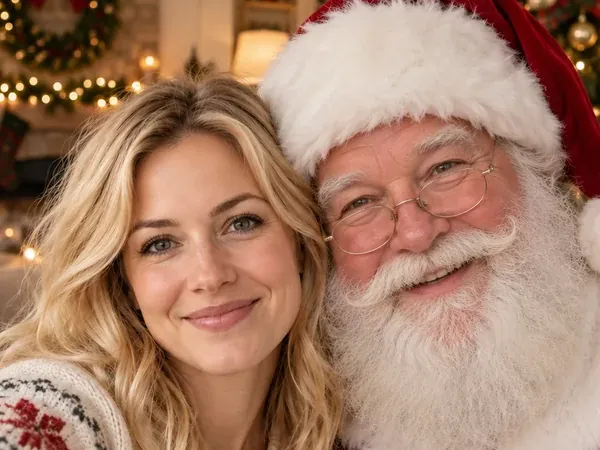
Selfie With Santa
Make it a cheerful selfie of me with Santa Claus beside me, his white beard and red suit close to my shoulder, a decorated tree and garlands behind us, warm indoor light. Keep my face exactly the same.
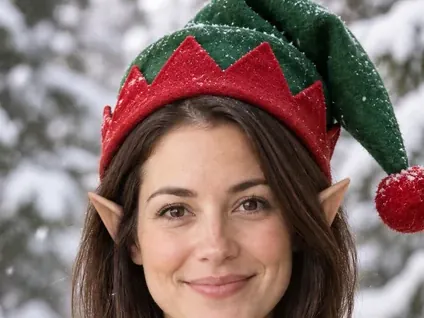
Elf Hat and Pointed Ears
Give me a red-and-green elf hat with a bell, pointed elf ears and a green elf collar, snowy pine trees softly blurred behind me. Keep my face, eyes and smile unchanged.
Christmas Photoshoot Ideas for Models: Editorial Prompts
Want something closer to a magazine cover than a family card? These Christmas photoshoot ideas for models use dramatic light, statement outfits and oversized props. They are just as useful as a mood board for a real shoot. Looking for outfits to wear in person? See our Christmas outfit ideas.
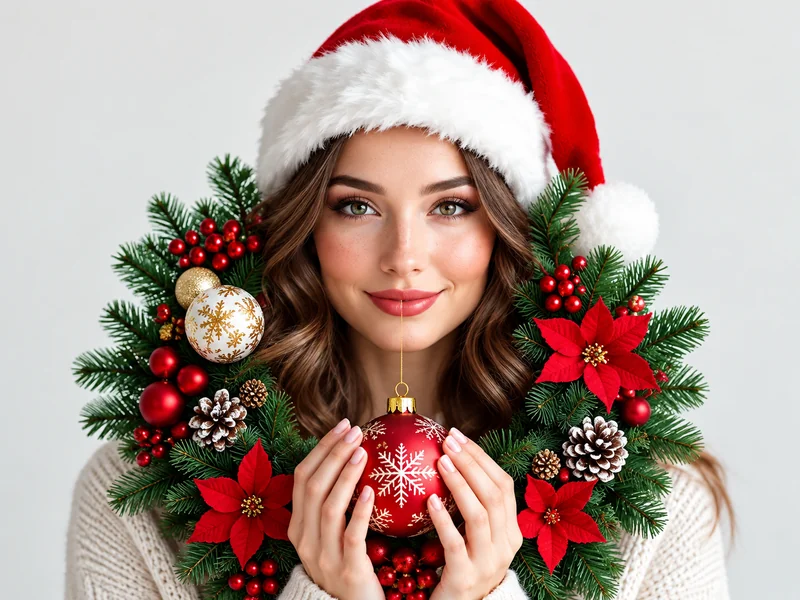
Ultra Realistic 8K Christmas Portrait
Ultra realistic 8K Christmas portrait of me: head-and-shoulders, red Santa hat, cream knit sweater, holding a pine wreath with red ornaments and poinsettias in front of my chest, plain light studio background, natural skin texture, 85mm lens, soft beauty lighting, sharp catchlights. Keep my face and features exactly as they are.
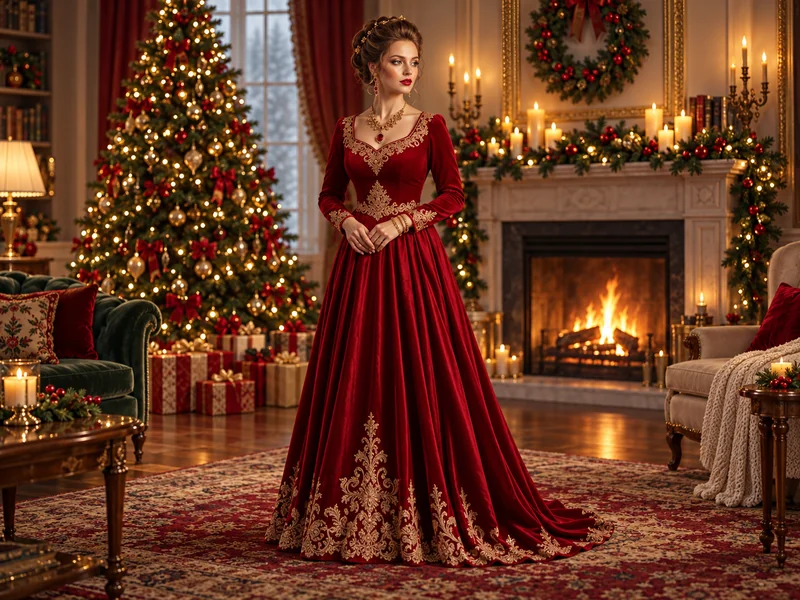
Red Velvet Gown by the Fireplace
Editorial Christmas portrait of me in a floor-length red velvet gown with gold embroidery, standing on a rug in an elegant living room with a lit tree, garlands and a fireplace, soft glamorous lighting, full-length fashion photo. Keep my face and hairstyle exactly the same.
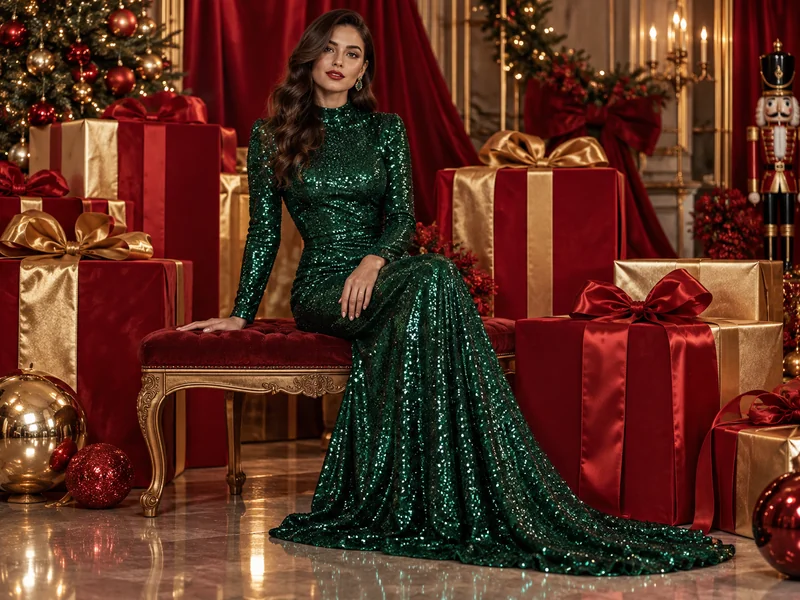
Emerald Sequin Gown and Gift Boxes
High-fashion Christmas shoot: me seated among oversized wrapped gift boxes in an emerald green sequin gown, red and gold ribbons draped behind me, dramatic studio lighting, glossy magazine look. Keep my face and features unchanged.
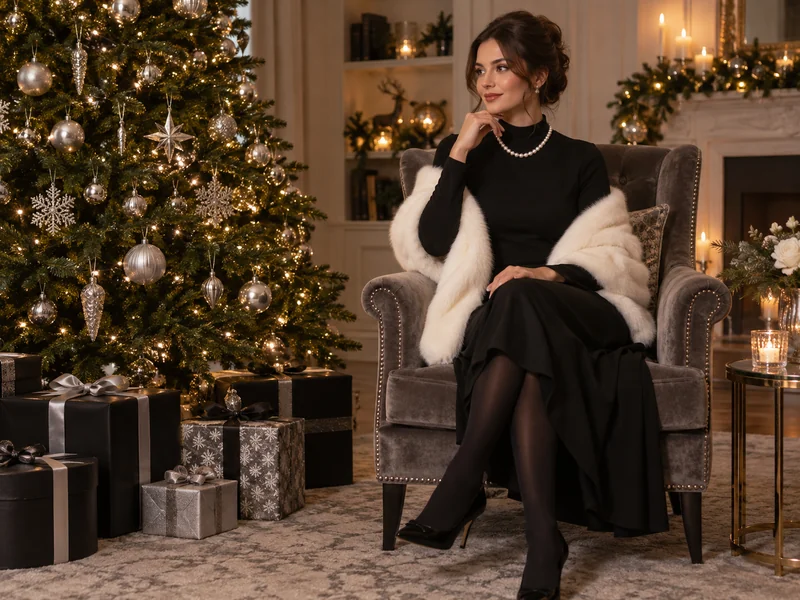
Black Dress and Faux Fur Under the Tree
Glamorous Christmas editorial: me sitting on the floor under a towering tree with silver ornaments, wearing a black dress, a white faux-fur wrap and a pearl necklace, black-and-silver gift boxes around me, moody warm light. Keep my face exactly as in my photo.
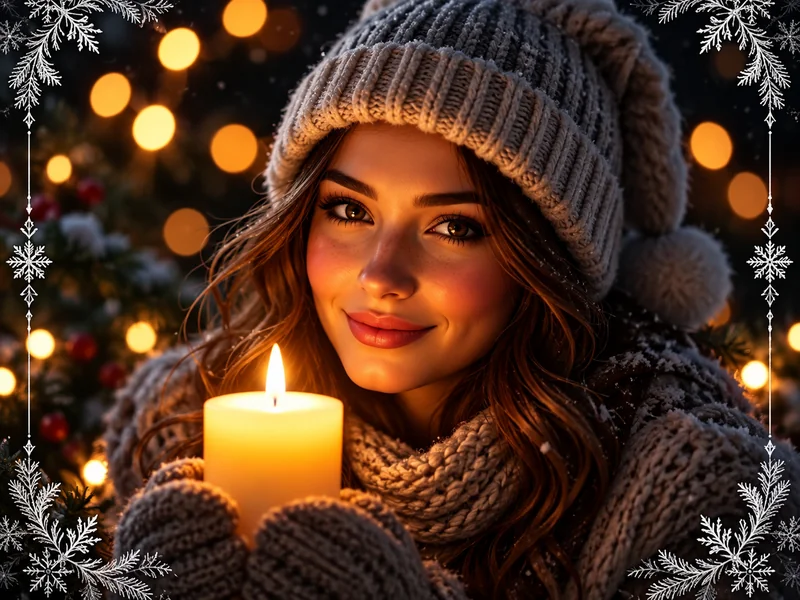
Candlelit Beanie Close-Up
Moody Christmas close-up of me in a gray knit beanie and chunky scarf, holding a lit pillar candle near my face, dark background full of warm bokeh lights, frosty snowflake corners, cinematic and intimate. Keep my face and eye color exactly the same.
A note on "8K" and "ultra realistic": these words are style cues that push the model toward crisp detail and natural skin. They do not change the size of the file you download. For a bigger print, upscale the result with the image enhancer.
Snow and Winter Wonderland Prompts
Snow makes any portrait feel like December. The first prompt only adds snow to the photo you already have, so it suits the add snow to photo tool; the others build a full winter scene.
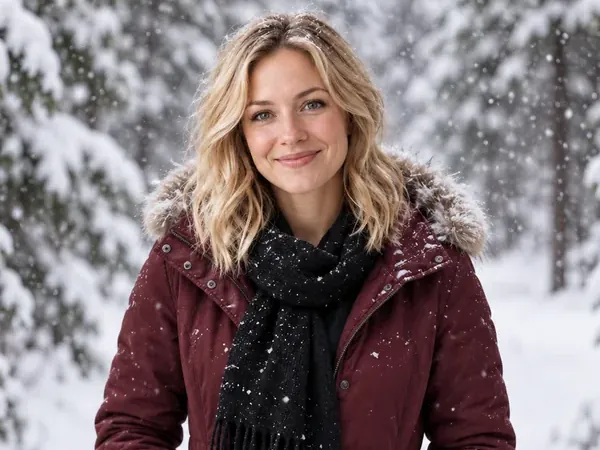
Add Falling Snow to Any Photo
Add heavy falling snow to my photo: snowflakes in the air, a light dusting of snow on my hair and coat, snow-covered ground and trees, soft cold daylight. Keep me, my clothes and the composition exactly as they are.
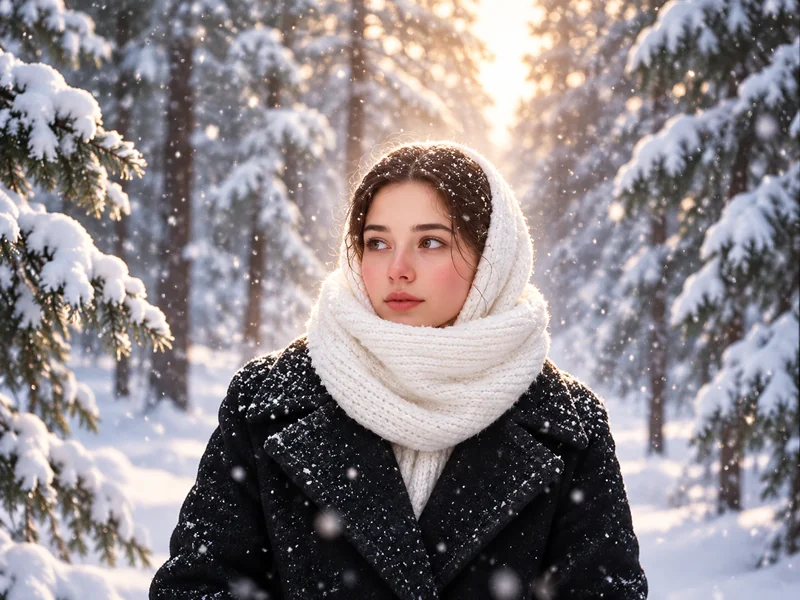
Snowy Forest in a White Scarf
Place me in a snowy pine forest in a black wool coat with a white knit scarf wrapped over my head, snowflakes drifting, soft backlit winter light, quiet and cinematic portrait. Keep my face exactly as in my photo.
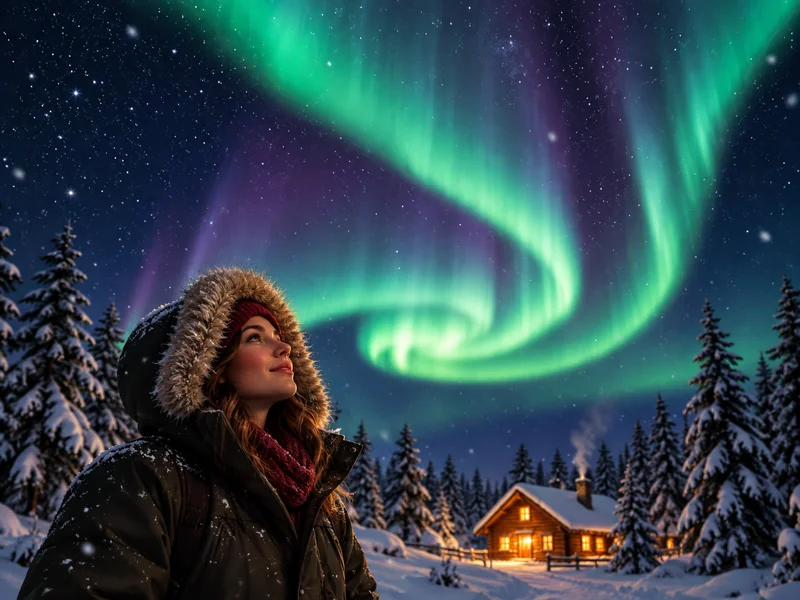
Northern Lights Over a Cabin
Put me in a snowy clearing at night in a fur-trimmed parka, looking up at green northern lights swirling over a glowing log cabin and pine trees, starry sky, long-exposure look. Keep my face and profile recognizable.
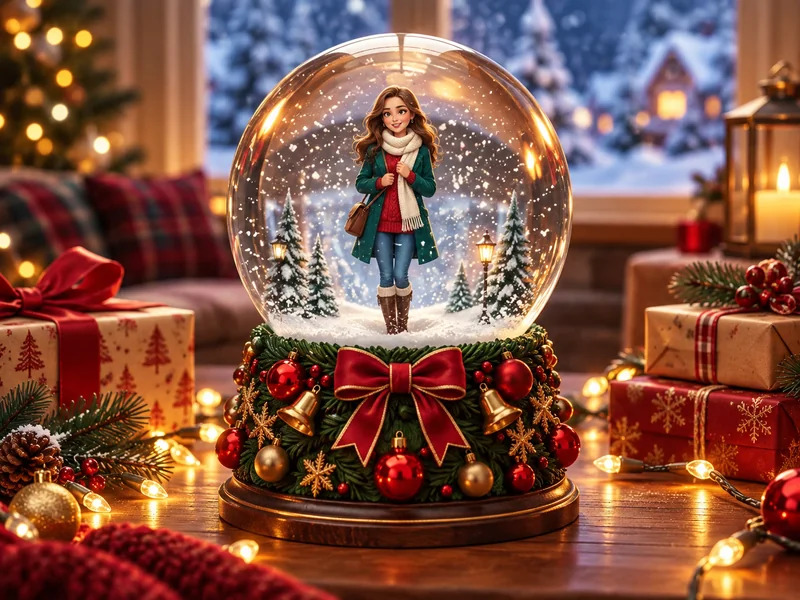
Inside a Snow Globe
Place me as a tiny figure inside a glass snow globe with swirling snow, standing on a wooden table with fairy lights, a red bow and wrapped gifts, cozy window behind. Keep my face and outfit recognizable.
Ideas for Christmas Backdrop Prompts
Need a set rather than a portrait? These backdrop prompts create empty scenes with no people, which you can use as a background for a home photoshoot, a video call, a product photo, or as the new background for your own picture in the AI photo editor. Paste them into the AI image generator.

Decorated Living Room Backdrop
Bright Scandinavian living room decorated for Christmas: a tall tree with warm white lights and gold ornaments, pine garland around a wreath, a large window with a snowy view, cream sofa with plaid blankets, wooden coffee table, wrapped gifts, no people, photorealistic, square.
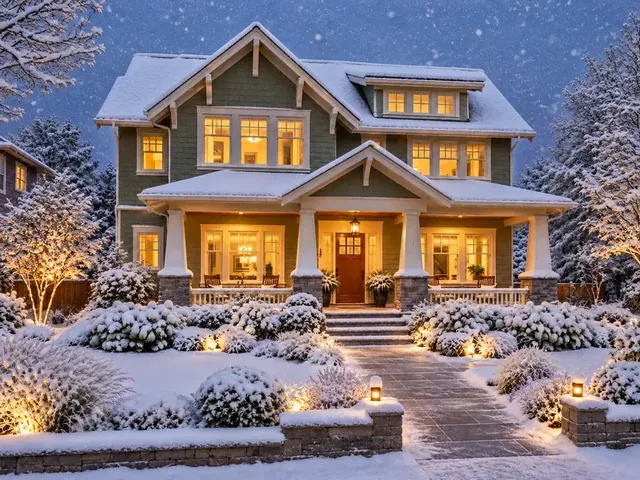
Snow-Covered House at Dusk
Two-story craftsman house at dusk after fresh snowfall, warm light glowing in every window, snow on the roof, porch and garden path, soft blue evening sky, no people, photorealistic wide shot.
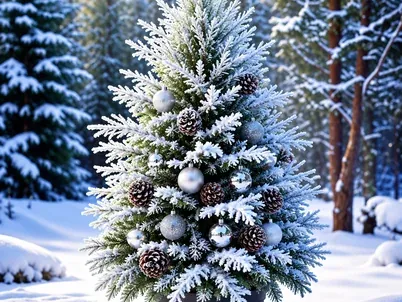
Frosted Pine in the Snow
A single snow-frosted pine tree decorated with silver baubles and pinecones, standing in a quiet snowy forest clearing, soft falling snow, cool winter daylight, no people, photorealistic, square.
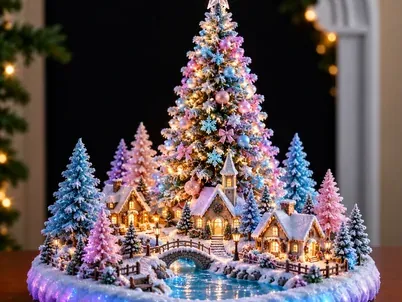
Glowing Fairy Village Tree
A glowing pastel Christmas tree made of light rising from a miniature fairy-tale village with tiny houses and lit windows, pink and blue magical sparkles, dark background, dreamy fantasy render, no people.
Christmas Card Prompts
Cards are the one place where text belongs in the image. Put the exact words in quotes and the AI Christmas card generator lays them out for you. Need the wording first? Our list of Christmas card messages has more than 170 lines to copy.
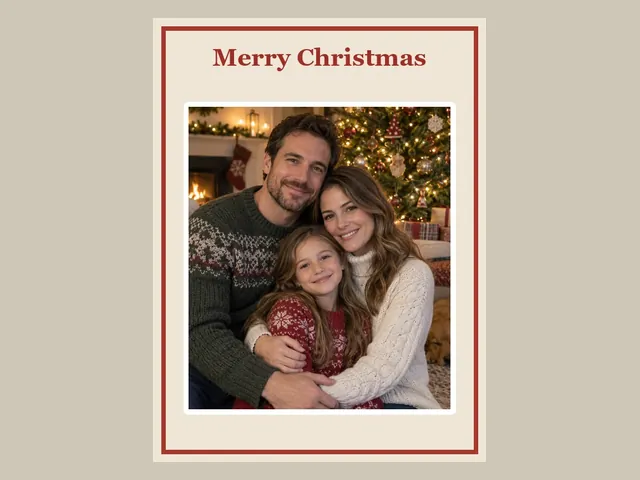
Merry Christmas Photo Card
Christmas photo card, portrait 4:5: my family photo in the center inside a thin red border on a cream background, the words “Merry Christmas” in elegant red serif lettering above it, small holly sprigs in the corners, clean and classic.
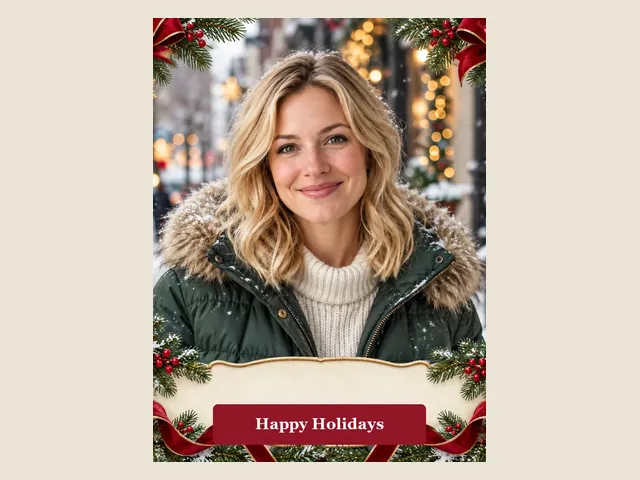
Happy Holidays Ribbon Frame
Holiday card design, portrait 4:5: my portrait framed by pine branches, red satin bows, pinecones and white snowflakes, with a cream banner across the bottom that reads “Happy Holidays” in red serif letters, festive and elegant.
Sage Green Fawn Card
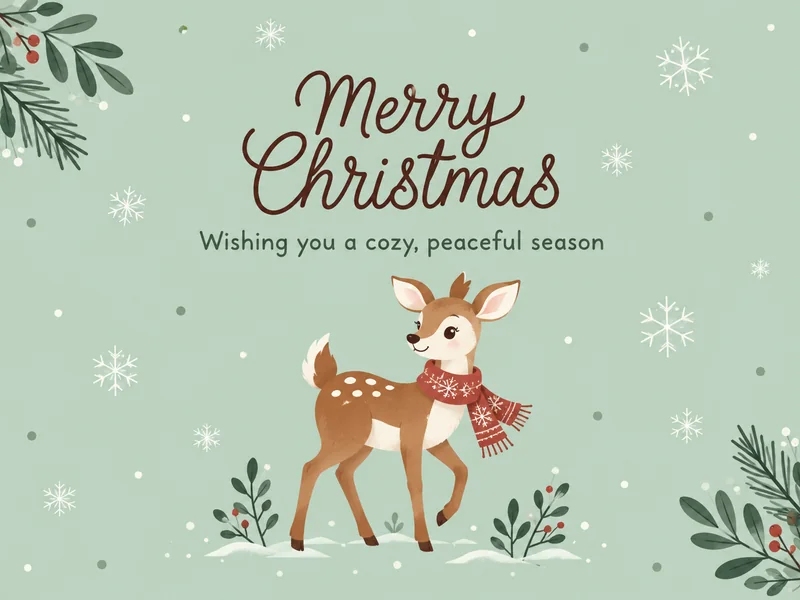
Minimal Christmas card illustration, 16:9: soft sage green background with tiny snowflakes, a cute fawn in the lower center, leafy branches in two corners, “Merry Christmas” in brown script at the top and the line “Wishing you a cozy, peaceful season” below it.
Christmas Video Prompts
Turn a Christmas photo into a few seconds of motion. The Christmas video maker has ready-made motions such as a Santa visit, falling snow and tree lights switching on, plus a Custom option where you can paste the prompts below (up to 500 characters). For longer or non-holiday motions, use image to video. Good video prompts describe the camera move, the action, and how the scene ends.
Santa Drops By
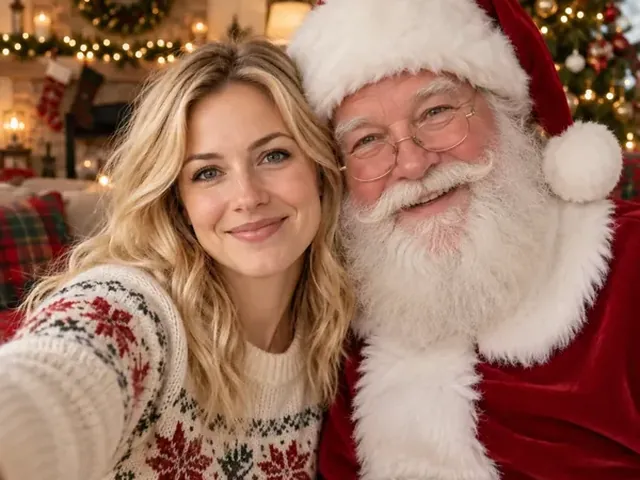
Slow push-in on the living room: Santa Claus walks in from the right, gives me a warm hug by the glowing fireplace and Christmas tree, then we both turn to the camera and smile, firelight flickering, gentle festive mood. Keep my face and outfit consistent in every frame.
First Snow Kiss
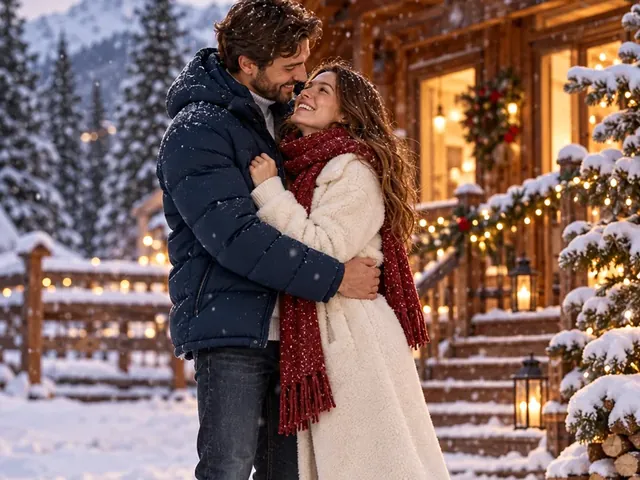
Static wide shot on a snowy forest path at dusk: snowflakes begin to fall, the couple steps closer, shares a kiss and laughs, lanterns along the path glow softly, and the camera slowly drifts upward at the end. Keep both faces consistent.
Wrapping the Last Gift
Close-up with a gentle handheld feel: I tie a ribbon on a kraft-paper gift, look up at the camera and smile, fairy lights behind me twinkle and a few snowflakes drift past the window, warm cozy tones. Keep my face consistent throughout.
Christmas Drawing Prompts for AI Art
Not every Christmas picture needs a photo. These Christmas drawing prompts create illustrations for cards, classroom handouts, coloring pages and stickers in the AI image generator. To turn one of your own photos into a coloring page instead, use photo to line art. For pencil-and-paper inspiration, see our Christmas drawing ideas.
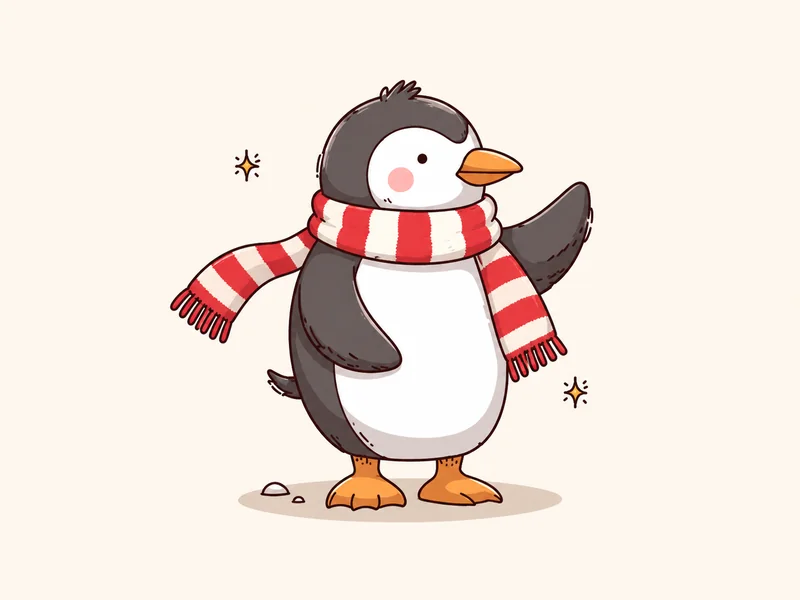
Cute Penguin in a Scarf
Cute Christmas drawing of a little penguin waving, wearing a red-and-white striped scarf, simple cartoon style with clean outlines and flat colors, plain cream background, children's book feel.
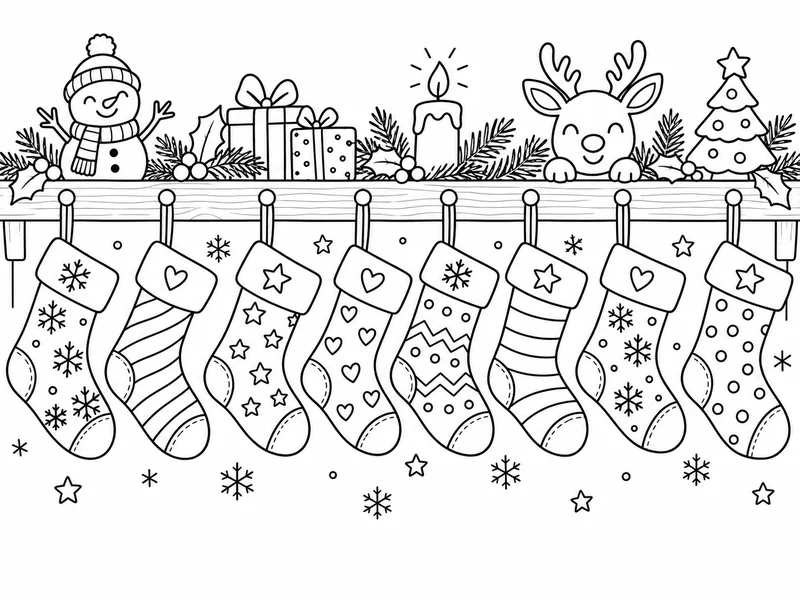
Stocking Coloring Page
Christmas coloring page: a row of eight different stockings hanging from a mantel, decorated with snowflakes, stars, hearts and stripes, clean black line art on white, no shading, no color, easy for kids to color.
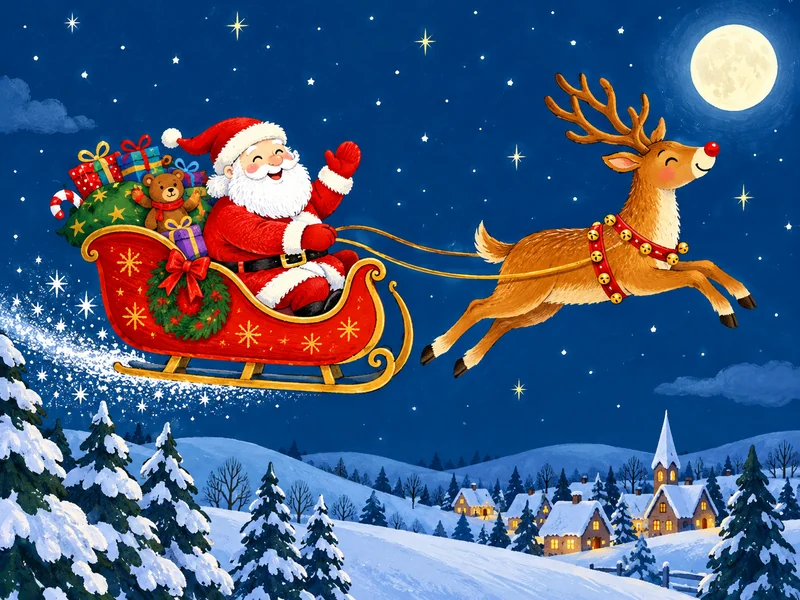
Santa's Sleigh Across the Moon
Whimsical Christmas illustration: Santa in a red sleigh full of presents pulled by a leaping reindeer across a deep blue night sky, glowing moon, stars and snowy hills, bold flat colors, storybook style.
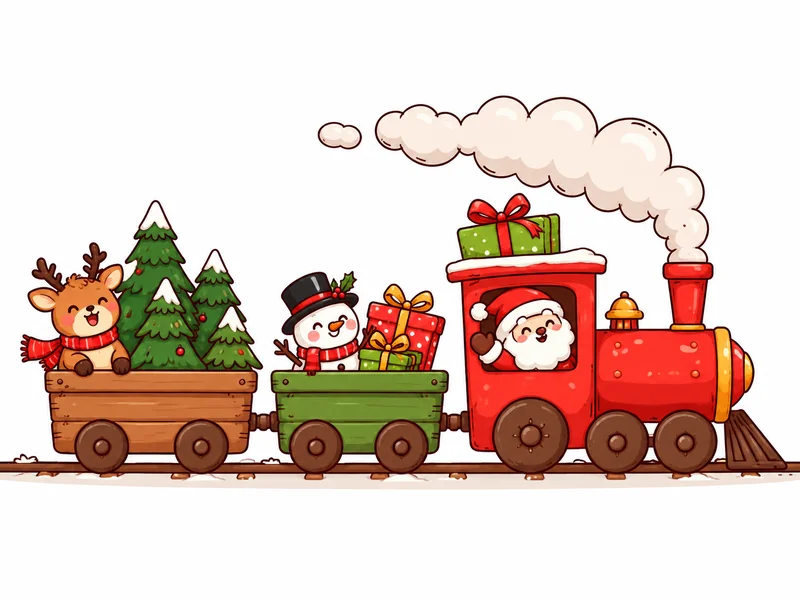
Little Red Christmas Train
Simple Christmas doodle: a little red toy train with a puffing chimney pulling cars full of tiny pine trees and gift boxes, clean outlines, bright flat colors, white background, cute and minimal.
Christmas AI Prompts Generator: Build Your Own Prompt
Think of this section as a Christmas AI prompts generator you run by hand. Pick one line from each tab, in order, and join them into a single prompt: subject, scene, outfit, lighting, camera and style, keep line. You will get thousands of combinations, all in the shape that works best.
Subject
Turn my photo into a Christmas portrait of me
Turn our couple photo into a Christmas portrait of both of us
Turn our family photo into a Christmas card portrait of everyone
Turn my pet's photo into a festive Christmas portrait
Restyle my selfie as a holiday magazine cover shot
Scene
by a stone fireplace with stockings on the mantel
in front of a tall tree glowing with warm white lights
on a snowy village street lined with string lights at dusk
inside a log cabin with a frosted window and falling snow
at a Christmas market with wooden stalls and lanterns
in a candlelit library with a classic decorated tree
in a red studio set with oversized ornaments
Outfit
wearing a cream cable-knit sweater
in matching red-and-green plaid pajamas
in a red velvet dress or a velvet dinner jacket
in a classic Santa suit and hat
in a chunky reindeer sweater
in a wool coat, knit hat and scarf
Lighting
warm firelight and soft golden bokeh
bright natural window light
cool blue twilight with glowing windows
soft studio beauty lighting
moody candlelight with deep shadows
Camera and style
photorealistic, 85mm portrait lens, shallow depth of field
candid lifestyle snapshot, natural colors
cinematic holiday movie still, rich color grade
vintage film photo with gentle grain
soft watercolor illustration, stylized
cute 3D animated style, stylized
Keep line
Keep my face, hair and expression exactly the same.
Keep every face, age and expression exactly as in the photo.
Keep my pet's face, fur color and markings exactly the same.
Keep each person recognizable, even in the illustrated style.
Tips for Better AI Christmas Photos
- Change one big thing at a time. A new scene and a new outfit and a new art style in one prompt is where faces start to drift.
- Describe the light. "Warm firelight" or "cool blue twilight" does more for realism than any adjective like "beautiful."
- Name positions in groups. "Parents behind, kids in front" or "the woman on the left" helps the AI keep everyone.
- Leave text out of photo prompts. Lettering inside a photo scene can come out misspelled. Add words in a card layout instead.
- Pick the shape first. Choose 4:5 or 3:4 for cards and posts, 9:16 for stories, 16:9 for a desktop background or a video still.
- Use photos you are allowed to edit. Your own, or people who agreed. Do not create fake photos of real public figures, and keep outfits age-appropriate in family photos with kids.
Frequently Asked Questions
What is the best AI prompt for Christmas photos?
The best AI prompt for Christmas photo edits names five things in order: the subject (you, your couple or family photo), the scene (fireplace, tree, snowy street), the outfit, the lighting, and the camera style, then ends with a keep line such as "Keep my face, hair and expression exactly the same." The Fireside Knit Portrait prompt in this guide is a reliable place to start.
How do I keep my face the same in an AI Christmas photo?
Upload a sharp, well-lit photo where your face is clearly visible, and end every prompt with a keep line: "Keep my face, hair and expression exactly the same." Change one big thing at a time (scene or outfit), avoid heavy filters on the original, and generate a few versions to pick the most faithful one.
Do these work as Christmas ChatGPT photo prompts?
Yes. They are written in plain language, so they also work as Christmas ChatGPT photo prompts and in other AI image tools that accept an uploaded photo plus instructions. Results vary between models, so you may need to repeat the keep line or simplify the scene. ChatGPT is a trademark of OpenAI; EzImgMaker is not affiliated with OpenAI.
Can I use these prompts for couple and family photos?
Yes. Upload a photo where everyone's face is visible and use the couple or family prompts, which say "both of us" or "every face" so the AI keeps each person. If you only have separate photos of two people, combine them first with the AI couple photo maker, then add the Christmas scene.
Does writing 8K in a prompt make the image 8K?
No. Words like "ultra realistic" and "8K" act as style cues that push the model toward crisp detail and natural skin texture, but the actual output size depends on the model you use. If you need a larger file for printing, run the finished image through an image enhancer or upscaler.
Are AI Christmas photos free to make?
You can try every prompt here on EzImgMaker with the free credits you get when you sign up. Each generation uses credits, and the tool shows the cost before you start, so you can test a few prompts before choosing your favorite.
Can I add "Merry Christmas" text to an AI Christmas photo?
Yes, but text works best in a card layout. Use the AI Christmas card generator and put the exact words in quotes, for example “Merry Christmas from the Lees.” For photo prompts, leave text out, since lettering inside a scene can come out misspelled.
Can I use someone else's photo with these prompts?
Only upload photos you have the right to edit: your own, or photos of people who agreed. Do not use these prompts to create fake photos of real public figures or to put real people in situations they did not agree to, and keep outfits age-appropriate for children in family photos.
ChatGPT is a trademark of OpenAI. EzImgMaker is not affiliated with OpenAI. Example images show the kind of result each prompt is written for; your result will depend on your photo and the model you choose.