Upload a Selfie
Choose a clear, front-facing photo with your face visible. JPG, PNG, and WebP files up to 10 MB are supported.
Upload a selfie and paint it with circus face paint, a red nose, and a rainbow wig. Keep it as a clown selfie, turn it into a clown meme, or build an original clown character.
Clown Style: Classic Circus · Make: Clown Selfie · Mood: Funny
Your photo stays in this browser during this UI preview.
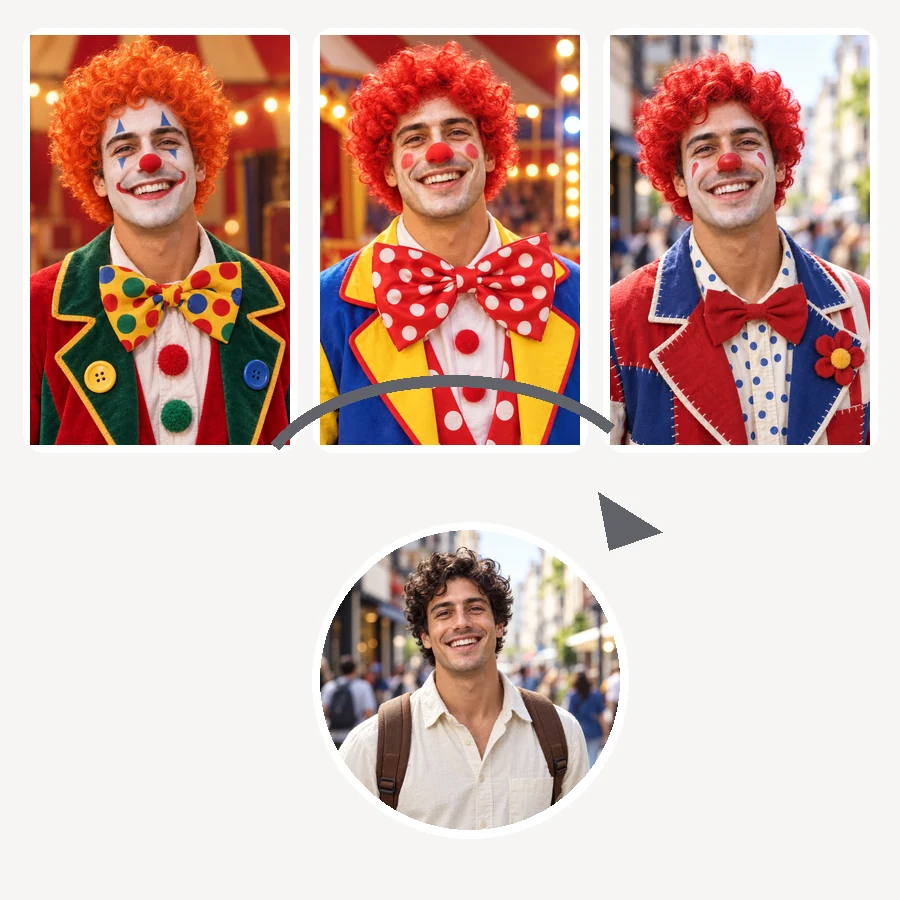
Reference example. It is not a result generated from your upload.
An AI clown filter is a photo effect that paints clown makeup onto a real face: white greasepaint, colorful eye marks, a round red nose, a painted smile, and often a wig and costume to match. Instead of a flat sticker, the clown AI blends the face paint into your skin, lighting, and expression, so the result looks like you really sat in a makeup chair.
This clown maker goes a step further than a single effect. Clownify a picture as a clown selfie, turn it into a four-panel clown makeup meme, or use it as a clown OC maker to design an original character in cartoon or anime style. Pick the mood, from funny and cute to a little spooky, and add your own details in the note.
From selfie to full clown in three steps, with no face paint to wash off.
Choose a clear, front-facing photo with your face visible. JPG, PNG, and WebP files up to 10 MB are supported.
Pick a Clown Style, choose what to make (Clown Selfie, Makeup Meme, Cartoon OC, or Anime OC), and set the Mood. Add details such as colors or props in the note.
Preview your clown photo, then download it for a profile picture, a group chat joke, or a party post.
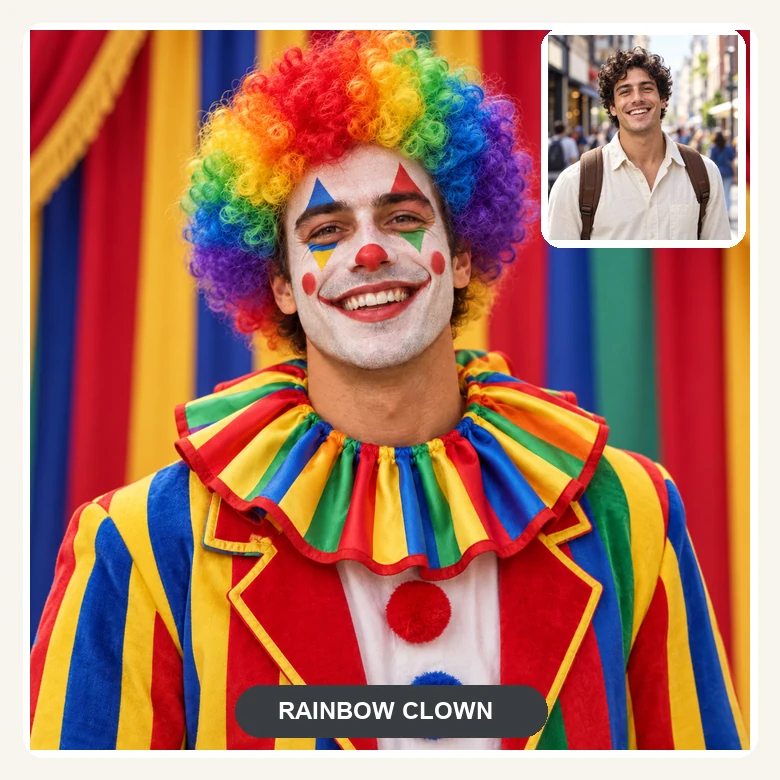
The clown face filter keeps your face shape, eyes, and smile, then adds greasepaint, eye marks, a red nose, and a wig that follow your features and lighting. It reads as you in clown makeup, not a mask pasted on top.
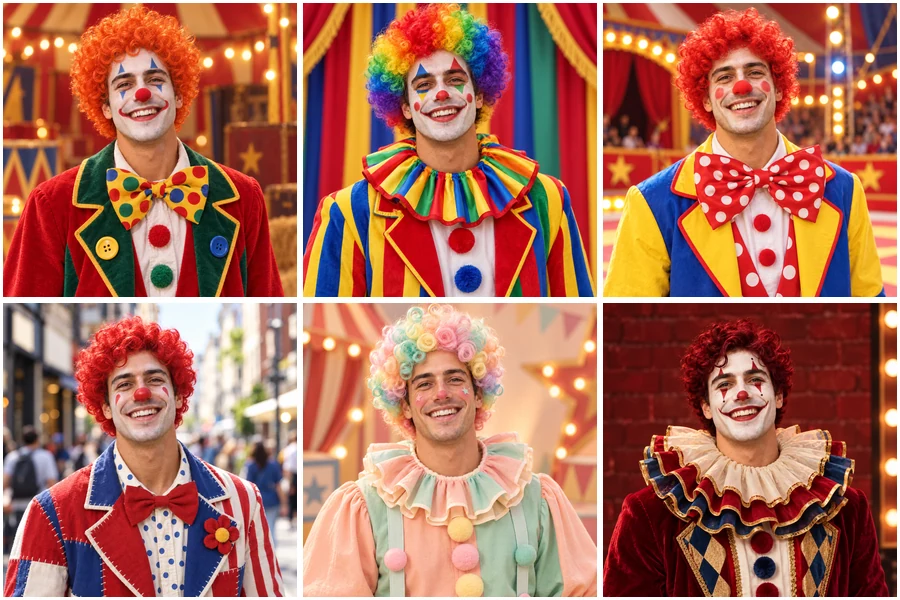
Go for a classic circus clown with a red wig, a polka-dot entertainer, a street performer, a soft cute clown, or a glam clown with dramatic makeup. Switch the Mood to Spooky for a creepier version without any gore.
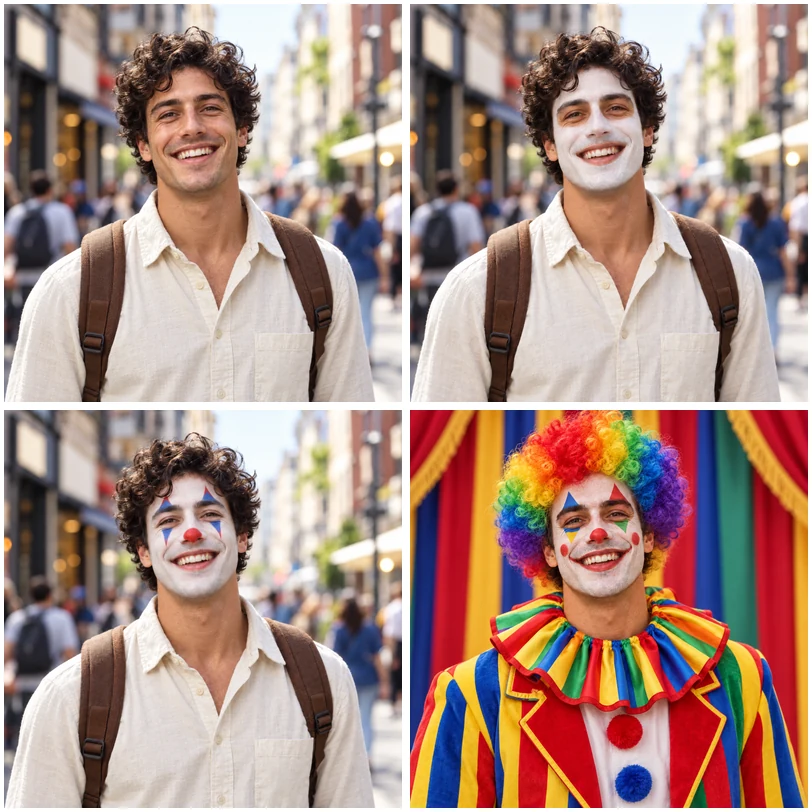
Choose Makeup Meme and the AI lays out the familiar four-panel "putting on clown makeup" sequence from your selfie, from bare face to full clown. Add a caption and you have a clown meme ready for the group chat.
Turn yourself into an original clown character for stories, role-play, or fan art. Choose Cartoon OC or Anime OC and describe outfit colors, accessories, and personality in the note to build a whole cast of clowns.
A playful clown selfie for your profile, a birthday post, or an April Fools’ joke that still looks like you.
Reply to a bad take with your own "putting on the clown makeup" meme instead of a stock template.
Design a clown OC for a comic, a role-play server, or a game, starting from your own face.
Preview clown makeup before a costume party or make themed invites for a circus birthday.
A clean, well-lit face gives the face paint the best canvas.
Front-facing photos let the clown makeup line up with your eyes, nose, and mouth.
Good light keeps white greasepaint clean and colors bright instead of muddy.
Mention wig color, nose shape, or collar style in the note for a clown that feels personal.
Funny or Cute for memes and profiles, Spooky for Halloween posts.
Common ways creators and friends use clown edits.
Illustrative examples adapted from reference material, not verified reviews of EzImgMaker.
I turned a normal selfie into a full circus clown, red nose and all. My friends honestly thought I had my makeup done for a party.
I expected it to look cartoonish, but the face paint followed my features and lighting. It looked like real greasepaint.
The four-panel makeup meme of my own face got more reactions in our group chat than any template I have ever posted.
I needed a clown character for my comic. Starting from my own photo gave me a design with real personality.
Styles, memes, original characters, and photo tips.
A clown filter is a photo effect that adds clown makeup to a face: white face paint, colorful eye marks, a red nose, a painted smile, and sometimes a wig and costume. This AI clown filter blends the makeup into your real features instead of placing a sticker on top.
Upload a clear selfie, pick a Clown Style, choose Clown Selfie under Make, set the Mood, and generate. Download the result or try another style on the same photo.
Choose Makeup Meme under Make. The AI builds the four-panel "putting on clown makeup" sequence from your selfie, starting with your bare face and ending in full clown makeup. Add your own caption on top before you share it.
Yes. Choose Cartoon OC or Anime OC to turn your photo into an original clown character, then describe outfit colors, accessories, and personality in the note. Run it several times to build a whole cast.
Yes. Set the Mood to Spooky for darker colors, sharper eye marks, and moody lighting. It stays Halloween-fun, with no blood or wounds.
The filter creates original clown looks rather than copies of trademarked movie or comic characters. Describe the colors, makeup shapes, and costume you like in the note to get a look in that spirit that is still your own.
No. The clown filter runs online in your browser on phone or desktop, so you get the same kind of result as a clown app without installing anything.
A sharp, front-facing selfie with even light and nothing covering the face. Avoid sunglasses, heavy shadows, and crowded group shots.
Only upload photos you own or have permission to edit, and keep it friendly. Never use a clown edit to bully, embarrass, or mislead anyone.
Upload a selfie and make a clown photo, a clown meme, or an original clown character.