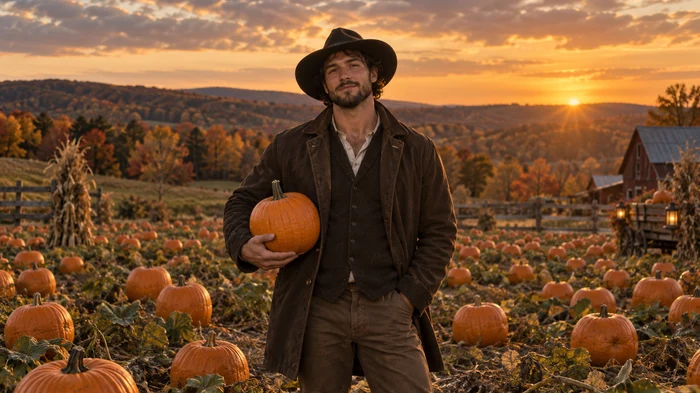
Pumpkin Patch Portrait
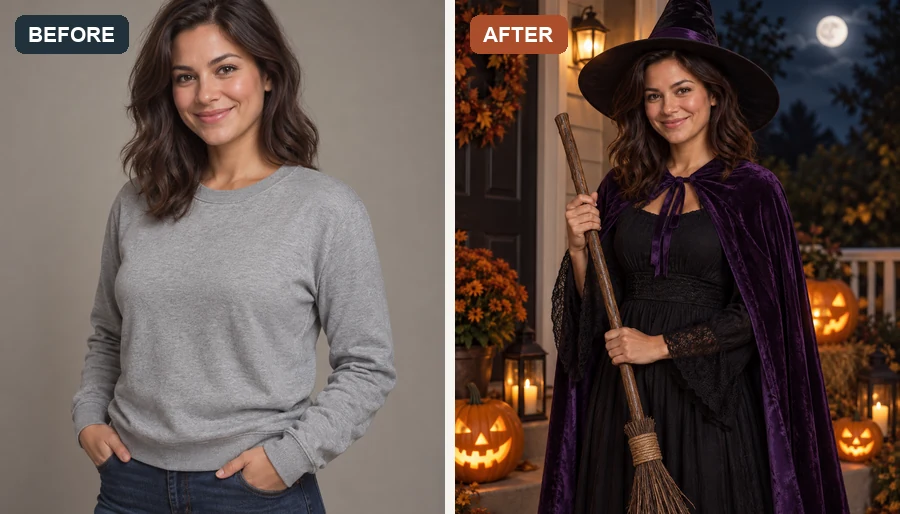
Golden-hour light, rows of pumpkins, and a cozy autumn outfit. The friendliest Halloween shoot for families and couples.
Upload a selfie, couple, or family photo and turn it into a witch, vampire, or skeleton look, a moody Halloween photoshoot scene, or a happy Halloween backdrop that still looks like you.
Your photo stays in this browser during this UI preview.
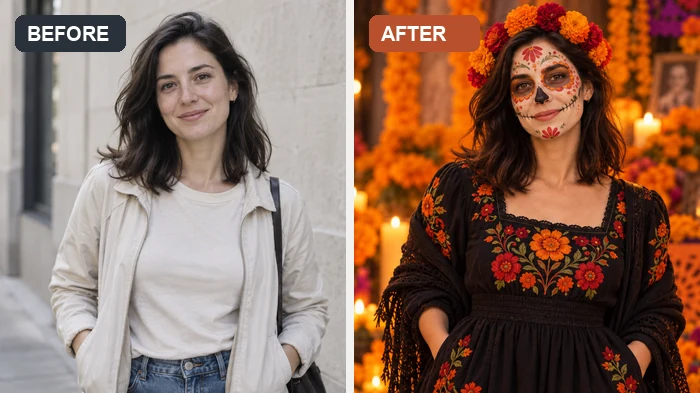
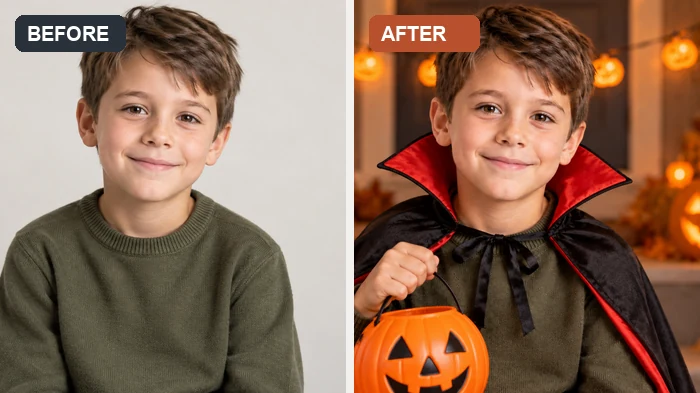
Reference example. It is not a result generated from your upload.
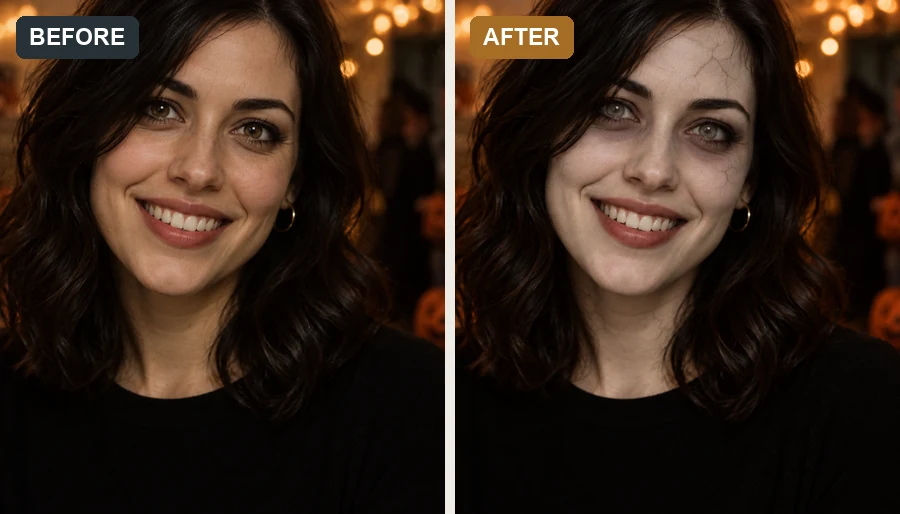
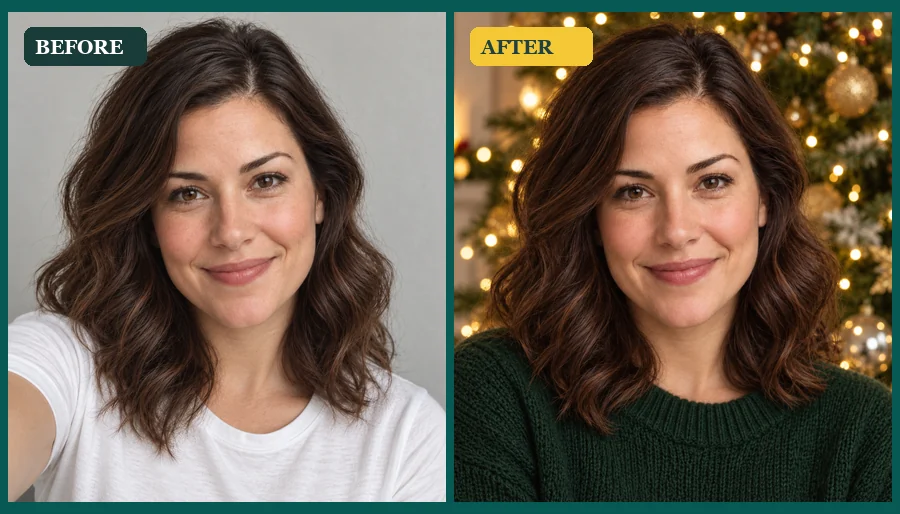
The AI Halloween trend is the habit of turning an ordinary selfie into a costume portrait or a cinematic Halloween photoshoot with AI, instead of buying props, makeup, and a studio session. It took off as the spooky season AI trend on social feeds, and this AI Halloween filter does exactly that: pick a look such as witch, vampire, or skeleton, or a trend scene like a pumpkin patch or a haunted mirror, and it rebuilds the outfit, makeup, lighting, and background while keeping your face recognizable.
Think of it as a Halloween photo editor, Halloween image editor, and Halloween photo maker in one, and an easy Halloween filter for photos of yourself, couples, and families. You get AI Halloween images for profile photos, party invites, and group chats, and you can steer the result with your own idea in the note box. The looks stay fun and festive: dramatic makeup and moody light, never gore.
Each card is a Halloween themed photoshoot you can recreate from one photo. Pick a card to load that scene in the workspace.
Golden-hour light, rows of pumpkins, and a cozy autumn outfit. The friendliest Halloween shoot for families and couples.
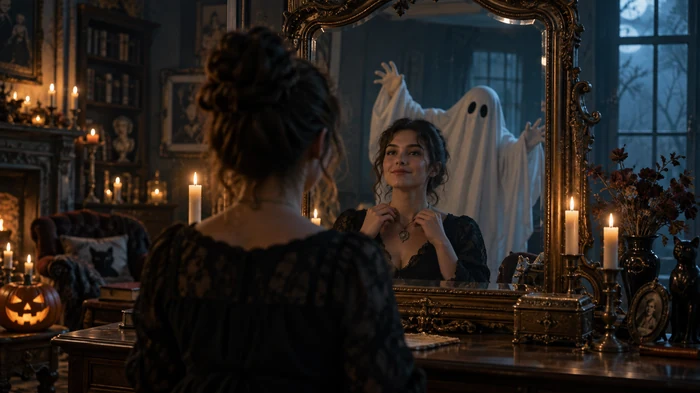
A dim room, a tall mirror, and a pale ghost standing right behind you. One of the most shared ideas of the trend.
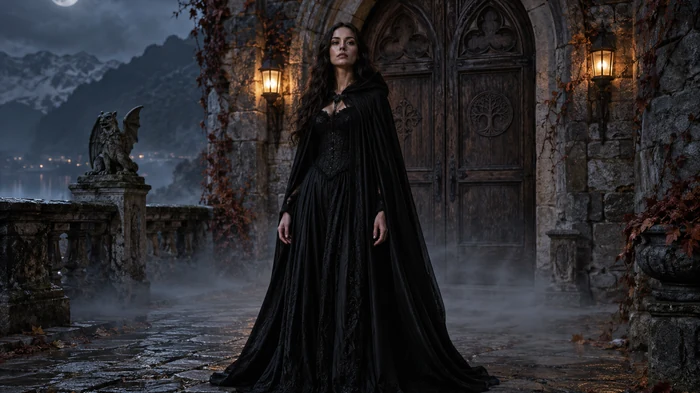
A long black coat or lace gown in front of an old stone doorway, lit like a still from a period horror film.
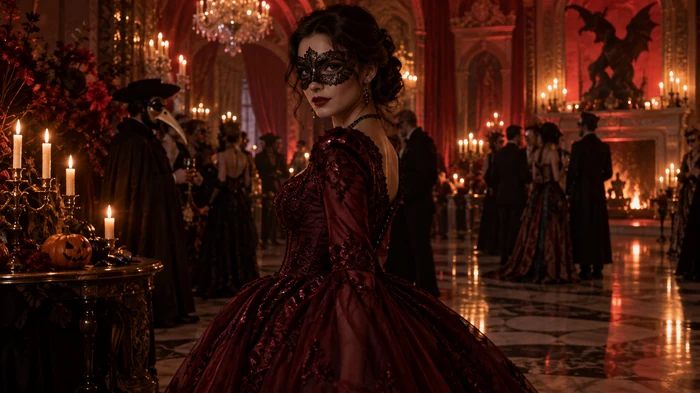
A candlelit ballroom, a lace mask, and a dark velvet gown or tuxedo for an elegant, mysterious look.
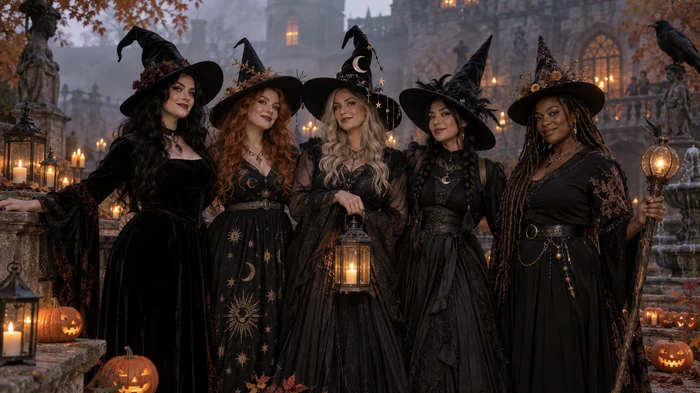
Matching pointed hats and black dresses for a group of friends. An easy pick for Halloween party photos.
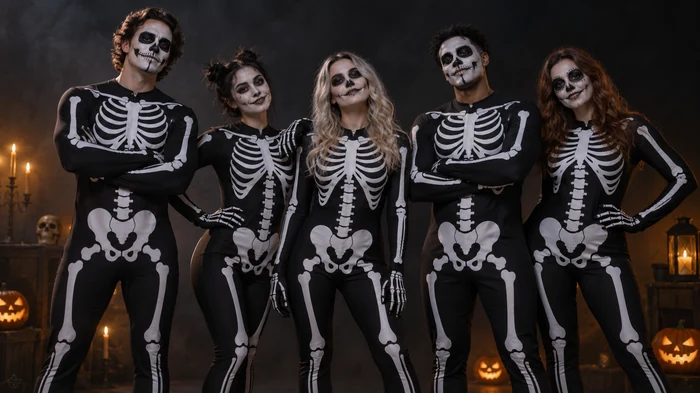
Everyone in skeleton bodysuits against a black backdrop. Simple, bold, and great for big groups.
No costume, no makeup kit, no photographer. Just one clear photo and a filter.
Choose a selfie, half-body portrait, couple, or family photo with faces clearly visible. JPG, PNG, and WebP files up to 10 MB are supported.
Choose a Spooky Look, a Trend Photoshoot scene, or a Backdrop. Want something specific? Add your own idea in the note box.
Preview your AI Halloween photo, then download the Halloween edit for profile photos, invites, and posts.
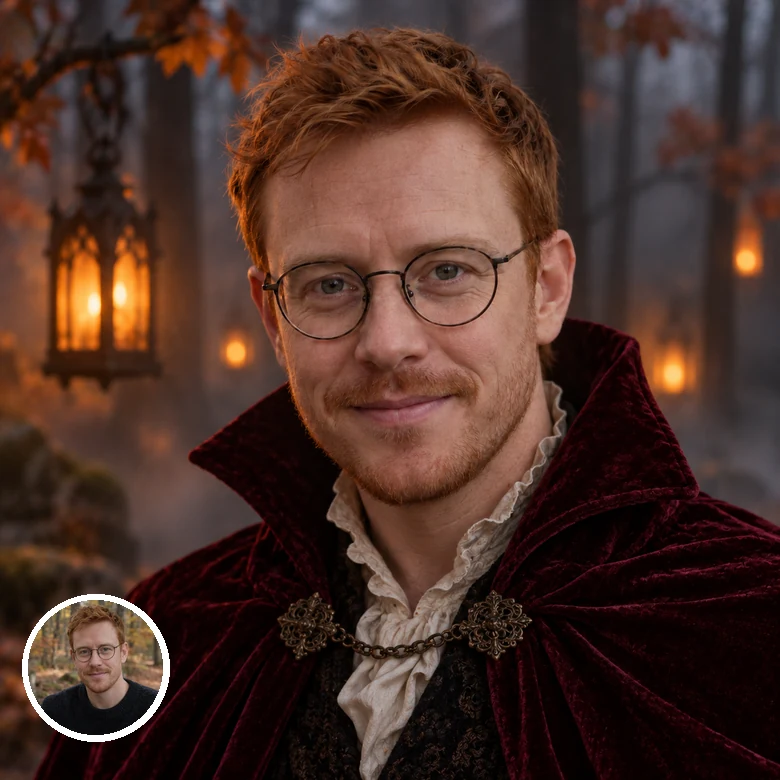
Unlike flat stickers, these Halloween filters for photos rebuild the costume, makeup, hair styling, and lighting around your real features. Face shape, eye color, glasses, and expression carry over, so friends still recognize you under the witch hat or the vampire collar.
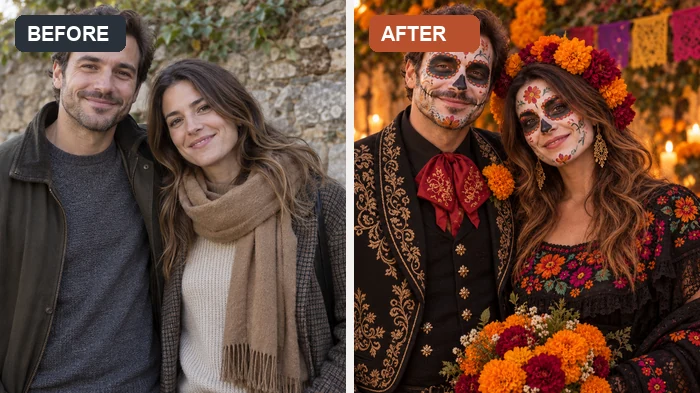
From pumpkin patch portraits to haunted mirrors and masked balls, the trend scenes restage your picture as a Halloween themed photoshoot. It works for couples too: both people keep their faces while outfits, props, and setting change together.
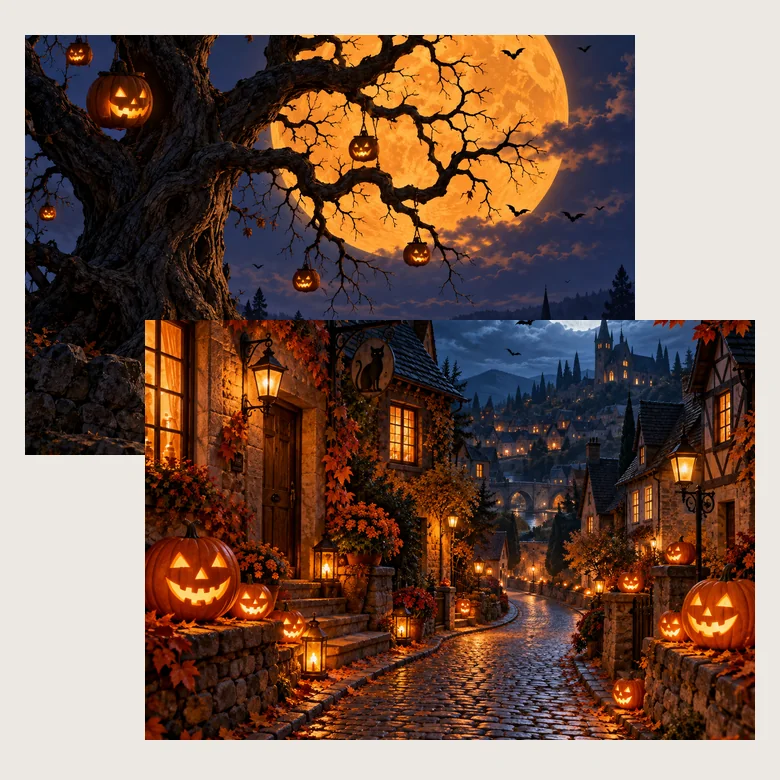
Not in the mood for face paint? Keep your outfit and swap the background for a happy Halloween backdrop: an orange full moon behind a crooked tree, a street of glowing jack-o’-lanterns, friendly ghosts, or a purple castle. The AI Halloween decorations are lit to match your photo.
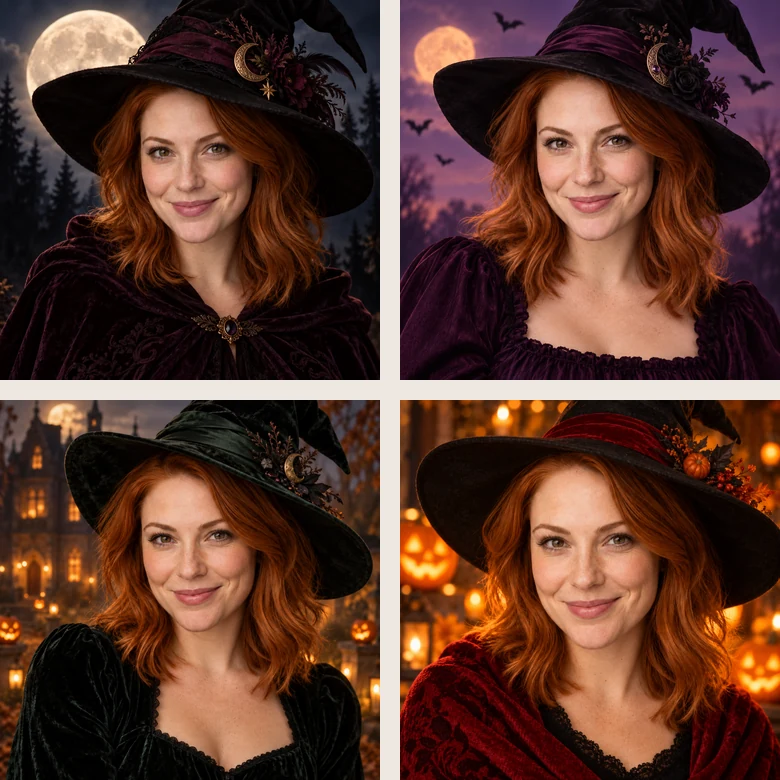
Make a matching set of Halloween profile photos in different moods, from a moonlit witch to a bat-filled orange night. Use the spookiest one for your Halloween fb profile pics and chat avatars, then switch back in November.
Update your avatar for spooky season with a witch, vampire, or skeleton look that still looks like you.
Turn a family snapshot into a pumpkin patch portrait, or dress the kids as tiny vampires without a trip to the costume shop.
Put your spooky portrait on an invite or a Halloween RSVP story, then add your own spooky Halloween wording on top.
Make a witch coven or skeleton squad from a group photo, or a matching couple shot, for Halloween photo fun with friends.
A clear starting photo gives the Halloween editor more to work with.
Front-facing or slightly angled photos with no hands, hats, or hair covering the eyes keep your features intact.
Half-body shots give the AI room to style collars, capes, and costume details, not just makeup.
Daylight or soft indoor light helps the filter add spooky lighting without losing your skin tone and eye color.
In the note box, name the outfit, setting, and mood in a few words, such as "black lace, candlelight, foggy graveyard".
Common ways creators, parents, and party hosts use AI Halloween photos.
Illustrative examples adapted from reference material, not verified reviews of EzImgMaker.
I had no time for a costume, so I ran one selfie through the vampire look and the haunted mirror scene. Both still looked like me, just a lot spookier.
We turned a family snapshot into a pumpkin patch portrait for the group chat. The kids loved seeing themselves in costume.
The backdrops are my favorite part. I keep my normal outfit and swap in the full moon tree for a seasonal profile photo.
Our team made a witch coven picture from a regular office photo for the party invite. Much easier than booking a real photoshoot.
Answers to common questions about the AI Halloween trend and Halloween photo filters.
The AI Halloween trend, also searched as the Halloween AI trend, is the seasonal craze of turning everyday selfies into costume portraits and cinematic Halloween photoshoots with AI. People share before-and-after posts of themselves as witches, vampires, and skeletons, or posing in haunted scenes, without buying a costume or booking a photographer.
Upload a clear selfie or group photo, pick a Spooky Look, Trend Photoshoot, or Backdrop, add an optional note, and generate. Download the result and post it next to your original photo for the classic before-and-after reveal.
A Halloween filter is a photo effect that adds costumes, makeup, and spooky settings to a picture. Classic Halloween filters place bats or fangs on top of the photo, while an AI Halloween filter rebuilds the outfit, face paint, lighting, and background so the result looks like a real Halloween shoot.
Spooky Looks include Witch, Vampire, Skeleton, Mummy, Pumpkin Glow, and more. Trend Photoshoots restage you in scenes such as Pumpkin Patch, Haunted Mirror, Masked Ball, or Witch Coven. Backdrops keep your outfit and only change the background. Each Halloween photo filter can be fine-tuned with a short note.
Yes. Choose a Backdrop such as Full Moon Tree, Pumpkin Village, or Happy Halloween Ghosts. This Halloween AI generator keeps your face, hair, and clothes as they are and replaces only the background and lighting.
No. The filter works online in your browser on phone or desktop, so you get the same kind of result as a Halloween photo app or Halloween pic editor without installing anything.
Yes. Pick the closest filter, then describe the details in the note box, for example "red velvet gown, candlelit window, moonlight" or "keep my glasses, add a black cape". Short, concrete notes work better than long paragraphs.
The filters are made for festive Halloween fun: costumes, dramatic makeup, and moody lighting, with no gore or wounds. Pumpkin Patch, Candy Spook, and the backdrops are the gentlest picks for family photos.
Your edited photo downloads as a regular image. If you need a transparent Halloween background PNG for a design, generate the scene here first, then cut out the subject with a background remover.
Only upload photos you own or have permission to edit. For photos of children, get a parent's or guardian's permission first, and never use a Halloween edit to embarrass or mislead anyone.
Upload a photo and turn it into a spooky Halloween portrait, photoshoot scene, or backdrop.