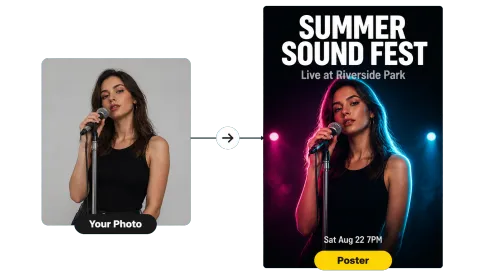
Upload a Photo
Add a JPG, PNG, or WebP up to 20 MB: a landscape, a product shot, or banner art made at the wrong size. It stays on your device.
Turn any photo into a 1500 × 500 Twitter (X) header at the 3:1 banner proportions, with a crop guide that shows what stays visible on every screen. Also makes 400 × 400 profile photos and 16:9 or square post images.
One-click X sizes
Fine-tune
Runs in your browser. Your photo is never uploaded.
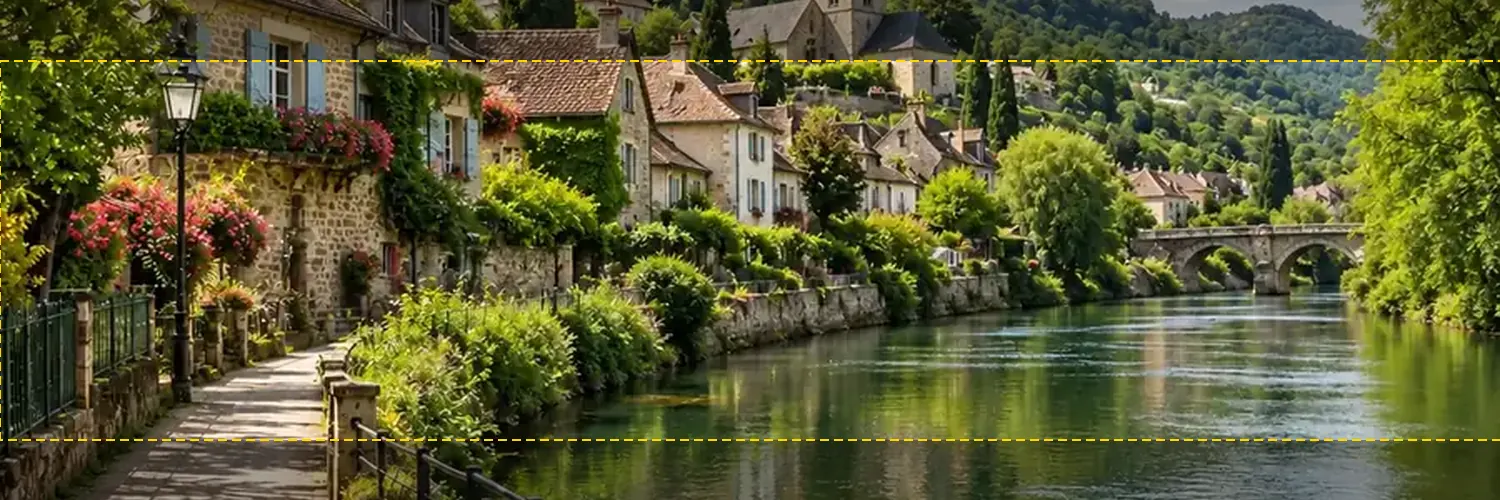
Reference example. It is not a result generated from your upload.
X (Twitter) recommends a 1500 × 500 pixel header, so the Twitter banner proportions are 3:1. Profile photos are 400 × 400 pixels. Both can be JPG, GIF, or PNG (animated GIFs are not supported), and X Help gives a 2 MB maximum for profile photos. X also warns that up to 60 pixels at the top and bottom of a correctly sized header can be cropped depending on the monitor and browser, and your profile photo overlaps the lower-left corner.
This Twitter banner resizer crops or fits any image to exactly 1500 × 500 and draws a Twitter crop guide on the live preview, so text and logos stay inside the band that always shows. It also works as a Twitter cropper for 400 × 400 profile photos and 16:9 or square posts. Everything runs in your browser: free, no sign-up, and your image is never uploaded.
Crop for Twitter in three steps.
Add a JPG, PNG, or WebP up to 20 MB: a landscape, a product shot, or banner art made at the wrong size. It stays on your device.
Header 1500×500 is selected by default. The dashed box shows what survives Twitter cropping; drag the photo, zoom in, move the crop anchor, or switch to Fit whole image until the important part sits inside it, away from the lower-left corner.
Save a JPG (small and sharp for photos) or PNG, then on X choose Edit profile, tap the camera on the header, upload, and Apply.
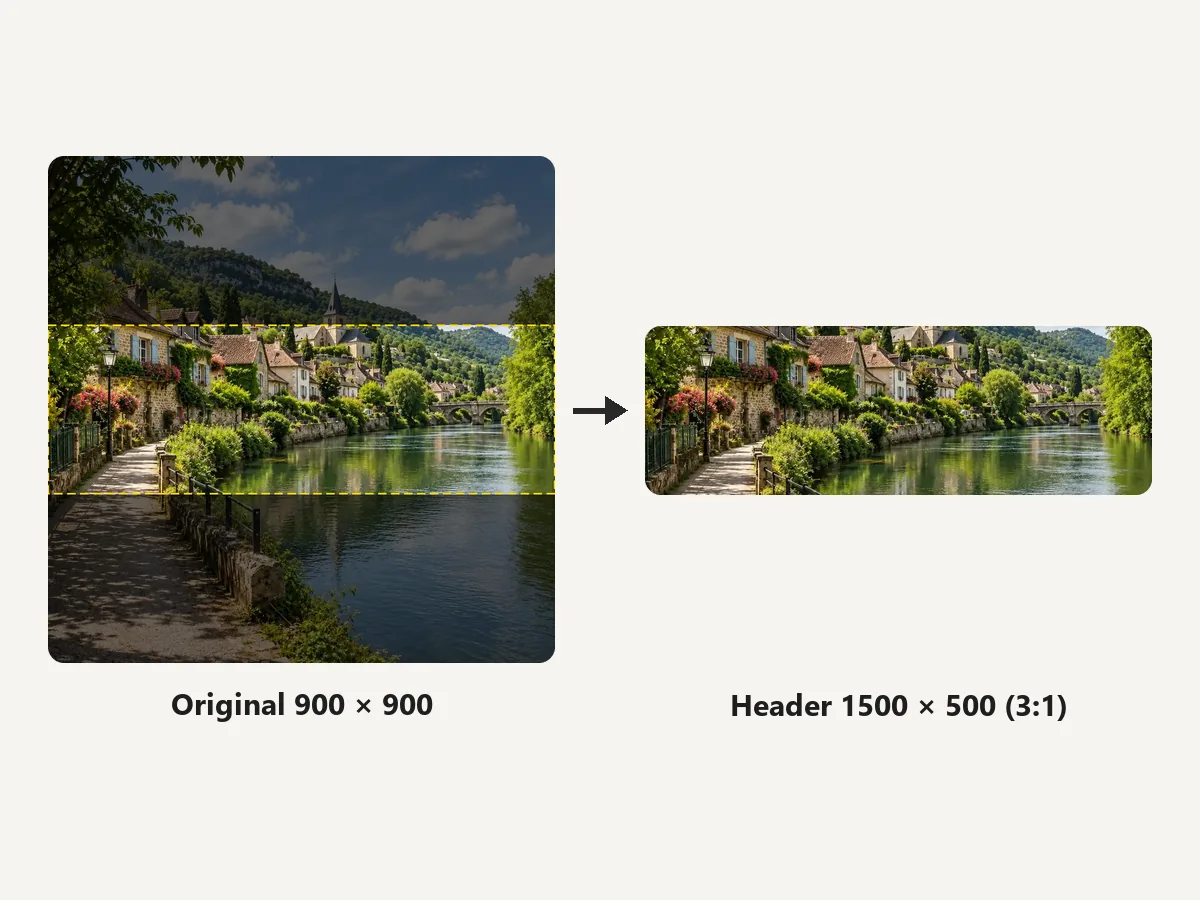
Square, vertical, or panoramic, the image is scaled to fill 3:1 and only the overflow is trimmed. It is the quickest way to resize pics for Twitter headers without guessing the Twitter banner dimensions.
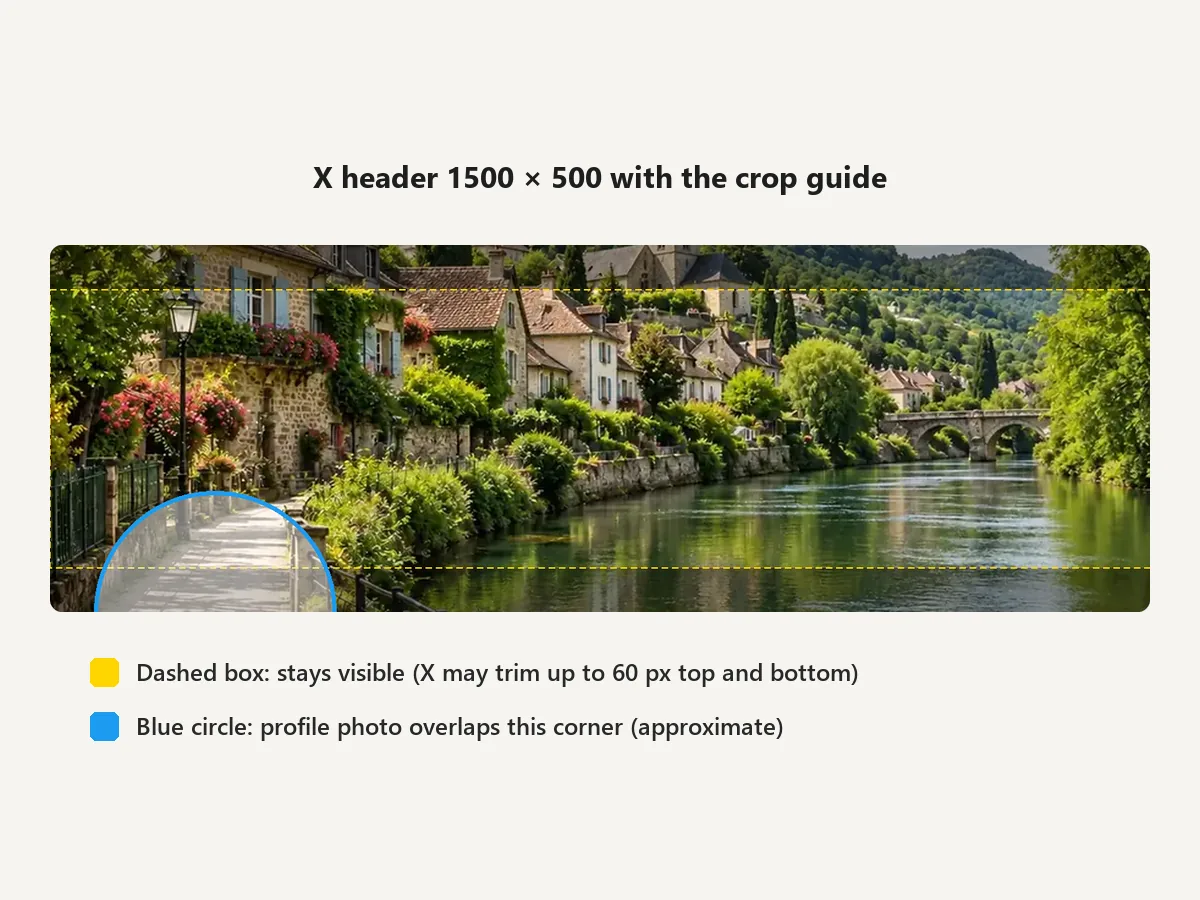
Up to 60 px can be cut from the top and bottom of the header on some screens, and the profile photo covers the lower-left corner. The preview shades the risky strips so you can keep names, dates, and logos in the safe middle band.
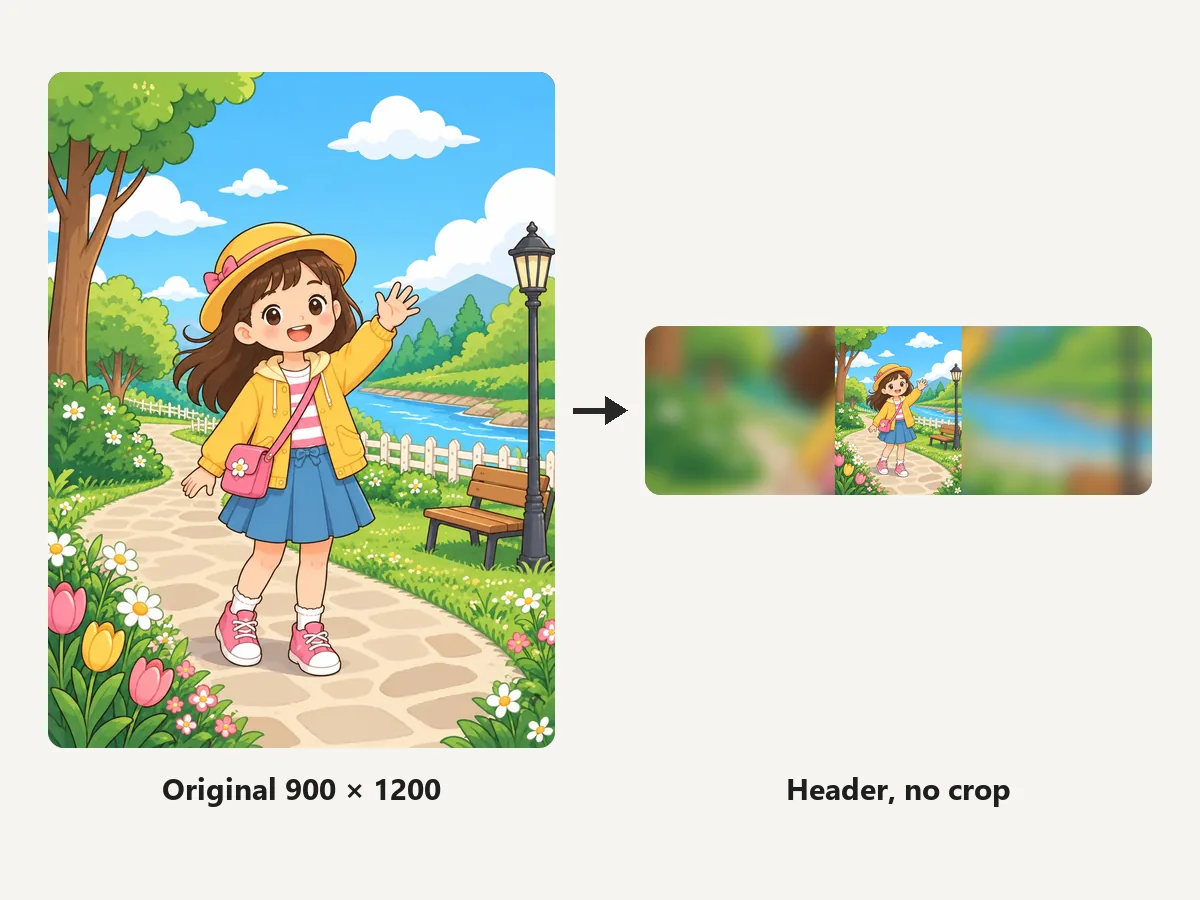
For posters and tall art, Fit whole image places the entire picture inside the header and fills the sides with a blurred copy, black, or white, so nothing is lost to Twitter cropping.
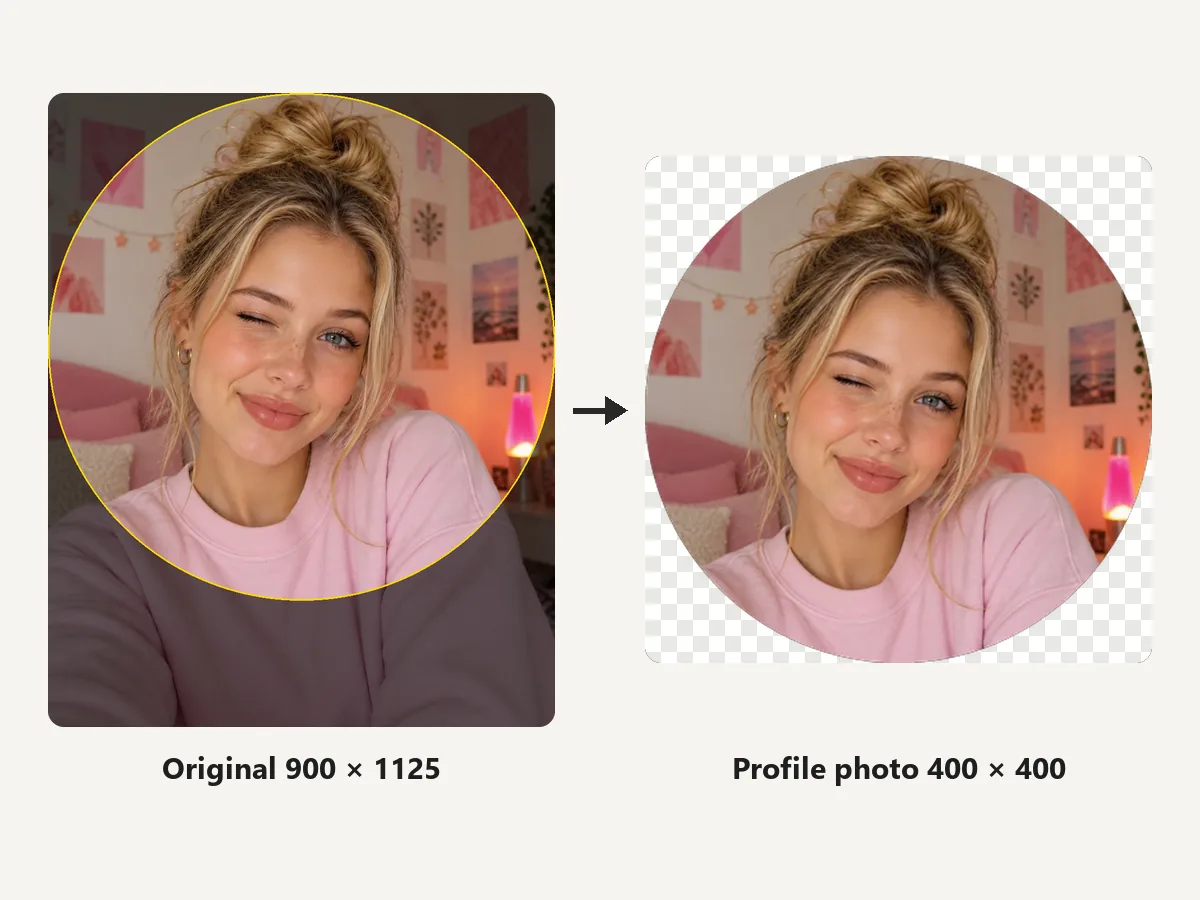
Use the same image resizer for Twitter profile photos (400 × 400, previewed as a circle) and for posts at 16:9 or 1:1, so pictures are not cropped awkwardly in the timeline.
The numbers X Help publishes, plus the common post sizes.
The recommended Twitter profile banner size, a 3:1 aspect ratio. JPG, GIF, or PNG, not animated.
Up to 60 px at the top and bottom can be trimmed, so keep key content in the middle band.
Square, shown as a circle, 2 MB maximum. It overlaps the lower-left corner of the header.
Common choices are 1600 × 900 or 1080 × 1080, so the timeline shows the whole picture.
How people use a Twitter banner resizer.
Illustrative examples adapted from reference material, not verified reviews of EzImgMaker.
My event date kept getting cut off on laptops. The crop guide showed it sat in the trimmed strip, so I moved it up and it is fine everywhere now.
I had a square illustration and no idea how to get 3:1. Fit whole image with blurred edges looked better than any crop.
Made the header and the 400 × 400 profile photo from one shoot. The circle preview stopped me from cropping off the top of my head.
Quick Twitter cropper for product launch images: 16:9 for posts, 1500 × 500 for the header, all in the browser.
Header size, proportions, cropping, and profile photos.
The Twitter banner aspect ratio is 3:1. X recommends a 1500 × 500 pixel header, so any image you upload should be cropped or fitted to that shape first.
Use 1500 × 500 pixels in JPG, GIF, or PNG (no animation). A larger 3:1 image works too, but 1500 × 500 keeps the file small and sharp.
Headers are shown differently on each monitor and browser, and X says up to 60 pixels at the top and bottom can be cut. The profile photo also covers the lower-left corner. Keep important content centered inside the crop guide.
Leave the guide on Header: 60 px trimmed top & bottom. The dashed box marks the 1500 × 380 band that stays visible; anything in the shaded strips may disappear. The guide only appears in the preview, never in your download.
Upload a 400 × 400 pixel square, up to 2 MB. X shows it as a circle, so keep your face centered with space around it.
Pick Post 1600×900 for a 16:9 image or Square post 1080×1080, crop or fit the picture, and download. Matching the shape avoids awkward timeline crops.
Yes. Choose Header, no crop (or Fit whole image). The full picture sits inside the 3:1 frame and the empty sides are filled with a blurred copy or a solid color.
It is free with no sign-up. The image is processed in your own browser and never leaves your device. Only use images you have the right to edit and publish.
Upload a photo, keep the important part inside the crop guide, and download a 1500 × 500 X header.
X and Twitter are trademarks of X Corp. EzImgMaker is an independent tool and is not affiliated with or endorsed by X. Sizes follow X Help at the time of writing and may change.