Screenshot
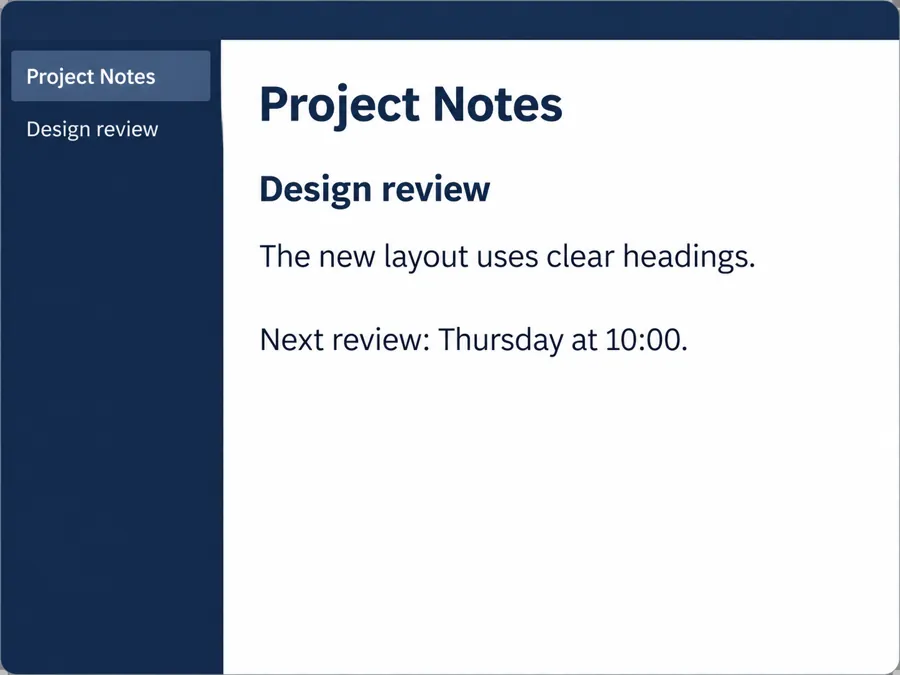
Copy the heading and bullet points from a screenshot into editable text.
Convert image to text from screenshots, notes and receipts. Copy text from picture, preserve paragraphs and tables, or download editable TXT and Markdown files.
Only upload images you have the right to use. Review the result before relying on it.
Sample result · Check names, numbers and line breaks.
Turn photo into text without retyping every line. This photo to text converter reads visible text from screenshots and documents.
AI text extraction from image works on many handwritten notes. Use sharp, well-lit photos, and review unusual names and numbers yourself.
This image to text AI helps you convert to text from a picture of text to text you can edit. Use the image text reader for a screenshot or turn picture into text from a camera photo. JPEG to text and img to text use the same upload workflow.
Choosing the best image to text AI depends on source quality. AI text extraction from image content still needs careful review of handwriting.
Copy the heading and bullet points from a screenshot into editable text.
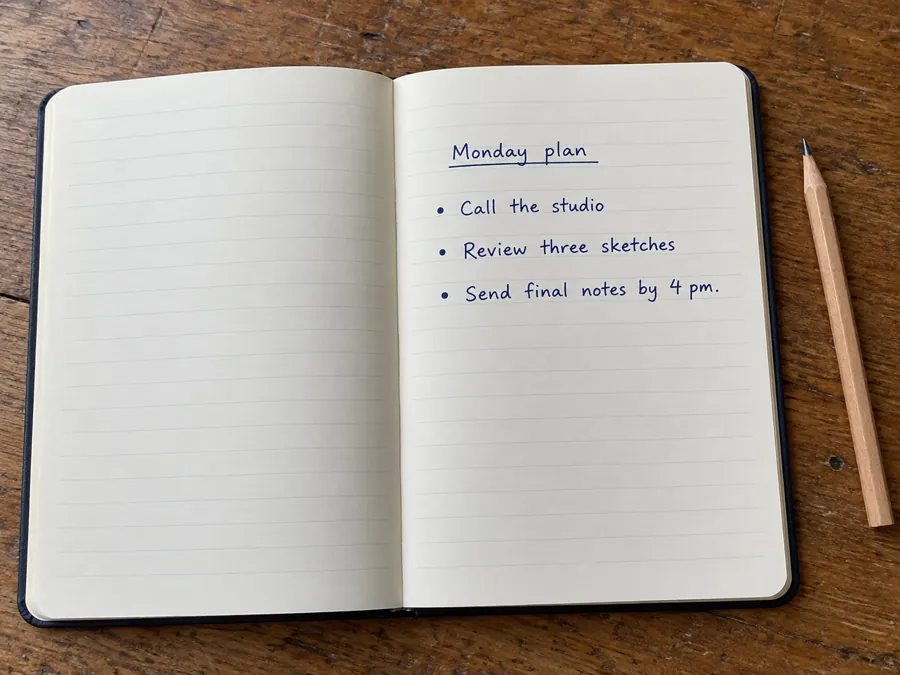
Turn the handwritten Monday plan into task lines you can paste into a notes app.
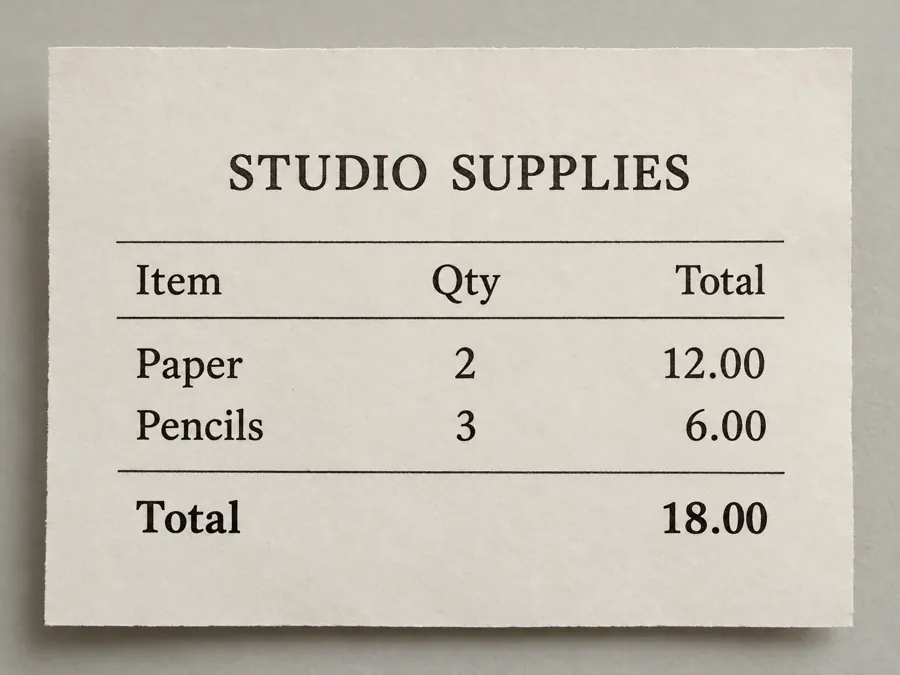
Extract item names, quantities and totals from the receipt while retaining the table structure.
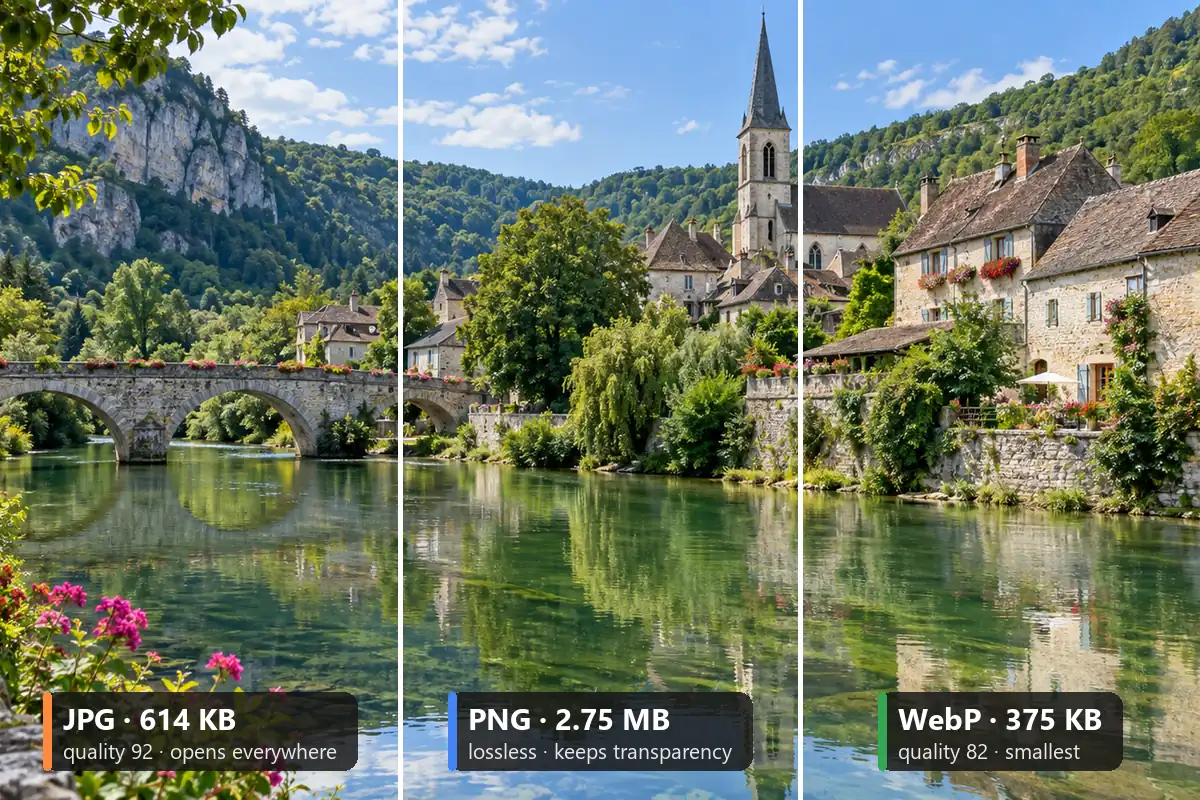
Choose a JPG, PNG or WebP in Your image. Frame the text area tightly, including the last line and any table headers.
Under Output layout, Keep layout retains paragraphs and tables. Choose Plain text for words you want to paste into an editor, then press Extract Text.
Compare the extracted words with the source image. Copy the result or download TXT or Markdown, then correct names and figures in your preferred editor.
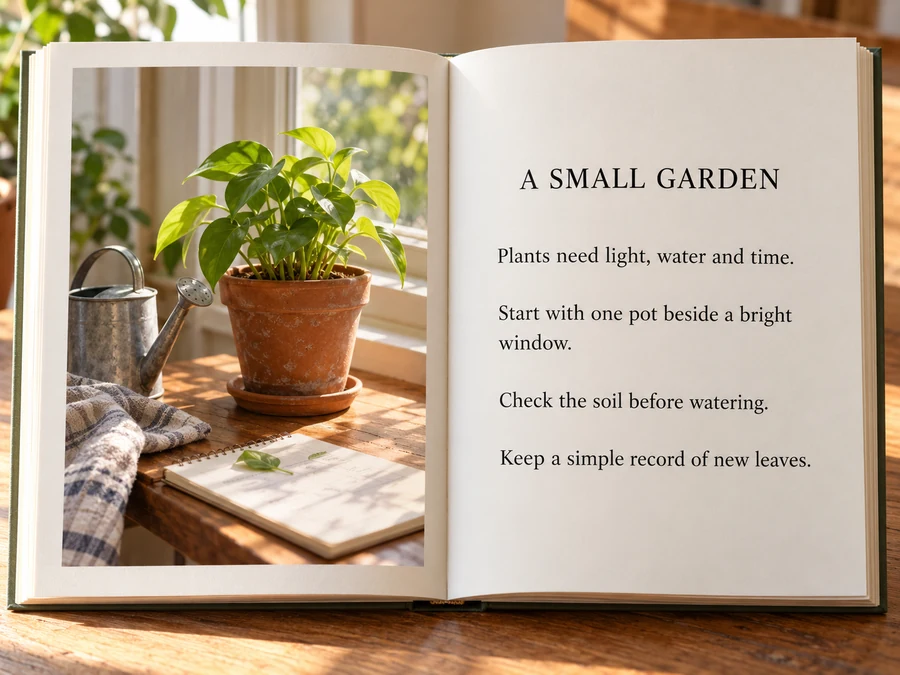
Use this photo to text converter for printed pages you have permission to digitize. Keep layout separates headings and paragraphs so you can turn photo into text without rebuilding the structure by hand.
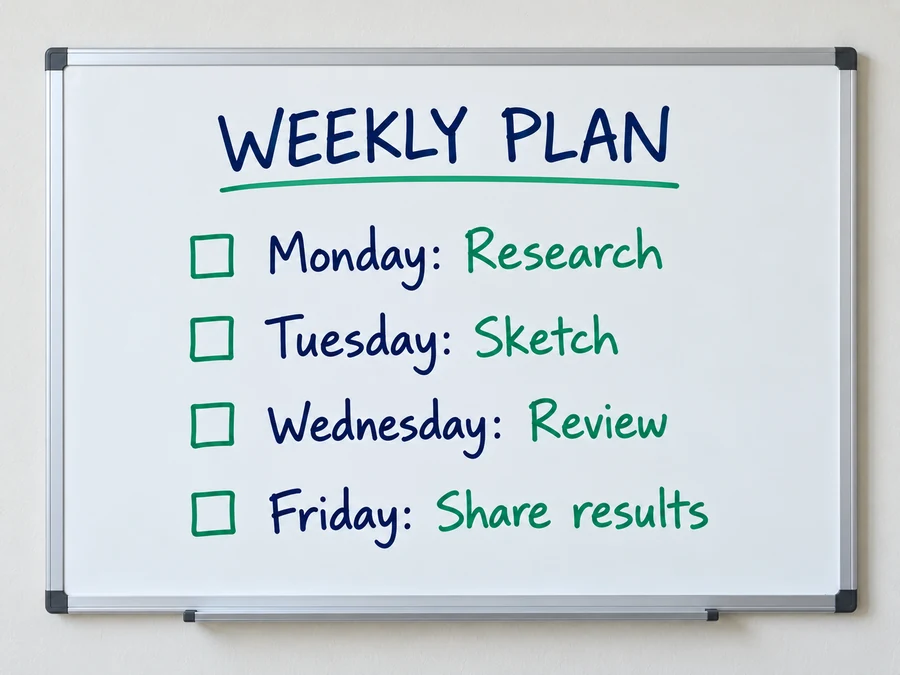
A picture to text converter for notes turns handwritten tasks into an editable list. Photograph the whole board, then use Plain text to copy the weekly plan into your team’s document.
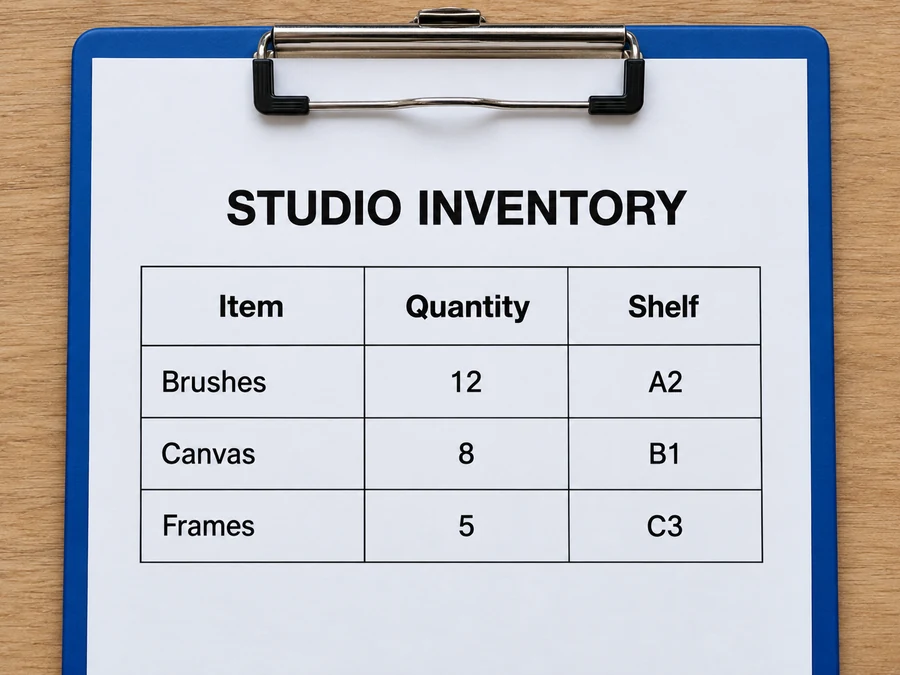
The image text extractor for receipts also reads inventory sheets. Convert text in image to text with Markdown tables, then compare every quantity and column against the original before updating your records.
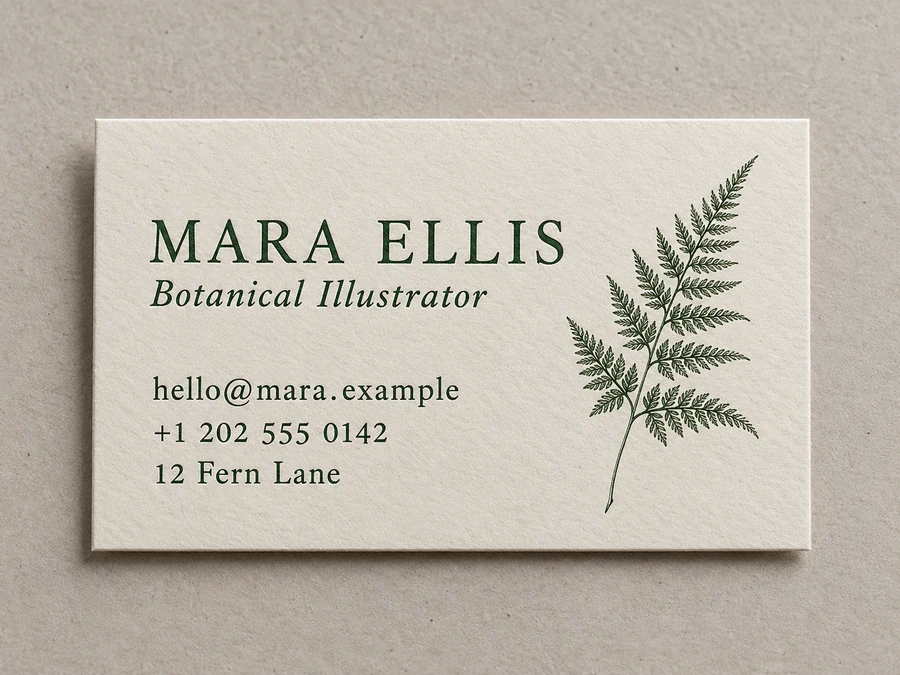
Convert pic to text from a business card, then copy the name, email and address into your contacts. Image to words keeps the source language; TXT and Markdown downloads let you edit it in your preferred app.
Remove browser tabs, toolbars and unrelated chat messages before uploading. Keep only the text that belongs in the extracted document.
Curved lines and deep shadows make letters harder to recognize. Hold the page flat and take the photo directly above it.
Look closely at names, joined letters and the difference between 0 and O. Dark ink on plain paper is easier to read than pale pencil.
Include the quantity, price and total column labels. After extraction, verify that values still align with the correct item.
Turn photo into text without retyping every line. This photo to text converter reads visible text from screenshots and documents.
Upload a screenshot or document photo, choose Keep layout or Plain text, and press Extract Text. Review the words before copying them or downloading a TXT or Markdown file for editing.
Free to try with free credits when you sign up. The interface shows the cost before you start.
Only upload images you have the right to use (photos or screenshots of documents included), and avoid sharing other people’s private details such as ID numbers or addresses.
A failed generation is refunded. Read the error message, check your source and try again.
Yes. Upload the screenshot from your phone as JPG, PNG or WebP. Crop away navigation bars first if you only want the text from the document or message.
AI text extraction from image works on many handwritten notes. Use sharp, well-lit photos, and review unusual names and numbers yourself.
Convert text in image to text with Markdown tables. Keep layout preserves paragraph breaks; Plain text produces simpler text for editing.
Convert pic to text, then copy the extracted words or download TXT and Markdown. Image to words keeps your source language rather than translating.
Check names, numbers, symbols and any unclear text. Results can contain errors; verify important information against the original.
Convert image to text from screenshots, notes and receipts. Copy text from picture, preserve paragraphs and tables, or download editable TXT and Markdown files.