Upload the Filtered Photo
Add the clearest copy you have as a JPG, PNG, or WebP up to 15 MB. Screenshots of a screenshot lose detail.
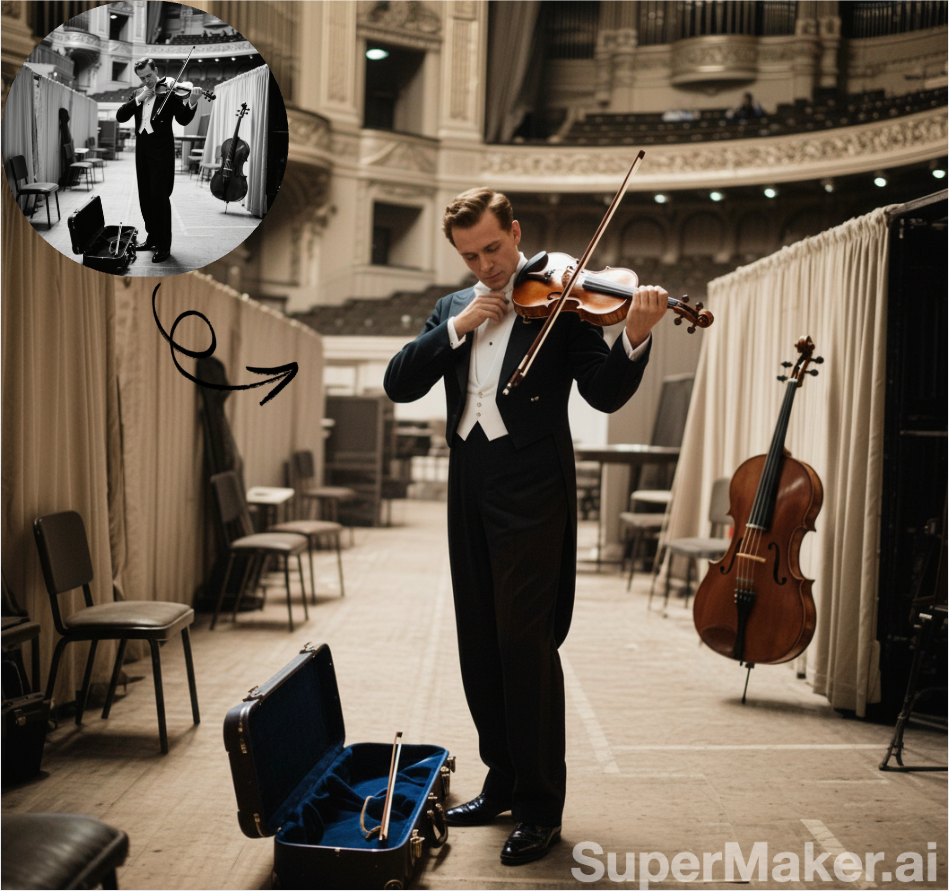
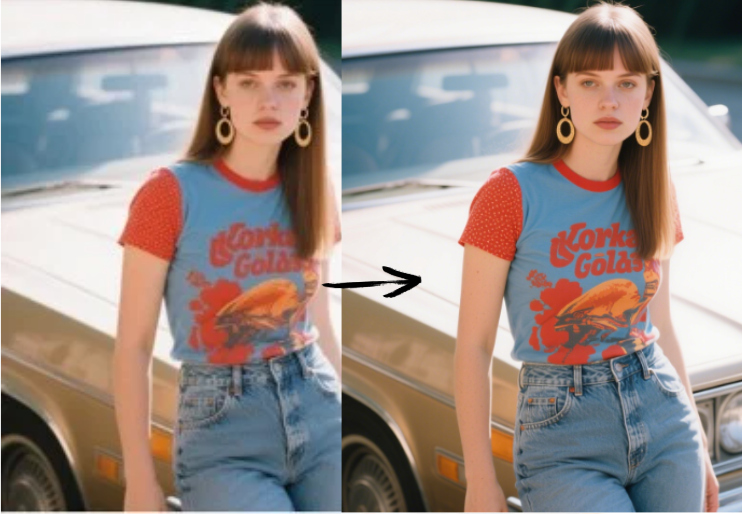
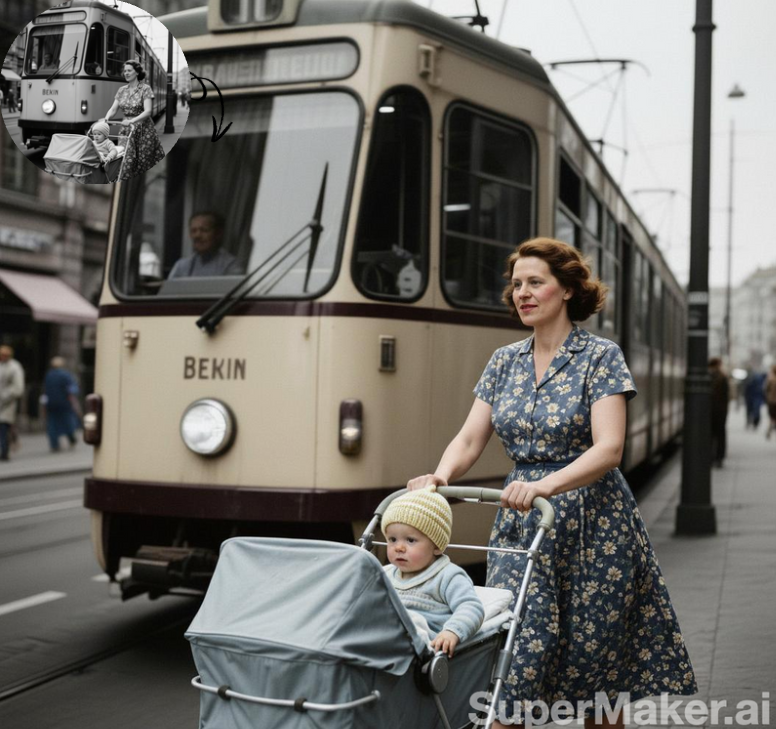
Upload a picture with a heavy yellow cast, a moody dark grade, a faded vintage look, or a strong beauty filter. The AI creates a cleaner, more natural-looking version you can compare side by side.
Fine-tune
Your photo stays in this browser during this UI preview.
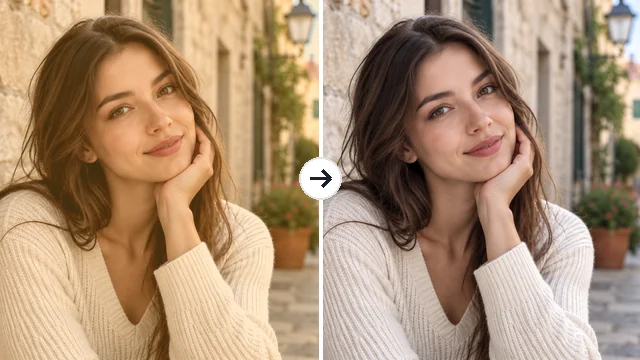
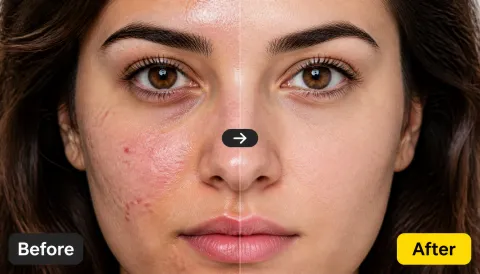
Reference example. It is not a result generated from your upload.
An AI filter remover takes a photo that was saved with a filter, such as a yellow glow, a teal-and-orange grade, a faded vintage look, or heavy skin smoothing, and generates a version with more natural color, contrast, and texture. It is the quickest way to remove filters from photos when the original file or the app’s edit history is gone.
Be realistic about what is possible: once a filter is baked into a JPG, the original pixels are not stored anywhere. The filter remover estimates a believable unfiltered look from what is left, so it can change small details. If you still have the original, use that for an exact reversal; if not, this gives you a clean, natural starting point.
Three steps to remove a filter without color-correction skills.
Add the clearest copy you have as a JPG, PNG, or WebP up to 15 MB. Screenshots of a screenshot lose detail.
Leave it on Auto-detect or pick warm, cool, vintage, dark, or beauty filter. Start with Balanced, then try Light touch or Full removal.
Generate the result, compare faces, textures, and colors with your original, and download the version you prefer.
Warm and golden filters turn skin orange and whites yellow. The AI rebalances color so faces, hair, and clothing look closer to daylight, while keeping the pose, expression, and background.
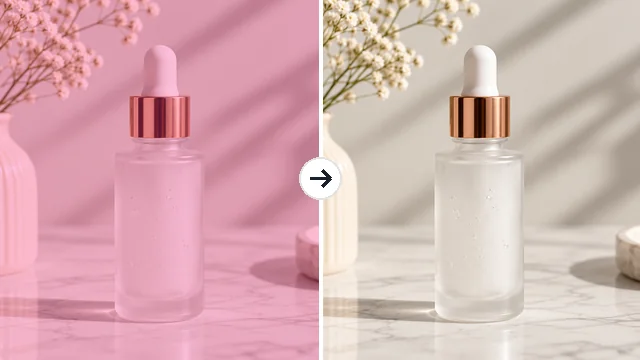
A pink or teal grade can misrepresent an item. Use the filter remover photo workflow on supplier shots and old listings so buyers see the real color of the product.
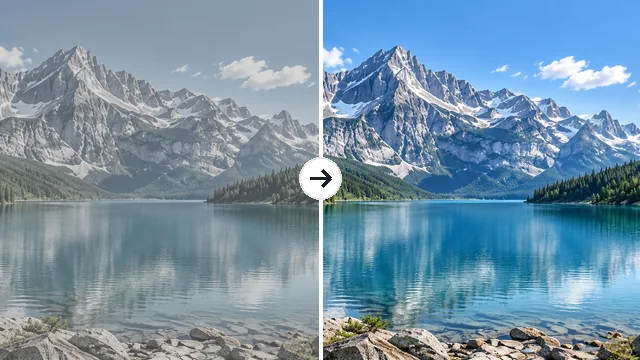
Washed-out blacks and muted color were popular a few years ago. Remove the filter to bring back deep blues, crisp shadows, and clear detail in landscapes and travel photos.
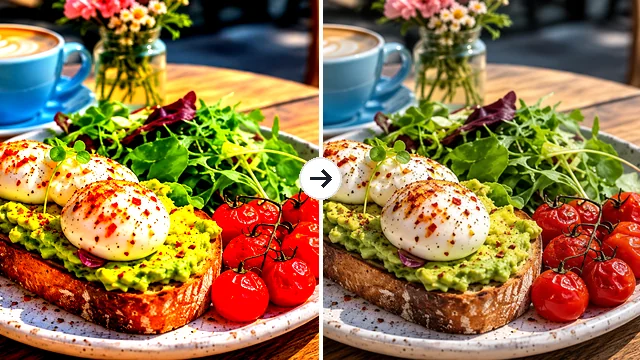
Pushed saturation and contrast make food and nature look artificial. This filter remover AI pulls color back to a believable level without flattening the image.
Situations where you no longer have the unfiltered original.
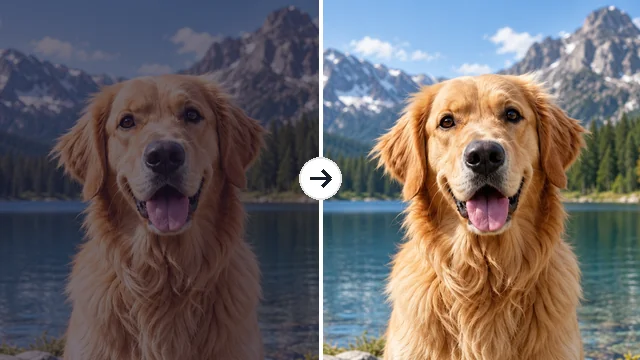
Get a natural-looking version of a selfie you only saved with an app filter.
Neutralize color grades on supplier or archive photos before you list an item.
Reduce dated vintage and faded effects on photos you edited years ago.
Start a new color grade from a neutral base instead of stacking filters on filters.
Good filter removal depends on the source file more than anything else.
Download the highest-resolution version you can find; compressed reposts lose color data.
If Auto-detect misses, choose the filter type yourself so the AI knows which direction to correct.
Beauty filters can reshape features. Make sure the person still looks like themselves before sharing.
Save your filtered file too, so you can compare or try a different strength later.
Common reasons people want an unfiltered-looking version.
Illustrative examples adapted from reference material, not verified reviews of EzImgMaker.
My old profile photo was so yellow my skin looked orange. The warm-filter setting gave me a version I could actually use again.
A supplier sent product shots with a pink grade. Neutralizing them meant buyers saw the real bottle color.
I used it on a client’s faded family album scans from an old app. It is not the original negative, but it looks far more natural.
Light touch is my favorite. It keeps a bit of mood and just removes the heavy color cast.
What a filter remover can and cannot do.
Upload the filtered picture, choose the filter type or keep Auto-detect, pick a strength, and generate. Compare the result with your original and download it. If the photo is still in the app you edited it with, removing the filter there is always the most exact option.
No. A saved filter overwrites colors and sometimes texture, so those pixels no longer exist. The AI estimates a natural-looking version, which can differ in small details from the real original.
Warm and yellow casts, cool and blue tints, vintage and faded looks, dark moody grades, over-saturation, heavy contrast, grain, glow, and vignettes. Results vary with how strong the filter was and how compressed the file is.
It can reduce skin smoothing and unnatural skin color. Filters that reshape the face or add AR effects are less predictable, because the original details were replaced. Always check that the person still looks like themselves.
You do not need a separate app. This filter remover works in the browser on phones and computers, so you can remove the filter from a picture in your camera roll directly.
The goal is to change color, tone, and texture while keeping identity, pose, composition, and background. Because it is a generative edit, compare fine details such as eyes, hair, and text before using the result.
Please do not. The result is an AI estimate, not proof of anyone’s real appearance, and using it to embarrass or expose someone is harmful. Only upload photos you own or have permission to edit.
JPG, PNG, and WebP images up to 15 MB.
Upload a filtered picture and get a more natural, neutral version to keep or re-edit.