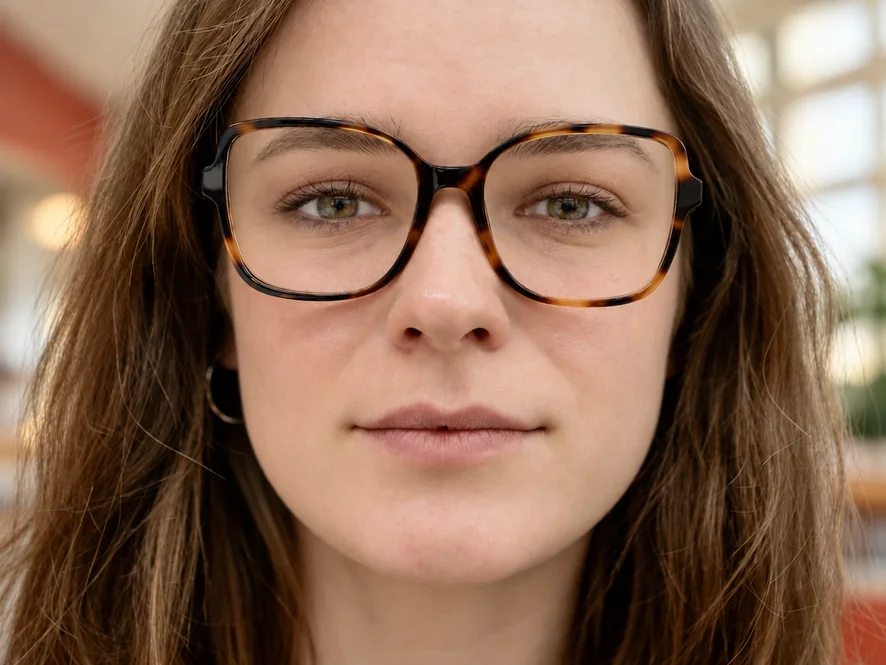
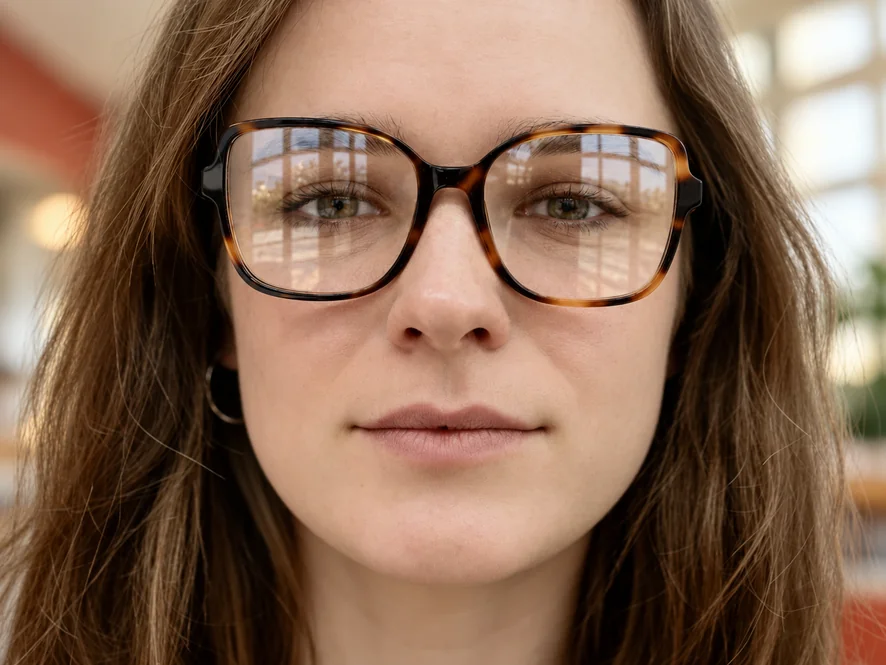
Window Reflection on Tortoiseshell Frames
Window light across both lenses hid the eyes in this portrait. The reflection is gone, the gaze is back, and the frame pattern is unchanged.
Upload a portrait where the lenses turned white. The AI removes flash spots, window reflections, and screen glow from the glasses and restores the eyes behind them, with the frames left untouched.
Fine-tune
Your photo stays in this browser during this UI preview.


Reference example. It is not a result generated from your upload.
Glasses glare appears when light bounces off the curved lens straight into the camera: a flash, a window beside you, ceiling lights, or the monitor during a video call. The reflection sits right over the eyes, which is the one part of a portrait people look at first. Eyeglass glare removal clears that bright patch and rebuilds the eyes, lashes, and skin behind the lens, while the frames stay exactly where they were.
This glasses glare remover works on selfies, headshots, event photos, and webcam screenshots, so you can remove reflection from glasses in photo files online without installing software. When part of the eye is still visible, the result stays very close to the real person. When glare hides an eye completely, the AI reconstructs it to match the other eye, so check that the face still looks like the person before you share it.
Drag each slider to compare the original photo with the version after the lens glare is removed.
Window light across both lenses hid the eyes in this portrait. The reflection is gone, the gaze is back, and the frame pattern is unchanged.
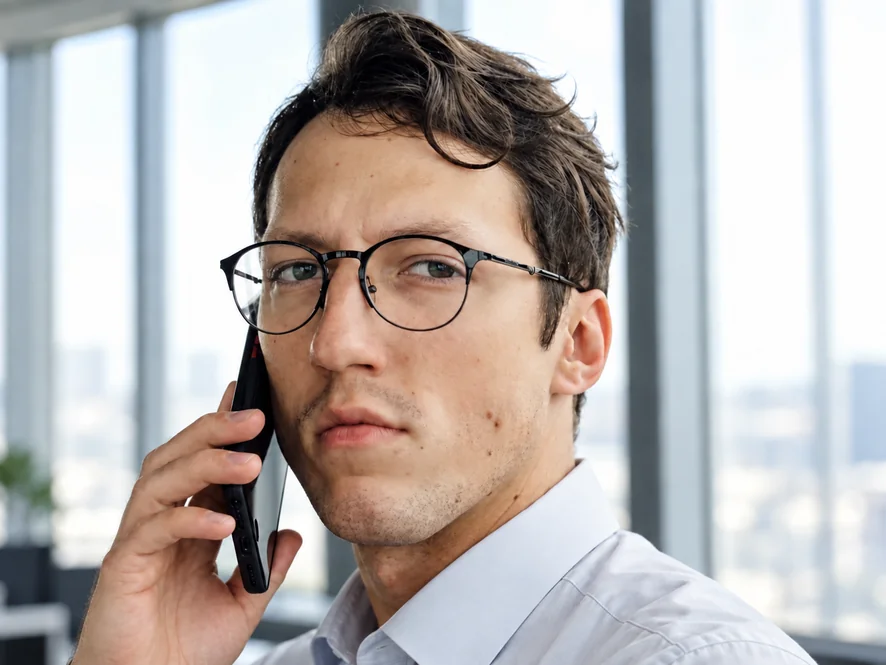
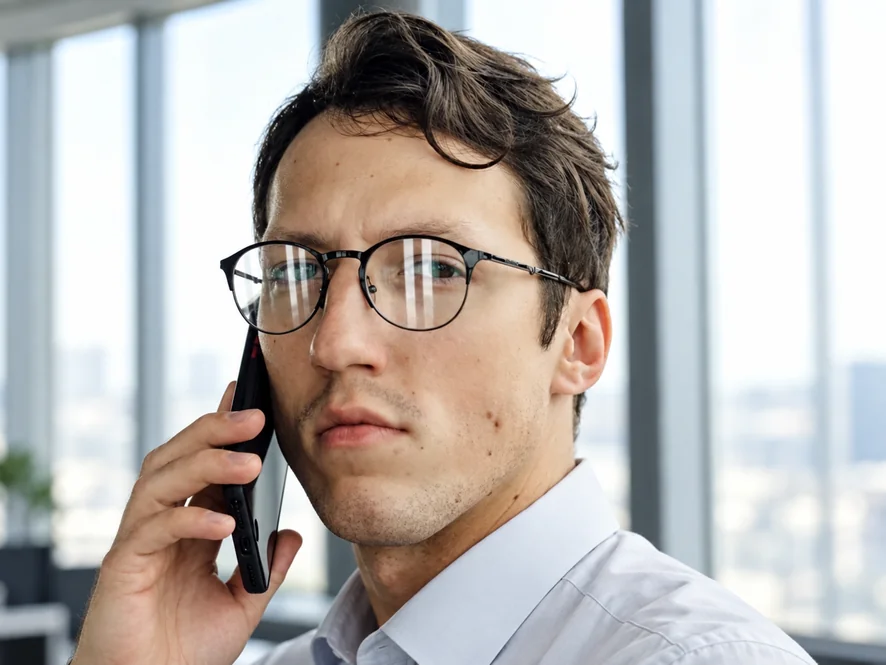
Pale streaks from an office window covered the lenses. Removing them gives a headshot ready for a profile, a résumé, or a team page.
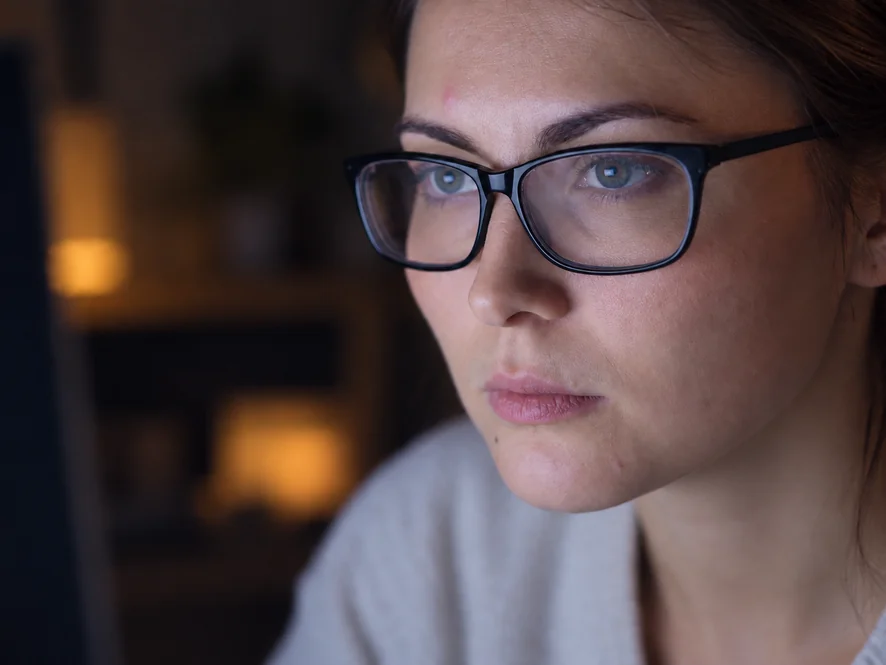
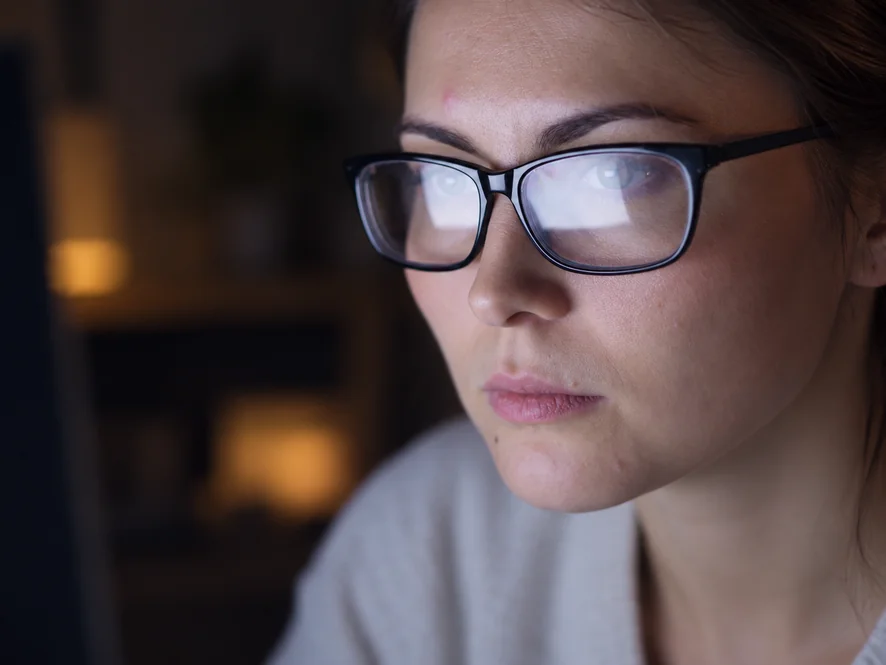
Looking at a bright monitor puts a white rectangle on each lens. Clear it from webcam screenshots and remote-work portraits.
Bright daylight turned one lens into a white disc. The eye is rebuilt to match the other side, with the same color and expression.
Wondering how to get glare off glasses in photo shots? Three steps, no clone stamp and no reshoot.
Add a JPG, PNG, or WebP up to 10 MB. A sharp photo with the face not cropped too tightly gives the best result.
Keep Auto-detect or pick camera flash, window light, sunlight, or screen glow, and choose clear or tinted lenses. If only one lens caught the light, brush over that reflection.
Start the removal, compare the eyes with your original, and download the clear-lens photo.
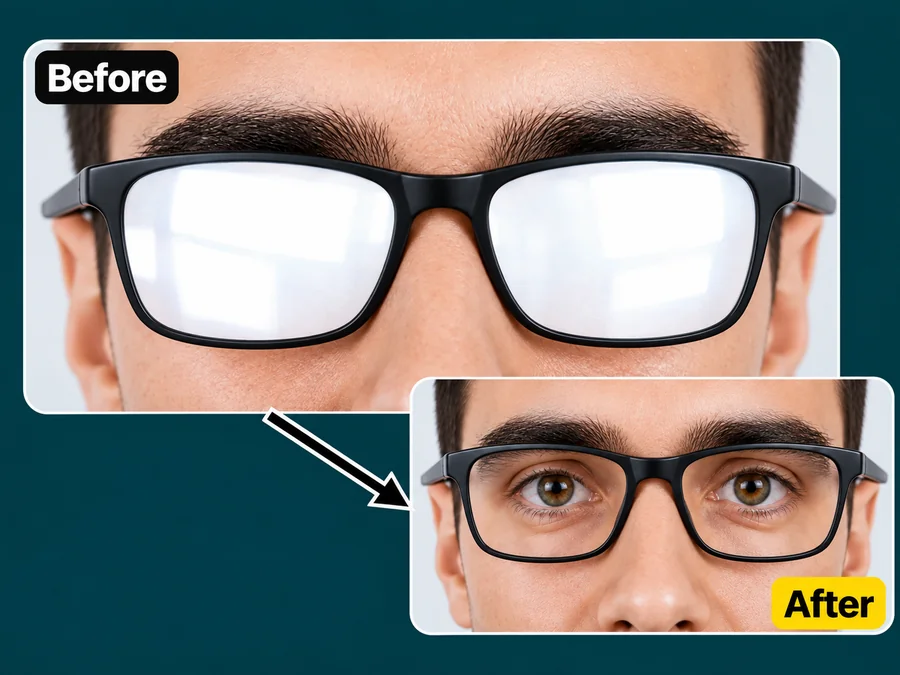
The AI reads the visible parts of each eye, the lens edge, and the lighting before it rebuilds what the reflection covered. Eye color, lashes, and gaze direction stay true to the person, which matters most when you remove eyeglass glare from portraits people know well.
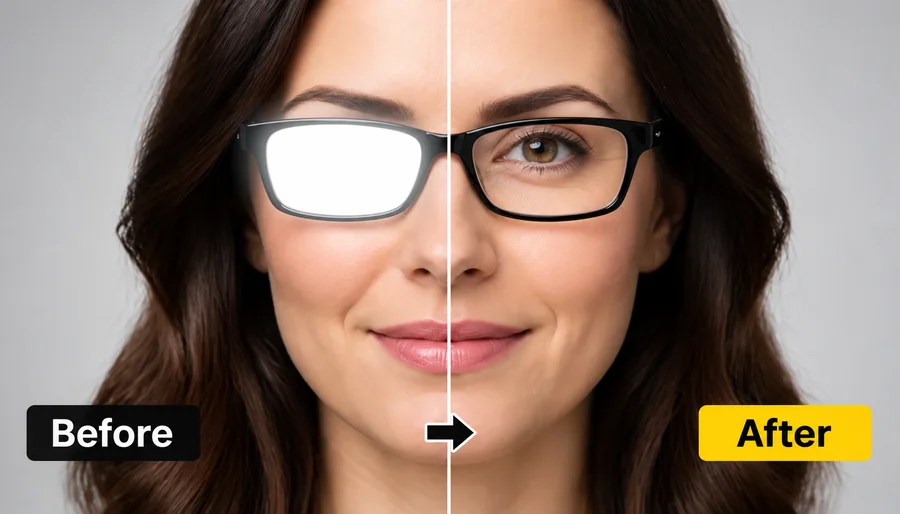
Only the light on the lenses changes. When you remove glare on glasses here, the frames, rims, skin texture, hair, and background are left alone, so the photo still looks like the moment you captured, just without the glare. Want even tighter control? Brush over a single lens and only that reflection is rebuilt.
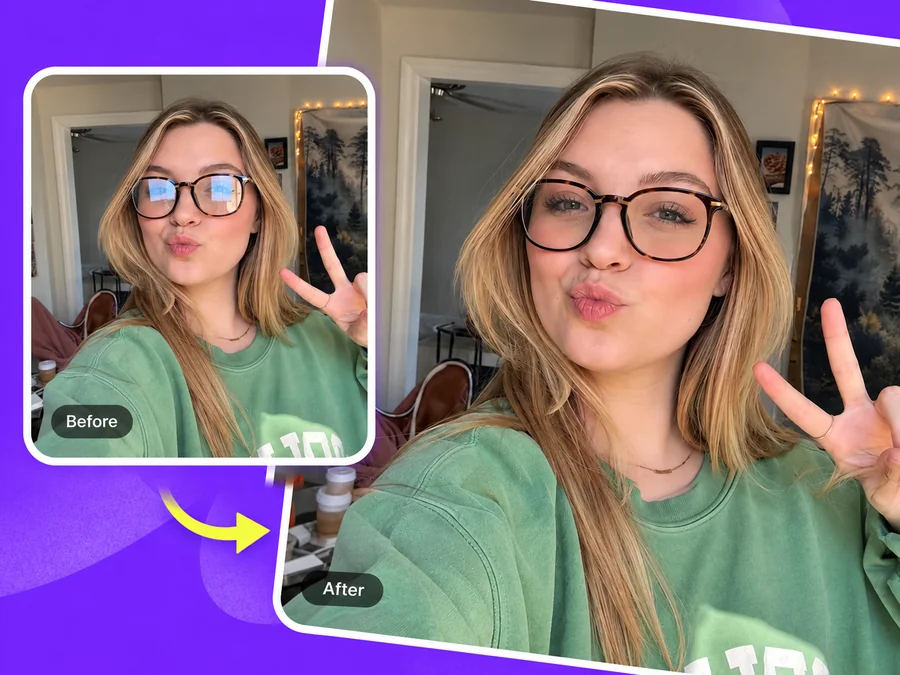
Phone flash and bright rooms make glasses glare common in selfies. Use it straight from your camera roll and remove glare from glasses iPhone or Android shots before you post them.
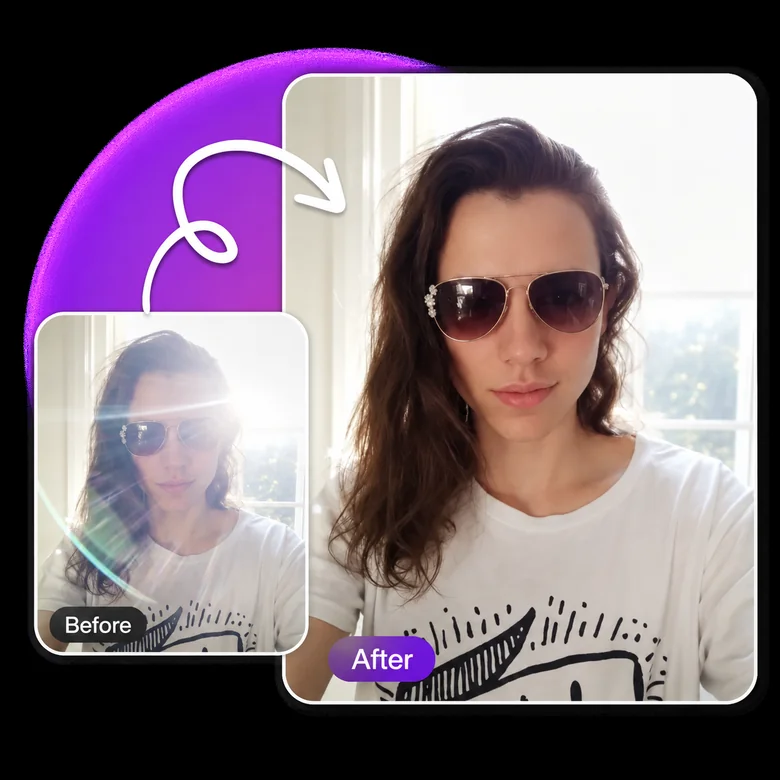
Choose "Tinted / sunglasses" and the AI clears the bright reflection while keeping the tint of the lens, so sunglasses still look like sunglasses.
Photos that are hard or impossible to retake.
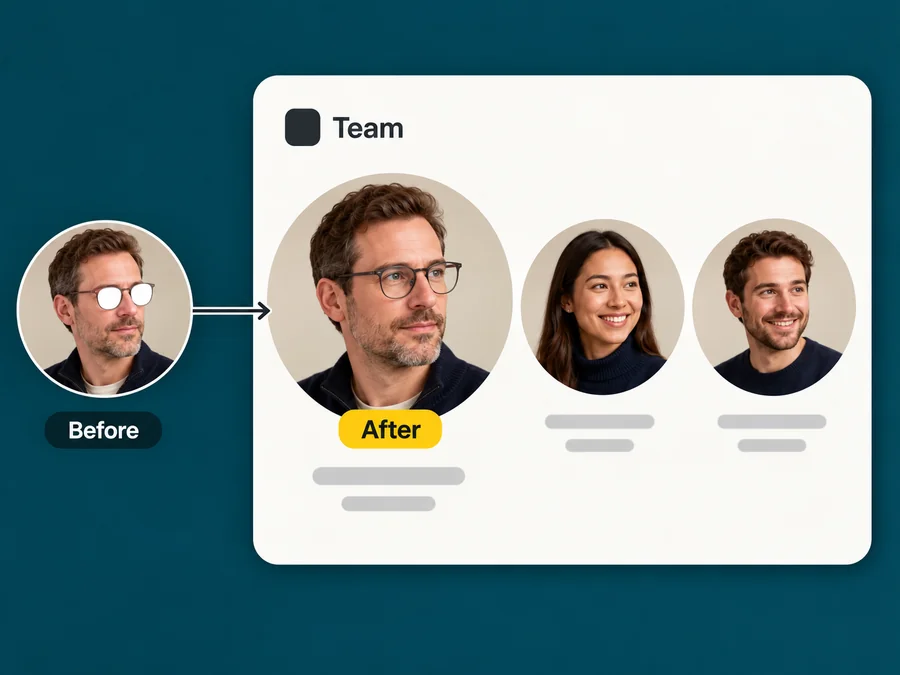
LinkedIn, résumé, and team-page photos depend on eye contact. Clear the lenses instead of booking a reshoot.
Weddings, graduations, and reunions happen once. Fix the one guest whose glasses caught the flash.
Meeting screenshots and webcam portraits often show monitor reflections. Remove them before using the image.
Scanned photos of grandparents in glasses often have flash glare. Clear it before restoring or framing the print.
Knowing how to remove glasses glare from photos is useful, but small changes while shooting prevent most lens reflections in the first place.
Place lamps, windows, or the flash off to one side instead of directly in front of the lenses.
Lowering the chin or turning the head a few degrees moves the reflection away from the eyes.
On video calls, lower monitor brightness or move it so it is not straight in front of your face.
Use the camera file rather than a compressed social download so the eye detail is sharper.
Typical photos people bring to clear their lenses.
Illustrative examples adapted from reference material, not verified reviews of EzImgMaker.
Every team headshot from our office shoot had window streaks on my colleagues’ glasses. Clearing them was faster than rebooking the photographer.
My dad’s glasses caught the flash in the only good photo from his retirement party. Now you can actually see his eyes.
I use webcam screenshots for my course thumbnails, and the monitor glow on my lenses was distracting. The cleaned frames look natural.
Picking "Sunlight" for outdoor portraits gave a cleaner result than auto mode on a couple of tricky shots.
Answers about removing glare and reflections from eyeglasses in photos.
Upload the portrait, keep Auto-detect or choose what caused the glare, and start the removal. The AI clears the reflection on the lenses and restores the eyes behind them. Compare with the original and download the result.
Yes, as long as some of the eye is visible through the glare. The AI uses that detail, plus the other eye, to keep color, lashes, and gaze the same. If an eye is fully hidden, it has to reconstruct it, so review the result carefully.
Choose "Screen glow". Monitor reflections are usually large, pale rectangles; the AI removes them and rebuilds the eyes and skin under the lens.
Yes. The tool runs in mobile browsers, so you can upload straight from your iPhone or Android camera roll and download the cleaned photo to the same phone.
You can, but removing glare from glasses in photos by hand means cloning, healing, and sometimes repainting an eye. Here you choose the glare type, optionally brush over the reflection, and let the AI rebuild the area. A professional retoucher is still the best option for high-stakes print work.
No. Only the reflections on the lenses are removed; the frames stay on the face. If you want the glasses gone entirely, use a remove-glasses tool instead.
We do not recommend it. Many passport and ID authorities reject digitally altered photos, and some do not allow glasses at all. For official documents, retake the photo with the light off to the side or without glasses.
No. If you were searching for the best app to remove glare from glasses, you do not need an app to remove glasses glare at all: this page works in any mobile or desktop browser, including for tinted lenses and sunglasses.
Only upload photos you took, appear in, or have permission to edit, and do not use edited portraits to misrepresent someone.
Brush over the reflection on that lens, or drag a box around it. Marking is optional: on Auto-detect the AI finds lens glare by itself, but a mark keeps the fix on exactly that lens, so the other lens, the frames, and the rest of the face stay untouched. JPG, PNG, and WebP images up to 10 MB are supported.
Upload a portrait with reflective lenses and get the eyes back without a reshoot.