Black Background Portrait
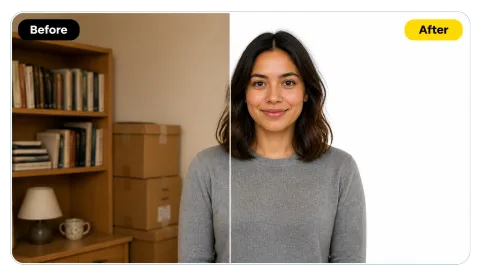
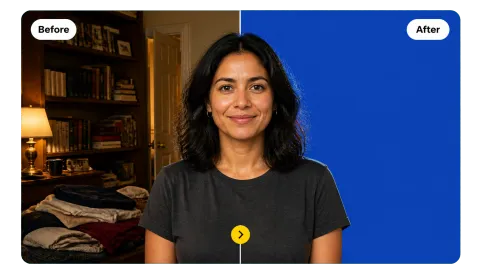
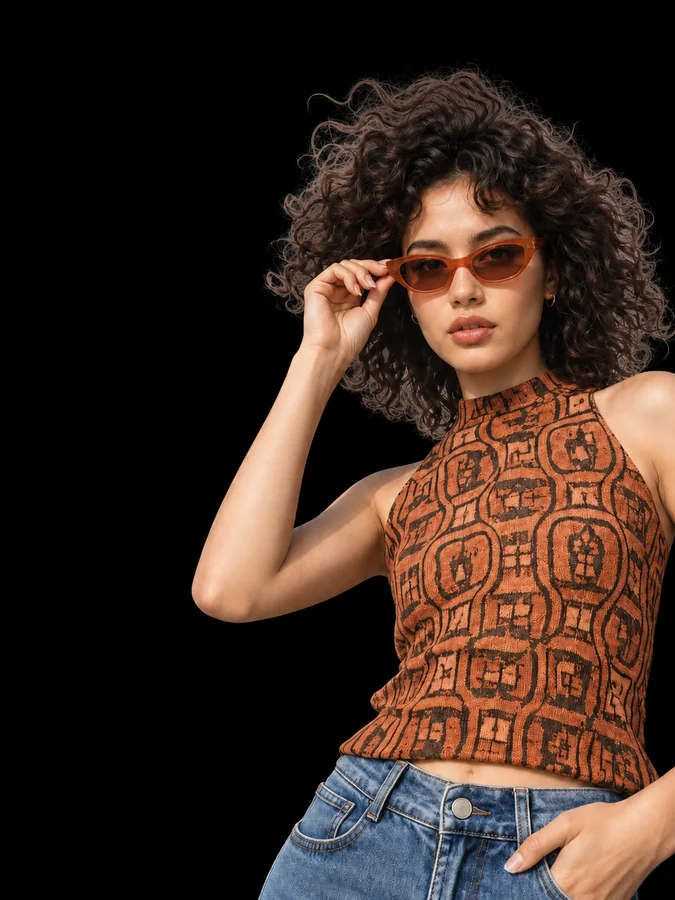
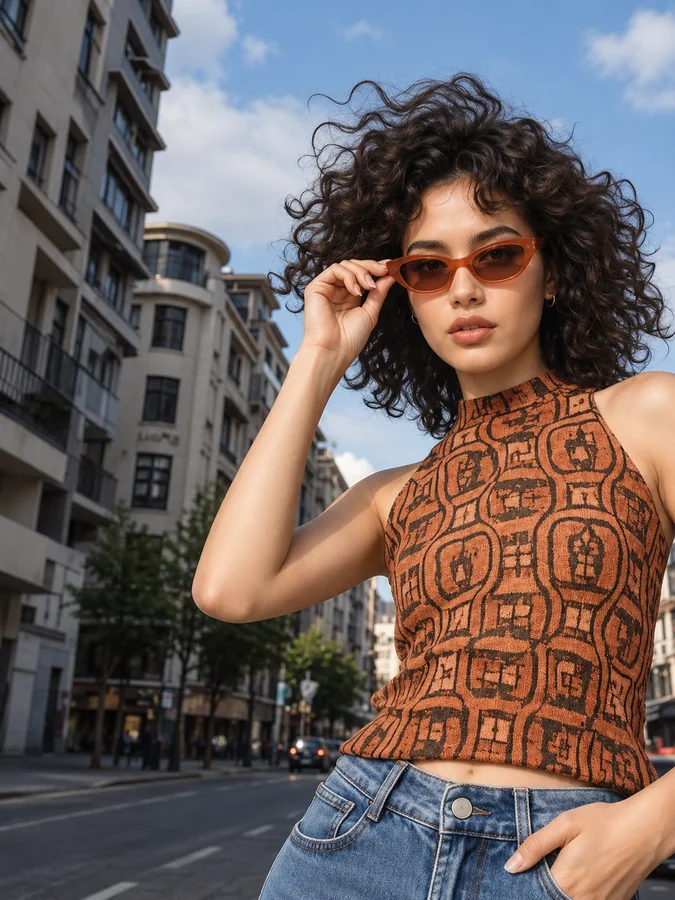
Change background to black behind a portrait shot on a busy street and it reads like a studio headshot, with the hair edge kept.
Upload a portrait, product, or pet photo and the AI cuts out the subject and puts it on a solid black backdrop, keeping hair and fur edges and adding a soft rim light.
Looks
Fine-tune
Your photo stays in this browser during this UI preview.
Reference example. It is not a result generated from your upload.
To make the background black, the subject of a photo is separated from everything behind it, and that room, street, or wall is replaced with a solid black backdrop. This black background maker does the selection for you: the AI finds the person, product, or pet, keeps the fine edges such as hair and fur, and fills the rest with black.
A black background in photo work adds contrast, hides a messy location, and makes colors, metal, and glass stand out. Because dark clothing or dark hair can merge into black, a soft rim light along the outline keeps the shape readable, and an optional contact shadow grounds products so they do not look pasted on.
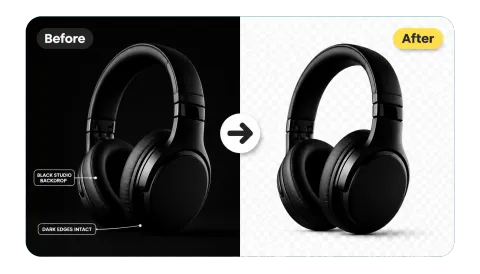
Drag each image to compare the original photo with the black background version.
Change background to black behind a portrait shot on a busy street and it reads like a studio headshot, with the hair edge kept.
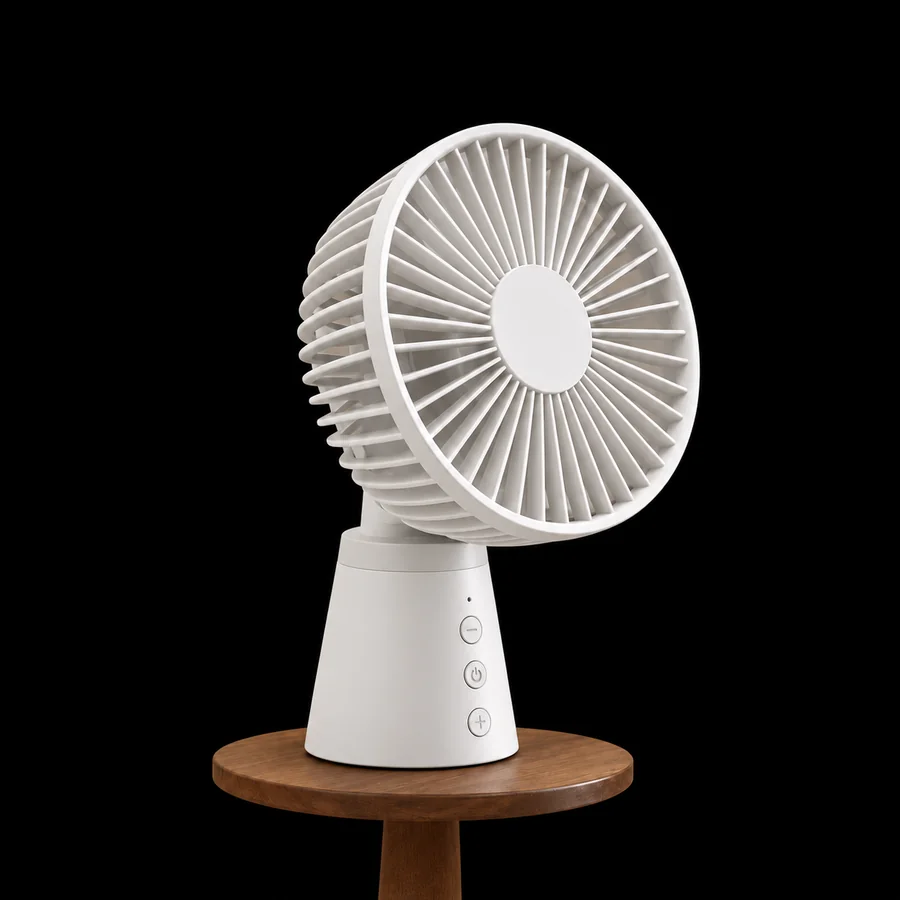

Light-colored products pop against black. The cluttered fabric backdrop is gone and the product sits on a clean, dark stage.
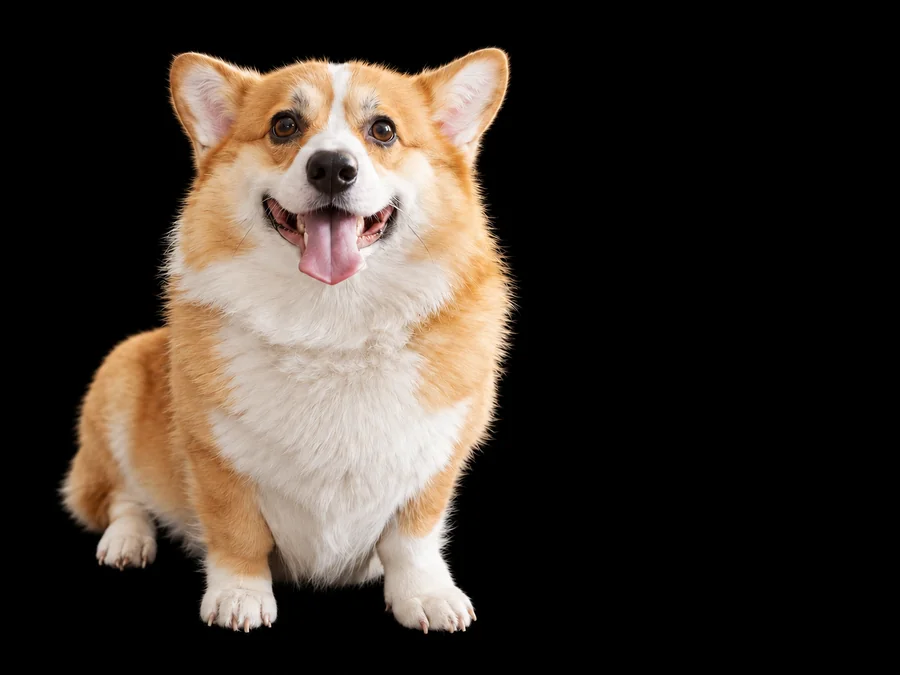

Pull a pet out of the living room and onto black for a portrait-style print, profile picture, or card.
How to add black background to photo files without masking tools, layers, or a studio.
Drop in a JPG, PNG, or WebP up to 10 MB: a portrait, a product shot, a pet, or anything with a clear subject.
Pick Studio Portrait, Product on Black, or Jewelry Shine, or set the black shade, edge light, and contact shadow yourself.
The AI cuts out the subject and places it on black. Compare it with the original and download the finished photo.
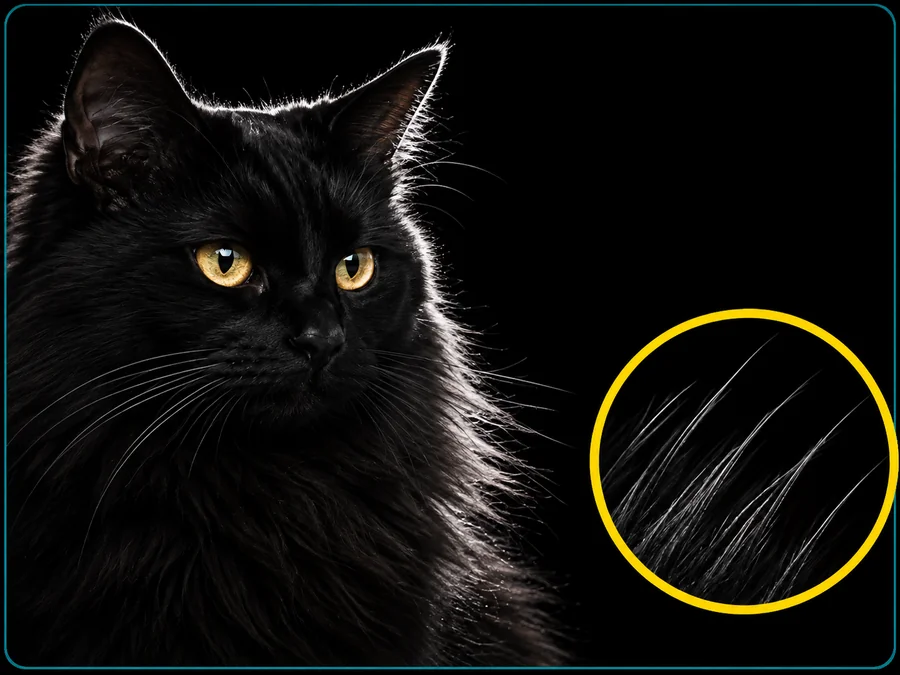
Flyaway strands, curls, and pet fur keep their real outline instead of turning into a hard cut line, so the subject looks photographed on black rather than pasted onto it.
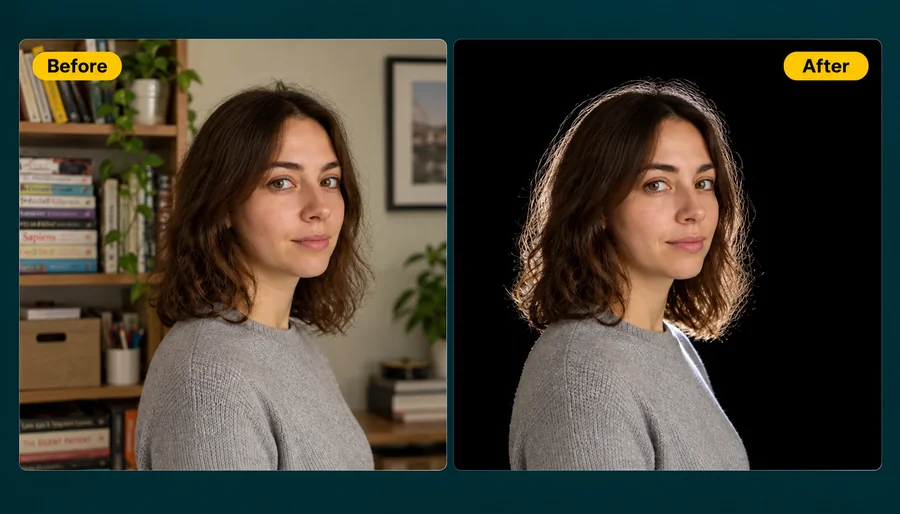
Black jackets, dark hair, and matte products can sink into a black fill. A soft rim light traces the contour so the silhouette stays separate, and you can turn it up, down, or off.
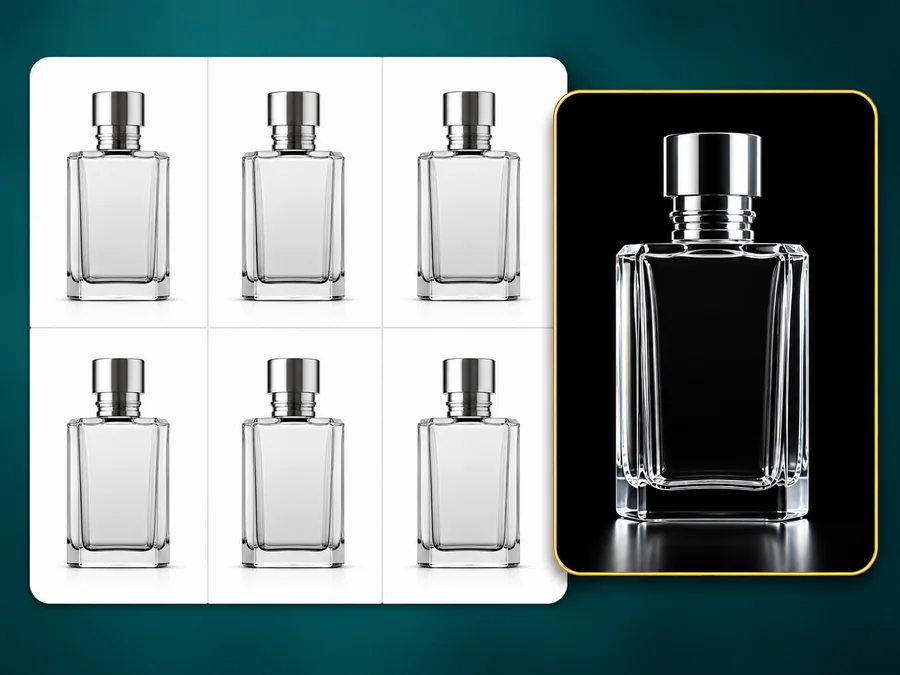
Marketplace grids are a wall of white tiles. A product on black breaks the pattern, while the original colors and finish of the product stay untouched.

Reflective surfaces lose their highlights on white. On black, diamonds, crystal, and polished steel show every catch of light, which is why luxury product photography so often uses a dark backdrop.
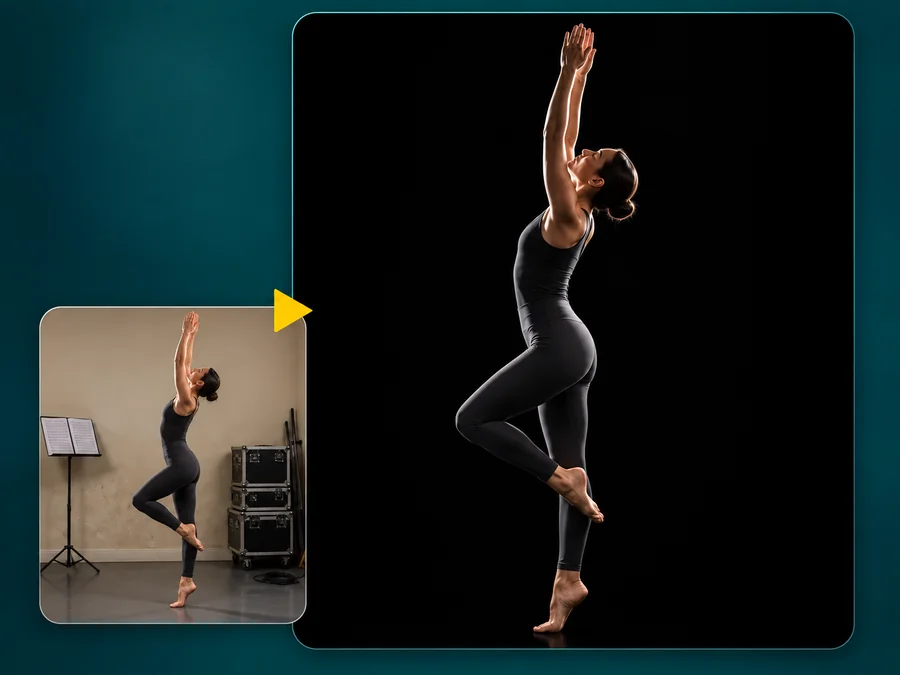
Turn a photo taken in a spare room or on the street into a dramatic studio-style portrait for profiles and portfolios.
Drop rehearsal rooms and stages out of the frame so the movement and silhouette carry the image.
Watches, jewelry, cosmetics, gadgets, and packaging look premium on black and stand out in white listing grids.
A subject on black is easy to pair with white or bright text for posters, covers, and presentations.
A few habits that make the black version look natural.
A subject that is in focus and fully in frame gives the cleanest edges.
Black clothing, dark hair, or dark products need a little edge light to stay visible.
Pure black is the most dramatic; soft black and charcoal feel gentler and print more evenly.
Use the full-resolution photo, not a screenshot, so fine edges survive the cutout.
From marketplace listings to studio-style portraits.
Illustrative examples adapted from reference material, not verified reviews of EzImgMaker.
I sell vintage watches and white backdrops washed out the polished cases. On black the metal finally pops in the listing grid.
I shoot dancers in a cramped studio with a messy back wall. Making the background black hides all of it and the loose hair still looks natural.
My client wore a black jacket and I expected the shoulders to vanish. The soft rim light kept the outline readable.
I wanted the same dark look across a whole product line without opening a masking tool. Product on Black gave me a consistent set.
Common questions about adding a black background to a photo.
Upload the picture, choose a look such as Studio Portrait or Product on Black, and start. The AI cuts out the subject and places it on a solid black backdrop, then you download the result. There is nothing to select or mask by hand.
You do not need layers, masks, or a fill tool. This black background maker detects the subject automatically, so you only pick the black shade and lighting. It runs in the browser on desktop and phone.
The subject keeps its own pixels: skin tone, fabric colors, and product finish are not repainted. Only the backdrop changes, plus the optional rim light and contact shadow you choose.
They can on a plain black fill, which is why the Edge light setting exists. Soft rim adds a thin light along the outline; Strong rim works for very dark subjects. Turn it off if you want a flat, low-key look.
Yes. Curls, flyaway strands, and pet fur are kept as part of the cutout instead of being clipped into a hard edge. Very blurry or motion-smeared edges are harder to separate, so a sharp photo works best.
Pure black gives maximum contrast and a dramatic studio look. Soft black and charcoal are slightly lighter, feel less harsh, and print more evenly on paper.
Yes. Upload a PNG that already has transparency and the empty area is filled with black behind the existing cutout, with the rim light still applied if it is on.
This page adds black. If your photo already has a black background you want removed or replaced, use a black background remover or a change background color tool instead.
Only upload photos you have the right to edit, and get consent before editing and sharing someone else’s portrait.
Upload a portrait or product photo and make the background black in one step.