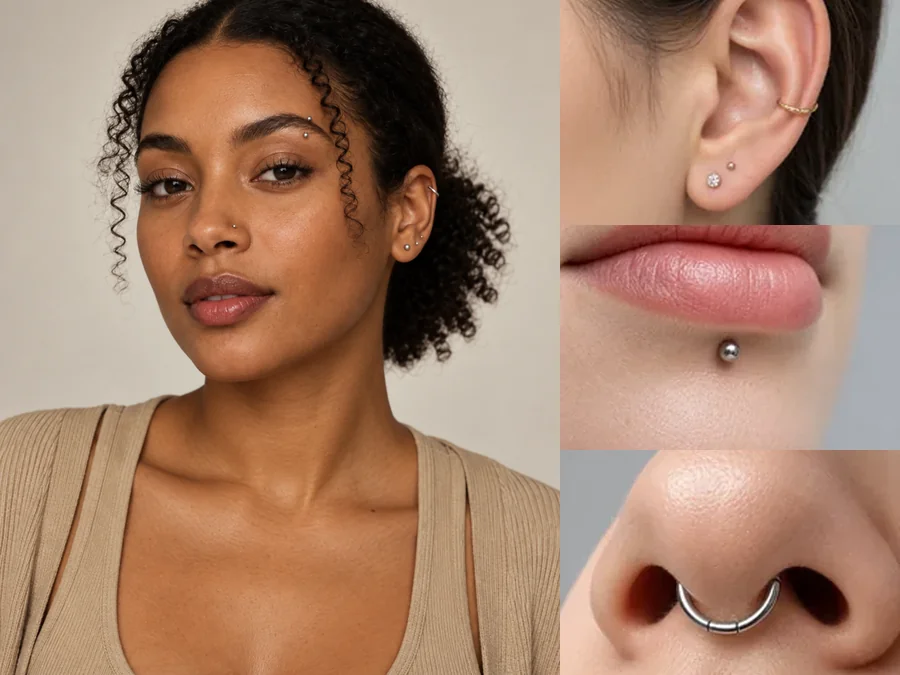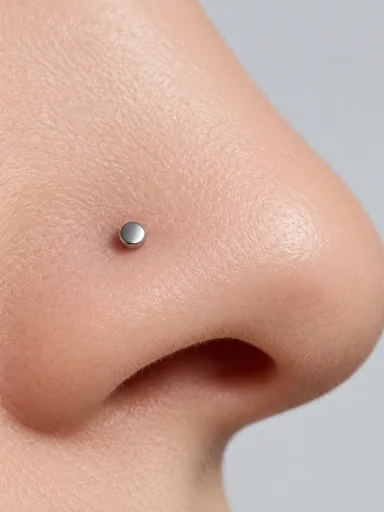
Nostril Stud
The classic first nose piercing: a small flat stud on the side of the nostril.
What would I look like with a nose ring? Upload a front-facing selfie and preview a nostril stud, nose hoop, double nostril, or septum ring on your own face, with the rest of the photo left exactly as it is.
Nose Piercing: Nostril Stud · Metal: Silver
Your photo stays in this browser during this UI preview.
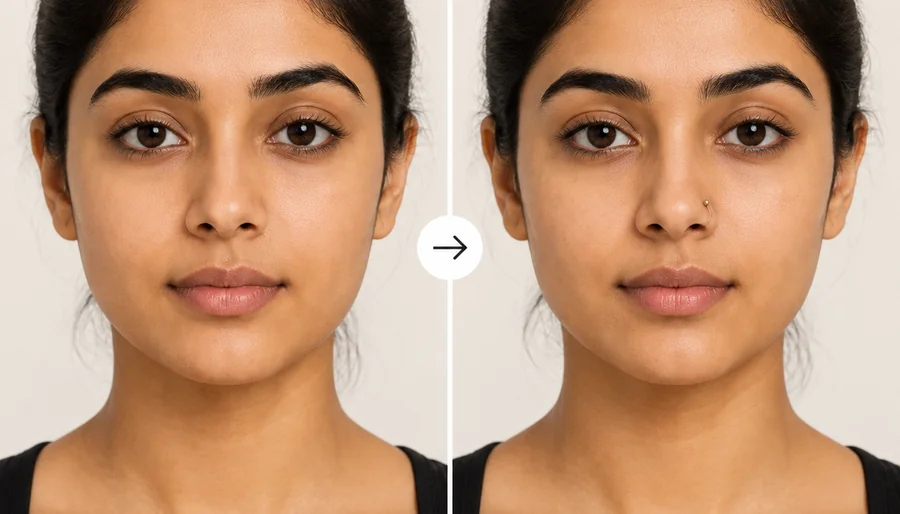
Reference example. It is not a result generated from your upload.
A nose piercing filter is a photo tool that adds realistic nose jewelry to a selfie, so you can see how a nostril stud, a nose ring, or a septum piercing would look on your face before you visit a studio. This AI nose piercing filter finds the right spot on the nostril, septum, or bridge, sizes the jewelry to your nose, and adds a soft contact shadow so it looks pierced rather than stuck on.
It answers the questions everyone asks before booking: how would I look with a nose piercing, and should it be a stud or a hoop? Use it as a nose piercing simulator or nose ring simulator when you are an adult planning a real piercing, as a virtual nose ring try on online, or as a nose ring filter for a fun photo. The preview shows the look only; it says nothing about healing, pain, or whether a placement suits your anatomy.
Eight popular nostril and septum styles for your nose piercing try on. Tap Try on a card to load it in the workspace.
The classic first nose piercing: a small flat stud on the side of the nostril.
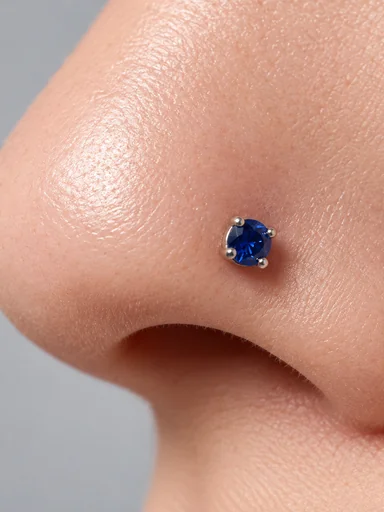
A stud with a colored stone for a little sparkle.
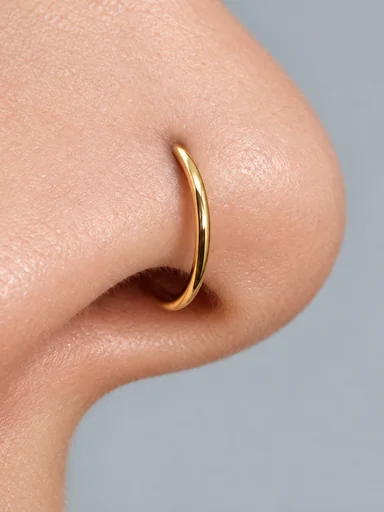
A thin seamless ring that hugs the edge of the nostril.
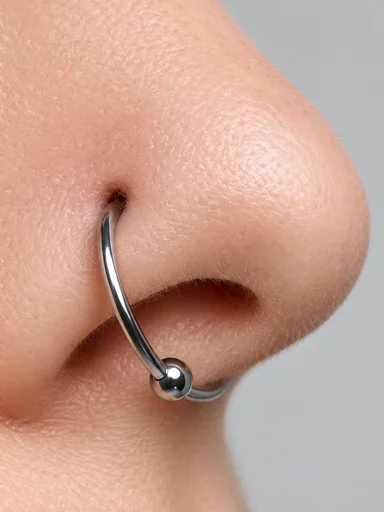
A larger ring held closed by a single bead, for a bolder look.
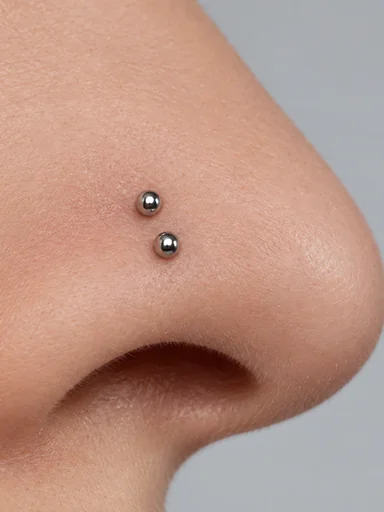
Two studs stacked on the same side of the nose.
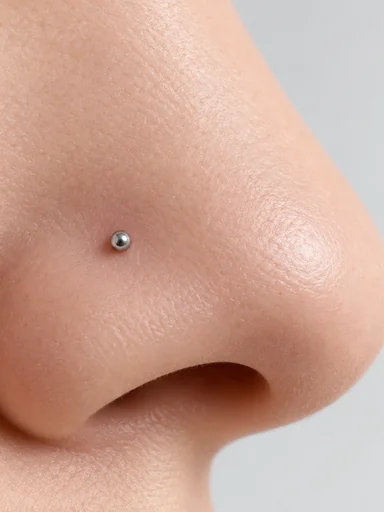
A tiny stud placed higher up, closer to the bridge.
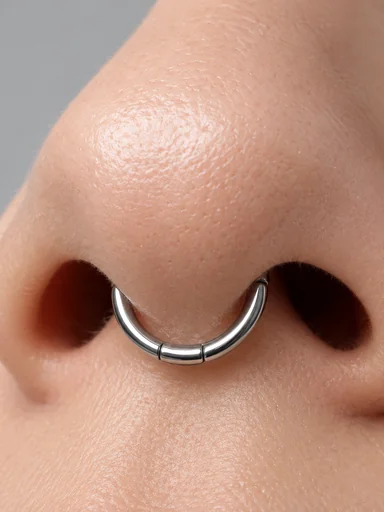
A hinged ring through the septum that sits neatly under the nose.
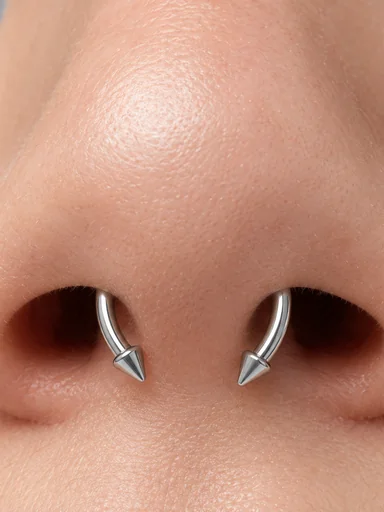
A circular barbell with two balls or spikes, easy to flip up.
How will I look with a nose piercing? Find out in three steps, with no needle and no nose ring app to install.
Use a front-facing photo of yourself (adults only) with even light and your nose fully visible. JPG, PNG, and WebP files up to 10 MB are supported.
Pick a nostril stud, nose hoop, double nostril, high nostril, septum ring, or bridge bar, then choose silver, gold, rose gold, or black. Add a side or size in the optional note.
Generate up to four versions, compare them side by side, and keep the look you want to show your piercer.
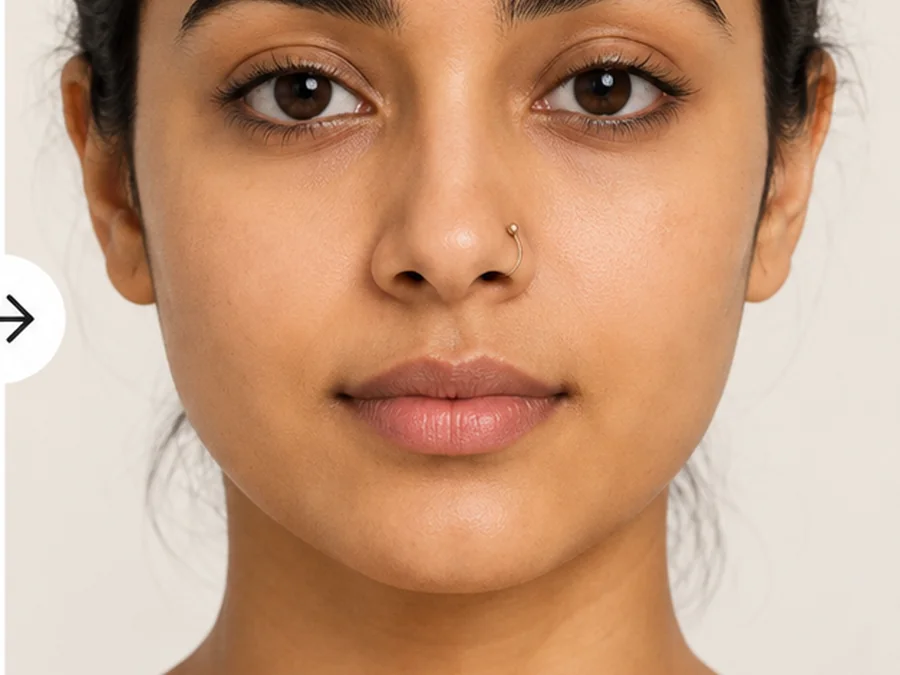
Your face, skin, expression, hair, and background stay exactly as shot. The nose ring filter adds the jewelry, matches its shine to your lighting, and gives it a soft shadow where it meets the skin, so the result looks like a real piercing photo.
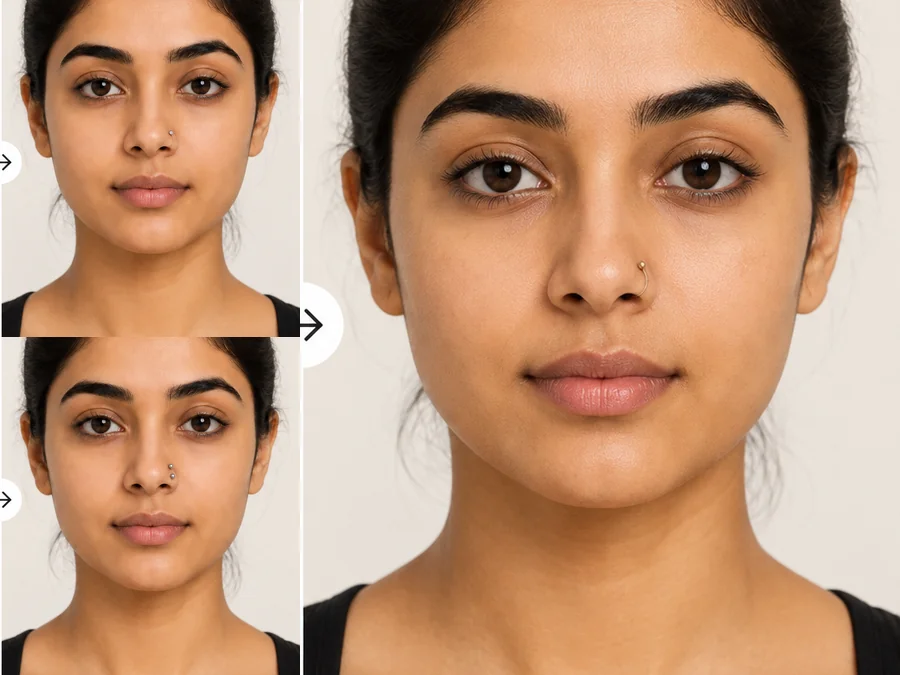
What would I look like with a nose stud, and would a hoop suit me better? Try both: generate a nostril stud, a hoop, and a double nostril on the same selfie, switch between silver and gold, and compare which one suits your face before you book.
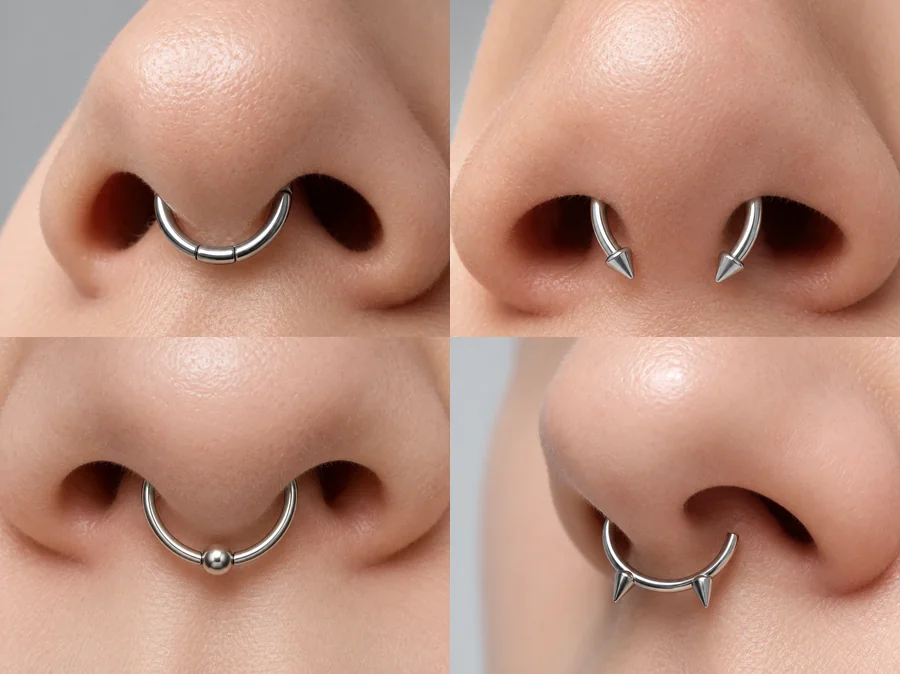
What would I look like with a septum piercing? Try a clicker, horseshoe, beaded ring, or spiked ring, or a faux septum clip if you want the look without the piercing.
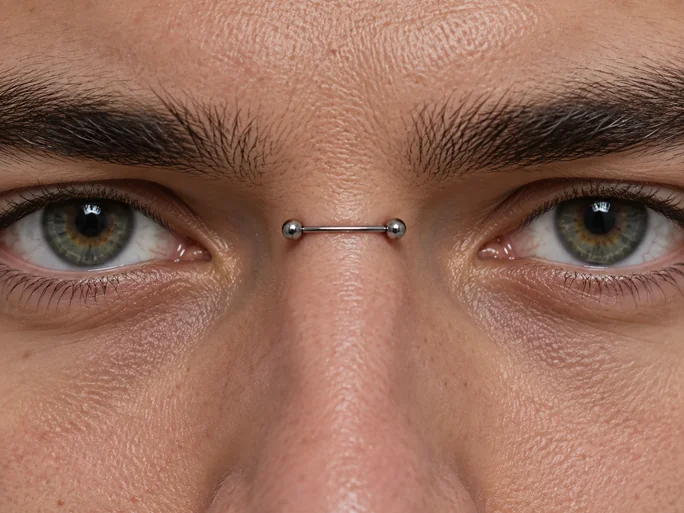
Less common nose piercings are the hardest to imagine. Preview a bridge bar between the eyes or a high nostril stud near the bridge and see how the placement works with your features.
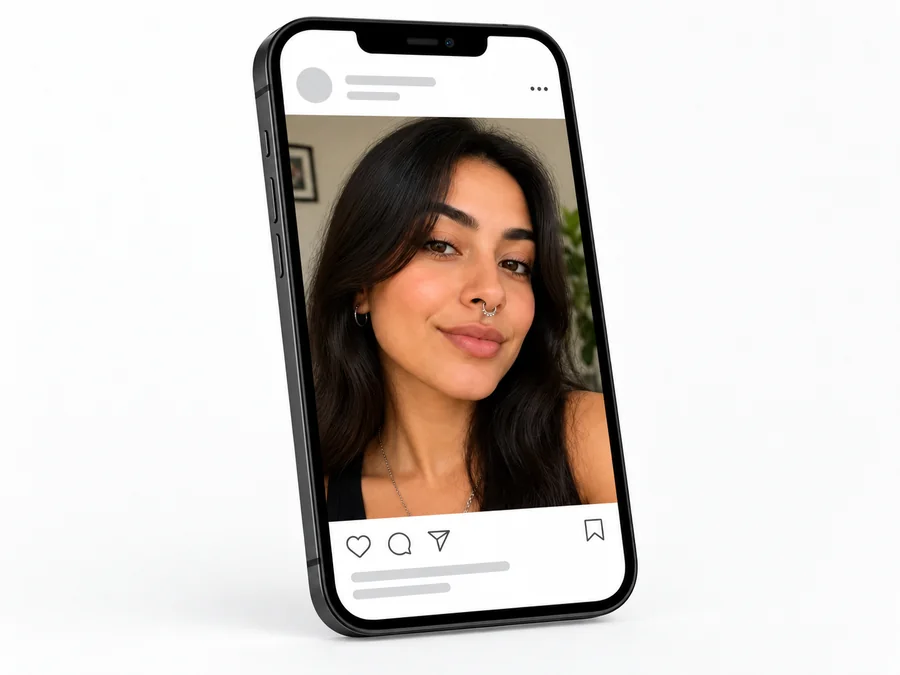
Settle stud versus hoop, nostril versus septum, and which side, then book knowing what you want.
Bring a preview of the exact placement and jewelry to your appointment as a reference.
Send a few versions to friends and let them pick the nose ring that suits you best.
Add a nose ring to a photo for a post or a costume look, with no piercing and no healing time.
Want an honest answer to “what will I look like with a nose piercing?” Start with a good photo.
A straight-on or slightly angled selfie shows both nostrils and the septum.
Soft daylight without harsh shadows under the nose keeps the jewelry placement accurate.
Heavy smoothing or nose-slimming filters change the shape the piercing is placed on.
A real piercing depends on your anatomy and your piercer. Ask a professional before you book.
Common ways adults preview a nose piercing before the appointment.
Illustrative examples adapted from reference material, not verified reviews of EzImgMaker.
“How will I look with a nose ring at work?” was my big worry. Seeing a tiny hoop on my own selfie settled it.
I wanted to see what I would look like with a nose ring before committing. The tiny stud clearly suited me better than the hoop.
I tried a double nostril in gold and silver, then showed both previews to my piercer to plan the spacing.
A faux septum for a photo shoot, no piercing needed. The ring looked like it had always been there.
Answers to common questions about trying on nose rings and septum piercings.
Upload a clear front-facing selfie, choose a style such as Nostril Stud or Nose Hoop, pick a metal, and generate. Try two or three styles on the same photo, because a stud and a hoop can change your look more than you expect.
Generate the same selfie with Nose Hoop, Captive Bead Ring, and Nostril Stud and compare them side by side. Studs read as subtle and everyday; hoops and bead rings are more noticeable and frame the nostril.
Pick Septum Clicker, Septum Horseshoe, Beaded Septum Ring, or Spike Septum Ring. If you are not ready for a real piercing, try Faux Septum Clip to see the look of a clip-on ring.
Yes. The nostril piercing filter places the jewelry on the side you write in the optional note, for example "left nostril" or "both sides". You can also describe the size, such as "very small 6 mm hoop".
Pick any style, then switch the Metal group between Silver, Gold, Rose Gold, and Black. Warm skin tones often pair well with gold and cool tones with silver, but the quickest way to know is to compare them on your own photo.
The jewelry is sized to your nose, placed where a piercing would sit, and lit to match your photo, with a soft shadow on the skin. A sharp, well-lit selfie gives the most convincing result.
Social apps offer live nose ring filters that move with your face. This nose piercing filter online works on a photo you upload instead, so you can compare styles calmly and save the image. There is no nose piercing app to install.
No. The result is a visual preview, not medical advice. Swelling, healing, jewelry size, and placement depend on your anatomy, so talk to a licensed professional piercer before getting pierced.
The tool is for adults previewing their own look. Do not upload photos of minors, and only upload photos you own or have permission to edit.
Only with their permission and only if they are an adult. Do not use an edited nose ring photo to mislead anyone about a real person.
Upload a selfie and try a nostril stud, nose hoop, or septum ring with the nose piercing filter.
For adults only. Nose piercing previews are visual illustrations, not medical advice or a prediction of a real piercing result. Consult a licensed professional piercer before getting pierced.