Knowledge on a Blackboard
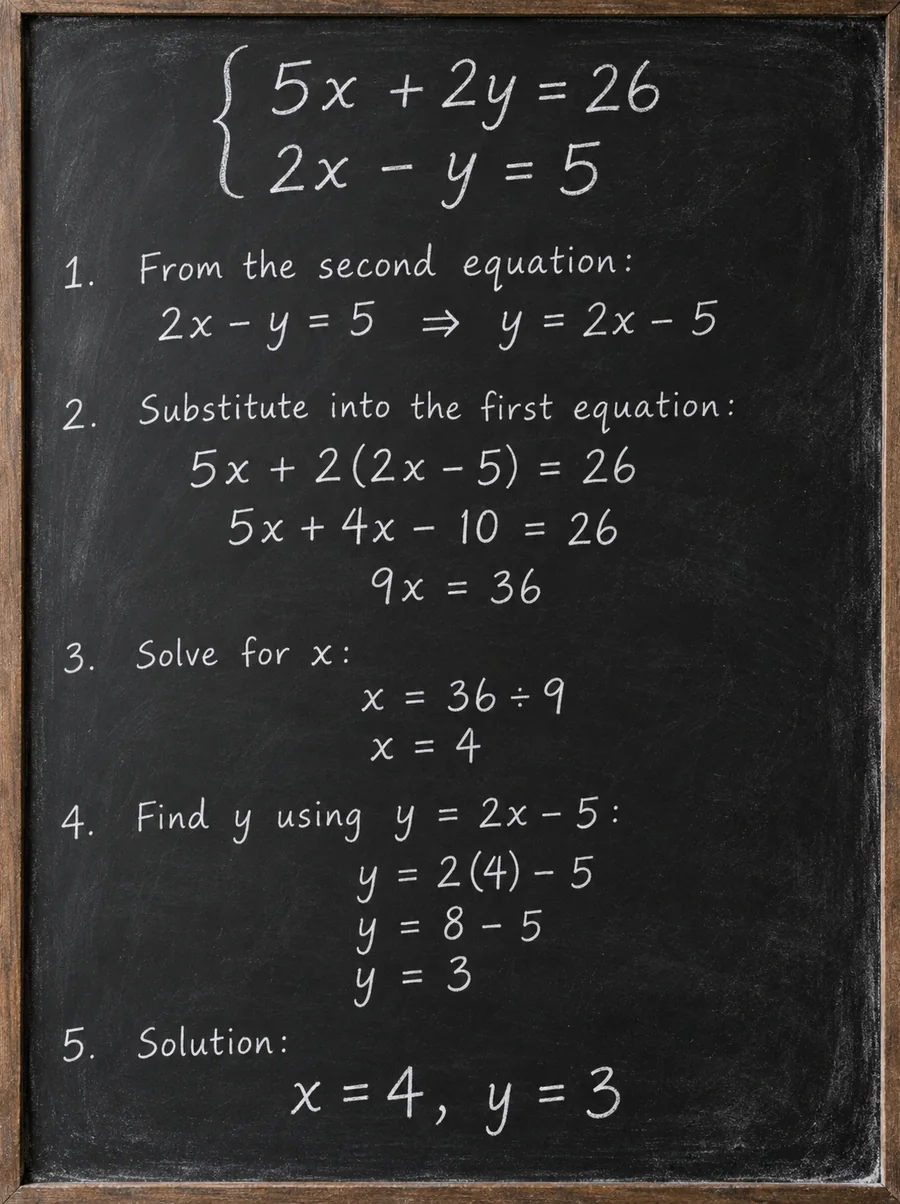
Seedream 4.0 works out the math and writes every step legibly in chalk.
Create and edit images with ByteDance’s Seedream models in one place. Seedream 4.0 turns prompts into up to 4K images and edits photos with reference images; switch to Seedream 4.5 or 5.0 when you need sharper text or newer features. New users get free credits to try it.
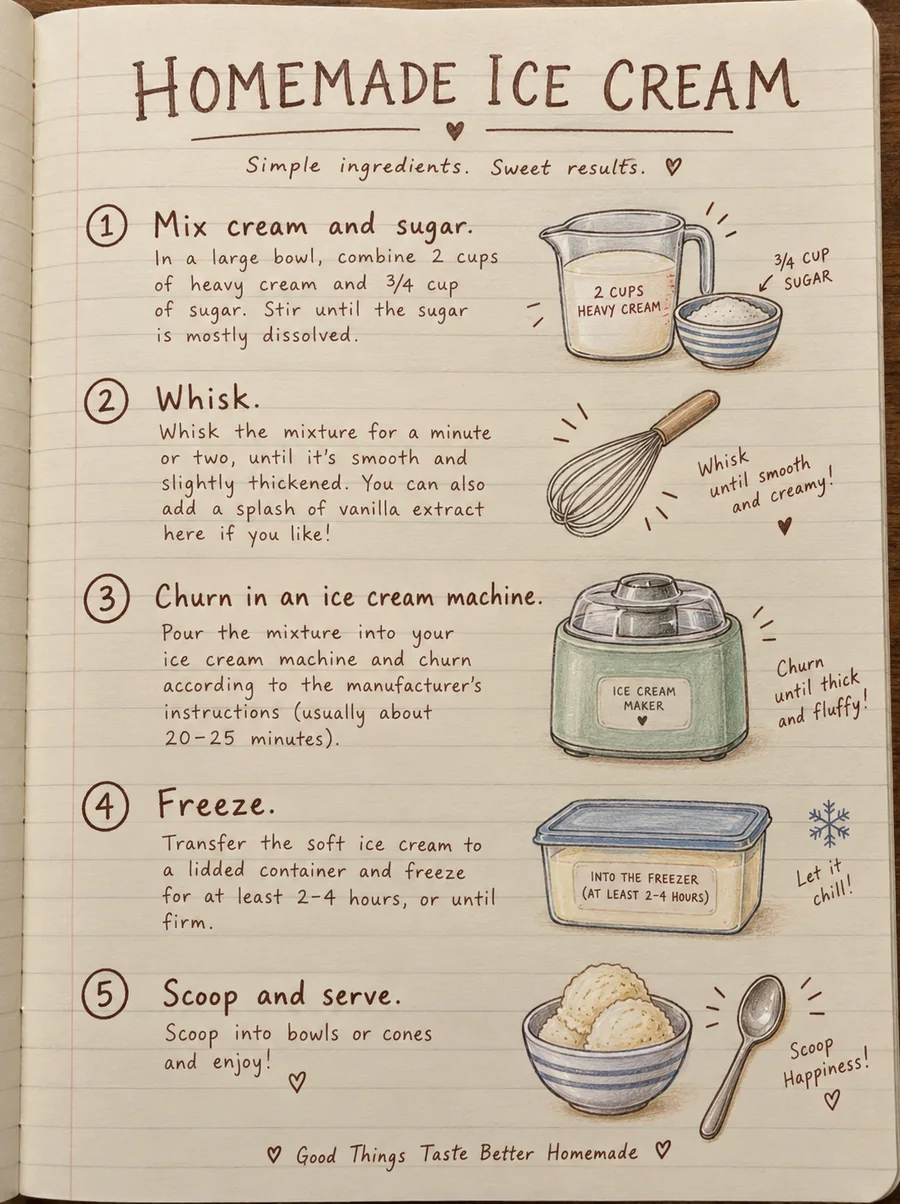
In a handwritten journal style, create a tutorial diagram for ice cream making steps, with the step descriptions in English.
Reference example. It is not a result generated from your upload.
Seedream is ByteDance’s family of AI image models, built by its Seed research team. Seedream 2.0 and Seedream 3.0 arrived in 2025 as text-to-image models with strong bilingual text rendering, and Seedream 4.0, released in September 2025, was the big step: one model that both generates images from text and edits existing images, takes several reference images at once, and can return a whole set of consistent images in a single run, at up to 4K resolution.
Since then ByteDance has shipped Seedream 4.5 (December 2025), which sharpens text, faces, and multi-image consistency, and the Seedream 5.0 family in 2026, with Lite, Pro, and Flash versions. This Seedream AI image generator lets you pick the version that fits the job: start with Seedream 4.0 for fast drafts and batch sets, then switch models in the same workspace without learning a new tool.
What ByteDance Seedream 4.0 supports for text to image and editing.
| Spec | Seedream 4.0 |
|---|---|
| Developer | ByteDance (Seed team) |
| Released | September 2025 |
| Modes | Text to image · image editing · multi-image reference |
| Resolution | 1K, 2K, or 4K (this editor offers 2K as Standard and 4K as High) |
| Sizes | Square, 4:3, 3:4, 16:9, 9:16, 3:2, 2:3, 21:9 |
| Reference images | Up to 10 per request, JPG, PNG, or WebP up to 30 MB each (this editor takes 2) |
| Images per request | Up to 6 as one consistent set |
| Prompt length | Up to 5,000 characters (this editor accepts 3,000 so every model can use your prompt) |
Every version below is available in the Model selector above.
| Seedream 4.0 | Seedream 4.5 | Seedream 5.0 Lite | Seedream 5.0 Pro | |
|---|---|---|---|---|
| Released | September 2025 | December 2025 | 2026 | 2026 |
| Standard / High quality | 2K / 4K | 2K / 4K | 2K / 4K | 1K / 2K |
| Reference images (model limit) | Up to 10 | Up to 14 | Up to 14 | Up to 10 |
| Images per request | Up to 6 in one set | 1 | 1 | 1 |
| Best for | Batch sets, quick drafts, multi-image edits | Posters, product shots, consistent edits | Everyday creation with up-to-4K output | Infographics, dense text, precise edits |
Seedream 3.0 (text to image only) and Seedream 5.0 Flash (a faster 5.0 version up to 2K) also exist. Specs reflect the versions available on EzImgMaker in October 2026.
Results from Seedream 4.0 and Seedream 5.0, each made from one prompt. Tap a card to load a similar prompt.
Seedream 4.0 works out the math and writes every step legibly in chalk.
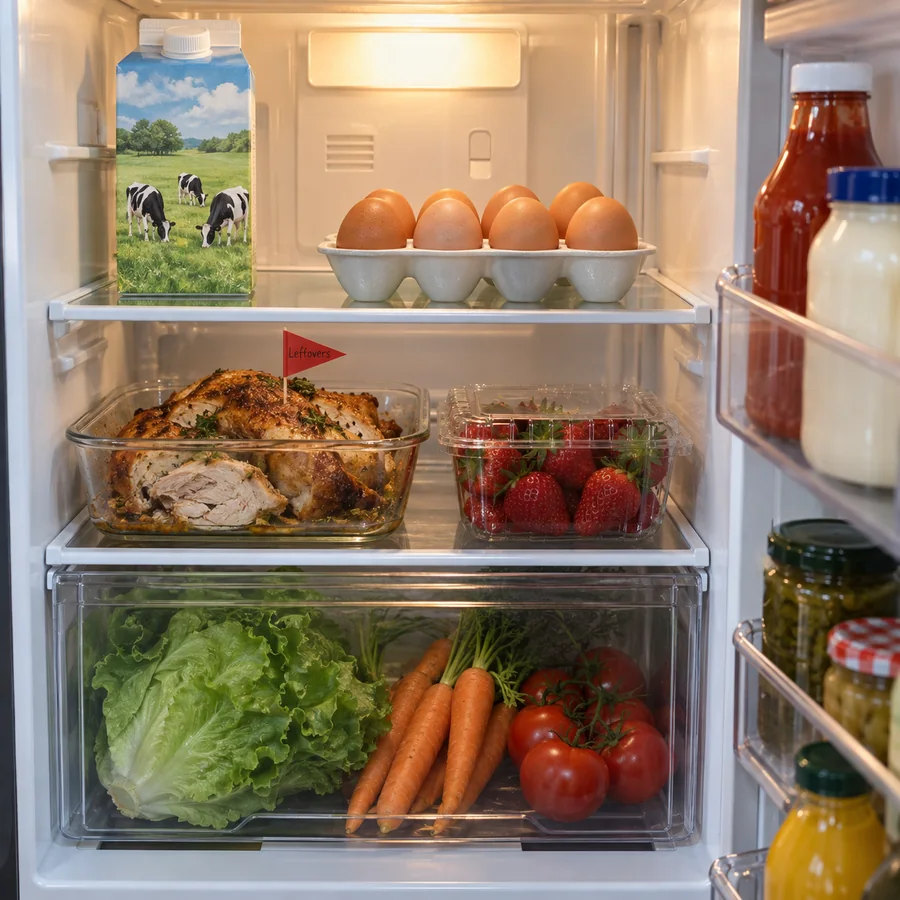
A long prompt with a dozen objects, each placed where the prompt says.

Golden capitals on an art deco facade, spelled the way you write them.
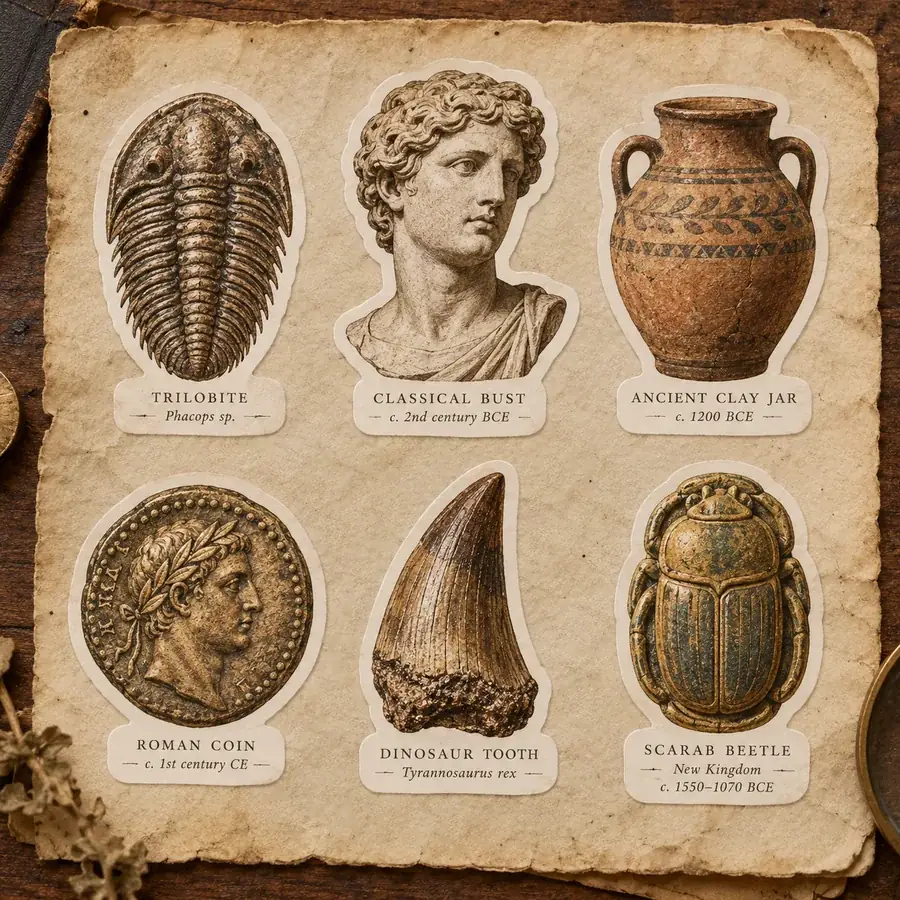
Six die-cut stickers with short captions, styled as one consistent set.
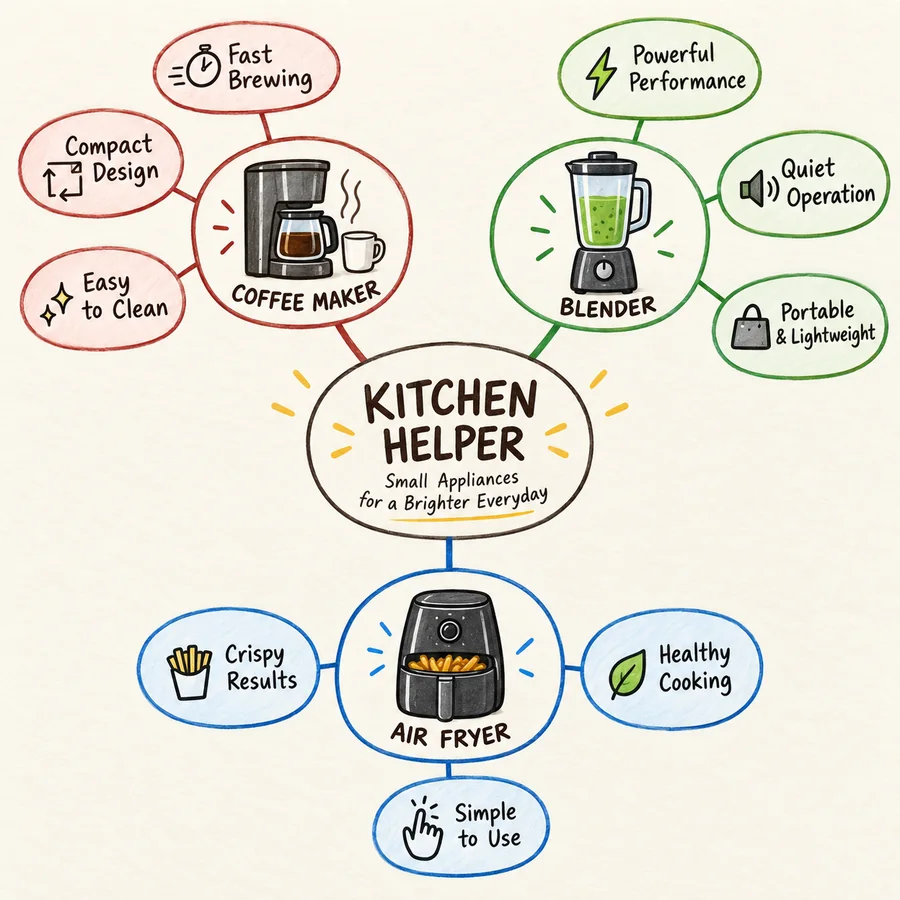
Categories, icons, and bullet points laid out as a clean campaign plan.

Soft sunset light and rows of lavender that lead the eye to the cottage.
Three steps, no API key or local setup needed.
Write what you want to see: subject, setting, style, lighting, and any words that should appear, in quotes. Or tap an idea chip to start from a tested prompt.
For edits, upload the photo as Image 1 and an outfit, product, or style as Image 2. Keep Seedream 4.0 selected, or switch to Seedream 4.5 or 5.0 for sharper text and newer features.
Pick an aspect ratio, Standard or High quality, and 1, 2, or 4 images, then generate. Download the ones you like or feed one back in as the next reference.
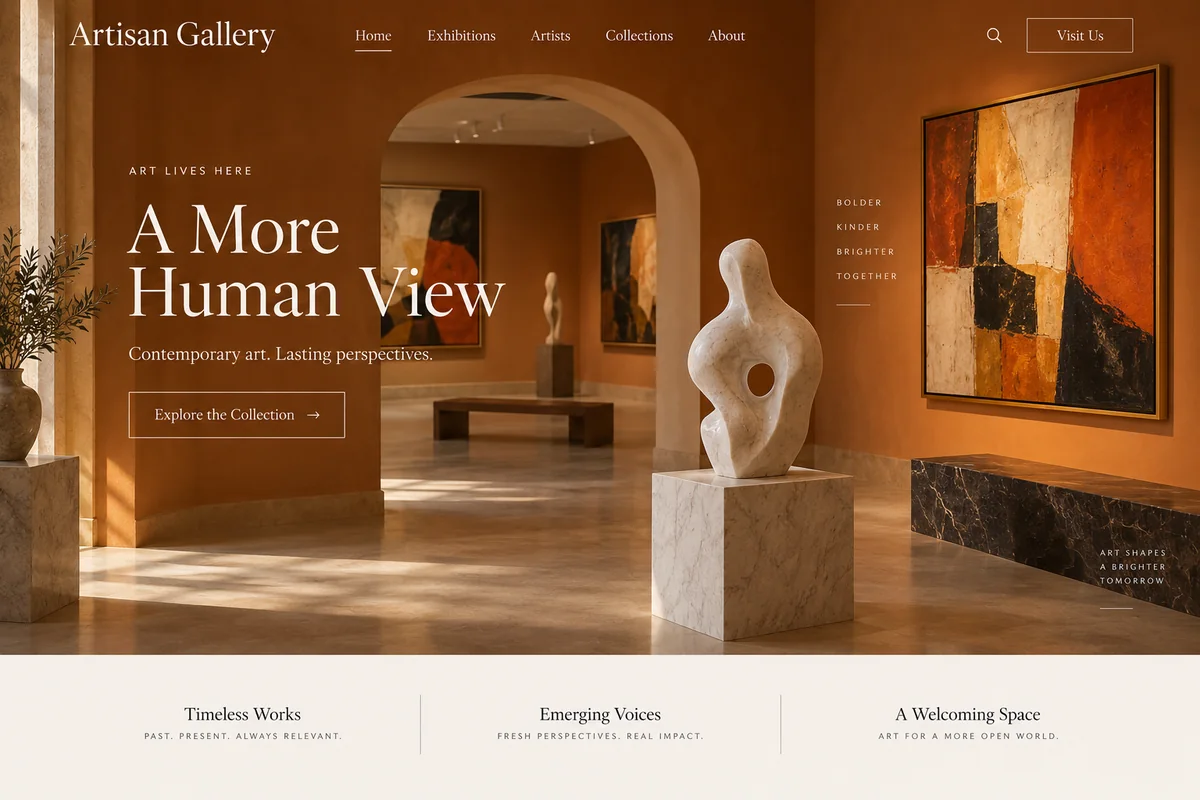
Seedream 4.0 draws on real-world knowledge and reasoning: ask for a solved equation, a recipe diagram, or a gallery website and it fills in sensible content and layout instead of just matching keywords.

Give it a person, a product, and a location and it composes them into one believable shot, or moves an outfit from one image onto someone in another. The model accepts up to 10 references per request.
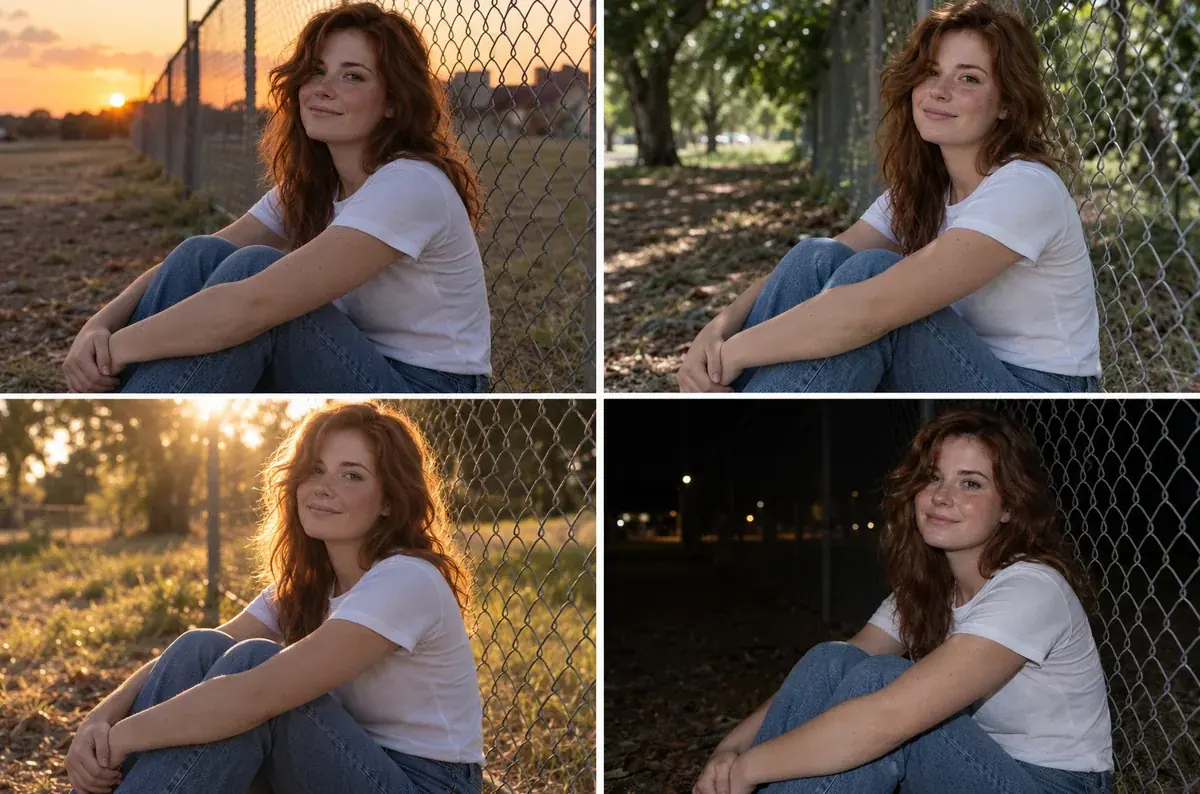
Ask for a series, such as the same person in four lighting setups, and Seedream 4.0 can return up to six images from one request with the same face, outfit, and style.
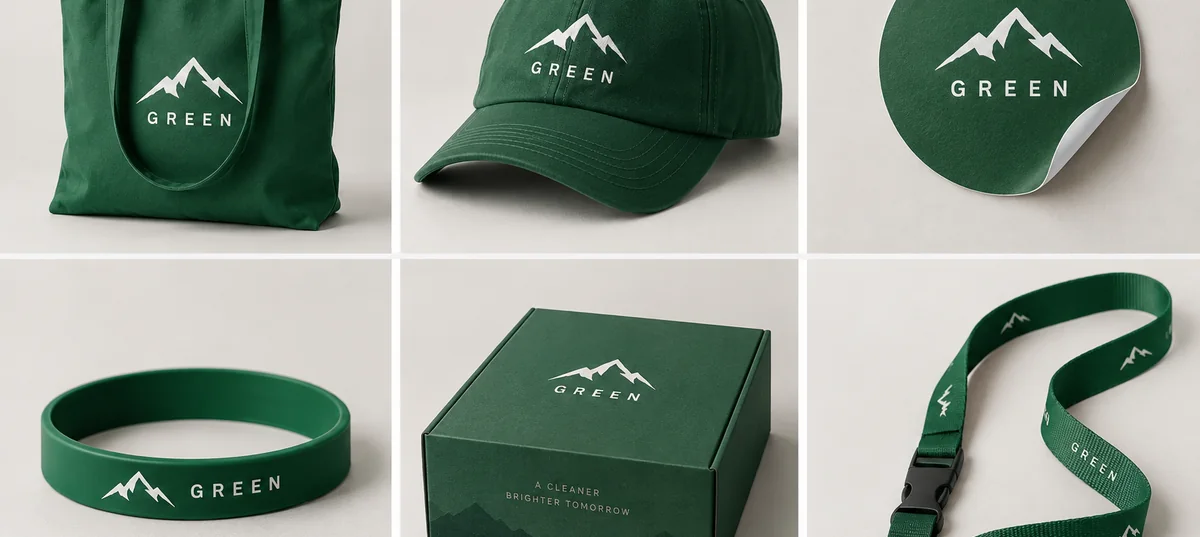
Describe a logo and a color, and get a full merch line in one image: bags, caps, boxes, and wristbands that all match. Great for pitching an idea before anything is printed.

Campaign visuals, merch mockups, and matching ad sets made in one run.
Product scenes, outfit swaps, and color variants from the photos you already have.
Diagrams, step-by-step guides, and infographics with readable labels.
Storyboards, character series, and concept art that keep the same look across frames.
How to write prompts that work across Seedream 4.0, 4.5, and 5.0.
Start with what the image is, then add setting, style, and lighting in that order.
For a batch, say how many images and what changes: "four images of the same model in morning, noon, dusk, and night light".
Refer to uploads as image 1 and image 2 so the model knows which is the person and which is the outfit.
When editing, list what must stay the same: face, pose, background, logo.
Put words in quotes and keep them short. For dense text, try Seedream 4.5 or 5.0 Pro.
Draft at Standard, then rerun your favorite prompt at High for the final 4K file.
Common questions about Seedream 4.0 and the other Seedream versions.
Seedream is a family of AI image generation and editing models from ByteDance. The main versions are Seedream 3.0, Seedream 4.0, Seedream 4.5, and Seedream 5.0 (Lite, Pro, and Flash). Seedream 4.0 was the first to combine text to image, image editing, and multi-image input and output in one model.
Type a prompt in the box above, keep Seedream 4.0 selected, choose an aspect ratio, quality, and number of images, and generate. To edit, add a photo as Image 1 and describe the change. No API key, nodes, or GPU are needed.
Seedream 4.0 is fast and can return up to six consistent images per request. Seedream 4.5 refines it with sharper text, better faces, and steadier multi-image edits. Seedream 5.0 adds stronger reasoning and layout: 5.0 Lite outputs up to 4K, and 5.0 Pro (often just called Seedream Pro) focuses on infographics, dense text, and precise edits at up to 2K.
Seedream 2.0 and Seedream 3.0 (sometimes written Seedream-3) are earlier text-to-image versions from 2025, known for Chinese and English text rendering and, in 3.0, native 2K output. They do not edit images or take references. Seedream 4.0 and later do everything they do and more, so the selector starts at 4.0.
Not as a separate model you can use here. The versions available are Seedream 4.0, Seedream 4.5, and Seedream 5.0 Lite and Pro. If you were looking for an update to 4.0, Seedream 4.5 is the direct successor.
The official name is Seedream, and the version is written Seedream 4.0, Seedream 4, Seedream v4, Seedream4.0, or Seedream-4. Common misspellings include SeedDream 4.0, SeedDream4.0, Seedreem, Seedreams, SeaDream 4.0, SeaDream AI, Sea Dream AI, See Dream 4.0, See Dream AI, and Seed Dream 4. They all mean the same ByteDance model family.
No. Seedream models are closed and hosted by ByteDance, so there are no official weights to download and run on your own GPU. You use them through hosted services like this one.
Seedream is a paid model. On EzImgMaker, new users get free credits to try Seedream 4.0 and the other versions, and the credit cost of each generation is shown before you start.
No. EzImgMaker is an independent service that lets you use ByteDance Seedream 4.0 and other Seedream models. It is not affiliated with, endorsed by, or sponsored by ByteDance.
Only upload photos you own or have permission to edit. Do not use Seedream to create misleading images of real people, remove watermarks from someone else’s work, or make content that violates anyone’s rights.
Write a prompt, add a reference if you like, and compare Seedream 4.0 with 4.5 and 5.0 in the same workspace.
Seedream is a product of ByteDance. EzImgMaker is an independent service and is not affiliated with, endorsed by, or sponsored by ByteDance. Model names are used only to describe compatibility, and all trademarks belong to their respective owners.