Wedding Couple
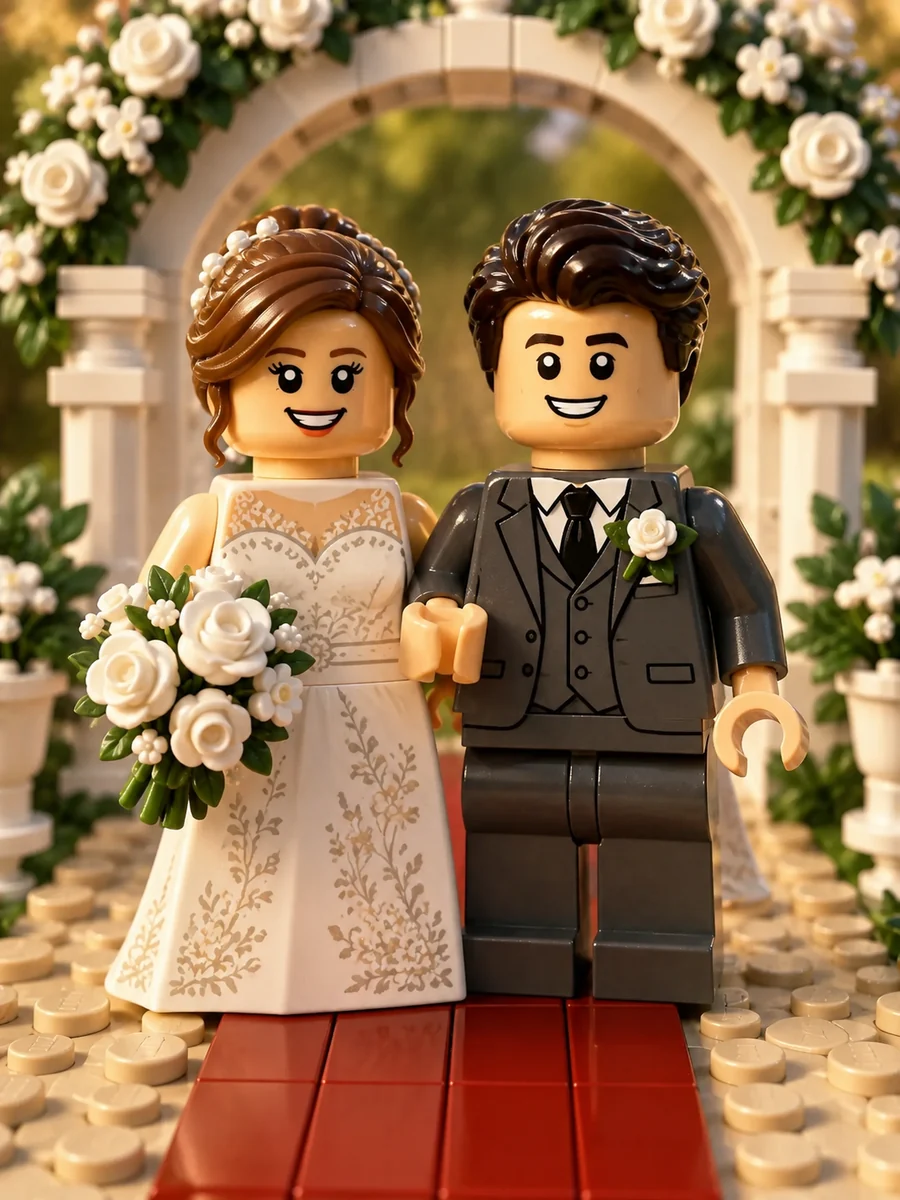
A bride and groom become a matching pair of minifigures under a brick-built floral arch.
Upload a selfie, couple, family, or pet photo and the AI rebuilds your photo LEGO-style: people become minifigures with molded hair pieces and printed torsos, and the room around them turns into studded bricks.
Brick Style: Minifigure Portrait · Minifigure Outfit: Keep My Outfit
Your photo stays in this browser during this UI preview.
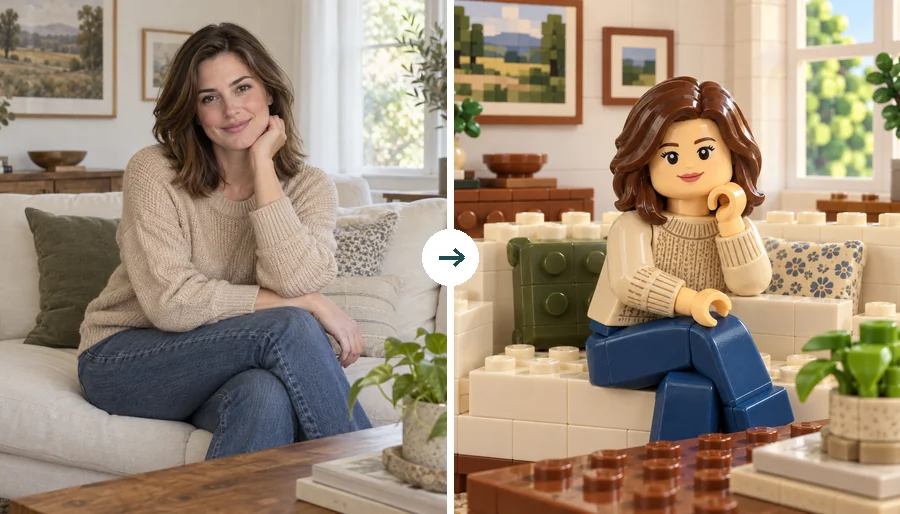
Reference example. It is not a result generated from your upload.
A LEGO minifigure generator turns a real photo into a LEGO-style toy version of you: a cylindrical head with a printed face, a molded hair piece in your own hair color, a torso printed with your outfit, and the classic clip hands. This AI LEGO generator can also rebuild everything around you, so walls, furniture, plants, and sky come back as studded bricks instead of a real-photo backdrop.
Use it as a LEGO character generator for your profile picture, a LEGO picture maker and LEGO image creator for party invites and gifts, or a quick way to see how a custom LEGO photo of your family, pet, or favorite place would look. EzImgMaker is an independent tool and is not affiliated with The LEGO Group.
Couples, cafes, birthday tables, and pets: the pose, framing, and colors stay put while everything turns into glossy plastic bricks.
A bride and groom become a matching pair of minifigures under a brick-built floral arch.
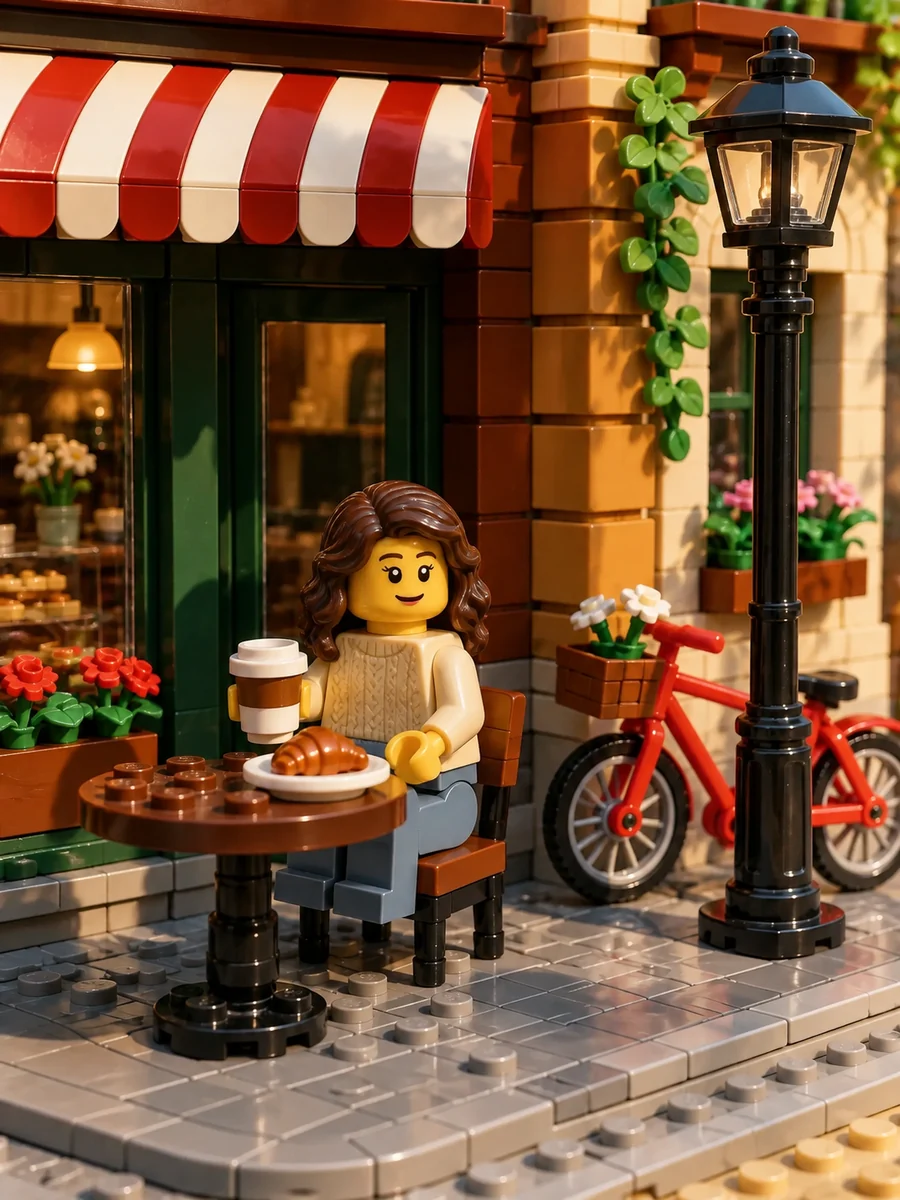
A coffee break outside a cafe, with the awning, lamp post, and bike rebuilt in bricks.
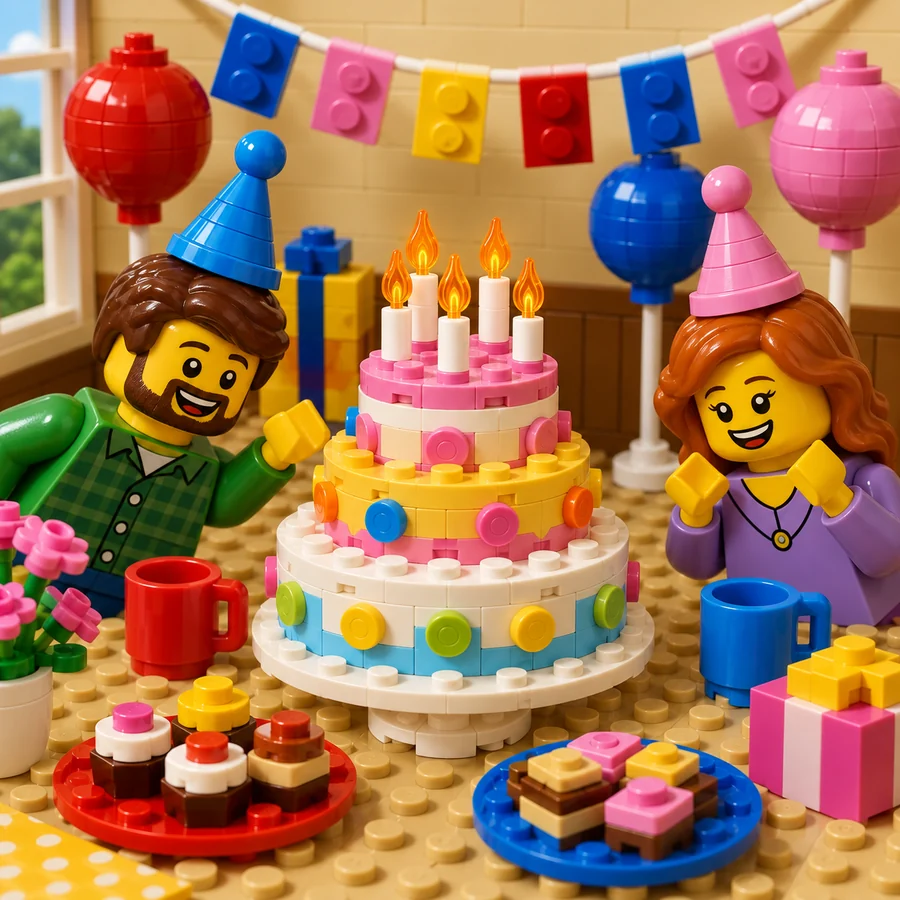
Party hats, balloons, a layered cake, and two happy kids turned into a brick party scene.
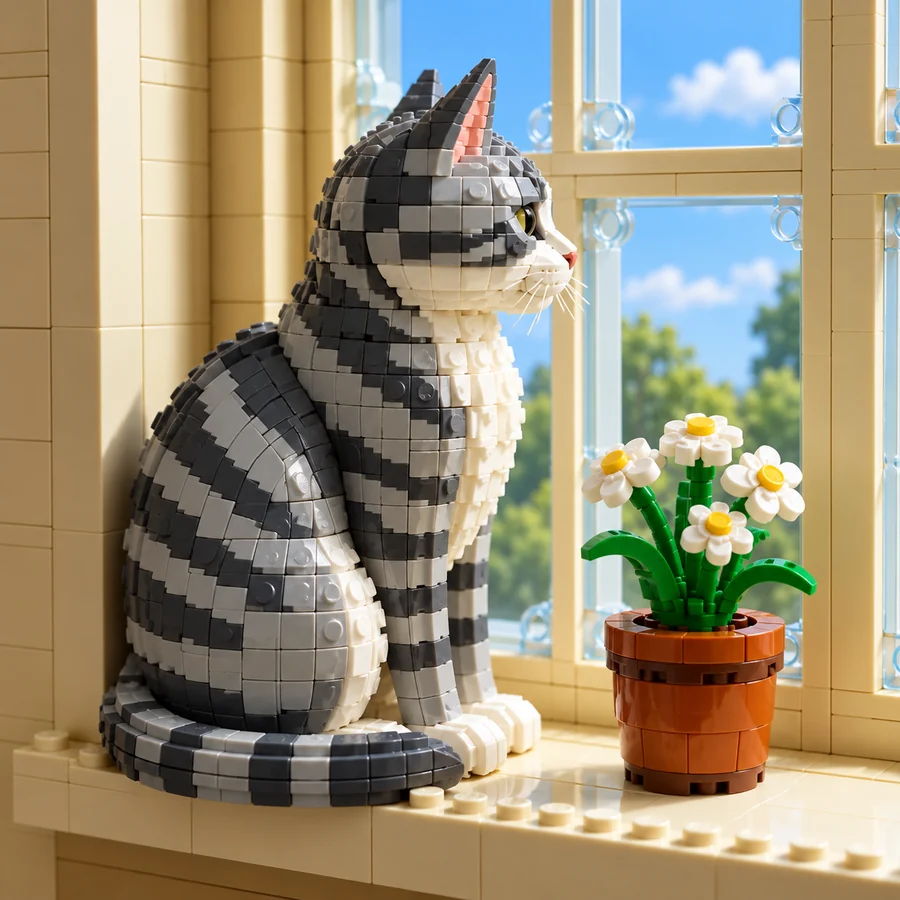
Want to LEGO a picture of your pet? A tabby on a windowsill becomes a brick-built model.
Three steps from photo to minifigure, with no design skills and no bricks to sort.
Add a selfie, a couple or family photo, a pet, or a street scene. Clear faces and even light give the best minifigures. JPG, PNG, and WebP files up to 10 MB are supported.
Choose Minifigure Portrait, Full Brick Scene, Minifigure PFP, Brick Sculpture, or Brick Mosaic, then keep your outfit or swap it for an astronaut, knight, or chef. Add a prop or baseplate in the optional box.
Generate up to four versions, compare them, and save your personalized LEGO picture for invites, prints, and profile pictures.
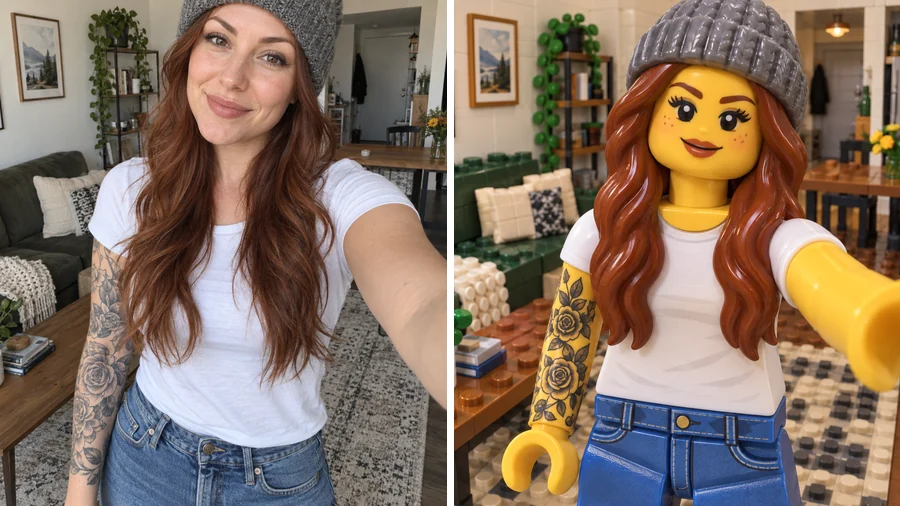
Hair color, skin tone, glasses, beard, hats, tattoos, and outfit colors all carry onto your minifigure, so it reads as you rather than a stock figure. It is the quickest way to see me as a LEGO character without building one by hand.
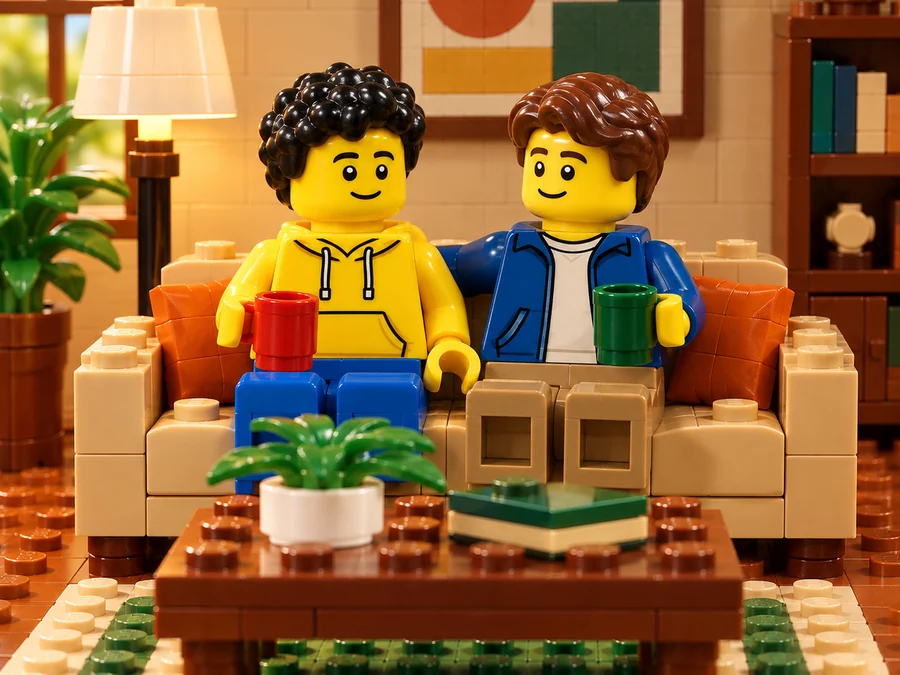
Full Brick Scene rebuilds the whole picture: sofas, lamps, coffee tables, and wall art come back as bricks, with glossy edges and soft studio light, so the result looks like a photographed set. Make custom LEGO sets from photos of your home, your street, or a favorite trip.
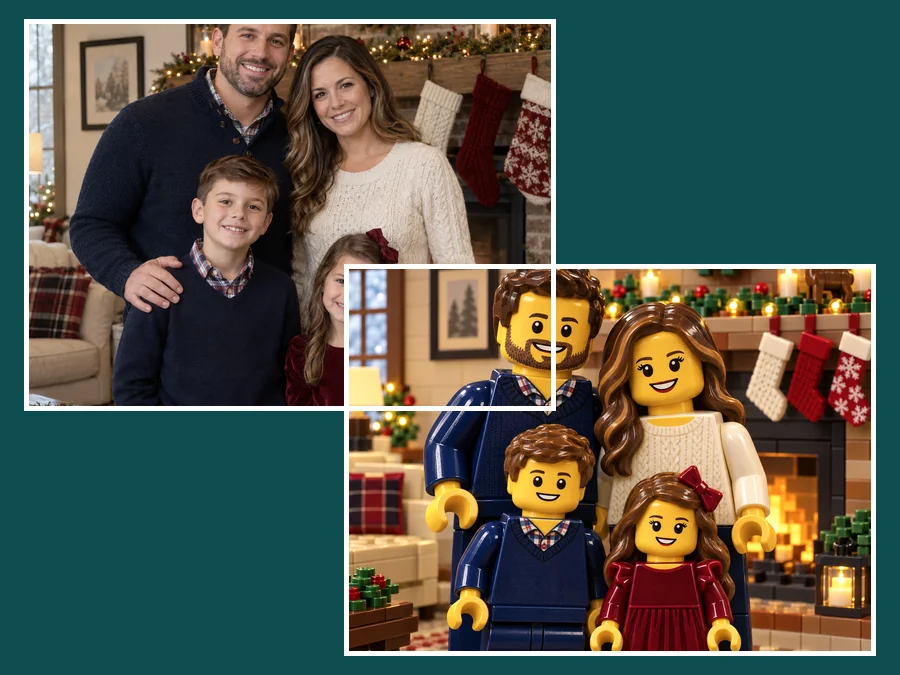
Everyone in frame becomes their own minifigure, standing exactly where they stood and keeping their own hair, skin tone, and outfit colors. Holiday photos turn into a brick scene that prints far better than another phone snapshot.
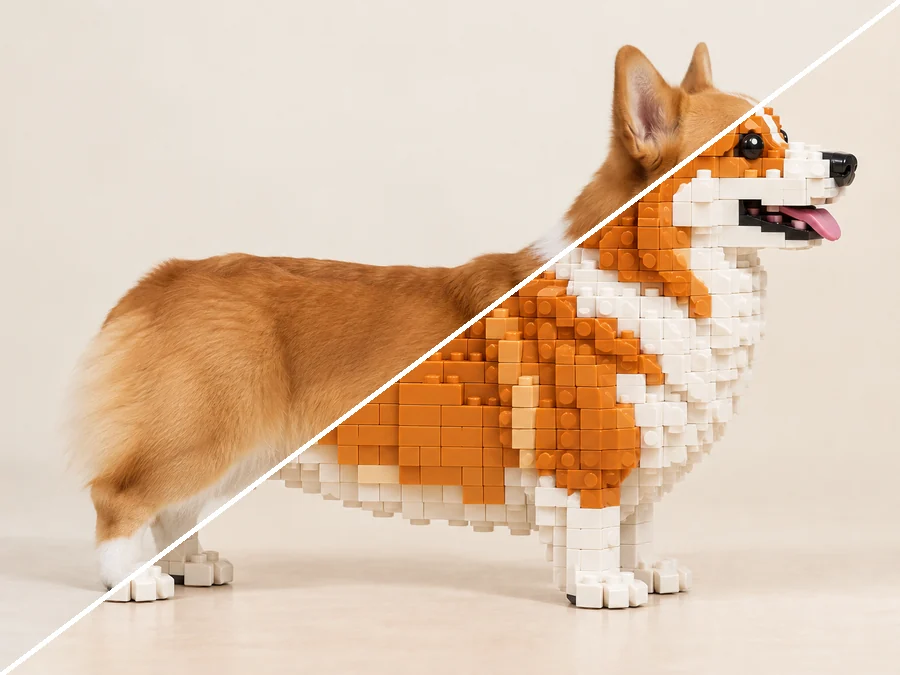
Turn any image to LEGO: a corgi becomes a brick-built model with the same markings, and Brick Mosaic flattens a portrait into a studs-up grid, like a LEGO pixel art generator for wall art.
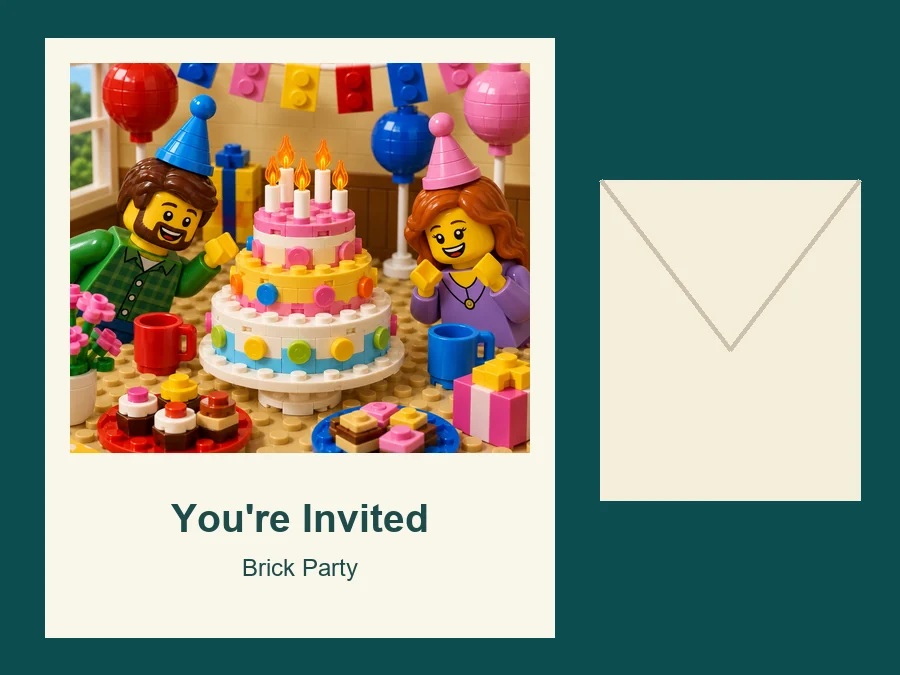
Rebuild the birthday kid and the party table as a brick scene and drop it straight into the invite.
A personalized LEGO picture of a couple, a family, or a pet makes a fun print, card, or desk frame for brick fans.
Use it as a LEGO PFP maker: Minifigure PFP gives a centered, face-forward head-and-shoulders crop for gaming and social profiles.
Photograph a desk corner or a street, rebuild it in bricks, and use the image as inspiration for your next build.
A clear photo gives the LEGO image maker more to build from.
Visible, unobstructed faces give the printed minifigure face the closest likeness.
Daylight or a soft lamp keeps hair and outfit colors true when they become plastic.
Furniture, plants, doorways, and vehicles give Full Brick Scene more to rebuild.
Glasses, hats, beards, and bold clothes carry over and make the minifigure feel personal.
Parents, builders, and creators who used the LEGO picture creator on their own photos.
Illustrative examples adapted from reference material, not verified reviews of EzImgMaker.
I made the invite for my son's brick-themed party from a photo of our actual living room, with him as the minifigure. Other parents asked who designed it.
I photograph a shelf corner, rebuild it in bricks, and get a concept image before I sort a single piece. It saves me from builds that would not work.
My beanie, my tattoos, and my long red hair all made it onto the minifigure. It is my profile picture everywhere now.
The glossy plastic and the studded floor are what sell it. It looks like a set photographed on a table, not a flat brick pattern.
Everything people ask before brickifying their first photo.
It is a LEGO AI generator that rebuilds an uploaded picture LEGO-style: each person becomes a minifigure, and with Full Brick Scene the surroundings become studded bricks too. Your pose, camera angle, and colors are kept, so it reads as the same moment rebuilt in plastic.
Yes. Upload a clear selfie and choose Minifigure Portrait or Minifigure PFP. The minifigure gets a printed face, a molded hair piece in your hair color, and a torso printed with your outfit. Glasses, a beard, or a hat carry across too.
With Full Brick Scene, yes: ground, walls, furniture, plants, vehicles, and sky are all rebuilt, so you never end up with a plastic figure in a real room. Minifigure Portrait keeps the focus on the figure on a simple baseplate.
Yes. Choose Brick Sculpture and a dog, cat, car, or building comes back as a brick-built model with the same shape, colors, and markings.
Choose Brick Mosaic to turn a picture to LEGO in a flat, studs-up grid that works like a LEGO pixel art generator. It is a preview image for wall art ideas, not a parts list or building instructions.
Not quite. A camera-app LEGO filter tracks your face live, while this LEGO picture generator edits a photo you already have, so you can choose a style, compare versions, and keep the result as a saved image.
Choose Group Minifigures. Everyone in frame becomes their own minifigure, the number of people stays the same, and each person keeps their position, hair, skin tone, and outfit colors.
No. You can make your own LEGO person online in your browser on phone or desktop, with nothing to install.
No. EzImgMaker is an independent AI art tool and is not affiliated with, endorsed by, or sponsored by The LEGO Group. "LEGO" is only used to describe the toy-brick style, and we don't add LEGO logos, packaging, or characters from LEGO sets to results.
Only upload photos you own or have permission to edit, and ask a parent or guardian before editing a minor's photo. Keep results to personal use such as invites, home prints, and profile pictures; don't sell them, put them on product packaging, or present them as real LEGO products.
Upload a photo and rebuild it LEGO-style, with you as the minifigure and everything around you in bricks.
LEGO-style results are fan-inspired creative edits. EzImgMaker is not affiliated with, endorsed by, or sponsored by The LEGO Group. LEGO and Minifigure are trademarks of The LEGO Group.