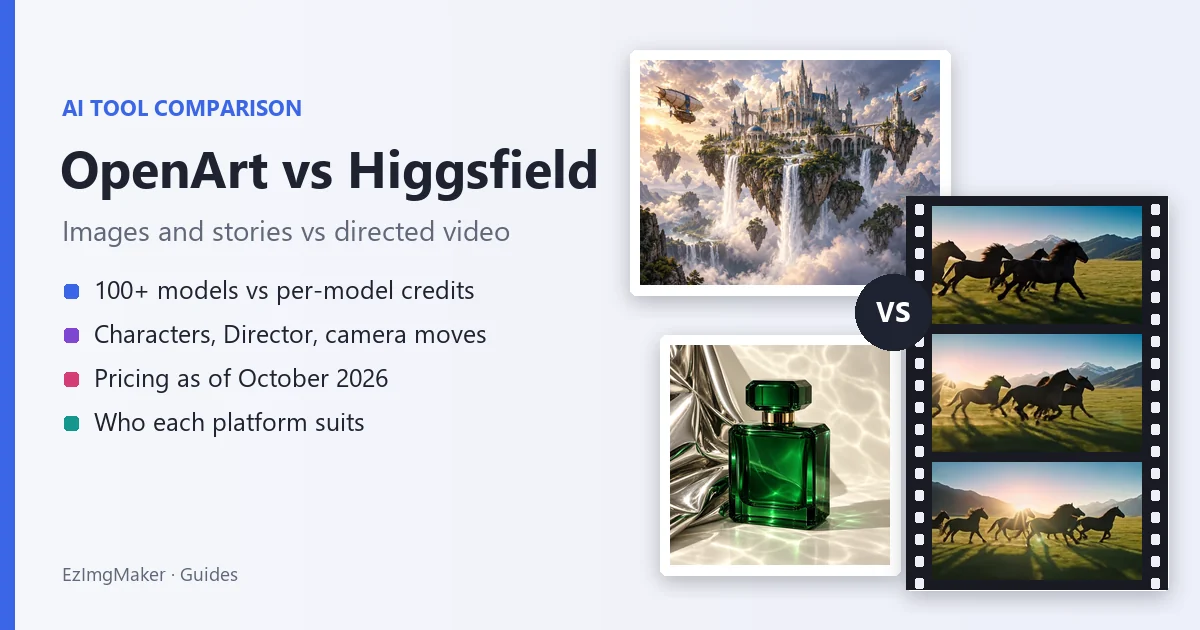
Short answer: OpenArt vs Higgsfield comes down to what you make most. OpenArt is an all-in-one creation suite with 100+ image, video and audio models, built around consistent characters and stories: generate and edit images, build a character once and reuse it, then let Director storyboard a video through chat. Higgsfield is a video-first studio built around directing: pick from 65 named camera moves, set genre, era and pacing in Cinema Studio 4.0, and render with models such as Seedance, Kling, Veo and Sora 2. Choose OpenArt for image volume, characters and story videos; choose Higgsfield for cinematic shots and camera control. If you only need a few images or clips, the EzImgMaker AI image generator and image to video tool are free to try with sign-up credits.
Below we compare features, models, pricing as of October 2026 and who each platform suits, so you can decide between OpenArt and Higgsfield, or skip both.
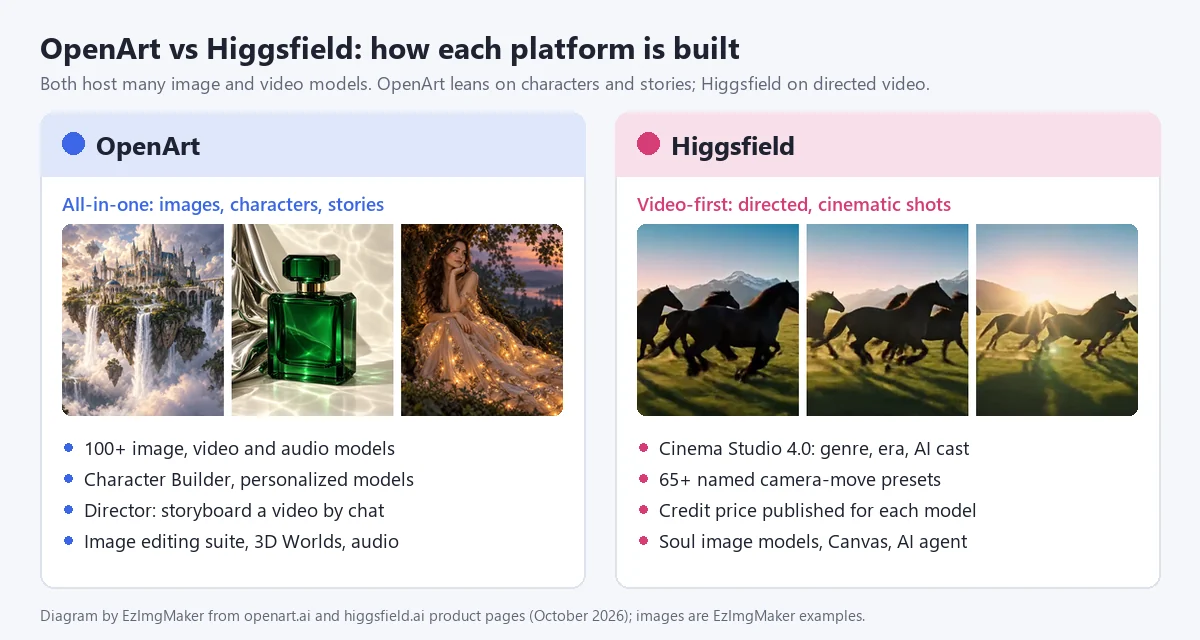
OpenArt vs Higgsfield at a Glance
| OpenArt | Higgsfield | |
|---|---|---|
| What it is | All-in-one AI creation platform for images, video, characters, audio and 3D worlds | Video-first AI studio for directed, cinematic shots |
| Signature features | Director (storyboard videos by chat), Character Builder, personalized models | Cinema Studio 4.0, 65 named camera-move presets |
| Models | 100+ image, video and audio models | Many video and image models, plus its own Soul and DoP models |
| Video | Text or image to video up to 15 s and up to 4K, start and end frames, Smart Shot | Cinema Studio scenes up to one minute (per Higgsfield), camera presets, effects |
| Images | Generate and edit: erase, expand, swap backgrounds, restyle, upscale to 4K | Generate (Soul, Nano Banana, GPT Image and more), inpaint, upscale |
| Audio | Voiceovers in 30+ languages with lip-sync, music, sound effects | Audio tools and a lipsync studio |
| Paid plans from | $13/month billed yearly ($14 monthly), as of October 2026 | $19/month, as of October 2026 |
| Best for | Image-heavy creators, characters, story and ad videos | Filmmakers, ad and social creators who want camera control |
What Is OpenArt?
OpenArt (openart.ai) describes itself as an all-in-one AI creation platform that brings characters, stories, brands and worlds to life, and says it is loved by more than 10 million creators, brands and studios. It runs in the browser and puts image, video, voice and audio generation, editing and stitching in one place.
OpenArt key features
- Director. "Vibe direct" a video by chatting: OpenArt lays out a storyboard, you shape each shot in natural language, and the AI refines the sequence. Quick starts cover short films, music videos, UGC ads, product ads, film trailers, social content, branding ads, explainers and micro dramas.
- AI video generator. Create clips from text or images, up to 15 seconds and up to 4K, with models such as Veo 3.1, Seedance 2.0, Kling 3.0 Omni and Sora 2, plus start and end frames. Smart Shot turns one prompt into 3 to 5 cinematic cuts with varied angles and camera moves.
- Image generation and editing. Generate with GPT Image 2, Nano Banana Pro or Seedream 5.0, then erase, expand, swap backgrounds, restyle or upscale to 4K on the same canvas. Camera Angle Control reframes an image from a new angle with rotation sliders and lens choices.
- Characters and personalized models. Build a character from reference images or a text brief, save it, and tag it in later images and videos. Plans also include personalized model training.
- Worlds and audio. OpenArt Worlds generates a navigable 3D environment from a prompt. Audio tools create voiceovers in 30+ languages with lip-sync, music and sound effects, and can clone a voice from a sample.
- Video editing and integrations. Replace Background, Relight Video and Video Inpaint for clips, an After Effects plugin, and OpenArt MCP and CLI for using it inside AI agents such as Claude, ChatGPT and Cursor.
Models on OpenArt
As of October 2026, OpenArt lists video models such as Seedance 2.5 and 2.0, Kling 3.0, Sora 2, Google Veo, WAN 2.7, LTX-2.3, HappyHorse, Pixverse, MiniMax Hailuo and Gemini Omni Flash, and image models such as GPT Image 2.5 and 2, Nano Banana 2, Nano Banana Pro, Seedream 5.0 Pro, Qwen Image 3 and Grok Imagine. It also runs a model Arena that ranks models.
OpenArt pricing (as of October 2026)
| Plan | Monthly | Billed yearly | Credits a month | OpenArt’s estimate | Commercial use |
|---|---|---|---|---|---|
| Starter | $14/seat | $13/seat | 4,000 | Up to about 4,000 images or 50 videos, 13 characters, 8 parallel jobs | Not listed |
| Plus | $34/seat | $27/seat | 12,000 | Up to about 12,000 images or 150 videos, 40 characters, 16 parallel jobs | Yes |
| Pro | $56/seat | $44/seat | 24,000 | Up to about 24,000 images or 300 videos, 80 characters, 32 parallel jobs | Yes |
| Wonder | $240/seat | $175/seat | 106,000 | Up to about 106,000 images or 1,300 videos, 353 characters, priority support | Yes |
Every paid plan lists access to 100+ premium models, Director, One-Click Story creation, the image editing suite and watermark-free downloads. Yearly billing saves up to 27%, and from Plus up you can add 5,000 extra credits for $15 a month. OpenArt’s video estimates exclude Director and do not name a model or clip length. The homepage invites you to start for free, but the pricing page does not list a free plan or its allowance. Check the official OpenArt pricing page for current details.
What Is Higgsfield?
Higgsfield is an AI video platform from Higgsfield, Inc., co-founded by Alex Mashrabov, formerly head of generative AI at Snap, and AI researcher Yerzat Dulat (TechCrunch, April 2024). It started as an AI video startup and now combines many leading video and image models with its own directing tools; it says its community has more than 25 million users.
Higgsfield key features
- Camera-move presets. Its camera-controls page lists 65 named motion presets, such as Dolly In, Crane Up, 360 Orbit, Crash Zoom In, FPV Drone, Bullet Time and Whip Pan. You choose the move instead of describing it in the prompt.
- Cinema Studio 4.0. Pick one of 6 genres, stack camera tags (static, handheld, zoom, pan), regrade the scene for a decade from the 1960s to the 2020s, and use up to 50 references per generation. Higgsfield says it renders native 4K and up to one minute per run, with Montage Pacing that assembles the cuts for you.
- AI Cast and team tools. Reusable AI actors and locations, real-time co-directing with teammates, shared elements, project briefs and an assistant, Mr. Higgs, who can pick the camera or break a script into shots.
- Image models and editing. Higgsfield’s own Soul models (Soul 2.0 costs 0.12 credits per image), partner models such as Nano Banana Pro, inpainting, multi-reference images and an Upscale tool.
- Studios and automation. AI Influencer, Ads Studio and Marketing Studio, Katana for turning clips into edits with one command, visual effects collections, a lipsync studio, Canvas for moodboards and workflows, the Supercomputer agent, an API and an MCP connector for Claude and ChatGPT.
Models on Higgsfield
As of October 2026, Higgsfield lists video models including Seedance 2.5 and 2.0, Kling 3.0, Sora 2, Google Veo 3.1, Wan 3.0, MiniMax Hailuo 2.3, Grok Video and Higgsfield DoP, and image models including Nano Banana Pro, Nano Banana 2, Soul 2.0, GPT Image, Seedream, FLUX.2 and Reve.
Higgsfield pricing (as of October 2026)
| Plan | Monthly | Billed yearly | Credits a month | Higgsfield’s estimate | Commercial use |
|---|---|---|---|---|---|
| Free | $0 | $0 | 0 (limited use) | 1 job at a time | No |
| Starter | $19 | $19 (same price) | 270 | About 135 Nano Banana Pro images or 15 Seedance 2.0 Fast videos | Yes |
| Plus | $59 | $47 | 1,200 | About 600 Nano Banana Pro images or 80 Seedance 2.5 videos | Yes |
| Ultra | $129 | $99 | 3,000 (6,000 and 9,000 tiers offered) | About 1,500 Nano Banana Pro images or 200 Seedance 2.5 videos | Yes |
| Teams | From $65 per seat | Up to 30% off | From 1,000 per seat | 2 to 15 seats, shared credit pool | Yes |
Higgsfield publishes a credit price per model: for example, a 5-second Kling 3.0 clip is about 7 credits at 720p, a 5-second Seedance 2.0 clip about 22 credits at 720p, and a Nano Banana Pro image 2 credits. Plus and Ultra also include time-limited free generations on selected models. Prices exclude tax; check the official Higgsfield pricing page before you buy.
OpenArt vs Higgsfield: Head-to-Head
| OpenArt | Higgsfield | |
|---|---|---|
| Image generation | Strong: many models, up to about one image per credit by OpenArt’s estimate | Good: Soul models and partner models, priced per model |
| Image editing | Full suite: erase, expand, backgrounds, restyle, camera angle, upscale to 4K | Inpaint, multi-reference, upscale |
| Video generation | Text and image to video, start and end frames, Smart Shot, Director | Core strength: Cinema Studio, many video models, effects |
| Camera and motion control | Smart Shot camera moves, Camera Angle Control for stills | 65 named motion presets and camera tags |
| Consistent characters | Character Builder plus personalized model training | AI Cast in Cinema Studio, AI Influencer studio |
| Storytelling | Director storyboards and One-Click Story | Montage Pacing assembles scenes |
| Audio and 3D | Voiceovers, music, sound, voice cloning, 3D Worlds | Audio and lipsync tools |
| Pricing transparency | Approximate images and videos per plan | Exact credit price per model and resolution |
| Paid plans from | $13/month billed yearly | $19/month |
| Free option | Start for free (allowance not listed on the pricing page) | Free plan, limited use, no monthly credits |
| Commercial use | From Plus | From Starter |
| Best for | Images, characters, story and ad videos | Directed cinematic video |
The credits are not the same unit
OpenArt’s 4,000 Starter credits and Higgsfield’s 270 Starter credits cannot be compared directly. OpenArt’s plan cards estimate up to about one image per credit and about 80 credits per video (4,000 credits for about 50 videos), without naming the model. Higgsfield charges per model: 2 credits for a Nano Banana Pro image, about 8 credits for a 5-second Kling 3.0 clip at 1080p. To compare fairly, decide which model and resolution you will use most, then work out how many finished outputs each plan buys, and remember that retries count too.
Higgsfield AI vs OpenArt for Images
If most of your work is still images, OpenArt has the edge. Its plans are sized for volume (Starter alone estimates about 4,000 images a month), its editing suite covers the everyday fixes in one canvas, and characters and personalized models let you keep the same face, product or style across a campaign. Higgsfield is the better pick when the image is a means to an end, the first frame of a shot you will animate with a camera preset, or when you want its own low-cost Soul 2.0 model. Both platforms host several of the same image models, such as Nano Banana Pro, so for a single image the result can be similar; the difference is the workflow around it.
Higgsfield vs OpenArt for Video
For video, Higgsfield vs OpenArt is a question of control versus convenience. Higgsfield gives you the director’s chair: name the camera move, set genre and era, cast an AI actor, and see the exact credit cost of each model before you render. OpenArt makes multi-scene videos easier: Director builds the storyboard from a chat, Smart Shot breaks one prompt into several cuts, start and end frames control where a shot lands, and the audio tools add voiceover and music without leaving the app.
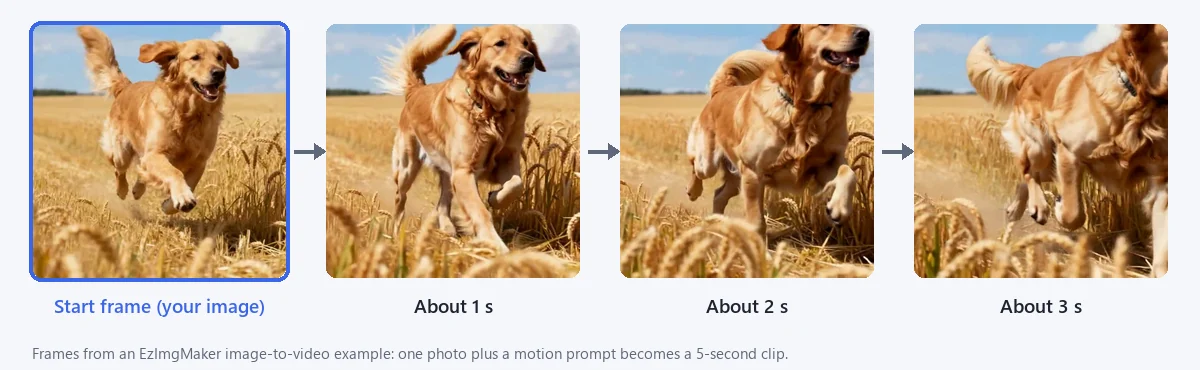
Both turn a still into a moving shot. Here is what that looks like, using a photo and a motion prompt on EzImgMaker:
Pros and Cons
OpenArt: strengths
- 100+ models and many images per dollar on its own estimates.
- Character Builder and personalized models for consistent faces, products and styles.
- Director, Smart Shot and audio tools make story and ad videos approachable.
- Watermark-free downloads on every paid plan, extra credit add-ons from Plus.
OpenArt: limits
- Commercial use rights are listed only from the Plus plan.
- Video estimates per plan do not name a model or length, so real costs take testing.
- The free allowance is not shown on the pricing page.
- Fewer dedicated camera-move tools than Higgsfield.
Higgsfield: strengths
- The most direct camera control of the two: 65 named presets and Cinema Studio tags.
- Cinema Studio adds genre, era, pacing and a reusable AI cast.
- Exact credit prices per model and resolution, and commercial use from Starter.
- Team co-directing, an agent, an API and MCP.
Higgsfield: limits
- Small credit pools on lower plans (270 credits a month on Starter).
- Fewer images per dollar on flagship models, judging by each platform’s own estimates.
- Plans, models and offers change often.
- The free plan has no monthly credits.
Which Should You Choose?
- You make lots of images, thumbnails or product shots: OpenArt.
- You need the same character across many images and videos: OpenArt’s Character Builder, or Higgsfield’s AI Cast if the output is mainly cinematic video.
- You make story, explainer or UGC-style ad videos with voiceover: OpenArt Director.
- You make trailers, music videos or short films and care about camera language: Higgsfield.
- You sell your output and want the lowest paid plan with commercial use: Higgsfield Starter, based on the pricing pages in October 2026.
- You need only a few images or clips a month: pay-as-you-go credits, such as the EzImgMaker tools below, may cost less than either subscription.
OpenArt AI vs Higgsfield: The Verdict
OpenArt AI vs Higgsfield is not a contest with one winner. OpenArt is the better all-rounder for creators who work mostly in images and want characters, editing, audio and storytelling under one roof. Higgsfield is the better studio for people who think in shots and camera moves and want predictable per-model pricing. If you are still unsure, run the same small project on both, using each platform’s free option or a single month, and compare the cost per usable result.
Alternatives: Images and Video on EzImgMaker
If a monthly plan is more than you need, EzImgMaker covers the core of both platforms with credits: new users get free credits to try the tools, then buy credit packs when they need more. We do not offer a character builder, model training, a Director-style storyboard, audio or a preset library like Higgsfield’s; we offer top image and video models in a simple workspace.
Create images
The AI image generator lets you type a prompt or add up to two photos to restyle or merge, then pick Nano Banana 2, Nano Banana Pro, Seedream 4.5, GPT Image 2 or FLUX.2, a style and an aspect ratio (1:1, 16:9, 9:16, 4:3 or 3:4). For prompt-only work, text to image offers the same five models with styles built for writing a prompt from scratch. A few examples made on EzImgMaker:
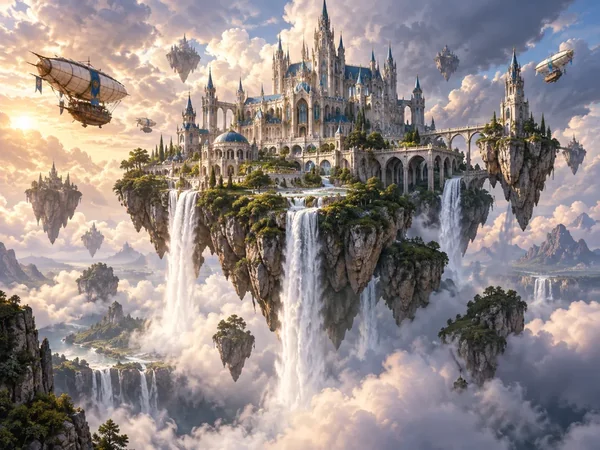
Fantasy worlds
Epic landscapes and cities for stories and games.
Create a world
Portraits
Fictional characters with cinematic light.
Try text to image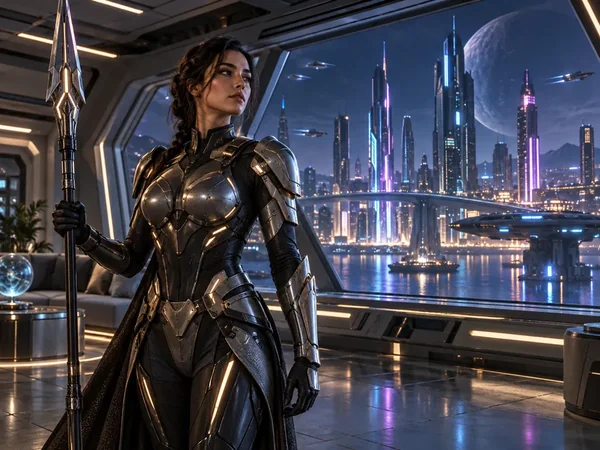
Sci-fi characters
Heroes and costumes for comics and concept art.
Design a character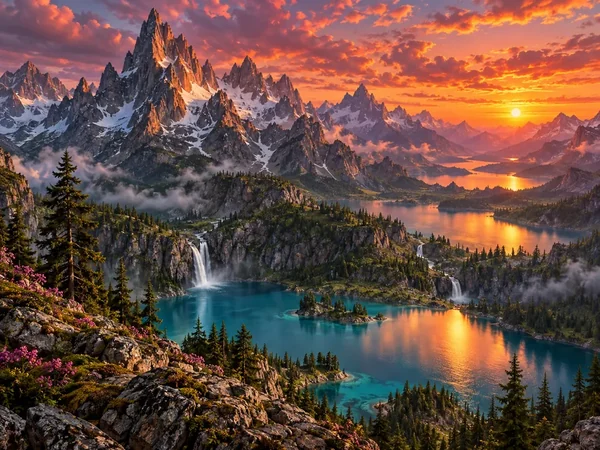
Scenic landscapes
Wallpapers, backdrops and first frames for video.
Try text to image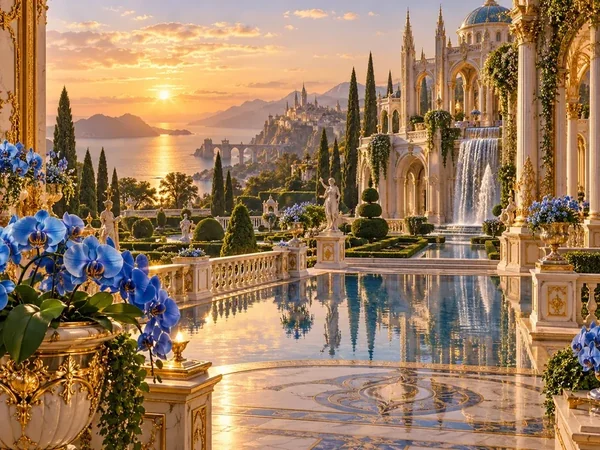
Architecture and gardens
Dreamlike places in any art style.
Create a scene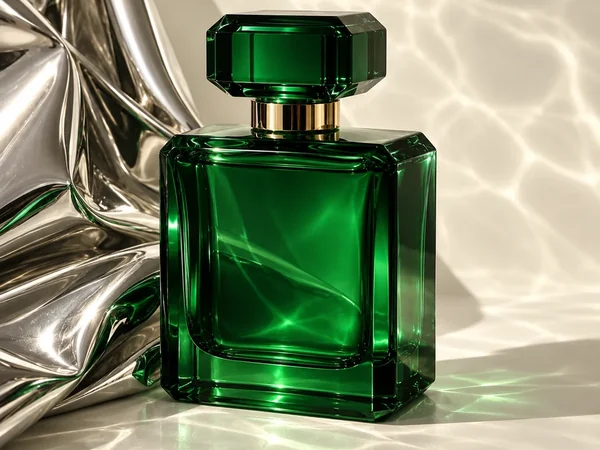
Product photos
Studio-style shots for shops and ads.
Make a product shotTurn images into video
Image to video animates a still with your choice of Seedance 2.0 or 2.5, Veo 3.1, Kling 3.0, Grok Imagine, Hailuo 2.3 or Wan 3.0, at 720p or 1080p. Add an end frame on Seedance, Veo 3.1, Kling 3.0 and Wan to control where the shot lands, and set the camera motion: let the AI decide, static, slow push-in, orbit or pan. To start from text instead, use the AI video generator, which also offers 16:9, 9:16 and 1:1 and sound on supported models. Model guides such as Kling 3.0 and Seedance 2.0 help you pick.
Other platforms to compare
Krea AI pairs a realtime canvas with many image and video models; see What Is Krea AI?. If upscaling matters as much as video, read Magnific vs Higgsfield, which compares the best-known creative upscaler with Higgsfield.
Frequently Asked Questions
Is OpenArt better than Higgsfield?
It depends on what you make. In the OpenArt vs Higgsfield matchup, OpenArt is the better fit for high-volume image work, reusable characters and story-style videos built with its Director tool. Higgsfield is the better fit for cinematic video, thanks to Cinema Studio and its library of named camera moves. Many people pick by their main output: mostly images and characters, OpenArt; mostly directed video, Higgsfield.
What is the difference between Higgsfield AI and OpenArt?
In a Higgsfield AI vs OpenArt comparison, Higgsfield AI is the video-first studio: you direct shots with camera presets, genres, film eras and an AI cast, and it publishes a credit price for every model. OpenArt is the all-in-one creation suite, with 100+ image, video and audio models, a Character Builder, personalized models, an image editing suite, 3D Worlds and Director, which storyboards a video through chat.
Is Higgsfield better than OpenArt for video?
For directed, cinematic shots, Higgsfield vs OpenArt usually favors Higgsfield: it lets you pick a camera move from 65 named presets or stack camera tags in Cinema Studio, and shows the credit cost of each model up front. OpenArt is strong for multi-scene videos: Director lays out a storyboard, Smart Shot turns one prompt into 3 to 5 cuts, and its audio tools add voice and music.
Is OpenArt AI or Higgsfield better for images?
For images, OpenArt AI vs Higgsfield favors OpenArt on volume: its plans estimate up to about one image per credit, it has a full editing suite, and it lets you train personalized models and characters. Higgsfield is handy when the image is the first frame of a video you will animate there, or when you want its low-cost Soul 2.0 model.
Which is cheaper, OpenArt or Higgsfield?
As of October 2026, OpenArt starts at $14 a month or $13 billed yearly (Starter, 4,000 credits), and Higgsfield starts at $19 a month (Starter, 270 credits). The credits are different units, so compare by output: OpenArt estimates about 4,000 images or 50 videos on Starter, while Higgsfield estimates about 135 Nano Banana Pro images or 15 Seedance 2.0 Fast videos. Prices change often, so check both pricing pages.
Do OpenArt and Higgsfield have free plans?
Both let you start without paying, but neither free option is meant for regular work. Higgsfield lists a free plan with limited use, no monthly credits and one job at a time. OpenArt invites you to start for free, but its pricing page only lists paid plans and does not state the free allowance, so check it when you sign up. EzImgMaker gives new users free credits to try its image and video tools.
Can I use OpenArt or Higgsfield content commercially?
According to their pricing pages in October 2026, Higgsfield includes commercial use from its $19 Starter plan, while OpenArt lists commercial use rights from its Plus plan ($27 a month billed yearly) upward; the OpenArt Starter card does not list them. Free plans do not include commercial use on Higgsfield. Always read the current terms before client work.
What is a good alternative to OpenArt and Higgsfield?
If you only need images and short clips without a monthly plan, EzImgMaker’s AI image generator (Nano Banana 2, Nano Banana Pro, Seedream 4.5, GPT Image 2 and FLUX.2) and image to video tool (Seedance, Veo 3.1, Kling 3.0 and more) run on credits, with free credits for new users. Krea AI and Magnific are other all-in-one platforms worth comparing.
Related Guides
- Magnific vs Higgsfield: creative upscaler vs AI video studio.
- What Is Krea AI?: another all-in-one image and video platform.
- AI video prompts: copy-ready prompts for text and image to video.
- Nano Banana 2.1 vs Nano Banana Pro: which Google image model to use.
OpenArt, Higgsfield, Kling, Seedance, Veo, Sora, Nano Banana, GPT Image, FLUX and the other product names mentioned are trademarks of their respective owners. EzImgMaker is not affiliated with them. Features and prices were taken from each company’s official website in October 2026 and may change; check the official sites for current information. Illustrations in this article are made from EzImgMaker’s own examples and are not screenshots of the products compared.