
Nano Banana 2.1 vs Nano Banana Pro: Which One Should You Use?
Nano Banana 2.1 vs Nano Banana Pro compared: Google’s test scores, text rendering, editing, references, resolution, and cost, plus which model fits each job.
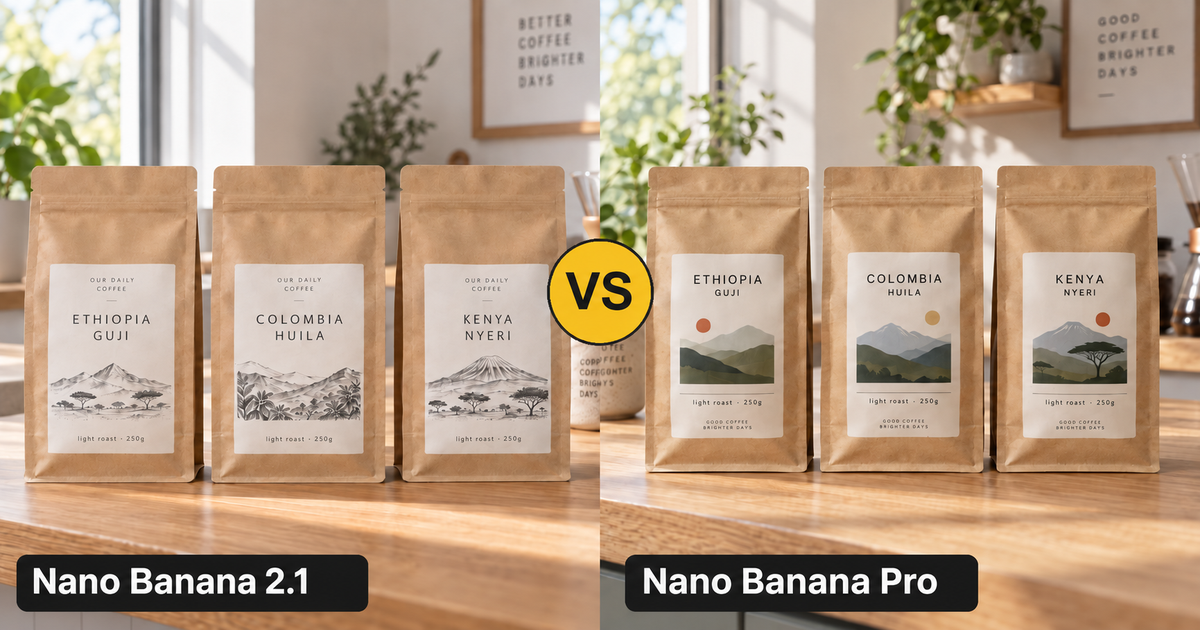
Short answer: for most images, start with Nano Banana 2.1. It is Google’s newest Nano Banana, it beat Nano Banana Pro in every test Google published for it, and it costs a fraction of Pro per image. Keep Nano Banana Pro for projects that are already built on its look, or as a second opinion when a 2.1 result is close but not quite right.
The rest of this guide explains where that answer comes from: what each model is, Google’s own test scores, the practical differences, a same-prompt test you can run yourself, and a quick decision table.
Nano Banana 2.1 vs Nano Banana Pro at a Glance
| Nano Banana 2.1 | Nano Banana Pro | |
|---|---|---|
| Official name | Nano Banana 2.1 (gemini-nano-banana-2.1) | Gemini 3 Pro Image |
| Built on | Gemini 3.6 Flash | Gemini 3 Pro |
| Released | October 6, 2026 | November 20, 2025 |
| Position in the family | Update to Nano Banana 2; Google calls it the more efficient counterpart to Pro | Google’s Pro-tier image model |
| Resolution | 1K, 2K, or 4K | 1K, 2K, or 4K |
| Aspect ratios | 14 plus Auto, including ultra-wide 4:1, 1:4, 8:1, and 1:8 | 10 plus Auto |
| Reference images (model limit, per Google) | Up to 14; consistency for up to 4 characters and 10 objects | Up to 14; consistency for up to 5 people |
| Thinking | Configurable levels in Google’s API (minimal, medium, high) | Gemini 3 Pro reasoning built in |
| Speed | Flash-class, built for quick iterations | Slower, Pro-class model |
| Cost on EzImgMaker | Roughly 1/5 to 2/5 of Pro per image | The higher-priced option |
Sources: Google DeepMind’s Nano Banana 2.1 model card, the Gemini API model page, and Google’s Nano Banana Pro announcement.
What Each Model Is
Nano Banana 2.1 arrived on October 6, 2026 as an update to Nano Banana 2 (Gemini 3.1 Flash Image). It belongs to the Gemini 3 series and is built on Gemini 3.6 Flash. Google says it keeps Flash-level speed and cost while improving visual quality, prompt adherence, multi-turn character consistency, and text rendering. It also fixes the tiling artifacts Nano Banana 2 could show on very wide or tall images (4:1, 1:4, 8:1, 1:8) at 2K and 4K.
Nano Banana Pro is Gemini 3 Pro Image, launched on November 20, 2025. Google built it on Gemini 3 Pro’s reasoning and real-world knowledge and pitched it for studio-quality designs: legible text in many languages, infographics and diagrams, blending up to 14 images, keeping up to five people consistent, and fine control over lighting, focus, and camera angle.
In other words, Pro is the bigger model, while 2.1 is the newer one. Newer won.
Google’s Test Results: Nano Banana 2.1 vs Pro
Google’s model card for Nano Banana 2.1 includes side-by-side human preference scores (Elo; higher is better) against Nano Banana 2 and Nano Banana Pro. Here are the results as published in October 2026 (“2.1” is Nano Banana 2.1, “Pro” is Nano Banana Pro):
| Test | 2.1 Thinking | 2.1 No Thinking | Nano Banana 2 | Pro |
|---|---|---|---|---|
| Overall preference (text to image) | 1050 | 1015 | 990 | 935 |
| Infographic design | 1048 | 1001 | 961 | 912 |
| Infographic factuality (score) | 0.521 | 0.328 | 0.179 | 0.265 |
| General editing | 1026 | 980 | 938 | 939 |
| Single-character consistency | 1028 | 1021 | 981 | 991 |
| Multi-character consistency | 1106 | 1068 | 978 | 1011 |
| Mask / doodle editing | 1049 | 1042 | 965 | 927 |
| Product consistency | 1024 | 981 | 955 | 965 |
| Stylization | 1062 | 1036 | 991 | 990 |
| Multi-reference editing | 1066 | 1041 | 988 | 989 |
Two things stand out:
- Nano Banana 2.1 wins every row, even without thinking. The no-thinking version still scores above Pro in all ten tests, so the result does not depend on extra reasoning time.
- The biggest gaps are in consistency and editing. Multi-character consistency (1068–1106 vs 1011) and mask editing (1042–1049 vs 927) are where 2.1 pulls furthest ahead.
These are Google’s own evaluations of its own models, so treat them as a strong signal rather than the final word, and test your own prompts.
The Differences That Matter in Practice
1. Image quality and prompt following
Overall preference is the closest thing to “which image do people like more.” Nano Banana 2.1 scored 1015–1050 against Pro’s 935, and Google specifically lists better visual quality, realism, and prompt adherence among 2.1’s improvements. If you write detailed prompts with several requirements, 2.1 is the safer bet to follow all of them.
2. Text, infographics, and diagrams
Readable text was Pro’s headline feature, and it is still good at it. But 2.1 beat Pro on both infographic design (1001–1048 vs 912) and infographic factuality (0.328–0.521 vs 0.265), which measures whether the facts drawn into a diagram are right. For posters, menus, labels, packaging, and explainers, start with 2.1.
One caveat from Google’s known limitations: very small text can come out blurry at 1K. If your design has fine print, generate at 2K or 4K.
3. Editing and consistency
If you edit photos (change one detail, swap a label, restyle a scene) or keep characters and products consistent across images, 2.1 has the clearest lead. It scored higher in general editing, single- and multi-character consistency, product consistency, and multi-reference editing. Google also states 2.1 keeps up to 4 characters and 10 objects consistent across references.
Pro’s stated strength here is consistency for up to five people in one composition, so for large group shots it is worth trying both.
4. Aspect ratios and resolution
Both models output 1K, 2K, and 4K. Nano Banana 2.1 also supports the extreme ratios 4:1, 1:4, 8:1, and 1:8, which are useful for web banners, scrolling story strips, and tall infographics, and it fixes the tiling artifacts earlier versions showed at those sizes. Pro tops out at 21:9.
5. Speed and cost
Nano Banana 2.1 is a Flash model: Google built it for Flash-level speed and quick iterations, while Pro is the larger, slower model. It is also far cheaper. A 2.1 image costs roughly a fifth of a Pro image at 1K, a third at 2K, and under two fifths at 4K. That difference adds up quickly when you generate several variations per idea.
Same-Prompt Test: Run It Yourself
The fairest comparison is the same prompt, the same aspect ratio, and the same resolution on both models. Here are four prompts that cover the main differences. Copy them into the Nano Banana 2.1 and Nano Banana Pro generators and compare.
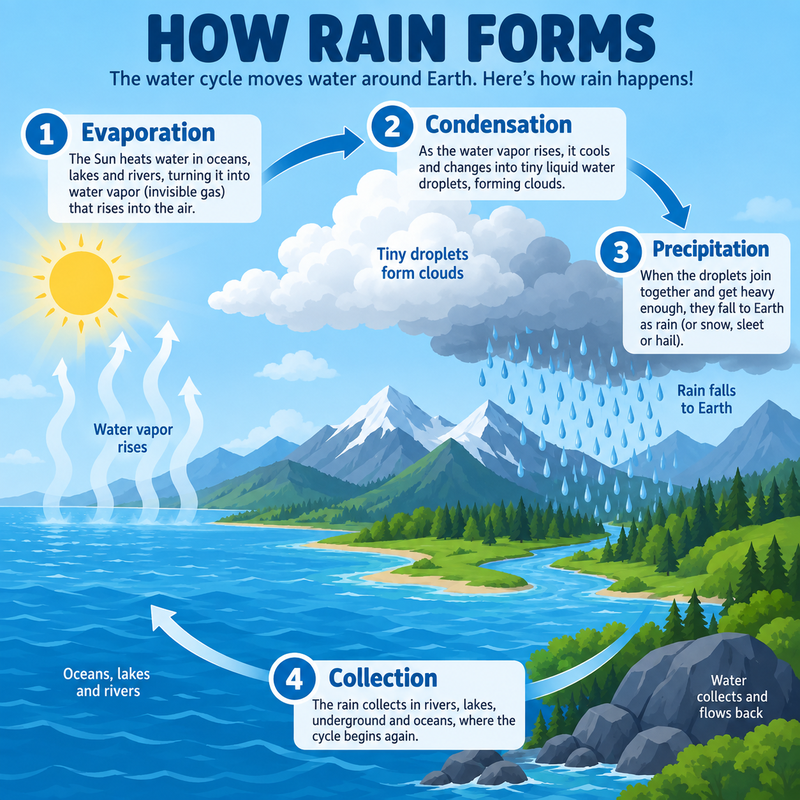
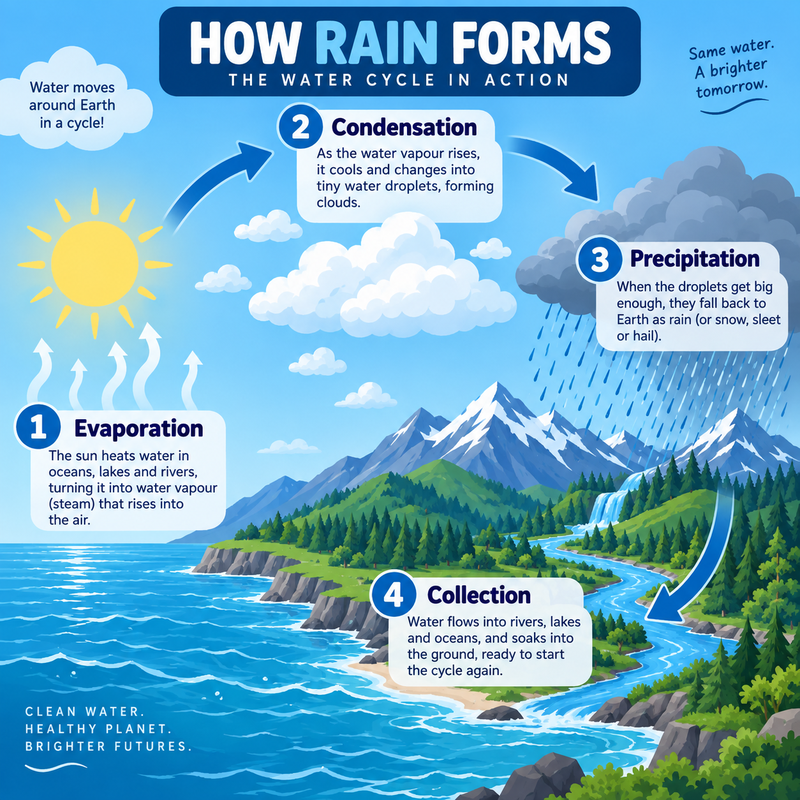
Test 1: Infographic with labels
What to look for: whether every label is spelled correctly, whether the arrows follow the right order, and whether the layout stays clean.
Prompt Clean educational infographic poster titled "HOW RAIN FORMS", four labelled stages "Evaporation", "Condensation", "Precipitation", "Collection" with curved arrows over a stylised landscape of sea, mountains and clouds, flat vector illustration, soft blue palette
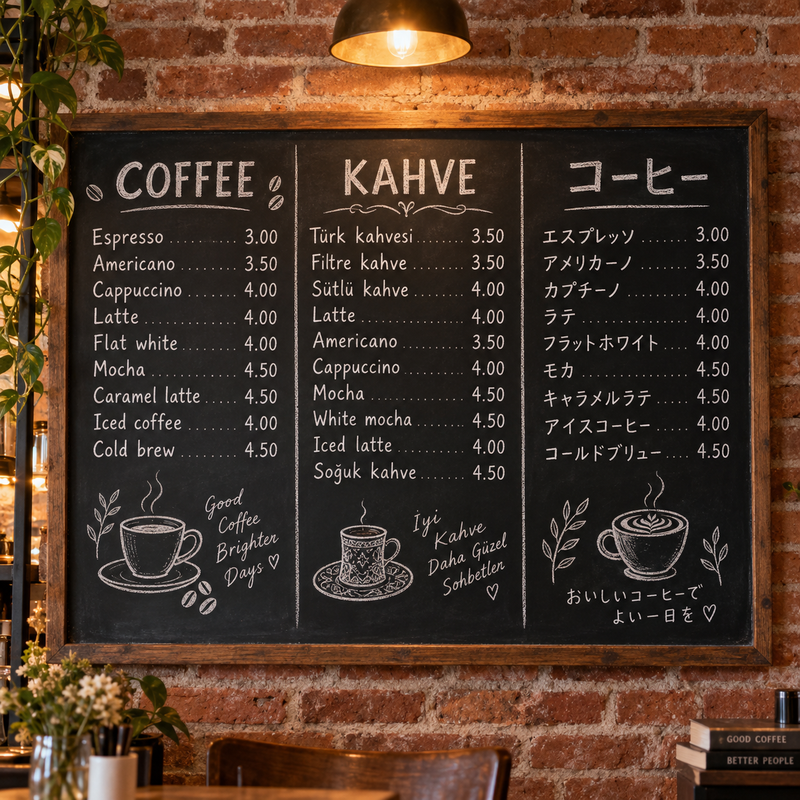
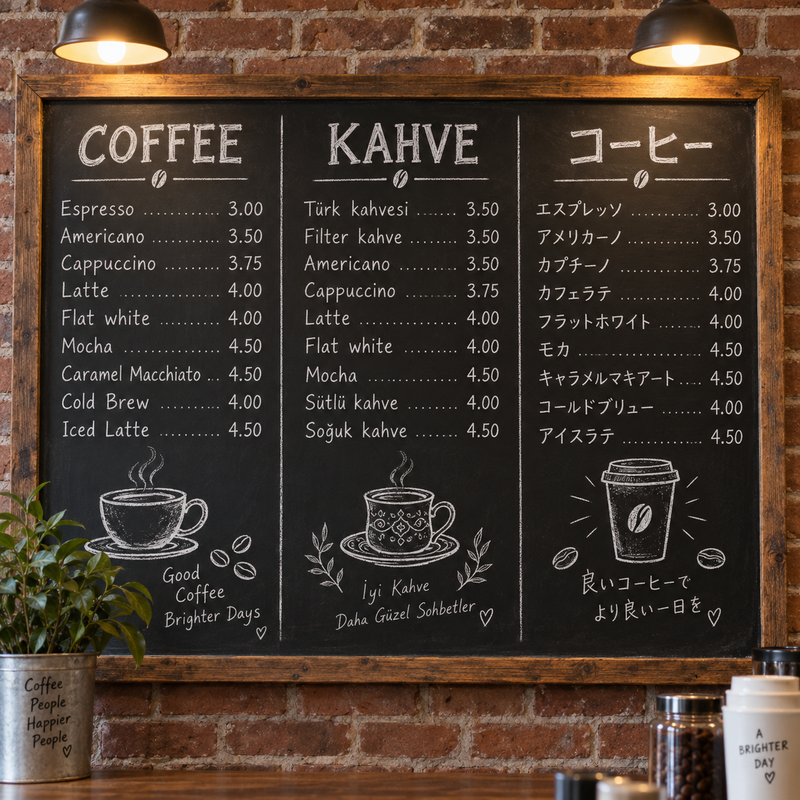
Test 2: Lettering in three languages
What to look for: correct characters in each script (Latin, Turkish letters with diacritics, and Japanese), believable chalk texture, and prices that line up.
Prompt A cafe chalkboard menu on a brick wall, hand-lettered in white chalk with three columns titled "COFFEE", "KAHVE" and "コーヒー", items with prices like "Espresso 3.00", "Türk kahvesi 3.50", "Flat white 4.00", small doodles of coffee cups, warm cafe light
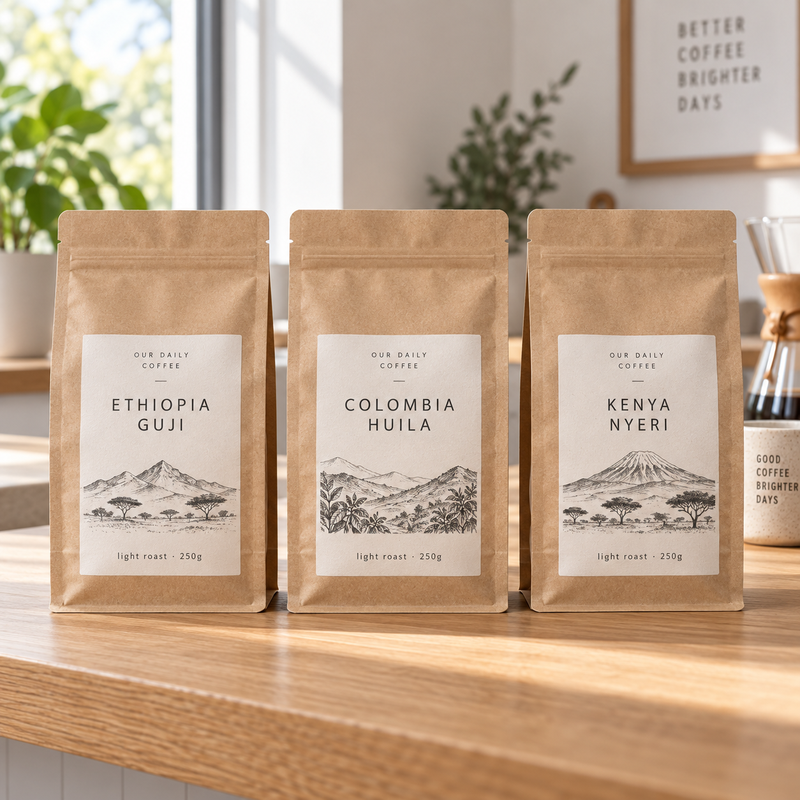
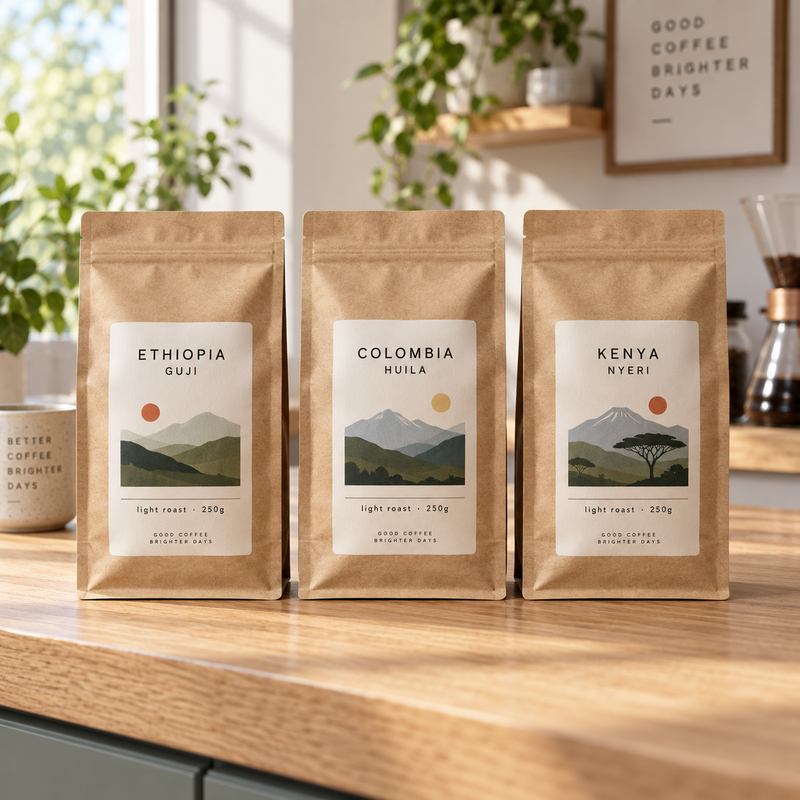
Test 3: Product photo with consistent labels
What to look for: one label system shared by all three bags, small text that stays legible, and natural light and paper texture.
Prompt Three kraft coffee bags standing side by side on a light oak counter, one shared minimalist label system, the labels read "ETHIOPIA GUJI", "COLOMBIA HUILA" and "KENYA NYERI" with small text "light roast · 250g", soft morning window light, commercial product photography
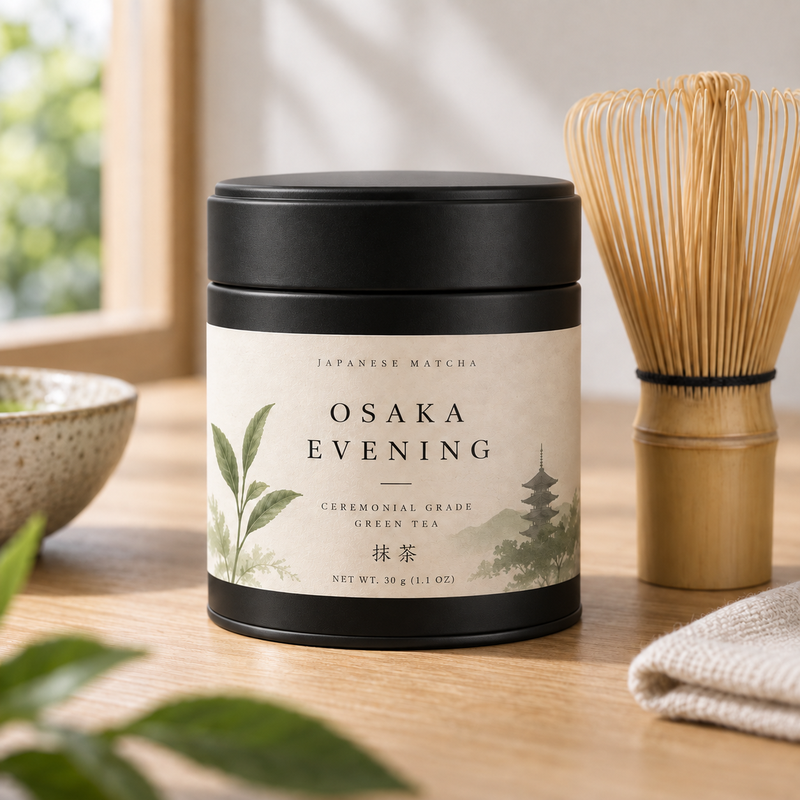
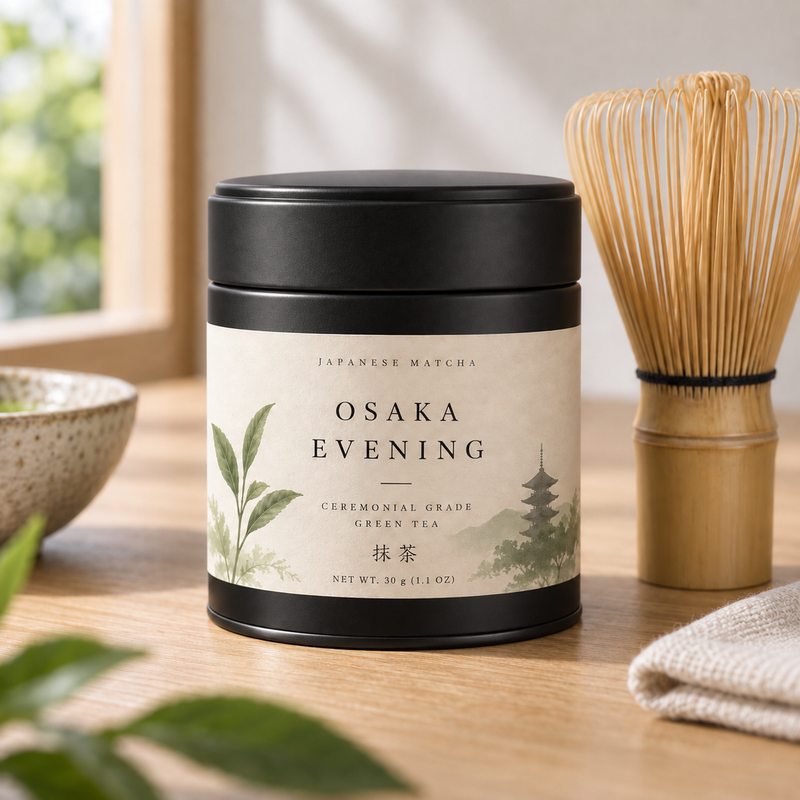
Test 4: One precise edit
Upload the same photo to both models and change only one detail. What to look for: the new text is correct, the tin color changes, and everything else (lighting, background, framing) stays identical.
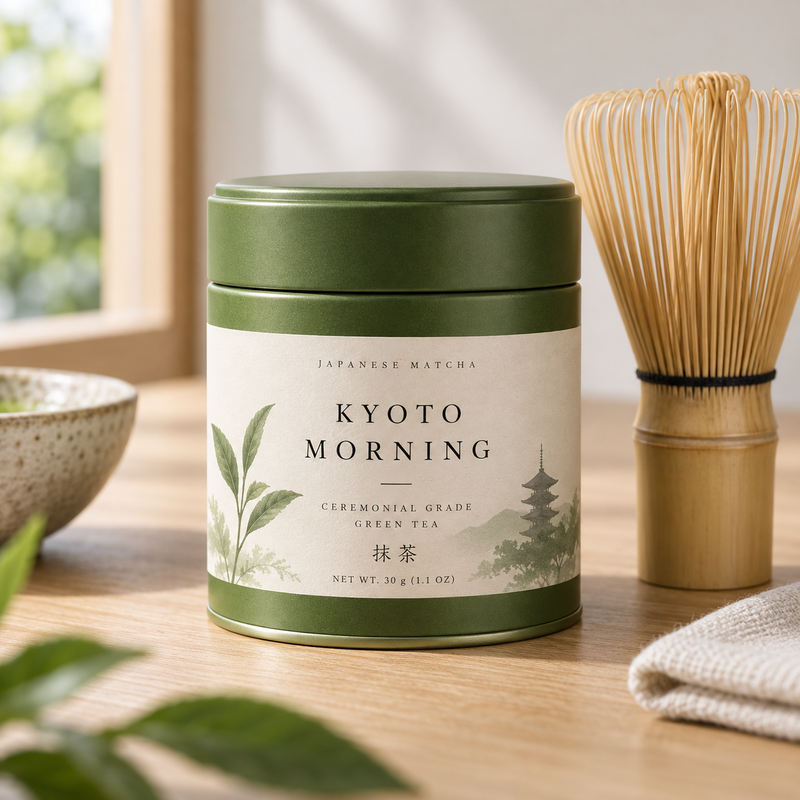
Prompt Change the label text to read "OSAKA EVENING" and make the matcha tin matte black; keep everything else identical
Which One Should You Choose?
| Your job | Pick | Why |
|---|---|---|
| Everyday images, quick drafts, many variations | Nano Banana 2.1 | Higher overall scores, faster, and much cheaper per image |
| Posters, menus, packaging, infographics | Nano Banana 2.1 | Best infographic design and factuality scores; use 2K or 4K for fine print |
| Photo edits and label swaps | Nano Banana 2.1 | Clear lead in general and mask editing |
| The same character or product across a series | Nano Banana 2.1 | Highest single-, multi-character, and product consistency scores |
| Ultra-wide banners or tall story strips | Nano Banana 2.1 | Only 2.1 offers 4:1, 1:4, 8:1, and 1:8 |
| Group shots with five people | Try both | Pro states consistency for up to five people; 2.1 states four characters |
| Matching images you already made with Pro | Nano Banana Pro | Keeps the look of an existing campaign or series |
| A second opinion on a tricky prompt | Nano Banana Pro | A different model can solve a composition the first one misses |
What About Nano Banana 2 vs Pro?
Before 2.1 arrived, Nano Banana 2 vs Pro was a split decision. In the same Google tables, Nano Banana 2 led Pro on overall preference (990 vs 935), infographic design (961 vs 912), and mask editing (965 vs 927). Pro led on infographic factuality (0.265 vs 0.179), single-character consistency (991 vs 981), multi-character consistency (1011 vs 978), and product consistency (965 vs 955). General editing, stylization, and multi-reference editing were essentially tied.
Nano Banana 2.1 removes that trade-off: it beats both models in every listed test. If you used Nano Banana 2 for speed and switched to Pro for consistency, 2.1 now covers both jobs. Nano Banana 2 remains available if you want to match earlier results.
How to Try Both Models on EzImgMaker
- Open the Nano Banana 2.1 generator or the Nano Banana Pro generator.
- Type your prompt, or switch to editing and upload up to three reference images (two on the Pro page).
- Choose the aspect ratio, the resolution (1K, 2K, or 4K), and PNG or JPG, then click Generate. The credit cost appears on the button before you start.
- Run the same prompt on the other model and compare. Every result is saved in My Designs.
New accounts get free credits to try both.
Prompt Tips for Nano Banana 2.1
- Put exact text in quotes, and keep it short. Long paragraphs are still a weak spot, according to Google.
- Generate small text at 2K or 4K. Google notes that small text can blur at 1K.
- Spell out positions plainly (“the cabin on the left shore”). Left and right can still get confused.
- For edits, say what must not change (“keep everything else identical”), and describe one or two changes at a time.
- For consistency, upload clear references of each character or product and name what to keep (“same fur, hat, and proportions”).
Frequently Asked Questions
Is Nano Banana 2.1 better than Nano Banana Pro?
In Google’s own October 2026 evaluations, yes: Nano Banana 2.1 scored higher than Nano Banana Pro in every listed text-to-image and editing test, including overall preference, infographic design, character consistency, and multi-reference editing, with or without thinking. Pro is still a capable model, and it is the better pick when you need to match images you already made with it.
Is Nano Banana 2.1 the same as Nano Banana Pro?
No. Nano Banana 2.1 is the update to Nano Banana 2 and is built on Gemini 3.6 Flash, a fast and efficient model. Nano Banana Pro is Gemini 3 Pro Image, built on the larger Gemini 3 Pro. Google describes Nano Banana 2.1 as the more efficient counterpart to Nano Banana Pro.
Is Nano Banana 2.1 cheaper than Nano Banana Pro?
Yes. On EzImgMaker a Nano Banana 2.1 image costs roughly a fifth to two fifths of a Nano Banana Pro image, depending on the resolution you pick. The exact credit cost is shown on the Generate button before you start.
Which model is better for text in images?
Both render readable text, and Google built Pro around legible multilingual text. Nano Banana 2.1 scored higher on Google’s infographic design and infographic factuality tests, so it is a strong first choice. For small lettering, generate at 2K or 4K: Google notes that small text can blur at 1K.
Can I use the same prompt for both models?
Yes. Both models read plain natural-language prompts, so the fairest way to compare them is to run one prompt on each, at the same aspect ratio and resolution, and look at the results side by side.
Does Nano Banana 2.1 replace Nano Banana 2?
Google lists Nano Banana 2.1 as the recommended replacement for Nano Banana 2 in the Gemini API, but at the time of writing it had not announced a shutdown date for Nano Banana 2. Both are available on EzImgMaker.
Can I turn on thinking or Google Search grounding?
Those options exist in Google’s own apps and API. EzImgMaker does not offer thinking levels or Search grounding controls; you choose the prompt, reference images, aspect ratio, resolution, and output format.
Is EzImgMaker an official Google site?
No. EzImgMaker is an independent service that gives you access to these models. It is not affiliated with, endorsed by, or sponsored by Google or Google DeepMind.
Final Verdict
Nano Banana Pro set the bar for text-heavy, studio-style images when it launched. Nano Banana 2.1 now beats it in every test Google has published for it, is built to run faster, and costs a fraction as much. Make 2.1 your default, and bring in Pro when you need its exact look or a second take.
Nano Banana, Gemini, and Google are trademarks of Google LLC. EzImgMaker is an independent service and is not affiliated with, endorsed by, or sponsored by Google or Google DeepMind. Test scores are quoted from Google’s published model card as of October 2026.