Short answer: iPiccy is a free, ad-supported online photo editor, collage maker and graphic designer that runs in a desktop browser. It covers the classics well: auto fix, crop and resize, curves and levels, 110+ effects, retouching (wrinkles, blemishes, red eye, teeth), text, stickers and frames. Its tools are manual, though, its interface is built for desktop, and it says it is not yet optimized for phones. If you want AI retouching and one-step edits that work on any device, the best iPiccy alternatives are EzImgMaker's Photo Retouch, AI Photo Editor and free Image Converter, plus Photopea, Pixlr, Fotor, Canva and GIMP.
You may have found this page by typing ippicy, ipiccsy or ipicy: they all mean iPiccy. This review covers what the iPiccy photo editor does, the iPiccy login, app and desktop questions, its strengths and limits, and which alternative fits each job.


iPiccy at a Glance
| iPiccy | |
|---|---|
| What it is | Free online photo editor, collage maker and graphic designer |
| Made by | iPiccy, Inc. (its terms are governed by Virginia law) |
| Where it runs | Desktop web browsers at ipiccy.com/app; a Chrome extension is also offered |
| Price | Free; some services are supported by advertising (as of October 2026) |
| Account | Optional iPiccy login |
| Highlights | Auto fix, curves, levels, clone, liquify, 110+ effects, retouching, collage templates, text and vector masks |
| Not great for | Phones and tablets (iPiccy says it is not yet optimized for mobile), automatic AI edits |
| Best for | Desktop users who want a free, simple editor for quick fixes, effects and collages |
What Is iPiccy?
iPiccy is a browser-based image editor with three parts, as its home page puts it: Photo Editor. Collage Maker. Graphic Designer. It has long positioned itself as a free, easy editor in the spirit of Picnik, the online editor many people used in the early 2010s, and as a "free online Photoshop alternative" for everyday edits.
- Photo Editor: one-click Auto Fix, crop, rotate and flip, resize, exposure, sharpen, vibrance, colors, hue and saturation, plus advanced tools: curves, levels, clone, shadows and highlights, dodge and burn, draw, liquify and an Erase Background brush. iPiccy advertises "over 100+ photo effects" (110+ on another page), including Lomo, vintage, black and white, sepia, vignette and focal blur effects.
- Retouching: wrinkle remover, blemish remover, red-eye remover, teeth whitener, face slimmer, and hair and eye color tools.
- Collage Maker: templates you can adjust for background color, size, spacing and cell roundness.
- Graphic Designer: text, overlays, stickers, vector masks and text effects with layers, for banners, cards, posters, YouTube banners and social covers.
Ippicy, ipicc or iPiccy? The product is spelled iPiccy: lowercase i, capital P, two c's and a y. Ippicy, ipccy, ippcy, ippiccy, ipiccu, ipicci and ipoccy are typos of the same site, and "ipiccy com" simply means ipiccy.com.
How to Use the iPiccy Photo Editor
- Go to ipiccy.com on a desktop browser and click Edit a Photo (the editor opens at ipiccy.com/app).
- Open a photo from your computer.
- Fix the basics in the first tab: Auto Fix, Crop Picture, Rotate & Flip, Resize Image, Exposure, Sharpen.
- Add effects or retouch. Browse the effects, frames and retouch tools, and adjust the strength of each.
- Save the photo to your computer.
To make a collage, click Make a Collage, choose a template and drop in your photos; for a banner or card, click Create a Design and add text, stickers and overlays.
iPiccy Login, App and Desktop Questions
iPiccy login. You can use most of the editor without an account. iPiccy also offers an account, and its help center has a page for people who cannot log in or create one after a login system update; its advice is a hard refresh, clearing the browser cache, and trying another browser.
iPiccy app. There is no separate phone app listed on ipiccy.com as of October 2026, and the site tells phone visitors that iPiccy "is not yet optimized for mobile devices" and recommends a desktop computer. iPiccy does link to a Chrome extension.
iPiccy photo editor desktop free. You do not need to download anything: open ipiccy.com in Chrome, Edge, Firefox or Safari on your computer. If tools fail to load, iPiccy's help center points to WebGL, which must be enabled in your browser.
iPiccy Photoshop. iPiccy markets itself as a free online Photoshop alternative, and for basic adjustments, retouching and text it covers a lot. It does not offer Photoshop's advanced selections, smart objects or RAW editing, so think of it as "Photoshop-lite for quick jobs".
iPiccy Pros and Cons
What iPiccy does well
- Free to use, with no install.
- A surprisingly deep toolbox for a free site: curves, levels, clone, liquify, dodge and burn.
- Plenty of effects, frames and retouch tools for portraits.
- Collage maker and graphic designer in the same place.
Limits to weigh
- Built for desktop. iPiccy says it is not yet optimized for mobile devices.
- Manual tools. Background removal and retouching are brush-based rather than automatic, so complex photos take time.
- Ad-supported. Its terms say some services may show advertising.
- Older interface and occasional browser issues (WebGL, saving) covered in its help center.
Who Should Use iPiccy?
iPiccy suits desktop users who want a free, simple editor for quick fixes, playful effects, collages and simple graphics, and who do not mind doing retouching by hand. It is less suited to people who edit on a phone, want AI to do the selecting and retouching for them, or need to remove complex backgrounds.
Best iPiccy Alternatives (Compared)
| Tool | Best for | Runs | Free option | Paid (as of Oct 2026) |
|---|---|---|---|---|
| EzImgMaker | AI retouching and edits from one sentence, on any device | Browser (phone or desktop) | Free credits when you sign up; free browser tools for converting, cropping and collages | Credit packs |
| Photopea | Layer-based, Photoshop-style editing | Browser | Free with ads | Premium account removes ads |
| Pixlr | Modern quick edits with templates | Browser and mobile | Free tier | Paid plans (see pixlr.com) |
| Fotor | Easy edits, collages and AI tools | Browser, desktop and mobile | Free tier | Paid plans (see fotor.com) |
| Canva | Designs, collages and social graphics | Browser, desktop and mobile | Free plan | Many AI tools need a paid plan |
| GIMP | Full desktop editing for free | Windows, macOS, Linux | Free and open source | None |
Third-party plans change often; check each official site before relying on a free tier.
1. EzImgMaker (free to try, AI tools for each job)
EzImgMaker covers the same everyday jobs as iPiccy with AI that does the fiddly part for you, and it works on phones as well as desktops:

Retouch portraits and products
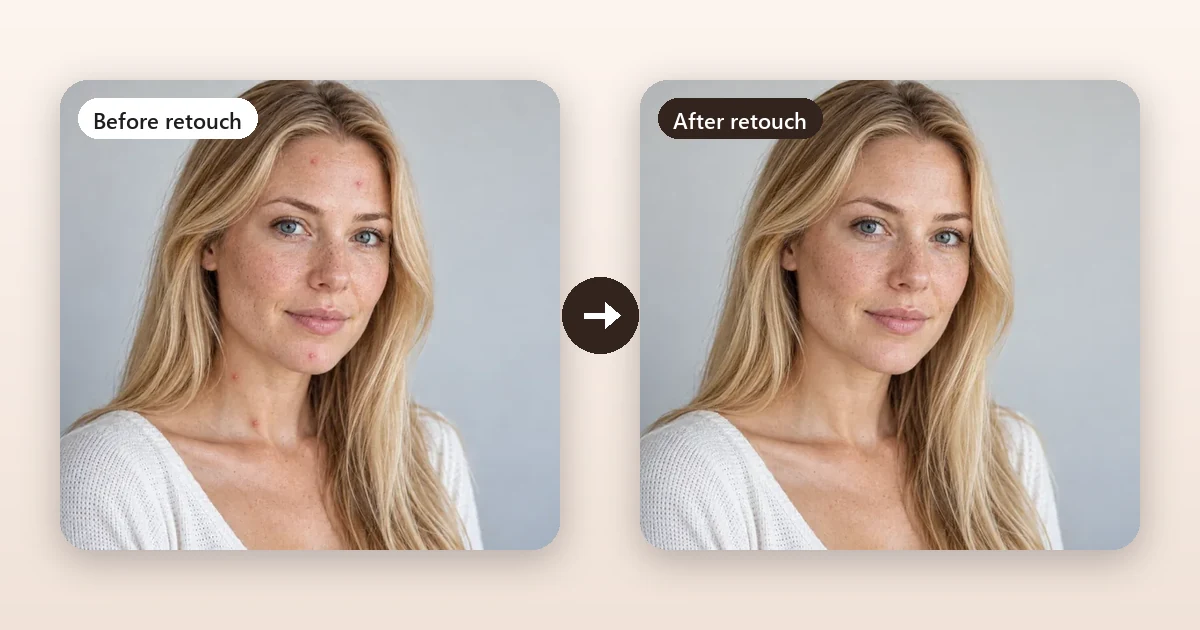
Remove blemishes, smooth skin naturally, soften under-eye bags, whiten teeth, or clean up jewelry and products.
Retouch a photo
Edit with one sentence
Type the change: new background, outfit, light, style or added text. Choose from five AI models.
Open the AI Photo Editor
Make a collage
Combine photos side by side, stacked or in a grid. Free in your browser, nothing uploaded.
Combine images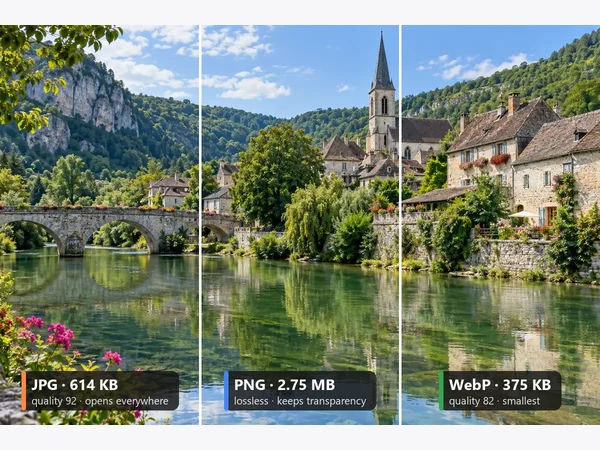
Convert JPG, PNG and WebP
Free image converter with quality and resize options. Runs on your device, no sign-up.
Convert an image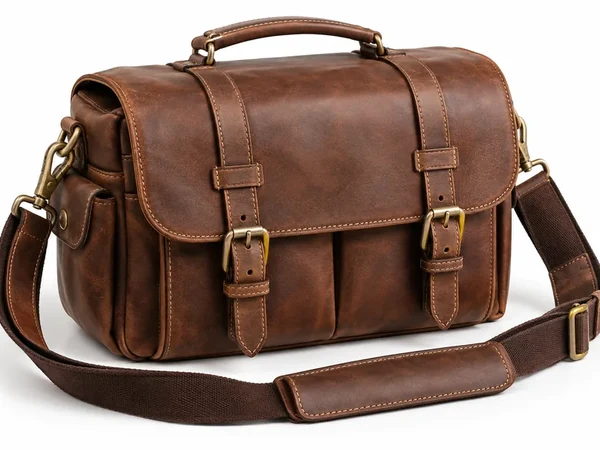
Remove a background
No brushing: the AI finds the subject and gives you a transparent PNG, white, color or new scene.
Remove a background
Cartoon effect
A modern take on iPiccy’s cartoon effect: 2D, 3D animated, anime, comic or caricature.
Cartoonize a photoFor single retouch jobs there are dedicated tools too: teeth whitening, remove wrinkles from photo, red eye remover, hair color changer and eye color changer. New accounts get free credits for the AI tools; the converter, crop and collage tools are free. The trade-off: there is no freehand drawing canvas or poster designer, so for layouts you might pair EzImgMaker with Canva.
2. Photopea
Photopea is the closest free thing to Photoshop in a browser: layers, masks, adjustment layers, smart objects and full PSD support, with processing on your own device. It is free with ads, and a premium account removes them. Choose it when iPiccy feels too simple.
3. Pixlr
Pixlr offers fast browser and mobile editors with templates, filters and AI tools, with a free tier and paid plans. Choose it for a more modern interface that also works on a phone.
4. Fotor
Fotor combines a photo editor, collage maker and design templates with AI tools across web, desktop and mobile. It has a free tier and paid plans. Choose it if you liked iPiccy's mix of editing and collages.
5. Canva
Canva is best when the photo becomes part of a design: posts, posters, cards and collages. The free plan covers a lot of design work, while the background remover and many AI tools need a paid plan.
6. GIMP
GIMP is a free, open-source desktop editor with professional selections, layers and masks. It is the most powerful free option on this list, with a steeper learning curve. On a Mac? See the best free photo editors for Mac.
How to Do Common iPiccy Jobs With EzImgMaker
- Auto fix and retouch: open Photo Retouch, choose a quick preset such as Brighten & Color Correct or Remove Blemishes, or describe the fix.
- Bigger edits: in the AI Photo Editor, type what should change ("make the background a sunny beach", "change the jacket to navy blue") and choose an aspect ratio.
- Collage: combine photos for free with the Image Combiner.
- Change format or size: convert to JPG, PNG or WebP and resize with the free Image Converter, or crop with Crop Image.
Frequently Asked Questions
Is iPiccy free?
Yes. iPiccy describes its online photo editor as 100% free, and its terms of service say some iPiccy services are supported by advertising. You can open the editor, collage maker and graphic designer in a browser without paying. Check ipiccy.com for anything that has changed since October 2026.
Is ippicy the same as iPiccy?
Yes. Ippicy, ipiccsy, ipicc, ipccy, ipicy, ippcy, ippiccy, ipicccy, iipiccy, ipicky, ipiccu, ipicci, ipiicy, i picy, ipoccy and piccy are all common misspellings of iPiccy. The official site is ipiccy.com (people also search for "ipiccy com"), and the editor opens at ipiccy.com/app.
Do I need an iPiccy login?
Most editing works in the browser without signing in. iPiccy also offers an account, and its help center has a page for people who cannot log in or create one after a login system update; the suggested fixes are a hard refresh, clearing the browser cache, and trying another browser such as Chrome. Download your edited photo before closing the tab if you are not signed in.
Is there an iPiccy app or desktop version?
iPiccy is a web app that runs in your browser, and it offers a Chrome extension. As of October 2026 its site does not list a separate desktop download or phone app, and it says the editor is not yet optimized for mobile devices, so for an iPiccy photo editor desktop free experience simply open ipiccy.com in a desktop browser.
Is iPiccy like Photoshop?
iPiccy calls itself a free online Photoshop alternative: it has curves, levels, clone, dodge and burn, liquify, layers in the designer and 110+ effects. It is much simpler than Photoshop, though, with no advanced selections, smart objects or RAW editing. For a closer free Photoshop-style experience in a browser, try Photopea.
Can iPiccy remove a background?
Yes, manually. Use the Erase Background brush in the editor to paint away the parts you do not want, or open the photo in the designer and use a vector mask. Neither is automatic, so busy backgrounds take time. An AI background remover such as the EzImgMaker Background Remover detects the subject for you.
Why does iPiccy not work in my browser?
iPiccy relies on WebGL in your browser, and its help center has a page on WebGL problems. If the editor does not load or effects do not apply, make sure WebGL is enabled, update your browser, or try another browser such as Chrome. The same help center covers saving problems.
What is the best iPiccy alternative?
For AI retouching and edits on a phone or desktop, try EzImgMaker: the Photo Retouch, AI Photo Editor and Background Remover tools are free to try with sign-up credits, and the image converter and crop tools are free in your browser. For layer-based editing, Photopea is a strong free choice. Pixlr, Fotor, Canva and GIMP are also worth comparing.
The Verdict: Is iPiccy Worth Using?
iPiccy is a capable, free desktop editor with more depth than its simple look suggests: curves, clone, liquify, retouching, collages and a designer in one place. It is a good pick for quick manual edits on a computer. If you edit on a phone, want AI to handle retouching and background removal, or need modern format tools, try EzImgMaker's Photo Retouch, AI Photo Editor and free Image Converter, and keep Photopea or GIMP for detailed layer work. Comparing older editors? See our LunaPic review too.
iPiccy, Picnik, Photoshop, Photopea, Pixlr, Fotor, Canva and GIMP are trademarks of their respective owners. EzImgMaker is not affiliated with them. Product details were taken from each official website in October 2026 and may change; check the official sites for current information. Example images are AI-generated illustrations from EzImgMaker's own tool pages, not screenshots or outputs of the tools reviewed.