Short answer: Krea AI (krea.ai) is a web app for making images, videos and 3D objects with AI. Best known for a realtime canvas that renders as you draw, it has grown into an all-in-one creative suite: Krea’s own image models (Krea 1 and Krea 2), dozens of third-party models (Nano Banana, GPT Image, Flux, Seedream, Sora 2, Veo, Kling and more), an upscaler, image editing by text, LoRA training, a node editor and an AI agent. There is a free plan with a daily allowance; paid plans start at $21 per month billed yearly as of October 2026 (check the official site for current prices).
This guide explains what Krea does, how its models and plans work, who it suits, and which alternatives are worth a look if you only need part of it. If you landed here after typing kre ai, kreeai or even rkea into a search bar, you are in the right place: they all mean the same product.
What Is Krea AI?
What is Krea AI? It is a browser-based generative media platform from KREA, Inc., a San Francisco company founded in 2022 by Víctor Pérez (CEO) and Diego Rodríguez (CTO). The Krea company became known for realtime generation, where the image updates live while you sketch shapes or move objects on a canvas. In April 2025 it announced a $47 million Series B led by Bain Capital Ventures, with Andreessen Horowitz participating, and reports put total funding at about $83 million. Krea says it is used by tens of millions of creatives, agencies and studios.
Today Krea.ai is less a single generator than a hub: you pick a tool (image, video, enhancer, edit, realtime, 3D) and then pick a model inside it. Krea’s in-house models sit next to models from Google, OpenAI, Black Forest Labs, ByteDance, Kuaishou and others, all paid for with one pool of compute units.
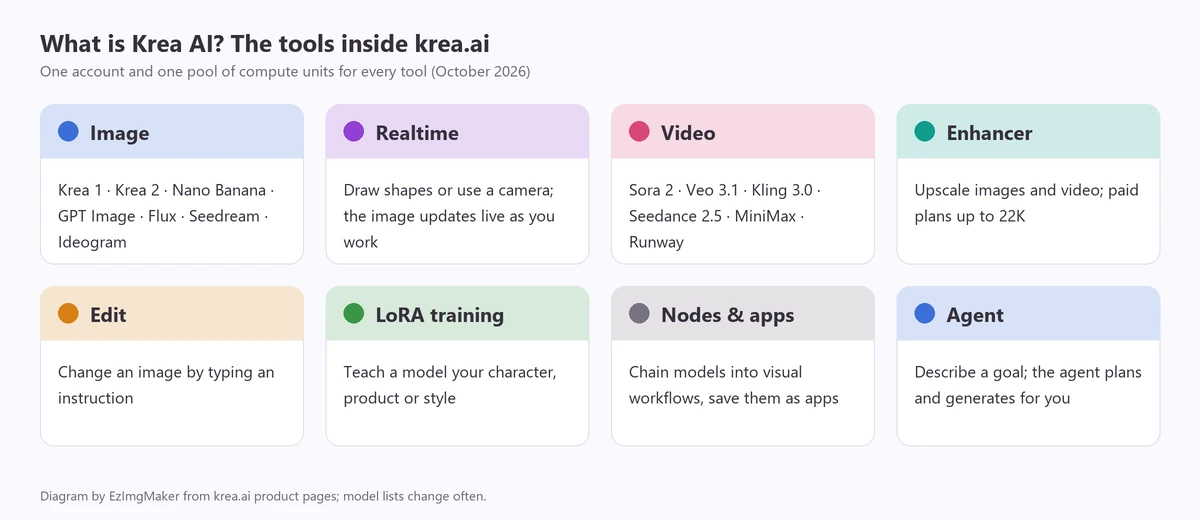
Krea AI Features
Image generation: Krea 1, Krea 2 and third-party models
Krea’s image tool lets you write a prompt and choose a model. The two in-house models are:
- Krea 1. Krea’s first image model, which it describes as its most creative model: artistic photorealism, realistic textures and LoRA support, with weaker structure than newer models. Flux.1 Krea, a distilled open-source version of Krea 1 released with Black Forest Labs, is better at text and anatomy. People search for it as krea 1 or krea-1; it is the same model.
- Krea 2. Announced on May 12, 2026 as Krea’s first image foundation model built completely from scratch, with a focus on aesthetics, style references and moodboards (collections of images that steer the look). Krea says it generates in about 15 seconds and has since open-sourced versions of it. It comes in Turbo, Medium and Large sizes.
Next to those you will find third-party image models such as Nano Banana, Nano Banana 2 and 2.1, Nano Banana Pro, GPT Image, Flux 2, Ideogram, Seedream, Qwen Image and Recraft, so you can compare models without leaving the app.
Realtime canvas
Realtime is the feature Krea is best known for. You draw rough shapes, drop in images or use your webcam or screen, and the generated image updates live as you work. It is great for exploring compositions, sketch-to-render workflows and live design sessions. Few other tools offer the same experience.
Video generation: Krea Sora 2, Veo, Kling and more
Krea’s video tool brings many video models under one roof. In October 2026 the list includes OpenAI’s Sora 2 and Sora 2 Pro, Google’s Veo 3.1 and Veo 3.1 Lite, Kling 3.0, ByteDance’s Seedance 2.0 and 2.5, MiniMax H3, Runway Gen-4.5, Wan, LTX and others. If you searched for “krea sora 2,” this is it: Sora 2 is one of the models you can pick in Krea Video, billed in compute units like everything else. Krea also offers video restyling, lipsync models and video upscaling.
Enhancer and upscaling
The Krea Enhancer upscales images and video. Paid plans include upscalers such as Topaz that output up to 22K, and the free plan includes a few enhancer runs per day. For a single blurry photo, a simple image enhancer is often all you need.
Edit, LoRA training, Nodes and Agent
- Edit: change any image by typing an instruction, powered by models such as Nano Banana. EzImgMaker’s AI photo editor works the same way.
- LoRA training: train a small custom model on your own character, product or style (up to 50 images on Pro, up to 2,000 on Max).
- Nodes and App Builder: connect models and steps visually, then save a workflow as a reusable app.
- Krea Agent: describe a goal and the agent plans and generates images and videos across models for you.
- Plugins and integrations: Krea offers plugins for creative apps such as After Effects, Premiere Pro and Blender, and connectors for AI assistants.
Krea AI Pricing (as of October 2026)
Krea sells monthly compute units. Every generation, upscale or training run spends units, and different models cost different amounts. The figures below come from Krea’s pricing page in October 2026 and use yearly billing, which Krea says saves 40% compared with paying monthly. Prices and limits change often; always check krea.ai/pricing before you buy.
| Plan | Price (billed yearly) | What you get |
|---|---|---|
| Free | $0 | Daily compute allowance that refills every day; limited model access (for example about 18 Krea 1 or 50 Krea 2 Turbo images and 4 enhancer runs per day); one image at a time |
| Pro | $21 / month | 20,000 compute units a month (for example about 3,600 Krea 1 images or 83 Seedance 2.0 videos); all image, video and 3D models; LoRA training with 50 images; upscaling up to 22K; commercial license |
| Max | $63 / month | 60,000 compute units a month; unlimited LoRA training with up to 2,000 images; more parallel jobs; commercial license |
| Business | $160 / month | Shared compute for a team of up to 50 members, admin controls, usage analytics, unused units roll over |
| Enterprise | Custom | Custom compute, SSO, dedicated support |
A few details worth knowing:
- Units do not roll over on Pro and Max; they reset each month. Extra one-time compute packs are valid for 90 days.
- Model costs vary a lot. On Pro, 20,000 units are roughly 3,600 Krea 1 images but only about 257 Nano Banana Pro images at 1K, or a few dozen short videos.
- Commercial use is included with paid plans; the free plan does not list a commercial license.
Is Krea AI Good? Pros and Cons
Pros
- One place to try many leading image and video models, including Sora 2, Veo and Nano Banana.
- The realtime canvas is genuinely unique and fast for exploring ideas.
- Advanced tools for power users: LoRA training, moodboards, nodes, an agent and high-resolution upscaling.
- A usable free tier that refills daily.
Cons
- Compute units take some learning: the same plan can mean thousands of images or a handful of videos depending on the model.
- Many tools and models can feel overwhelming if you only want a quick picture.
- Units on individual plans expire monthly, and the best prices need a yearly commitment.
Who Is Krea AI For?
- Designers and art directors who want to sketch in realtime, steer style with moodboards and compare models side by side.
- Studios and agencies that need LoRA training, node workflows, team workspaces and a commercial license.
- Video creators who want Sora 2, Veo, Kling and Seedance in one subscription. If you only need short clips, our AI video generator offers Seedance, Kling and Veo models with free sign-up credits.
If you mainly want to type a prompt and get a great image, or upscale a photo now and then, a simpler tool may be cheaper and quicker to learn.
Krea AI Alternatives
Every option below does part of what Krea does. We list our own tools first because they are the ones we can describe in detail, but each of the others is a solid choice in its own lane.
| Tool | Best for | Realtime canvas | Model choice | Free option |
|---|---|---|---|---|
| Krea AI | All-in-one image, video, 3D and training | Yes | Many in-house and third-party models | Daily free allowance |
| EzImgMaker AI image generator | Text to image and photo edits with top models | No | Nano Banana 2, Nano Banana Pro, Seedream 4.5, GPT Image 2, FLUX.2 | Free credits at sign-up |
| EzImgMaker 4K image upscaler | Upscaling photos and AI art to 4K | No | Faithful AI upscaling | Free credits at sign-up |
| Midjourney | Distinctive artistic images | No | Midjourney models | Check the official site |
| Adobe Firefly | Images inside Adobe apps | No | Firefly and partner models | Limited free credits (check the site) |
| Leonardo AI | Game art, consistent characters | Yes (realtime canvas) | Several models | Free plan (check the limits) |
| Ideogram | Images with lots of text | No | Ideogram models | Free plan (check the limits) |
1. EzImgMaker AI image generator and text to image
If what you use Krea for is “write a prompt, get an image,” our AI image generator and text to image tool cover that with Google’s Nano Banana 2 and Nano Banana Pro, ByteDance’s Seedream 4.5, OpenAI’s GPT Image 2 and Black Forest Labs’ FLUX.2. You switch models with one click and keep your prompt, pick an aspect ratio, and can upload a photo to edit it or merge two pictures. Pricing is simple credits shown on the button before you generate, with free credits when you sign up. There is no realtime canvas or LoRA training.
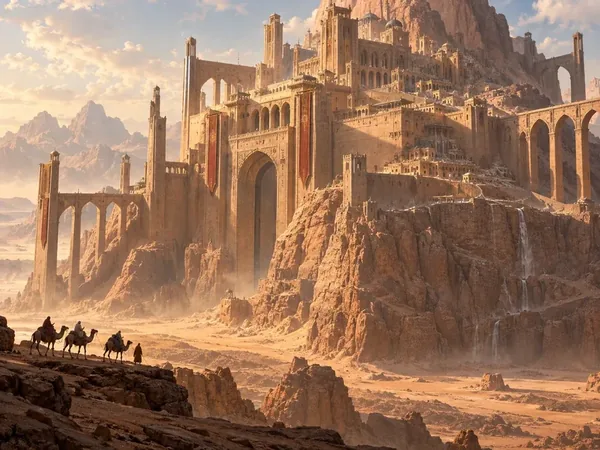
Fantasy worlds
Cinematic cities and landscapes from one prompt.
Create a world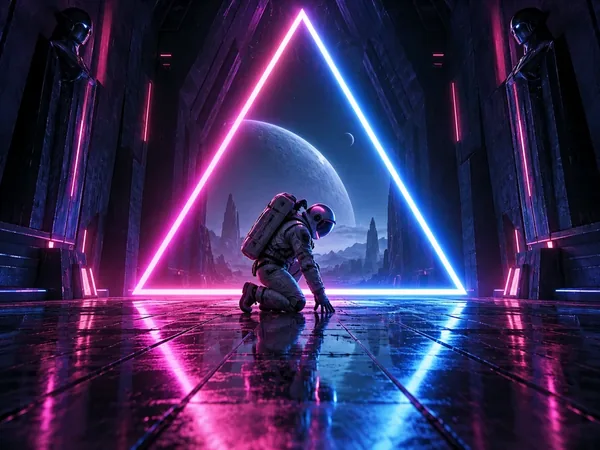
Neon sci-fi scenes
Bold light and color for posters and thumbnails.
Try text to image
Painterly styles
Watercolor, oil, paper art and more.
Pick a style
Concept art creatures
Imaginary animals for stories and games.
Make a creature
Photorealistic portraits
Lifelike people and scenes, all fictional.
Try text to image
Pixel art for games
Retro 16-bit scenes and sprites.
Make pixel art2. EzImgMaker 4K image upscaler
Krea’s Enhancer is popular for upscaling. If that is all you need, the 4K image upscaler enlarges photos and AI images to 4K faithfully, without changing faces or adding new content. It is a good final step for images you generate anywhere, including on Krea.


3. Midjourney
Midjourney is known for a distinctive, artistic look and a large community. It works on the web and in Discord. It has no realtime canvas or third-party models, and plans change, so check the official site for current pricing.
4. Adobe Firefly
Firefly is built into Photoshop, Illustrator and Adobe Express, which makes it convenient if you already work in Adobe apps. Adobe positions it as designed for commercial use.
5. Leonardo AI
Leonardo offers several image models, a realtime canvas and tools aimed at game art and consistent characters, with a free plan to start.
6. Ideogram
Ideogram is a strong choice when your image needs a lot of readable text, such as posters, logos and social graphics.
How to Get Started With Krea AI
- Go to krea.ai and sign up for a free account.
- Pick a tool from the sidebar: Image, Video, Realtime, Enhancer or Edit.
- Choose a model, type a prompt or upload a reference, and generate. The unit cost of each model is shown in the model list.
- Download your result, or send it to the Enhancer to upscale it.
- Upgrade only if you hit the daily limit often or need commercial use, LoRA training or video.
Want the same prompt-to-image flow without learning compute units? Start with the AI image generator, then upscale your favorite result with the 4K image upscaler.
Frequently Asked Questions
What is Krea AI?
Krea AI (krea.ai) is a browser-based creative suite for generating and editing images, video and 3D with AI. It combines Krea’s own image models, Krea 1 and Krea 2, with dozens of third-party models such as Nano Banana, GPT Image, Flux, Seedream, Sora 2, Veo and Kling, plus a realtime drawing canvas, an upscaler, LoRA training, a node editor and an AI agent.
Is Krea AI free?
Krea has a free plan with a daily compute allowance that refills every day and limited model access, for example around 18 Krea 1 images or 50 Krea 2 Turbo images per day, according to its pricing page in October 2026. Paid plans add monthly compute units, every model and a commercial license. Check krea.ai/pricing for current limits.
How much does Krea AI cost?
As of October 2026, Krea’s pricing page lists Free at $0, Pro at $21 per month and Max at $63 per month with yearly billing (yearly saves 40% compared with monthly), Business at $160 per month for teams of up to 50 members, and custom Enterprise plans. Prices change, so confirm on the official site before you buy.
What is Krea 1?
Krea 1 is Krea’s first in-house image model, described as its most creative model, strong at artistic photorealism and realistic textures and compatible with LoRAs, with weaker structure than newer models. Flux.1 Krea is a distilled, open-source version of Krea 1 made with Black Forest Labs.
Does Krea have Sora 2?
Yes. In October 2026 Krea’s video tool lists OpenAI’s Sora 2 and Sora 2 Pro alongside models such as Veo 3.1, Kling 3.0, Seedance 2.5 and MiniMax H3. Each video costs compute units; Sora 2 Pro costs roughly three times as many units as Sora 2 on Krea’s model list.
Who owns Krea AI?
Krea AI is made by KREA, Inc., a San Francisco company founded in 2022 by Víctor Pérez and Diego Rodríguez. In 2025 it announced a $47 million Series B led by Bain Capital Ventures with participation from Andreessen Horowitz, bringing reported funding to about $83 million.
Can I use Krea AI images commercially?
Krea’s pricing page says the Pro, Max, Business and Enterprise plans include a commercial license for generated content. The free plan does not list one, so read Krea’s terms before using free-plan images in client work or products.
What is the best free alternative to Krea AI?
It depends on what you use Krea for. For text-to-image with several top models in one place, try the EzImgMaker AI image generator (Nano Banana 2, Nano Banana Pro, Seedream 4.5, GPT Image 2 and FLUX.2) with the free credits you get at sign-up. For upscaling, use a 4K image upscaler. Krea is still the better pick for realtime drawing, LoRA training and node workflows.
Related Guides
- Nano Banana 2.1 vs Nano Banana Pro: which Google image model to pick.
- ChatGPT image prompts: copy-and-paste prompts for GPT Image.
- Text to image: turn a sentence into a picture.
Krea and Krea AI are trademarks of KREA, Inc. EzImgMaker is an independent service and is not affiliated with Krea. Product details and prices are from Krea’s website as of October 2026 and may change.