
Pebblely Review & the Best Pebblely Alternatives for AI Product Photos
Pebblely review: what the AI product photo app does, Pebblely pricing as of October 2026, pros and limits, and the best Pebblely alternatives to try instead.
Short answer: Pebblely is a simple, focused AI product photo generator. You upload a product shot, pick one of 40+ background themes or type your own prompt, and it places the product in a styled scene with matching shadows and reflections. It is genuinely easy to use, but as of October 2026 there is no free trial and plans start at US$9 a month for 30 images. If you want to test the idea first, or you need more control, the best Pebblely alternatives are EzImgMaker's background remover and AI photo editor (free to try with sign-up credits), Flair AI, Photoroom, Canva, and Adobe's generative tools.
This Pebblely review covers what the app does, how it works, current Pebblely pricing, honest pros and limits, and how to make the same kind of product photos with other tools, including copy-ready prompts you can try right now.
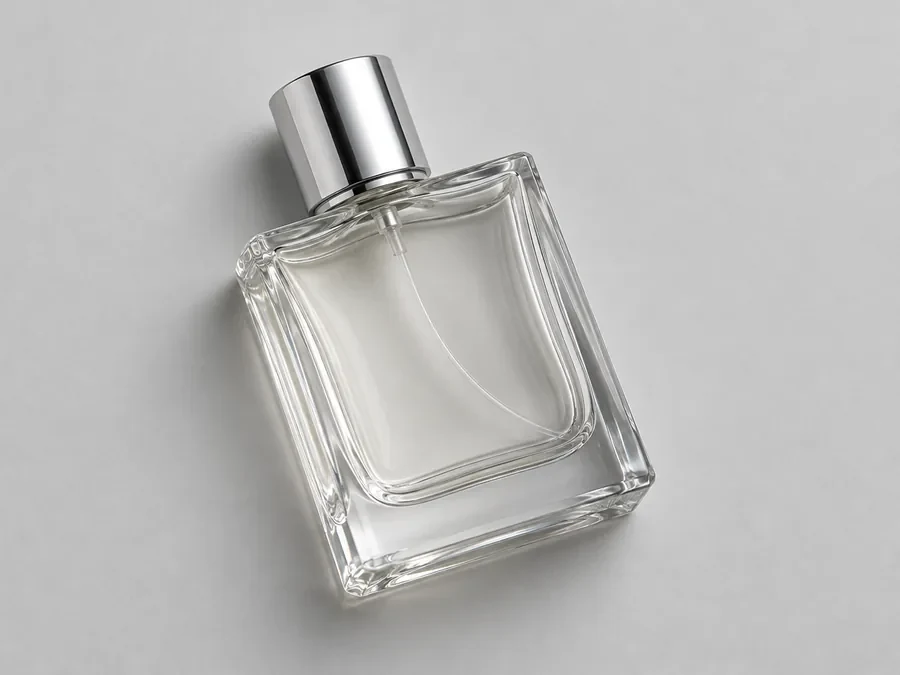
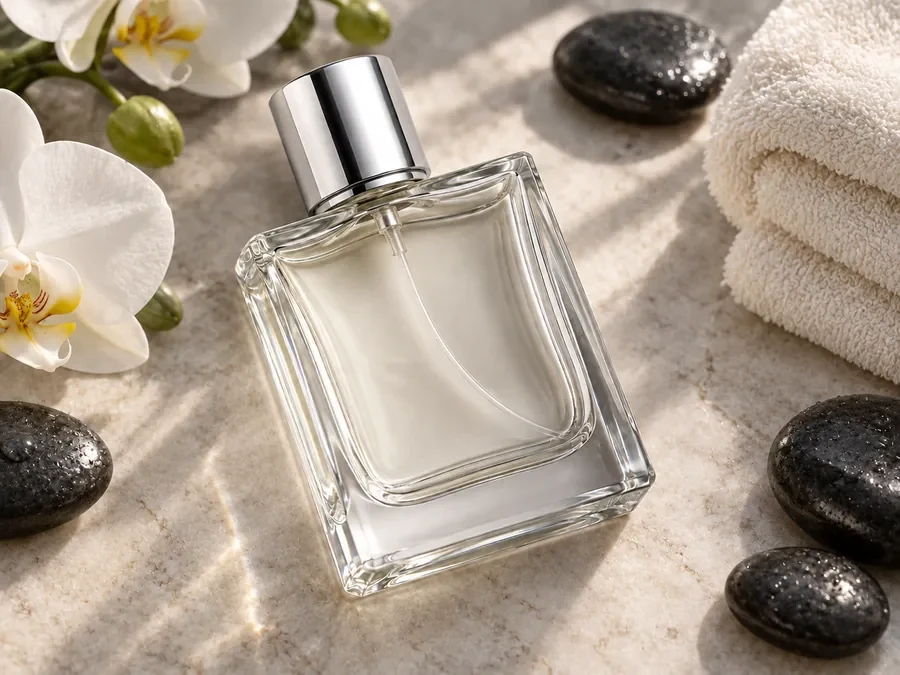
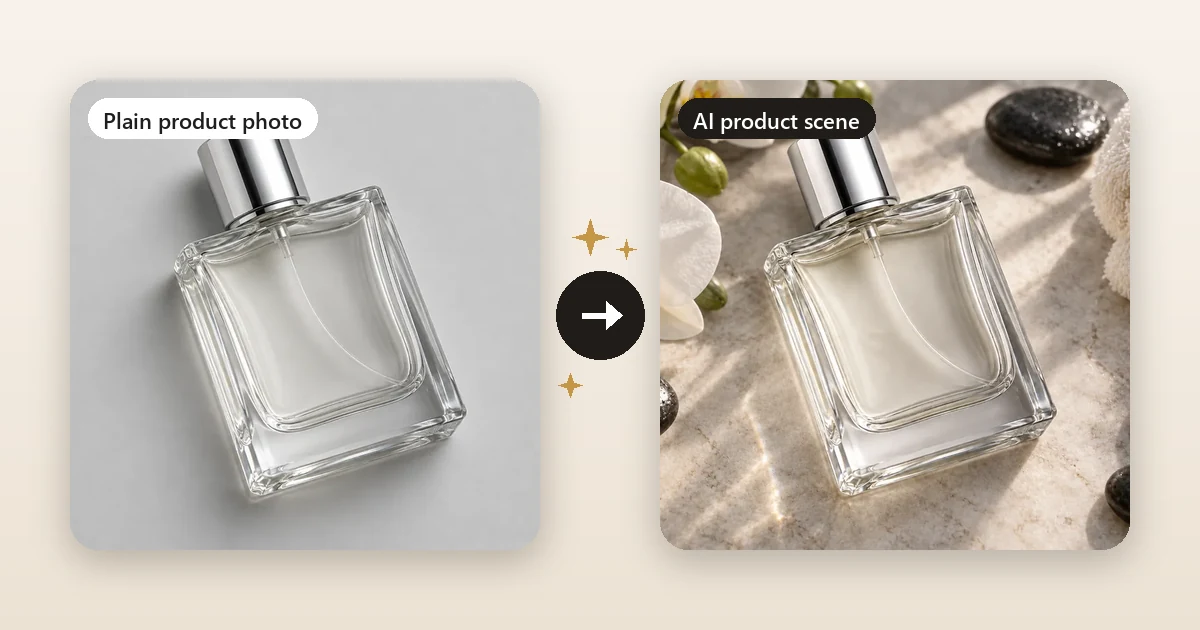
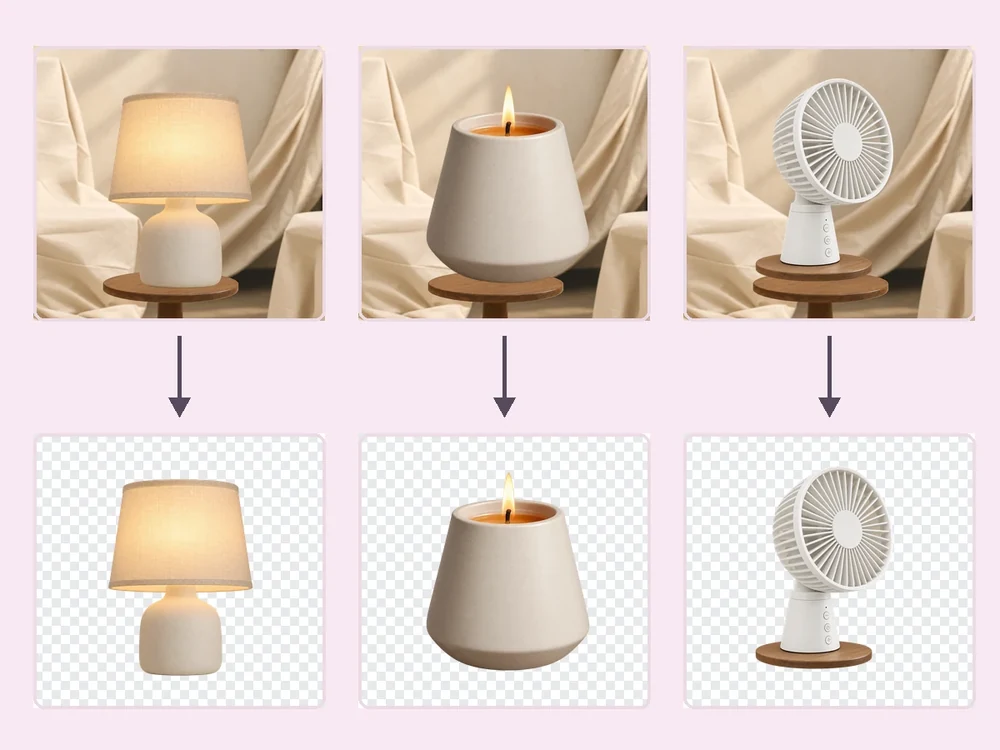
The kind of result an AI product photo tool aims for: the same bottle, a new scene. This illustration comes from the EzImgMaker Background Remover page; it is not a Pebblely output.
Pebblely at a Glance
| Pebblely | |
|---|---|
| What it is | AI product photo generator: turns a product shot into styled marketing images |
| Made by | Pebblely Pte Ltd (Singapore) |
| How you create | Upload a product, choose a template or write a custom prompt, pick a size |
| Image sizes | Square 1:1, Portrait 4:5, Story 9:16, Landscape 16:9, Facebook Ad 16:9 |
| Extras | Style images and brand colors, high-resolution mode, edit results with text, bulk generate, group shots of up to 5 products |
| Free plan or trial | No (Pebblely says it does not offer free trials) |
| Price | From US$9/month (as of October 2026) |
| Best for | Small brands and online sellers who want quick lifestyle shots without a photoshoot |
What Is Pebblely?
Pebblely is an AI tool that turns plain product images into marketing assets. In its own words, the AI "creates backgrounds based on your uploaded images and adds shadows and reflections accordingly." You keep your real product; Pebblely generates everything around it: marble counters, rippling water, forest logs, pastel rooms, lavender sprigs, or a model's neck for jewelry.
The company says more than 25 million images have been generated with it. Its example gallery leans toward skincare, candles, soap, beverages, jewelry, furniture, watches, and pet products, which tells you who it is built for: e-commerce sellers on Shopify, Etsy, Amazon, Shopee, and similar marketplaces, plus brands that need a steady stream of social and ad images.
Pebbely, Pebbly AI, or Pebblely? You will see all three spellings in search. The product is called Pebblely (two b's, then "ly"). "Pebbely" and "Pebbly AI" are common typos, and "app pebbly" usually means the web app at app.pebblely.com, where you sign up and generate images.
How Pebblely Works
Pebblely's own guide describes three steps, and in practice that is all there is to it:
- Add a product. Upload a clear photo and crop it to the product. When you save, Pebblely automatically extracts the visible text on the packaging (brand name, ingredients, dosage) so the AI can keep labels correct. You can edit or add text items if the extraction missed something.
- Generate. Choose a template, the number of images, and the image size, or switch to Custom and describe the scene ("on a marble countertop with soft morning light"). You can also steer the look with a style image or a brand color (white, cream, sage, blue, tan, black, or a custom pick). Turn on High-resolution mode for products with text or fine detail; it costs 2 credits per image instead of 1.
- View and download. Results appear in Recent Images. Pebblely says a standard image takes about 10 seconds and a high-resolution one about 30 seconds.
Beyond the basics, you can edit a result with text ("make the lighting warmer"), bulk generate for several products at once, and make group shots that arrange up to five products in one scene, which is handy for gift sets and bundles.
Pebblely Pricing (as of October 2026)
| Plan | Monthly | Yearly | Images per month | Bulk generate |
|---|---|---|---|---|
| Lite | US$9 | US$90 (about US$7.50/month) | 30 | No |
| Basic | US$19 | US$179 (about US$15/month) | 200 | Yes |
| Pro | US$39 | US$379 (about US$32/month) | 500 | Yes |
All plans include 40+ background themes and custom prompts. A few billing details are worth knowing before you subscribe, all taken from Pebblely's pricing page and FAQ:
- No free trial. Pebblely states plainly that it does not offer free trials.
- Credits expire monthly. Unused image credits do not roll over to the next month.
- High-resolution images count double (2 credits each).
- No refunds. You get a reminder email 7 days before renewal, and you can cancel any time under Profile, then Manage billing.
Prices and plan details change, so treat this table as a snapshot and check the official Pebblely pricing page before you buy.
Pebblely Pros and Cons
What Pebblely does well
- Very low learning curve. Templates do the art direction for you, so you can get usable lifestyle shots on day one without Photoshop skills.
- Label-aware generation. The automatic text extraction is a thoughtful touch, because garbled labels are the most common failure in AI product photos.
- Marketing sizes built in. Square, 4:5, Story, and landscape formats cover marketplace listings, feeds, and ads.
- Bulk and group shots for catalogs and bundles.
- Clear ownership and privacy statements. Pebblely says you own your images and that uploads and results are not used for AI training.
Limits to weigh
- You cannot try before you pay. With no free trial, the cheapest way to test it is one month of Lite.
- Use-it-or-lose-it credits. If your shooting needs are seasonal, monthly credits that expire can cost more than credits you buy as needed.
- Bulk is not on the entry plan. Lite users generate one product at a time.
- It is a specialist. Pebblely is built around still product scenes. If you also need to remove backgrounds in bulk, retouch, upscale, or animate a product into a short video, you will need other tools as well.
Who Should Use Pebblely?
Pebblely suits a seller who shoots new products regularly, wants consistent lifestyle images with minimal effort, and is happy with a monthly subscription. Etsy jewelry shops, candle and soap makers, skincare brands, and small agencies producing ad variations get the most out of its templates.
It is a weaker fit if you only need a handful of images a year, want to test AI product photography before committing, or need one tool that covers background removal, retouching, upscaling, and video as well.
Best Pebblely Alternatives (Compared)
| Tool | Best for | How you get the scene | Free option | Paid pricing (as of Oct 2026) |
|---|---|---|---|---|
| EzImgMaker | Testing for free, then mixing scenes, white backgrounds, retouching, upscaling, and video in one place | Background Remover scene option, AI Photo Editor instruction, or AI Image Combiner | Free credits when you sign up | Credit packs |
| Flair AI | Art-directing a scene by dragging props around a canvas | Drag-and-drop canvas plus prompts; trainable custom product models | Free plan (5 generated images) | Pro US$8, Pro+ US$26, Scale US$38 per month |
| Photoroom | Mobile-first sellers who need background removal and quick AI backgrounds | Remove background, then pick an AI background | Free plan | Pro, Max, and Ultra plans (see photoroom.com) |
| Canva | Teams that design the whole listing, ad, or post around the photo | AI photo tools inside the Canva editor | Free plan | Some AI tools need a paid Canva plan |
| Adobe Photoshop and Firefly | Designers who want full manual control | Generative fill and background generation | Varies by Adobe plan | Adobe plans that include generative credits |
Prices for third-party tools were checked on their official pricing pages in October 2026 and can change. Always confirm on the vendor's site.
1. EzImgMaker (free to try, pay as you go)
EzImgMaker is a set of AI image and video tools rather than a single product photo app, which makes it a flexible Pebblely alternative:
- The Background Remover cuts your product out and can give it a transparent, white, black, or custom-color background, blur the original, or replace it with a new scene you describe. The comparison at the top of this article shows the kind of result the scene option is for.
- The AI Photo Editor restyles a photo from one sentence ("place this bottle on a travertine pedestal in warm window light"), lets you choose the AI model, and outputs 1:1, 4:5, 3:4, 16:9, or 9:16.
- The Bulk Background Remover processes a batch of product photos to consistent transparent or white backgrounds for marketplace listings.
- The AI Image Combiner merges a product photo with a scene or a second image, and the AI fashion model generator puts garments on a generated model.
- When a listing needs more pixels, the Image Upscaler enlarges the final shot 2× or 4×, and Image to Video turns a product still into a short turntable or reveal clip.
New accounts get free credits, and after that you buy credit packs only when you need them, which suits sellers whose photo needs come in bursts. The trade-off: there is no library of one-click product templates, so you write a short prompt (or copy one of the prompts below).
2. Flair AI
Flair AI works like a design canvas: you place your product, drag props and surfaces around it, and generate a scene that follows the layout. Paid plans can train custom models of your product for more consistent results across many images, and Flair also offers short product videos. As of October 2026 its pricing page lists a free plan with 5 generated images and paid plans at US$8 (Pro), US$26 (Pro+), and US$38 (Scale) per month. Choose it if you want more compositional control than templates give you.
3. Photoroom
Photoroom started as a background remover and photo editor, and it is popular with resellers and small shops that shoot on a phone. You can remove a background, drop in an AI-generated background, and batch-process many images. It has a free plan and several paid tiers; check photoroom.com for current prices. Choose it if most of your work is quick, clean listing photos and you like working in a mobile app.
4. Canva
Canva is a full design tool with AI photo features built into the editor. It is the right pick when the product photo is only one part of the job and you also lay out the ad, social post, or marketplace banner around it. Some AI photo tools require a paid Canva plan.
5. Adobe Photoshop and Firefly
If you or your designer already use Adobe, generative fill and background generation in Photoshop give you the most manual control: masks, layers, retouching, and exact color matching. The learning curve and cost are higher than Pebblely, so it suits professionals more than busy sellers.
How to Make Pebblely-Style Product Photos With EzImgMaker
Here is the workflow we use for a product scene, step by step:
- Start with a clean photo. Shoot the product on a plain background in soft, even light. Fill most of the frame and keep the label facing the camera. A phone is fine.
- Open the Background Remover and choose Scene, then describe the setting, for example "on a beige stone surface with white orchids, spa stones, and a folded towel, soft sunlight." For a marketplace main image, choose White instead.
- Or use the AI Photo Editor when you want to control the framing: write the instruction, pick a model, and set the aspect ratio (1:1 for listings, 4:5 for Instagram feeds, 9:16 for Stories and Reels).
- Check the label. Zoom in on the brand name and small print. If anything changed, regenerate or add "keep the label text exactly as in the photo" to your instruction.
- Upscale and export. Enlarge the final image with the Image Upscaler if your shop or printer needs more pixels.
Copy-Ready Product Background Prompts
Each card below is a prompt in the style of a Pebblely template. Copy it, upload your product photo, and paste it into the AI Photo Editor. Replace "this product" with what you sell for even better results.
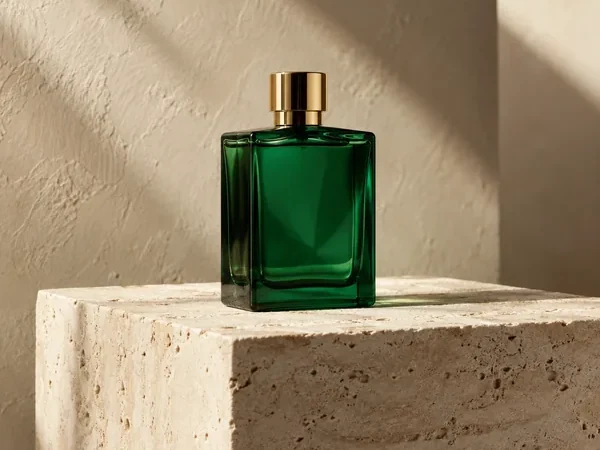
Stone Pedestal in Window Light
Place this product on a travertine stone pedestal against a warm plaster wall, late-afternoon window light casting soft diagonal shadows, minimal luxury product photography. Keep the product, its shape, color and label text exactly the same.
Café Table Lifestyle
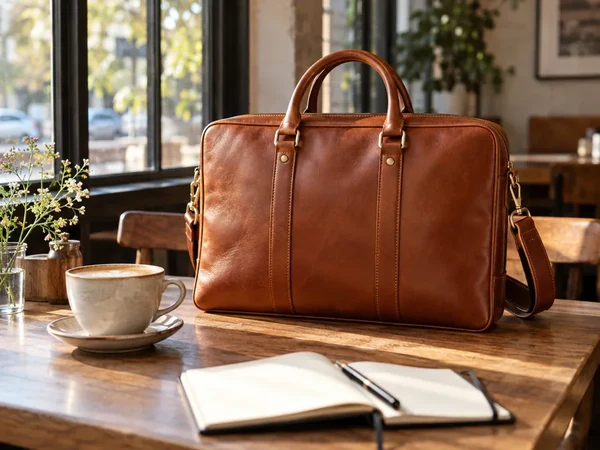
Put this product on a wooden café table next to a cappuccino and an open notebook, big windows and soft morning sun behind, shallow depth of field, lifestyle product photo. Keep the product exactly as it is.
Clean White Marketplace Shot
Place this product on a pure white seamless background with a soft natural contact shadow under it, evenly lit studio product photo, centered with space around it. Keep the product exactly the same.
Water Light and Satin
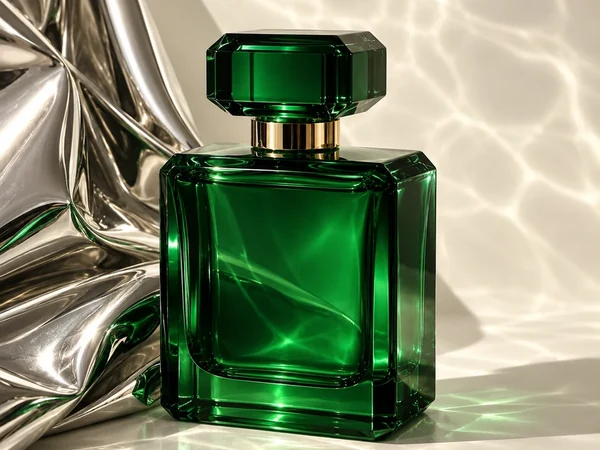
Stand this product on a glossy white surface beside a draped silver satin cloth, rippling water caustics of sunlight across the scene, high-end fragrance advertising photo. Keep the product, cap and glass color unchanged.
Soft Linen Drape
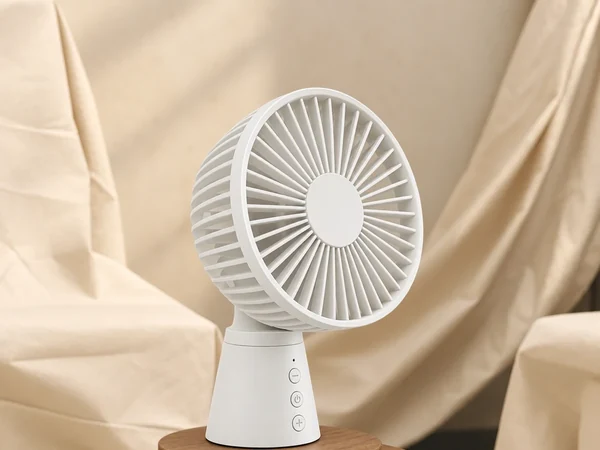
Set this product on a small round wooden stand in front of softly draped cream linen fabric, warm diffused light, calm neutral home-decor product photo. Keep the product exactly as in my photo.
Desk Setup by the Window
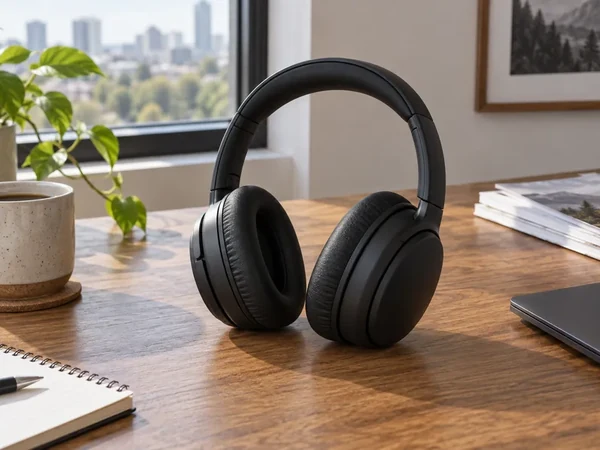
Place this product on a walnut desk by a large window with a city view, a speckled coffee mug, a potted plant and a notebook nearby, bright natural daylight, realistic lifestyle product photo. Keep the product unchanged.
Doing a Whole Catalog
Pebblely's bulk generate is one of its strongest features, so here is the equivalent approach: run your full batch through the Bulk Background Remover first, so every product has the same clean transparent or white background, and save those as your marketplace main images. Then give your hero products a styled scene with the prompts above.
Tips for Better AI Product Photos (With Any Tool)
- Garbage in, garbage out. A sharp, evenly lit photo beats any prompt. Avoid harsh reflections on glass and metal before you shoot.
- Match the light. Ask for light that comes from the same direction as in your photo, or the shadows will look pasted on.
- Keep a white-background version. Most marketplaces, Amazon included, want a plain white background for the main listing image; save the lifestyle scenes for secondary images, ads, and social posts.
- Protect the label. Add "keep the label text exactly the same" to your prompts and always proofread brand names and ingredients.
- Stay truthful. A scene can add mood, but do not change the product's color, size, or contents in a way that misleads buyers.
- Make a set, not a single. Generate three or four scenes per product and pick the best; consistency across a collection matters more than one perfect shot.
Frequently Asked Questions
Is Pebblely free?
No. As of October 2026 Pebblely is a paid subscription and its pricing page says it does not offer free trials. Plans start at US$9 a month (Lite, 30 images) and go up to US$39 a month (Pro, 500 images). If you want to test AI product photos before paying, EzImgMaker gives you free credits when you sign up.
How much does Pebblely cost?
As of October 2026: Lite US$9/month for 30 images, Basic US$19/month for 200 images, and Pro US$39/month for 500 images, with bulk generation on Basic and Pro. Yearly billing costs US$90, US$179, and US$379, which works out to about 2 months free. High-resolution images use 2 credits each. Prices change, so check pebblely.com/pricing before you buy.
Can I use Pebblely photos for my business?
Pebblely says you own the images you generate and can use them for your business, subject to its terms of service. It also states that your uploads and results are not used to train AI. Read the current terms on pebblely.com if you plan to use the images in ads or on marketplaces.
Is Pebbly AI the same as Pebblely?
Yes. "Pebbly AI", "pebbely", and "app pebbly" are common misspellings of Pebblely, the AI product photo tool made by Pebblely Pte Ltd. The official site is pebblely.com and the web app runs at app.pebblely.com.
What is the best free Pebblely alternative?
For a free-to-try option, use EzImgMaker: the Background Remover can replace a plain background with a scene you describe, the AI Photo Editor restyles a product photo from a one-line instruction, and new accounts get free credits. Flair AI and Photoroom also have free plans with limits. Pick the one whose workflow suits how many products you shoot each month.
Do unused Pebblely credits roll over?
No. According to Pebblely, unused image credits do not roll over to the next month, so it encourages you to use them before your subscription month ends. Pebblely also does not offer refunds and sends a reminder email 7 days before a renewal.
Will AI product photos keep the text on my label?
Usually, but always check. Pebblely extracts the visible text from your product photo and uses it during generation so labels stay correct, and you can edit the extracted text. With any AI tool, including EzImgMaker, zoom in on brand names, ingredients, and small print before you publish, and regenerate if a letter changes.
Can I make Pebblely-style product photos in bulk?
Pebblely offers bulk generation on its Basic and Pro plans. On EzImgMaker, the Bulk Background Remover turns a whole batch of product photos into consistent transparent or white-background images, and you can then give your best sellers a styled scene one by one with the AI Photo Editor.
The Verdict: Is Pebblely Worth It?
Pebblely is worth it if you produce product images every month and want the fastest template-driven route from a plain shot to a styled scene. The label-text extraction, group shots, and bulk generation are genuinely useful, and the Basic plan is fair value for a busy shop. It is less attractive if you want to try before paying, need images only occasionally, or want one toolbox that also covers white backgrounds, retouching, upscaling, and video. In that case, start with the free credits on EzImgMaker, compare the results with Flair AI or Photoroom, and pay only for the workflow that fits.
Pebblely, Flair AI, Photoroom, Canva, Adobe, Photoshop, and Firefly are trademarks of their respective owners. EzImgMaker is not affiliated with them. Product details and prices were taken from each company's official website in October 2026 and may change; check the official sites for current information. All example images in this article are AI-generated illustrations from EzImgMaker's own tool pages; none are screenshots or outputs of the tools reviewed.