
Best Hairstyle Apps to Try On Haircuts in 2026: Free and Paid, Compared
The best hairstyle apps and online tools to try on haircuts, bangs, colors and wigs on your own photo in 2026: what each does, free tiers, and how to choose.
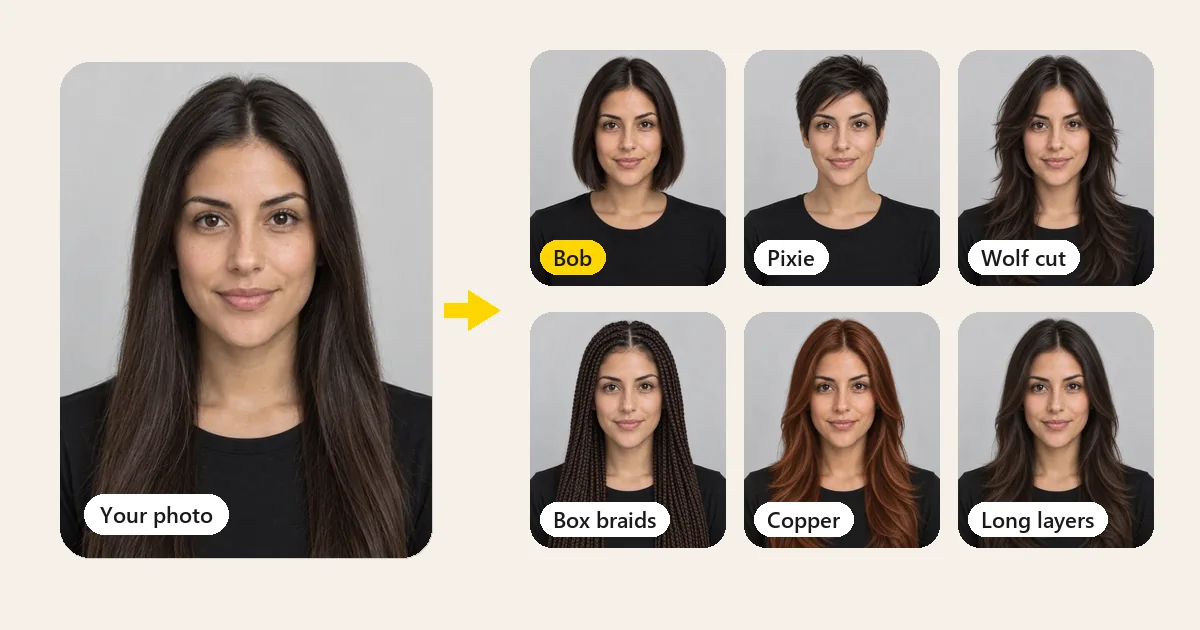
Short answer: the best hairstyle app is the one that shows a new cut or color on your own face without changing the face itself. For realistic previews in a browser, start with the EzImgMaker AI Hairstyle Changer (it is ours, so it is listed first, and we explain its limits too). For live hair color and makeup on a phone, YouCam Makeup is a well-known option; for quick portrait hair filters, FaceApp; for copying a haircut from a reference photo online, MyEdit.
Below you will find every option compared: what each hair application does, who it suits, what you get for free as of October 2026, and how to get realistic results from any of them. Free tiers and prices change often, so always check the official site before you pay.
What Is a Hairstyle App?
A hairstyle app is a hair changing app that shows a new haircut, length, or color on a photo of you. Some are phone hair apps you download; others are online tools that work as a try on hairstyle app in any browser. Older hair style apps pasted flat, sticker-like hair onto your head; current AI hair styling apps rebuild the hair strand by strand, blend the hairline into your forehead, and match the light in your photo, so the preview looks like a real picture of you.
Whether you want an app to try haircuts before a salon visit, an app to try different hairstyles just for fun, or an app to view different hairstyles side by side, the same rule applies: it should change only your hair and keep your face exactly as it is.
The Best Hairstyle Apps at a Glance
| App or tool | Platform | Best for | Free tier (October 2026, check the official site) |
|---|---|---|---|
| EzImgMaker AI Hairstyle Changer | Web (phone or desktop browser) | Realistic cuts and colors on your own photo, copying a cut from a picture | Free credits when you sign up |
| EzImgMaker What Hairstyle Suits Me | Web | Haircut suggestions for your face shape | 1 credit per analysis, covered by sign-up credits |
| YouCam Makeup | iOS, Android | Hair color, hairstyles, and makeup in one phone app | Free download; some styles and features need a subscription |
| FaceApp | iOS, Android | Quick hair filters on portraits | Free download; Pro subscription unlocks more filters |
| MyEdit | Web | Recreating a haircut from a reference photo | Daily free credits listed; paid plans |
| Fotor | Web | Batch hairstyle try-ons with presets and custom colors | Free credits for new users; paid plans |
| LightX | Web, iOS, Android | Preset and text-prompt hairstyles, single-style filters | Limited free credits; paid plans |
| AI Ease | Web | Exploring preset cuts in a browser | Marketed as free; some modes may need credits |
| HairstyleAI | Web | A one-off pack of many hairstyle ideas | Paid pack (advertised as a one-time purchase) |
How we compared them: we compared these apps to try on hairstyles using each one’s official pages, app store listings, and help docs in October 2026, and focused on four questions: does it keep your face, can it show both cuts and colors, how well does it handle texture (curls, coils, braids, fades), and what can you do before paying. We did not buy every paid plan, nobody paid to be listed, and we make the first tools on the list. None of these previews predicts exactly how a real haircut will turn out.
Best App for Haircuts and Hairstyles, Reviewed
1. EzImgMaker AI Hairstyle Changer: best app for trying hairstyles on your own photo
AI Hairstyle Changer is a browser-based hairstyle try-on: upload one selfie, choose a women’s or men’s haircut and a hair color, and the AI changes only your hair. Your face, expression, glasses, clothes, and background stay as they are, which makes it easy to compare cuts fairly.
- What you can try: bobs, pixies, shags, wolf cuts, layers, blunt and curtain bangs, curls, box braids, buns, buzz cuts, fades, undercuts, quiffs, curly crops, and a shaved head, plus colors from jet black to platinum, copper, pastel pink, and balayage.
- Standout features: upload a photo of any haircut and it copies that cut onto you (not the other person’s face); Best for My Face picks a flattering cut; Random Style surprises you; Custom lets you describe anything, such as "fluffy curtain-bang layers". Up to 4 previews per run.
- Free tier: free credits when you sign up, which cover your first previews; after that each preview uses credits, and the tool shows the cost before you start.
- Limits: works from a photo rather than a live camera, needs an account to use your credits, and like every AI preview it cannot promise how your real hair will behave.


The same site has a single tool for each hair decision, so you can go deeper on one change at a time:
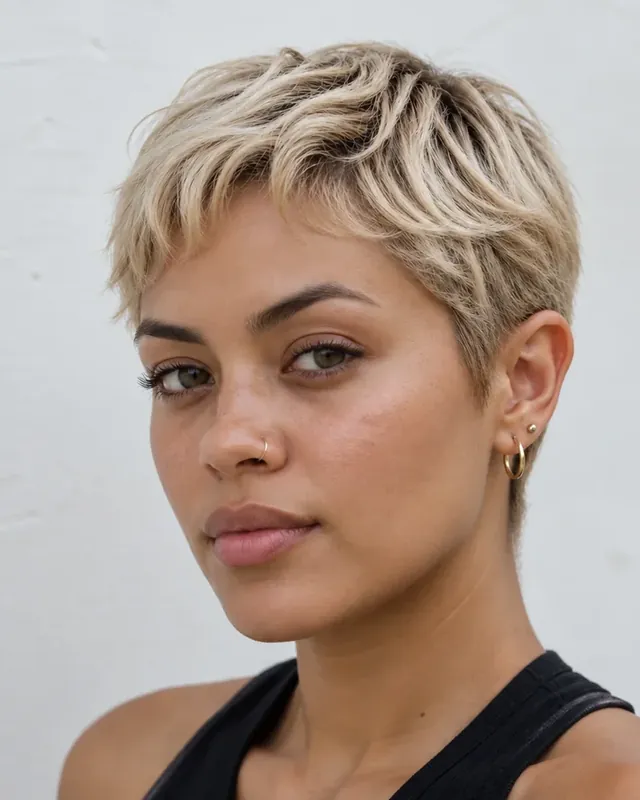
Short hair
A hairstyle app for short hair: preview a pixie, bob, crop, fade, or buzz cut before the big chop.
Try short hair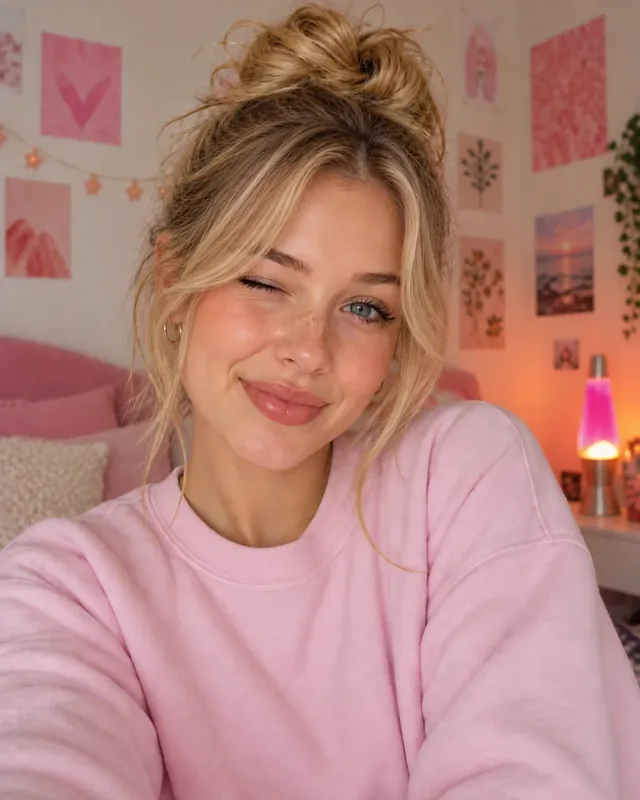
Bangs
A fringe hair app for curtain, wispy, blunt, or side-swept bangs on your own face.
Try bangs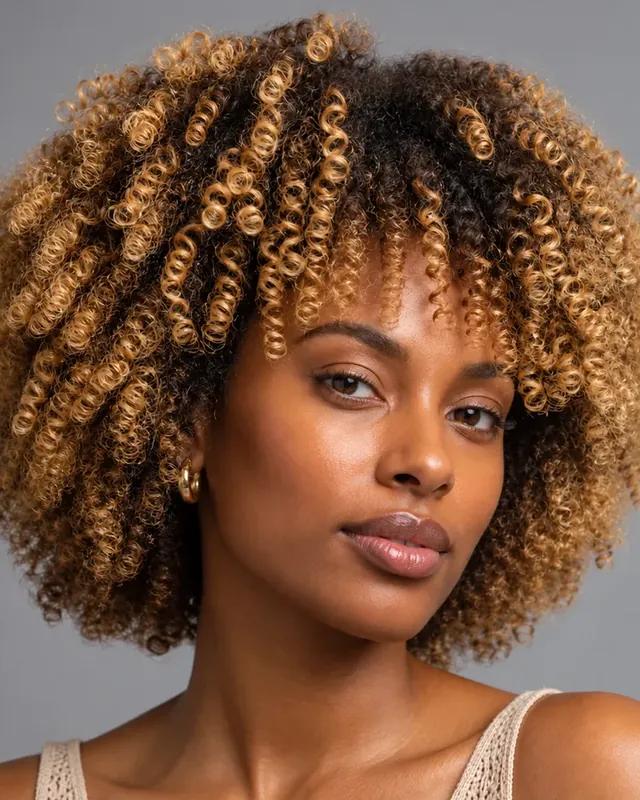
Curly hair
A curly hair app should keep a real curl pattern. Pick a curly preset or describe your curls in Custom.
Try curls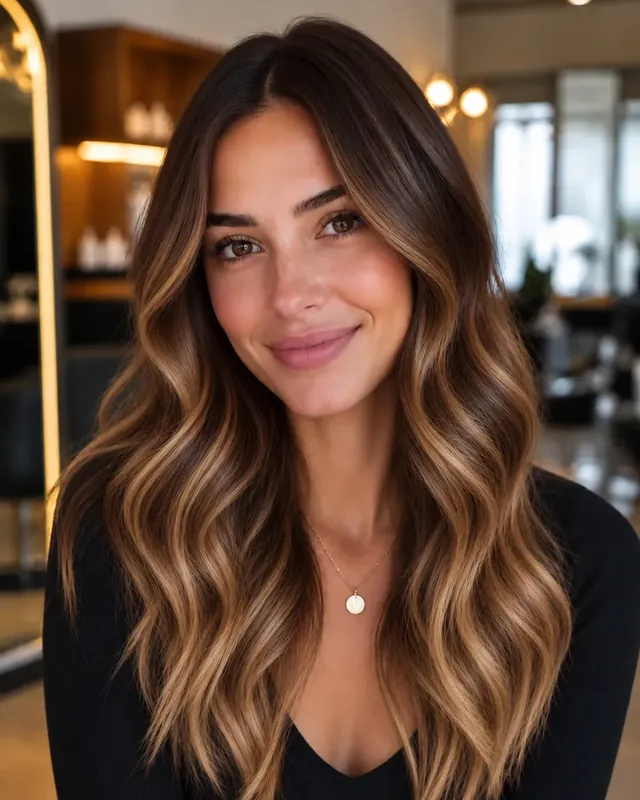
Hair color
Test balayage, copper, blonde, or a bold shade on your real hair before you book the salon.
Change hair color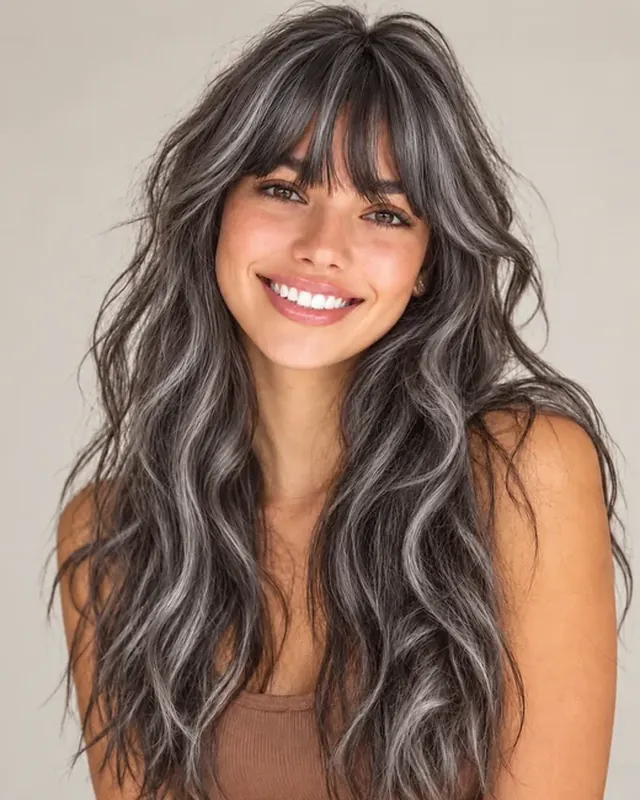
Gray hair
A gray hair app for going silver, salt and pepper, or snow white, previewed gently on your photo.
Try gray hair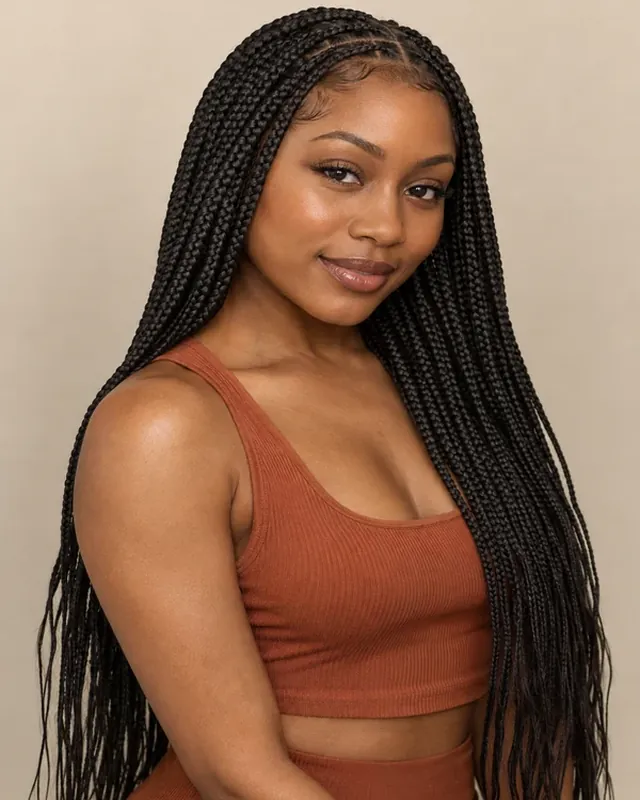
Wigs and braids
Try lace front, curly, bob, and braided wigs in shop color codes, or upload the exact wig you want.
Try on wigs
Buzz cut
See yourself with a buzz cut at different clipper lengths before you pick up the clippers.
Try a buzz cut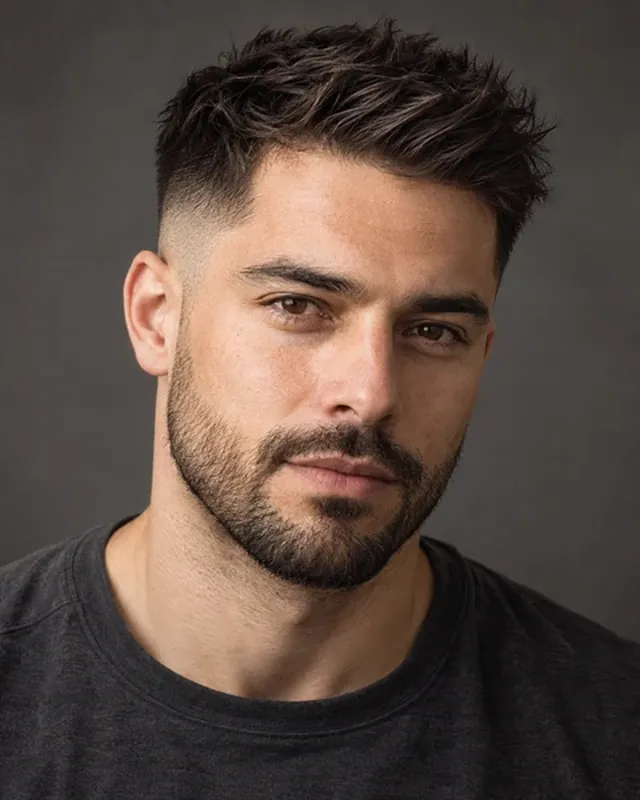
Men’s cuts
Fades, undercuts, quiffs, and curly crops with your beard kept in place. Add or remove a beard too.
Try the beard filter
Face shape match
Not sure where to start? Get AI haircut suggestions for your face shape first.
What suits me?2. YouCam Makeup: hair color, hairstyles and makeup in one phone app
YouCam Makeup, from Perfect Corp, is a beauty app for iOS and Android that combines makeup try-on with hair. Its developer describes a large library of virtual hairstyles and wig filters, hair color try-on in both live-camera and photo modes, and, on iOS, a Custom Hair Try On that uses a reference photo with an option to keep your natural color.
- Best for: phone users who want to try hair color live and switch makeup looks in the same app.
- Free tier (October 2026, check the official site): free download; the premium unlock includes hairstyle and hair color collections, and the developer notes a daily limit on free hair color try-ons.
- Keep in mind: features can differ between iOS and Android, so confirm the one you need on your device.
3. FaceApp: quick hair filters for portraits
FaceApp is a portrait editor for iOS and Android with hair filters for volume, smoothing, waves, color, and new hairstyles; its official guide also describes copying a hairstyle from a reference. It is a fast way to restyle an existing photo.
- Best for: refining the hair already in a portrait or trying a new shape for fun.
- Free tier (October 2026, check the official site): free download with in-app purchases; a Pro subscription unlocks more filters.
- Keep in mind: FaceApp says selected edits are processed in the cloud and cached for a limited time, with a setting to delete the cache yourself.
4. MyEdit: copy a haircut from a reference photo online
MyEdit, from CyberLink, is a browser photo editor whose AI hairstyle tool accepts a preset, a text prompt, or one reference photo of the cut you want (as alternatives, not combined in one generation).
- Best for: recreating a specific haircut you saved, without installing an app.
- Free tier (October 2026, check the official site): its pricing page lists a small number of free credits you can claim each day; heavier use needs credits or a paid plan, and its hairstyle page advertises downloads without a watermark.
5. Fotor: batch try-ons in the browser
Fotor’s online AI hairstyle changer offers men’s and women’s presets (long, short, curly, straight), custom hair colors, and batch try-ons from one selfie.
- Best for: generating several looks in one go to compare.
- Free tier (October 2026, check the official site): free credits for new users; each change uses credits, with paid plans for more.
6. LightX: presets, prompts and single-style filters
LightX offers an AI hairstyle generator on the web and in its iOS and Android apps, driven by presets or a short text description, plus separate filters for looks such as bangs, braids, curly hair, short hair, and buzz cuts.
- Best for: describing an unusual cut in words, or jumping straight to one specific style.
- Free tier (October 2026, check the official site): limited free credits; paid plans and credit packs for more use and export options.
7. AI Ease: preset cuts in a browser
AI Ease has a browser hairstyle changer with a set of default presets and a custom mode for describing your own cut.
- Best for: browsing preset haircuts quickly before getting more specific.
- Free tier (October 2026, check the official site): marketed as free to use; the editor also offers upgrades, so check whether the mode and download you want are included.
8. HairstyleAI: a one-off pack of hairstyle ideas
HairstyleAI works differently: you upload a set of selfies and receive a batch of generated photos in many hairstyles, sold as a one-time pack rather than a subscription.
- Best for: people who want lots of ideas at once instead of an editor to adjust.
- Free tier (October 2026, check the official site): paid; the site advertises a one-time pack price, so check what is included before buying.
Best App for Hair by Need
Different decisions call for different apps for haircuts, color, and texture. Here is the best app to see hairstyles on me for each situation:
Best hairstyle app for women
The best hair app for women depends on what you are deciding. For realistic women’s cuts, colors, braids, and updos on your own face, the AI Hairstyle Changer is our pick, with YouCam Makeup as the phone option if you also want makeup. If you are between lengths, add the short hair filter; if you wear wigs, the virtual wig try-on.
Free hairstyle apps for women
The free apps for hairstyles that give you the most before paying are usually browser tools with sign-up or daily credits (EzImgMaker, MyEdit, Fotor) and freemium phone apps with a set of free styles (YouCam Makeup, FaceApp). Use the free tier on one clear selfie and two or three looks; that is usually enough to decide.
Best app for hairstyles that suit your face
Start with an analysis, then try the suggestion: What Hairstyle Suits Me reads your selfie and suggests cuts for your face shape, the face shape detector names your face shape, and Best for My Face in the hairstyle changer shows a flattering cut on your photo.
Best haircut app for men
Look for fades, crops, buzz cuts, and longer styles that keep your beard in place. The AI Hairstyle Changer’s men’s styles, the buzz cut filter, and the beard filter cover most barber decisions; FaceApp is a quick phone alternative.
Short hair app, bangs, color and gray
The short hair filter is a short hair application that previews the cut before you commit; the bangs filter handles fringes; the hair color changer and blonde hair filter test dye; the grey hair filter shows silver and salt-and-pepper shades.
Which Hairstyle App Is Free?
Almost every hairstyle app is free to start, but "free" means different things:
- Free credits at sign-up: browser tools such as EzImgMaker give you credits when you create an account, enough for several previews on the same photo.
- Daily credits: some online editors, such as MyEdit, list a small number of free credits you can claim each day.
- Freemium phone apps: YouCam Makeup and FaceApp are free downloads with a set of free styles, and a subscription for the rest.
- Paid packs: tools such as HairstyleAI sell a one-time pack instead of a free tier.
So the best free hairstyle app for most people is simply one whose free allowance covers three or four previews of the cuts you are really considering. If you want a free app to try different hairstyles or the best free haircut app for a single decision, use the whole allowance on one clear selfie rather than spreading it across many photos. That is the closest you will get to an app to try hairstyles free of any commitment, and the best free app for hairstyles is the one that shows those few looks well.
How to Choose the Best Hairstyle App
Use this checklist before you settle on the best hairstyles app for you:
- Does it keep your face? Reject any app that smooths your skin, reshapes your features, or changes your expression. You are judging the hair, not a different person.
- Is the hairline natural? The new hair should blend into your forehead and temples, not sit on top like a helmet.
- Cuts and colors? The best app for hair decisions lets you change the cut, the color, or both, and keeps one constant while you test the other.
- Does it handle your texture? Curls, coils, braids, locs, and fades should keep their real texture.
- Can you copy a reference? Uploading a photo of the cut you saved is the quickest way to an accurate preview.
- What do you get for free? "Free download", "free credits", and "free download without a watermark" are three different promises. Check which one you get.
- What happens to your photo? Read the privacy policy: where photos are processed, how long they are stored, and how to delete them.
How to Try On Hairstyles With EzImgMaker
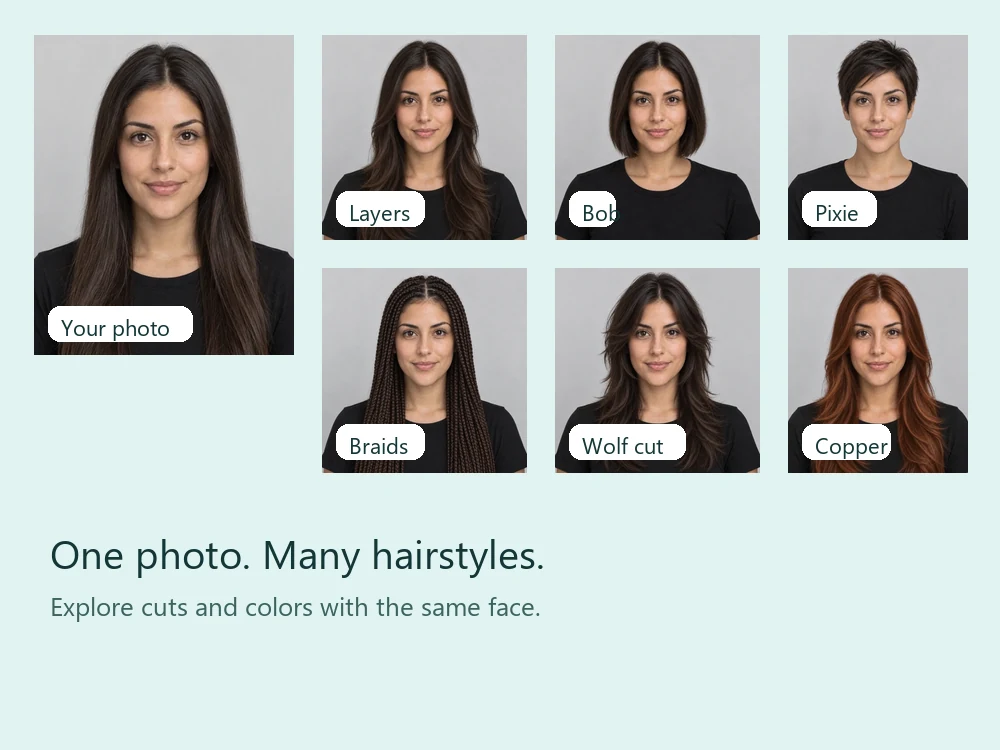
- Upload a clear selfie. Face the camera in soft daylight with your hairline visible. Pull your hair back if it is very voluminous.
- Pick a haircut and a color, or add a photo of a haircut you love and choose to copy it. Not sure? Try Best for My Face.
- Generate up to 4 previews and compare them with your original photo. Seeing several cuts on one face is what makes it useful as an app to show hairstyles before you commit.
- Save your favorites and show them to your stylist together with your original photo.
Tips for Realistic Results With Any Hairstyle App
- Use one good photo for every comparison: same light, same angle, neutral expression.
- Change one thing at a time. Test the cut with your natural color first, then the color with your current cut.
- Keep your real texture visible. Curly and coily hair look most convincing when the app keeps the curl pattern.
- Try one realistic option and one bold one, not twenty unrelated looks. Narrowing down is the goal.
- Bring notes to the salon: the length, fringe, layers, and color you liked, plus your original photo.
Frequently Asked Questions
What is the best hairstyle app?
The best hairstyle app is the one that changes only your hair and keeps your face, blends a natural hairline, and offers both cuts and colors. For realistic previews on your own photo in a browser, the best app to try on hairstyles is the EzImgMaker AI Hairstyle Changer. For live hair color and makeup in one phone app, YouCam Makeup is a popular choice; for quick portrait hair filters, FaceApp. Try two on the same photo and keep the one whose results still look like you.
Which hairstyle app is free?
Most hairstyle apps are free to download or free to try, then limit how many styles or generations you get. As of October 2026, EzImgMaker gives free credits when you sign up, MyEdit lists daily free credits, Fotor gives new users free credits, and YouCam Makeup and FaceApp are free downloads with paid subscriptions for more styles. Allowances change often, so check the official site before you rely on a free tier.
Is there a free app to see different hairstyles on my face?
Yes. A free-to-try online tool works without installing anything: upload a selfie to the EzImgMaker AI Hairstyle Changer, use the free credits you get when you sign up, and compare several cuts and colors on your own face. Phone apps such as YouCam Makeup and FaceApp also include some free hair styles before asking you to upgrade.
What is the best app for hairstyles on my face shape?
Use a tool that looks at your face first. What Hairstyle Suits Me reads your selfie and suggests haircuts for your face shape, and the AI Hairstyle Changer has a Best for My Face option that picks a flattering cut and shows it on your photo. The face shape detector tells you whether your face is oval, round, square, heart, oblong, or diamond.
Do hairstyle apps work for men?
Yes. Good hairstyle apps include men’s cuts such as fades, buzz cuts, undercuts, quiffs, crops, and longer styles. On EzImgMaker you can also try a buzz cut filter, a beard filter, or a bald filter, and every tool keeps your face and beard as they are unless you ask otherwise.
Is there a hairstyle app for short hair or bangs?
Yes. The short hair filter previews pixie cuts, bobs, crops, fades, and buzz cuts before you cut your hair, and the bangs filter adds curtain, wispy, blunt, or side-swept bangs to your photo. Both run in your browser, so you do not need a separate short hair app or fringe hair app.
Can a hairstyle app show curly or gray hair?
Yes, if it handles texture well. Look for curly presets that keep a real curl pattern rather than smoothing it into waves. For gray or silver hair, a dedicated gray hair app or filter, such as the grey hair filter, gives more natural results than a general hairstyle preset.
Are hairstyle apps safe for my photos?
Read each app’s privacy policy before uploading: check whether photos are processed in the cloud, how long they are kept, and how to delete them. Upload only your own photos or photos of adults who agreed, and avoid pictures with documents or personal details in the background.
Will my real haircut look like the app preview?
Treat any preview as a direction, not a guarantee. Real results depend on your hair density, texture, cowlicks, growth pattern, and your stylist. Bring your original photo and one or two previews to the salon and ask what is achievable with your hair.
Related Guides and Tools
- Short hair filter: how would you look with short hair?
- Virtual wig try-on: try on wigs in any style and color before you buy.
- What hairstyle suits me: AI haircut suggestions for your face shape.
- What are doe eyes?: eye shapes, and the bangs and glasses that frame them.
Product names belong to their owners. EzImgMaker is not affiliated with the other apps listed. Features, free allowances, and prices are summarized from official pages as of October 2026 and change often; check each official site for current details.