
Mootion Review: Pricing, Features & the Best Mootion Alternatives
Mootion review: how the Mootion AI story video generator works, Mootion pricing and credits as of October 2026, pros and limits, and the best alternatives.
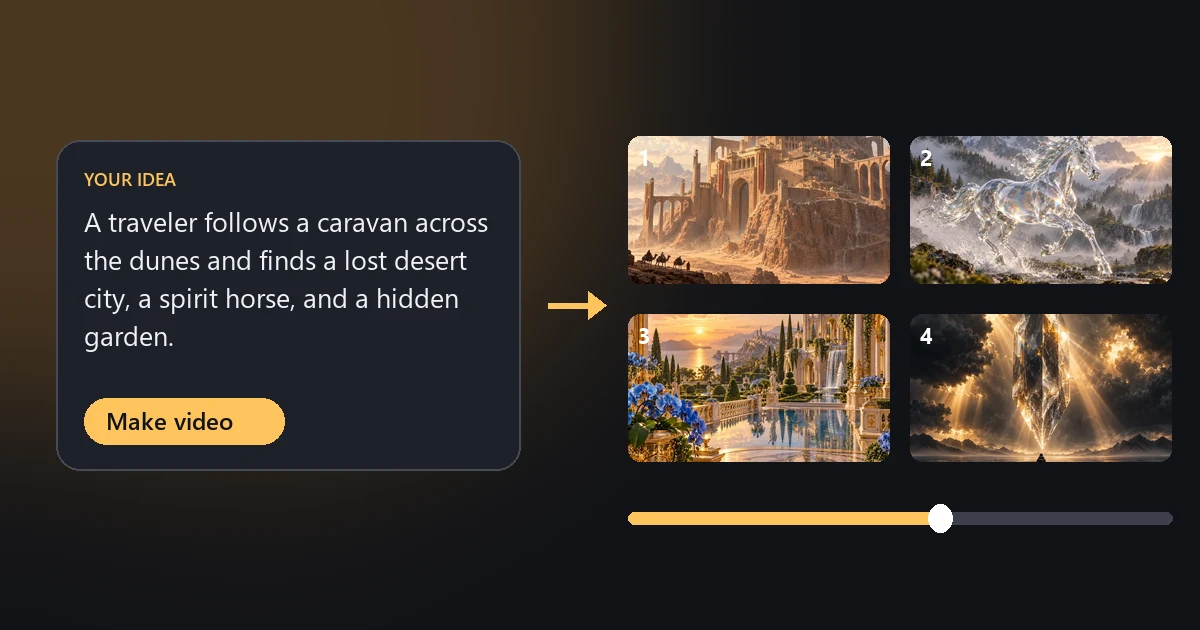
Short answer: Mootion is an AI storytelling video generator. Type an idea ("a bedtime story for a five-year-old", "the life of Julius Caesar"), and it writes the script, splits it into storyboard scenes, generates every shot with models such as Seedance 2.5 and MiniMax H3, and adds narration, music, and captions. It is one of the quickest ways to get a complete narrated video from a single prompt. It is also paid-only, and because video generation is billed per second by model, longer videos on the best models can burn through credits fast. The best Mootion alternatives are InVideo AI and Pictory for one-prompt videos, and the EzImgMaker AI video generator when you want to pick the model and direct every shot yourself.
This Mootion review explains how the app works, what Mootion pricing really buys you in seconds of video, where it shines, where it falls short, and how to build the same kind of story video with other tools, including a storyboard and prompts you can copy.
Mootion at a Glance
| Mootion | |
|---|---|
| What it is | AI video generator for cinematic storytelling: idea, script, or recording in, finished video out |
| Made by | HK Mootion Limited |
| Ways to create | Instant Mode (one prompt, one shot) and Director Mode (storyboard first, multi-shot) |
| Inputs | Prompts, scripts, audio, video, files, links; Smart Reference images, videos, or audio |
| Video models | Seedance 2.5, Seedance 2.0, Seedance 2.0 Mini, MiniMax H3, MiniMax H3 Flash, Base |
| Aspect ratios | 16:9, 9:16, 1:1, 21:9, 4:3, 3:4 |
| Output languages | 17, including English, Spanish, Portuguese, Japanese, Chinese, Korean, Arabic, and Russian |
| Free plan | No (paid plans are required to create and download videos) |
| Price | From US$15/month, or US$12/month billed yearly (as of October 2026) |
| Best for | Educators, storytellers, and faceless channel creators who want finished narrated videos fast |
What Is Mootion?
Mootion (often called Mootion AI, and sometimes searched as mootion.ai) describes itself as an "AI video generator for cinematic visual storytelling." The pitch is end-to-end: instead of generating one clip at a time, Mootion plans the whole video, including structure, pacing, visuals, and sound, from your idea. It claims more than 100 million videos and 5 million creators. The Mootion app runs in your browser at storyteller.mootion.com, so there is nothing to install.
The company's research page still lists text-to-motion generation, motion capture, and 3D avatar creation, a hint at its roots in AI 3D animation. Today the product centers on story videos, with templates for kids' history and science, bedtime and bilingual stories, faceless short videos, horror and healing stories, and several religious story formats.
Montion, mottion, or Mootion? All the same search. The product is spelled Mootion: double o, one t.
How Mootion Works
Mootion gives you three ways in and two ways to build:
- Idea to video: describe your idea in a few words and Mootion writes the script and generates the full video.
- Script to video: paste your own script; Mootion handles visuals and voiceover.
- Recording to video: upload your voice or a video recording and Mootion builds visuals that sync with it.
Then you choose a mode:
- Instant Mode turns a single prompt straight into a finished single-shot clip, built for TikTok, YouTube Shorts, and Instagram Reels.
- Director Mode creates a storyboard first. Each scene holds a description, dialogue, sound effects, a camera motion, and a duration, and you can add, split, merge, or delete scenes before rendering.
Smart Reference lets you upload images, videos, or audio to lock a character's look, the lighting, the motion, or the style. Models with native audio generate dialogue and sound effects together with the picture; otherwise you add a voiceover afterwards. You can preview before you publish, download the final video, and even export the whole project (scripts, images, and clips) as a .zip for editing elsewhere.
Mootion Pricing (as of October 2026)
| Plan | Monthly | Billed yearly | Credits per month | Notable extras |
|---|---|---|---|---|
| Standard | US$15 | US$12/month (US$144/year) | 1,500 | Premium models (Seedance 2.0 and 2.5, Seedream 5.0), all styles, AI script and image editing, voiceovers, 10 GB media, no watermark |
| Plus | US$25 | US$20/month (US$240/year) | 3,000 | Up to 64 scenes per project, ultra-realistic voiceovers, 2× priority, 20 GB |
| Pro | US$50 | US$40/month (US$480/year) | 8,000 | 50,000-character Idea-to-Video, 5× priority, 100 GB |
| Max | US$200 | US$160/month (US$1,920/year) | 32,000 | Up to 5,000 video clip generations, top priority, 400 GB, personal support |
| Edu | US$6 | US$5/month (US$60/year) | 1,000 | For verified teachers and students; includes 2× priority |
Mootion is paid-only: its FAQ says you need a paid plan to create and download videos. You can buy extra credit packs, and plan credits refresh every 30-day billing cycle. Check the official Mootion pricing page for current prices.
What Do Mootion Credits Buy?
Mootion charges video generation per second, and the rate depends on the model. Here is what the Standard plan's 1,500 monthly credits cover in video generation alone (our math from Mootion's published rates; scripting, images, and voiceovers may use credits too):
| Model | Credits per second | Seconds of video for 1,500 credits |
|---|---|---|
| Base | 4 | about 375 s (6 min 15 s) |
| MiniMax H3 Flash | 4 | about 375 s (6 min 15 s) |
| MiniMax H3 | 20 | about 75 s |
| Seedance 2.0 Mini | 25 | about 60 s |
| Seedance 2.0 | 40 | about 37 s |
| Seedance 2.5 | 64 | about 23 s |
That is the key thing to understand in any Mootion review: a full-length video is affordable on the Base or Flash models, but a cinematic multi-scene story on Seedance 2.5 can need a Pro or Max plan, or top-ups.
Mootion Pros and Cons
What Mootion does well
- Truly end to end. Script, storyboard, shots, voice, music, captions, and even a thumbnail from one idea. Few tools go this far.
- Director Mode gives you real control over each scene without leaving the app.
- Strong model lineup, including Seedance 2.5 and 2.0, with native audio on supported models.
- Many inputs: a prompt, a script, your own recording, or a link.
- 17 output languages and a royalty-free music library, useful for educators and multilingual channels.
- Portable projects: download the .zip of scripts, images, and clips to finish in your own editor.
Limits to weigh
- No free plan. You pay before you make or download anything.
- Per-second pricing on premium models makes long cinematic videos expensive.
- Template-shaped output. One-prompt stories are fast, but they can feel similar; getting a distinctive look takes work in Director Mode.
- The usual AI video caveats: characters can drift between scenes and fast action can warp. Smart Reference helps, but expect some regenerations.
Who Should Use Mootion?
Mootion is a good fit for teachers turning lessons into short videos, parents and creators making bedtime or history stories, and faceless channel owners who publish narrated videos on a schedule and value speed over fine control. If that is you, start on Standard, keep most scenes on a mid-priced model, and save Seedance 2.5 for the hero shots.
Look elsewhere if you need a free option, want to direct every shot with the model of your choice, or mainly need short cinematic clips rather than full narrated stories. If your goal is a faceless channel that posts on autopilot, compare it with the tools in our FacelessReels review.
Mootion Review Verdict
Mootion is legit and genuinely capable: one of the most complete idea-to-video tools available, with a sensible Director Mode for when automation is not enough. The value depends entirely on which model you render with. For long-form narrated content on the cheaper models it is excellent value; for cinematic shorts on premium models, you may get more control and better value by generating shots directly.
Best Mootion Alternatives
| Tool | Best for | How it builds the video | Free option | Paid pricing (as of Oct 2026) |
|---|---|---|---|---|
| EzImgMaker | Directing each shot with your choice of top video models | Text to video and image to video, one shot at a time; you edit the story together | Free credits when you sign up | Credit packs |
| InVideo AI | One-prompt narrated videos you can edit by typing | Script, voiceover, stock and generative footage, edits by text command | See invideo.io | Starter US$20/month (US$10 billed yearly), Plus US$60 (US$30), Max US$150 (US$75), per seat |
| Pictory | Turning scripts, blog posts, or long videos into short narrated clips | Matches your text to stock visuals and voiceover | 14-day free trial | Starter US$29/month (US$25 yearly), Professional US$59 (US$35), Team US$199 (US$119) |
| Runway | Creative, cinematic generation and editing tools | Generate and edit shots in a creative suite | See runwayml.com | Paid plans (see runwayml.com) |
| CapCut | Assembling AI clips into a finished story | Video editor with captions, text to speech, and templates | Free version | Optional paid Pro plan |
Third-party prices were checked on the official pricing pages in October 2026 and can change; confirm on each vendor's site.
1. EzImgMaker: Pick the Model, Direct Every Shot
Where Mootion automates the whole story, EzImgMaker gives you the shot-level tools and lets you choose the model for each one:
- Text to Video and the AI Video Generator let you generate each scene with Seedance 2.0, Seedance 2.5, Veo 3.1, Kling 3.0, Grok Imagine, Hailuo, or Wan, in 16:9, 9:16, or 1:1, at 720p or 1080p, with or without generated sound. Single clips run up to 15 seconds on Seedance 2.0 and Kling 3.0, and up to 30 seconds on Seedance 2.5, Grok Imagine, and Wan 3.0.
- Image to Video animates a keyframe you made with the AI Image Generator, the best way to keep a character or location consistent from scene to scene. Several models also accept an end frame, so you can control where a shot lands.
- The AI Video Extender continues a clip when a scene needs more time.
- Model pages such as Seedance 2.0 and Seedance 2.5 explain each model's strengths, the same models Mootion offers on its paid plans.
New accounts get free credits, and you buy credit packs only when you need more. The trade-off is that EzImgMaker does not write the script, voice it, or stitch the scenes for you: you generate the shots and assemble them in an editor such as CapCut. For many creators that extra step is exactly what makes the result look less templated.
2. InVideo AI
InVideo AI is the closest one-prompt alternative: describe the video, and it writes the script, adds a voiceover, assembles footage, and lets you change things by typing commands ("make the intro shorter", "switch to a female voice"). As of October 2026 its pricing page lists Starter at US$20 per seat per month (US$10 billed yearly), Plus at US$60 (US$30), and Max at US$150 (US$75). Choose it for explainer, listicle, and marketing videos where speed matters most.
3. Pictory
Pictory turns a script, a blog post, or a long recording into short narrated videos with stock visuals, captions, and AI voices. It is less about cinematic generation and more about repurposing content you already have. As of October 2026 plans run from US$29 a month (US$25 billed yearly), with a 14-day free trial.
4. Runway
Runway is a creative video suite with its own generation models and editing tools, aimed at filmmakers and designers who want to craft individual shots. It does not plan a whole story for you the way Mootion does, but it offers more creative control over each clip.
5. CapCut
CapCut is not a generator but an editor, and it is the missing piece if you generate shots elsewhere: drop in your clips, add auto captions, text to speech, music, and transitions, and export in vertical or landscape. It has a free version and an optional paid Pro plan.
How to Make a Mootion-Style Story Video Yourself
Here is a simple storyboard workflow that gets you most of the way to a Mootion-style story video while you keep control of every shot:
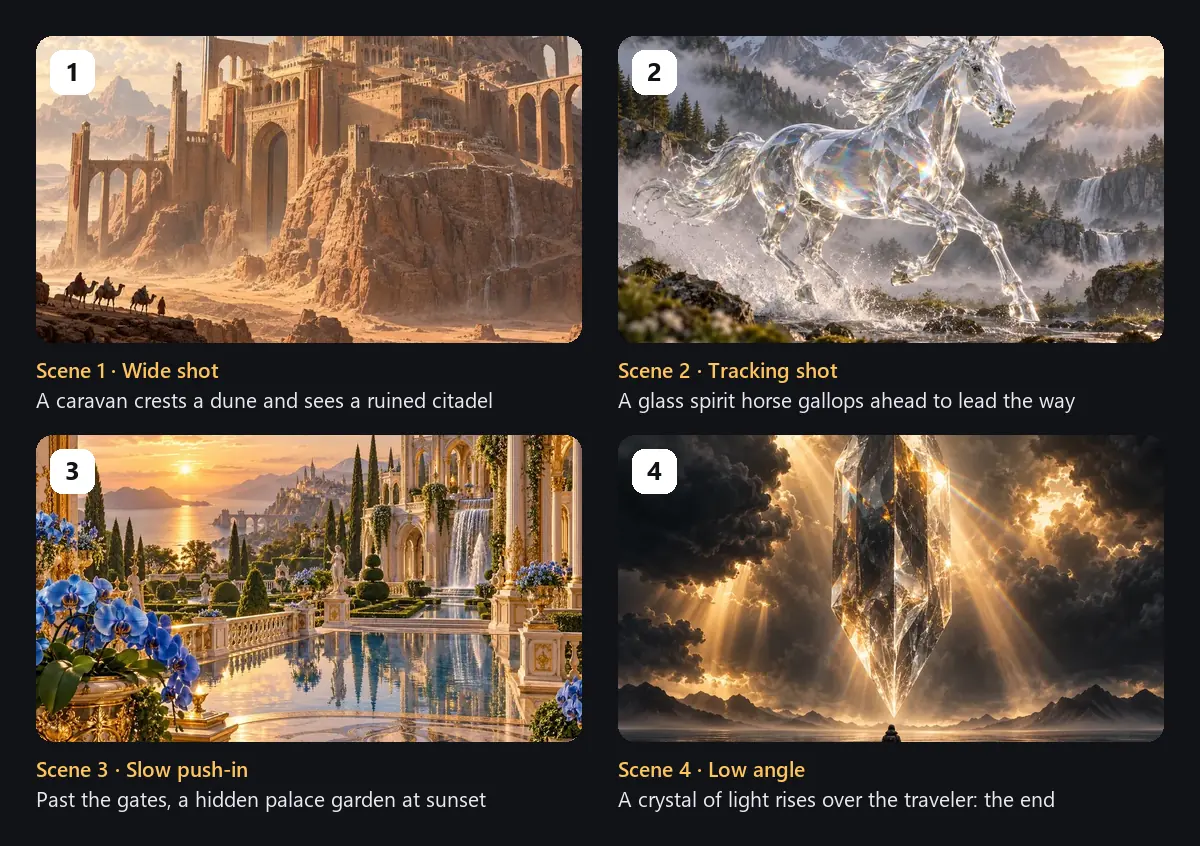
- Write a short script and split it into 4 to 8 scenes. Give each scene one sentence of action and one camera move (wide shot, tracking shot, slow push-in, low angle), like the storyboard above.
- Make a keyframe for each scene with the AI Image Generator. Reuse the same character description in every prompt so the look stays consistent.
- Animate each keyframe with Image to Video, or generate scenes straight from text with Text to Video. Use the same aspect ratio throughout (9:16 for Shorts and Reels, 16:9 for YouTube).
- Add narration and music. Record your own voice or use the text-to-speech in your editor; turn on generated sound in the video model for ambience and effects.
- Assemble, caption, export. Put the clips in order in your editor, add captions, and export.
Copy-Ready Scene Prompts
These four prompts recreate the storyboard above. Copy one, upload the matching keyframe (or your own) to Image to Video, and paste the prompt, or use it as a text-to-video prompt on its own.

Scene 1: Wide shot of the lost city
Wide establishing shot: a small camel caravan crests a sand dune at golden hour and stops; ahead, a vast ruined citadel of sandstone towers and arches rises from the cliffs. Slow push-in, drifting dust in the air, warm cinematic light, epic fantasy film.

Scene 2: The spirit horse
Tracking shot: a horse made of clear glass gallops through a misty mountain stream, water splashing around its hooves and catching rainbow light, the camera follows alongside, morning sun through pine forest, magical realism.

Scene 3: The hidden garden
Slow push-in through ornate palace gates into a hidden garden at sunset: reflecting pools, blue orchids, marble balustrades, waterfalls and cypress trees, a calm sea behind, gentle breeze moving the flowers, dreamy golden light.

Scene 4: The ending
Low-angle shot: a giant crystal of light slowly rises above a lone traveler standing on a wet plain, sunbeams burst through dark clouds and reflect on the ground, the camera tilts up with the crystal, awe-inspiring finale, cinematic.
Story Ideas to Start From
Need an idea first? These one-line premises work as a Mootion prompt, or as the first line of your own script.
Kids & bedtime
A shy cloud learns to make rain so the thirsty garden can bloom.
A lighthouse cat guides a lost paper boat home through a storm.
Five fun facts about octopuses, told by a friendly octopus.
History & mystery
How the ancient Library of Alexandria worked, and what we really know about its decline.
The lost city in the desert: a traveler follows old maps to find it.
Three famous shipwrecks and what divers found inside them.
Motivation & life
A marathon runner who finished last, and why the crowd stayed to cheer.
Small habits that changed an ordinary day into a good one.
A letter from your future self, ten years from now.
Frequently Asked Questions
What is Mootion?
Mootion is an AI video generator for storytelling. You give it an idea, a script, a recording, images, or a link, and it writes or follows a script, builds a storyboard of scenes, and generates the visuals, voiceover, music, and sound into a finished video. The web app runs at storyteller.mootion.com.
Is Mootion free?
No. Mootion's own FAQ says it is now a paid product and you need a paid plan to create and download videos. As of October 2026 plans start at US$15 a month (Standard, 1,500 credits), or US$12 a month billed yearly, and there is a discounted Edu plan for verified teachers and students.
How much does Mootion cost?
As of October 2026: Standard US$15/month (1,500 credits), Plus US$25/month (3,000 credits), Pro US$50/month (8,000 credits), and Max US$200/month (32,000 credits). Yearly billing is 20% off. Video generation is charged per second by model, from 4 credits a second on the Base model to 64 credits a second on Seedance 2.5. Check mootion.com/pricing for current prices.
Is Mootion legit?
Yes. Mootion is an established product from HK Mootion Limited, with public pricing, a documented FAQ, an affiliate program, and an API. Like any credit-based AI tool, the main thing to watch is cost: per-second model pricing adds up quickly on long videos, so estimate your credits before you subscribe.
Montion or mottion: is that the same app?
If you searched for "montion" or "mottion" while looking for an AI story video maker, you almost certainly mean Mootion (double o, one t). The official site is mootion.com.
What is the best Mootion alternative?
It depends on what you liked about Mootion. For one-prompt narrated videos, InVideo AI and Pictory are the closest matches. For full control over each shot and a choice of video models, including Seedance 2.0 and 2.5, use the EzImgMaker AI video generator, which is free to try with sign-up credits, and assemble the clips in an editor such as CapCut.
Which video models does Mootion use?
According to Mootion's FAQ, you can choose Seedance 2.5, Seedance 2.0, Seedance 2.0 Mini, MiniMax H3, MiniMax H3 Flash, or a Base model in any template. Models with native audio generate dialogue and sound effects together with the picture; for the others you can add a voiceover afterwards.
Can I download Mootion videos and use them on YouTube?
Mootion says you can download the finished video, and optionally the whole story as a .zip (scripts, images, and clips) for editing elsewhere. Its FAQ says you can use Mootion for your YouTube channel and that its music library is royalty-free. Read the current terms before commercial use.
Final Thoughts
Mootion earns its popularity: few tools turn a single idea into a finished, narrated, multi-scene video so smoothly, and Director Mode keeps it from being a black box. Before you subscribe, estimate how many seconds of video you will render on which model, because that decides whether Standard is enough. If you would rather choose the model for every shot and pay only for what you generate, try text to video and image to video on EzImgMaker with your free sign-up credits, and keep InVideo AI or Pictory in mind if one-prompt automation is what you need most.
Mootion, InVideo, Pictory, Runway, CapCut, Seedance, and MiniMax are trademarks of their respective owners. EzImgMaker is not affiliated with them. Features and prices were taken from each company's official website and documentation in October 2026 and may change; check the official sites for current information. Illustrations in this article are made from EzImgMaker's own AI images and are not screenshots of the tools reviewed.