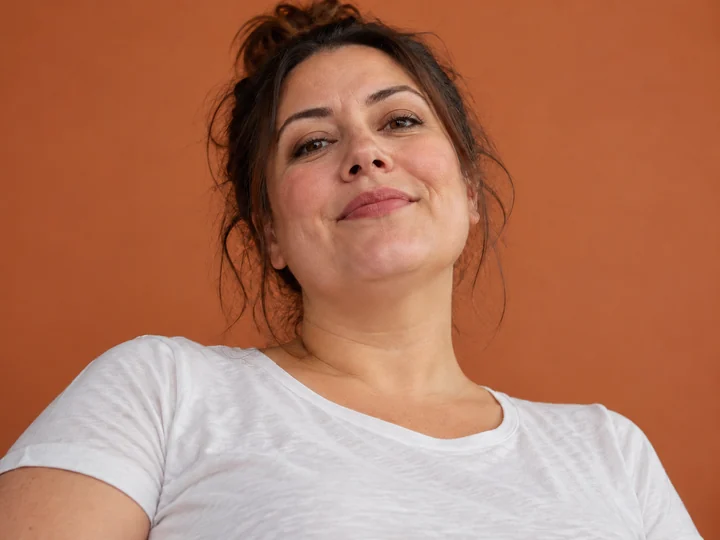
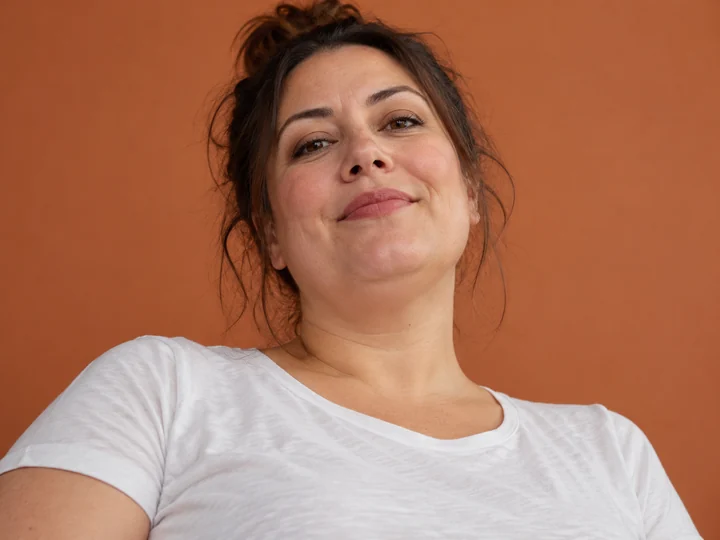
Low-Angle Selfie
Shot from below with the head tilted back, the chin folded into the neck. The low-angle fix redraws the line as if the camera were at eye level.
A double chin in photos is usually the camera angle, not you. Upload a selfie, headshot or event photo, choose how subtle the change should be, and the AI smooths the chin and neck line while your face, skin, hair and background stay exactly as they were.
Common photos
Fine-tune
Reference example. It is not a result generated from your upload.
A double chin remover is a photo editor that softens the fullness under the chin and redraws a clean chin and neck line, while the rest of the face stays as it was. Most double chins in pictures come from the camera, not the person: a phone held low, a laugh that tucks the head back, a side angle or flat overhead light. One unflattering angle should not be the reason you delete a photo you otherwise love.
This double chin picture remover uses AI instead of a liquify brush. It reads your own jaw and neck, removes only the extra fold, and rebuilds skin texture and shadows to match the light, so the result looks like the same photo taken from a better angle. Choose Subtle, Natural or Noticeable, mark one person in a group shot if you like, and compare before and after.
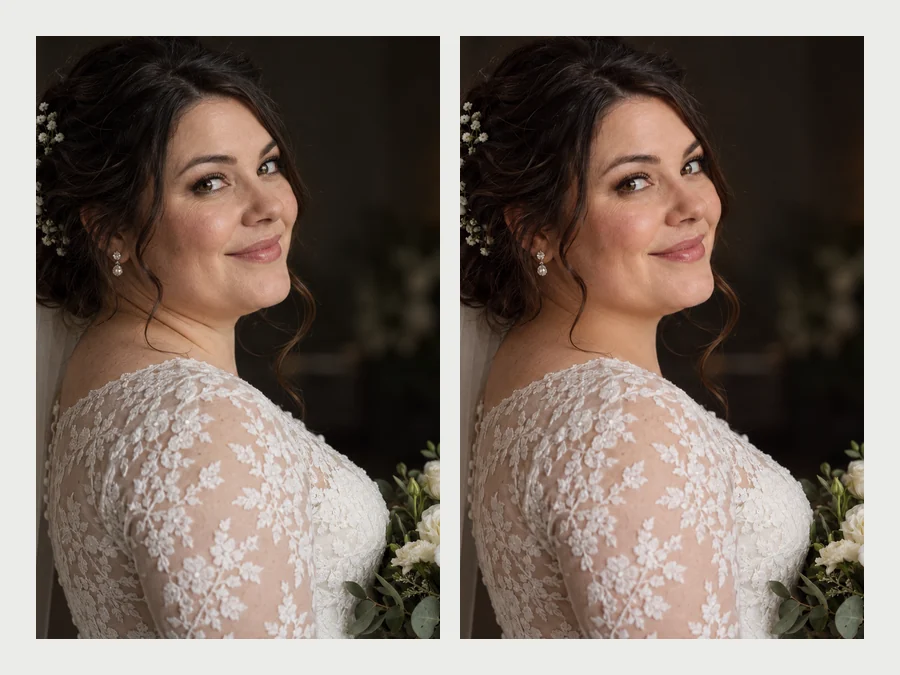
Drag each slider. The face, hair, light and background match the original; only the chin and neck line change.
Shot from below with the head tilted back, the chin folded into the neck. The low-angle fix redraws the line as if the camera were at eye level.

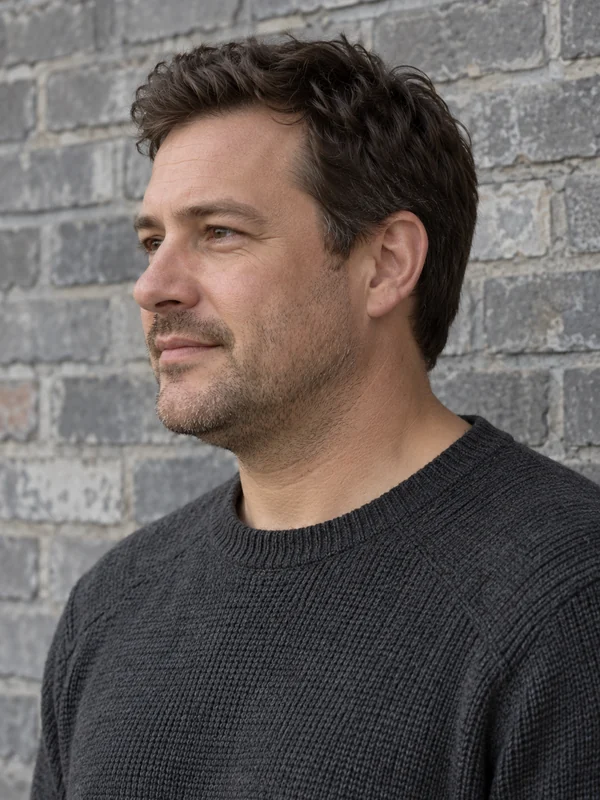
A three-quarter profile with stubble gets a cleaner chin and jaw edge, while the beard, ear and collar stay exactly as they were.


For a straight-on portrait, a light touch is enough: the jaw reads a little more defined and the face still looks fully like her.
How do you remove a double chin from a photo without editing skills? Upload, choose, compare.
Add a JPG, PNG or WebP up to 10 MB where the chin and neck are visible: a selfie, headshot, wedding photo or group shot.
Pick a common photo such as Low-Angle Selfie or Side Profile, or set it yourself: double chin only, chin and jawline, or the low-angle fix, then Subtle, Natural or Noticeable. In a group photo, brush over the right chin.
Click Remove Double Chin, drag the slider to compare, and download. If it went too far, step down to Subtle and run it again.
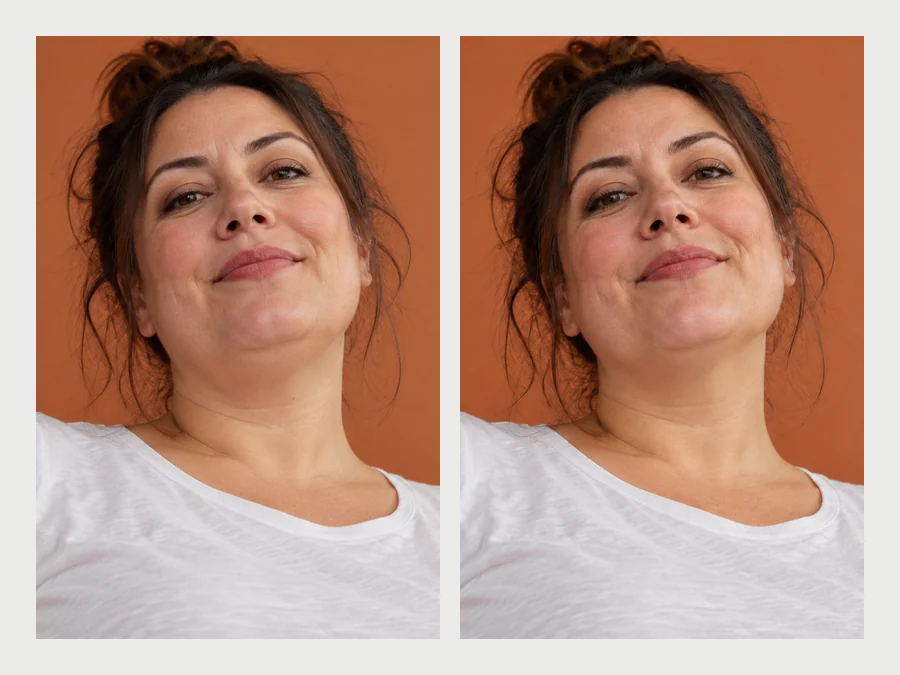
Many photo editor double chin tools slim the whole face or stretch the jaw until it looks like a filter. This one edits only the fold under the chin. Your smile, cheeks, skin texture, hair, earrings and the background stay pixel for pixel, so friends see the same photo, just without the angle that bothered you.
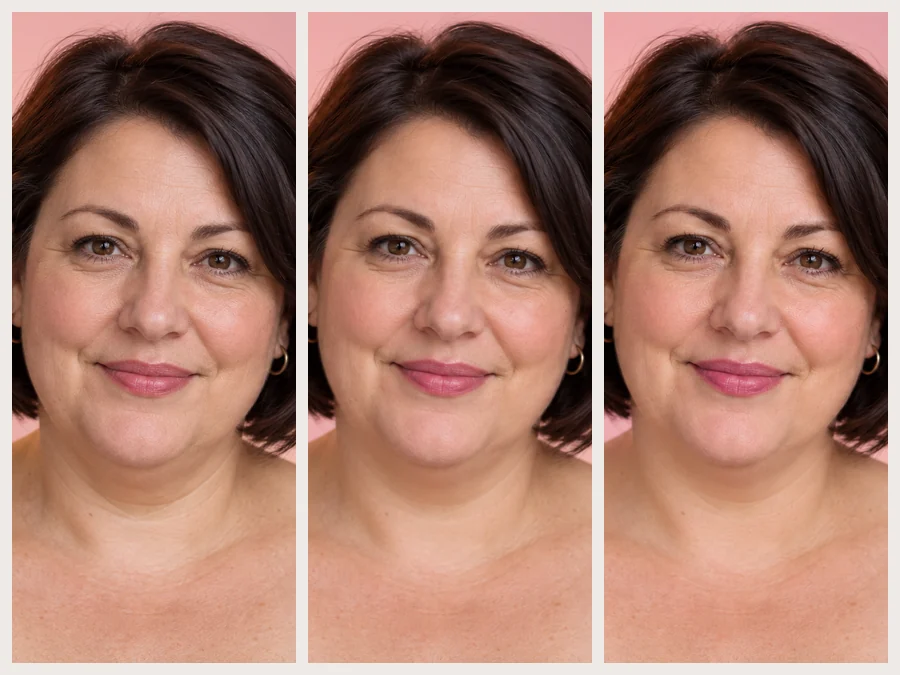
Not every photo needs the same amount of change. Subtle softens the fold a little, Natural gives a clean chin and neck line that still fits your face and build, and Noticeable goes further while staying realistic. Start low; most photos look best on Natural or below.
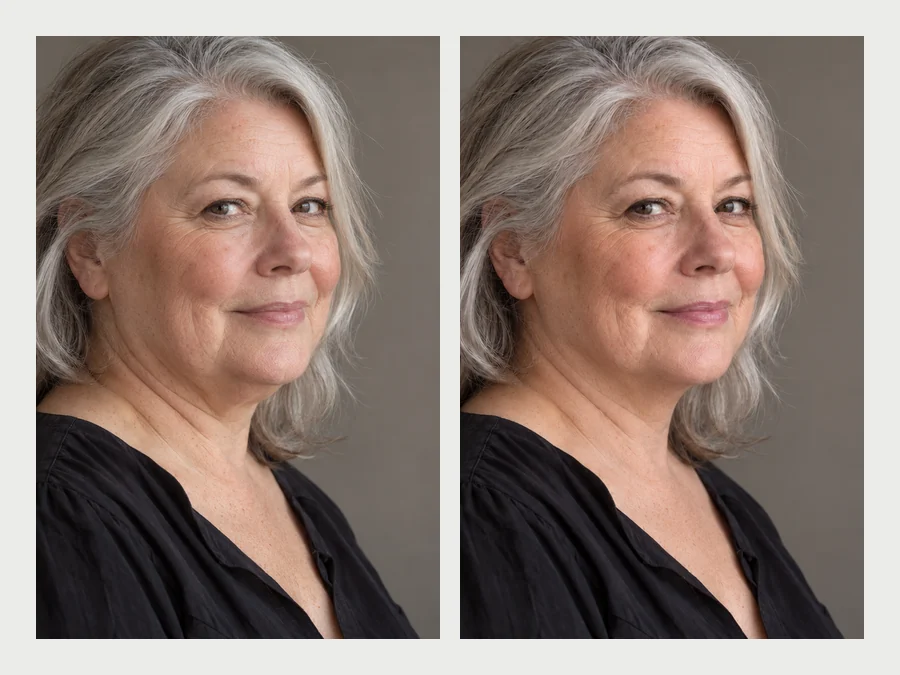
A double chin shows up most in the angles you do not control: a candid someone else took, a side profile, a low camera at a party. The AI handles profiles and tilted heads as well as straight-on selfies, and the low-angle fix redraws the chin as if the camera had been at eye level.
There is no app to download and no liquify brush to learn. It runs in the browser on iPhone, Android and desktop: upload, pick a preset, compare. Beards, stubble, jewelry and necklines are kept, and you can name or mark one person in a group photo so nobody else is touched.
Everyone gets a double chin from some angles. These camera habits help before you ever need an edit.
A phone held below the face folds the chin into the neck. Raise it to eye level or slightly above.
Photographers’ classic trick: move your head slightly forward and down. It feels odd, but it stretches the jaw line on camera.
Tilt the chin up a few degrees, not so far that the camera looks up your nose.
Long neck, relaxed shoulders. Slouching pushes soft tissue under the jaw and shows up in every photo.
Soft light slightly above eye level shades under the jaw and defines it. Light from below does the opposite.
Got the moment but not the angle? That is what a double chin remover is for: one subtle edit, not a reshoot.
The pictures that matter most are often the ones where you did not control the angle.
Candid shots from the reception, where the photographer was below you and nobody asked you to pose.
A clean chin line in a profile photo or team page without booking another session.
The low-angle selfie with the perfect light and the wrong chin. Keep the moment, lose the fold.
Mark one person in the group so only their chin changes and everyone else stays exactly as taken.
Photos a friend took from below at a viewpoint, a dinner or a concert.
The good pictures you skipped because of one small angle. Give them a second look.
Pair the chin edit with a jawline, a retouch or the full face editor.
How will I look with a nose job?
Open toolDefine, V-shape or square the jawline with the same natural approach.
Edit JawlineRemove blemishes, shine and under-eye bags while keeping real skin texture.
Retouch a PhotoEvery face edit in one place: smile, jawline, nose, makeup, teeth and skin.
Open Face EditorPreview a slimmer face and body with natural proportions.
Try ItWhat the AI changes, what it keeps, and how to get a natural result.
Upload the photo, pick a common photo preset such as Low-Angle Selfie or Side Profile (or choose what to refine and a strength yourself), and click Remove Double Chin. Compare the before and after, then step down to Subtle if you want a lighter touch.
You can try it free: new accounts get free credits when they sign up, which is enough to edit a few photos and judge the result. After that, each edit uses credits, shown on the button before you start.
No. The double chin picture remover is told to edit only the fold under the chin (plus the jaw edge if you choose Chin + jawline) and to keep your face shape, features, expression, skin, hair and build. It does not slim cheeks or reshape the jaw into a V.
The best app to remove double chin is the one that keeps the photo believable: it should edit only the chin, keep skin texture and beards, let you control the strength and work on side angles. This online tool does all four and runs in the browser, so you can compare it with any app you already use.
It works online, so there is nothing to install. Most people searching for a get rid of double chin app only need to fix one or two photos, and this page does that on iPhone, Android or a computer.
Yes. Pick Side Profile for three-quarter and profile shots, Low-Angle Selfie for photos taken from below, and Beard or Stubble to keep facial hair exactly as it is. Very blurry or heavily shadowed photos give the AI less to work with.
Yes. Brush over that person’s chin in the preview, or describe them in Extra details, for example "the man in the blue shirt". Without a mark or description, only the most prominent person is edited.
Usually because of the angle and posture, not your weight: a low camera, a head tucked back while laughing, slouching or light from below. Raise the camera to eye level, push your forehead slightly forward and lift your chin a little for your next photo.
Only edit photos of yourself or photos you have permission to edit, and ask before sharing an edited picture of someone else. Do not use edits to mislead people, for example in before-and-after ads for weight-loss or cosmetic products.
No. It is a photo edit that corrects how a chin looks in one picture. It is not a prediction of weight loss, a body change or a cosmetic procedure, and it is not medical advice.
Upload a picture and remove double chin from photo edits with a subtle, natural result.
Edited images are AI photo edits, not predictions of weight loss or cosmetic results. Only edit photos of yourself or photos you have permission to edit.