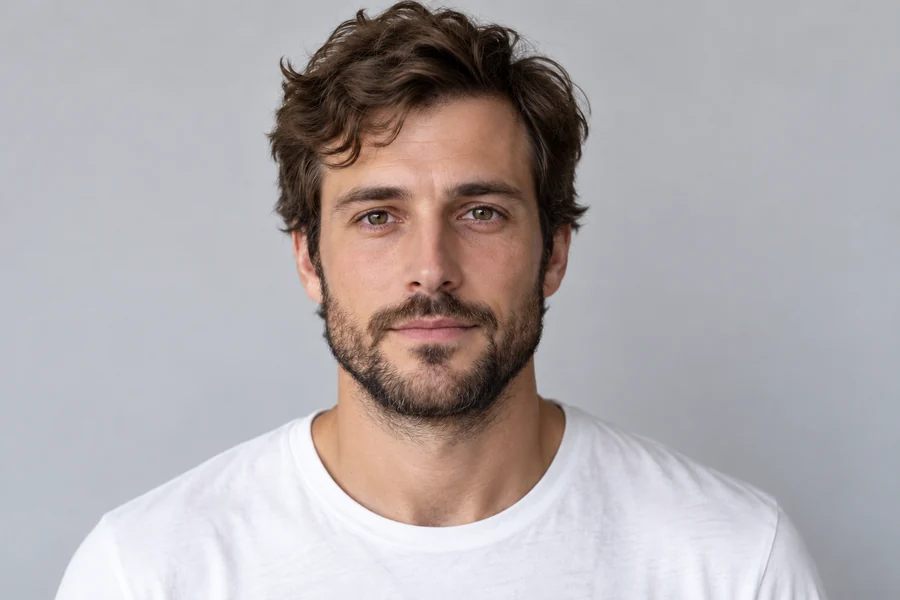
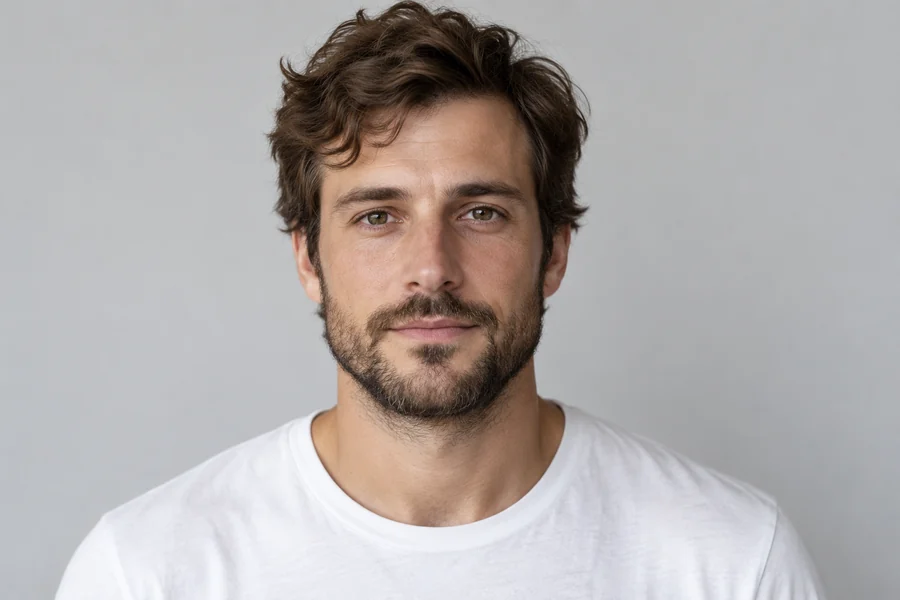
Natural Refine
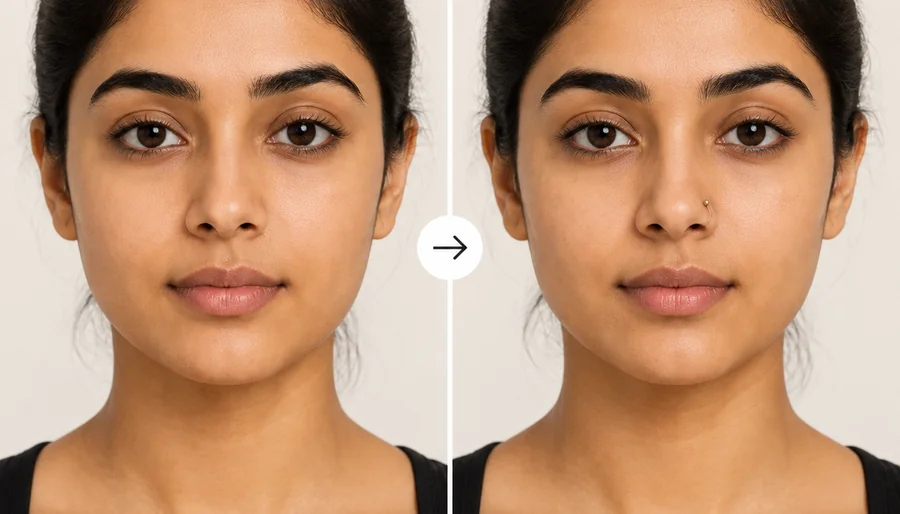
A balanced refinement: a slightly slimmer bridge and a more defined tip. On a quick look it is the same face; on a close look the nose reads cleaner.
Curious how a slimmer bridge, a smoother profile or a refined tip would look on you? Upload a selfie, pick one nose change and how strong it should be, and preview it on your own face. Only the nose changes; it is a visual preview, not medical advice.
Nose Change: Natural Refine · Strength: Natural
Reference example. It is not a result generated from your upload.
A nose job filter is an AI nose editor that shows how a different nose shape could look on your face. Instead of warping the middle of the photo like an old liquify tool, the nose shape AI reads your bridge, tip and nostrils, applies one change (a slimmer bridge, a smoother profile, a refined tip) and rebuilds the skin, highlights and shadows so the edit blends with the rest of your face.
People use it to answer one question: how will I look with a nose job? It is the simplest way to compare options on your own photo before a consultation, or just out of curiosity. Every nose is a good nose; this is a visual preview of an idea, not a promise of surgical results and not medical advice.
Drag each slider. Eyes, lips, skin and hair stay the same; only the nose is edited.
A balanced refinement: a slightly slimmer bridge and a more defined tip. On a quick look it is the same face; on a close look the nose reads cleaner.
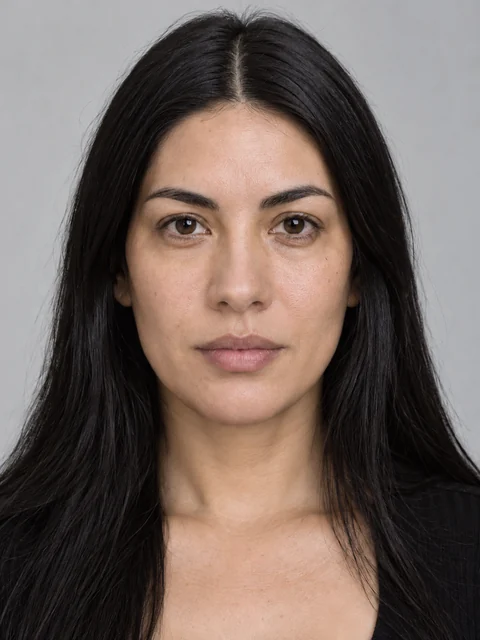
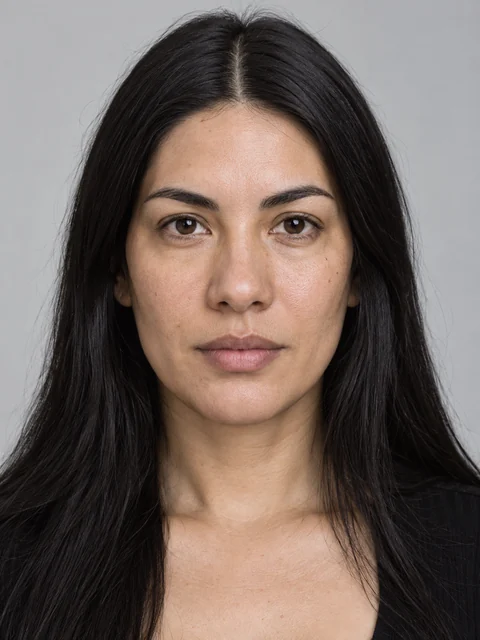
Subtle strength keeps the change to a few percent, the most realistic way to preview a small adjustment.
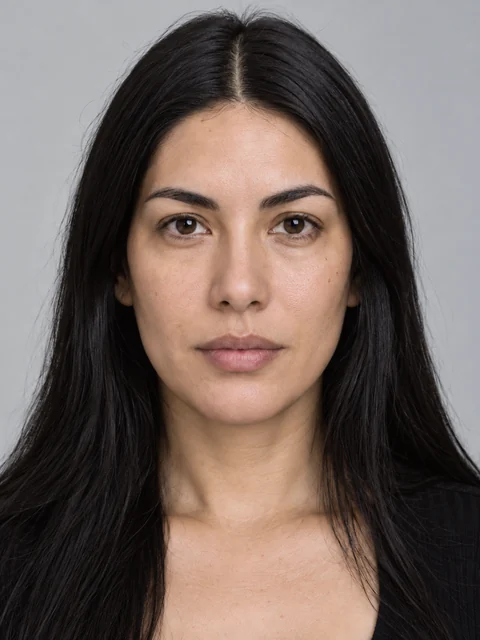
Noticeable strength shows a clearer change in width and tip definition while staying in proportion with the face.
Three steps in the browser, no editing skills and no app to install.
Add a JPG, PNG or WebP up to 10 MB with your nose in focus. A front-facing selfie works for width and tip; a side profile is best for the bump on the bridge.
Choose one of eight nose changes, such as Smooth the Bump or Refined Tip, then Natural, Subtle or Noticeable. Add a note to combine ideas or name the person in a group photo.
Generate 1 to 4 versions, drag the slider to compare with your original nose, and try another change to see which suits your face best.
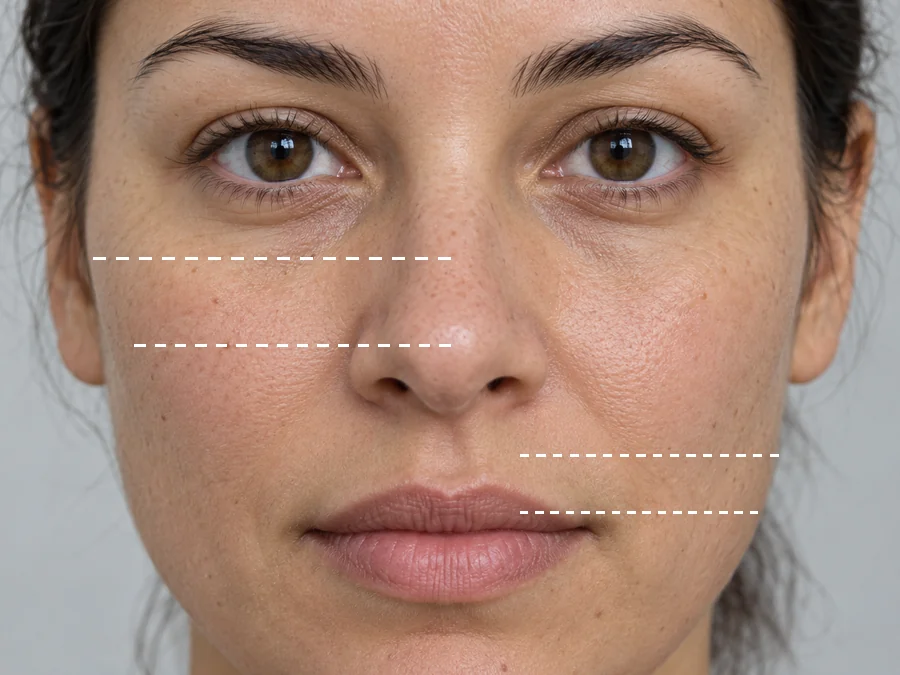
A real consultation talks about specific parts of the nose, not "make it better". The nose changer works the same way: slim the bridge, smooth a dorsal hump, straighten a nose that leans, refine or lift the tip, narrow the nostrils, or make the whole nose a little smaller. One change at a time keeps the preview honest.
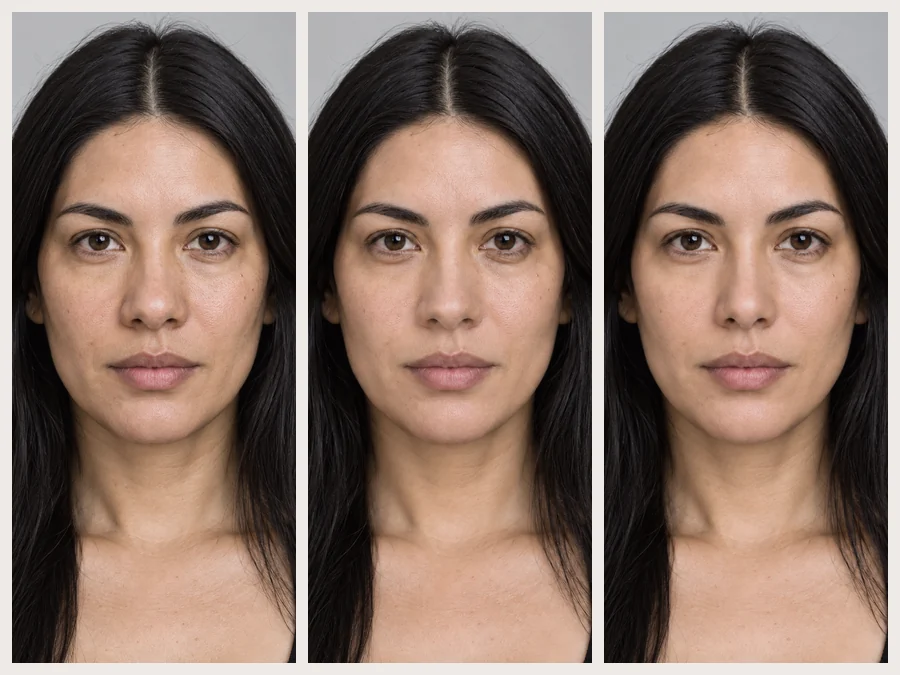
Most people are surprised by how small a change makes a difference. Start on Subtle to see a few percent, move to Natural for a moderate refinement, and use Noticeable only to compare a bigger idea. The AI nose job never goes extreme or doll-like.
Eyes, brows, lips, skin tone, makeup and expression are kept exactly as they are, and the edited nose keeps your pores, highlights and the light of the photo. That is what makes nose editing believable: you see your face with one difference, not a filtered stranger.
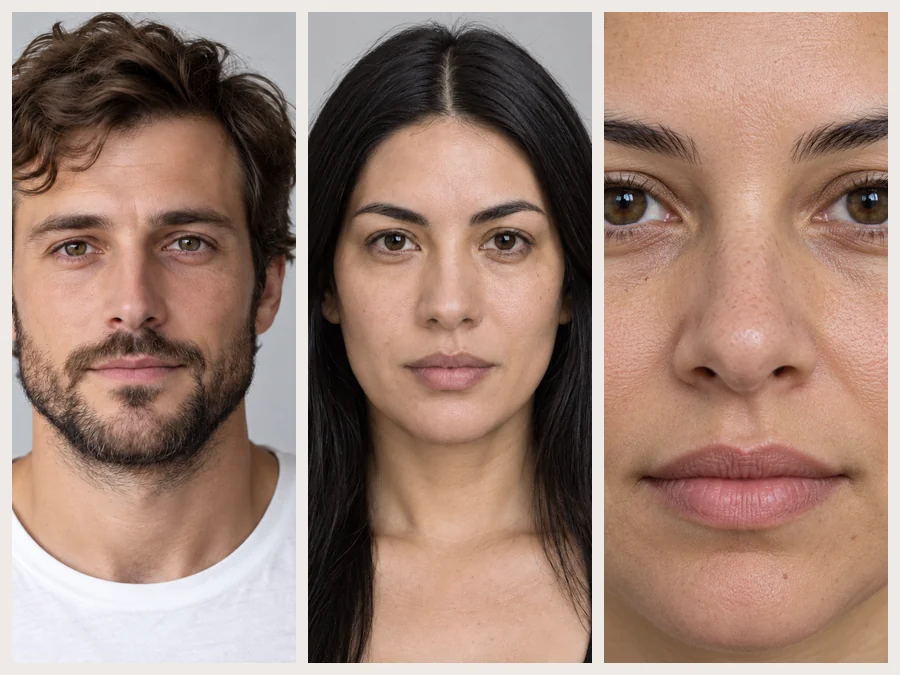
Try it on a selfie, a dating photo or a professional headshot, from the front or in profile, and generate up to four versions at once. Comparing a few nose edits side by side is far more useful than imagining them in a mirror.
Eight ways to reshape nose details in a photo, and the photo that shows each one best.
| Nose change | What changes | Best photo to use |
|---|---|---|
| Natural Refine | Slightly slimmer bridge, more defined tip, nostrils in proportion | Front-facing selfie |
| Slimmer Bridge | Width of the bridge from the front | Front-facing, even light |
| Smooth the Bump | A bump on the bridge becomes a straight profile line | Side profile |
| Straighten | A nose that leans to one side lines up with the face | Straight-on, head level |
| Refined Tip | A round or wide tip becomes narrower and more defined | Front or three-quarter view |
| Lifted Tip | The tip points very slightly upward | Side profile or three-quarter view |
| Narrower Nostrils | Width of the nostrils and the base of the nose | Front-facing, chin level |
| Smaller Nose | The whole nose, slightly smaller in proportion | Front-facing selfie |
Procedure names differ between clinics. A preview shows a look, not what is surgically possible for you; only a qualified surgeon can advise on that.
The photo you upload decides how useful the preview is.
Width and tip read best from the front; a bump on the bridge only shows in profile.
Harsh side light or strong contour makeup changes how a nose looks before any edit.
Phones held close make noses look bigger. Step back and zoom in a little for a truer starting point.
Small changes look the most natural. Compare Subtle and Natural before you try Noticeable.
A private, low-pressure way to look at an idea on your own face.
Bring a few previews to show what you like, then let a qualified surgeon tell you what is realistic for you.
Answer "how will I look with a nose job?" privately, without committing to anything.
Generate several versions and compare a slimmer bridge, a refined tip and a smaller nose side by side.
See which nose shape you want to suggest with contour before you practice the technique.
Explore nose shapes for a character, a cosplay plan or a mood board from a reference photo.
Understand your proportions, or preview another feature.
Define, V-shape or soften the jawline with natural, adjustable strength.
Edit JawlineA full face report: face shape, symmetry, apparent age and features that suit you.
Analyze My FaceFind out whether your face is oval, round, square, heart or diamond shaped.
Detect Face ShapeAll face edits in one place: smile, jawline, nose, makeup, teeth and skin.
Open Face EditorWhat the nose editor changes, how far to trust it, and what it costs.
Upload a clear selfie, pick a nose change such as Slimmer Bridge or Refined Tip, choose Natural strength and generate. You will see your own face with that one change. Try a few changes and strengths to compare ideas, ideally with both a front photo and a side profile.
It shows a realistic-looking idea, not a medical prediction. Real results depend on your anatomy, skin, healing and the surgeon’s plan, none of which a photo can show. Use the preview to talk about what you like, and rely on a qualified surgeon for what is possible.
Yes. This one is free to try with the free credits you get when you sign up, so you can preview a few nose changes before deciding whether to use more credits. Each generation shows its credit cost on the start button.
You do not need to download anything. The nose job filter runs in the browser on iPhone, Android and desktop, so you can upload a photo from your camera roll and preview right away.
Yes. Choose Smooth the Bump and upload a side profile, where the bridge line is visible. A front photo shows a bump much less, so the change will be harder to judge from the front.
It is told to change only the nose and keep your eyes, brows, lips, face shape, skin tone, makeup and expression. If anything else drifted, generate again or add a note such as "keep my lips exactly as they are".
Pick the main change in the presets and describe the rest in the note, for example "Refined Tip, and narrow the nostrils slightly". Keep combinations small; two changes at Subtle or Natural look far more realistic than several at Noticeable.
It can help start a conversation about what a patient likes, but it is not a surgical planning tool and does not account for anatomy. Treat the result as a mood board, not a treatment plan or a promise.
Only edit photos of yourself or photos you have permission to edit, and never share an edited face to mock, mislead or pressure someone. The tool is intended for adults exploring their own appearance.
A sharp, well-lit photo where the face fills a good part of the frame, without sunglasses, hands or hair over the nose. Take it from a little farther away and zoom in, because close-up phone selfies make noses look wider.
Upload a selfie, pick a nose change and a strength, and compare a natural preview with your original.
Nose job filter results are AI photo previews, not medical advice and not a prediction of surgical results. Only edit photos of yourself or photos you have permission to edit.