
Wink Filter – Turn Any Photo Into a Wink Pic
Upload a selfie, choose a wink style and which eye, and the AI closes one eye the way a real wink does: the lid folds, the cheek lifts and the brow dips on that side. Add a smile, a big grin or a tongue-out face, while your face, hair and background stay the same.
Wink Style: Classic Wink · Which Eye: Auto
Output Number
Example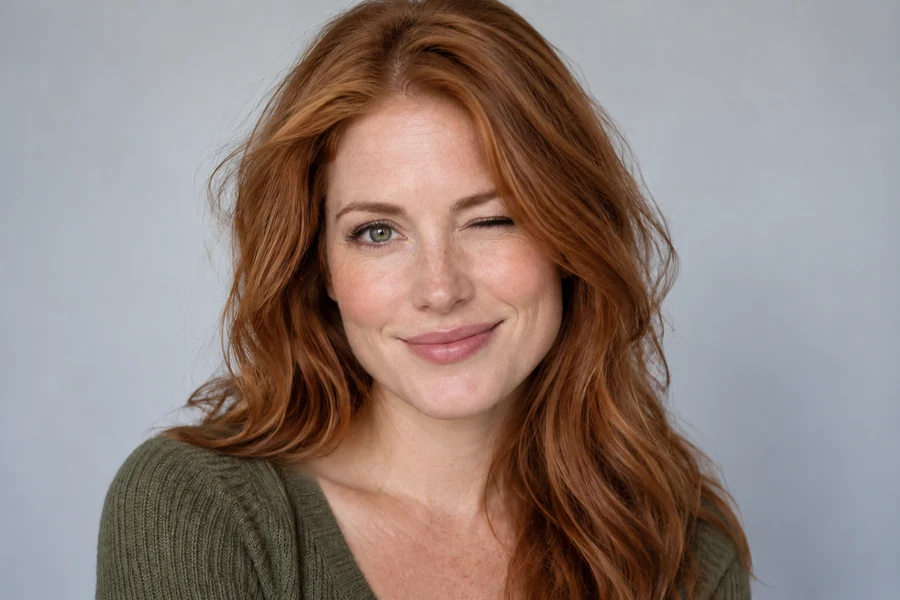
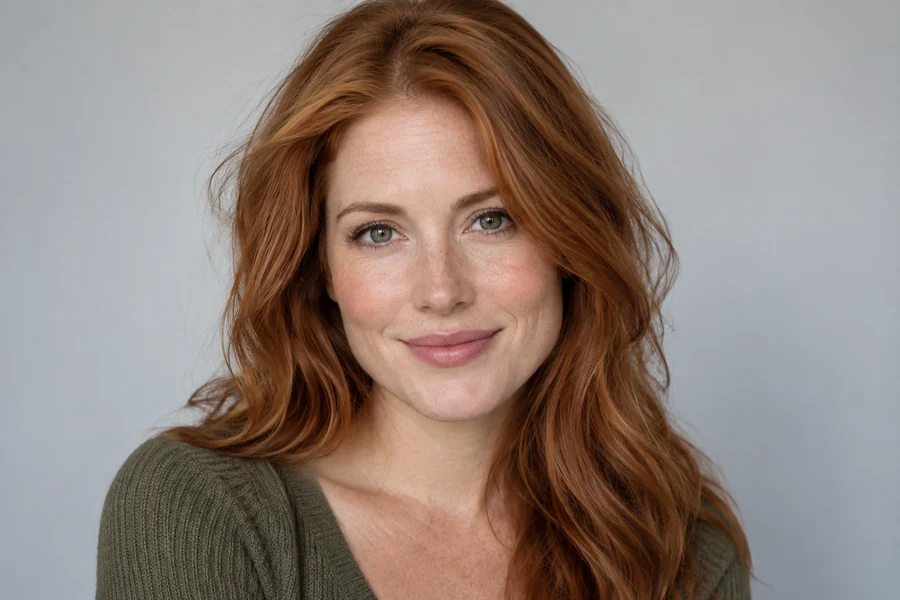
Reference example. It is not a result generated from your upload.
What Is a Wink Filter?
A wink filter turns an ordinary photo into a wink pic after it was taken. Rather than painting a closed eye over the old one, the AI rebuilds the wink the way a face really makes it: one eyelid folds down, the cheek on that side lifts and the brow dips, so the photo wink looks caught in the moment, not stuck on. Pick a plain wink or pair it with a smile, a big grin, a tongue-out face or an air kiss.
You also choose which eye winks, or let the AI pick the side that suits your head angle. Your identity, eye color, skin texture, hair, glasses and background stay the same. Use it to make playful profile pictures, reaction images of winking for chats and comments, stickers and thumbnails, all from a selfie you already have and without an app to install.
Images of Winking Made With the Wink Filter
A few wink pics from everyday selfies. Tap a card to load that wink style in the workspace.
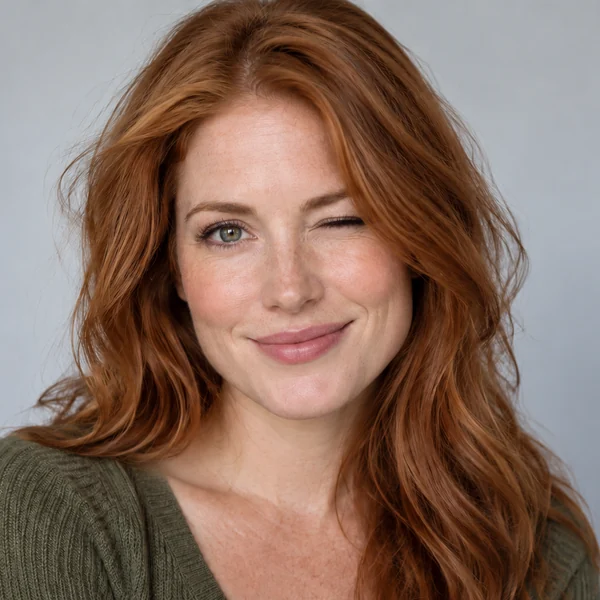
Wink + Smile
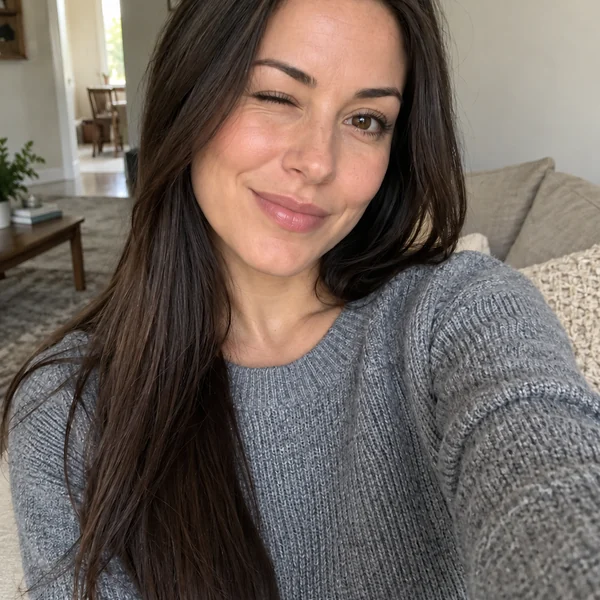
Cheeky Wink

Wink + Big Grin
How to Make a Wink Pic in 3 Steps
From a normal selfie to an image wink in your browser. No editing skills and nothing to download.
Upload a Clear Photo
Add a JPG, PNG or WebP up to 10 MB where both eyes are open and visible. Selfies, headshots and group photos all work.
Pick a Wink and an Eye
Choose a wink style, from Classic Wink to Wink + Tongue Out, then pick Their Left Eye, Their Right Eye or Auto. Name the person in the note for group shots.
Generate and Download
Create up to 4 versions, drag the slider to compare with the original, and save the wink pic you like best.
Why Use This AI Wink Filter
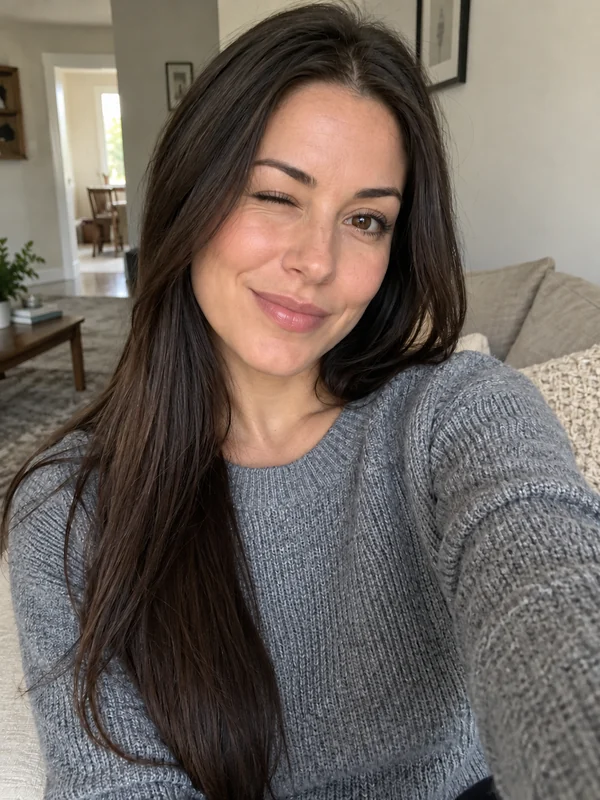
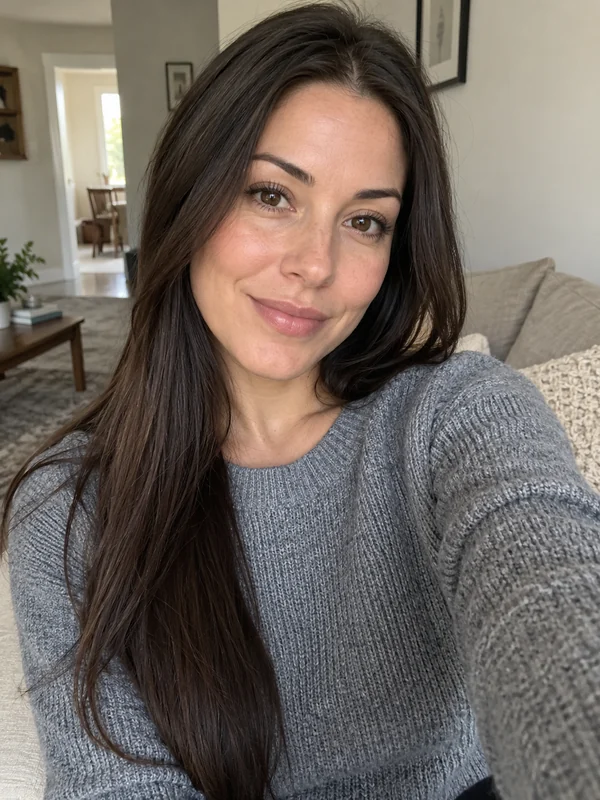
A Real Wink, Not a Pasted Eye
A wink moves more than one eyelid. The AI folds the lid, lifts the cheek and lowers the brow on the winking side, and keeps the open eye exactly as it was, so the photo wink reads as natural even up close.
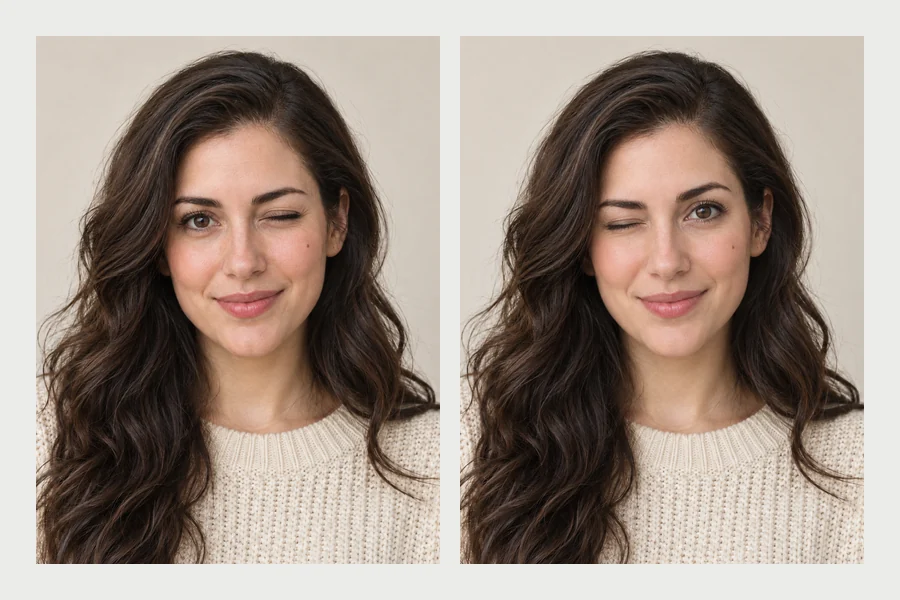
Choose Which Eye Winks
Pick their left eye, their right eye, or Auto. The labels follow the person in the photo, not the screen, so “Their Left Eye” is the eye on the right side of the picture. Auto chooses the side that suits the head angle and light.
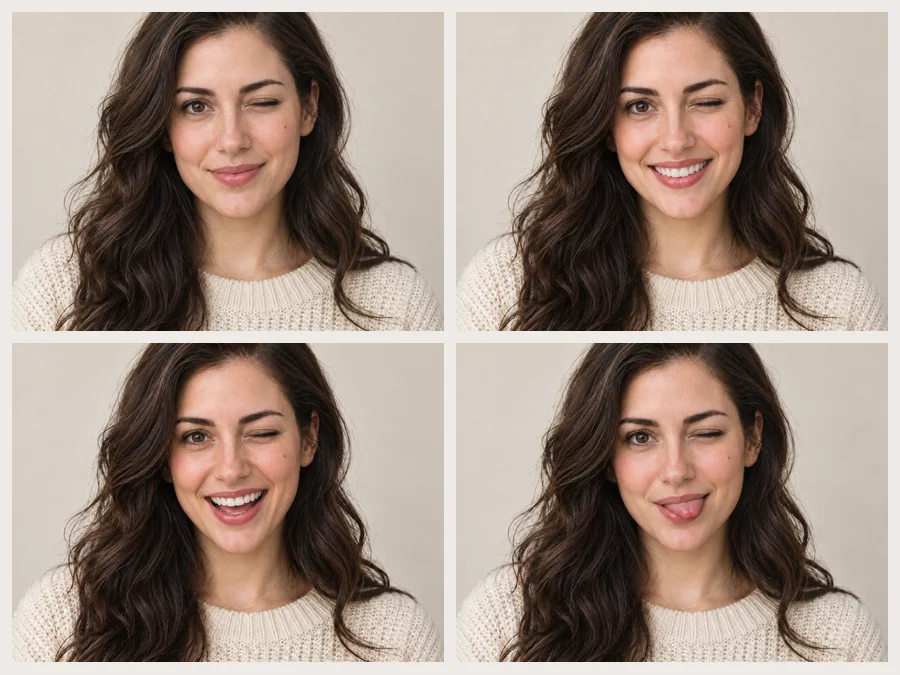
Wink Plus Any Expression
A wink rarely comes alone. Combine it with a soft smile, a big grin, a laugh, a sly half smile, a tongue-out face or an air kiss, and the mouth, cheeks and eyes change together like one real expression.

Wink Pics for Profiles, Stickers and Memes
A wink makes a profile picture, avatar or thumbnail feel more playful and personal. Make a few wink pics, turn your favorite into a sticker, or keep a set of images of winking ready as reactions for chats and comments.
What People Make With a Winking Filter
Small change, big personality. These are the most common ways people use a wink pic.
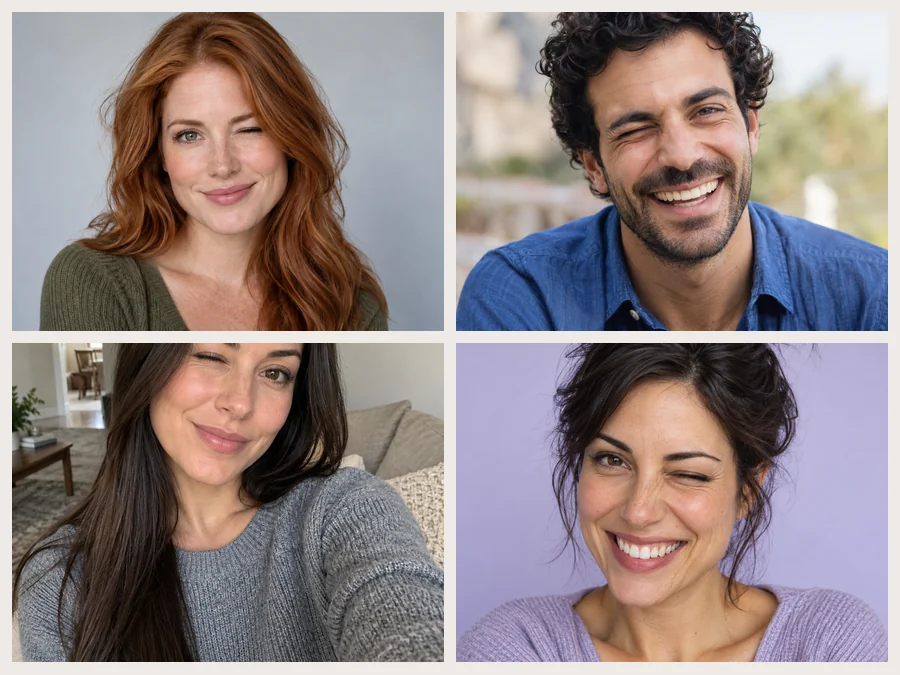
Profile Pictures
A wink adds warmth and humor to a profile photo on social apps, forums and gaming accounts.
Reaction Images
Make your own images of winking to reply with in chats, comments and group threads.
Stickers and Emojis
Cut the wink pic out as a sticker for messaging apps or a custom emoji for your community.
Thumbnails and Posts
A cheeky wink on a thumbnail or cover image hints at a joke, a secret or a tip.
Tips for a Natural Image Wink
A good starting photo makes the wink look effortless.
Both Eyes Visible
Use a photo where both eyes are open, sharp and not hidden by hair or sunglasses.
Even Light on the Face
Soft light keeps the closed lid and lashes detailed; hard shadows can hide the fold of the eyelid.
Pick the Eye on Purpose
For a three-quarter view, winking the eye nearer the camera usually reads best. Or leave it on Auto.
Match the Mood
A classic wink suits a headshot; a laughing or tongue-out wink suits a candid or a meme.
More Ways to Change an Expression
Pair the wink with other face edits, or fix the eyes first.
Smile Filter
Add a subtle, toothy or laughing smile to any photo without a wink.
Try itOpen Closed Eyes
Someone blinked by accident? Open both eyes with their own eye shape and color.
Try itFacial Expression Changer
Thirty expressions in five moods: happy, surprised, playful, serious and sad.
Try itAI Sticker Maker
Turn your new wink pic into a die-cut sticker for chats and laptops.
Try it
Wink Filter FAQ
Answers to common questions about making a wink pic with AI.
Upload a photo with both eyes open, choose a wink style and an eye, and generate. The AI closes one eye naturally and keeps everything else in the photo. Create 2 to 4 versions to pick the most natural wink.
Yes. Pick Their Left Eye or Their Right Eye in the Which Eye tab. The labels follow the person in the photo, so their left eye is on the right side of the picture as you look at it. Auto lets the AI choose the side that looks most natural.
The AI rebuilds the closed lid, the lashes, the lifted cheek and the dipped brow together, which looks far more natural than drawing a line over the eye. Sharp, front-facing photos give the best image wink; very small or blurry faces are harder.
Yes. Choose Wink + Smile, Wink + Big Grin, Laughing Wink, Cheeky Wink, Wink + Tongue Out or Wink + Air Kiss. For a smile without a wink, use the smile filter instead.
Yes. Write who should wink in Extra details, for example “only the woman in the middle”. Without a note the AI may add a wink to more than one face.
The wink filter closes one eye on purpose. If someone blinked by accident and you want both eyes open, the open closed eyes tool is built for that and keeps their real eye shape.
It is free to try: new accounts get free credits when they sign up, enough for your first wink pics. After that each generation uses credits, shown on the Start button.
A sharp, well-lit photo where the face is reasonably large and both eyes are open and visible. Avoid sunglasses, hair over the eyes and heavy beauty filters.
Only edit photos you have the right to use, and ask before sharing an edited picture of someone else. Keep it friendly: do not use a wink pic to put words or intentions into someone’s mouth.
Add a Wink to Your Favorite Selfie
Upload a photo and make a wink pic with your free sign-up credits: classic, cheeky, laughing or with a grin.