
Virtual Lipstick Try-On – Lipstick Colour Changer for Any Photo
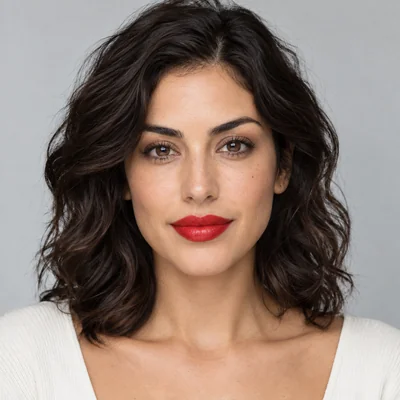
Find your shade before you buy it. Upload a selfie, pick a lipstick color, a finish and a lip style, or type any shade you like, and the AI repaints only your lips with realistic texture and shine. Your lip shape, teeth, skin and the rest of your makeup stay the same.
Shade: Classic Red · Finish: Matte · Lip Style: Full Color
Output Number
Example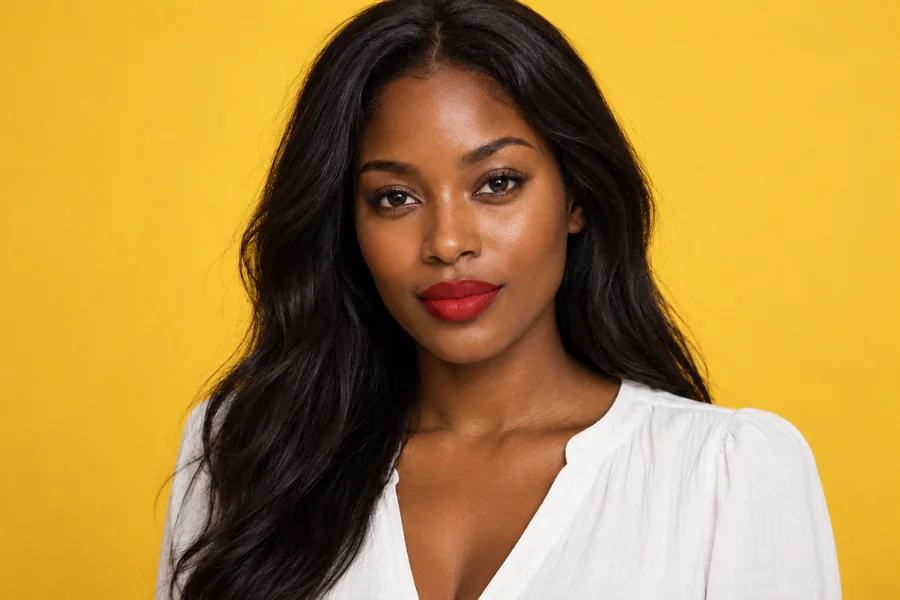
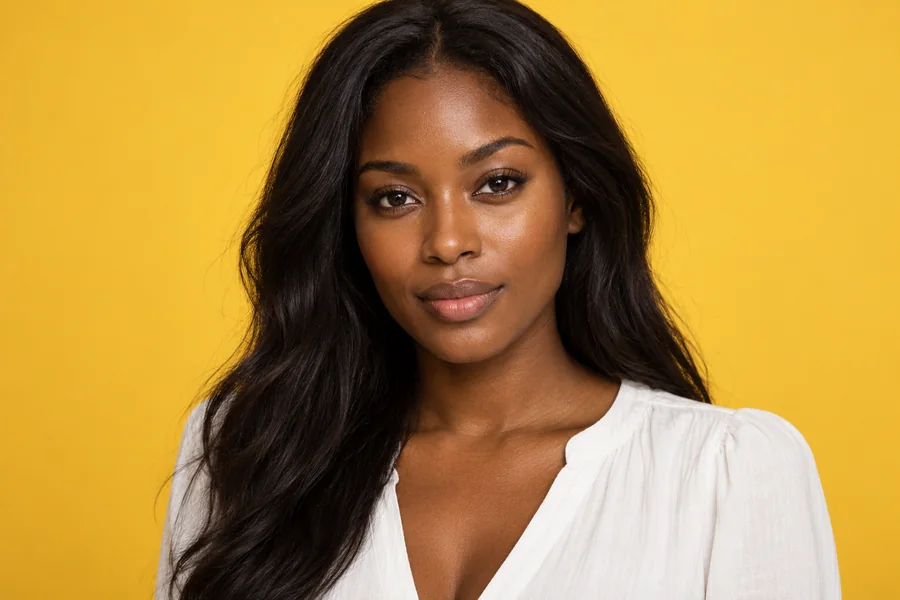
Reference example. It is not a result generated from your upload.
What Is a Lipstick Colour Changer?
A lipstick colour changer repaints the lips in a photo so you can see a shade on your own face before you buy it. Instead of laying a flat tint over the mouth like a basic lipstick filter, this AI follows your lip line, keeps the natural lines and texture of your lips, and renders the finish with the light of your photo, so a matte red looks velvety and a gloss catches real highlights.
Pick from twelve shades, from classic red, wine and berry to rose pink, nude and caramel, choose matte, satin, gloss or metallic, and decide between a full, blurred, lined or sheer lip. Or type any shade name or hex code. It is the easiest way to change lipstick color in a selfie, compare a few options side by side and try lip color online without a lipstick app or a makeup counter.
Lipstick Shades on One Face
The same face, eight lipstick colors. Tap a card to load that shade.
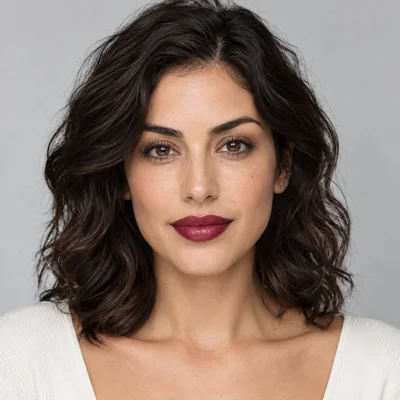
Wine
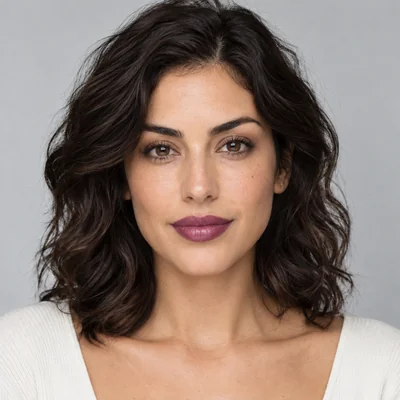
Plum
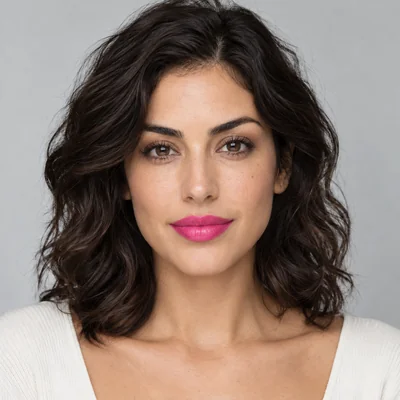
Hot Pink
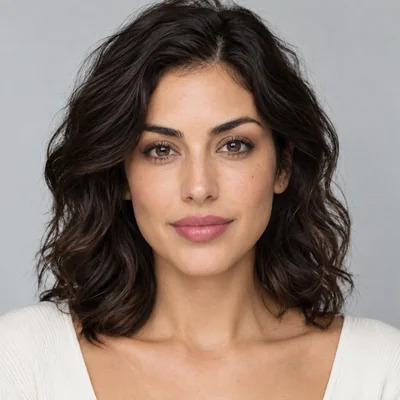
Rose Pink
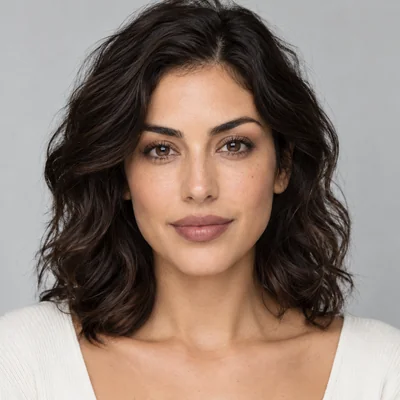
Mauve
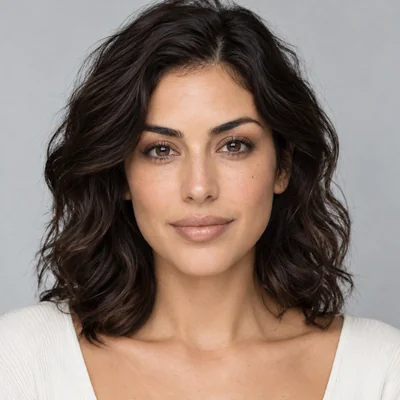
Nude Beige
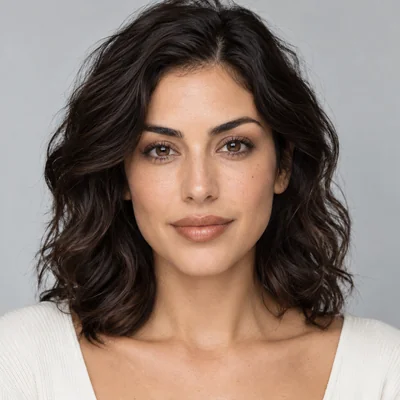
Caramel Nude
How to Change Lipstick Color in a Photo
A lipstick edit in three steps, in your browser on any phone or computer.
Upload a Selfie
Add a JPG, PNG or WebP up to 10 MB where your lips are visible and in focus. A smile with teeth is fine.
Pick Shade, Finish and Style
Choose a shade such as Classic Red or Mauve, a finish from matte to metallic, and a lip style. Or type any color in Custom Shade.
Generate and Compare
Create up to 4 versions, drag the slider to compare with your bare lips and save the shade you love.
Why Use This Lipstick Filter
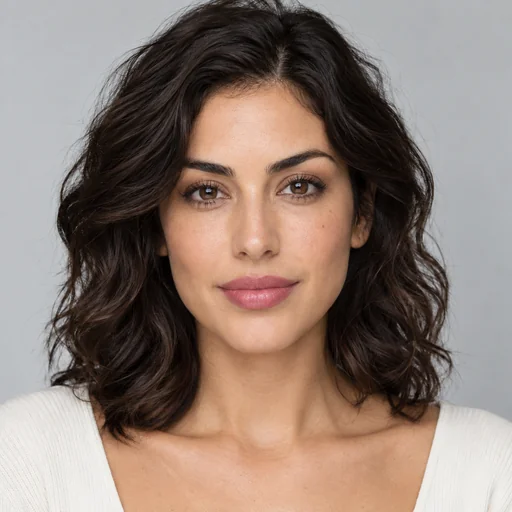
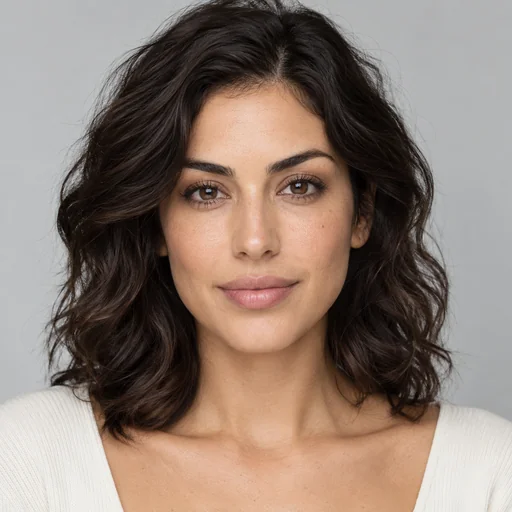
Only Your Lips Change
The AI repaints the lips and nothing else: no fuller lips, no reshaped mouth, no whiter teeth. Your lip lines, texture and the light on them stay, so you see how the lipstick would really look on you.
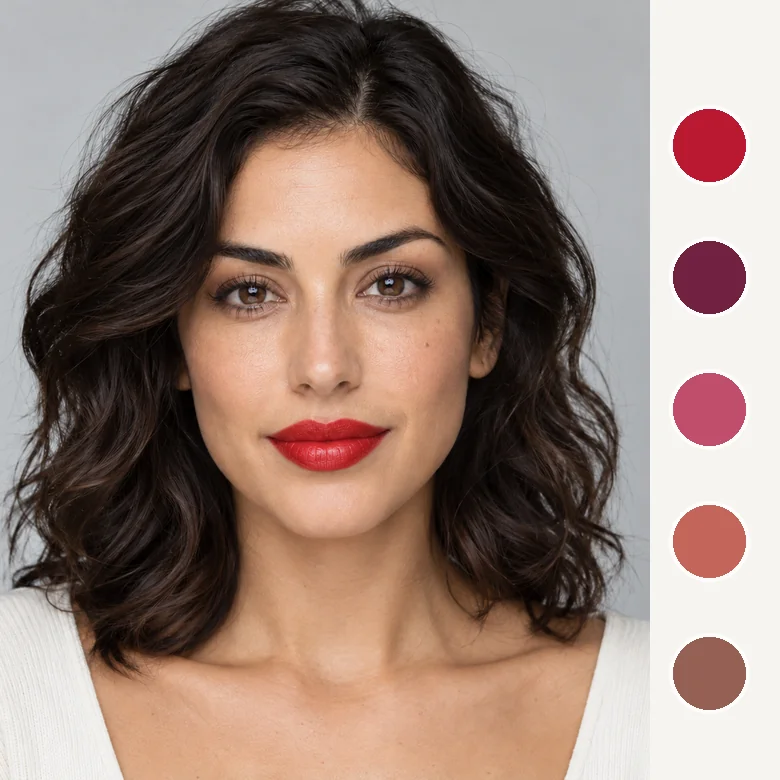
Twelve Shades or Any Color You Name
Reds, pinks, berries, nudes, browns, coral and even black are one tap away. Looking for one specific shade? Type its name or hex code in Custom Shade and the lipstick colour changer matches it.
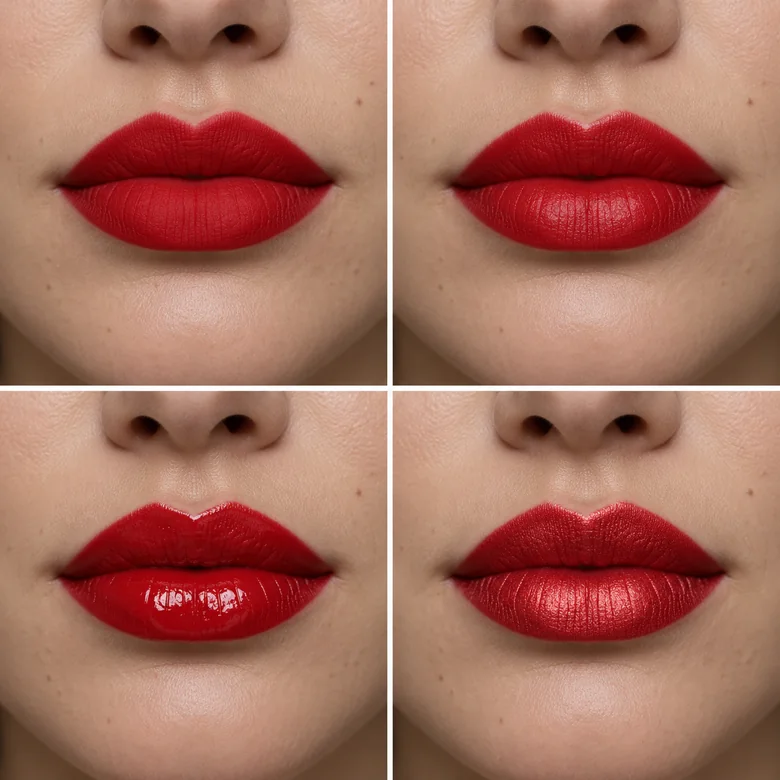
Matte, Satin, Gloss or Metallic
Finish changes a shade more than you think. Compare a velvety matte with a glossy version of the same color, or try a sheer tint and a blurred gradient lip for a softer look.
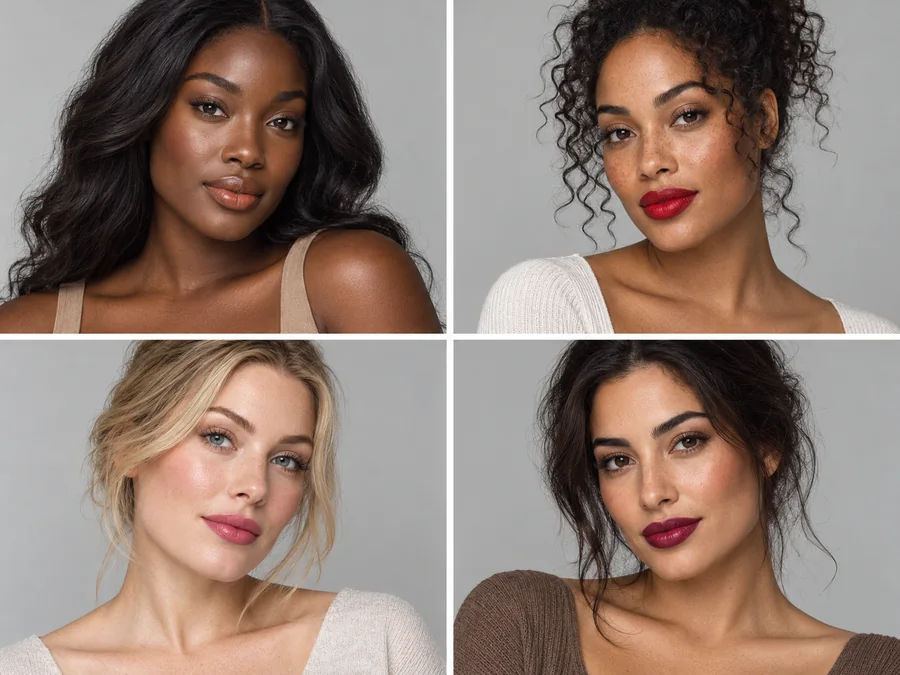
Shades That Suit Every Skin Tone
The AI keeps your skin tone exactly as it is and lays the color on your lips with the right depth, so you can judge whether a warm brick or a cool berry flatters you, not a model.
Which Lipstick Color Suits Your Undertone?
A quick starting point. Then try the shades on your own photo and trust what you see.
| Undertone | How to tell | Shades to try first |
|---|---|---|
| Cool | Veins look blue or purple; silver jewelry looks best | Classic Red, Berry, Plum, Hot Pink, Rose Pink |
| Warm | Veins look greenish; gold jewelry looks best | Coral, Brick, Caramel Nude, orange-leaning reds |
| Neutral | A mix of both; silver and gold both work | Mauve, Rose Pink, Classic Red, Nude Beige |
| Olive | A green-grey cast to the skin | Brick, Berry, Wine, deeper roses |
Undertone guides are general rules of thumb, not strict rules. Lighting and the rest of your makeup change how a shade looks.
When to Use a Virtual Lipstick Try-On
Before you spend money, or just for fun.

Before Buying a Lipstick
Test a shade online first and skip the swatches on the back of your hand.
Event and Wedding Makeup
Choose the lip color for a wedding, prom or holiday party together with your outfit.
Selfies and Posts
Give a favorite selfie a bold red or a soft nude without redoing your makeup.
Makeup Artists and Brands
Show a client or customer a shade on their own photo, with their permission.
Tips for a Realistic Lipstick Edit
A good photo makes every shade look true to life.
Use Daylight
Window light shows color most accurately; warm bulbs make every lipstick look orange.
Keep Lips in Focus
Sharp, uncovered lips give the AI a clean lip line to follow.
Compare Two Finishes
Try your favorite shade in matte and in gloss. It can feel like two different lipsticks.
Type the Exact Shade
Have a lipstick in mind? Describe it or paste its hex code in Custom Shade.
More Makeup Tools
Build the rest of the look around your new lip color.
AI Makeup Generator
Complete looks from natural to bridal, with lips, eyes and skin together.
Try itBold Glamour Filter
Full glam: contour, smoky eyes, lifted lashes and a glossy lip.
Try itLip Filler Filter
Curious about fuller lips? Preview lip shapes separately from color.
Try itGothic Filter
Black lips, dark liner and a full goth look, from goth lite to Victorian.
Try itTeeth Whitening
A brighter smile makes a red lipstick pop. Whiten teeth naturally.
Try itAI Face Editor
Every face tool in one place: expressions, makeup, teeth and face shape.
Explore
Lipstick Try-On FAQ
Common questions about trying lipstick colors on your photos.
Upload a selfie, choose a shade, a finish and a lip style, and generate. The lipstick colour changer repaints only your lips and keeps everything else. Create 2 to 4 versions to compare shades.
Yes. Type the shade in Custom Shade: a description such as “cool-toned brick red”, a hex code such as #b0306a, or both. The swatch colors on screen and in real life vary, so treat the result as a close preview.
No. Only the color changes; the lip shape, size and natural lines stay. To preview fuller lips, use the lip filler filter, which is a separate tool.
Yes. Your skin tone is kept exactly as it is, and the lipstick is rendered with the right depth on your lips. That is the point: you see how a shade looks with your complexion.
No. This lipstick edit runs in your phone or desktop browser, so there is no lipstick app to install. Try lip color online, save the result and share it.
Choose Nude Beige with a Sheer Tint for a barely-there lip, or write “natural bare lips, no lipstick” in Custom Shade.
It is free to try: new accounts get free credits when they sign up, enough for your first shades. After that each generation uses credits, shown on the Start button.
Yes. The teeth, tongue and gums stay untouched; only the lips are repainted. Very small faces or lips covered by a hand or a cup give weaker results.
Only edit photos you have the right to use and ask before sharing an edited picture of someone else. Do not present edited lips as an unedited product result.
Find Your Lipstick Shade Before You Buy
Upload a selfie and try the lipstick colour changer with your free sign-up credits: any shade, any finish, only your lips.