
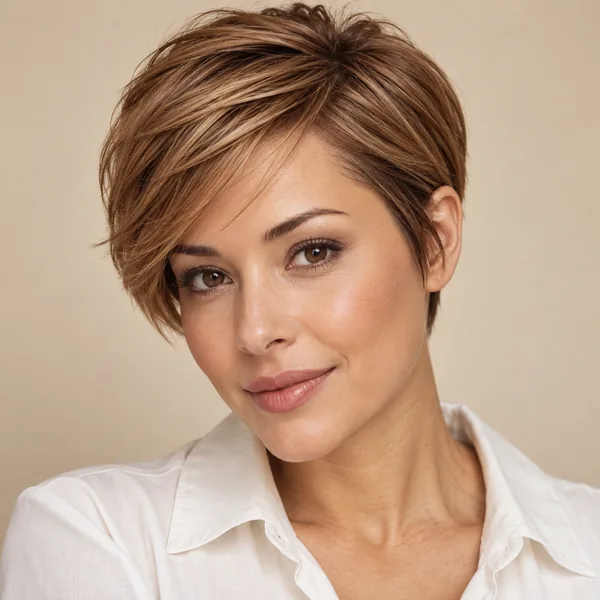
Pixie Cut Filter How Would I Look With a Pixie Cut?
Upload one clear photo, choose a classic, side-swept, curly, undercut, or long pixie, or a pixie in a new color, and the pixie cut AI changes only your hair. See the big chop on your own face before the scissors come out.
Output Number
Example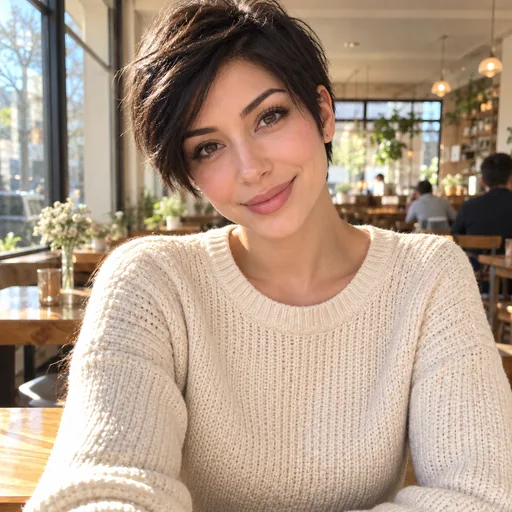

Reference example. It is not a result generated from your upload.
What Is a Pixie Cut Filter?
A pixie cut filter is an AI photo effect that cuts the hair in your picture into a pixie, the short, cropped style that sits close at the nape and ears with a little length on top, while your face stays exactly the same. Upload one selfie and the pixie cut AI reads your hairline, head shape, and lighting, removes the extra length, and rebuilds your neck, ears, and shoulders, so the preview looks like a real photo of you after the chop.
It is the quickest way to answer "how would I look with a pixie cut?", "how would I look with pixie cut hair?", or "how would I look with pixie haircut styles at all?" without cutting anything. Try on pixie hairstyles from a classic or side-swept pixie to a curly, asymmetrical, undercut, or long pixie, add a platinum, copper, or ash blonde color, and compare the results on one photo. Every result is a preview of the look, not a promise of how your real hair will sit after the cut.
What Would I Look Like With a Pixie Cut? 8 Looks to Try
From sleek to spiky, natural to platinum. Tap a look to load it in the pixie cut simulator above.
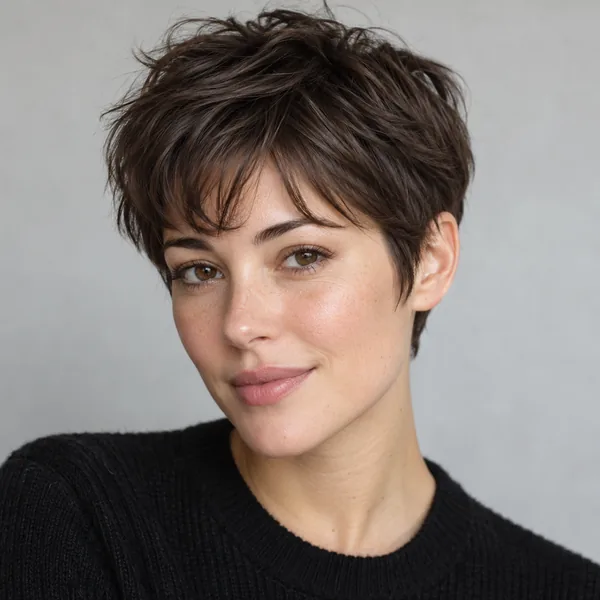
Pixie With Wispy Bangs
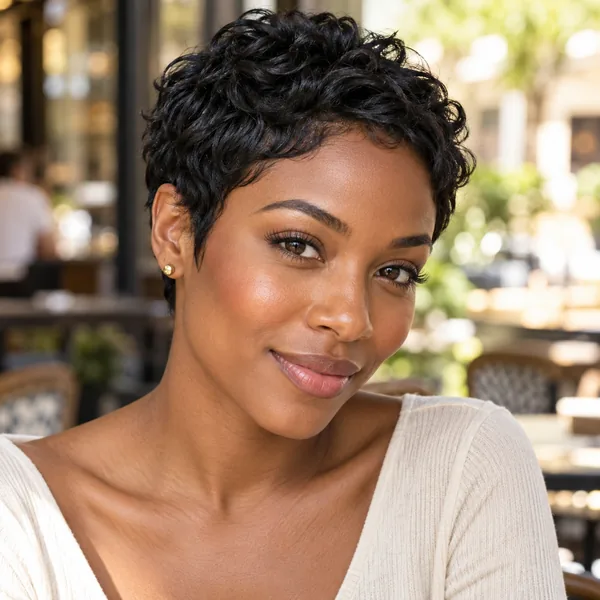
Textured Pixie
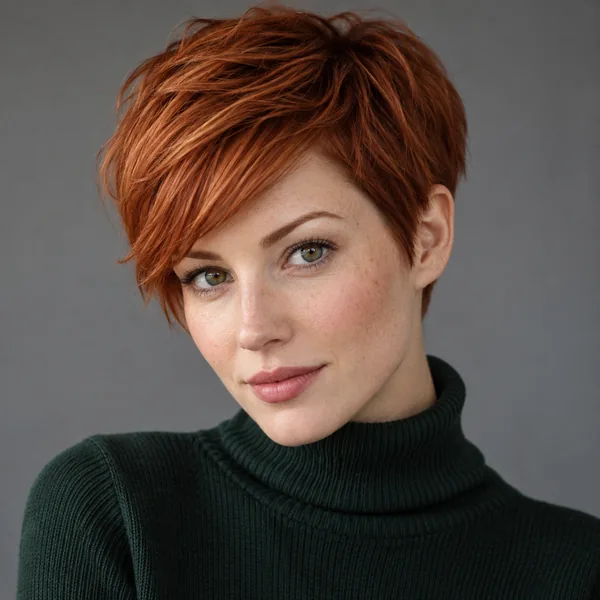
Copper Pixie
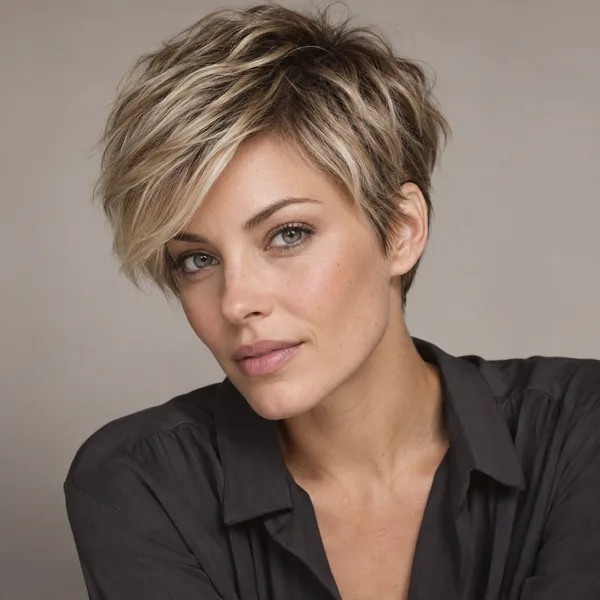
Ash Blonde Pixie
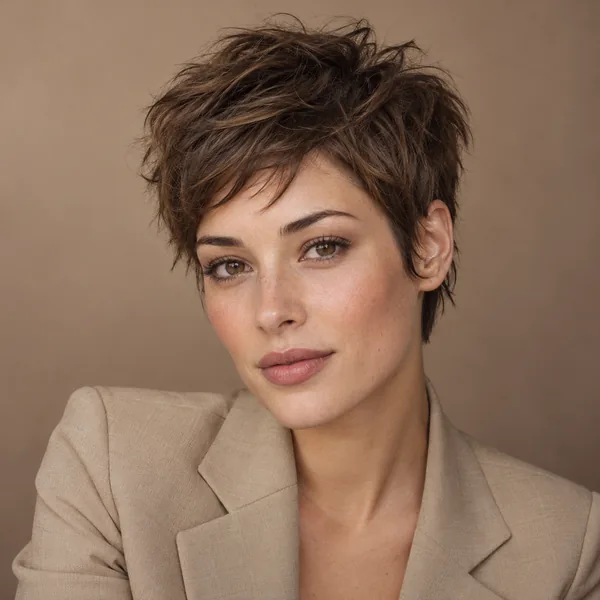
Messy Pixie
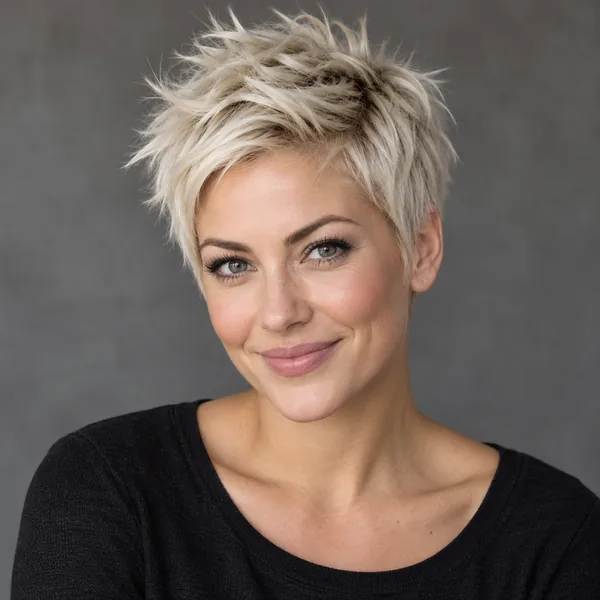
Platinum Spiky Pixie
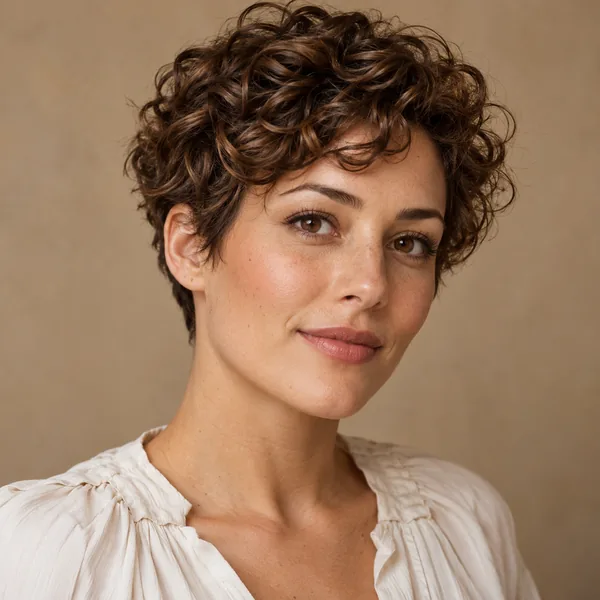
Curly Pixie
What Will I Look Like With a Pixie Cut? Find Out in 3 Steps
No app to install and no editing skills needed: the pixie cut filter runs in your browser.
Upload a Clear Photo
Use a front-facing, well-lit photo with your face and hairline visible. Long hair can be down or tied back; the AI removes it either way. JPG, PNG, or WebP up to 10 MB.
Pick a Pixie
Open Pixie Cuts for the shape (classic, bangs, side-swept, long, asymmetrical, curly, undercut, or bixie) or Pixie + Color for a cut and a new shade together. Unsure? Choose Best Pixie for My Face.
Generate and Compare
Create up to four previews, put them next to your original photo, and save the pixie you would actually book. Bring it to your stylist so the length and fringe are clear.
Why Use This Pixie Cut Simulator
A pixie leaves nowhere to hide. These details make the preview honest.
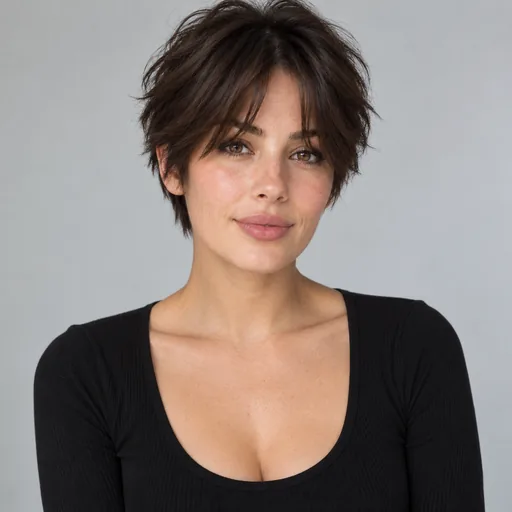
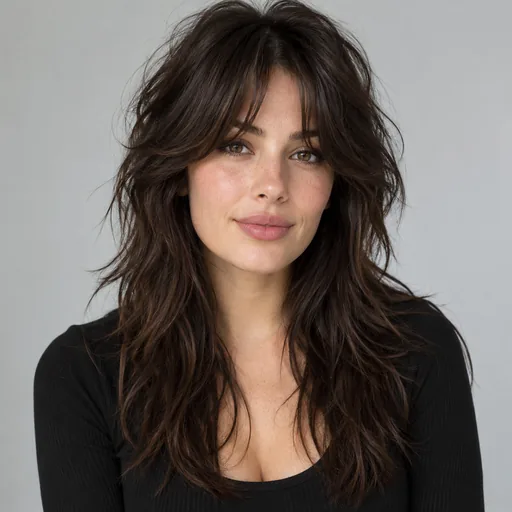
Pixie Cut AI That Keeps Your Face
Only the hair changes. Your eyes, brows, skin tone, makeup, earrings, and clothes stay exactly as they were, and the neck and ears the long hair used to cover are rebuilt from your real photo. The result reads like you after a haircut, not a stock model with your face.
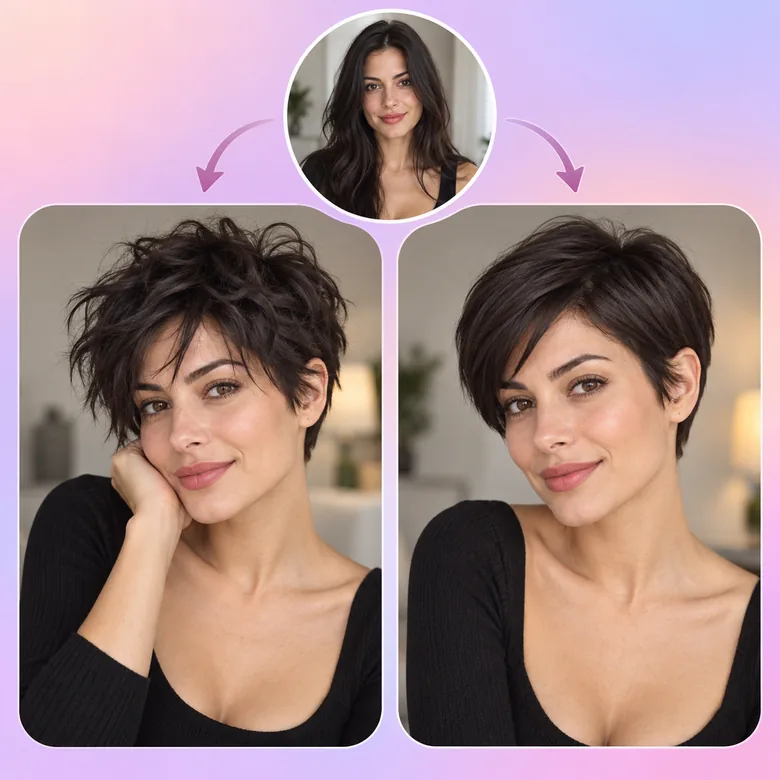
Try On Pixie Hairstyles Side by Side
Run the same photo through a textured pixie, a messy pixie, a sleek side-swept pixie, and an asymmetrical one. Lined up together, they show how much length on top flatters your face and whether a fringe helps or hides it.
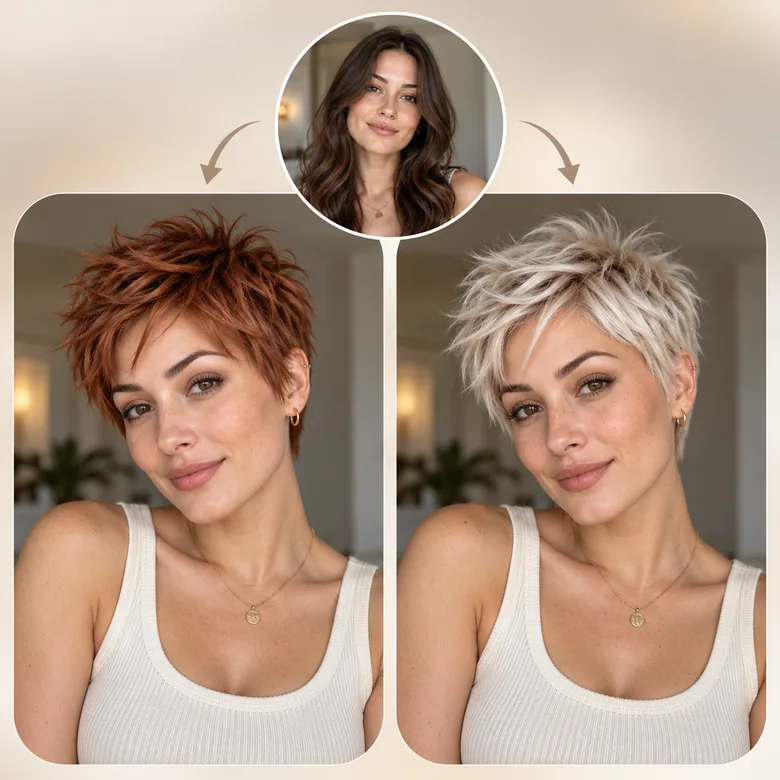
Platinum, Copper, or Silver: Color Your Pixie Too
Short hair is the easiest length to go bold. Pixie + Color pairs the cut with platinum, ash blonde, honey, caramel, copper, auburn, silver, or jet black, so you can preview the full change in one step instead of two.
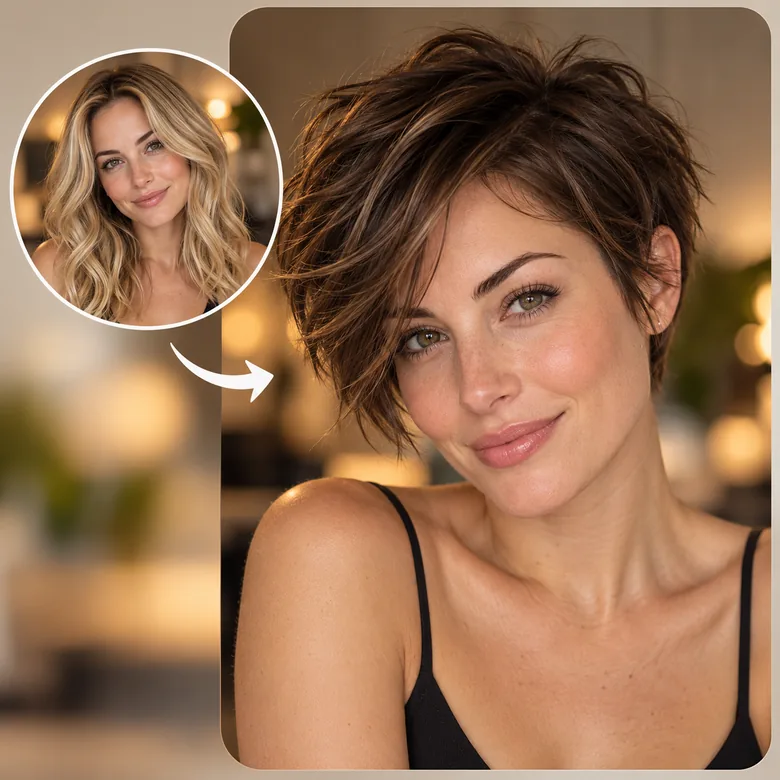
Long Hair to Pixie in One Preview
Going from shoulder-length or longer to a pixie is the biggest cut there is, and growing it back takes a year or more. Seeing the long pixie or the classic version on your own face first takes most of the fear out of the decision.
Which Pixie Cut Suits My Face Shape?
A starting point before you pick a preset. Then preview two or three of them on your own photo.
| Face shape | Pixies to try | Why they work | Go easy on |
|---|---|---|---|
| Oval | Classic pixie, undercut pixie, curly pixie | Balanced features carry the shortest cuts | Heavy bangs that hide the face |
| Round | Asymmetrical pixie, long pixie with height, side-swept pixie | Height and angles lengthen the face | Flat, rounded crops with full bangs |
| Square | Long pixie, pixie with wispy bangs, curly pixie | Soft texture balances a strong jaw | Blunt, geometric fringes |
| Heart | Side-swept pixie, bixie, pixie with bangs | A fringe narrows the forehead; length at the sides balances the chin | Lots of volume only at the crown |
| Oblong | Pixie with bangs, bixie, curly pixie | Bangs and side volume shorten a long face | Tall, spiky tops |
| Diamond | Side-swept pixie, long pixie, bixie | Softness at the forehead and jaw balances the cheekbones | Slicked-back, tight styles |
Hair texture, cowlicks, and how you style it matter as much as face shape. Pick Best Pixie for My Face to let the AI choose.
When to Try a Pixie Cut Online First
A pixie takes minutes to cut and months to grow out. Preview it first.
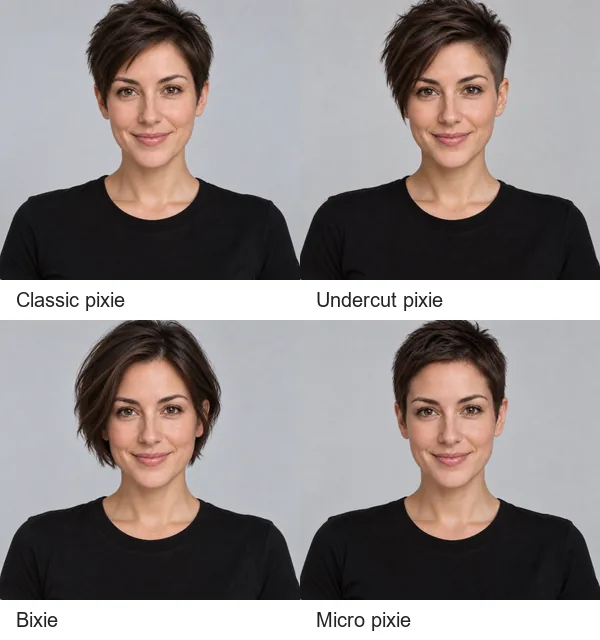
Before the Big Chop
Check whether you love the pixie on your own face before cutting off years of length.
Pixie or Bixie?
Compare a true pixie with the softer, longer bixie and see which one you would wear every day.
Showing Your Stylist
A photo of you with the exact pixie explains the fringe, sides, and length on top.
Low-Maintenance Hair
See if a wash-and-go crop works for workouts, heat, or busy mornings before you commit.
After Hair Donation or Hair Loss
Planning to donate your hair or growing back after thinning? Preview a flattering short shape.
Fun and Characters
Plan a pixie for cosplay, a role, or a game character, or just see yourself with a bold new look.
Tips for a Realistic Pixie Cut Preview
Better photos give a more honest answer to "how will I look with a pixie cut?"
Face the Camera
A straight-on photo shows your hairline, ears, and jaw, the areas a pixie reveals.
Use Even Light
Soft daylight helps the AI match the uncovered neck and ears to your skin tone.
Keep Your Neck in Frame
Long hair hides your neck and collar. Leaving them in the shot gives the AI real detail to rebuild.
Skip Hats and Heavy Filters
Hats and beauty filters hide the head shape a short cut depends on.
Start With One Person
Single-person photos give the most consistent pixie; try group shots afterwards.
Be Specific in Custom
Name the details, such as "long pixie with curtain bangs" or "curly pixie, keep my color".
Plan Your Short Haircut
Tools that help you decide between a pixie and other short cuts.
Short Hair Filter
Pixies, bobs, bixies, crops, fades, and buzz cuts for women and men on one page.
Open toolBob Haircut Filter
Not quite ready for a pixie? Try a chin-length, French, A-line, or long bob first.
Open toolWhat Hairstyle Suits Me?
Get AI haircut suggestions for your face before you choose a pixie.
Open toolFace Shape Detector
Find out whether your face is oval, round, square, heart, oblong, or diamond.
Open tool



Pixie Cut Filter FAQ
Answers to common questions about trying a pixie cut on your photo.
Upload a clear, front-facing photo, choose a pixie such as Classic Pixie or Pixie With Bangs, and generate. The pixie cut filter removes the extra length and rebuilds your neck and ears, so you see a realistic version of yourself with short hair. Compare two or three pixies for the fullest picture.
Pick Best Pixie for My Face and the AI chooses the pixie that suits your features, or use the face shape table above as a starting point. The face shape detector and What Hairstyle Suits Me tools can analyze your photo first if you want a second opinion.
Choose Curly Pixie to keep your curl pattern, or a long pixie or bixie for more weight on top. Thick, curly, coily, and wavy hair all work; the AI fills in everything the long hair covered.
Yes, that is exactly what the pixie cut simulator is for. It edits only the hair in your own photo, so you can judge the length, fringe, and color on your face, not on a model with different features.
Yes. Pixie + Color pairs the cut with platinum, ash blonde, honey blonde, caramel, copper, auburn, silver, or jet black. For anything else, such as pastel pink, describe it in Custom.
A pixie is short at the nape and around the ears with a little length on top. A bixie (pixie bob) is longer, ear-length and layered, which makes it a softer step if a true pixie feels too short.
Yes. Anyone can try it, and short hair works too: the AI reshapes the cut into the pixie you choose. For classic men’s short cuts such as fades and crops, the short hair filter has a dedicated men’s group.
It is free to try: new accounts get free credits when they sign up, which cover your first pixie previews. After that, each preview uses credits.
It is a realistic preview, not a guarantee. Real results depend on your hair density, cowlicks, growth pattern, and your stylist. Use the preview to choose a direction, then talk it through at the salon.
Your own photos, or photos of adults who agreed to it. Do not upload pictures of minors or other people without permission. Uploads are used only to create your preview.
Ready to See Yourself With a Pixie Cut?
Upload a selfie and try a classic, curly, long, or platinum pixie with the pixie cut filter. Free to try with sign-up credits.