
PFPMaker Review & the Best PFPMaker Alternatives (Free to Try)
PFPMaker review: what pfpmaker.com does, which parts are free and what you pay for, how its AI headshots work, plus the best PFPMaker alternatives in 2026.
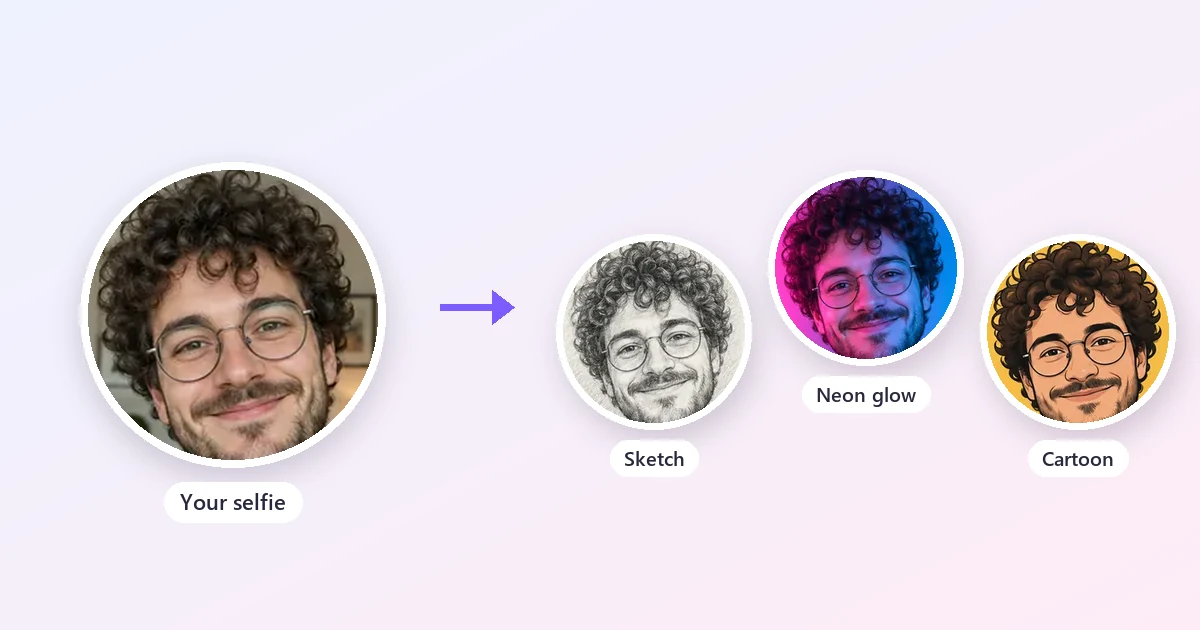
Short answer: PFPMaker is a well-known online profile picture maker. Its classic free editor cuts you out of a photo and drops you onto dozens of colorful backgrounds, frames, and borders, and the newer AI side makes realistic headshots and lifestyle "photoshoots" from your selfies, paid with credits (headshot packs start from US$9 as of October 2026). It is a solid choice for a clean professional or social PFP. If you want stylized avatars instead (anime, 3D cartoon, pixel art, neon, pop art), or you prefer pay-as-you-go credits across more tools, the best PFPMaker alternative is the EzImgMaker PFP Maker, with the AI Headshot Generator for professional photos and free browser tools for cropping and resizing.
This PFPMaker review explains what the pfpmaker.com profile picture maker does today, what is free and what costs money, its strengths and limits, and how to make a standout profile picture with other tools.
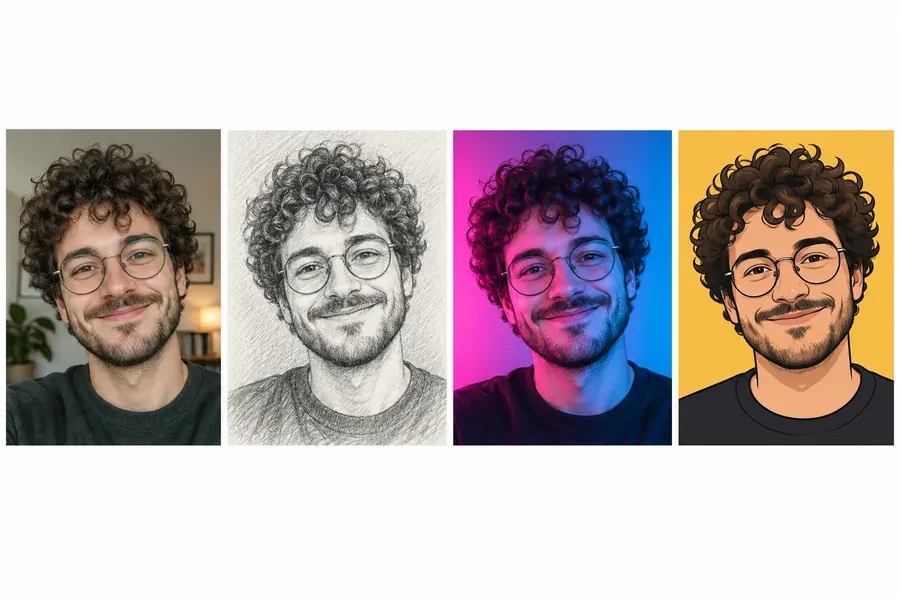
PFPMaker at a Glance
| PFPMaker | |
|---|---|
| What it is | Online profile picture maker and AI photo studio for selfies and portraits |
| Where it runs | Web app at ai.pfpmaker.com, works on phones, tablets, and desktop browsers |
| Free part | Classic editor: background removal, creative, gradient, color and photo backgrounds, borders and frames |
| Paid part | AI headshots (400+ styles), AI photoshoot looks, AI photo edits, filters (credits) |
| Price | AI headshot packs from US$9 (as of October 2026) |
| Uploads | JPG or PNG (5 MB on the classic tool; up to 10 MB per selfie for AI headshots) |
| Best for | A clean professional or social profile picture made from your own photo |
What Is PFPMaker?
PFPMaker began as a single, very focused idea: upload any photo, let an AI background remover cut you out, and get dozens of ready-made profile picture designs with different colors, shadows, and backgrounds, plus a matching background cover for your social pages. It became popular for Discord, YouTube, Instagram, TikTok, and gaming accounts, and for headshots on resumes and email signatures. You will sometimes see it typed as "pfmaker"; the site is pfpmaker.com.
Today PFPMaker presents itself as a "professional and creative AI photoshoot" studio and says it has more than 18 million users. Next to the classic editor you will find:
- AI headshots in 400+ styles (outfits, backdrops, poses, and expressions for corporate, LinkedIn, doctor, realtor, actor, and other looks)
- AI photoshoots with lifestyle settings such as a café, home office, or window-light portrait
- A selfie editor with AI background, object replace and recolor, accessory remover, relighting, unblur, color correction, camera angle, and mirror-selfie cleanup
- Beauty, style and try-on, aesthetic filters, pet filters, and branding tools, plus extras like a cartoonizer, emoji maker, laser eyes, passport photo, an attractiveness test, a face shape detector, and LinkedIn and resume summary generators
How PFPMaker Works
The classic free PFP maker
- Upload a JPG or PNG (up to 5 MB). A clear, well-lit photo where your head is not cut off by the frame gives the cleanest cutout.
- PFPMaker removes the background and generates a set of profile picture designs.
- Pick one, adjust colors, shadows, and other settings, and download your profile picture and matching cover.
PFPMaker AI headshots
- Upload the selfies the app asks for. PFPMaker explains that several views of your face help the AI keep results realistic and consistent.
- Choose outfits, backdrops, poses, and expressions from the style library.
- Generate and download high-resolution headshots in square, portrait, story, or landscape formats. PFPMaker says results are ready in about 20 seconds.
PFPMaker Pricing: What Is Free and What Is Not (October 2026)
| Feature | Cost |
|---|---|
| Classic editor: background removal, color, gradient and photo backgrounds, borders, frames | Free to use ("Try for free, no credit card needed") |
| AI headshots | Credit packs from US$9; PFPMaker quotes about 3 credits per polished headshot and 240 credits in popular bundles |
| Other AI edits and filters | Use credits |
PFPMaker compares its headshots with a studio shoot ("US$9 per ~100 headshots" versus US$150 to US$600 for one or two studio headshots, by its own estimate). The exact pack sizes are shown in the app, and prices can change, so check pfpmaker.com before you buy.
PFPMaker Pros and Cons
What PFPMaker does well
- The free editor is genuinely useful. For a cut-out-on-a-color-background PFP, you may never need to pay.
- Very easy. Upload, pick, download; there is little to learn.
- Professional focus. Hundreds of headshot styles cover most industries, and the export sizes fit LinkedIn, Instagram, Stories, and slides.
- Many people-photo tools in one place, from relighting to accessory removal.
- Clear privacy notes for the classic tool: uploads used only for background removal and deleted every 24 hours.
Limits to weigh
- The good stuff costs credits. AI headshots and AI edits are paid, so "PFPMaker free" really means the classic editor.
- Realistic rather than artistic. The emphasis is on photos that look like you. If you want an anime, 3D, pixel-art, or neon avatar, other tools have more choice.
- Background removal can struggle with busy, low-contrast photos (PFPMaker itself recommends a high-contrast, well-lit photo).
- Several selfies may be needed for the best headshot likeness.
Who Should Use PFPMaker?
PFPMaker suits job seekers, professionals, and teams who want a clean, realistic headshot without booking a photographer, and anyone who wants a quick free cut-out profile picture with a colorful background. It is less suited to gamers, streamers, and creators who want a stylized avatar that stands out in a crowded feed.
Best PFPMaker Alternatives
| Tool | Best for | Styles | Free option | Pricing (as of Oct 2026) |
|---|---|---|---|---|
| EzImgMaker PFP Maker | Stylized avatars from a selfie | 30+ presets: anime, 3D cartoon, pixel art, watercolor, cyberpunk, neon, glitch, pop art, initials, frames | Free credits when you sign up | Credit packs |
| EzImgMaker AI Headshot Generator | LinkedIn, CV, and team headshots | Corporate, LinkedIn, studio, outdoor, creative, actor and more, with outfit and background choices | Free credits when you sign up | Credit packs |
| EzImgMaker browser tools | Cropping and resizing a PFP | Circle crop, Discord and WhatsApp sizes | Free in your browser, no upload | Free |
| Canva | Designing a PFP with text, shapes, and templates | Profile picture templates in a full design editor | Free plan | Some features need a paid Canva plan |
| Photoroom | Quick background removal and AI backgrounds on a phone | Background removal, AI backgrounds | Free plan | Paid plans (see photoroom.com) |
| Picsart | All-round photo editing, filters, and stickers | Editor, filters, AI tools | Free plan | Paid plans (see picsart.com) |
1. EzImgMaker PFP Maker (best for stylized avatars)
The PFP Maker turns one clear selfie into profile pictures in four preset groups:
- Art styles: anime, 3D cartoon, cartoon, pixel art, watercolor, cyberpunk, gaming, pop art, pencil sketch, cute doodle
- Aesthetic and colors: soft aesthetic, pink, purple glow, all white, black and white, neon light, vintage film, glitch
- Themes and frames: Santa hat, flag frame, jewelry and gold, flower crown, gold frame, steampunk, professional, paper collage
- Letters and text: initials monogram, neon letter, name under photo, mascot logo, random avatar (add your name or initials in the text box)
You can generate 1, 2, or 4 versions at once from a JPG, PNG, or WebP up to 10 MB. New accounts get free credits, and after that you buy credit packs only when you need them. There are also platform-specific makers for TikTok PFPs, YouTube PFPs, and Gorilla Tag PFPs.
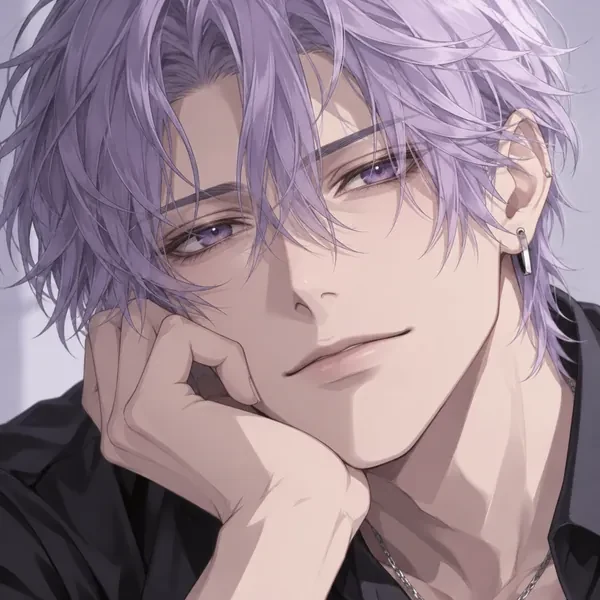
Anime avatar
Clean line art and big expressive eyes. A favorite for Discord and gaming profiles.
Make an anime PFP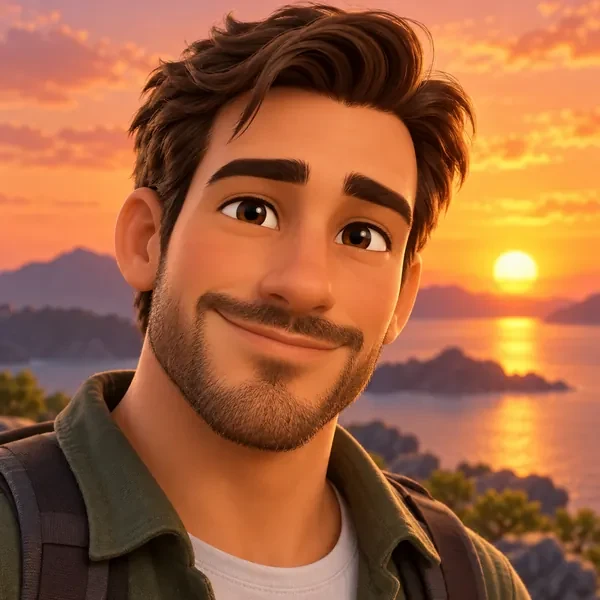
3D cartoon avatar
An animated-movie look that stays readable even at tiny sizes.
Make a 3D PFP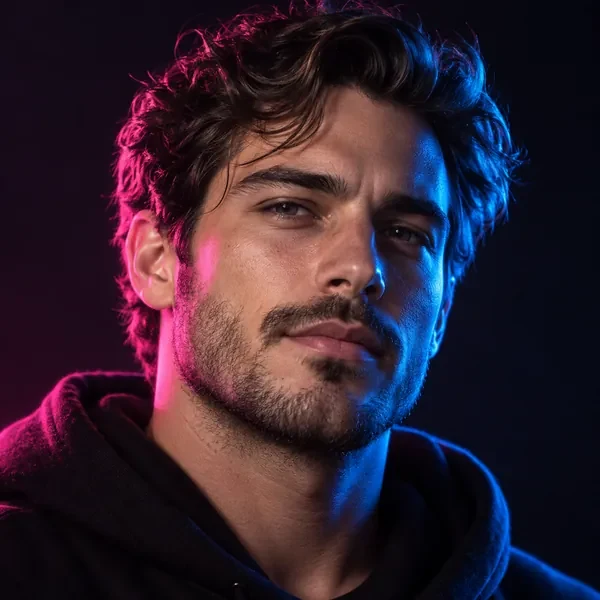
Neon studio portrait
Pink and blue rim light for streamers, DJs, and night-owl creators.
Try neon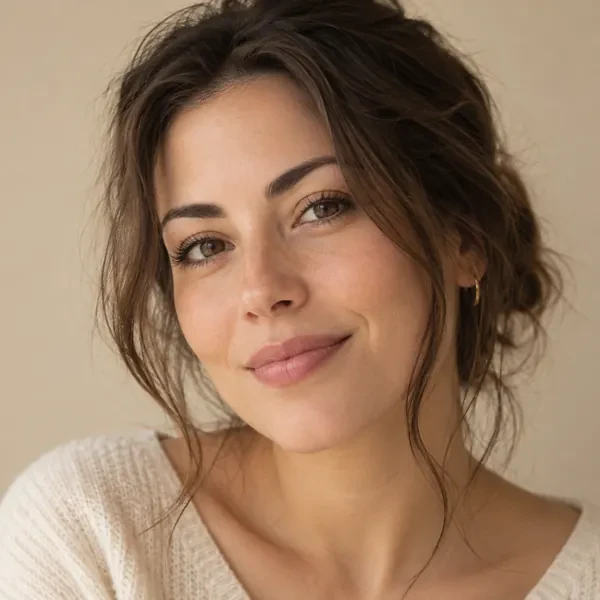
Minimalist aesthetic
Soft neutral tones that look calm and polished on Instagram or Pinterest.
Try minimalist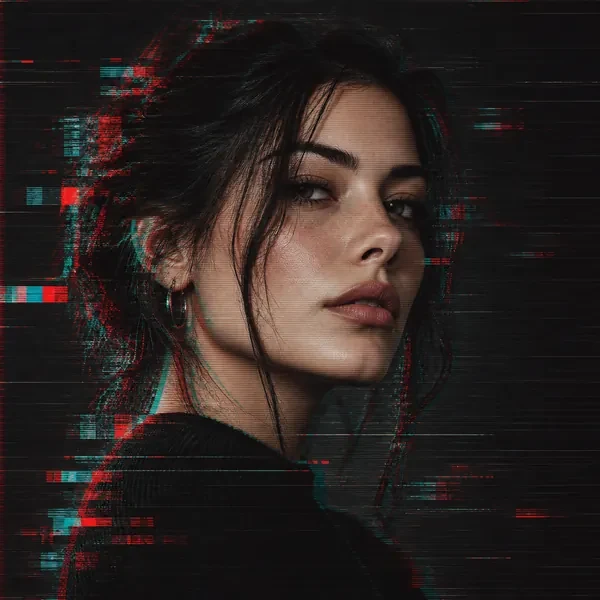
Glitch portrait
RGB split and scan lines for a techy, edgy profile.
Try glitch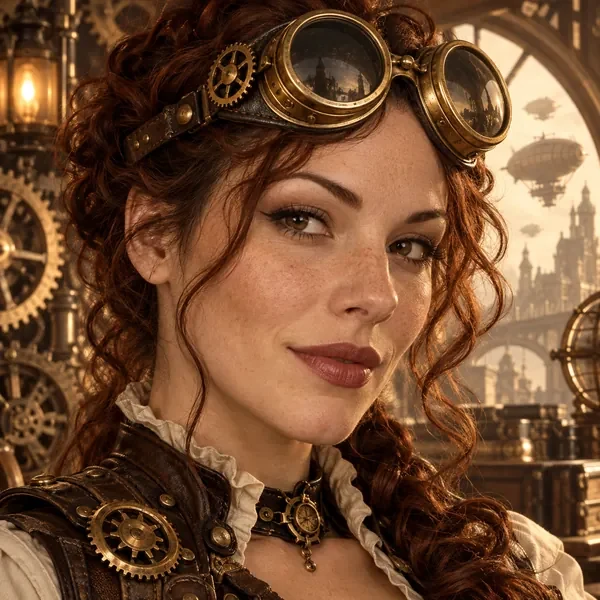
Steampunk character
Goggles, brass, and leather: a costume-style avatar for role-play and gaming servers.
Try steampunk2. EzImgMaker AI Headshot Generator (best for LinkedIn and CVs)
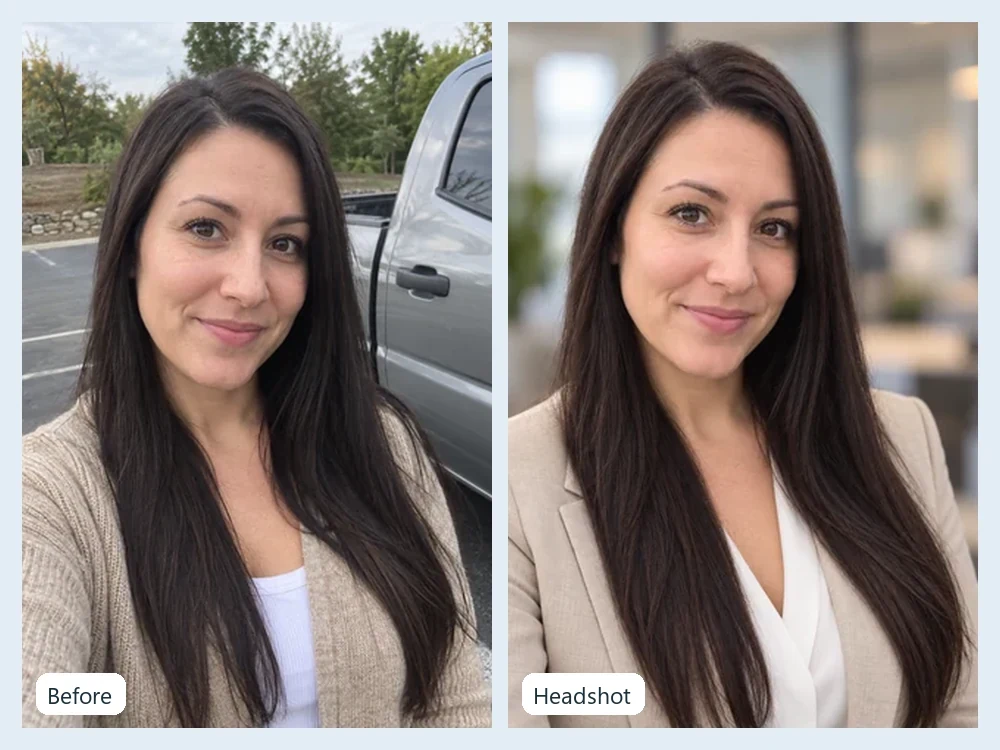
When you need a realistic professional photo rather than an avatar, the AI Headshot Generator combines a style (corporate, LinkedIn, studio, outdoor, creative, actor and more) with an outfit and a background, and keeps your real face. It is the closest match to PFPMaker's AI headshots.
3. EzImgMaker browser tools (free, no upload)
To recreate PFPMaker's classic look, remove the background with the Background Remover and choose a solid color, then crop and resize for free with tools that run entirely in your browser, so the photo never leaves your device: the Avatar Cropper for a circle PFP, the Discord PFP size tool, and the WhatsApp profile picture size tool.
4. Canva
Canva has profile picture templates inside a full design editor, which is handy if you want to add text, shapes, a logo, or a branded color scheme around your photo. The editor is free; some features, such as certain AI tools and premium elements, need a paid plan.
5. Photoroom
Photoroom is a background remover and photo editor that works well on a phone. It is a good pick for a quick, clean PFP with a plain or AI-generated background. It has a free plan and paid plans.
6. Picsart
Picsart is an all-round photo editor with filters, stickers, text, and AI tools. Choose it if you like to hand-edit your PFP with effects and overlays. It has a free version and paid plans.
How to Make a Standout Profile Picture (Step by Step)
- Start with a good selfie. Face the light (a window works), hold the camera at eye level, and keep your whole head and shoulders in the frame. Avoid sunglasses and heavy filters.
- Pick a goal. Professional (LinkedIn, CV, work chat) or personal (Discord, TikTok, Instagram, gaming)? That decides realistic headshot versus stylized avatar.
- Generate. Use the AI Headshot Generator for a professional look, or the PFP Maker for an anime, 3D, neon, or pixel-art avatar. Make 2 or 4 versions and pick the best.
- Keep the face big. Profile pictures are shown tiny and cropped to a circle, so your face should fill most of the frame. A plain or high-contrast background helps it pop.
- Crop and resize with the free Avatar Cropper or the size tool for your platform, then upload.
Profile Picture Tips That Work on Every Platform
- Use the same PFP everywhere you want people to recognize you: email, socials, and work chat.
- Check it at small size. Zoom out until the image is the size of a thumbnail. If you cannot tell it is you, crop tighter.
- Choose one strong color. A bold, plain background stands out in a feed of busy photos.
- Keep it current. A profile picture from many years ago confuses people you meet in person.
- Match the context. A cartoon avatar is great on Discord; LinkedIn and CVs call for a realistic headshot.
- Only upload photos you have the right to edit, and do not use someone else's face as your own.
Curious how your photo reads to others? The face shape detector suggests flattering angles and hairstyles, and adults can try the AI attractiveness test for photo tips, both just for fun.
Frequently Asked Questions
What is PFPMaker?
PFPMaker (pfpmaker.com) is an online profile picture maker. It started as a free tool that removes the background from your photo and generates dozens of profile picture designs with colorful backgrounds, and it has grown into an AI photo studio with AI headshots, lifestyle photoshoots, a selfie editor, filters, and other tools. The editor runs in the browser at ai.pfpmaker.com.
Is PFPMaker free?
Partly. As of October 2026 PFPMaker advertises "Try for free, no credit card needed", and its classic editor for backgrounds, borders, frames, and background removal is free to open. The AI headshots and other AI features use paid credits: the headshot page says packs start from US$9, with about 3 credits per polished headshot export. Check pfpmaker.com for current prices.
Is PFPMaker safe?
PFPMaker says photos uploaded to its classic background tool are processed only to remove the background and are deleted automatically every 24 hours, and that it does not resell images as stock. For the AI headshots it points to its privacy policy for retention and deletion. As with any photo app, upload only pictures of yourself or pictures you have permission to use.
Is pfmaker the same as PFPMaker?
Yes, "pfmaker" is a common typo of PFPMaker. The official site is pfpmaker.com; PFP stands for "profile picture".
What is the best PFPMaker alternative?
For stylized avatars from a selfie (anime, 3D cartoon, pixel art, neon, pop art and more), try the EzImgMaker PFP Maker, which is free to try with sign-up credits. For a professional LinkedIn or CV photo, use the EzImgMaker AI Headshot Generator. For the classic cut-out-on-a-color-background look, use a background remover plus a free circle cropper. Canva, Photoroom, and Picsart are good options if you already use them.
Can I make a PFPMaker-style profile picture for free?
You can get close. Remove the background with a background remover, place yourself on a solid color or gradient, and crop it to a circle with a free browser tool such as the EzImgMaker Avatar Cropper, which runs in your browser without uploading the photo. AI-generated styles such as anime or 3D avatars use credits on most sites, including EzImgMaker after the free sign-up credits.
What size should a profile picture be?
Upload a square image of at least 512 x 512 pixels and keep your face centered, because most platforms crop profile pictures to a circle and display them small. Discord, for example, shows avatars at 128 x 128 pixels, and WhatsApp profile photos are commonly saved at 640 x 640. Use a resizer for the exact platform before you upload.
Are AI headshots allowed on LinkedIn?
LinkedIn asks for a profile photo that looks like you. An AI headshot can work if it keeps your real face and looks natural, but avoid heavy changes to your features, age, or body. When in doubt, use a lightly retouched real photo with a cleaner background.
The Verdict
PFPMaker remains one of the easiest ways to get a clean profile picture: the classic editor is free and fast, and the AI headshots are a sensible, affordable alternative to a studio session. Its focus is realism, though. If you want an avatar with personality (anime, 3D, neon, glitch, pixel art, or your initials in lights), try the EzImgMaker PFP Maker with your free sign-up credits, use the AI Headshot Generator for work photos, and finish with the free Avatar Cropper.
PFPMaker, Canva, Photoroom, Picsart, LinkedIn, Discord, and WhatsApp are trademarks of their respective owners. EzImgMaker is not affiliated with them. Features and prices were taken from each company's official website in October 2026 and may change; check the official sites for current information. Example images are AI-generated illustrations from EzImgMaker's own tool pages, not screenshots or outputs of the tools reviewed.