Upload Your Photo
Choose a JPG, PNG, or WebP up to 20 MB: a selfie, a group shot, a logo, or a landscape. It opens locally and stays on your device.
The best WhatsApp profile picture size is a 640 × 640 pixel square, which WhatsApp shows as a circle. Upload any photo, fit the whole picture with no crop or crop it tight, and download a DP, status, or cover image.
One-click WhatsApp sizes
Fine-tune
Runs in your browser. Your photo is never uploaded.
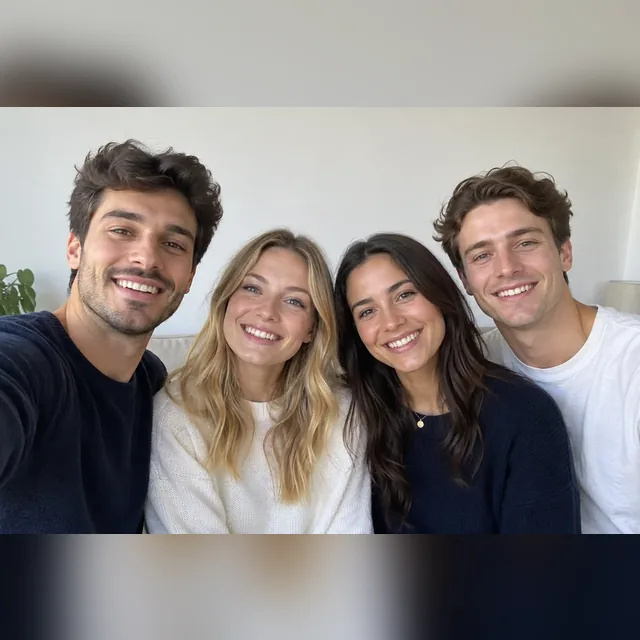
Reference example. It is not a result generated from your upload.
The WhatsApp profile picture size that works best is a square of 640 × 640 pixels, the right picture size for WhatsApp profile photos on any phone. WhatsApp shows your DP as a circle in chats and as the full square when someone taps it, so keep faces centered and away from the corners. Meta’s rules for WhatsApp Business profiles spell out the limits: JPG or PNG, square, at least 192 × 192 px, up to 5 MB, with 640 × 640 recommended; larger images are scaled down. Transparent PNG areas show up black, so use a solid or blurred background.
WhatsApp’s own crop forces a square, which is why a wide group photo loses people at the edges. This WhatsApp image resizer fixes that: Full photo (no crop) fits the whole picture inside the square and fills the gap with a blurred copy or a white or black frame. It also makes a 1080 × 1920 status image and a 16:9 business cover photo. Everything runs in your browser, so it is free, needs no sign-up, and your photo is never uploaded.
Turn any image to WhatsApp DP size in three steps.
Choose a JPG, PNG, or WebP up to 20 MB: a selfie, a group shot, a logo, or a landscape. It opens locally and stays on your device.
Keep the default Full photo (no crop) to fit everything in the 640 × 640 square, or switch to Crop to fill for a tight headshot. Drag the photo in the preview to reposition it, zoom in if needed, and pick a blurred background or a white or black frame.
Save a JPG and set it in WhatsApp under Settings › Profile › Edit. WhatsApp will show the square as a circle without cutting off your photo.
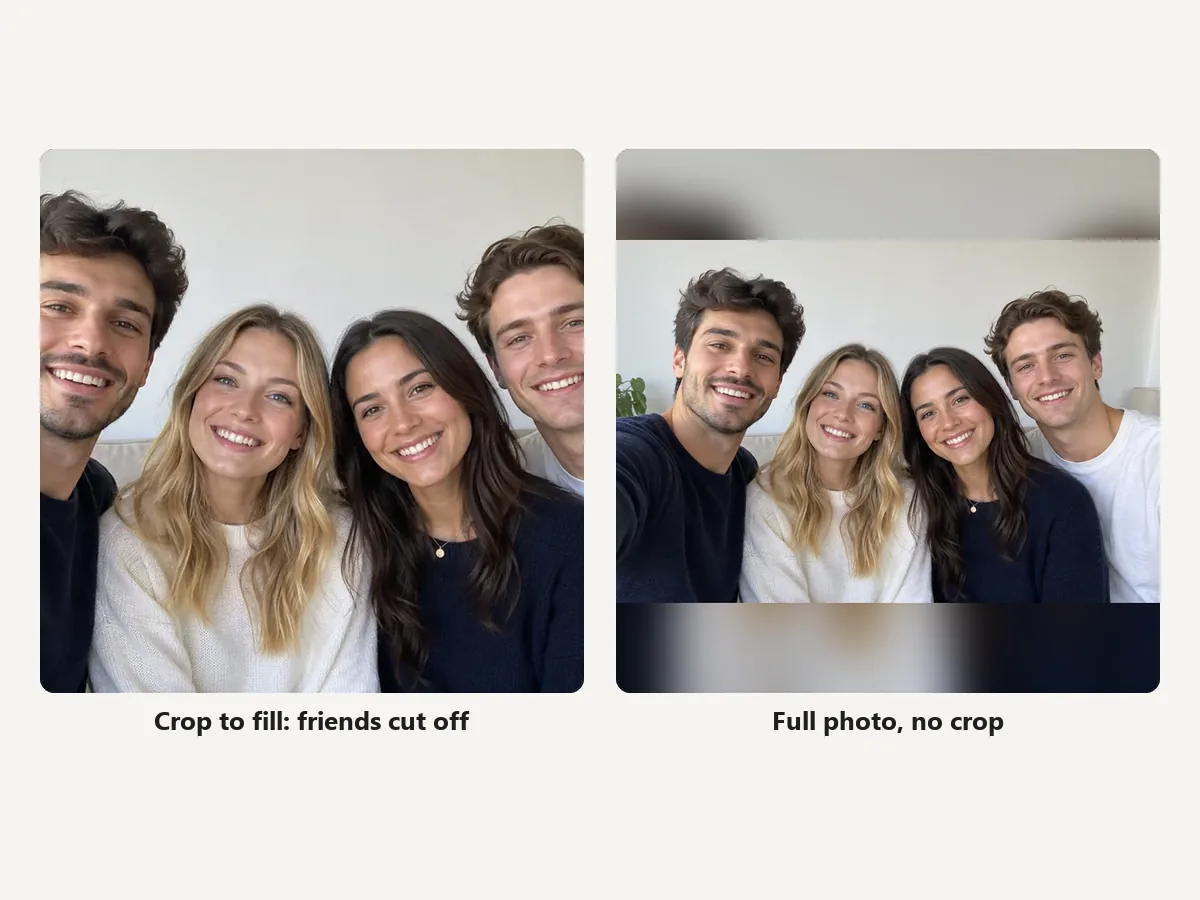
Group selfies, full-body shots, and wide landscapes lose people and detail when WhatsApp crops them to a square. Full photo (no crop) shrinks the whole picture into the square and fills the empty bands with a soft blurred copy, so everyone stays in your WhatsApp DP.
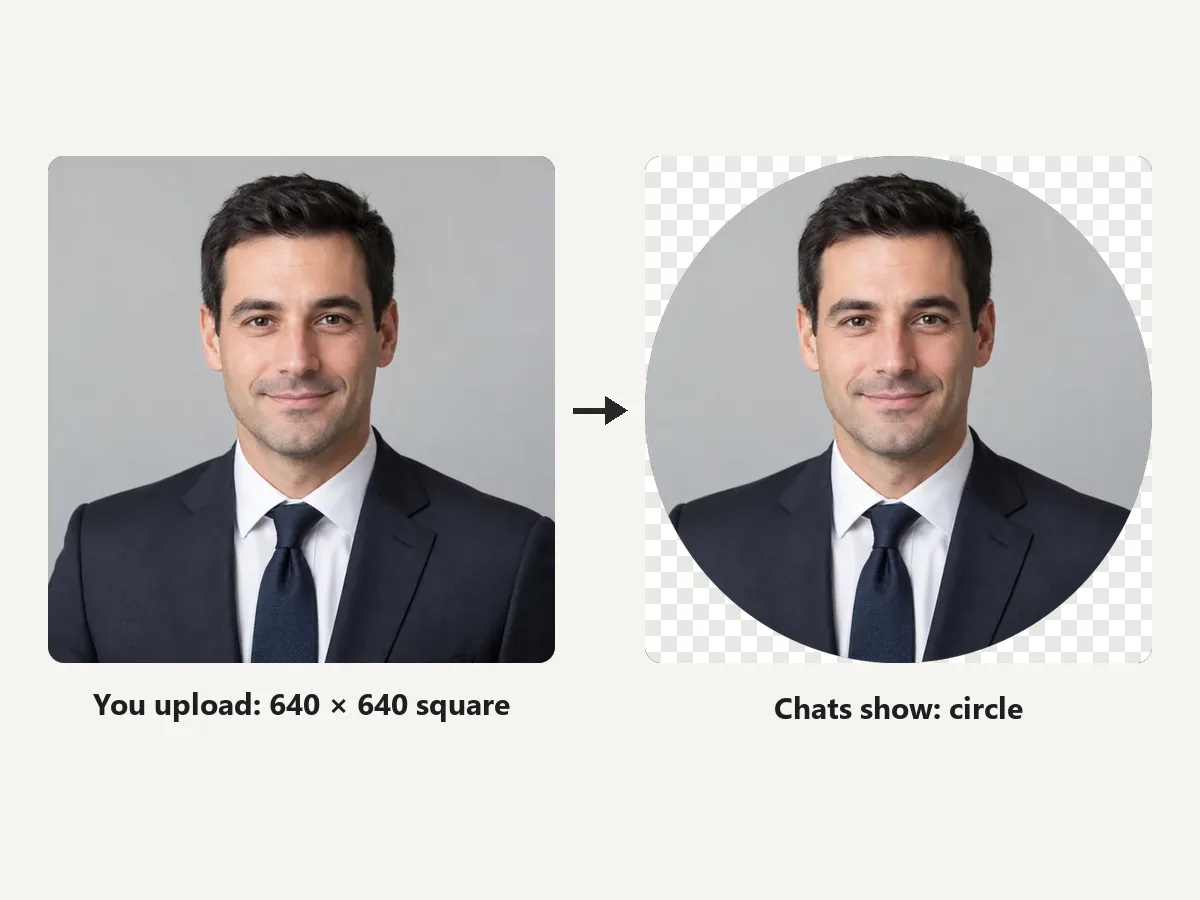
WhatsApp uploads a square but shows a circle in chat lists. Preview the Circle shape to check that no face sits in a corner, then download the square for the cleanest result.
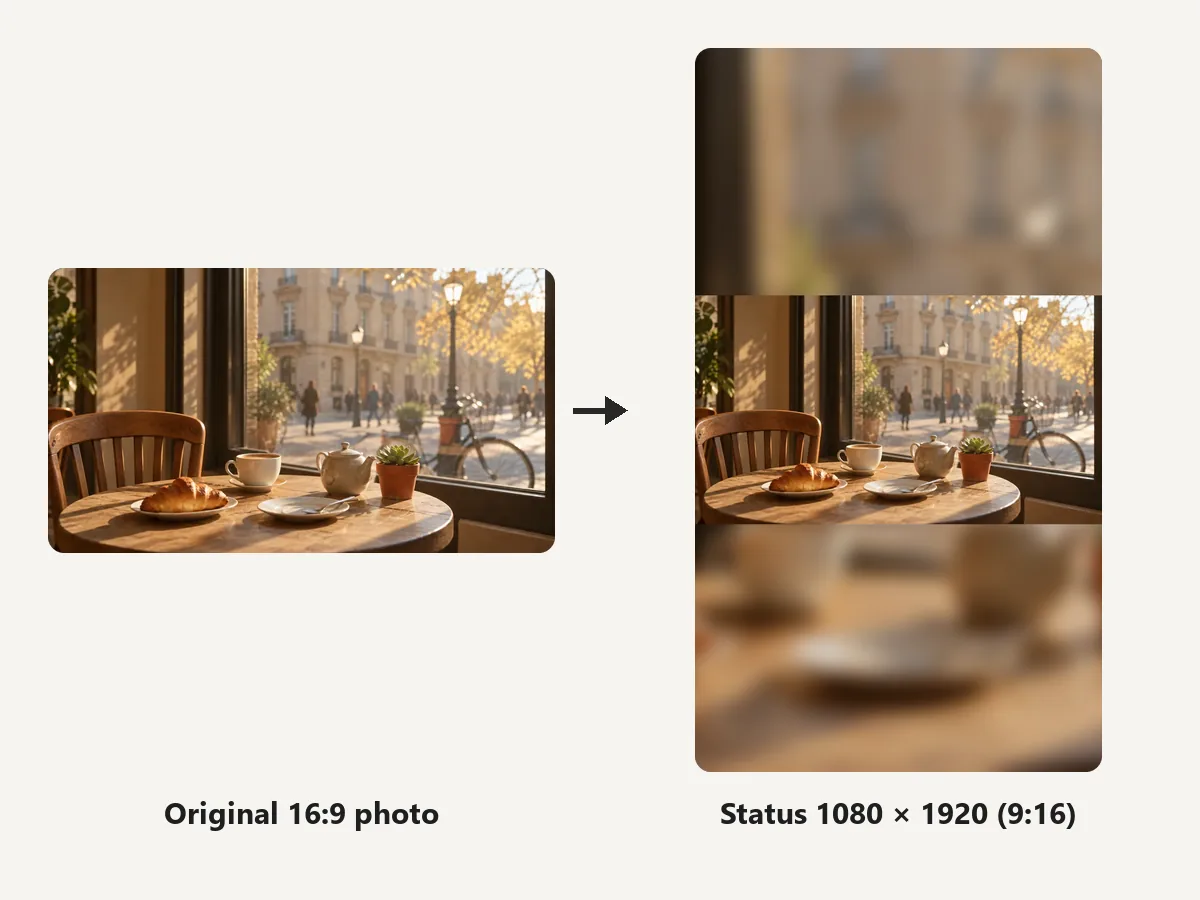
Status fills a phone screen at 9:16, so a landscape photo shows up small with empty bars. Status 1080×1920 fits the whole photo and fills the rest of the screen with a blurred copy.
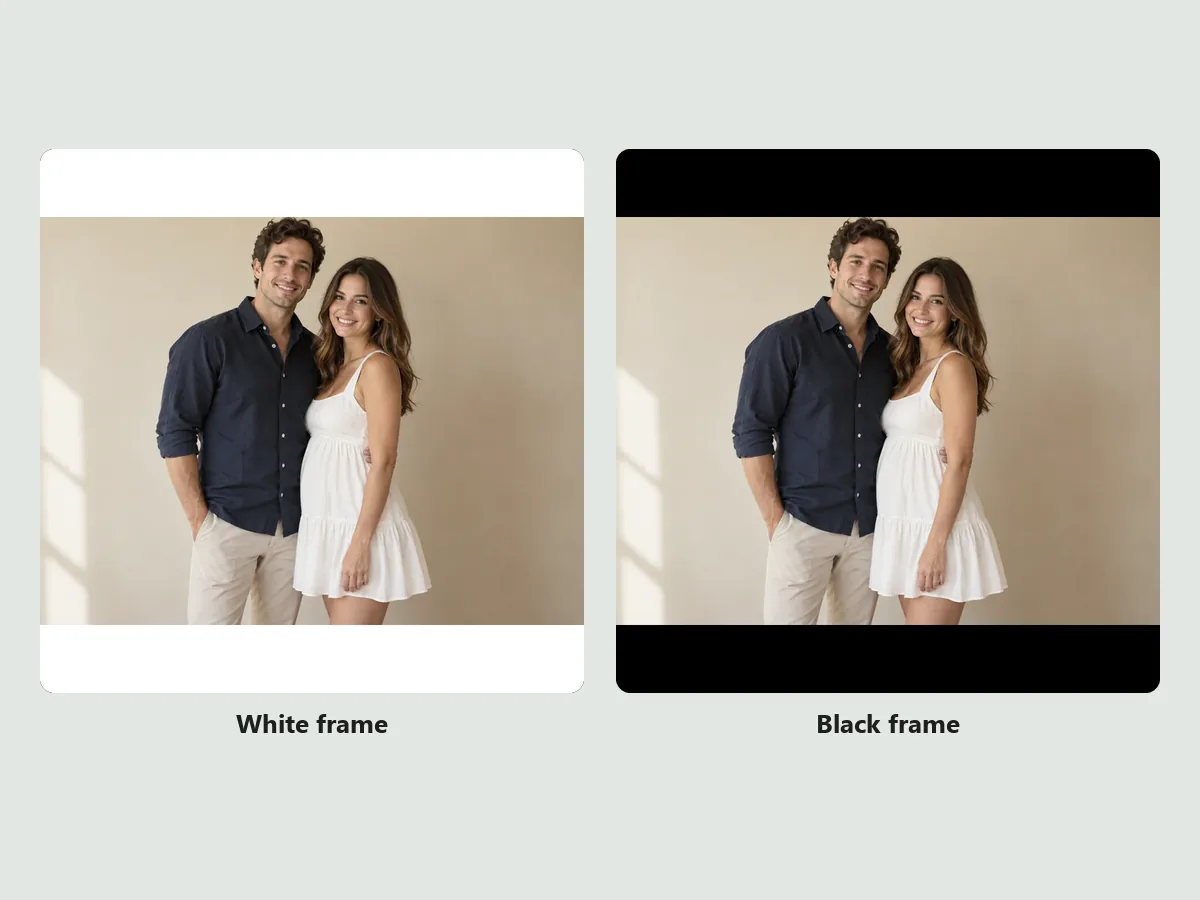
Want a clean border instead of blur? Pick White frame or Black frame and your photo sits centered inside a square WhatsApp frame, a simple look for couples, products, and logos.
The WhatsApp picture size for each spot.
The WhatsApp profile image size is a square, shown as a circle. Business profiles need at least 192 × 192 px, JPG or PNG, under 5 MB.
A 9:16 vertical image fills the screen. Wider photos get bars unless you fit them with a blurred fill.
WhatsApp publishes no official cover size. A 1920 × 1080 landscape works; keep the subject in the middle and check the crop in the app.
Transparent areas turn black on WhatsApp. Use JPG or a solid background.
DP, status, cover photo, and frame questions.
Use a square image; 640 × 640 pixels is the recommended WhatsApp DP size. For Business profiles, Meta requires a square JPG or PNG of at least 192 × 192 px and up to 5 MB, and larger images are scaled down.
Yes. DP, profile photo, and pro pic all mean the same image, so the WhatsApp profile photo size, the WhatsApp profile pic size, and the WhatsApp pro pic size (or simply the WhatsApp pic size) are one square, ideally 640 × 640.
Upload the photo here and keep Full photo (no crop). The whole picture is fitted inside the square with a blurred, white, or black background, so WhatsApp has nothing left to crop.
The WhatsApp status size is 1080 × 1920 pixels. The WhatsApp status full screen ratio is 9:16, matching a phone held upright; other shapes are shown with bars unless you fit them with a fill.
WhatsApp does not publish an official cover photo size for Business profiles. A 16:9 landscape such as 1920 × 1080 works well; keep the subject and any text in the middle and check the crop preview in the app.
WhatsApp shows transparent PNG areas as black. Export a JPG, or choose a white frame or blurred background before downloading.
Yes. Choose White frame or Black frame in the background options and the photo sits centered in a square border. For decorative frames, finish it in a photo frame editor.
No. Setting the WhatsApp DP size in Photoshop means making a 640 × 640 canvas and placing the photo by hand; this WhatsApp profile picture size converter (a WhatsApp DP size converter, if you like) does the same in one click, in the browser.
It is free with no sign-up. The photo is processed in your own browser and never leaves your device. Only use photos you have the right to edit and share.
Upload a picture, keep everything with no crop, and download a 640 × 640 WhatsApp profile picture.
WhatsApp is a trademark of WhatsApp LLC. EzImgMaker is an independent tool and is not affiliated with or endorsed by WhatsApp or Meta. Sizes follow Meta documentation and common practice at the time of writing and may change.