
Grok “Content Moderated. Try a Different Idea.”: Meaning & How to Fix It
Seeing “Content moderated. Try a different idea.” on Grok Imagine? See what image and video moderated means, why Grok flags prompts, and how to fix it safely.
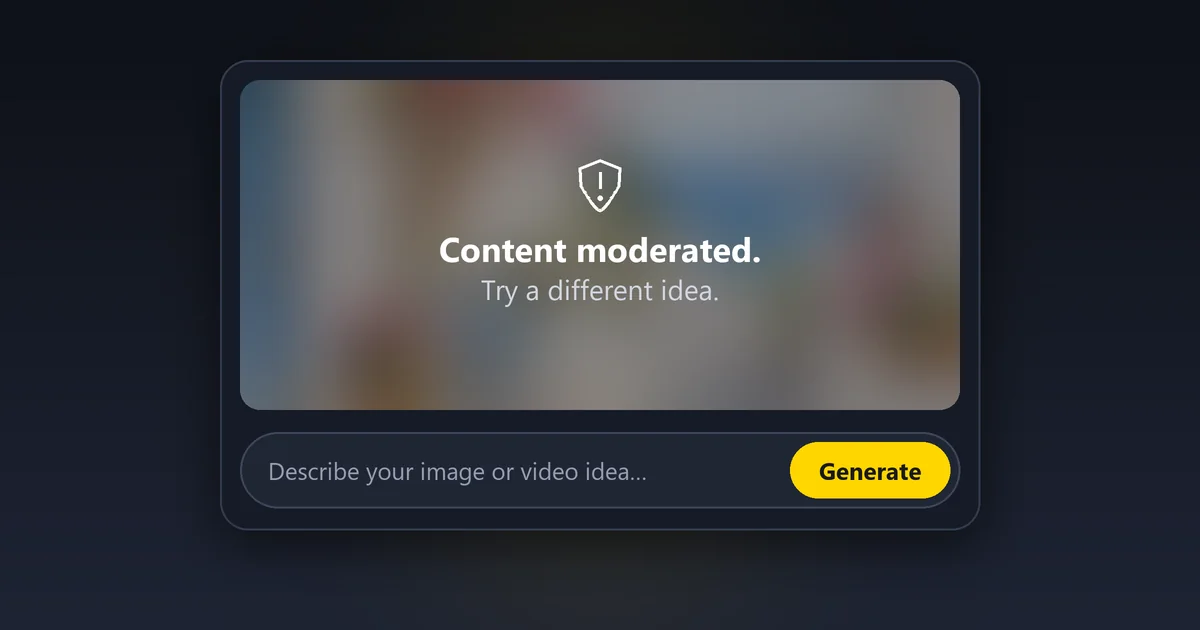
You typed a prompt, waited for the preview, and Grok Imagine answered with: “Content moderated. Try a different idea.” This guide explains what the content moderated Grok message means, why it shows up on images and videos, what Grok's content moderation policy says in 2026, and how to rewrite prompts for legitimate, safe-for-work ideas that were blocked by mistake.
Short answer: “Content moderated. Try a different idea.” Grok shows this when its automated safety checks decide that your prompt, your uploaded photo or the finished image or video may break xAI's rules, most often around sexual content, real people, minors, violence or deception. It is a policy block, not a glitch. If your idea is harmless, make the prompt clearer: say what the scene is for, describe clothing and setting plainly, swap real names for fictional characters and choose a stylized look. If the idea itself is against the rules, no wording will change that, and trying to force it can get your account restricted.
This guide explains how moderation works and how to fix false positives on harmless prompts. It does not cover ways around Grok's safety rules. EzImgMaker is not affiliated with xAI or X.
What Does “Content Moderated. Try a Different Idea.” Mean?
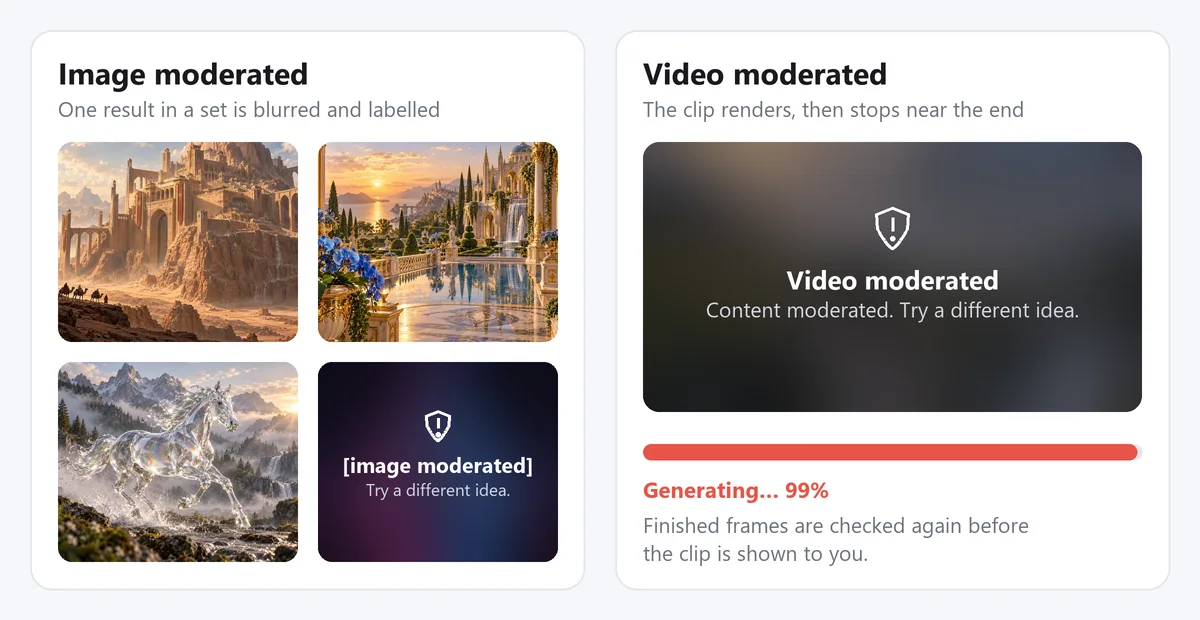
What does content moderated mean in Grok? The message is Grok's standard response when a request is blocked by moderation. Grok Imagine content moderated errors appear in three places: as a red notice instead of a result, as a blurred tile labelled "image moderated," or over a video that was almost finished. In every case the result is not shown to you, there is no button to reveal Grok moderated content, and Grok is telling you to change the idea or the wording.
It does not mean your account is in trouble. Grok's filters are deliberately cautious, so they block some harmless requests along with the harmful ones. That is why so many people search for content moderated on Grok after a prompt as innocent as a beach photo or a Halloween costume.
Grok Imagine Image Moderated: What Does It Mean?
The Grok Imagine image moderated meaning is simple: one or more generated images failed the output check. When an image is moderated, Grok replaces it with a blurred tile while the other images in the set still appear. You might see "[image moderated]" on one tile and three normal pictures next to it, which tells you the prompt was acceptable but one of the results drifted too far, for example toward a revealing outfit or a realistic face that looked like a real person.
Why Grok generated image shows [image moderated] on only one tile: each result is checked on its own, after it is made. The same prompt can produce one image that passes and one that does not, so a Grok image content moderated notice on a single tile is about that picture, not about you or your whole prompt.
“Video Moderated”: Grok Meaning and Why It Stops at 99%
The video moderated Grok meaning is the same block, applied to a clip. Grok video moderation checks the prompt and any source image first, then checks the frames again after the video renders. That is why a video can reach 90 or 99 percent and then switch to "Video moderated" with the familiar "Content moderated. Try a different idea." line.
| What you see | What happened | What to do |
|---|---|---|
| "Content moderated. Try a different idea." before anything appears | The prompt or the uploaded image was blocked | Reword the prompt or change the photo |
| One tile shows "[image moderated]" | That single result failed the output check | Keep the others, or make the prompt more specific |
| "Video moderated" near the end | The finished frames failed the final check | Simplify the motion, avoid realistic real people, try again |
| A blank tile or endless spinner, no message | Usually a loading or server problem, not moderation | Refresh, check your connection, retry later |
Grok AI Image Generation Not Showing or Moderated?
A quick way to tell a Grok AI image generation moderated or not showing problem apart: moderation always says so, with "moderated" text or a blurred, labelled tile. If the image is simply missing, gray or stuck loading, it is more likely a network, server or app issue. And when a tile does say moderated? Grok AI image generation moderated: what does it mean in practice? Only that this one request was blocked, not that your account is flagged. Refresh, update the app or try again later before you start rewriting a prompt that may have been fine.
Grok xAI Image Generation Moderation Policy: Why Images Get Moderated
So why is content moderated on Grok when your idea feels innocent? Grok content moderation does not only read your words. Grok Imagine content moderation looks at three things, and any one of them can stop the request.
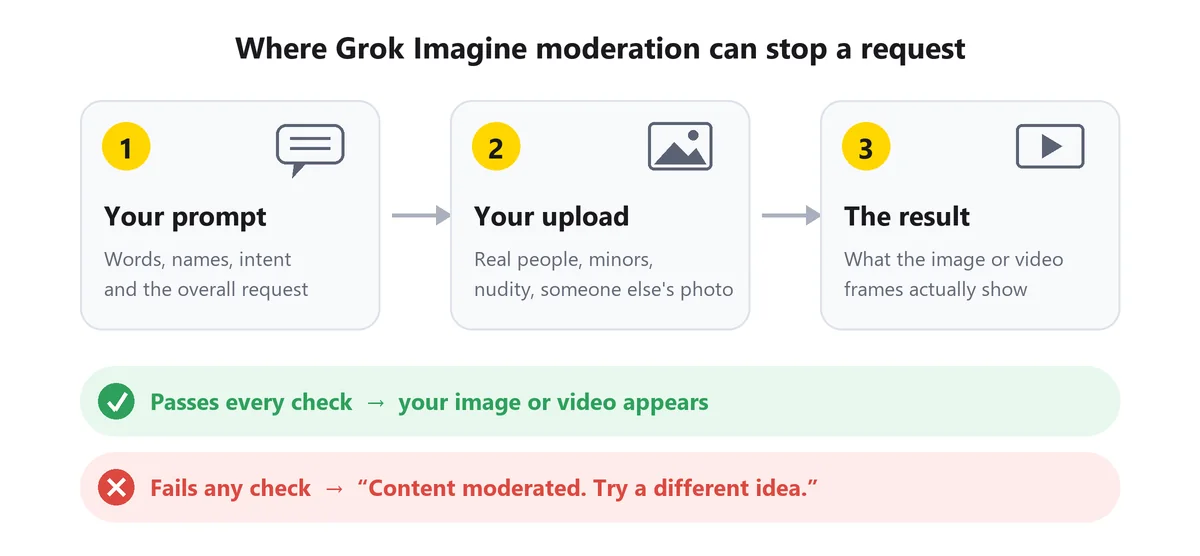
Here are the main Grok xAI image generation moderation policy reasons for moderated images, based on xAI's published rules and the patterns users report:
- Sexual or suggestive content. Nudity, sexual acts and suggestive framing are the most common triggers, especially with realistic people.
- Real people and public figures. Celebrity or politician names, and uploaded photos of real people being placed in intimate, embarrassing or deceptive scenes.
- Anyone who looks under 18. Requests involving children are treated with the strictest filters, including family photos where an edit could be inappropriate.
- Graphic violence, gore and self-harm. Realistic injuries, blood and cruelty are blocked more often than stylized action.
- Hate, extremism and harassment. Hate symbols, extremist imagery and content that targets a person or group.
- Deception and fakes. Fake documents, fake news photos, impersonation and realistic fake edits of real people.
- Copyrighted characters and brand logos. Recognizable characters, logos and trademarks can be restricted.
- Ambiguous wording. Words with a harmful second meaning, such as "shoot," "naked eye," "bloody" or "strip," can trip the filter even in a harmless sentence.
- Where you live. Some content is restricted by region, so the same prompt can behave differently in different countries.
Why Is Grok Moderating Images That Look Harmless?
Why does Grok AI moderate or block generated images that look fine to you? Automated filters work on probabilities. When a request scores close to a risky category, the system blocks it rather than risk a violation, so Grok censoring images that look fine to you is usually a false positive, not a judgment about you. Realistic photos of people, swimwear, tight framing on bodies, horror makeup and anything that could resemble a real person score higher than illustrations, landscapes or objects. Grok over-moderation reported by users tends to cluster around exactly these themes. Many Grok censored images are false positives like these, and a genuinely harmless idea often passes once it is described with clear context.
Why Does Grok Moderate Videos More Than Images?
Why does Grok moderate videos more strictly? A video is dozens of frames, and each one can drift. Motion can reveal more than a still did, a turn of the head can make a face look like a real person, and image-to-video edits start from a real photo. Grok also re-checks the finished frames, so videos have one more chance to be blocked than a single image. That is why a still image can pass while the same picture fails as a clip.
Grok AI Image Generation Moderation Policy 2026
The rules behind every block are public. Grok is governed by xAI's Acceptable Use Policy; the version in effect when we checked on October 12, 2026 was dated August 14, 2026.
What the Acceptable Use Policy Says
The policy covers everyone who uses the service and lists content and behavior that is not allowed. For image and video generation, the parts that matter most are:
- Never allowed: undressing or "nudifying" real people, altering a real person's image into an intimate or sexual context, depicting real people in a pornographic manner, deceptive impersonation, defamatory or false-light depictions, and sexualizing or exploiting children.
- Illegal content: anything illegal or prohibited where you live.
- Safeguards: jailbreaking, adversarial prompting, prompt injection and circumventing safety systems are prohibited unless you are part of an official red team with written permission.
- Consequences: violations can lead to action against your account, up to suspension or termination. Suspected child sexual abuse material is reported to the National Center for Missing and Exploited Children.
Grok Image Generation Moderation Policy: Adult Content
The Grok image generation moderation policy on adult content is the area people ask about most. xAI's own apps have offered a more permissive setting for adult users, but explicit images of real people, anything involving minors, and anything illegal in your country are blocked in every mode. The Grok AI sensitive content policy also applies to uploads: putting a real person's photo into a sexual, revealing or humiliating scene is not allowed, whether or not you know them.
Why the Rules Got Stricter
Why is Grok content moderated more strictly now than when Grok Imagine launched? In early 2026, Grok's image tools were widely misused to create sexualized edits of real people without their consent. Regulators in several countries pressed X and xAI, and the company tightened its rules on editing images of real people. That is part of why the Grok censorship debate is so loud: is Grok censored? It is moderated, like every mainstream image and video generator, and its filters are tuned to stop the kind of misuse that caused real harm.
How to Fix “Content Moderated” for Legitimate Prompts
These steps help when your idea is genuinely safe for work and the filter misread it. They will not make Grok create anything its rules forbid.
How to Avoid Grok Moderation on Harmless Prompts
- Look for double meanings. Swap words with a risky second meaning for plain ones: "photograph" instead of "shoot," "striking" instead of "killer," "visible without a telescope" instead of "naked eye," "remove" instead of "strip," and "deep red" instead of "bloody."
- Say what the image is for. "For a children's book," "a product photo for a candle shop" or "a museum-style history painting" gives the filter context it otherwise has to guess.
- Describe people plainly. Name the outfit and setting ("a woman in a long-sleeved red evening gown at a gala") instead of leaving it open. Vague prompts about people leave more room for a risky result.
- Use fictional characters. Swap celebrity, politician and influencer names for descriptions, such as "a fictional pop singer with silver hair."
- Upload only your own photos of adults who agreed. Avoid photos of children, and do not edit other people's photos into new situations.
- Choose a stylized look for action and horror. "Cartoon," "concept art" or "comic book style" with "no blood, no gore" passes far more often than photoreal violence.
- Simplify. One subject, one action, one setting. Long prompts with many people and actions give the filter more to worry about.
- Stop retrying the same blocked prompt. If two clear rewrites fail, change the idea. Repeated blocked attempts may still use your limits.
| Wording that may get flagged | Clearer, safe-for-work rewrite |
|---|---|
| "Shoot the model on the beach at sunset" | "Photograph of a model in a white linen sundress walking on a beach at sunset, fashion catalog style" |
| "A killer outfit for a night out" | "A striking black blazer and wide-leg trousers outfit for an evening event, full-length fashion photo" |
| "Bloody medieval battle" | "Medieval knights clashing on a misty field, painted illustration in a museum style, no blood or gore" |
| "[Celebrity name] walking a dog in Paris" | "A fictional actress with short dark hair walking a corgi in Paris, candid street photo style" |
| "Zombie with its face ripped off" | "Halloween zombie makeup on an adult, green face paint and torn costume, playful cartoon style" |
| "Explosion destroys the city" | "A sci-fi city skyline with a glowing energy wave in the distance, cinematic concept art, no people hurt" |
| "Anatomy of the human body" | "A clean educational diagram of the human skeletal system, labeled, textbook illustration style" |
| "Strip the old paint off a chair" | "An old wooden chair with peeling paint being restored in a sunny workshop, before-and-after style" |
Clear context phrases help harmless prompts. Copy any line below and add it to the end of your prompt when it honestly describes what you want. They clarify intent for safe ideas; they will not unlock anything the policy forbids.
Purpose
for a children's picture book
as a product photo for an online shop
as an educational textbook illustration
for a family-friendly birthday invitation
as a museum-style history painting
as a cozy holiday greeting card
Style
cartoon style, bright flat colors
cinematic concept art, painterly lighting
comic book style with bold outlines
soft watercolor illustration
claymation style, playful and cute
low-poly 3D render, soft studio lighting
Clarity
a fictional character, not a real person
all adults, fully clothed, casual outfits
no blood, no gore, no injuries
no logos, no brand names, no text
one person, standing, full-length shot
natural daylight, everyday setting
Can You Unmoderate Grok? Why Workarounds Backfire
There is no switch to unmoderate Grok, and no paid plan removes the content rules. The "Grok workarounds" shared online, such as jailbreak prompts, deliberate misspellings, prompts that hide a request inside a story, and browser extensions that automatically retry blocked generations, all try to push prohibited content past the filter. That is exactly what the Acceptable Use Policy prohibits.
Can you get banned from Grok? Yes. Accounts that repeatedly try to get around safeguards risk suspension or termination, and some content, such as sexual images of real people without consent or anything sexualizing minors, is illegal in many countries no matter which tool made it. If your goal is a harmless idea that keeps getting blocked, the fixes above are the right route. If the goal is content the rules forbid, the honest answer is to try a different idea, just as the message says.
Grok Keeps Saying Content Moderated? Troubleshooting Checklist
When Grok says content moderated for prompt after prompt, even simple ones, it can feel like Grok is moderating everything. Why is Grok moderating everything all of a sudden? Work through this list:
- Check your upload first. A photo of a real person, a child, swimwear or a crowded scene can block every prompt you pair with it. Try the same prompt with no image.
- Remove names and brands. Real people's names, characters and logos are frequent hidden triggers.
- Drop "realistic photo" wording around people. Phrases like "raw photo," "8K realistic" or "CCTV footage" make results look like real events. Try "illustration" or "cinematic still" instead.
- Start a fresh session. Some users find that a new chat behaves better after a run of blocks on one topic.
- Make it a still first. If a video keeps failing, generate the scene as an image, then animate that image with a simple motion.
- Update the app and check the status. Outdated apps and service problems can look like moderation.
- Remember regional rules. Some content is restricted in certain countries, so results can differ when you travel or use a VPN.
Why does Grok say content moderated when the idea is clearly fine, and why does Grok moderate content you would happily show your family? Usually because one detail in the prompt or photo scores close to a risky category. Removing that one detail is often enough.
Other Tools for Safe-for-Work Image and Video Ideas
If one model keeps misreading a harmless idea, trying another model is a reasonable next step. Every mainstream generator, including Veo, Kling, Seedance and Grok Imagine, runs its own safety checks, so the goal is a model that understands your wording better, not one with no rules. These prompts are written to be clear and safe for work; copy one and open the tool on the card.
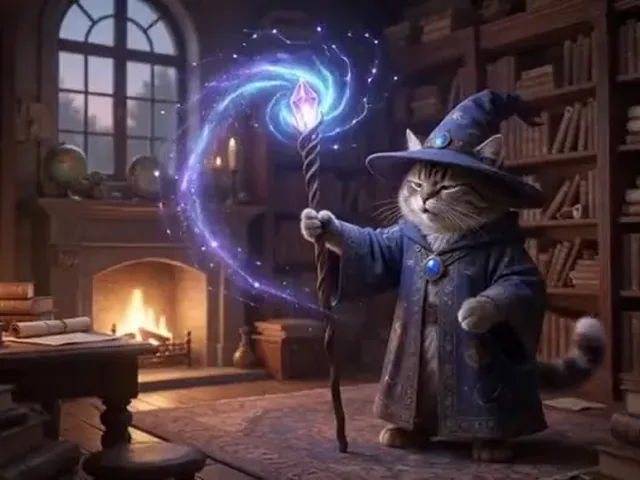
Fantasy Magic Instead of a Battle
A fluffy gray cat in a starry wizard robe raises a crystal staff in an old library; a swirling purple spell lights up the bookshelves, magical sparkles, warm candlelight, whimsical fantasy style, crackling magic sound.

Anime Style Instead of Photoreal People
Anime-style scene of two friends cooking stew over a campfire at night in a forest clearing, steam rising, warm orange light on their faces, gentle sizzling sounds, cozy slice-of-life mood.
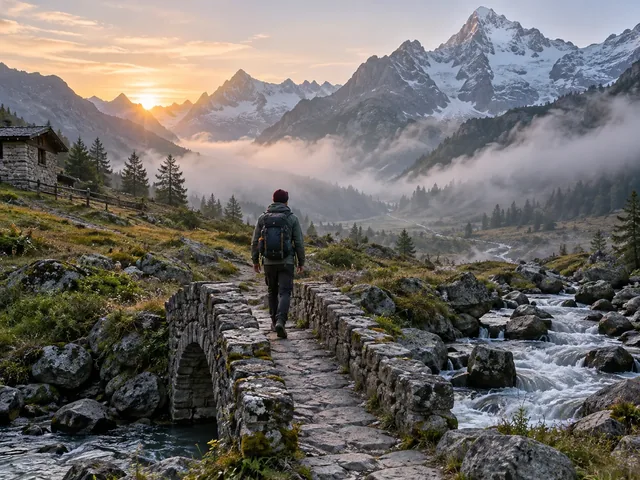
Clear Outfit and Setting
A backpacker in a red jacket, hiking pants and boots walks across snowfields, salt flats and savanna in one continuous travel hyperlapse, wide shots, bright natural daylight, upbeat travel-vlog feel.
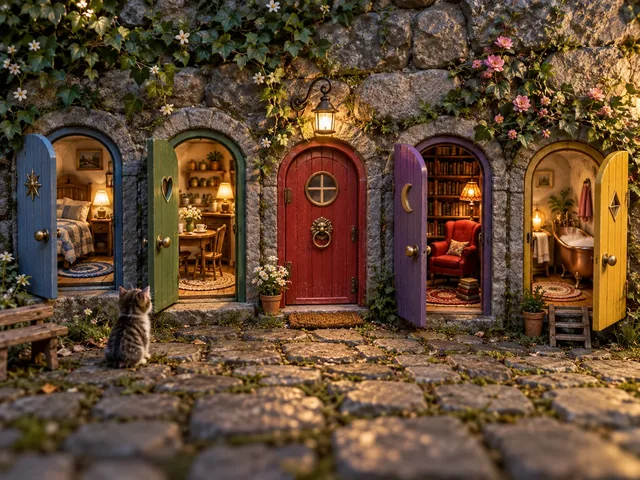
Surreal but Harmless
A row of tiny doors in a wooden wall opens one by one from left to right, revealing miniature rooms with little people reading, cooking and dancing inside, whimsical dollhouse style, soft warm lighting.
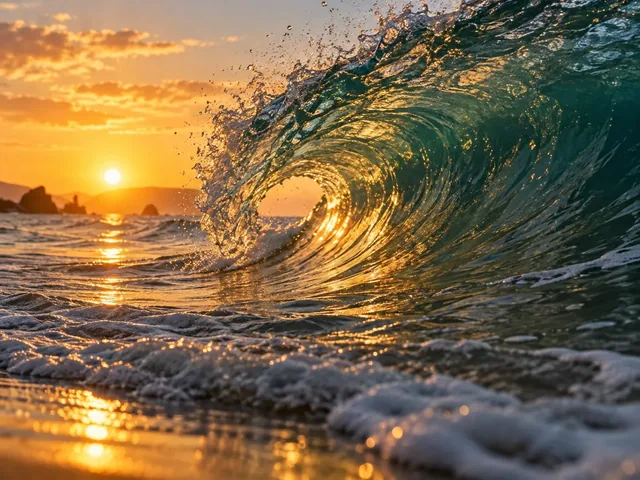
Nature Shot, No People
Slow-motion close-up of a turquoise ocean wave curling and breaking at golden hour, sunlight glowing through the water, spray catching the light, calm ambient sea sound, cinematic nature documentary style.
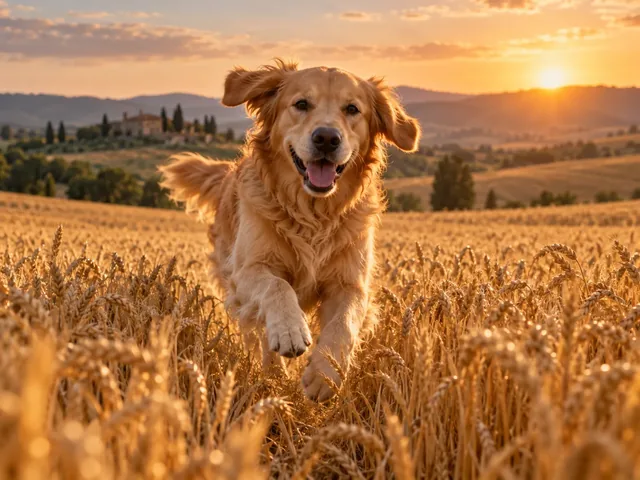
Animate Your Own Pet Photo
Make my dog run happily through a golden wheat field toward the camera, ears flapping, slow tracking shot, warm sunset light, keep my dog's face, fur color and markings exactly the same.
Starting from words only? Text to video turns a written scene into a clip. Prefer making still images? The AI image generator and text to image tools let you pick between several image models, and the same tips above apply: clear purpose, plain descriptions, fictional people and a stylized look for anything dramatic.
Frequently Asked Questions
What does “Content moderated. Try a different idea.” mean on Grok?
It means Grok’s automated safety system stopped your request because the prompt, an uploaded image or the generated result looked like it might break xAI’s content rules. Nothing is wrong with your account or the app. The image or video is not shown or saved, and Grok is asking you to change the idea or the wording.
Why does Grok say video moderated?
Grok checks videos more than once, including the finished frames. A clip can pass the prompt check, render almost completely and then be blocked near 99% if the final frames look too revealing, too violent or too much like a real person in a deceptive situation. Motion, extra frames and image-to-video edits of real photos all raise the chance of a late block.
My Grok generated image shows [image moderated]. What does it mean?
One of the results in your set was flagged by the output check, so Grok blurred it and labelled it instead of showing it. The other images in the set passed. If you need that particular result, make the prompt more specific about the safe version you want, for example by naming the style, the setting and what people are wearing.
Does Grok have a filter?
Yes. Does Grok have restrictions? Also yes. Grok Imagine runs automated content moderation on prompts, uploaded images and generated images and videos, and xAI’s Acceptable Use Policy lists content that is never allowed, such as sexualized images of real people without consent and any sexual content involving minors. There is no setting that turns the filter off.
Why is Grok moderated at all?
Image and video generators can be misused to create non-consensual intimate images, fake photos of real people, child abuse material and violent or hateful content. Laws in many countries require platforms to prevent that, and in early 2026 regulators pressed X and xAI after Grok’s image tools were misused to sexualize real people. Moderation is how Grok enforces those rules automatically.
Can you unmoderate Grok?
No. There is no supported way to unmoderate Grok, and paid plans do not remove the content rules. Jailbreak prompts, coded spellings and tools that keep retrying blocked requests break xAI’s Acceptable Use Policy, which prohibits jailbreaking, adversarial prompting and circumventing safeguards. For harmless ideas, rewording the prompt clearly is the only real fix.
Can you get banned from Grok?
Yes. xAI’s Acceptable Use Policy says violations can lead to action against your account, up to suspension or termination, and it reports suspected child sexual abuse material to the National Center for Missing and Exploited Children. Occasional false positives on harmless prompts are not the same as deliberately trying to get around the filter.
Grok xAI image generation moderated content: what does it mean for my account?
A single moderated result usually just means that one request was blocked. Users report that blocked attempts can still count toward usage limits, so repeated retries of the same blocked idea waste your allowance. A pattern of deliberate attempts to create prohibited content is what puts an account at risk.
Why is Grok moderating everything all of a sudden?
Rules and filters are updated over time, so a prompt that worked last month can be blocked today. Other common causes are an uploaded photo that shows a real person or someone who looks young, realistic “photo” wording around people, names of celebrities or brands, and regional rules. Start a new session, simplify the prompt and try a stylized look.
Is there a Grok Imagine alternative for safe-for-work projects?
Yes. On EzImgMaker you can use Grok Imagine in Normal and Fun modes, or switch to other video models such as Veo 3.1, Kling and Seedance in the AI video generator. Every generation here is also checked for nudity and sexual content, and if a result is blocked your credits are refunded. Different models interpret wording differently, so a harmless idea that one model misreads may work in another.
Grok, Grok Imagine, xAI and X are trademarks of their respective owners. EzImgMaker is an independent service and is not affiliated with, endorsed by or sponsored by xAI or X. Policy details summarize xAI's Acceptable Use Policy as published on October 12, 2026; check the official policy for the current wording.